


VenoBox – Lightweight & Responsive Lightbox Plugin
A fast, responsive, and flexible lightbox for images, videos, and galleries. Zero jQuery dependency.

Solid choice
VenoBox is a solid plugin choice in 2026, with a few things worth checking first. It runs on 200+ sites, is rated 5/5 and was last updated 2 months ago, and scores 76/100 on our health check.
- Tested with the latest WordPress (7.1)
- Small user base (200+ active installs)
- Very few reviews so far
How does it stack up?
Side-by-side on installs, updates, ratings & support



Daily downloads
Download spikes usually follow a new release — each site that auto-updates counts as a download.
Rankings
Where VenoBox stands todayWordPress.org search rankings
Live position in the plugin search, top 100| Keyword | Position |
|---|---|
| gallery | >100 |
| lightbox | #46 |
| modal | #76 |
| popup | >100 |
| woocommerce | >100 |
Version adoption
Share of active sites per release.
Rating breakdown
★★★★★★★★★★ 5 from 1 reviews
About VenoBox
From the official readme · v1.1.7Description
Tired of slow, clunky lightboxes that rely on jQuery? VenoBox is the modern, lightweight, and performance-focused lightbox your WordPress site deserves.
Built from the ground up with pure JavaScript, VenoBox is incredibly fast and avoids conflicts with other plugins. It intelligently calculates the best display size for your images, offers beautiful touch-swipe navigation for galleries, and seamlessly integrates with WooCommerce product galleries.
Why Choose VenoBox?
- ⚡ Performance First (No jQuery): Incredibly lightweight and fast-loading. It won’t slow down your site.
- 📱 Truly Responsive: Smart image resizing and touch-swipe navigation provide a flawless experience on any device.
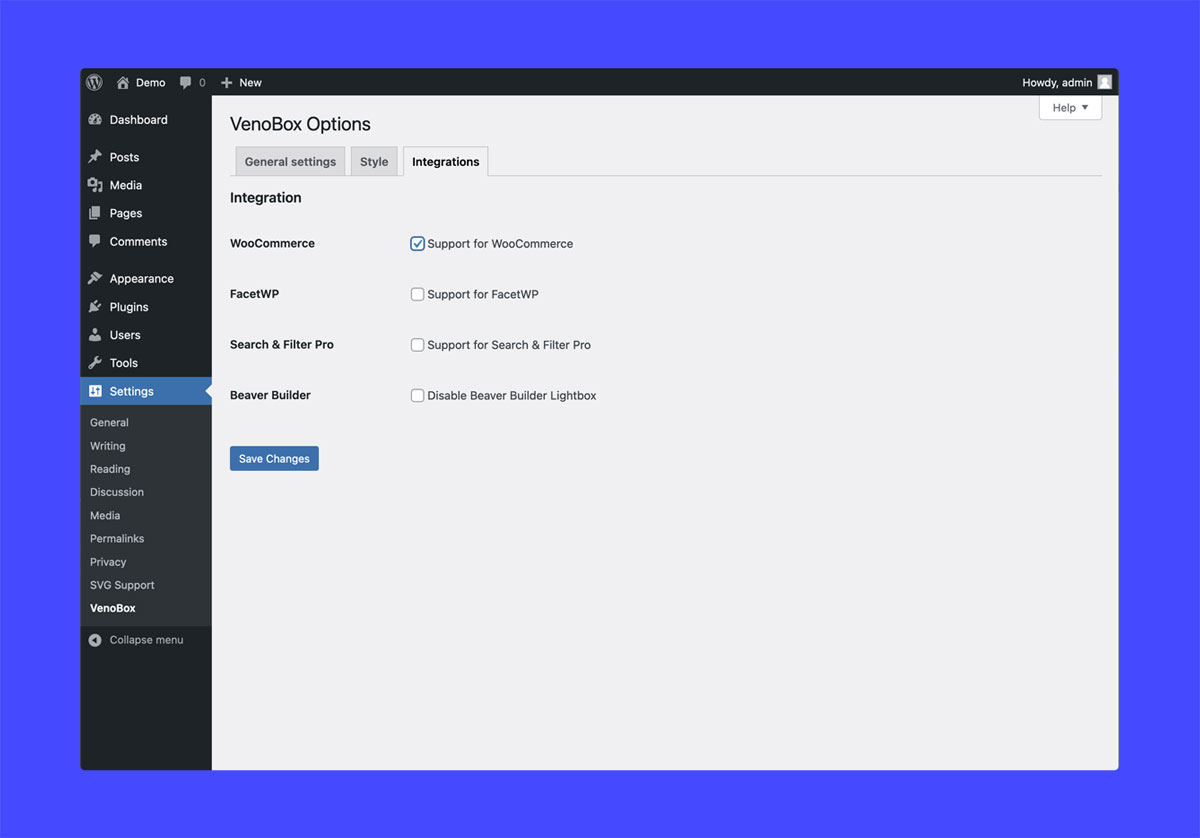
- 🛒 WooCommerce Ready: Automatically enhances your WooCommerce product galleries with a beautiful and user-friendly lightbox.
- 🎬 Multimedia Support: Works perfectly with images, videos (YouTube, Vimeo, HTML5), iFrames, and inline content.
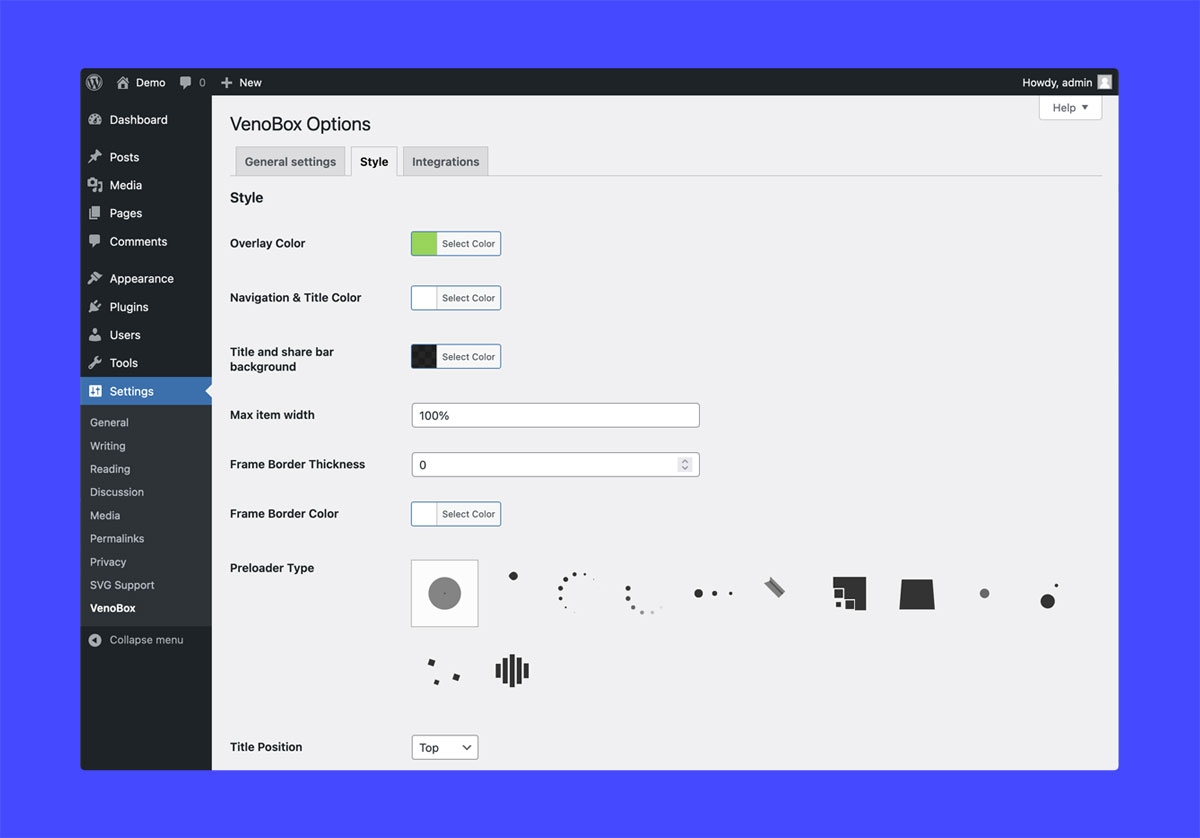
- 🎨 Highly Customizable: Easily change colors, styles, preloaders, and aspect ratios to match your brand’s design.
Features
-
Responsive Image Handling:
VenoBox sets itself apart by dynamically calculating the max width of displayed images and maintaining their original height, ensuring your visuals look stunning on any device. No more microscopic resized images on small screens – VenoBox guarantees an immersive user experience. -
Optional Image Resizing:
Take control of your visuals with VenoBox’s optional image resizing feature, allowing you to fit images perfectly within the viewport height. Tailor your content for an aesthetically pleasing and responsive display. -
Multimedia Versatility:
From images and iframes to inline content, VenoBox supports it all. Seamlessly integrate Vimeo, YouTube, and HTML5 video formats into captivating modal lightbox popups for a truly engaging user experience. -
Automatic Activation:
Let VenoBox do the heavy lifting by automatically enabling itself for all linked images and videos on your WordPress site. Enjoy hassle-free implementation and an instantly improved visual presentation. -
Touch Swipe Gallery Navigation:
Enhance user interaction with touch swipe gallery navigation. Your audience can effortlessly explore galleries with a simple swipe, creating an intuitive and enjoyable browsing experience. -
Keyboard Navigation:
Navigate through your content with ease using VenoBox’s keyboard navigation feature. Provide users with multiple ways to interact, ensuring accessibility and user-friendliness. -
Custom Preloaders:
Impress your visitors with custom preloaders that match your website’s style. Choose from a variety of options to create a seamless transition as your images and videos load. -
Custom Videos Aspect Ratio:
Fine-tune your video displays with custom aspect ratios, ensuring your multimedia content looks just the way you envision it. -
Customizable Colors and Styles:
Tailor the appearance of VenoBox to match your brand with customizable colors and styles. Maintain a consistent visual identity across your website, creating a cohesive and polished look. -
WooCommerce Compatibility:
VenoBox seamlessly integrates with WooCommerce product galleries, offering a streamlined solution for displaying your products with style and flair.
3rd party services
YouTube
If you enable VenoBox for videos and link YouTube videos, the plugin embeds the videos inside of your website with the following url:
https://www.youtube-nocookie.com/embed/
Terms of service:
https://developers.google.com/youtube/terms/api-services-terms-of-service
Vimeo
If you enable VenoBox for videos and link Vimeo videos, the plugin embeds the videos inside of your website with the following url:
https://player.vimeo.com/video/
Terms of servce:
https://vimeo.com/terms
More from Nicola Franchini
If you find VenoBox useful, you might also like my other tools for WordPress:
- 💎 QRcdr: From static codes to a full Dynamic QR SaaS. Sell plans, track scans and monetize.
- 📍 VenoMaps: The ultimate Google Maps alternative. Create fast, privacy-friendly maps using OpenStreetMap. No API keys required, no hidden costs, and zero configuration headaches.
Discover all my solutions at veno.es.
High-quality scripts, premium add-ons, and professional tools designed for performance-focused developers.
Installation
- Upload the plugin folder
venoboxto the/wp-content/plugins/directory - Activate the plugin through the Plugins menu in WordPress
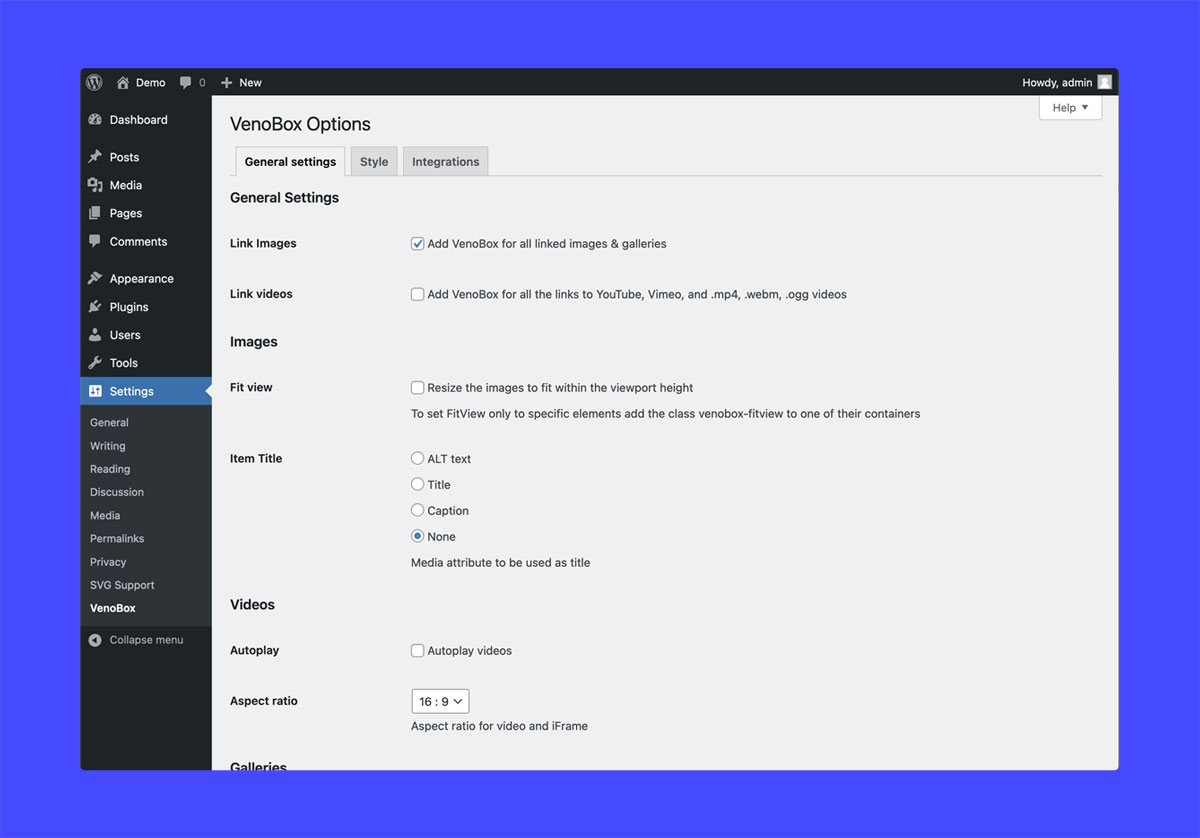
- Adjust the plugin settings in WP Admin > Dashboard > Settings > VenoBox
Frequently asked questions
How to group links for gallery navigation?
Every WP image gallery will be treated as individual gallery; To group specific links add the following class to any parent element of the links venobox-gall
How to reinitialize the plugin for dynamic links added to an already loaded page?
Use this snippet once your new links have been added: if (typeof window.VenoBoxPlugin === "function") { window.VenoBoxPlugin(); }
How to open remote content inside iFrames?
Add the class venobox-iframe to your links
How to get results from ajax calls?
Add the class venobox-ajax to your links
How to open inline content inside iFrames?
Add the class venobox-inline to your links
Can the images be resized to fit within the viewport height?
Yes, with the global option Fit view, or to individual links or group of links adding the class venobox-fitview to one of their containers
Changelog
1.1.7
- Update: tested up to WordPress 7.1
1.1.6
- Update: New helper class .no-venobox to disable specific links.
1.1.5
- Update: VenoBox JS 2.2.0: WCAG compliance – Hidden scrollbar
1.1.4
- Update: Support for the new Woocommerce block Product Gallery
- Update: Minified bundle, performance improved
- Update: tested up to WP 7.0
1.1.3
- Update: Discrete plugin review notice
1.1.2
- Update: Tested up to WP 6.9
Screenshots

For developers
Is this your plugin? Show off the numbers.
Add a live badge to your site, docs or GitHub README. It updates on its own — no account needed.
Best VenoBox alternatives
All gallery plugins →




FAQ
VenoBox: quick answers
Straight answers, pulled from live WordPress.org data.
Live data from WordPress.org · checked Oct 18, 2026
Is VenoBox free?
Yes. VenoBox is free to download and use from the official WordPress.org plugin directory.
Is VenoBox safe to use in 2026?
VenoBox is a solid plugin choice in 2026, with a few things worth checking first. It runs on 200+ sites, is rated 5/5 and was last updated 2 months ago, and scores 76/100 on our health check.
How many websites use VenoBox?
VenoBox is active on 200+ WordPress websites and has been downloaded 4,821 times since it launched in February 2024. It was downloaded 197 times in the last 30 days.
Does VenoBox work with WordPress 7.1?
Yes. The developer has tested VenoBox up to WordPress 7.1.3, the latest release. It requires WordPress 4.0 or newer.
What PHP version does VenoBox need?
VenoBox requires PHP 5.3 or higher. Most hosts run PHP 8.x today, so it works on any modern WordPress hosting.
When was VenoBox last updated?
The latest version, 1.1.7, was released on August 24, 2026 (2 months ago).
Who makes VenoBox?
VenoBox is developed and maintained by Nicola Franchini.
What are the best alternatives to VenoBox?
The most popular alternatives to VenoBox are Smart Slider 3 (800K+ installs), Slider, Gallery, and Carous… (500K+ installs) and Photo Gallery, Sliders, Pro… (300K+ installs).
Powered by PageForge
Want thousands of pages that rank like these? Build them in an afternoon.
This directory runs on the same engine as PageForge. Turn any spreadsheet, CSV or API into thousands of fast, SEO-ready WordPress pages — with schema, internal links and AI-written copy baked in.
- CSV, Google Sheets & API data sources
- AI content, schema & internal links per page
- Works with Elementor, Gutenberg, Yoast & Rank Math
- Free on WordPress.org — no credit card


