



VdoCipher: Secure Video Player and Hosting
WordPress Video Player Plugin for VdoCipher: secure video embed, custom video player, watermark & easy integration with all LMS platforms.

Solid choice
VdoCipher: Secure Video Player… is a solid plugin choice in 2026, with a few things worth checking first. It runs on 2K+ sites, is rated 4.2/5 and was last updated 1 month ago, and scores 76/100 on our health check.
- Tested with the latest WordPress (7.1)
How does it stack up?
Side-by-side on installs, updates, ratings & support



Daily downloads
Download spikes usually follow a new release — each site that auto-updates counts as a download.
Rankings
Where VdoCipher: Secure Video Pla… stands todayWordPress.org search rankings
Live position in the plugin search, top 100| Keyword | Position |
|---|---|
| drm | #2 |
| e-learning | #8 |
| video | #82 |
| video plugin | #49 |
Version adoption
Share of active sites per release.
Rating breakdown
★★★★★★★★★★ 4.2 from 14 reviews
About VdoCipher: Secure Video Player and Host…
From the official readme · v1.30Description
VdoCipher video plugin secure provides video hosting, video playback, and piracy blocker & identification analytics for WordPress websites in the e-learning & media field to help them serve content most securely and smoothly. A combination of Hollywood standard DRMs and viewer-specific watermarking, hacker user id identification ensures that videos can’t be downloaded or shared illegally from your platform. With features like custom smart player, video analytics, and video management suite enables the best viewer and video management experience. We serve 3000+ businesses and 10,000+ content creators’ platforms across 120+ countries. VdoCipher video plugin ensures your videos are secure, smooth, and protected.
VdoCipher’s DRM & Watermark Security Features:
- Video DRM Encryption to prevent illegal video downloads
- Dynamic Watermarking based on user ID/email ID/IP address to discourage screen capture. In some cases, screen capture is also blocked on browsers, for the rest of the cases, watermark is a good discouragement.
- Easily customize watermark to change color, transparency, and speed of movement.
- Domain Restriction. Use a single VdoCipher account to integrate with multiple WordPress websites.
- Geo, Time, Domain, Authentication Restrictions
VdoCipher’s Custom Smart Video Player & Video Hosting Suite
- Adaptive Streaming based on user internet speed. User can also switch between qualities as per their choice. Quality optimized to ensure playback on slow internet connections,
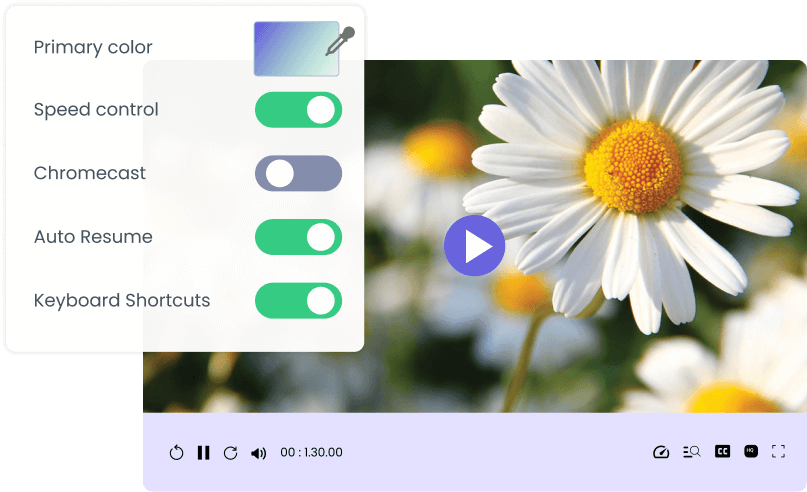
- Customizable Video Player: Change color, controls on/off, speed change options.
- Have different themes for different videos/courses.
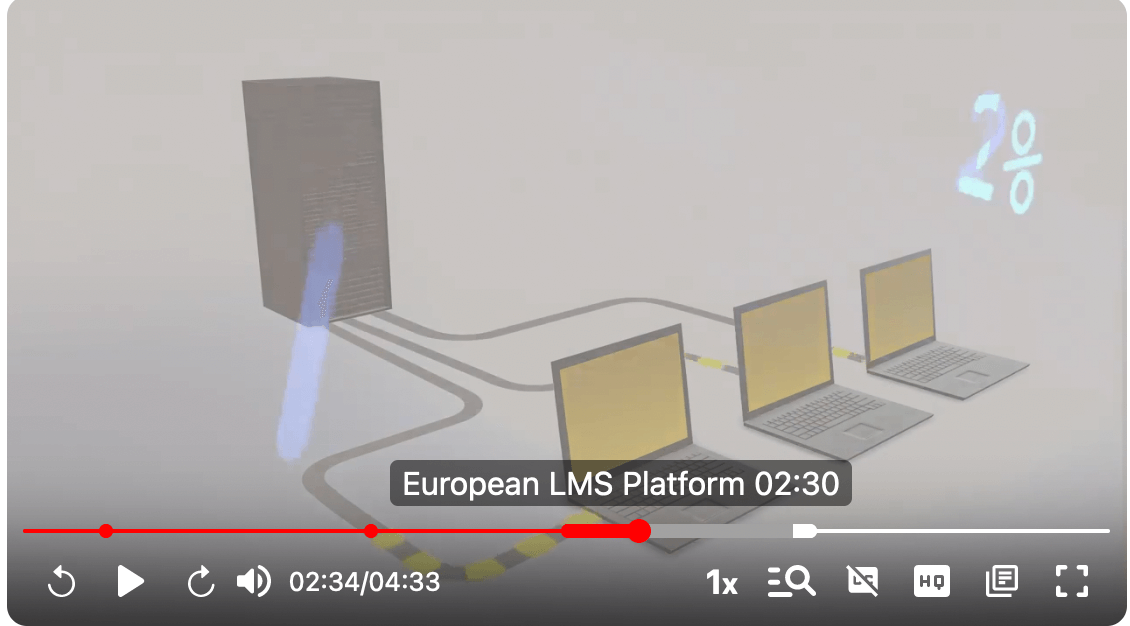
- Add Chapters over the video.
- Add multilingual subtitles.
- Video Analytics
- Amazon AWS Server & CDN
Compatible with All Major WordPress LMS & Themes
VdoCipher’s plugin works at the WordPress core layer, so playback, DRM security, and per user analytics remain compatible across major LMS and theme stacks.
Full plugin and security integration tutorial
LMS integrations with step-by-step tutorials:
See the full list of supported platforms on our LMS Partner page.
Easy 15-minute integration
- Register for VdoCipher trial or paid account.
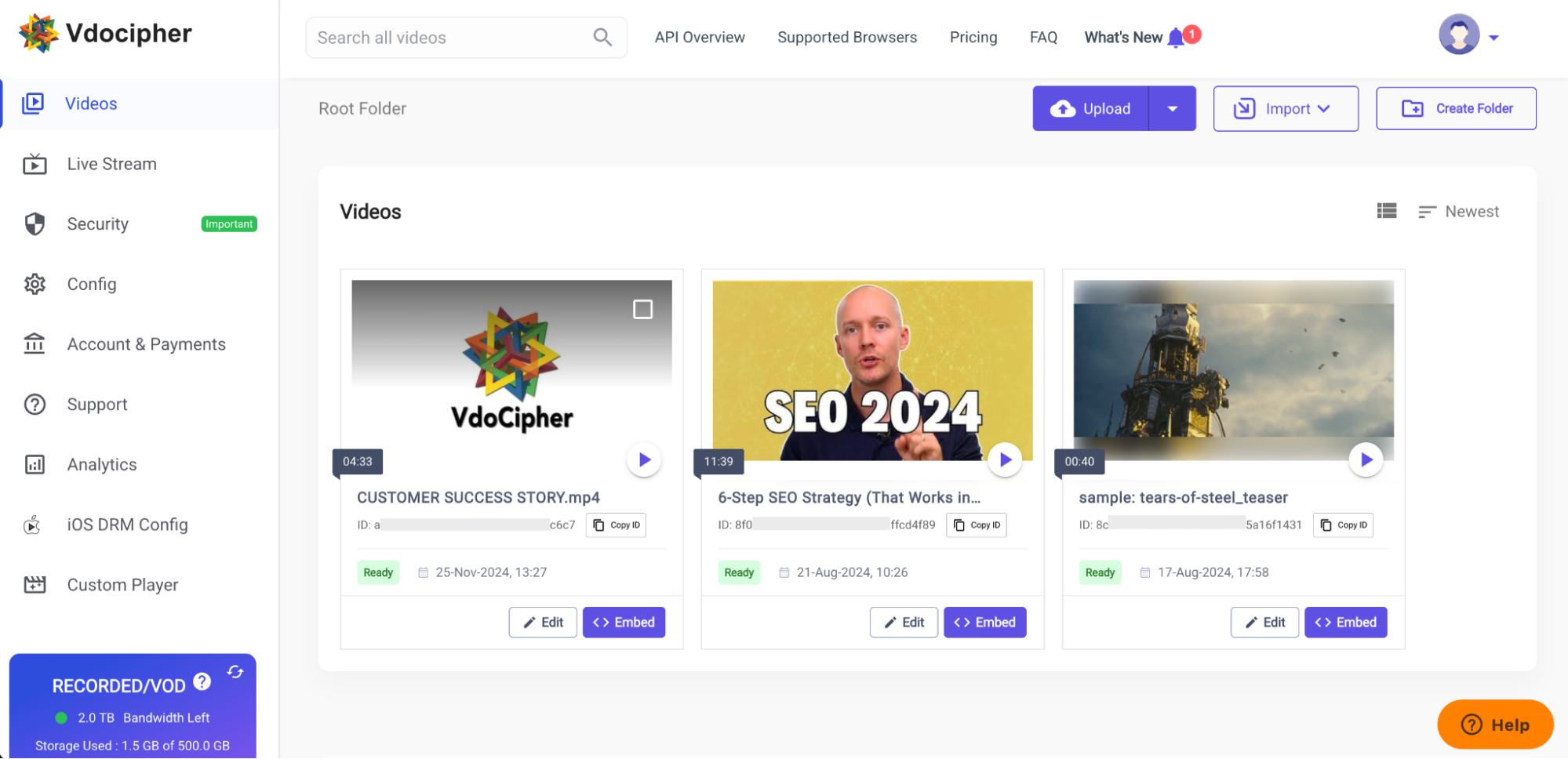
- Upload a video and wait for it to complete processing and get ready with encryption.
- Set up domain restriction from VdoCipher security settings.
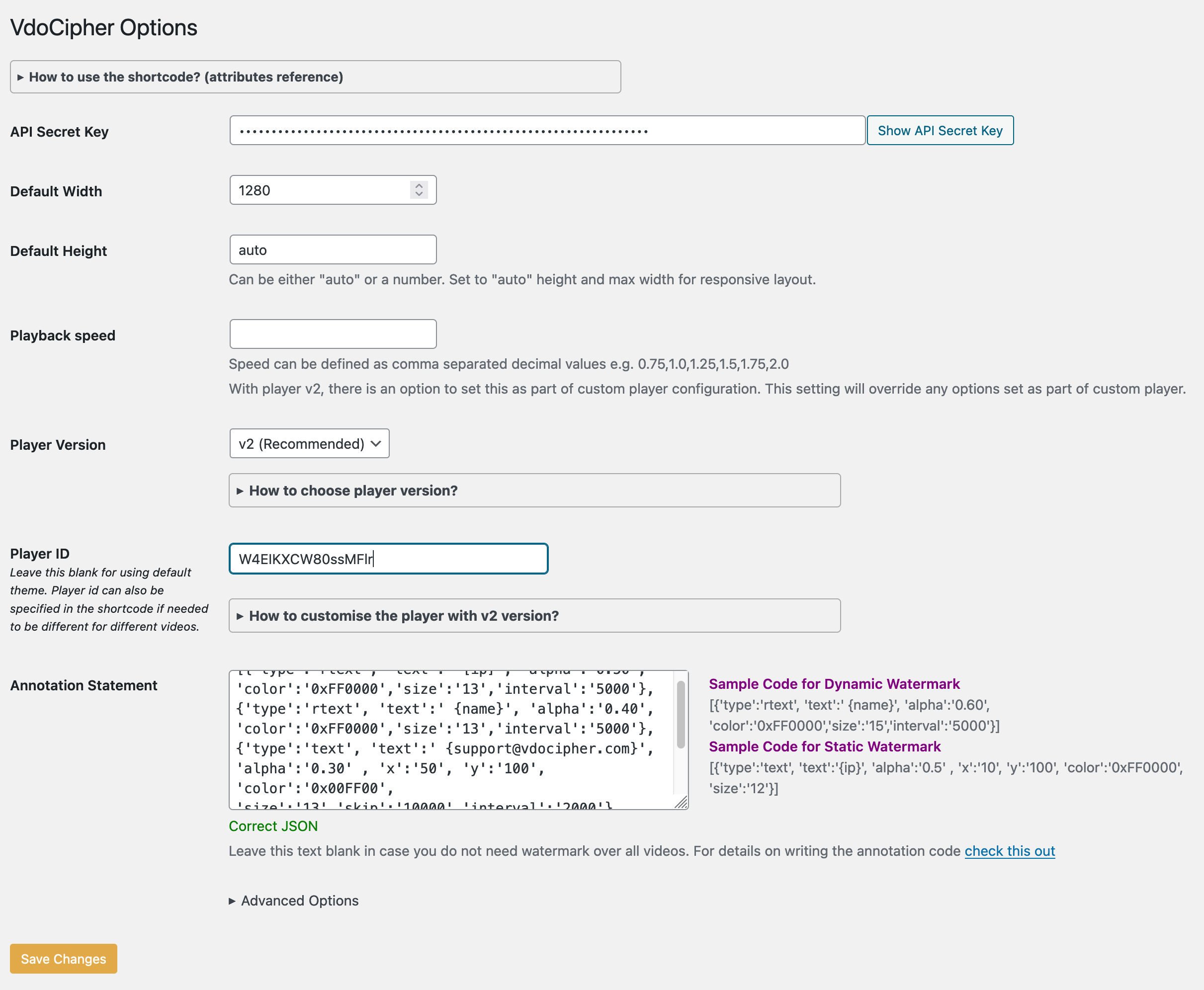
- Install the VdoCipher WordPress plugin. Fill in the API key and other settings like watermark parameters.
- Use shortcodes to embed in any WordPress page/post/course.
Additional Resources
- Free Trial Signup
- All VdoCipher Features
- DRM + Watermark video demo
- Full Upload + WordPress Embed Tutorial
Installation
- Register for VdoCipher trial or paid account on vdocipher.com
- Upload a video and wait for it to complete processing and get ready with encryption.
- Set up domain restriction from VdoCipher “Security & Config” section in VdoCipher dashboard settings.
- Install VdoCipher WordPress plugin. Fill in the API key and other settings like watermark parameters.
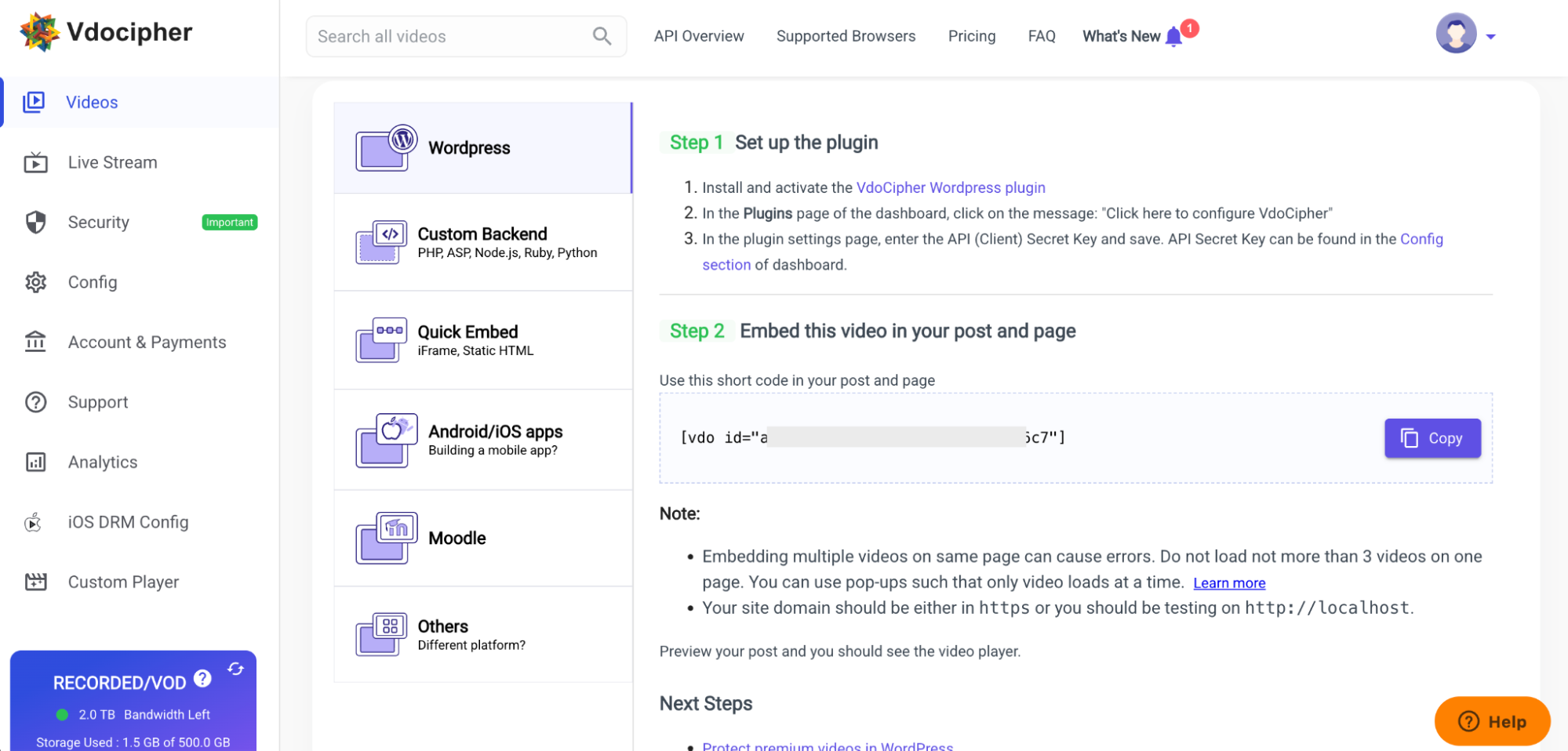
- Click on the “embed” button below any video in the dashboard. Please choose the “WordPress” section and follow the simple steps.
- Use simple shortcode to embed in any WordPress page/post/course.
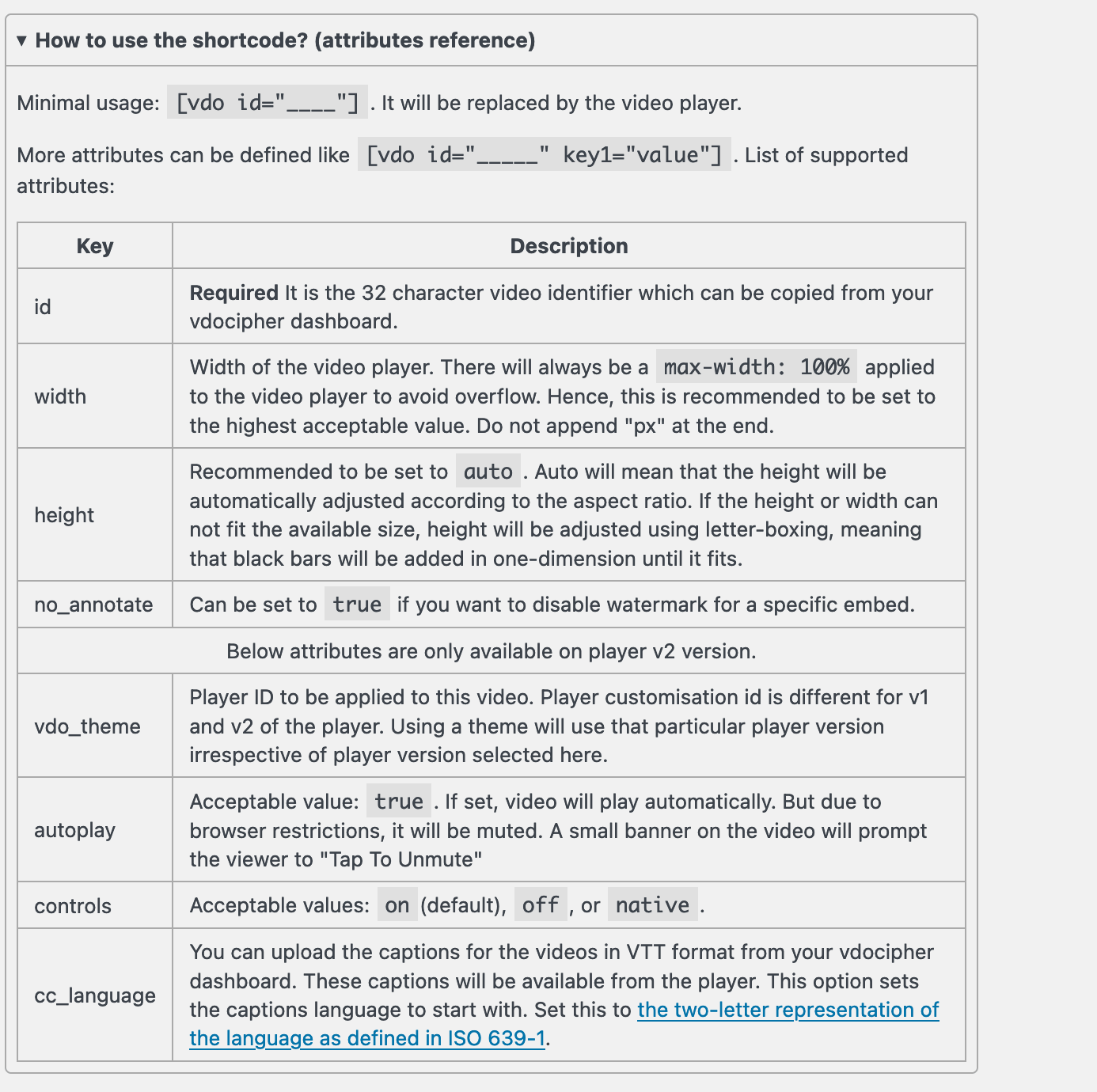
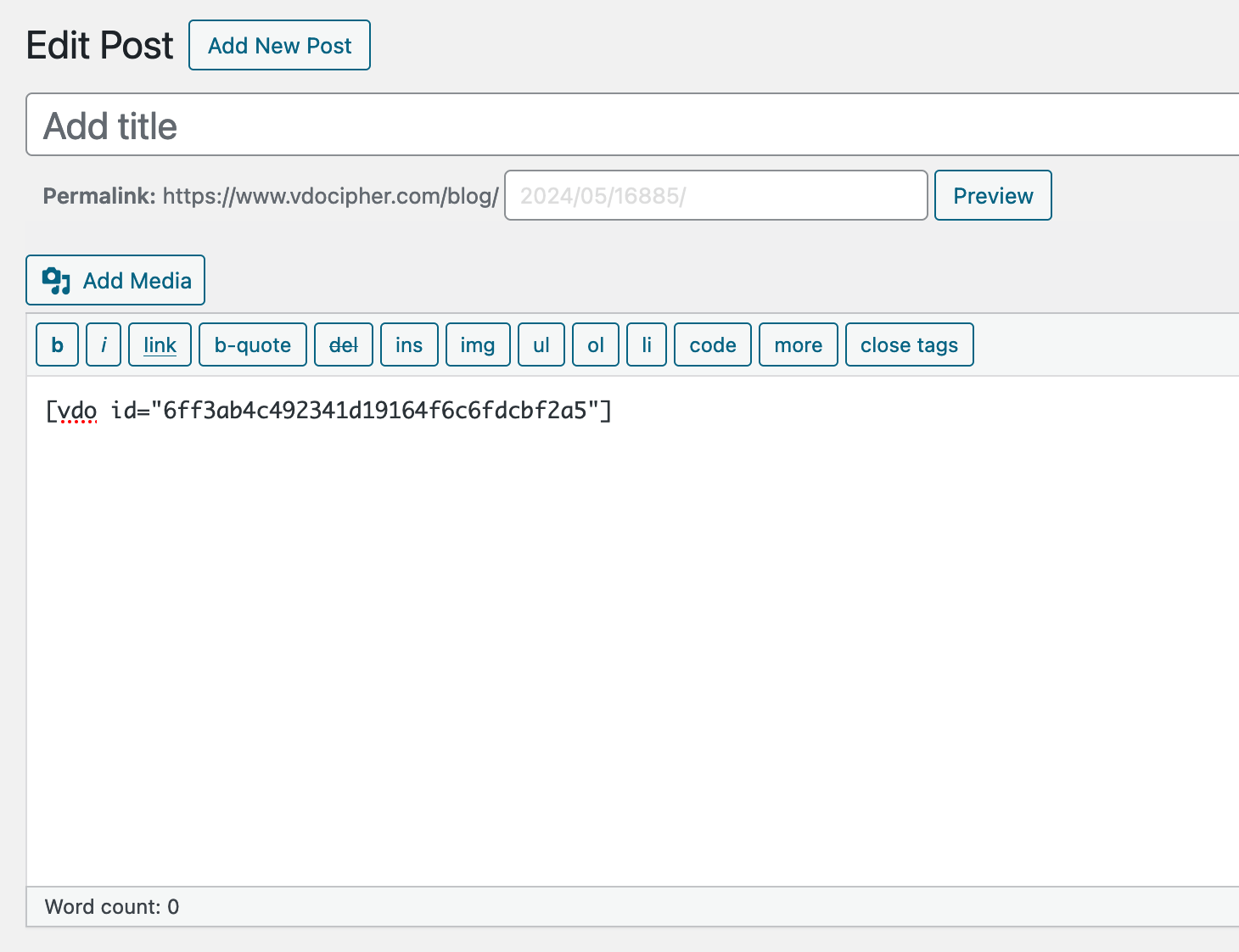
- Inside a post or page you can write
[vdo id="id_of_video"]to embed the video in a post or page. - To set width and height use, Example
[vdo id="id_of_video" width="600" and height="400"] - You can set custom video player themes from “Custom Player” section. It can be set as default theme from the settings page. It is also possible to modify shortcode to use specific theme for specific video embeds.
[vdo id="c1480d6f057b70578e7f9d33e" vdo_theme="uz6s6vivib"] - Please contact support@vdocipher.com for more queries.
Frequently asked questions
Is there a free trial?
On account creation, you shall be provided with 5GB of free trial bandwidth.
How to Install a Video Plugin in WordPress
Download the Plugin: Go to the VdoCipher WordPress Plugin page – https://wordpress.org/plugins/vdocipher/ Upload the Plugin: In your WordPress dashboard, navigate to Plugins > Add New, click on Upload Plugin, choose the downloaded file, and install it. Activate the Plugin: After installation, click Activate Plugin.
How to Host Videos on Your WordPress Site
Using VdoCipher: Once the VdoCipher plugin is installed, you can upload your videos to VdoCipher and use the provided embed code to display videos on your WordPress site. Embed Videos: Use the shortcode provided by the plugin to embed videos in posts or pages.
How to Embed a Live Video in WordPress
Live Streaming Platforms: Use VdoCipher for live streaming (no DRM for live). Embed Code: Get the live video embed code from your streaming platform and paste it into the HTML block of your WordPress editor.
How to Embed a Video in WordPress Without YouTube
Using VdoCipher: Upload your video to VdoCipher, copy the embed code, and paste it into your WordPress post or page. Alternatively, you can also use the native video block in the WordPress editor to upload videos directly to your media library.
How to Make a Video Streaming Website on WordPress
Choose a Theme: Select a theme optimized for video content. Install Necessary Plugins: Use video hosting plugins like VdoCipher and LMS plugins if you’re offering courses. Upload and Embed Videos: Host videos on VdoCipher and embed them using the provided shortcodes.
How to Upload High-Quality Videos to WordPress
Use VdoCipher: Upload high-quality videos to VdoCipher for efficient streaming and protection. Media Library: Ensure your WordPress hosting supports large files and upload limits.
How to Make a Video Not Downloadable in WordPress
Use VdoCipher: VdoCipher provides secure streaming, preventing downloads. Restrict Access: Use plugins to restrict access and prevent direct downloads.
How to Restrict Downloads in WordPress
Use DRM Services: VdoCipher’s DRM ensures secure streaming and prevents unauthorised downloads.
How to Protect Media Files in WordPress
VdoCipher DRM: Utilize VdoCipher’s DRM services for secure video streaming.
How to Broadcast a Live Video on WordPress
Live Streaming Service: Use a service like VdoCipher with live streaming iframe Embed Code: Get the embed code and paste it into your WordPress site.
How to Create a Video Website in WordPress
Select Theme: Choose a video-friendly theme. Install Plugins: Install video hosting plugins like VdoCipher. Upload and Embed: Host videos on VdoCipher and embed them on your site.
Can You Host Video on WordPress?
Yes, you can host videos directly or use third-party services like VdoCipher for better security and performance.
Changelog
Added support for user tracking with opt-in
1.30
- Add support for user based tracking which requires opt-in
- Improved the error message displayed in cases of firewall issues
- Add sanitization of shortcode attributes to block script input
1.29
- Added support for more attributes
controls,autoplayandcc_language. - Ability to override player design for each embed
- Fixed bug with applying player-id to v2 player.
- Improved documentation
1.28
- Added support for player v2 with customisation, light-weight and other features.
- Improved error messages
- Added option to arrange menu position
- Settings will be retained on deactivation. Only uninstall will remove it from DB
1.27
- Added speed change options
- Improved settings form
- Removed the legacy player themes and flash options from settings
If you are on one of the old themes and flash settings, this will show you
an option to update to new settings.
1.25
- Added gutenberg block support
- More themes
- auto upgrade of player version
- Fixed undefined notice message
- Fixed some more bugs
- Better handling of video aspect ratio
- Fairplay support in player
- detailed analytics support in wordpress
1.24
- Bug fixes
Screenshots
For developers
Is this your plugin? Show off the numbers.
Add a live badge to your site, docs or GitHub README. It updates on its own — no account needed.
Best VdoCipher: Secure Video Playe… alternatives
All drm plugins →



FAQ
VdoCipher: Secure Video Player and…: quick answers
Straight answers, pulled from live WordPress.org data.
Live data from WordPress.org · checked Sep 26, 2026
Is VdoCipher: Secure Video Player… free?
Yes. VdoCipher: Secure Video Player… is free to download and use from the official WordPress.org plugin directory.
Is VdoCipher: Secure Video Player… safe to use in 2026?
VdoCipher: Secure Video Player… is a solid plugin choice in 2026, with a few things worth checking first. It runs on 2K+ sites, is rated 4.2/5 and was last updated 1 month ago, and scores 76/100 on our health check.
How many websites use VdoCipher: Secure Video Player…?
VdoCipher: Secure Video Player… is active on 2K+ WordPress websites and has been downloaded 30,025 times since it launched in December 2014. It was downloaded 373 times in the last 30 days.
Does VdoCipher: Secure Video Player… work with WordPress 7.1?
Yes. The developer has tested VdoCipher: Secure Video Player… up to WordPress 7.1.2, the latest release. It requires WordPress 3.5.1 or newer.
What PHP version does VdoCipher: Secure Video Player… need?
VdoCipher: Secure Video Player… requires PHP 5.6 or higher. Most hosts run PHP 8.x today, so it works on any modern WordPress hosting.
When was VdoCipher: Secure Video Player… last updated?
The latest version, 1.30, was released on August 23, 2026 (1 month ago).
Who makes VdoCipher: Secure Video Player…?
VdoCipher: Secure Video Player… is developed and maintained by Vibhav Sinha.
What are the best alternatives to VdoCipher: Secure Video Player…?
The most popular alternatives to VdoCipher: Secure Video Player… are Digital Content Delivery (i… (50+ installs), SafeGuard DRM Protection (30+ installs) and SimpleDRM (10+ installs).
Powered by PageForge
Want thousands of pages that rank like these? Build them in an afternoon.
This directory runs on the same engine as PageForge. Turn any spreadsheet, CSV or API into thousands of fast, SEO-ready WordPress pages — with schema, internal links and AI-written copy baked in.
- CSV, Google Sheets & API data sources
- AI content, schema & internal links per page
- Works with Elementor, Gutenberg, Yoast & Rank Math
- Free on WordPress.org — no credit card


