



Vanquish Multiple Addresses – Address Book for WooCommerce
Give WooCommerce customers an address book: save multiple billing and shipping addresses and pick one at checkout.

Solid choice
Vanquish Multiple Addresses is a solid plugin choice in 2026, with a few things worth checking first. Is rated 5/5 and was last updated 4 days ago, and scores 75/100 on our health check.
- Actively developed — last update 4 days ago
- Tested with the latest WordPress (7.1)
- Small user base (<10 active installs)
- Very few reviews so far
Daily downloads
Download spikes usually follow a new release — each site that auto-updates counts as a download.
Rankings
Where Vanquish Multiple Addresses stands todayWordPress.org search rankings
Live position in the plugin search, top 100| Keyword | Position |
|---|---|
| customer address book | #40 |
| multiple delivery addresses | #17 |
| multiple shipping addresses | #26 |
| second shipping address | #55 |
| Ship to multiple addresses | #8 |
Rating breakdown
★★★★★★★★★★ 5 from 3 reviews
About Vanquish Multiple Addresses
From the official readme · v1.3.3Description
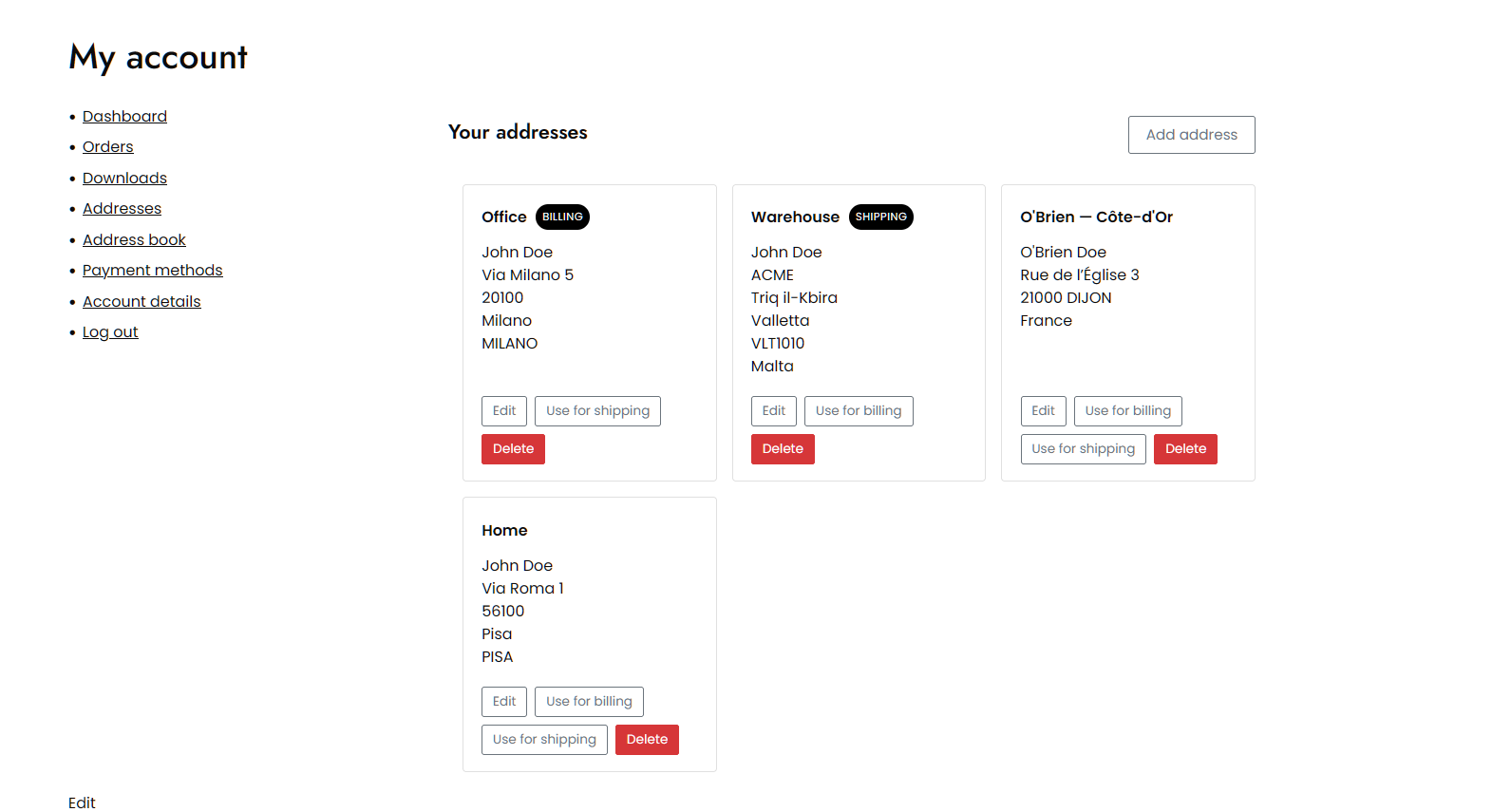
Vanquish Multiple Addresses for WooCommerce gives your customers a real address book. They can save as many billing and shipping addresses as they like, name them (Home, Office, …), set a default, and pick one at checkout instead of retyping it every time.
That is the everyday case: the customer who ships to home and to work, or who sends to the same three relatives every December. The premium edition handles the harder one — a single order that has to go to more than one place at once.
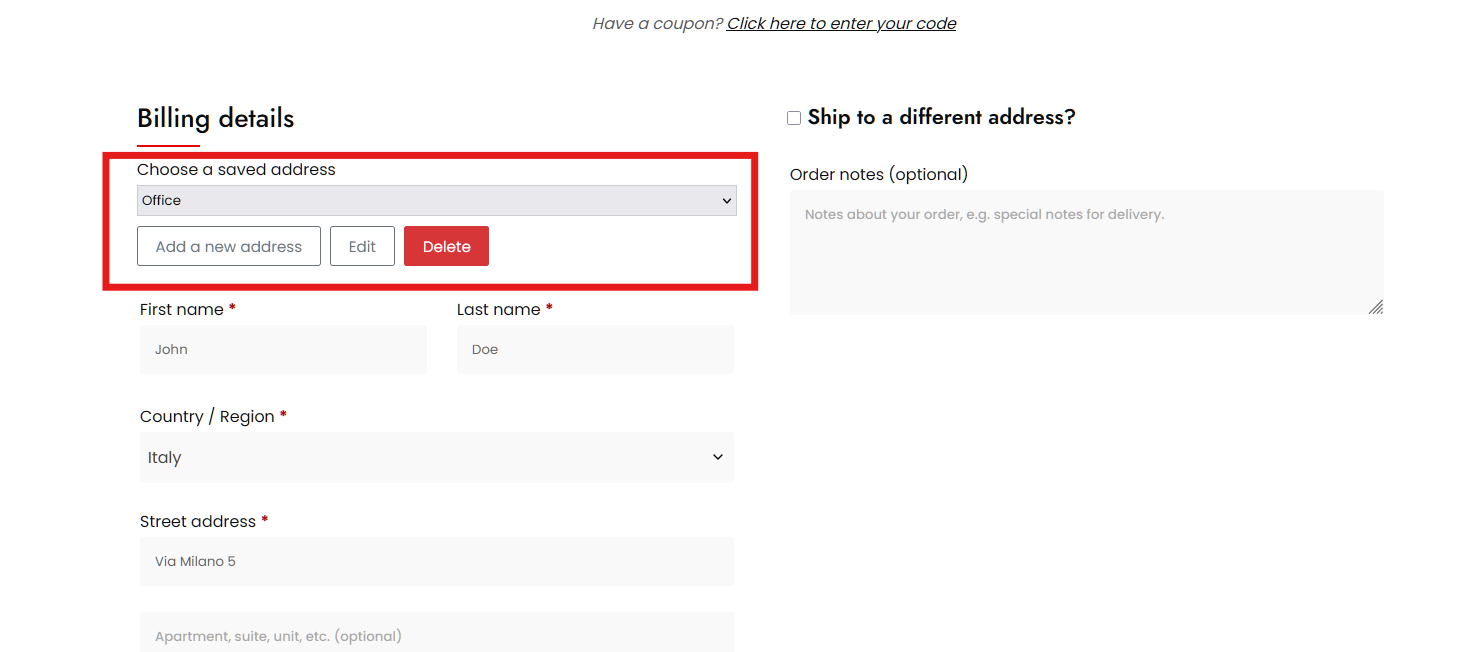
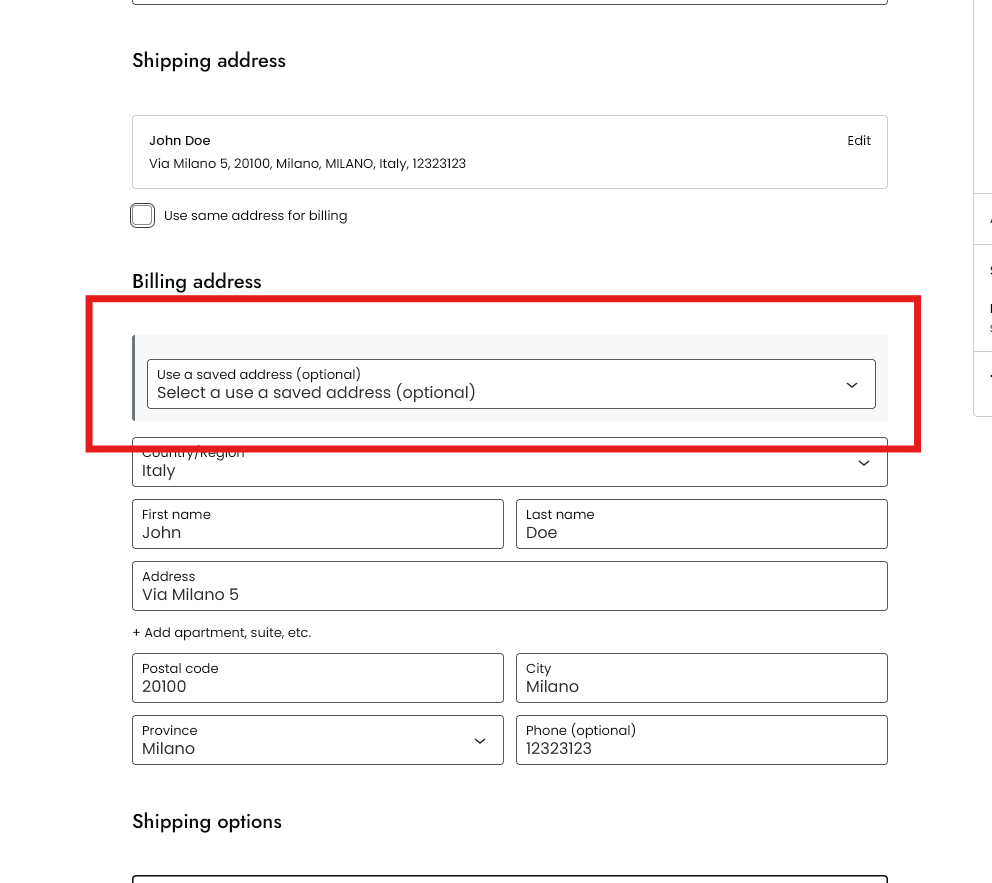
It works in the block checkout, and in the classic one
The saved-address selector appears in both, and it is the same selector in each. So is the premium per-product destination picker, and the split shipping that goes with it. The block checkout is not a “coming soon” here. Every feature on this page already works in both, premium included.
This matters more every month: WooCommerce is moving stores onto the block checkout by default, and an address plugin that only understands the classic one quietly stops working on the day a store switches over.
Free features
- Pick a saved address at checkout, for billing and for shipping
- Save as many addresses per customer as you like, with no cap
- Name each address — Home, Office, Mum — and set a default for billing and for shipping
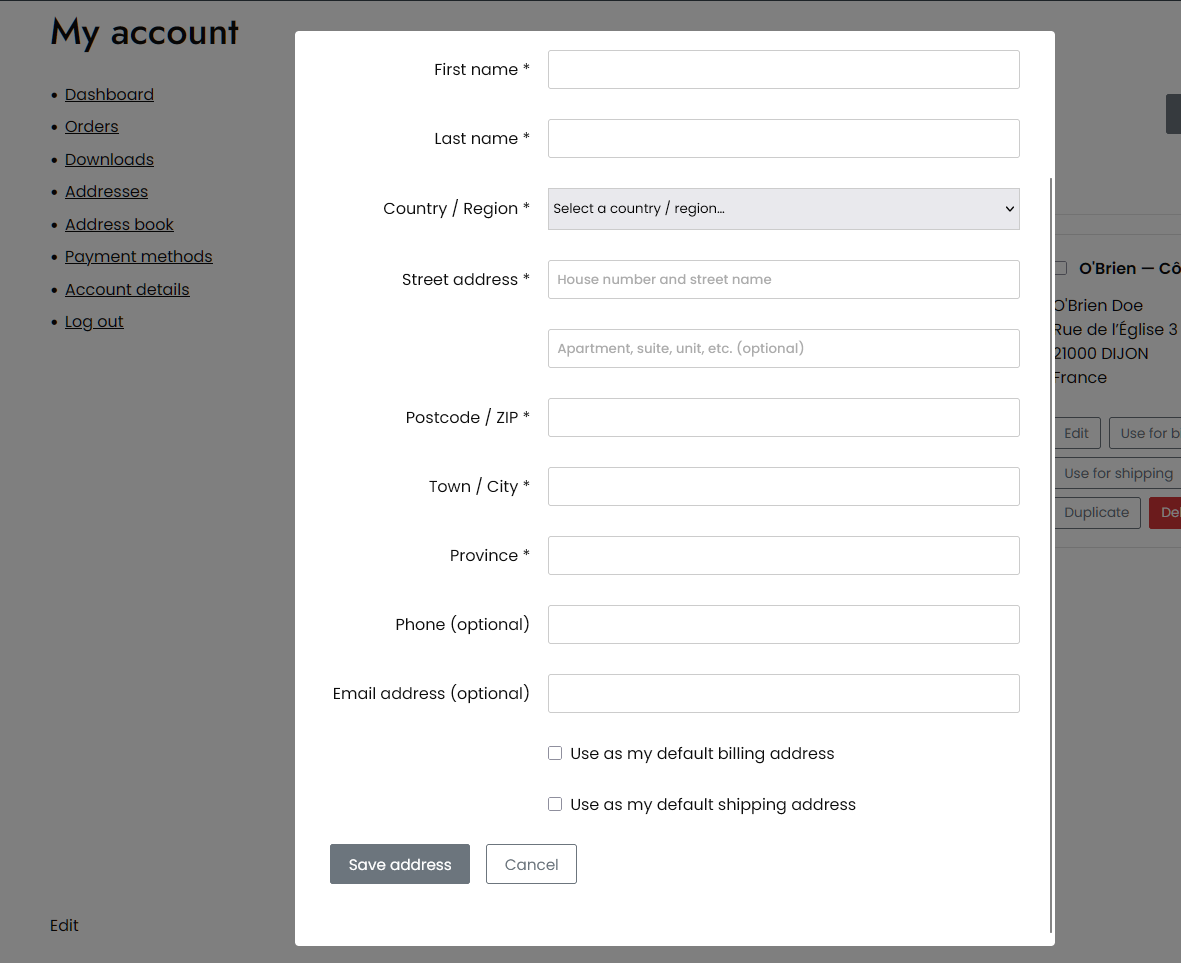
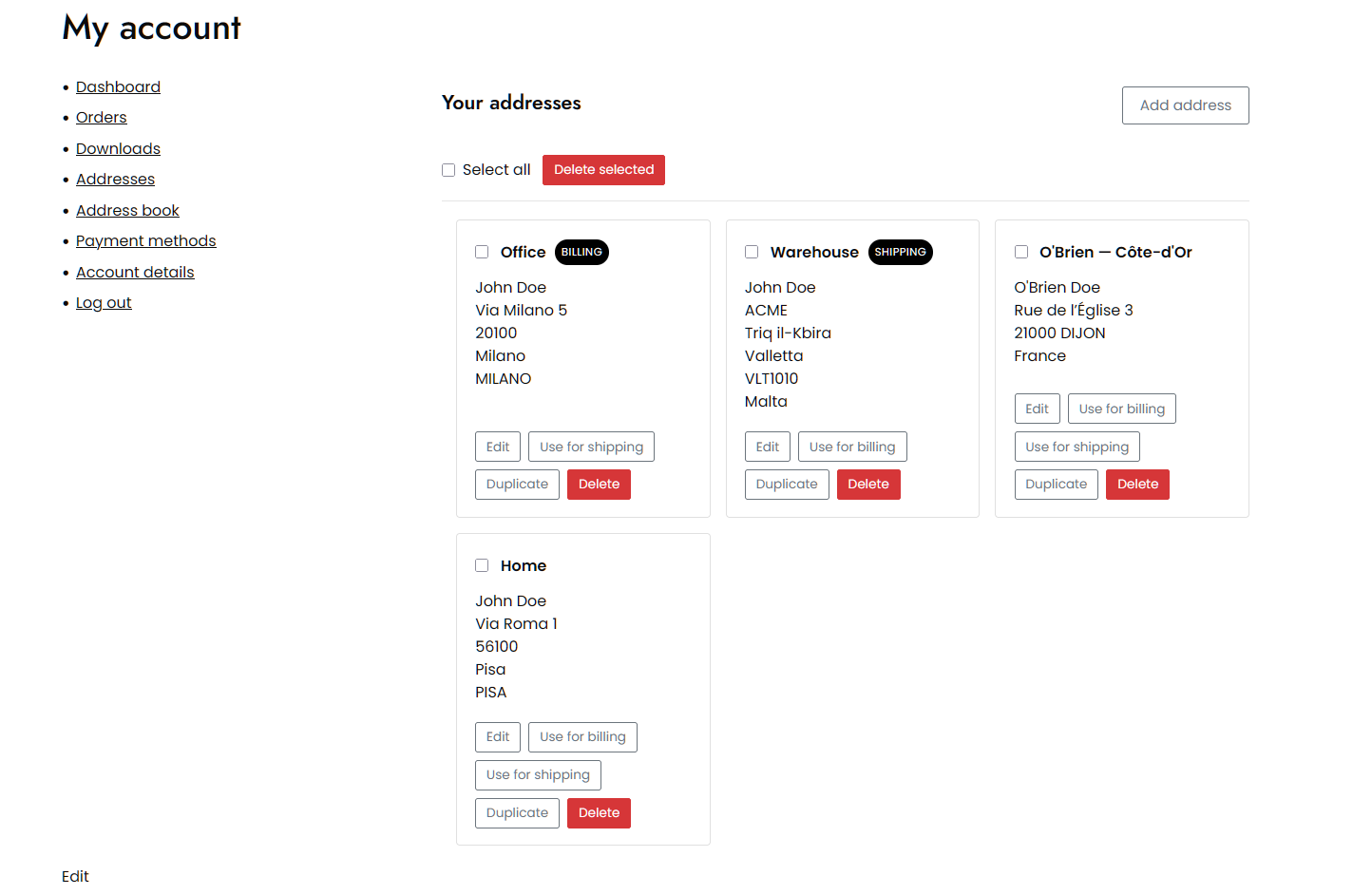
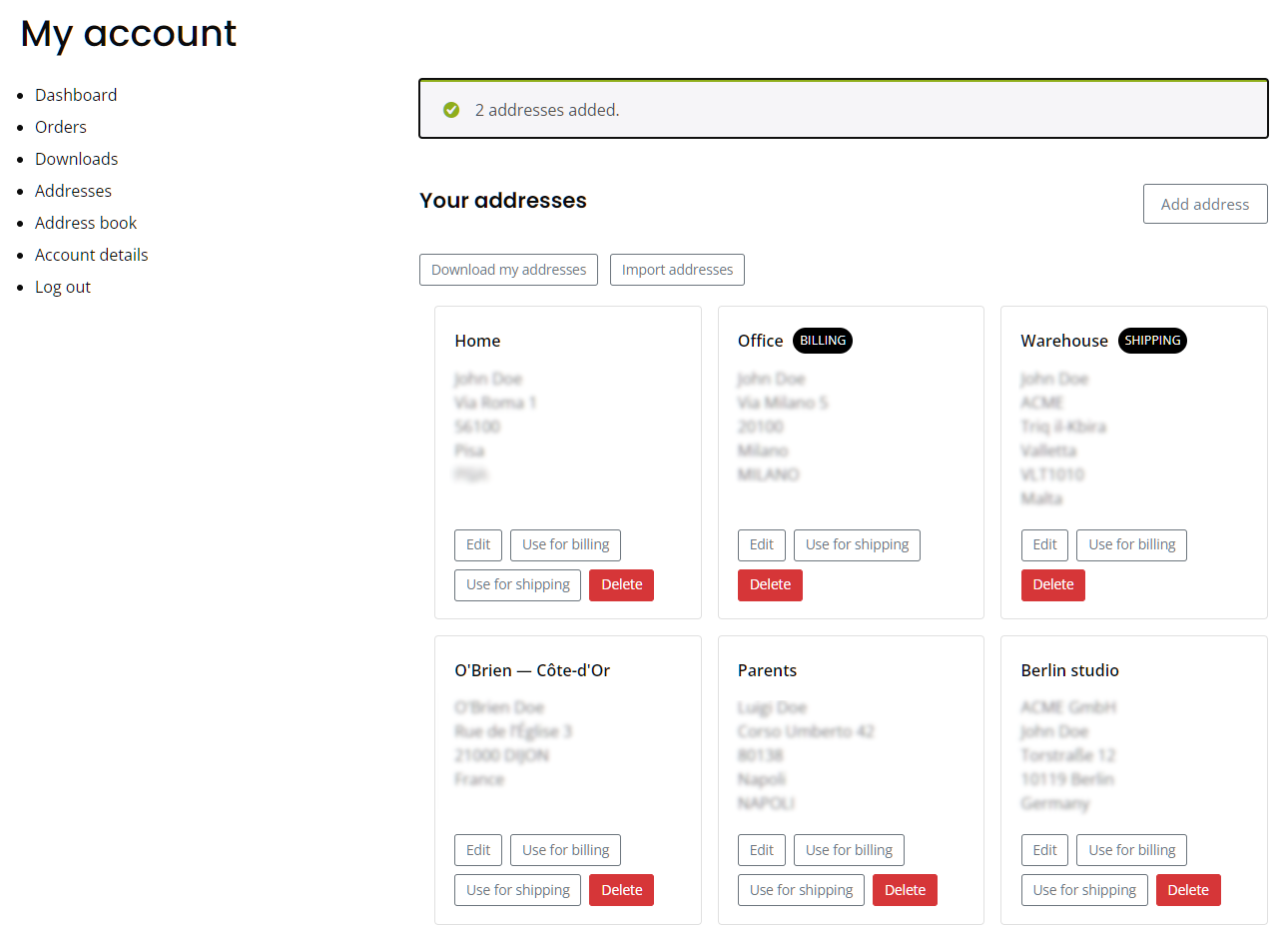
- Add, edit and delete addresses from the My Account area
- Add and edit addresses without leaving the checkout, or turn that off and keep the address book in My Account
- Let customers download their own address book, and add addresses from a CSV — two separate switches, because only one of them writes to your store
- Preselect the customer’s default address at checkout, or keep the address WooCommerce already filled in
- Show the selector on the billing form, the shipping form, or both
- Billing and shipping address columns on the admin orders list, which you can hide from Screen Options
- Set the color of the address buttons to match your theme
- Supports High-Performance Order Storage (HPOS)
- Override any template from your theme, and change the rest with filters
There is no cap on the number of addresses, no time limit, and nothing switched off waiting to be paid for. The premium edition adds separate features; it does not unlock these.
Premium features
Where the free edition is about keeping addresses, the premium edition is about using several of them in the same order — one cart going to more than one place — and about managing your customers’ address books yourself. If you sell to businesses, or your customers send gifts, this is the part you are here for.
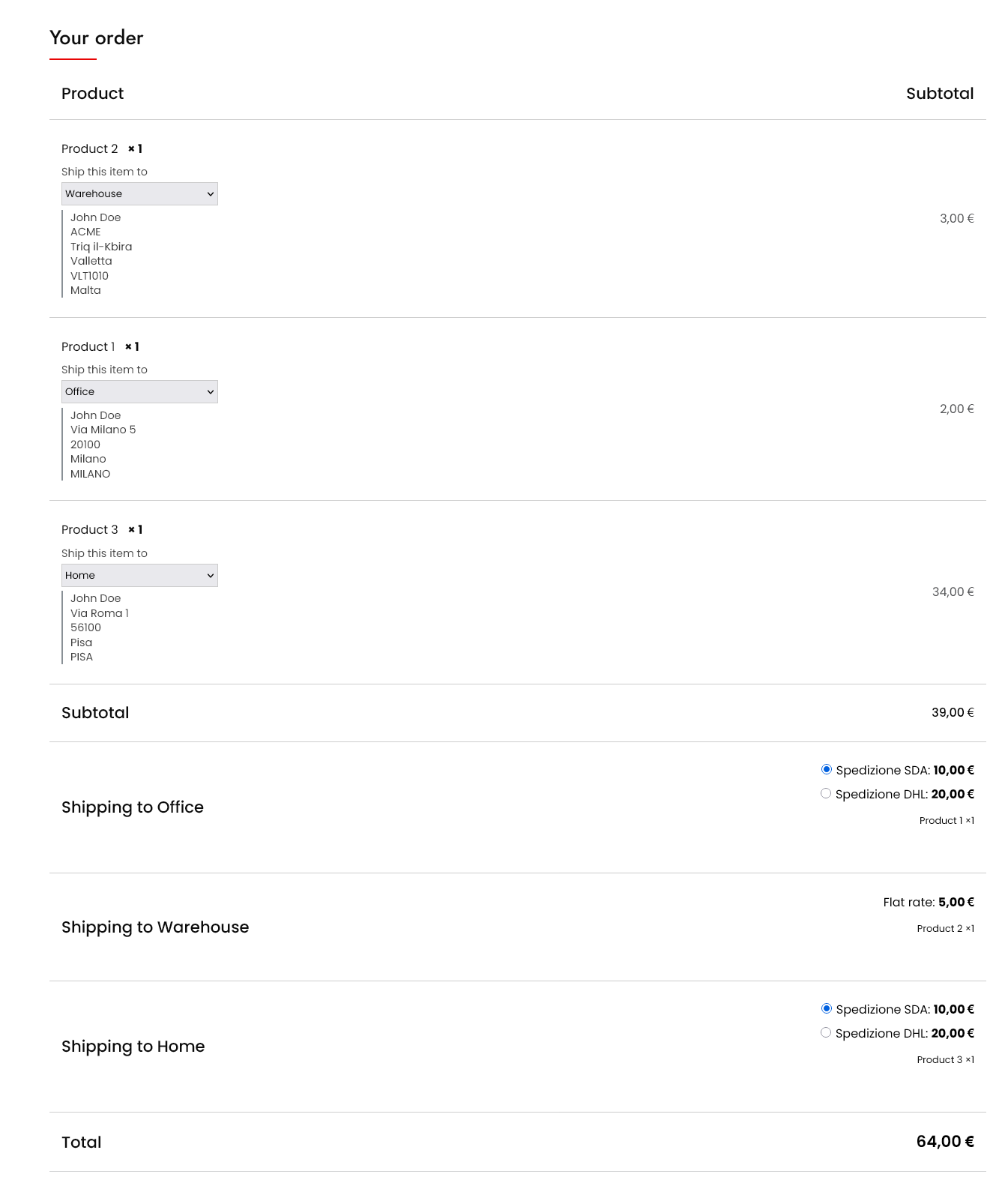
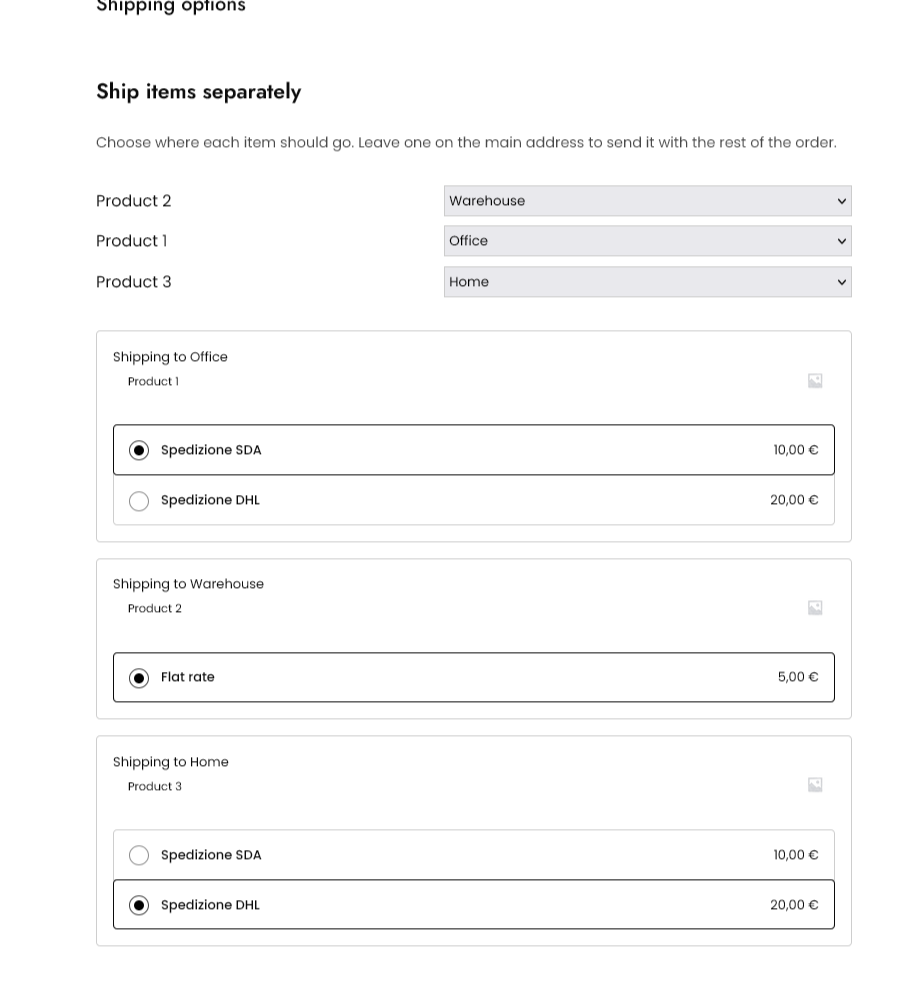
- Ship each product in the cart to a different saved address, in both checkouts
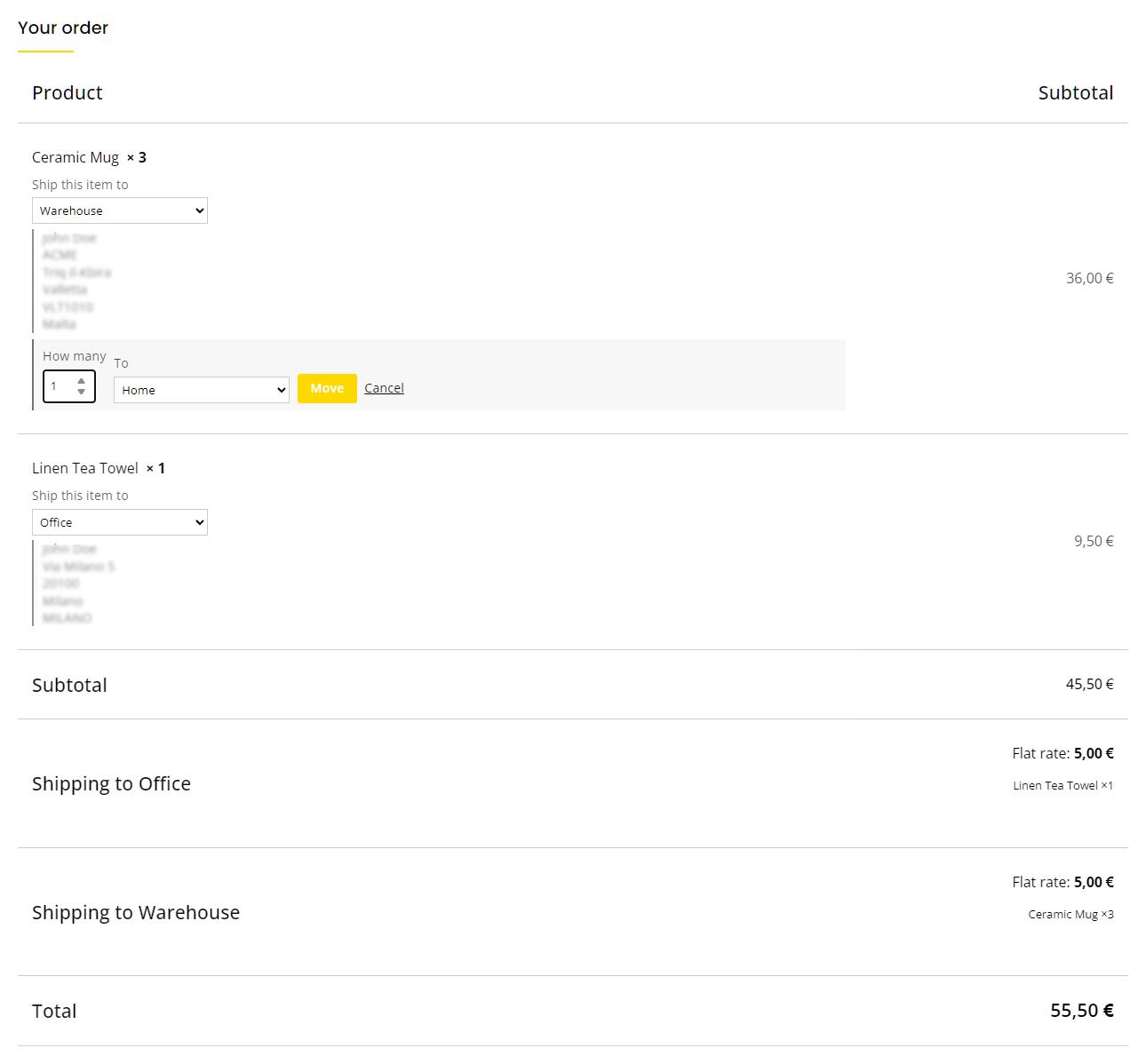
- Send part of a quantity to another address — ten identical gifts to ten people — in both checkouts, behind its own setting
- Split the order into one package — and one shipping cost — per destination
- Charge a handling fee for each extra destination: a flat amount, or based on how many destinations there are
- Keep some things out of it: exclude individual products, or whole categories, so they always go to the main shipping address
- Hand a split order to Vanquish Shipping Tracking (premium): its order screen opens with one shipment per destination, products already assigned, so you only type the tracking numbers
- Store a delivery note with an address and carry it into the order notes
- Give each address its own shipping email, for whoever receives the parcel
- Restrict the address book by user role, and cap how many addresses each customer can save
- Search a customer’s address book, select several addresses at once, delete them together or duplicate one
- Import and export every customer’s addresses as CSV
- Download every setting as a file and load it back, here or on another store
- See a customer’s address book on their user profile, and pick a saved address when editing an order
- Add your own CSS to the My Account and checkout pages
- Translate the labels you write yourself, one text per language, with WPML or Polylang
More WooCommerce plugins by Vanquish
- Vanquish Upload Files for WooCommerce – let customers upload files (even large ones) on the product, cart, checkout and order pages, for custom, personalized and print-on-demand products.
- Vanquish Shipping Tracking for WooCommerce – tracking numbers on orders and emails, with 1,600+ carriers and their logos, a direct tracking link and a Track button. No account needed.
- Vanquish Attach Me – Order & Product Attachments for WooCommerce – attach files to orders and products, show them to the customer and send them with the order emails.
Installation
- Make sure WooCommerce is installed and active.
- Upload the plugin folder to
/wp-content/plugins/, or install it from the Plugins screen. - Activate the plugin.
- Configure it under Multiple Addresses in the admin menu.
- Your customers will find their addresses under Address book in My Account.
Frequently asked questions
Does it require WooCommerce?
Yes. The plugin needs WooCommerce to be installed and active.
Where are the customer addresses stored?
In standard WordPress user meta, so they are removed with the user and are never sent to any external service.
Does it work with the block checkout?
Yes. The saved-address selector appears in both the classic checkout and the block checkout, and the premium per-product destinations work in both too.
Can a customer ship one order to more than one address?
Yes, with the premium edition. Each product in the cart gets its own destination picker, the order is split into one package and one shipping cost per address, and that works in the block checkout as well as the classic one. With the quantity split turned on, part of a single product can go elsewhere too: three mugs, two to the office and one home. The free edition keeps one address per order, chosen from the address book.
Does it work for customers who check out as a guest?
No, and it cannot: an address book belongs to a user account, so there is nowhere to keep one for a guest. Customers who log in, before or during checkout, see their saved addresses straight away.
Does an address have to be a billing or a shipping address?
No. There is one address book, and any saved address can be used for billing, for shipping, or for both. Each address can be marked as the default for billing and for shipping independently, so the address you use for both does not have to be saved twice.
Does it work with WPML or Polylang?
Yes. The address form follows WooCommerce’s own fields and rules for each country, and the plugin’s own strings are translated like those of any other plugin. The premium edition goes one step further for the labels you write yourself, such as the delivery note label or the handling fee label: each one gets a field per active language, so every customer reads it in their own.
Can I change how it looks, or add my own rules?
Yes. Every template can be overridden from your theme: copy a file out of the plugin’s templates/ folder into yourtheme/vanquish-multiple-addresses/ and edit it there, exactly as you would override a WooCommerce template. Filters cover what a template cannot reach — vanmuad_can_use_address_book and vanmuad_can_manage_addresses decide who gets an address book and who may change it, and vanmuad_address_form_fields lets you relabel, add or remove fields in the address form.
I already use “WooCommerce Multiple Customer Addresses & Shipping”. Do my customers lose their addresses?
No. Each customer’s saved addresses are converted the first time their address book is read, so there is nothing to run and no migration to schedule. The conversion also fixes something the old plugin could not: an address saved once for billing and again for shipping becomes a single entry usable for both, and an address that matches one already saved here is merged into it rather than added twice. The old data is never deleted. It stays exactly where it was, so going back to the previous plugin leaves you with everything you had.
I am coming from “WooCommerce Multiple Customer Addresses & Shipping”. Does it do everything I use today?
Almost. The address book, the checkout selectors, per-product destinations, split shipping and the admin-side tools are all here, several of them rebuilt and improved. The one thing deliberately left out is the VAT / tax ID field. It was never really part of an address book, and there are dedicated plugins that do it properly — including our own. Everything else you were using has been carried over.
How does free shipping work when an order is split across destinations? (premium)
When the premium “charge shipping separately for each destination” option is on, WooCommerce quotes each destination as its own shipment. Anything that depends on the order value — a free shipping threshold, or a table rate — therefore applies per destination, using the value of the products going to that address, not the order total. An order worth 100, split evenly between two addresses, is two shipments of 50 each, so a “free over 80” rule will not apply to either. Leave the option off to keep a single shipping cost for the whole order while still recording which address each product goes…
Changelog
1.3.3
- Premium: fixed the customer’s saved addresses on the WordPress user profile screen. The customer’s own download and import buttons appeared there, acting on the admin’s address book instead of the customer’s, and they stopped “Update user” from saving the profile. They are gone from that screen, and “Add address” and the address limit now look at the customer being edited, not at the admin.
1.3.2
- Premium: a “Suggest a feature” page in the plugin menu. It opens our idea form and shows your license key and purchase email, ready to copy, so the form can recognize you the first time.
- Freemius SDK updated to 2.13.5.
1.3.1
- Fixed: in the block checkout, a returning customer could not place an order if the saved address they had used last time had since been deleted from their address book (“Invalid vanmuad/saved-address provided.”). That old choice is now forgotten when the checkout opens.
1.3.0
- Premium: part of a product’s quantity can now be sent to another address — ten identical gifts to ten people, or two mugs to the office and one home. At checkout a line with more than one unit offers “Send some to another address”; the line is divided in the cart, so each part has its own destination, its own parcel and its own line in the order. Works in the classic and the block checkout, and starts switched off.
- Dividing a line never changes how many units are in the cart, and that is checked rather than assumed: if another plugin sets cart quantities by itself — such as the “Product cart quantity as the number of uploaded files” option of Vanquish Upload Files — the division is undone and the customer is told why, so nobody is ever charged for more than they ordered.
- Products with limited stock can be divided right up to their last unit in the cart.
1.2.0
- Customers can now download their own address book as a CSV, and add addresses from one. These are two separate settings rather than one, because they are not the same risk: downloading only reads rows the customer is already looking at, so it is on by default, while uploading writes to your store and stays off until you turn it on. Uploaded addresses are only ever added, never used to change or remove an existing one, and any limit you have set on how many addresses a customer may keep is still enforced row by row.
- Premium: download the whole plugin configuration as a file and load it back, on this store or another one. Useful when you run several shops, and worth doing before “Reset settings”, which has no undo. The file holds settings only, never addresses.
1.1.0
- A split order now hands its parcel layout to Vanquish Shipping Tracking, if you run its premium version. The order screen opens with one shipment per destination and the right products already assigned to each, so you type the tracking numbers instead of working out by hand which product belongs in which parcel. Nothing reaches the customer until you fill a shipment in, and an order you have already started working on is left alone.
Screenshots
For developers
Is this your plugin? Show off the numbers.
Add a live badge to your site, docs or GitHub README. It updates on its own — no account needed.
FAQ
Vanquish Multiple Addresses: quick answers
Straight answers, pulled from live WordPress.org data.
Live data from WordPress.org · checked Oct 18, 2026
Is Vanquish Multiple Addresses free?
Yes. Vanquish Multiple Addresses is free to download and use from the official WordPress.org plugin directory.
Is Vanquish Multiple Addresses safe to use in 2026?
Vanquish Multiple Addresses is a solid plugin choice in 2026, with a few things worth checking first. Is rated 5/5 and was last updated 4 days ago, and scores 75/100 on our health check.
How many websites use Vanquish Multiple Addresses?
Vanquish Multiple Addresses is active on <10 WordPress websites and has been downloaded 687 times since it launched in August 2026. It was downloaded 421 times in the last 30 days.
Does Vanquish Multiple Addresses work with WordPress 7.1?
Yes. The developer has tested Vanquish Multiple Addresses up to WordPress 7.1.3, the latest release. It requires WordPress 5.8 or newer.
What PHP version does Vanquish Multiple Addresses need?
Vanquish Multiple Addresses requires PHP 7.4 or higher. Most hosts run PHP 8.x today, so it works on any modern WordPress hosting.
When was Vanquish Multiple Addresses last updated?
The latest version, 1.3.3, was released on October 14, 2026 (4 days ago).
Who makes Vanquish Multiple Addresses?
Vanquish Multiple Addresses is developed and maintained by Vanquish.
Powered by PageForge
Want thousands of pages that rank like these? Build them in an afternoon.
This directory runs on the same engine as PageForge. Turn any spreadsheet, CSV or API into thousands of fast, SEO-ready WordPress pages — with schema, internal links and AI-written copy baked in.
- CSV, Google Sheets & API data sources
- AI content, schema & internal links per page
- Works with Elementor, Gutenberg, Yoast & Rank Math
- Free on WordPress.org — no credit card


