


UTM Tracker for Gravity Forms
Know exactly which campaign created every Gravity Forms lead — automatic UTM, click ID, landing page, and traffic channel capture. No code needed.

Solid choice
UTM Tracker for Gravity Forms is a solid plugin choice in 2026, with a few things worth checking first. It runs on 100+ sites, is rated 5/5 and was last updated 2 weeks ago, and scores 64/100 on our health check.
- Actively developed — last update 2 weeks ago
- Tested with the latest WordPress (7.1)
- Small user base (100+ active installs)
- Very few reviews so far
How does it stack up?
Side-by-side on installs, updates, ratings & support



Daily downloads
Download spikes usually follow a new release — each site that auto-updates counts as a download.
Rankings
Where UTM Tracker for Gravity For… stands todayWordPress.org search rankings
Live position in the plugin search, top 100| Keyword | Position |
|---|---|
| campaign tracking | #63 |
| click id | #43 |
| gravity forms | #59 |
| marketing attribution | #21 |
| utm tracking | #17 |
Version adoption
Share of active sites per release.
Rating breakdown
★★★★★★★★★★ 5 from 1 reviews
About UTM Tracker for Gravity Forms
From the official readme · v2.3.6Description
Your forms collect leads. UTM Tracker for Gravity Forms tells you which marketing earned them.
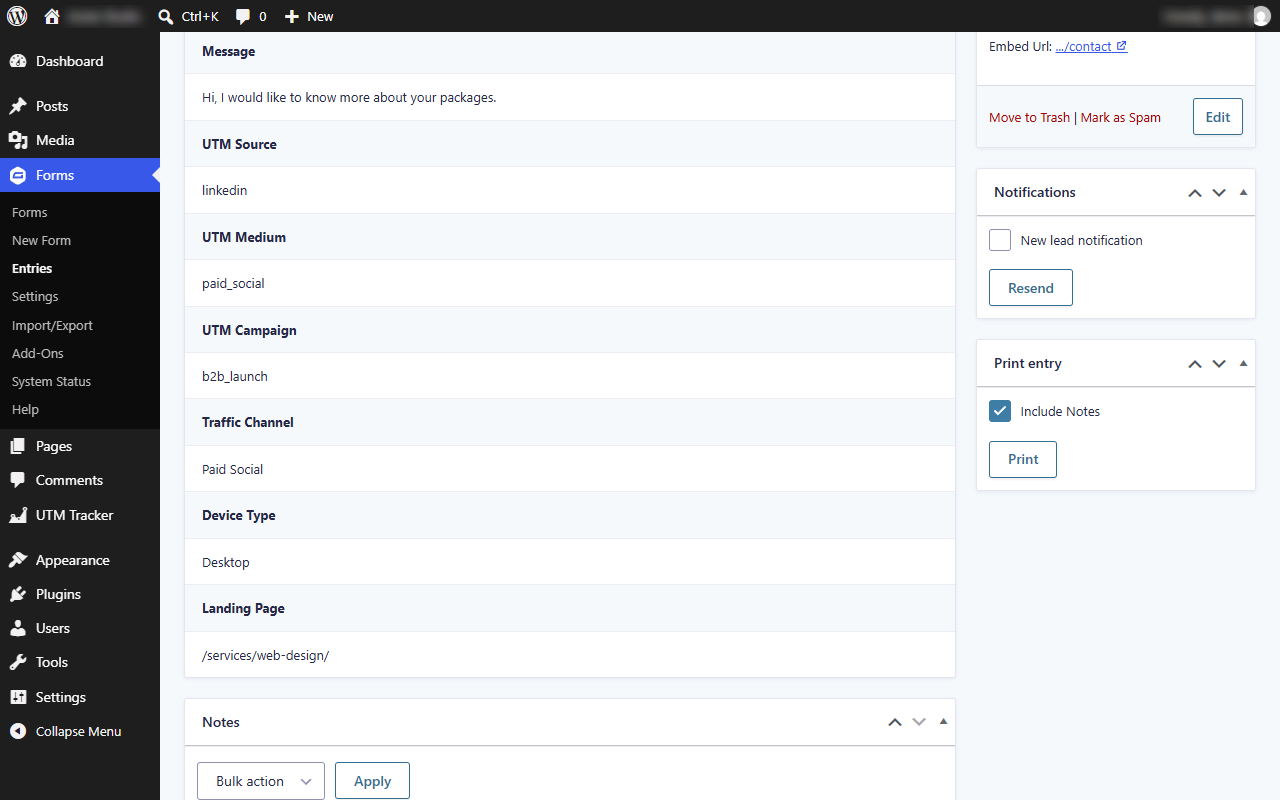
When a visitor arrives from an ad, an email, a social post, or an AI assistant’s answer, the plugin remembers where they came from. When they submit any Gravity Form, the campaign, ad click ID, landing page, and traffic channel are saved with the entry, ready for reports, notification emails, and your CRM.
Requires Gravity Forms, which is sold separately.
100% free, with no Pro version
Every feature on this page is included. There is no paid upgrade, no license key, no locked features, and no upsell prompts. The only request is an optional, dismissible rating banner on the plugin’s own admin pages.
How it works
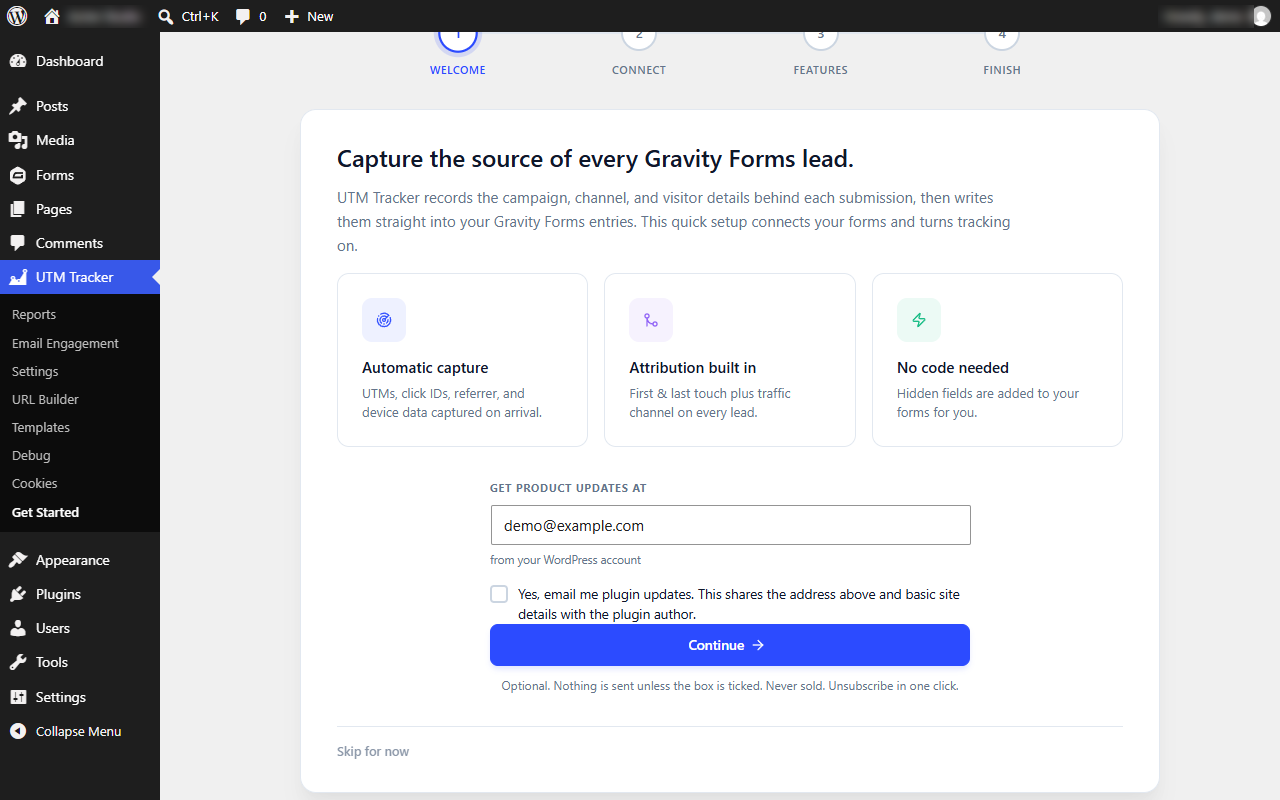
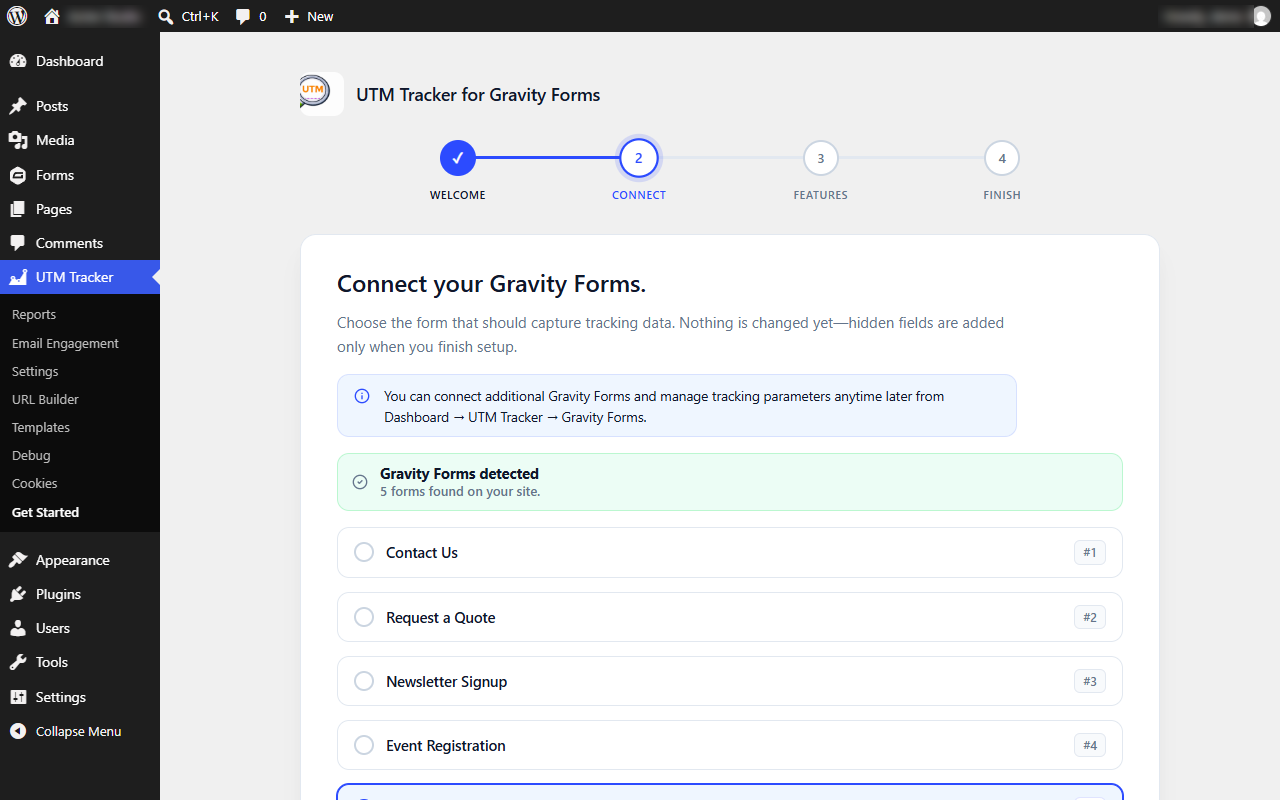
- Install the plugin and run the Get Started wizard. Pick a form and the values you want to capture.
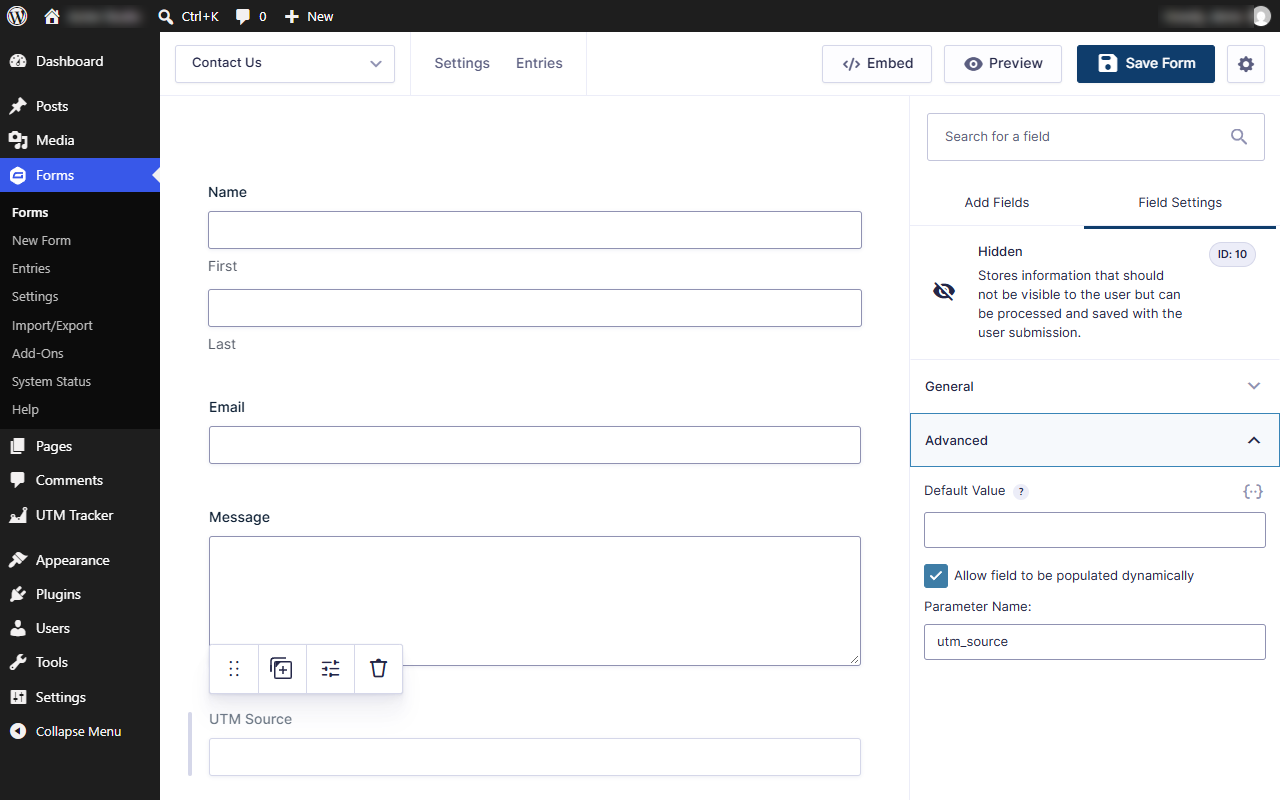
- The hidden fields are added for you. No code, and no parameter names to copy by hand.
- Every new entry shows where the lead came from: in the entry itself, in your notification emails, and in the Reports dashboard.
Captures the data that matters
- UTM parameters:
utm_source,utm_medium,utm_campaign,utm_term,utm_content,utm_id - Ad click IDs: Google Ads (
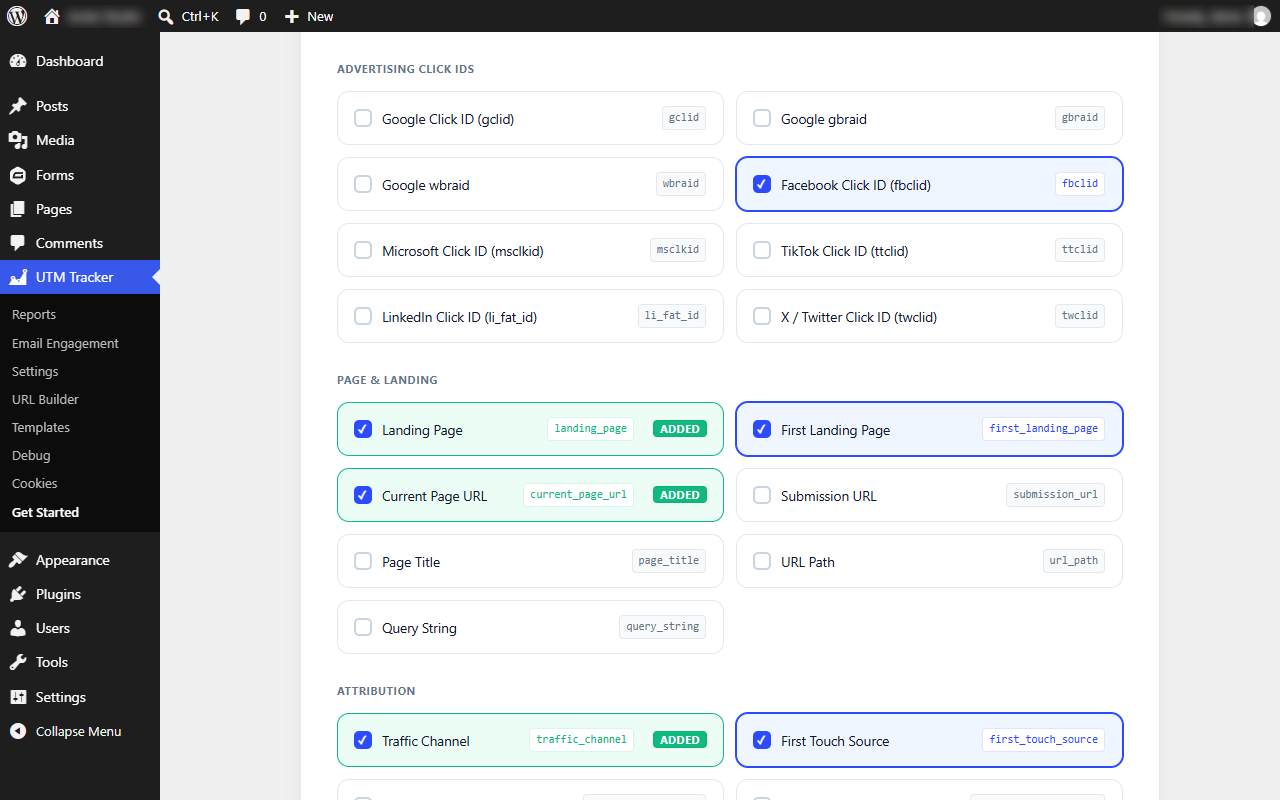
gclid,gbraid,wbraid), Meta (fbclid), Microsoft (msclkid), TikTok (ttclid), LinkedIn (li_fat_id), and X/Twitter (twclid) - Your own parameters: add keys such as
affiliate,coupon, orsalesperson - Landing page and page context: first and latest landing page, page URL, title, path, and query string
- Visitor details (optional): referrer, device type, browser, operating system, session ID, visit date, time, and time zone
Attribution and traffic channels
Choose Last Touch (the most recent campaign gets the credit) or First Touch (the campaign that first brought the visitor keeps it). Whichever you choose, the source, medium, and campaign of both the first and the most recent tagged visit are also saved in their own fields (on by default), so you never lose either side of the story.
Every lead is also given a traffic channel based on its UTM tags, ad click IDs, and referring site: Paid Search, Organic Search, Paid Social, Organic Social, Email, Referral, Direct, or AI Search. AI Search recognizes visits from ChatGPT, Claude, Gemini, Copilot, Perplexity, Grok, Meta AI, Mistral, DeepSeek, You.com, and Phind, whether they arrive as a referrer or as a tagged link.
Reports dashboard
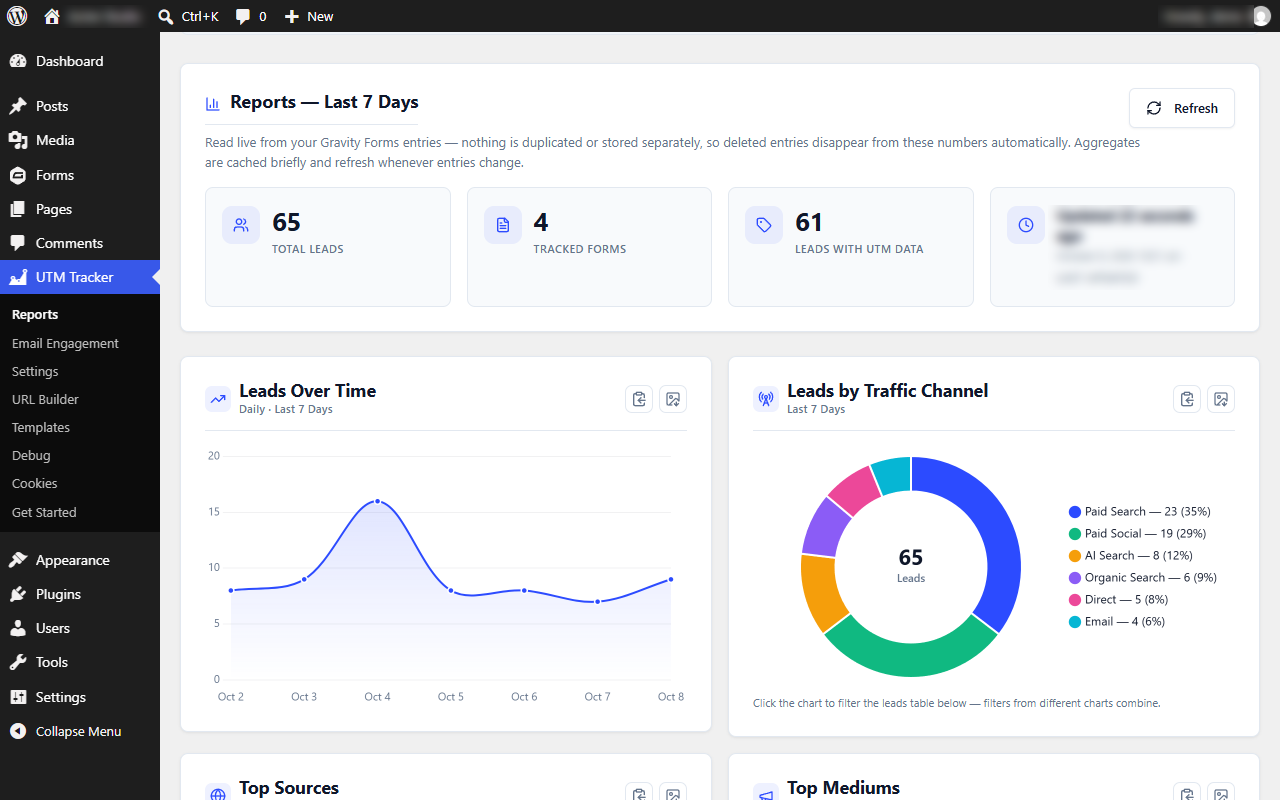
See the last 7 days at a glance: leads over time, leads by traffic channel, top sources, mediums, and campaigns, leads by form, device breakdown, and top landing pages. Click the traffic channel, source, medium, campaign, or form chart to filter the leads table, or download any chart as an image. Reports read your Gravity Forms entries directly, so deleted entries drop out automatically.
Campaign data in your notification emails
Add merge tags such as {utm_tracker:utm_source} to a notification subject, or {utm_tracker:summary} to the message for the full attribution block. The tags are listed in the Gravity Forms merge tag picker, so there is nothing to memorize.
Email engagement (beta)
Optionally see which links in your HTML notification emails are clicked and, with a separate open-tracking option, whether they are opened, right inside WordPress. Both are off until you turn them on. Opens are best-effort, and with BCC recipients you see that someone on the list acted, not who.
Campaign tools
- URL Builder: build campaign links with a live preview and one-click copy
- Templates: save the campaign links you reuse, with search and a default template
- QR codes: a print-ready PNG or SVG for every link, generated in your browser
Easy to test
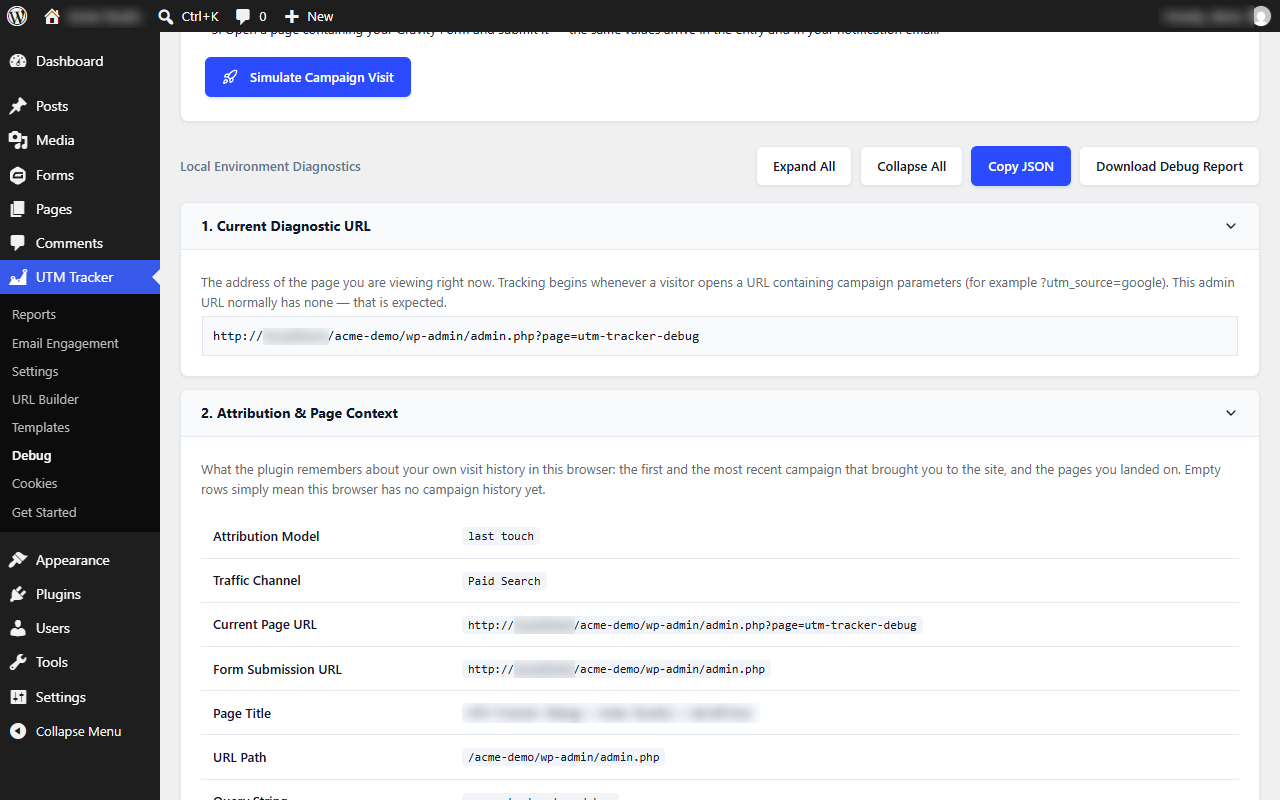
The Debug page and an on-page debug overlay (add ?utgf_debug=1 to any page while logged in as an administrator) show exactly what was captured in your browser. The Cookie Manager lets you inspect and clear stored values between tests.
For developers
A JavaScript API, shortcodes, a REST endpoint, and action and filter hooks. See the Developer tab in the plugin settings.
Privacy
- Tracking data is stored in first-party cookies and the browser’s session storage on the visitor’s device and, when a form is submitted, in the Gravity Forms entry in your own database.
- Tracking never sends data to third parties and loads no external scripts. Admin pages load only files bundled with the plugin or with WordPress itself; nothing is loaded from external servers.
- In the Query String and Current Page URL values, the value of any parameter whose name looks sensitive (for example token, password, code, key, email, phone, or session) is saved as
[redacted]. Detection goes by the parameter name, not its value; parameters you track individually, including custom parameters, are saved exactly as received. - If you turn on email engagement, it stores, for each notification sent, the recipient address, the related form, entry, and notification, when it was sent, open and click counts with the time of the first open and click, and the links that were clicked, all in your own database. IP addresses and user agents are not stored.
- If you opt in to product-update emails, a local copy of the signup (email address, consent, and time) is kept in your database as well.
- The only outside request the plugin can make is the optional product-update signup in the Get Started wizard, and only if you tick its consent box. See External Services below.
Gravity Forms is a trademark of Rocketgenius, Inc. This plugin is an independent add-on and is not affiliated with or endorsed by Rocketgenius.
External Services
This plugin connects to one external service, and only if you opt in.
Product-update signup (AGS Newsletter API, run by the plugin author, Auxano Global Services)
- Purpose: to email you about plugin updates.
- When: only if you tick “Yes, email me plugin updates” on the first step of the Get Started wizard and click Continue. Unticked, or Skip for now, sends nothing.
- What is sent: your email address, the plugin name and version, and your site URL.
- Where: api.auxanoglobalservices.com (privacy policy)
Credits
Built with these open-source libraries, all bundled with the plugin: Lucide (icons), DataTables (tables), Chart.js and chartjs-plugin-datalabels (charts), and qrcode-generator (QR codes). “QR Code” is a registered trademark of DENSO WAVE INCORPORATED.
Installation
Quick start (recommended)
- Install and activate Gravity Forms.
- Install UTM Tracker for Gravity Forms from Plugins → Add New, or upload the folder to
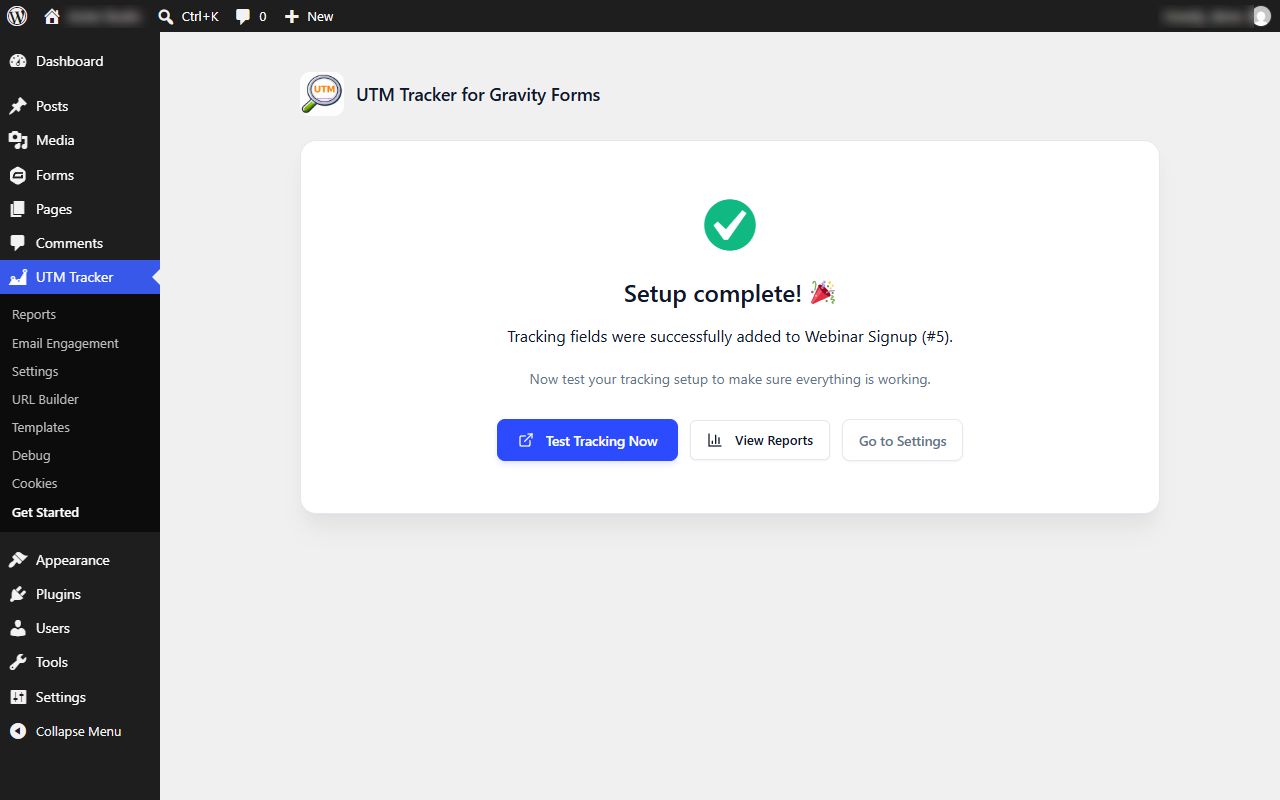
/wp-content/plugins/, then activate it. - The Get Started wizard opens on first activation (you can open it any time from UTM Tracker → Get Started). Pick a form, choose the values to capture, and click Finish setup. The hidden fields are created for you and tracking is on.
Manual field setup
- Open UTM Tracker → Settings and set your cookie duration and attribution model.
- In Gravity Forms, add a Hidden field for each value you want to capture.
- On each hidden field, enable Allow field to be populated dynamically and enter the exact Parameter Name (for example
utm_source,gclid, ortraffic_channel). The field label can be anything. - Test with a campaign URL such as
https://example.com/contact/?utm_source=google&utm_medium=cpc&utm_campaign=summer_sale, then check UTM Tracker → Debug.
Changelog
The optional product-update signup now shares only your email address, the plugin name and version, and your site URL. Adds a dismissible rating banner on the plugin's own pages.
The complete, detailed changelog ships as CHANGELOG.md inside the plugin.
2.3.6
- New: a dismissible rating banner at the top of the plugin’s own admin pages. It links to the same review page as the Rate Plugin button; closing it, or clicking its link, hides it for good for that user. It never appears elsewhere in the admin or in the Get Started wizard.
- Changed: the optional product-update signup now sends only your email address, the plugin name and version, and your site URL (it previously also sent technical details such as PHP and WordPress versions), and the External Services section says so.
2.3.5
- Security: the admin Debug panel now escapes every cookie name, cookie value, detected parameter and discovered field before showing it, so a crafted link such as ?utm_source=
- Security: secret-looking URL parameters (token, password, code, key, email, phone, session and similar) are now replaced with [redacted] in the Query String and Current Page URL values before they are stored in cookies or saved to entries. The list can be adjusted with the utgf_sensitive_param_substrings and utgf_sensitive_param_words filters.
- Changed: “Select all” in the Get Started wizard and Settings no longer ticks the Query String field; it must be chosen deliberately.
- Fixed: the Reports page could stop with a fatal error on sites with 200 or more recent entries when a Landing Page field was mapped.
- Fixed: in the Get Started wizard, a slow response for one form could overwrite the field list of another form.
- Fixed: with two Gravity Forms on one page, a tracked value could be written into a visible field of the other form that happened to have the same field ID. Fields are now filled only inside their own form.
- Fixed: the Landing Page and First Landing Page values were overwritten on every page view, so they recorded the form page instead of the page the visitor arrived on. The first landing page is now written once, and the landing page only changes when the visitor arrives from outside the site or with campaign parameters. The Reports “Top Landing Pages” chart benefits from this too.
- Fixed: traffic channel detection matched referrers by substring, so sites such as microsoft.com (matched “t.co”) or netflix.com (matched “x.com”) were counted as Organic Social. Referrers are now matched by hostname. LinkedIn and X ad click IDs now count as Paid Social.
- Fixed: visits referred by Grok, Meta AI, Mistral, and DeepSeek are now recognized as AI Search (previously only tagged links were).
- Fixed: on AJAX-enabled forms (Gravity Forms 2.9+), the Current Page URL, Submission URL, URL Path, and Page Title fields recorded the AJAX endpoint instead of the page.
- Fixed: the Reports “Leads Over Time” chart and the totals used different 7-day windows, so the chart did not add up to Total Leads.
- Fixed: finishing the wizard reset a recorded update-email subscription to “skipped”; the install-date option is now removed on uninstall with “Delete all plugin data”.
- Changed: the optional product-update email on the first step of the Get Started wizard now needs an explicit opt-in. A new checkbox is unticked by default, and with it unticked Continue sends nothing.
2.3.4
- Fixed: a tracked value could still be written into an unrelated Gravity Forms field that a visitor can see — for example the visitor’s operating system (“Windows”, “macOS”) appearing in a field labelled “Deposit” or “Choose a plan”. The legacy label-based guess is now limited to fields whose Gravity Forms Visibility is set to Hidden, and there it requires the key to appear as a whole word or phrase. Fields a visitor can see and type into are never filled by label. Fields mapped by Parameter Name (the documented method) are unaffected.
- Improved: the Get Started wizard now asks for the optional update-email on the first step (one “Continue” action, never required) and the last step simply finishes setup.
2.3.3
- Security: the optional “Stay Updated” email signup no longer sends a fixed API key with the request. The receiving service (AGS Newsletter API) now accepts these requests without a key by default, protected by server-side rate limiting instead, so no shared key ships inside the plugin. No change to what is sent (still only with your explicit consent) or to any tracking, attribution, or form data.
2.3.2
- New: Email Engagement tracking (beta) for Gravity Forms notification emails — see opens and link clicks on your notifications right inside the plugin (UTM Tracker → Email Engagement), including a per-link click breakdown. Opt-in and OFF by default; tracking links are signed to prevent open-redirects, opens are de-duplicated so a single view counts once, and no data leaves your site.
2.3.1
- Fixed: with some front-end page builders (for example Divi 5) and certain themes, the tracker could copy tracked values — such as the visitor’s operating system (“macOS”) or campaign — into unrelated fields on the page, including a page’s title and excerpt when saving from a front-end builder. Field population is now strictly limited to Gravity Forms fields and uses exact parameter-name matching only, so no other inputs on the page are ever touched.
- Fixed: saving a layout in the URL Builder (and saving, duplicating, or deleting in Templates) could fail with a “Cookie check failed” message. The REST requests now send credentials with the request so the security nonce validates correctly.
- Improved: the optional “Stay Updated” email signup now also sends your database (MySQL/MariaDB) version, site time zone, and whether your site uses HTTPS, so update emails and support can be better tailored. This is only sent with your consent, and is disclosed in the External Services section. No changes to tracking, attribution, or form data.
Screenshots
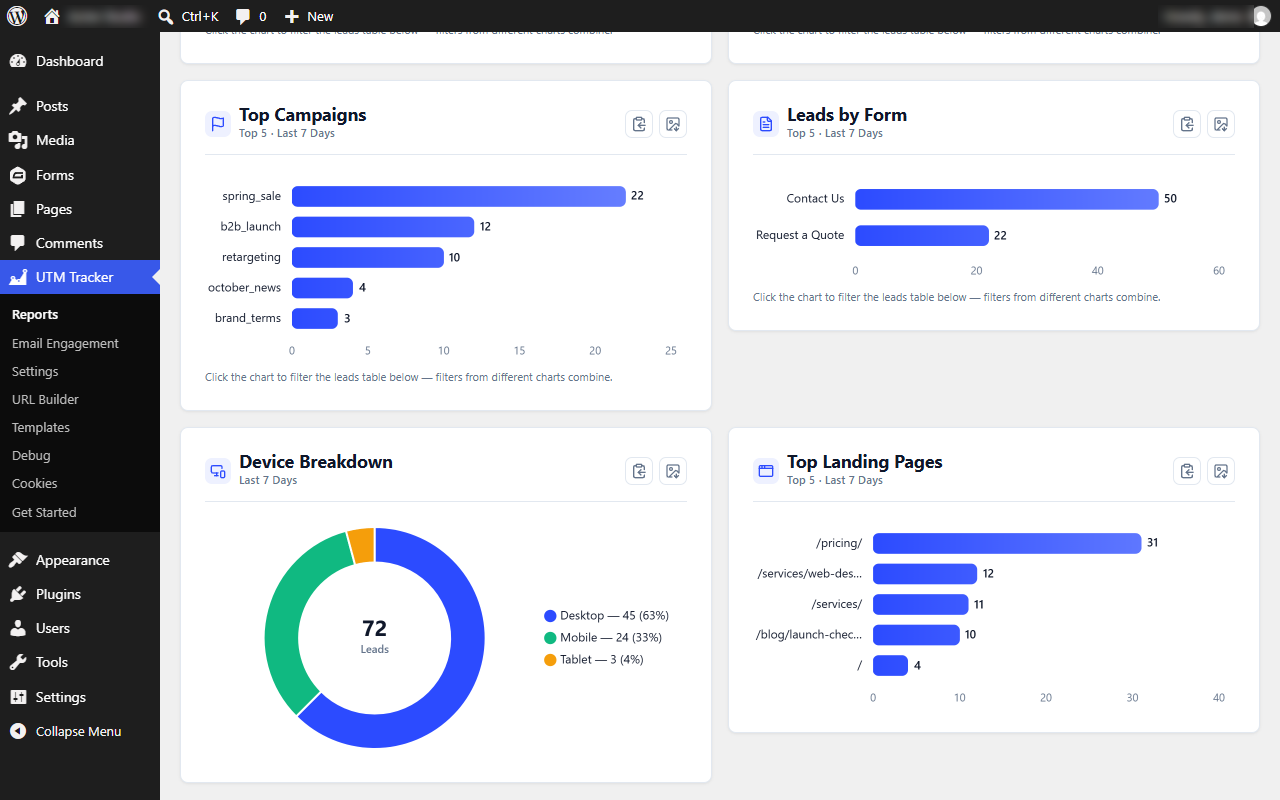
For developers
Is this your plugin? Show off the numbers.
Add a live badge to your site, docs or GitHub README. It updates on its own — no account needed.
Best UTM Tracker for Gravity Forms alternatives
All campaign tracking plugins →





FAQ
UTM Tracker for Gravity Forms: quick answers
Straight answers, pulled from live WordPress.org data.
Source: WordPress.org
Is UTM Tracker for Gravity Forms free?
Yes. UTM Tracker for Gravity Forms is free to download and use from the official WordPress.org plugin directory.
Is UTM Tracker for Gravity Forms safe to use in 2026?
UTM Tracker for Gravity Forms is a solid plugin choice in 2026, with a few things worth checking first. It runs on 100+ sites, is rated 5/5 and was last updated 2 weeks ago, and scores 64/100 on our health check.
How many websites use UTM Tracker for Gravity Forms?
UTM Tracker for Gravity Forms is active on 100+ WordPress websites and has been downloaded 4,054 times since it launched in January 2026. It was downloaded 749 times in the last 30 days.
Does UTM Tracker for Gravity Forms work with WordPress 7.1?
Yes. The developer has tested UTM Tracker for Gravity Forms up to WordPress 7.1.5, the latest release. It requires WordPress 5.0 or newer.
What PHP version does UTM Tracker for Gravity Forms need?
UTM Tracker for Gravity Forms requires PHP 7.4 or higher. Most hosts run PHP 8.x today, so it works on any modern WordPress hosting.
When was UTM Tracker for Gravity Forms last updated?
The latest version, 2.3.6, was released on November 16, 2026 (2 weeks ago).
Who makes UTM Tracker for Gravity Forms?
UTM Tracker for Gravity Forms is developed and maintained by Auxano Global Services.
What are the best alternatives to UTM Tracker for Gravity Forms?
The most popular alternatives to UTM Tracker for Gravity Forms are LeadSource (100+ installs), UTM Manager (100+ installs) and UTM Attribution for WooComm… (20+ installs).
Powered by PageForge
One template and a spreadsheet. A real page for every search.
PageForge turns each row of a CSV into a WordPress page with its own title, URL, SEO fields and schema, built on the layout you already designed. Free on WordPress.org.
- CSV and XLSX, plus Google Sheets on Professional and Enterprise
- Its own title, URL, SEO fields and schema for every page
- Works with the block editor, Elementor, Divi and Avada
- Free on WordPress.org, no credit card