



User Registration Using Contact Form 7
User Registration Using Contact Form 7 plugin provides the feature to register the user to the website.

Solid choice
User Registration Using Contact… is a solid plugin choice in 2026, with a few things worth checking first. It runs on 400+ sites, is rated 4.2/5 and was last updated 4 months ago, and scores 64/100 on our health check.
- Small user base (400+ active installs)
How does it stack up?
Side-by-side on installs, updates, ratings & support



Daily downloads
Download spikes usually follow a new release — each site that auto-updates counts as a download.
Rankings
Where User Registration Using Con… stands todayWordPress.org search rankings
Live position in the plugin search, top 100| Keyword | Position |
|---|---|
| contact form 7 | #89 |
| forgot password | #11 |
| user login | >100 |
| User Registration | #15 |
Version adoption
Share of active sites per release.
Rating breakdown
★★★★★★★★★★ 4.2 from 5 reviews
About User Registration Using Contact Form 7
From the official readme · v2.7Description
User Registration Using Contact Form 7 plugin provides the feature to register the user to the website. By using this plugin, it becomes easy to create the registration or sign up form by selecting the fields for username and Email Id. The plugin allows the admins to view the list of registered users and set their roles efficiently.
Features of User Registration Using Contact Form 7
- Advanced Custom Field Mapping: Create advanced custom fields for user profiles, with only text and textarea options, and map them to corresponding Contact Form 7 fields. This allows for a more personalized user experience.
- Social Sign Up : Enable users to sign up in using popular social media platforms such as Facebook.
- Option to include the login URL in the email.
- Users can register to the site using the Contact Form 7 plugin.
- Option to view the list of the users who have been registered to the site.
- Option to set the User Role for the registered users.
- Option to select the Username and email field for the registration.
- An email consisting of an auto-generated password will be sent to the users after their registration is completed on the site.
- There is a debug mode option for debugging.
- Option to set a URL to redirect users to a particular page after a user is registered.
Demo for User Registration Using Contact Form 7
Features of User Registration Using Contact Form 7 Pro
- BuddyPress Profile Field Mapping: Mapping field This should include a dropdown list showing all BP profile fields. This mapping can be saved and reused across multiple forms.
- Custom Field Mapping for BuddyPress Profiles: Custom fields (text, textarea) are mapped in a dedicated section for advanced users.
- BuddyPress Activity Stream Integration: An option allows admins to enable or disable logging of user registration and profile updates to the BuddyPress activity stream.
- Users can also login using the Contact Form 7 plugin.
- Woocommerce field integration for the users to collect the data.
- Custom validation message for reset password and forgot password.
- Shortcode for forgot password and reset password.
- Email SMTP settings.
- Admins can restrict users from login.
- Auto login after user registration.
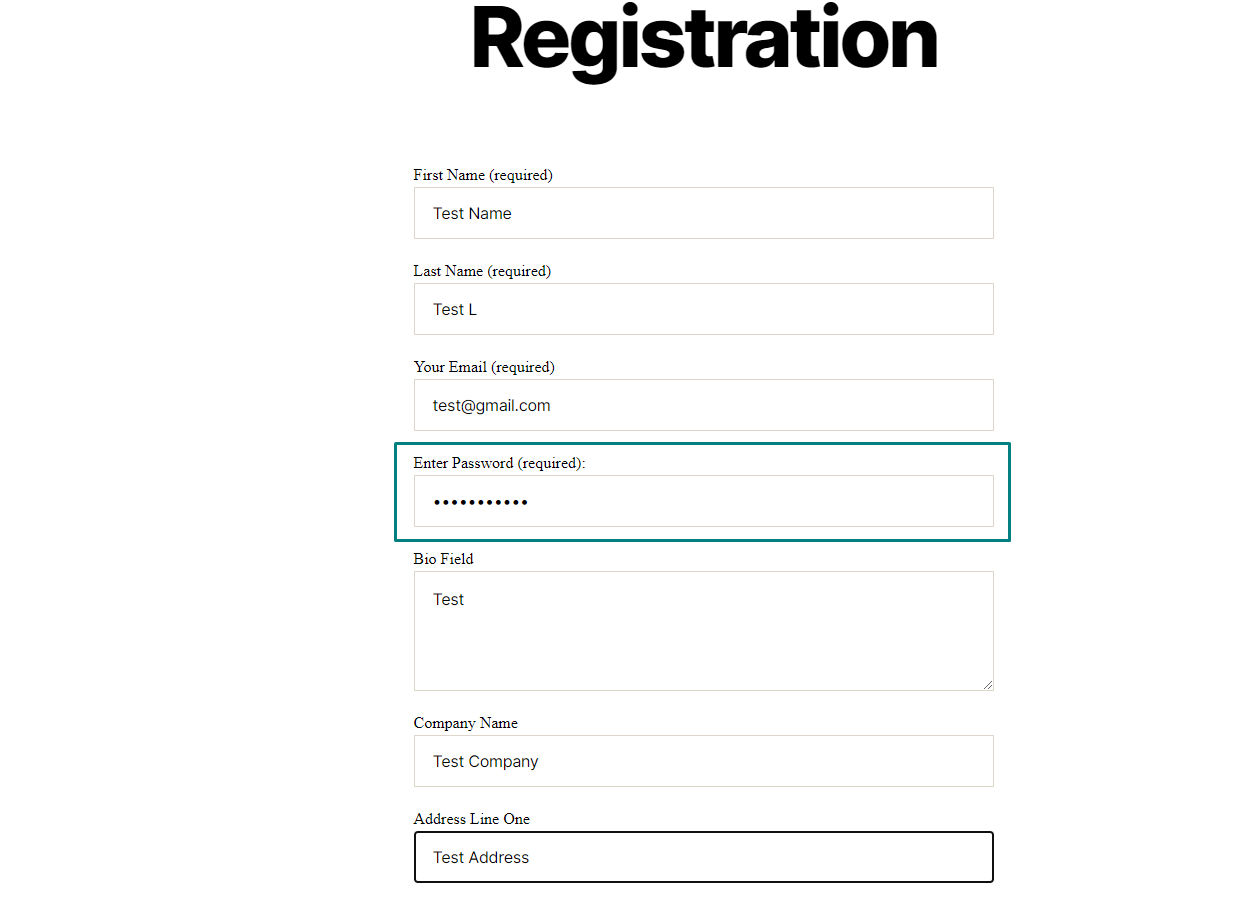
- Option to add a password field to the Contact Form 7 plugin.
- Social Sign Up + Login: Enable users to sign up and log in using popular social media platforms such as Google, Facebook, and Apple.
- Push Notifications: Set up push notifications to be sent to registered users on your site, keeping them informed and engaged.
- Compatibility with Multi-Step for Contact Form 7: Ensure seamless integration between Contact Form 7 and the Multi-Step extension, allowing you to create intuitive and user-friendly multi-step forms.
- Email Templates for Contact Form 7: Customize email templates for Contact Form 7 or bypass the default email notifications entirely. This allows you to send personalized registration and login email notifications.
- Multilingual Support: Provide support for multiple languages on your site, enabling users to view and interact with content in their preferred language.
- Advanced Custom Field Mapping: Create advanced custom fields for user profiles, with only text and textarea options, and map them to corresponding Contact Form 7 fields. This allows for a more personalized user experience.
- WooCommerce Field Mapping
- Compatibility of WordPress VIP.
Get more information of Pro version here
Demo for User Registration Using Contact Form 7 Pro
Shortcodes
You can use the below shortcode for Forgot Password:
[zurcf7_forget_password]
You can use the below shortcode for Reset Password:
[zurcf7_reset_password_custom_form]
Getting Help From Our Support System
Furthermore, if you need technical assistance to integrate ‘User Registration Using Contact Form 7’, you can reach out to us at ZealousWeb Support System, and our support team will lend you the necessary assistance. As a leading company providing digital solutions, and the developers of this plugin, we ensure our clients have a seamless experience with ‘User Registration Using Contact Form 7’.
We also offer custom WordPress extension development and WordPress theme design services to fulfill your e-commerce objectives.
Thank you for choosing a Plugin developed by ZealousWeb!
OUR OTHER PLUGINS
- Abandoned Contact Form 7 Pro
- Accept 2 Checkout Payments Using Contact Form 7 Pro
- Accept Authorize.NET Payments Using Contact Form 7 Pro
- Accept Elavon Payments Using Contact Form 7 Pro
- Accept PayPal Payments Using Contact Form 7 Pro
- Accept Sagepay(Opayo) Payments Using Contact Form 7 Pro
- Accept Stripe Payments Using Contact Form 7 Pro
- Custom Product Options WooCommerce Pro
- Generate PDF Using Contact Form 7 Pro
- Smart Appointment & Booking Pro
- Smart Showcase for Google Reviews Pro
- User Registration Using Contact Form 7 Pro
Installation
Installing the plugin is easy. Just follow these steps:
- From the dashboard of your site, navigate to Plugins –> Add New.
- Select the Upload option and select “Choose File.”
- When the popup appears, select the zip file from your desktop.
- Follow the on-screen instructions and wait till the upload is completed.
- When it’s finished, activate the plugin via the prompt. A message will be displayed, confirming activation was successful.
Changelog
Added a new “Open Support Ticket” button to provide quick and direct access to support.
2.7
- Added a new “Open Support Ticket” button to provide quick and direct access to support.
2.6
- Security: Fixed unauthorized access vulnerability
- Added nonce verification.
2.5
- Security: Addressed potential user registration vulnerability via Contact Form 7.
- Added input validation, nonce verification, and proper role handling.
2.4
- ACF Field Condition Updated.
2.3
- Minor changes – Doc update
2.2
- Minor changes – Doc update
Screenshots
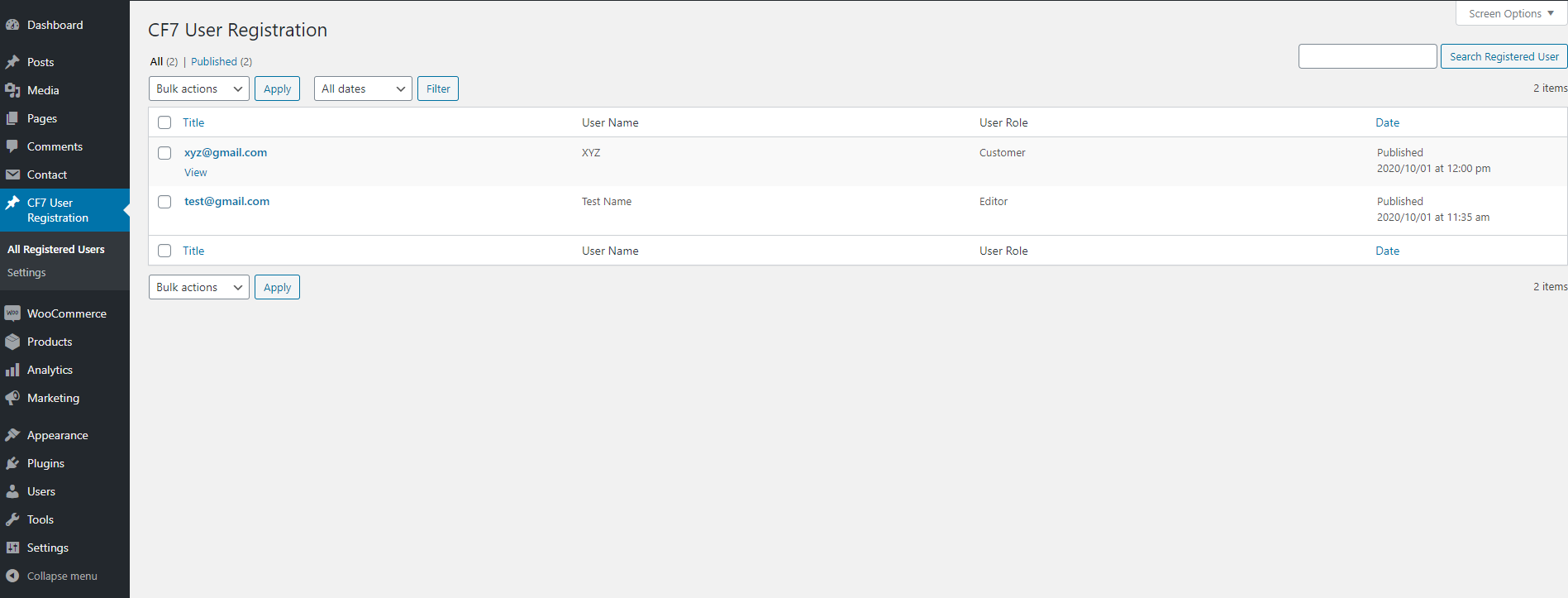
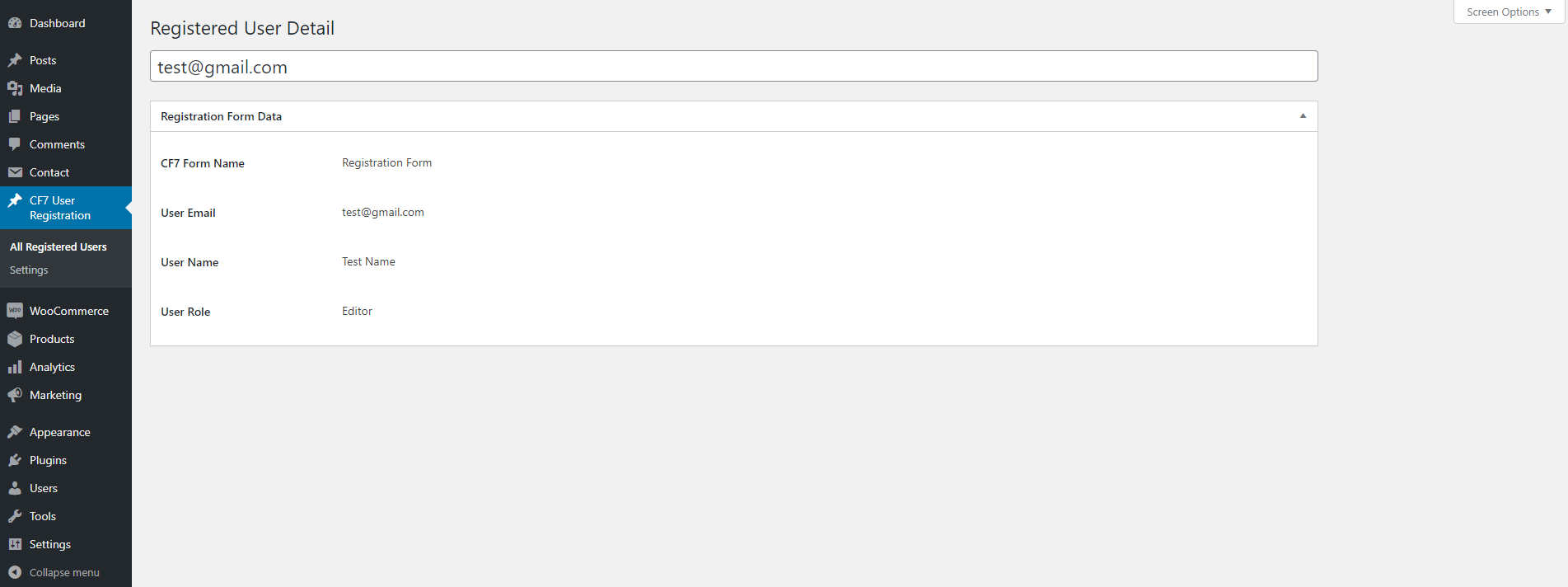


![You can use [zurcf7_forget_password] shortcode for display the forgot password form.](https://ps.w.org/user-registration-using-contact-form-7/assets/screenshot-5.png?rev=3243148)
![You can use [zurcf7_reset_password_custom_form] shortcode for display the reset password form.](https://ps.w.org/user-registration-using-contact-form-7/assets/screenshot-6.png?rev=3243148)
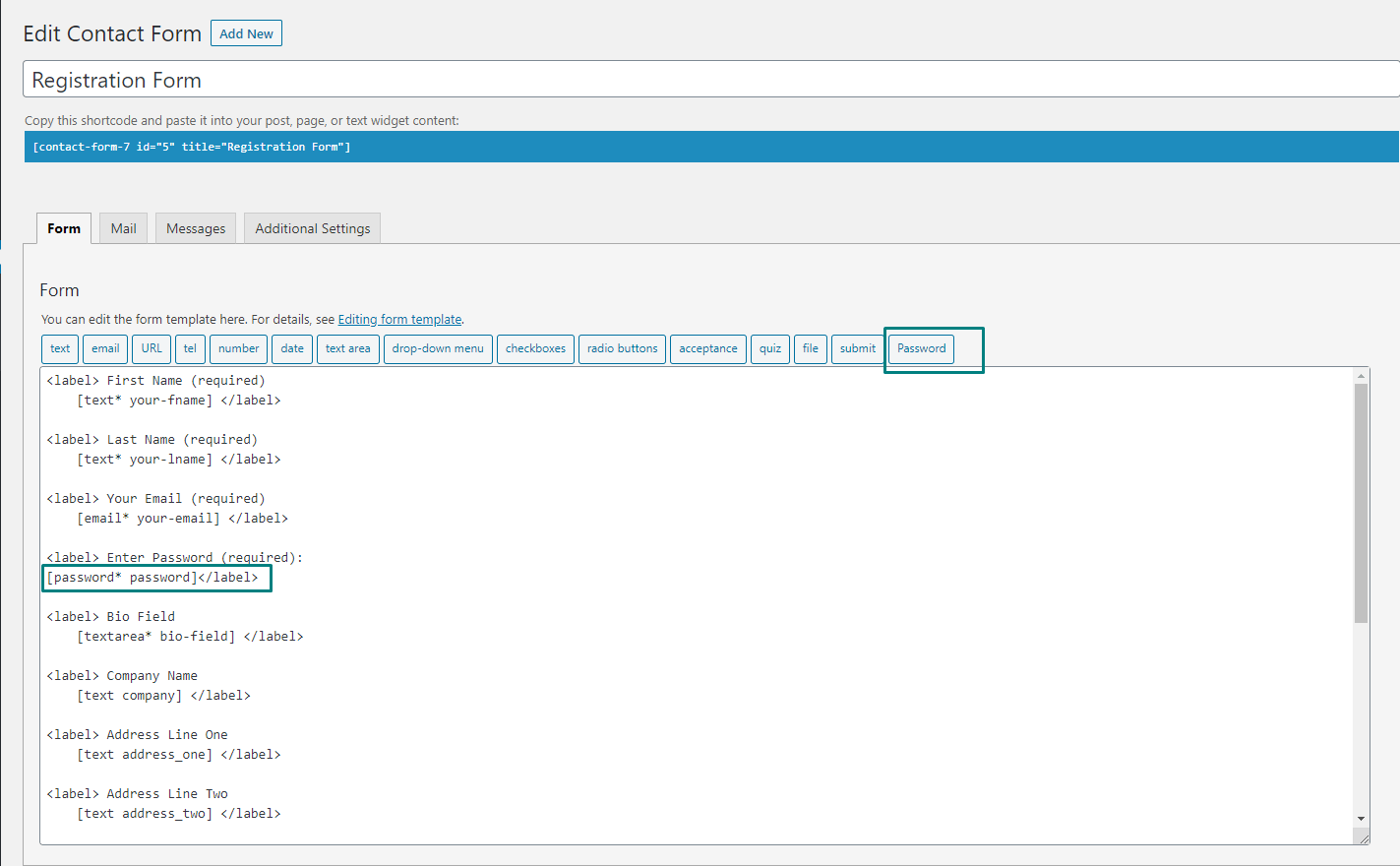
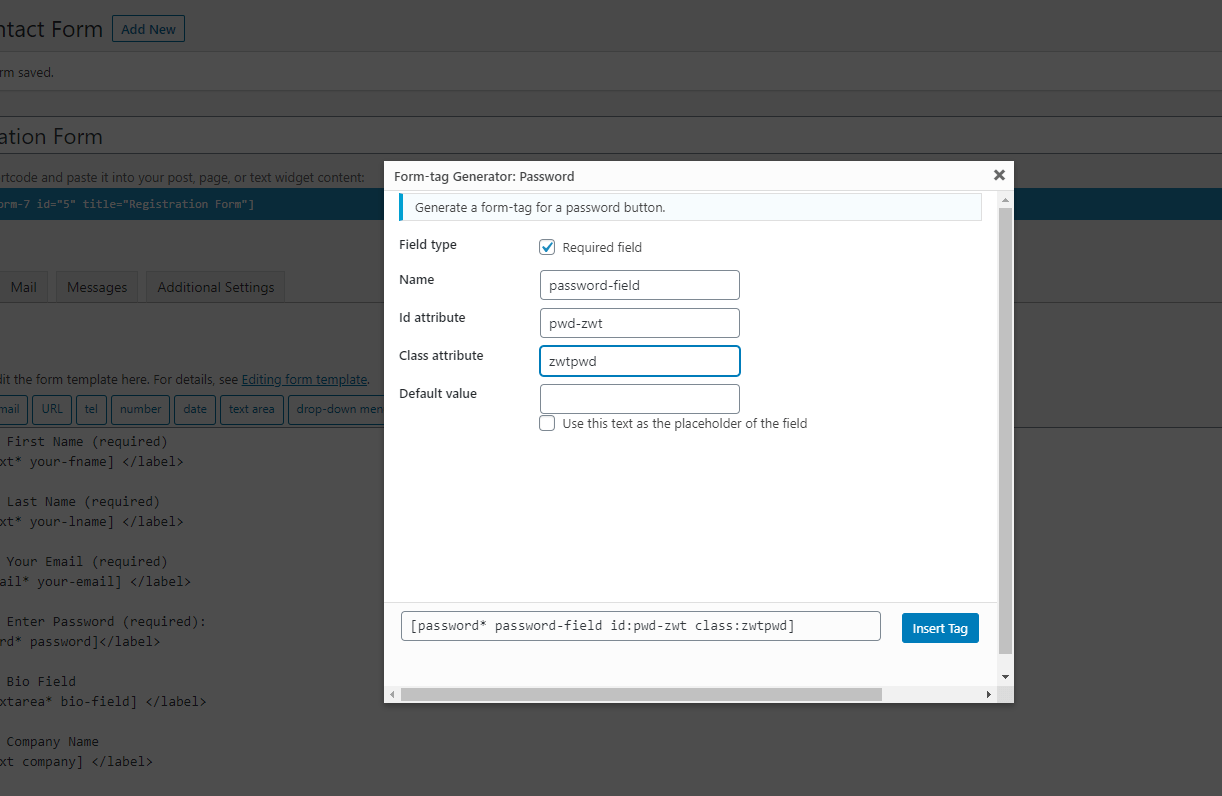
For developers
Is this your plugin? Show off the numbers.
Add a live badge to your site, docs or GitHub README. It updates on its own — no account needed.
Best User Registration Using Conta… alternatives
All contact form 7 plugins →





FAQ
User Registration Using Contact For…: quick answers
Straight answers, pulled from live WordPress.org data.
Live data from WordPress.org · checked Oct 10, 2026
Is User Registration Using Contact… free?
Yes. User Registration Using Contact… is free to download and use from the official WordPress.org plugin directory.
Is User Registration Using Contact… safe to use in 2026?
User Registration Using Contact… is a solid plugin choice in 2026, with a few things worth checking first. It runs on 400+ sites, is rated 4.2/5 and was last updated 4 months ago, and scores 64/100 on our health check.
How many websites use User Registration Using Contact…?
User Registration Using Contact… is active on 400+ WordPress websites and has been downloaded 15,739 times since it launched in October 2020. It was downloaded 334 times in the last 30 days.
Does User Registration Using Contact… work with WordPress 7.1?
User Registration Using Contact… is officially tested up to WordPress 7.0.7, while the latest release is 7.1.3. It may still work, but try it on a staging site first.
What PHP version does User Registration Using Contact… need?
User Registration Using Contact… requires PHP 5.6 or higher. Most hosts run PHP 8.x today, so it works on any modern WordPress hosting.
When was User Registration Using Contact… last updated?
The latest version, 2.7, was released on June 5, 2026 (4 months ago).
Who makes User Registration Using Contact…?
User Registration Using Contact… is developed and maintained by ZealousWeb.
What are the best alternatives to User Registration Using Contact…?
The most popular alternatives to User Registration Using Contact… are Database Addon for Contact… (600K+ installs), Redirection for Contact For… (200K+ installs) and ReCaptcha v2 for Contact Fo… (200K+ installs).
Powered by PageForge
Want thousands of pages that rank like these? Build them in an afternoon.
This directory runs on the same engine as PageForge. Turn any spreadsheet, CSV or API into thousands of fast, SEO-ready WordPress pages — with schema, internal links and AI-written copy baked in.
- CSV, Google Sheets & API data sources
- AI content, schema & internal links per page
- Works with Elementor, Gutenberg, Yoast & Rank Math
- Free on WordPress.org — no credit card


