



User Login Tracker
Monitor user login activity with advanced analytics, visual charts, and comprehensive tracking dashboard.

Consider an alternative
User Login Tracker shows warning signs in 2026 — compare the alternatives below before installing. It runs on 40+ sites and was last updated 1 year ago, and scores 33/100 on our health check.
- Small user base (40+ active installs)
- Very few reviews so far
- No update in over a year
- Only tested up to WordPress 6.8 (latest is 7.1)
How does it stack up?
Side-by-side on installs, updates, ratings & support


Daily downloads
Download spikes usually follow a new release — each site that auto-updates counts as a download.
Rankings
Where User Login Tracker stands todayWordPress.org search rankings
Live position in the plugin search, top 100| Keyword | Position |
|---|---|
| login history | >100 |
| login tracking | >100 |
| user activity | >100 |
| user login | >100 |
| user monitoring | >100 |
Version adoption
Share of active sites per release.
About User Login Tracker
From the official readme · v2.0.1Description
User Login Tracker helps WordPress site administrators monitor and analyze user login activity with powerful analytics and detailed reporting. Perfect for membership sites, e-commerce platforms, and any website that needs to track user engagement and activity patterns.
Key Features
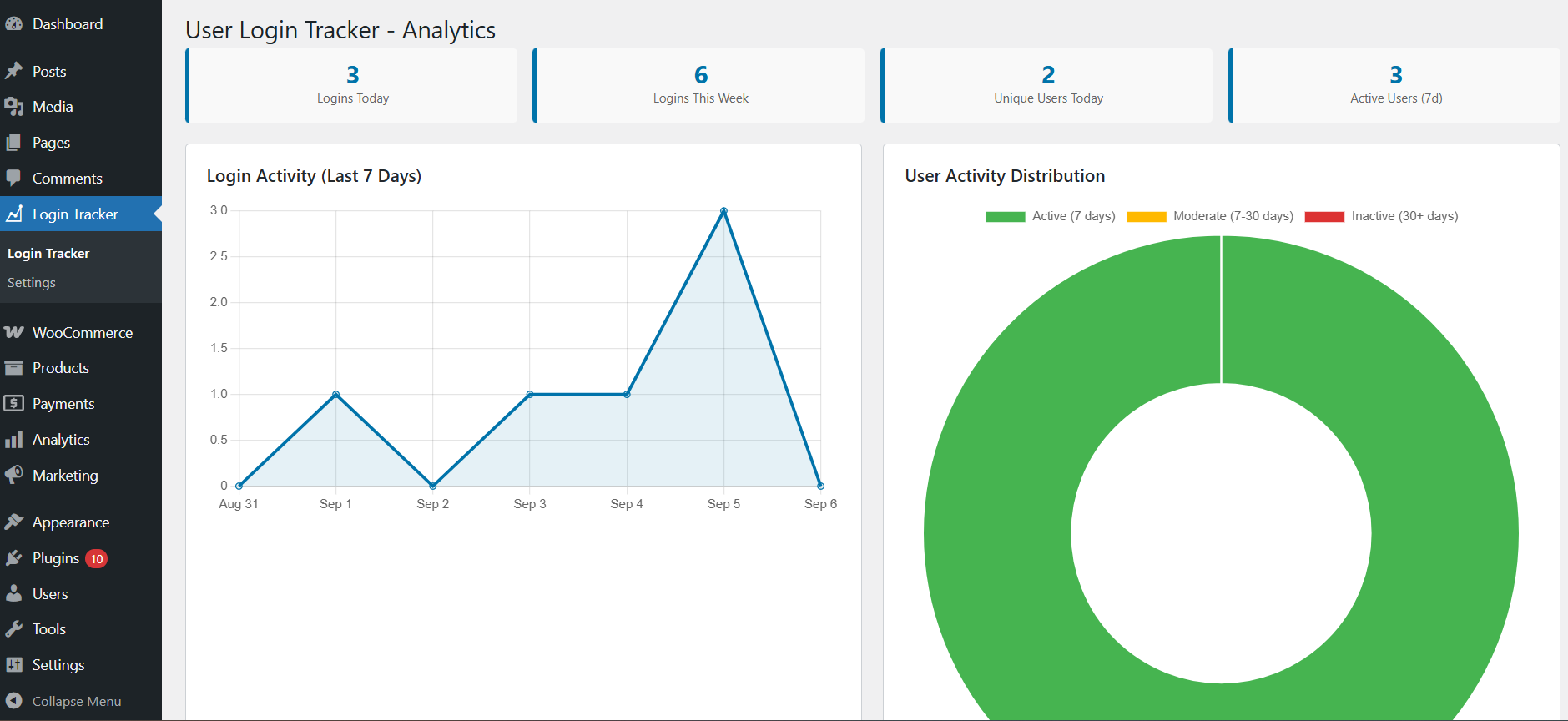
- Visual Analytics Dashboard – Interactive charts showing login trends and user activity patterns
- Real-time Login Tracking – Automatically track every user login with detailed information
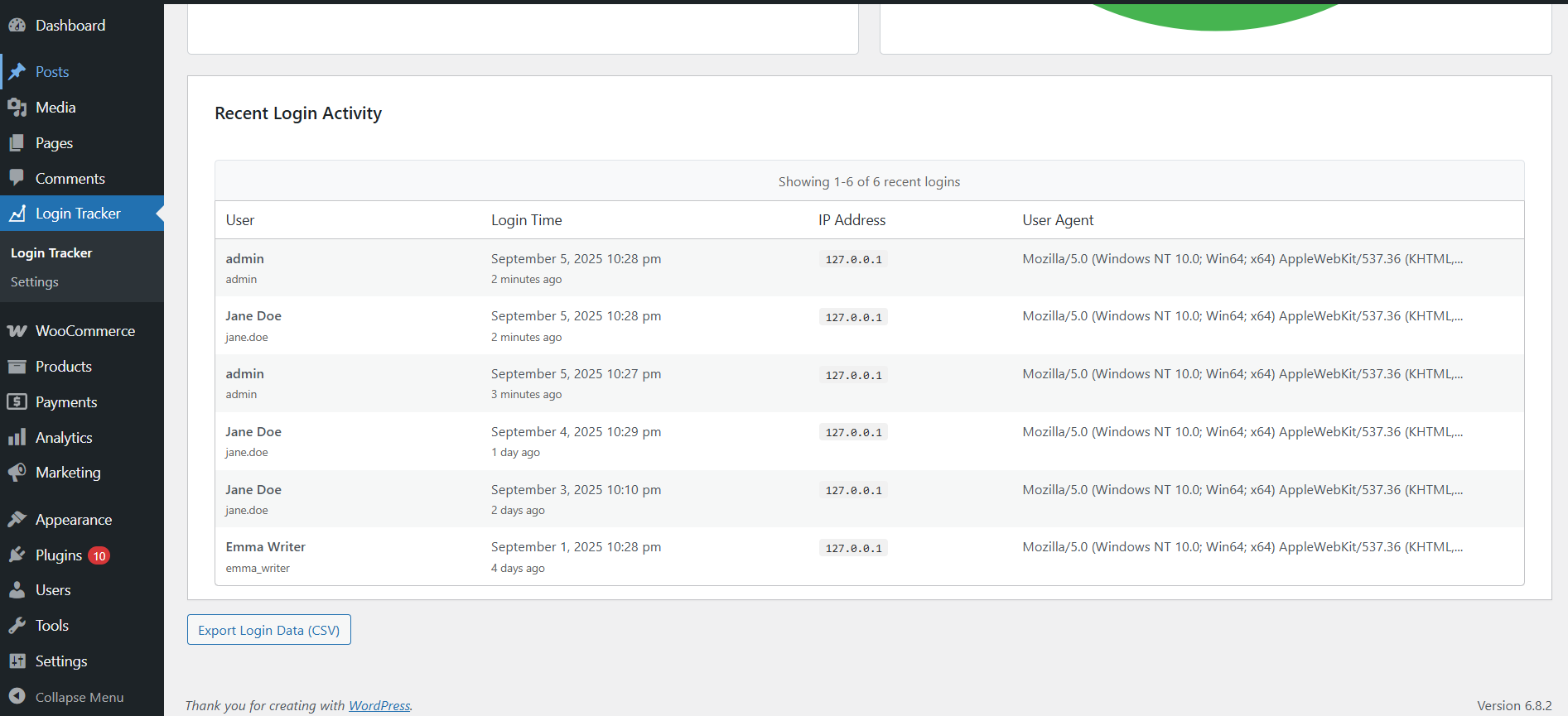
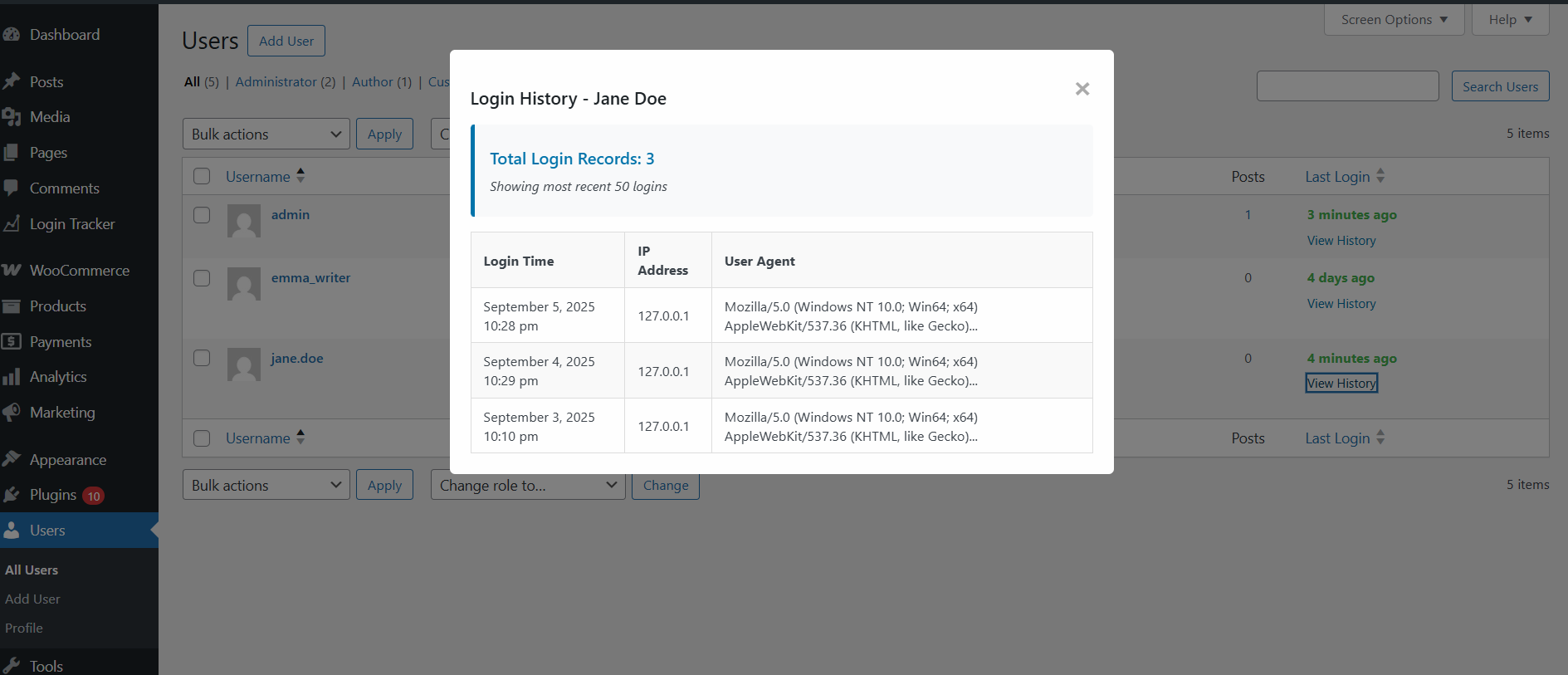
- User Activity History – View complete login history for any user with timestamps and IP addresses
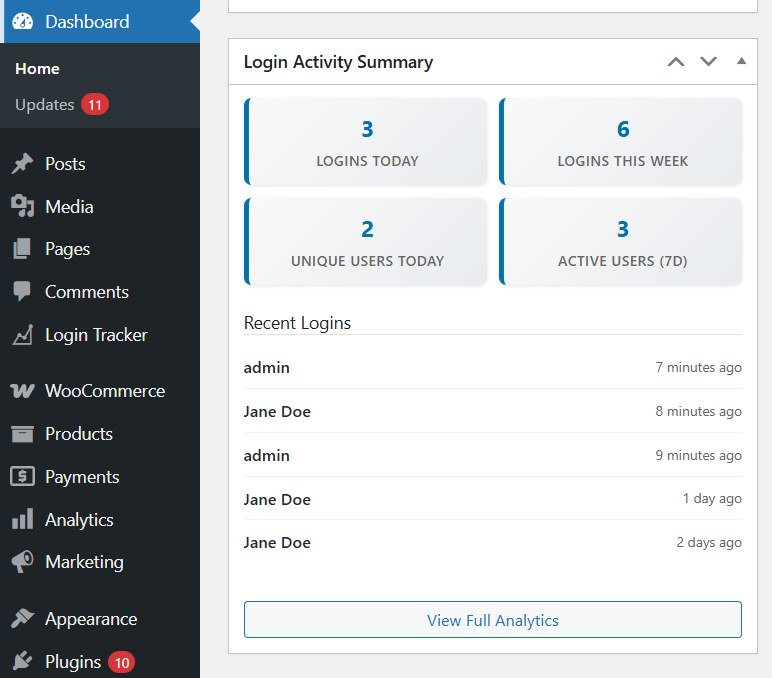
- Dashboard Widget – Quick overview of recent activity right on your WordPress dashboard
- Data Export – Export login data in CSV format for external analysis
- Activity Status Indicators – Instantly see which users are active or inactive
- Performance Optimized – Fast, efficient database design that won’t slow down your site
- Mobile Responsive – Works perfectly on all devices and screen sizes
Why Choose User Login Tracker?
✅ Easy Setup – Install and start tracking immediately, no configuration required
✅ Lightweight – Minimal impact on site performance with optimized code
✅ Secure – Built with WordPress security best practices
✅ User-Friendly – Clean, intuitive interface that anyone can use
✅ Comprehensive – Track everything you need without overwhelming complexity
Perfect For
- Membership Sites – Monitor member engagement and login patterns
- E-commerce Stores – Track customer activity and identify trends
- Business Websites – Understand user behavior and site usage
- Educational Platforms – Monitor student login activity
- Community Sites – Track member participation and engagement
Installation
- Upload the plugin files to
/wp-content/plugins/user-login-tracker/or install through WordPress admin - Activate the plugin through the ‘Plugins’ screen in WordPress
- Navigate to ‘Login Tracker’ in your WordPress admin menu
- Login tracking will begin immediately for new user logins after activation
Frequently asked questions
Does this plugin slow down my website?
No! The plugin is designed for minimal performance impact. Login tracking happens efficiently in the background, and the database is optimized for fast queries.
What information does the plugin track?
The plugin tracks login timestamps, usernames, user roles, IP addresses, and login status. No sensitive information like passwords is ever stored.
Can I export the login data?
Yes! You can export all login data in CSV format directly from the admin interface, perfect for external analysis or record keeping.
Will this work with my theme?
Yes! The plugin works entirely within the WordPress admin area and is compatible with all themes.
Is it compatible with other plugins?
Yes! The plugin is built using WordPress standards and is compatible with virtually all other plugins.
Can I track specific user roles only?
Yes! You can configure which user roles to track and customize the tracking behavior in the settings.
Will I see historical login data from before I installed the plugin?
No, the plugin only tracks login activity that occurs after it’s activated. It cannot retrieve historical login data from before installation. You’ll start seeing data as users log in after the plugin is active.
Changelog
Major upgrade! This version includes a complete rewrite with advanced analytics, visual charts, and much more detailed tracking. All existing data will be automatically migrated to the new system.
2.0.1
- Fixed data retention issues and improved accurate cleanup of old login records based on retention settings.
2.0.0
- Complete rewrite with advanced analytics dashboard
- Added interactive charts showing login trends and patterns
- New user activity history with detailed session information
- Dashboard widget with real-time metrics
- Data export functionality (CSV format)
- Performance optimized with custom database table
- Mobile responsive admin interface
- Enhanced security and better user experience
1.0.0
- Initial release with basic login tracking
- Last login time display in Users table
- Simple login count tracking
Screenshots

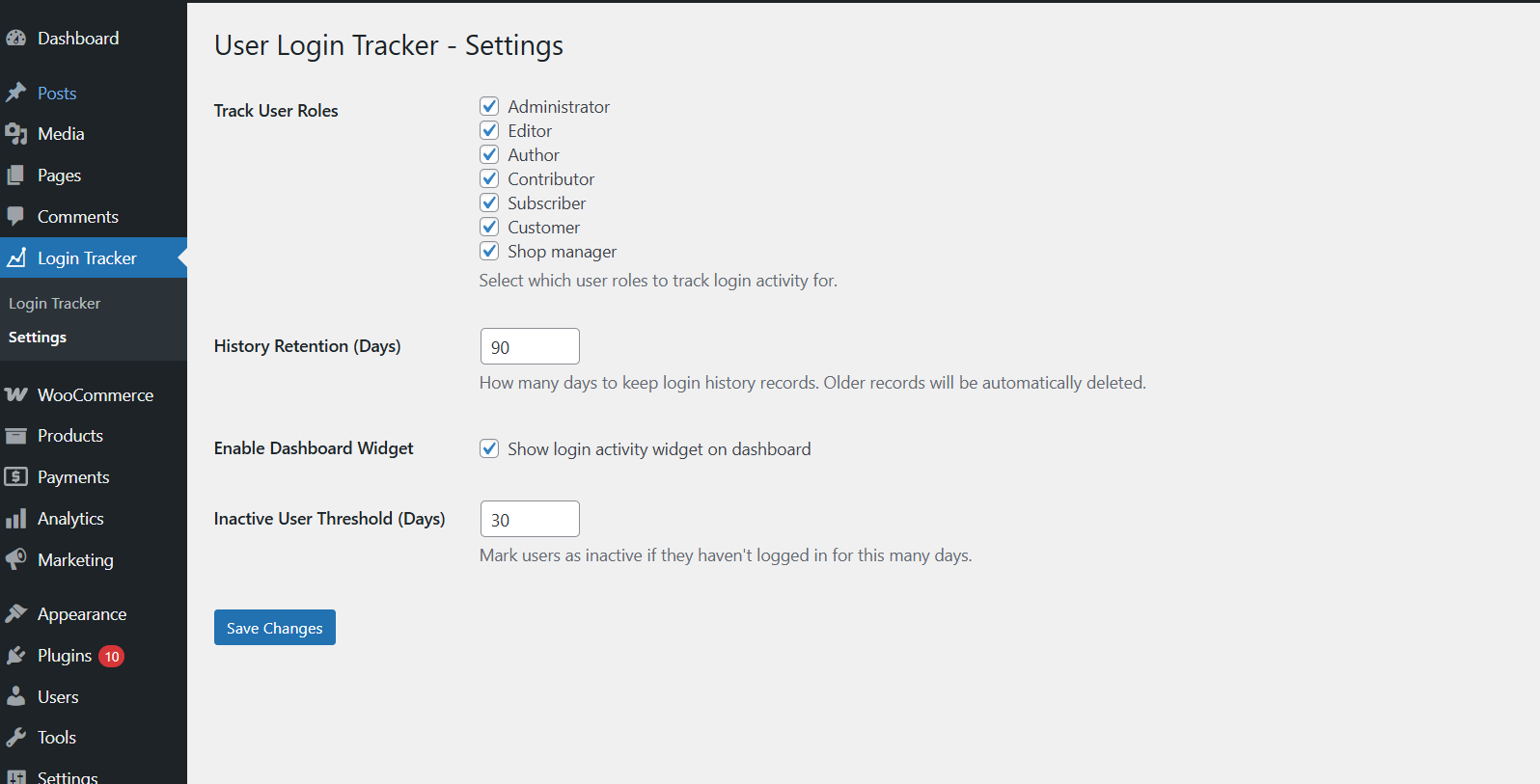
For developers
Is this your plugin? Show off the numbers.
Add a live badge to your site, docs or GitHub README. It updates on its own — no account needed.
Best User Login Tracker alternatives
All login history plugins →FAQ
User Login Tracker: quick answers
Straight answers, pulled from live WordPress.org data.
Live data from WordPress.org · checked Oct 13, 2026
Is User Login Tracker free?
Yes. User Login Tracker is free to download and use from the official WordPress.org plugin directory.
Is User Login Tracker safe to use in 2026?
User Login Tracker shows warning signs in 2026 — compare the alternatives below before installing. It runs on 40+ sites and was last updated 1 year ago, and scores 33/100 on our health check.
How many websites use User Login Tracker?
User Login Tracker is active on 40+ WordPress websites and has been downloaded 870 times since it launched in June 2025. It was downloaded 68 times in the last 30 days.
Does User Login Tracker work with WordPress 7.1?
User Login Tracker is officially tested up to WordPress 6.8.11, while the latest release is 7.1.3. It may still work, but try it on a staging site first.
What PHP version does User Login Tracker need?
User Login Tracker requires PHP 7.2 or higher. Most hosts run PHP 8.x today, so it works on any modern WordPress hosting.
When was User Login Tracker last updated?
The latest version, 2.0.1, was released on September 5, 2025 (1 year ago).
Who makes User Login Tracker?
User Login Tracker is developed and maintained by Irfan.
What are the best alternatives to User Login Tracker?
The most popular alternatives to User Login Tracker are Persistent Login (6K+ installs), WP Users Login History (70+ installs) and Recent Logins (10+ installs).
Powered by PageForge
Want thousands of pages that rank like these? Build them in an afternoon.
This directory runs on the same engine as PageForge. Turn any spreadsheet, CSV or API into thousands of fast, SEO-ready WordPress pages — with schema, internal links and AI-written copy baked in.
- CSV, Google Sheets & API data sources
- AI content, schema & internal links per page
- Works with Elementor, Gutenberg, Yoast & Rank Math
- Free on WordPress.org — no credit card


