


Updater by BestWebSoft
Automatically update WordPress core, plugins, themes, and translations. Schedule updates and get email notifications – no FTP needed.

Use with caution
Updater by BestWebSoft works, but test it on a staging site before relying on it in 2026. It runs on 2K+ sites, is rated 4.7/5 and was last updated 10 months ago, and scores 59/100 on our health check.
- Loved by users — 4.7/5 from 52 reviews
- Only tested up to WordPress 6.9 (latest is 7.1)
Daily downloads
Download spikes usually follow a new release — each site that auto-updates counts as a download.
Rankings
Where Updater by BestWebSoft stands todayWordPress.org search rankings
Live position in the plugin search, top 100| Keyword | Position |
|---|---|
| auto update wordpress plugins | #87 |
| update wordpress core | #81 |
| update wordpress plugins | #99 |
| updater | #8 |
| wordpress plugin updates | >100 |
Version adoption
Share of active sites per release.
Rating breakdown
★★★★★★★★★★ 4.7 from 52 reviews
About Updater by BestWebSoft
From the official readme · v1.48Description
Updater by BestWebSoft is a reliable WordPress plugin that automatically updates your website’s core, plugins, themes, and translation files to the latest versions.
Choose between automatic and manual update modes. Set custom update schedules, exclude specific plugins or themes from updating, and receive detailed email notifications about available updates and results — all without needing FTP access.
With built-in backup options and compatibility with products from Envato, Updater helps you keep your WordPress site secure, up-to-date, and running smoothly.
Free Features
- Select update mode:
- Manual
- Auto
- Search updates and update:
- WordPress
- Plugins
- Themes
- Translations
- Set the update search and update frequency
- Get email notification
- About new versions
- After updating
- Set the recipient email address
- Customize “FROM” field
- Compatible with latest WordPress version
- Incredibly simple settings for fast setup without modifying code
- Detailed step-by-step documentation and videos
- Multilingual and RTL ready
Pro Features
All features from Free version included plus:
- Exclude certain plugins, themes from automatic updates
- Exclude inactive plugins and themes from automatic updates
- Compatible with Envato (update products purchased on Envato)
- Create database and files backup before updating
- Backup all:
- Folders
- Tables
- Delete old backups automatically
- Disable WordPress core auto update
- Get answer to your question within one business day (Support Policy)
If you have a feature suggestion or idea you’d like to see in the plugin, we’d love to hear about it! Suggest a Feature
Documentation & Videos
Help & Support
Visit our Help Center if you have any questions, our friendly Support Team is happy to help – https://support.bestwebsoft.com/
Translation
- Russian (ru_RU)
- Ukrainian (uk)
- French (fr_FR)
- Italian (it_IT)
- Arabic (ar)
- German (de_DE)
- Spanish (es_SP)
Some of these translations are not complete. We are constantly adding new features which should be translated. If you would like to create your own language pack or update the existing one, you can send the text of PO and MO files to BestWebSoft and we’ll add it to the plugin. You can download the latest version of the program for work with PO and MO files Poedit.
Installation
- Upload the
updaterfolder to the/wp-content/plugins/directory. - Activate the plugin via the ‘Plugins’ menu in WordPress.
- Plugin settings are located in ‘Updater’, ‘Settings’.
View a PDF version of Step-by-step Instruction on Updater Installation
Frequently asked questions
The plugin doesn’t send any emails
Please follow the instructions below: Check the plugin settings ‘/wp-admin/admin.php?page=updater-options’ The plugin sends email notifications if any updates are available. Some email messages can be marked as spam on the server. Enter email address (‘Send Email Notifications from’ option), for example, gmail account or similar. If the message is approved (sent), this means that the email filtering is configured on your server. Perhaps you didn’t configure email sending. In this case You should install SMTP plugin and configure it. Afterwards you should send a test email from this plugin and…
The plugin stopped sending emails after some time. What’s the problem?
The plugin sends email notification if any updates are available. If there are no updates available, you won’t get anything.
Sending time does not correspond to that specified on the settings page
The function of sending emails and updating runs when the site is active (when someone visits your site.) If there is no activity, it will run when the first activity appears. So the time can be shifted.
I have some problems with the plugin’s work. What Information should I provide to receive proper support?
Please make sure that the problem hasn’t been discussed yet on our forum (https://support.bestwebsoft.com). If no, please provide the following data along with your problem’s description: the link to the page where the problem occurs the name of the plugin and its version. If you are using a pro version – your order number. the version of your WordPress installation copy and paste into the message your system status report. Please read more here: Instruction on System Status
Changelog
The compatibility with new WordPress version updated. Bugs fixed.
V1.48 – 22.11.2024
- Bugfix : Bug with installed software has been fixed.
- Bugfix : Test backup error has been fixed.
- Update : All functionality was updated for WordPress 6.7.
V1.46 – 21.05.2024
- Update : All functionality was updated for WordPress 6.5.
- Update : BWS panel section was updated.
- Bugfix : Security issues have been fixed.
V1.45 – 29.09.2020
- NEW: Ability to change Email Notifications.
- Update : The plugin settings page was changed.
- Update : BWS panel section was updated.
V1.44 – 17.03.2020
- Update : All functionality was updated for WordPress 5.3.2.
- Update : BWS plugins section is updated.
V1.43 – 04.09.2019
- Update: The deactivation feedback has been changed. Misleading buttons have been removed.
V1.42 – 11.02.2019
- Update : All functionality was updated for WordPress 5.0.3.
- Bugfix : The bug with email notifications has been fixed.
Screenshots
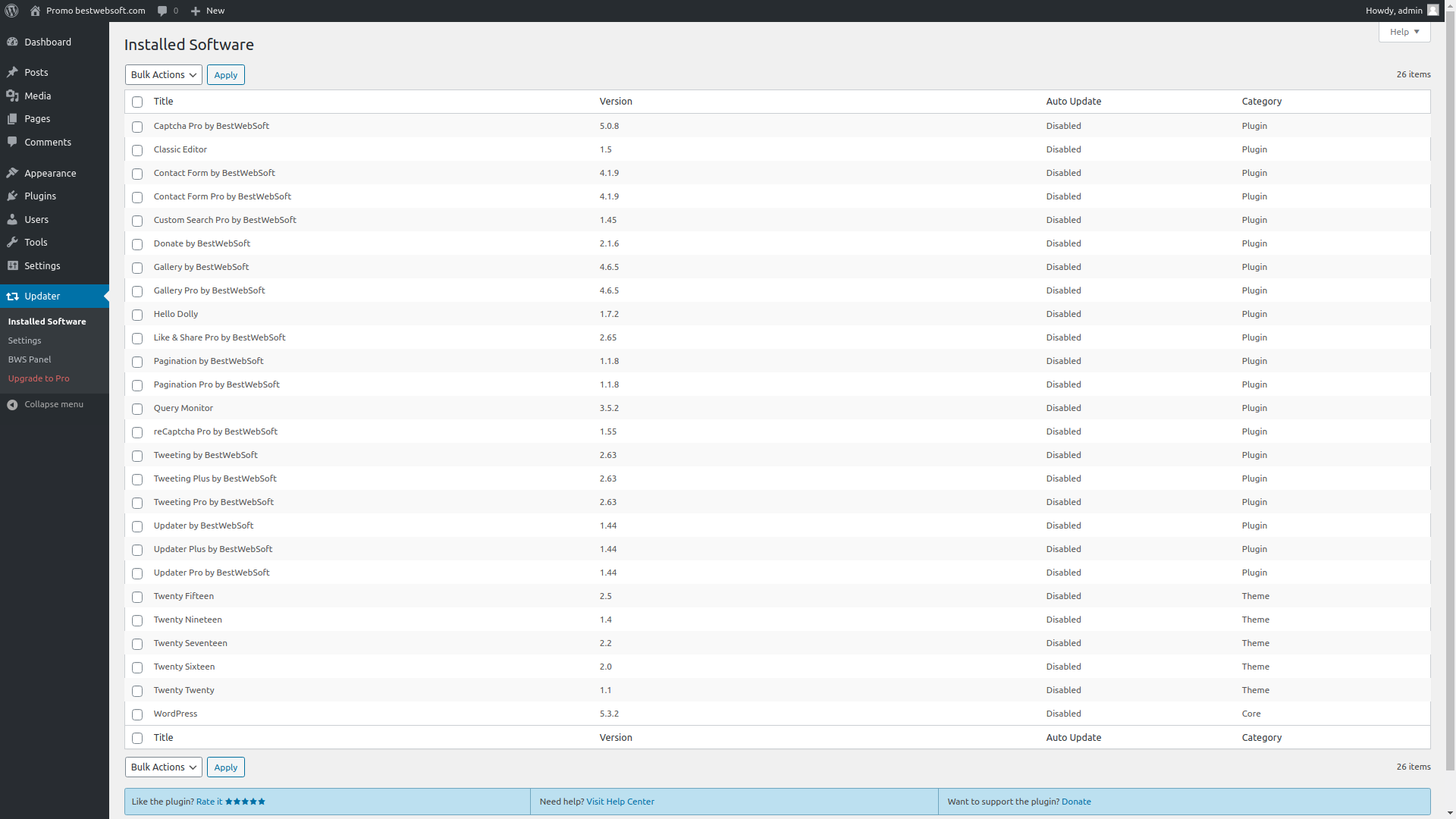
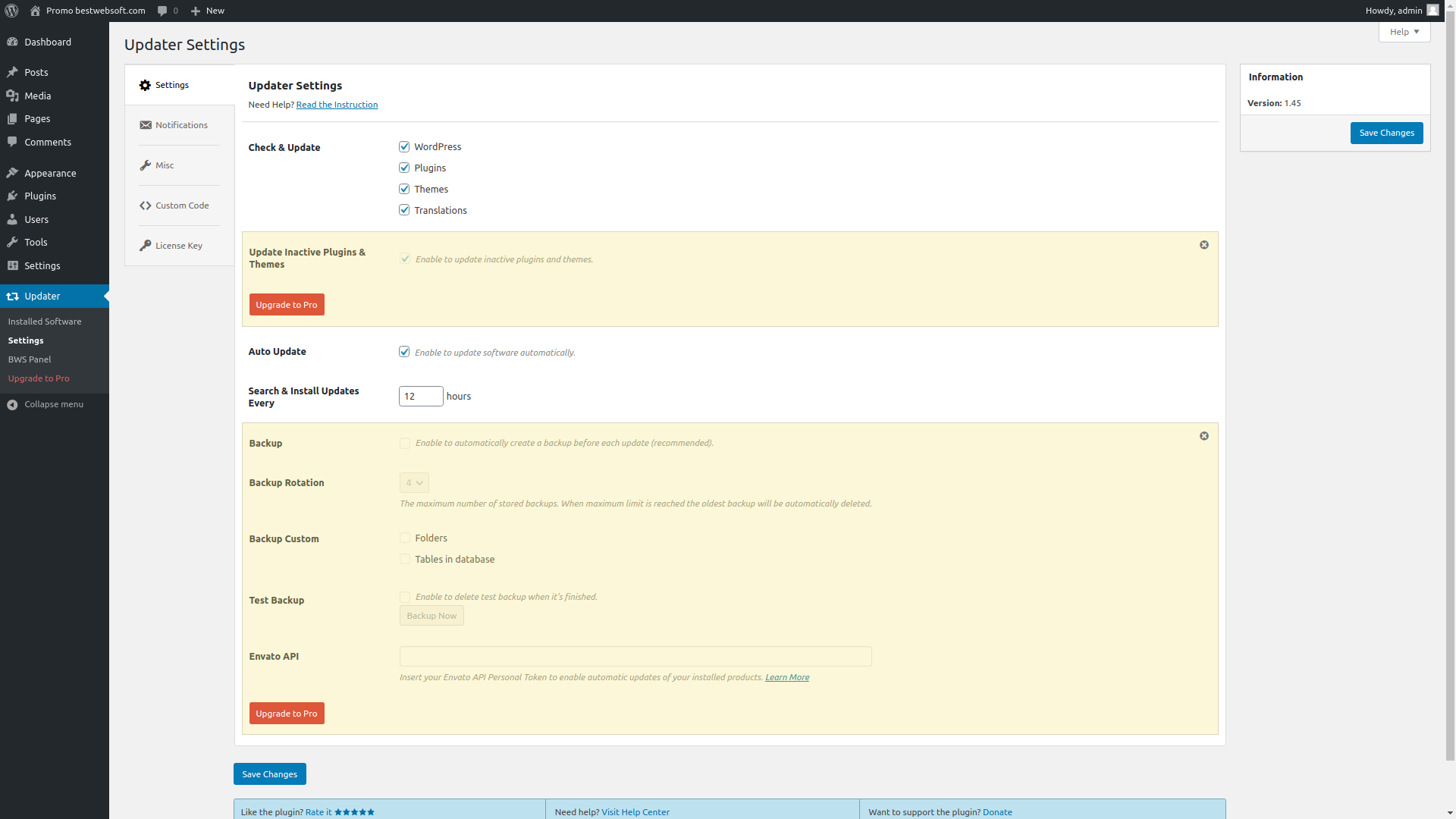
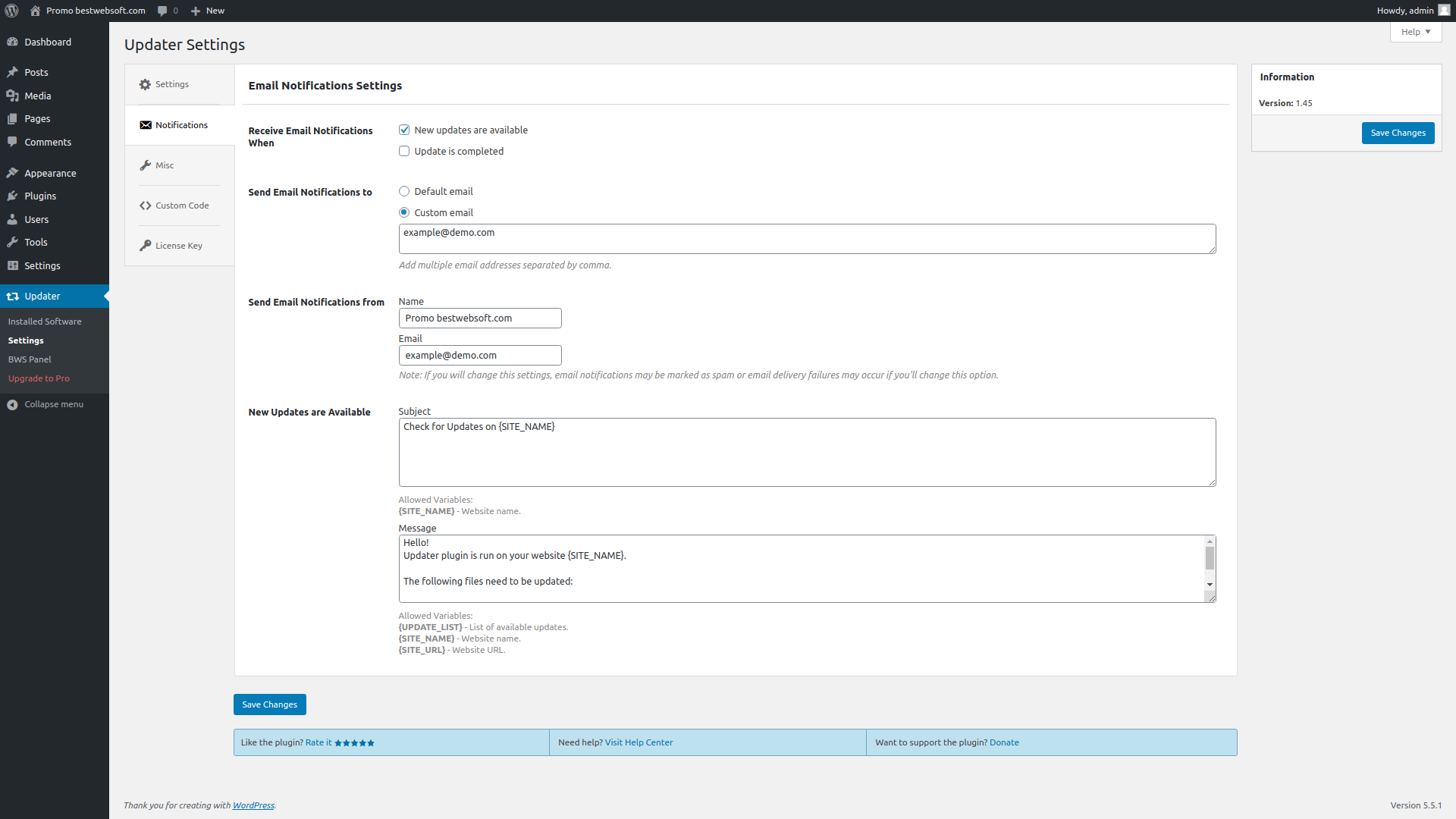
For developers
Is this your plugin? Show off the numbers.
Add a live badge to your site, docs or GitHub README. It updates on its own — no account needed.
FAQ
Updater by BestWebSoft: quick answers
Straight answers, pulled from live WordPress.org data.
Live data from WordPress.org · checked Sep 26, 2026
Is Updater by BestWebSoft free?
Yes. Updater by BestWebSoft is free to download and use from the official WordPress.org plugin directory.
Is Updater by BestWebSoft safe to use in 2026?
Updater by BestWebSoft works, but test it on a staging site before relying on it in 2026. It runs on 2K+ sites, is rated 4.7/5 and was last updated 10 months ago, and scores 59/100 on our health check.
How many websites use Updater by BestWebSoft?
Updater by BestWebSoft is active on 2K+ WordPress websites and has been downloaded 198,718 times since it launched in January 2013. It was downloaded 280 times in the last 30 days.
Does Updater by BestWebSoft work with WordPress 7.1?
Updater by BestWebSoft is officially tested up to WordPress 6.9.9, while the latest release is 7.1.2. It may still work, but try it on a staging site first.
When was Updater by BestWebSoft last updated?
The latest version, 1.48, was released on December 3, 2025 (10 months ago).
Who makes Updater by BestWebSoft?
Updater by BestWebSoft is developed and maintained by bestwebsoft.
Powered by PageForge
Want thousands of pages that rank like these? Build them in an afternoon.
This directory runs on the same engine as PageForge. Turn any spreadsheet, CSV or API into thousands of fast, SEO-ready WordPress pages — with schema, internal links and AI-written copy baked in.
- CSV, Google Sheets & API data sources
- AI content, schema & internal links per page
- Works with Elementor, Gutenberg, Yoast & Rank Math
- Free on WordPress.org — no credit card


