



TW Simple Slider
Create beautiful image sliders with advanced styling options - no coding required!

Use with caution
TW Simple Slider works, but test it on a staging site before relying on it in 2026. Was last updated 1 month ago, and scores 60/100 on our health check.
- Tested with the latest WordPress (7.1)
- Small user base (<10 active installs)
- Very few reviews so far
How does it stack up?
Side-by-side on installs, updates, ratings & support



Daily downloads
Download spikes usually follow a new release — each site that auto-updates counts as a download.
Rankings
Where TW Simple Slider stands todayWordPress.org search rankings
Live position in the plugin search, top 100| Keyword | Position |
|---|---|
| carousel | >100 |
| gallery slider | >100 |
| image slider | >100 |
| responsive slider | >100 |
| slider | >100 |
About TW Simple Slider
From the official readme · v1.2.0Description
TW Simple Slider is an easy-to-use WordPress plugin that allows you to create beautiful image sliders without any coding knowledge. Simply add your images, choose a slider style, and display it anywhere on your site using a shortcode.
Key Features
- Simple Interface – Just add images and select slider type
- Multiple Slider Styles – Basic, Fade, and Infinite Scroll
- Drag & Drop – Easily reorder images by dragging
- Responsive Design – Works perfectly on all devices
- Shortcode Support – Display sliders anywhere using [tw_slider id=”123″]
- Lightweight – All resources included locally
- No Coding Required – User-friendly admin interface
How to Use
Creating Your First Slider
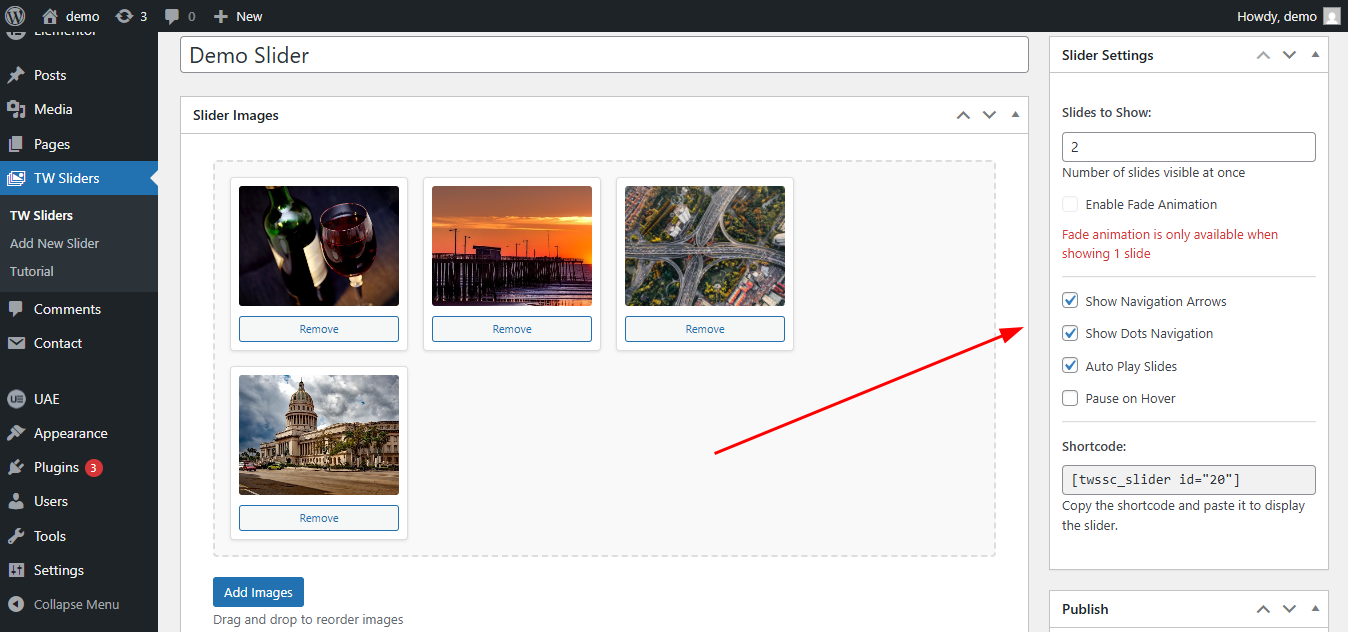
- Go to Sliders → Add New in WordPress admin
- Enter a title for your slider (e.g., “Homepage Slider”)
- Click Add Images button to upload/select images
- Drag and drop images to reorder them
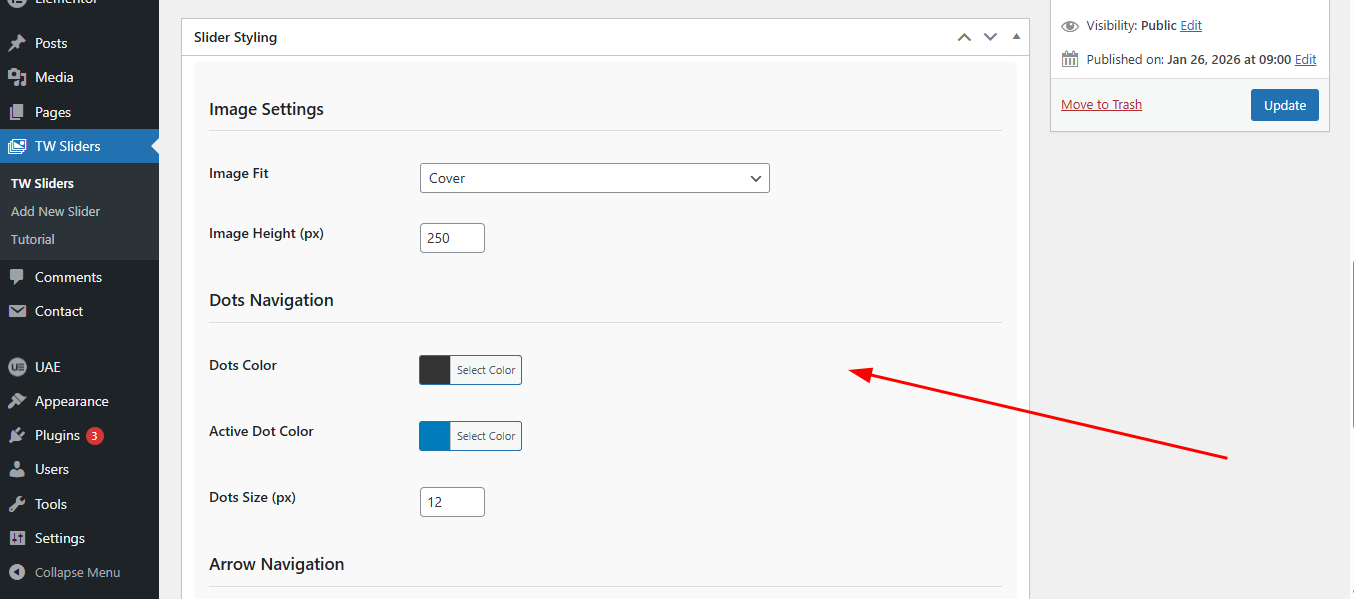
- Select your preferred slider settings from the sidebar
- Click Publish
- Copy the shortcode displayed in the sidebar
- Paste the shortcode in any post, page, or widget
Displaying Sliders
Using Shortcode:
[tw_slider id=”123″] – Replace 123 with your slider ID
In Posts/Pages:
Simply paste the shortcode in the content editor
In Widgets:
Use the Text widget and paste the shortcode
Privacy / External Service
This plugin can optionally connect to an external support service operated by Technology Wisdom.
Service: https://pluginsupport.technologywisdom.com
Terms of Use: https://pluginsupport.technologywisdom.com/terms-of-use/
Privacy Policy: https://pluginsupport.technologywisdom.com/privacy-policy/
The service is used to provide in-plugin support messaging, feedback forwarding, announcements, and connection status for opted-in sites.
Opt-in consent (required before any connection):
When you activate the plugin, an admin notice asks whether you want to allow the support connection. You can choose Allow Support Connection or No Thanks.
- If you allow the connection, the plugin may send: site URL, site name, admin email, plugin name/version, WordPress version, and PHP version. Support requests and review/feedback details are sent only when you submit those forms. The plugin may also check weekly for announcements from Technology Wisdom.
- While the connection is enabled, the plugin may also report a connection status to the portal so we can tell whether the site is Active, Deactivated, Disconnected, or Deleted. Status is only sent after you opt in.
- If you decline (or never accept), that data is not sent to the support portal. The plugin’s core feature continues to work normally without the connection.
- You are never required to allow the connection to use the plugin.
- You can disconnect the support connection at any time from the plugin’s Support page by choosing Disable priority support. After you disconnect, the plugin stops sending status updates, support traffic, and announcement checks.
Support and rating forms also include their own consent checkboxes before site information is included with a submission.
Please review the service Terms of Use and Privacy Policy before enabling the connection.
License
This plugin is licensed under the GPL-2.0+ License. You can freely use, modify, and distribute it under the terms of this license. See the full license at: https://opensource.org/licenses/GPL-2.0
Installation
Method 1: WordPress Admin (Recommended)
- Go to Plugins → Add New in your WordPress admin
- Click Upload Plugin
- Choose the tw-simple-slider.zip file
- Click Install Now
- Activate the plugin
Method 2: Manual Installation
- Download the plugin zip file
- Extract the contents to your /wp-content/plugins/ directory
- Rename the folder to simple-slider
- Go to Plugins in WordPress admin
- Find TW Simple Slider and click Activate
Frequently asked questions
How many images can I add to a slider?
You can add unlimited images to each slider.
Can I use different slider types on the same page?
Yes, you can use multiple sliders with different types on the same page.
Is the slider responsive?
Yes, all sliders are fully responsive and work on mobile, tablet, and desktop devices.
How do I change the slider speed?
Slider speed is preset for optimal viewing. Custom speed control will be added in future versions.
Can I use the slider in page builders?
Yes! The plugin works with all major page builders using the shortcode.
Changelog
1.2.0
- Major Plugin Support Portal enhancement: more reliable connection.
1.1.1
- WordPress 7.1 compatibility check
- Bug Fixes
1.1.0
- Plugin support system is integrated with consent.
1.0.4
- Improved security by adding permission checks and enforcing server-side consent validation.
1.0.3
- Fixed Bugs
1.0.2
- Added review/feedback options
- Added Support page
Screenshots

For developers
Is this your plugin? Show off the numbers.
Add a live badge to your site, docs or GitHub README. It updates on its own — no account needed.
Best TW Simple Slider alternatives
All carousel plugins →




FAQ
TW Simple Slider: quick answers
Straight answers, pulled from live WordPress.org data.
Live data from WordPress.org · checked Sep 30, 2026
Is TW Simple Slider free?
Yes. TW Simple Slider is free to download and use from the official WordPress.org plugin directory.
Is TW Simple Slider safe to use in 2026?
TW Simple Slider works, but test it on a staging site before relying on it in 2026. Was last updated 1 month ago, and scores 60/100 on our health check.
How many websites use TW Simple Slider?
TW Simple Slider is active on <10 WordPress websites and has been downloaded 753 times since it launched in February 2026. It was downloaded 81 times in the last 30 days.
Does TW Simple Slider work with WordPress 7.1?
Yes. The developer has tested TW Simple Slider up to WordPress 7.1.2, the latest release. It requires WordPress 5.0 or newer.
What PHP version does TW Simple Slider need?
TW Simple Slider requires PHP 7.4 or higher. Most hosts run PHP 8.x today, so it works on any modern WordPress hosting.
When was TW Simple Slider last updated?
The latest version, 1.2.0, was released on August 27, 2026 (1 month ago).
Who makes TW Simple Slider?
TW Simple Slider is developed and maintained by Technology Wisdom.
What are the best alternatives to TW Simple Slider?
The most popular alternatives to TW Simple Slider are Shortcodes Ultimate (400K+ installs), Carousel, Slider, Photo Gal… (70K+ installs) and Carousel Slider Block for G… (50K+ installs).
Powered by PageForge
Want thousands of pages that rank like these? Build them in an afternoon.
This directory runs on the same engine as PageForge. Turn any spreadsheet, CSV or API into thousands of fast, SEO-ready WordPress pages — with schema, internal links and AI-written copy baked in.
- CSV, Google Sheets & API data sources
- AI content, schema & internal links per page
- Works with Elementor, Gutenberg, Yoast & Rank Math
- Free on WordPress.org — no credit card


