



Tutor LMS BunnyNet Integration
BunnyNet CDN offers bufferless high-speed streaming from anywhere in the world. This is accomplished by Bunny Stream, their premium streaming solution. Bunny stream uses a state-of-the-art CDN to store and deliver your…

Use with caution
Tutor LMS BunnyNet Integration works, but test it on a staging site before relying on it in 2026. It runs on 1K+ sites, is rated 5/5 and was last updated 3 months ago, and scores 50/100 on our health check.
- Very few reviews so far
- Only tested up to WordPress 6.9 (latest is 7.1)
Daily downloads
Download spikes usually follow a new release — each site that auto-updates counts as a download.
Rankings
Where Tutor LMS BunnyNet Integrat… stands todayWordPress.org search rankings
Live position in the plugin search, top 100| Keyword | Position |
|---|---|
| bunnynet | #1 |
| lms | #10 |
| streaming | #12 |
| tutor | #4 |
| video | >100 |
Version adoption
Share of active sites per release.
Rating breakdown
★★★★★★★★★★ 5 from 2 reviews
About Tutor LMS BunnyNet Integration
From the official readme · v1.0.2Description
BunnyNet CDN offers bufferless high-speed streaming from anywhere in the world. This is accomplished by Bunny Stream, their premium streaming solution. Bunny stream uses a state-of-the-art CDN to store and deliver your videos whenever and wherever you need them. It offers robust security even offering hotlink protection and all of this in a very affordable package.
Tutor LMS BunnyNet integration allows you to host your lesson videos on Tutor LMS using BunnNets’ very own Bunny Stream. Your students all around the world will face no trouble loading up and playing your meticulously crafted course videos. This enhances the experience for students and you can rest easy knowing your videos are being delivered as intended.
Pre-requisites
For this integration, you need to install the Tutor LMS Free plugin because this plugin comes as an add-on plugin for the Tutor LMS to facilitate the BunnyNet video streaming service.
Get Started
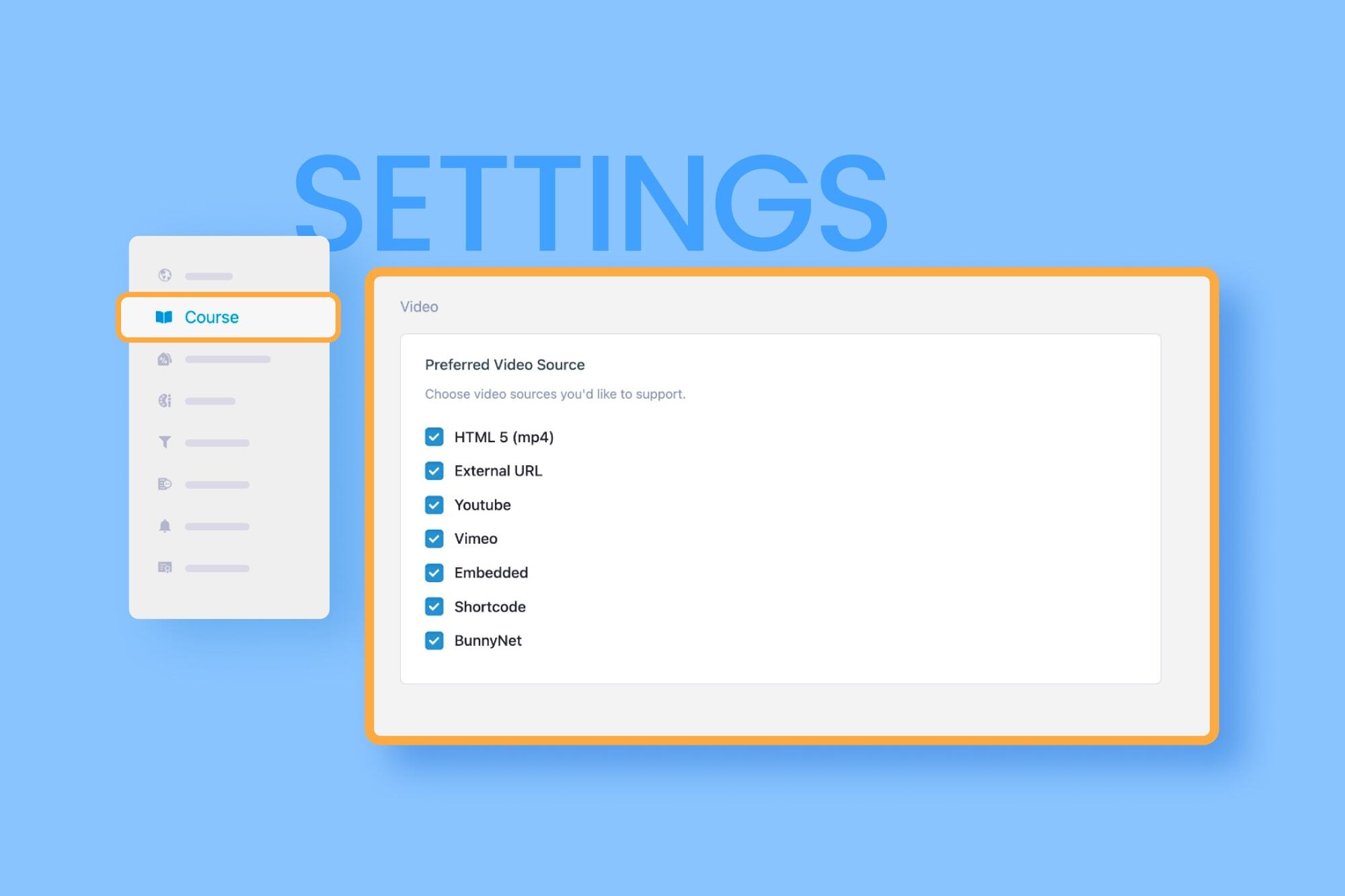
Step One: After installing Tutor LMS and the Tutor LMS BunnyNet Integration plugin, navigate to “Tutor LMS > Settings > Course”. From there scroll down to the preferred video source and find the BunnyNet option.
You need to toggle BunnyNet as your preferred video source.
Step Two: Then log in to your BunnyNet account and open your video. This will bring you to the BunnyNet video setup. Here, you can set a thumbnail for your video, set a title, configure captions and so much more.
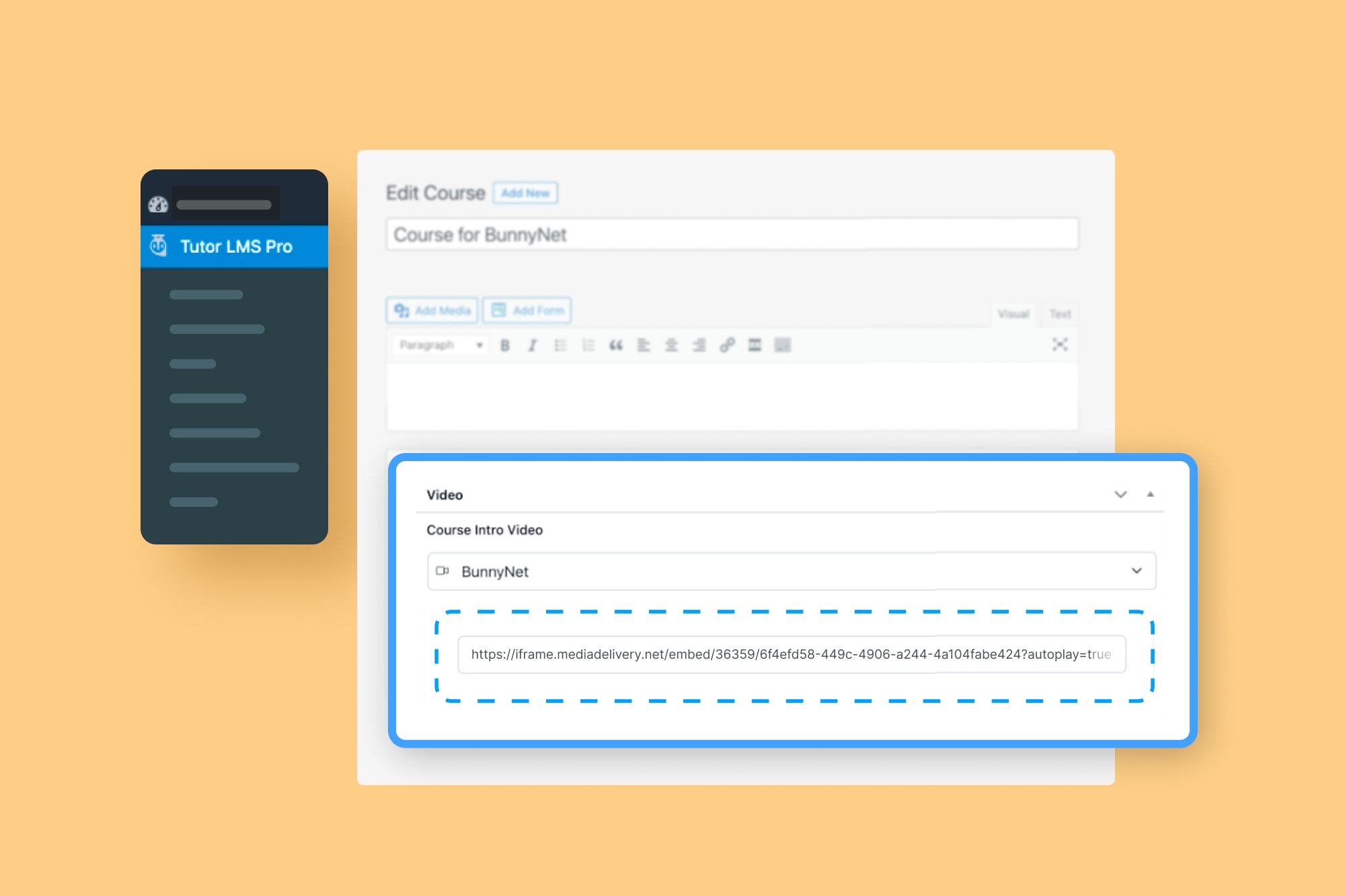
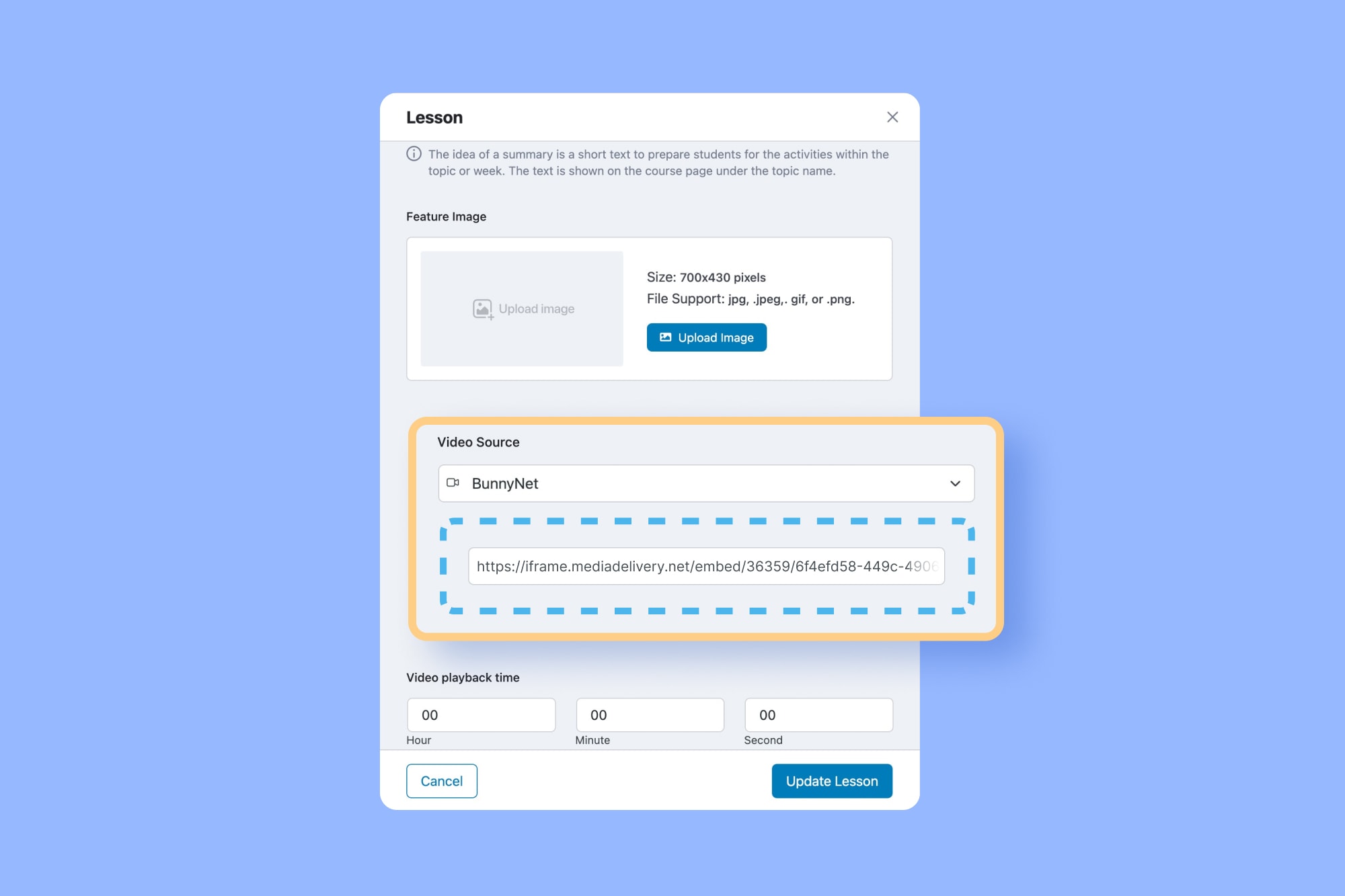
Step Three: Now you just need to copy the “Direct Play URL” from BunnyNet and go back to Tutor LMS. Then, simply paste the URL/link into the Course Intro or Lesson video field.
And there you have it, your video source will then be set to BunnyNet for you and your students to enjoy smooth streaming.
Installation
Minimum Requirements
- PHP version 7.2 or greater (PHP 7.4 or greater is recommended)
- MySQL version 5.0 or greater (MySQL 5.6 or greater is recommended)
Automatic installation
The automatic installation is the easiest way to install any plugin in WordPress. You can perform an automatic installation of Tutor LMS BunnyNet Integration plugin by logging in to your WordPress dashboard, navigating to the “Plugins” menu and click on the “Add New” button.
This will open up a page showing all the available plugins in WordPress. In the search field, type Tutor LMS BunnyNet Integration. The search result will show you our plugin, you can then see the detailed info by clicking on “More Details” and to install just click on the “Install Now” button.
Manual installation
To install Tutor LMS BunnyNet Integration manually, you need to download the plugin and upload it to your webserver via any FTP application.
The WordPress codex contains instructions on how to do this here.
Frequently asked questions
Does this Plugin has any Dependency?
Yes, You need tutor regular plugin in order to use this plugin, You can migrate LearnPress data if exists. Take a backaup of your full website before migrate.
Will this Plugin work with the older versions of Tutor LMS?
The compatibility of Tutor LMS BunnyNet Integration plugin has come on Tutor LMS 2.1.2, therefore you need at least this version of Tutor LMS to use the plugin.
Changelog
None Available
1.0.2 – 09 July, 2026
Fix: Failed to load video issue has been fixed.
1.0.1 – 09 March, 2026
Fix: XSS vulnerability fixed.
1.0.0 – 20 December, 2022
- Initial Release
Screenshots



For developers
Is this your plugin? Show off the numbers.
Add a live badge to your site, docs or GitHub README. It updates on its own — no account needed.
FAQ
Tutor LMS BunnyNet Integration: quick answers
Straight answers, pulled from live WordPress.org data.
Live data from WordPress.org · checked Oct 7, 2026
Is Tutor LMS BunnyNet Integration free?
Yes. Tutor LMS BunnyNet Integration is free to download and use from the official WordPress.org plugin directory.
Is Tutor LMS BunnyNet Integration safe to use in 2026?
Tutor LMS BunnyNet Integration works, but test it on a staging site before relying on it in 2026. It runs on 1K+ sites, is rated 5/5 and was last updated 3 months ago, and scores 50/100 on our health check.
How many websites use Tutor LMS BunnyNet Integration?
Tutor LMS BunnyNet Integration is active on 1K+ WordPress websites and has been downloaded 10,207 times since it launched in December 2022. It was downloaded 528 times in the last 30 days.
Does Tutor LMS BunnyNet Integration work with WordPress 7.1?
Tutor LMS BunnyNet Integration is officially tested up to WordPress 6.9.10, while the latest release is 7.1.3. It may still work, but try it on a staging site first.
What PHP version does Tutor LMS BunnyNet Integration need?
Tutor LMS BunnyNet Integration requires PHP 7.4 or higher. Most hosts run PHP 8.x today, so it works on any modern WordPress hosting.
When was Tutor LMS BunnyNet Integration last updated?
The latest version, 1.0.2, was released on July 10, 2026 (3 months ago).
Who makes Tutor LMS BunnyNet Integration?
Tutor LMS BunnyNet Integration is developed and maintained by Themeum.
Powered by PageForge
Want thousands of pages that rank like these? Build them in an afternoon.
This directory runs on the same engine as PageForge. Turn any spreadsheet, CSV or API into thousands of fast, SEO-ready WordPress pages — with schema, internal links and AI-written copy baked in.
- CSV, Google Sheets & API data sources
- AI content, schema & internal links per page
- Works with Elementor, Gutenberg, Yoast & Rank Math
- Free on WordPress.org — no credit card


