


TNC Toolbox: Web Performance
Multi-stack caching for WordPress: ea-NGINX (cPanel) and LiteSpeed (OpenLS/Enterprise). Auto-detects web server!

Solid choice
TNC Toolbox: Web Performance is a solid plugin choice in 2026, with a few things worth checking first. It runs on 1K+ sites, is rated 5/5 and was last updated 6 days ago, and scores 66/100 on our health check.
- Actively developed — last update 6 days ago
- Tested with the latest WordPress (7.1)
- Momentum — downloads up 508% vs the previous 30 days
- Very few reviews so far
Daily downloads
Download spikes usually follow a new release — each site that auto-updates counts as a download.
Rankings
Where TNC Toolbox: Web Performance stands todayWordPress.org search rankings
Live position in the plugin search, top 100| Keyword | Position |
|---|---|
| Automatic Purge | #7 |
| cache purge | #43 |
| litespeed | #13 |
| nginx | #21 |
| web performance | #10 |
Version adoption
Share of active sites per release.
Rating breakdown
★★★★★★★★★★ 5 from 4 reviews
About TNC Toolbox: Web Performance
From the official readme · v2.1.5Description
TNC Toolbox enhances your WordPress experience with multi-stack caching support.
Built for our Managed Server clients, we’ve open-sourced it so others can enjoy it too!
Now supporting both ea-NGINX (cPanel/WHM) and LiteSpeed (OpenLiteSpeed/Enterprise) web stacks, with automatic server detection!
❤️ FOSS by The Network Crew Pty Ltd (TNC) for Merlot Digital & the world. ❤️
Functionality
At the moment, TNC Toolbox:
- Multi-Stack Support: ea-NGINX (cPanel) and LiteSpeed (OpenLS/Enterprise)
- Auto-Detection: Automatically detects your web server and configures appropriately
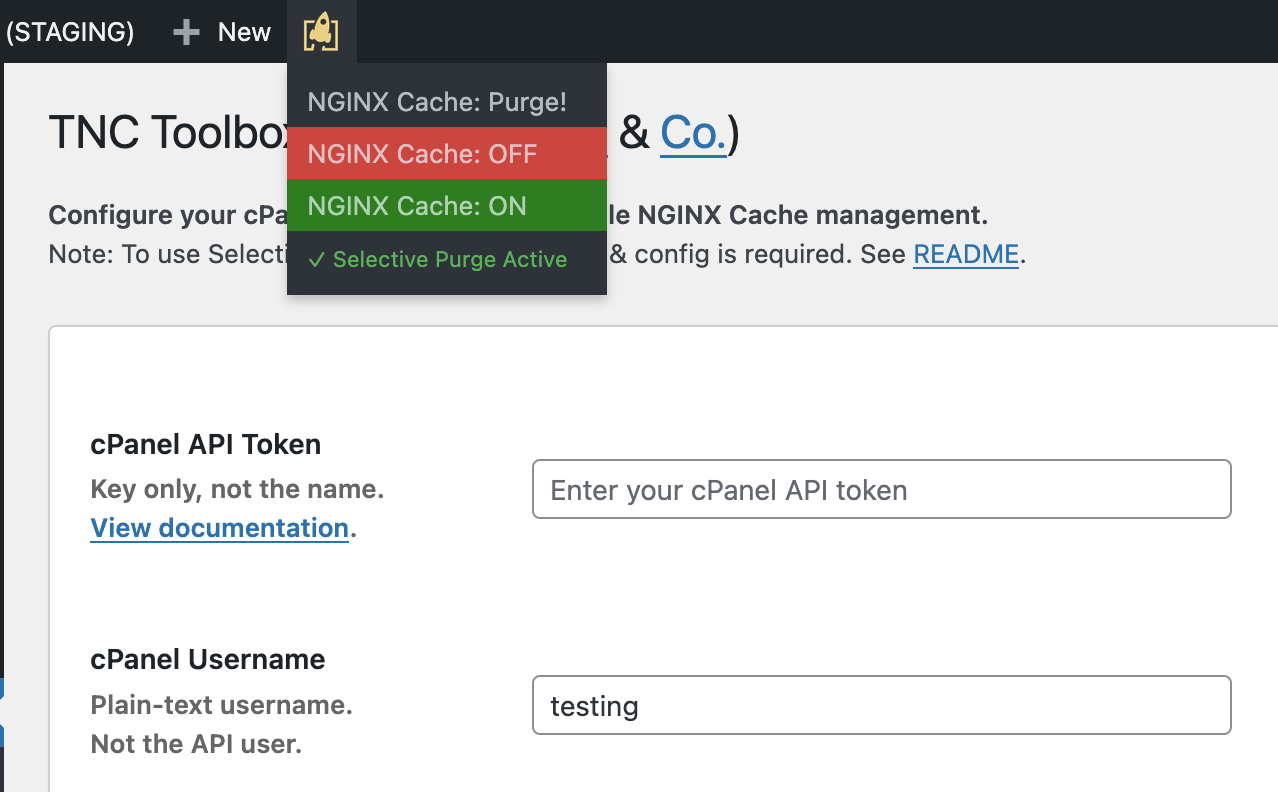
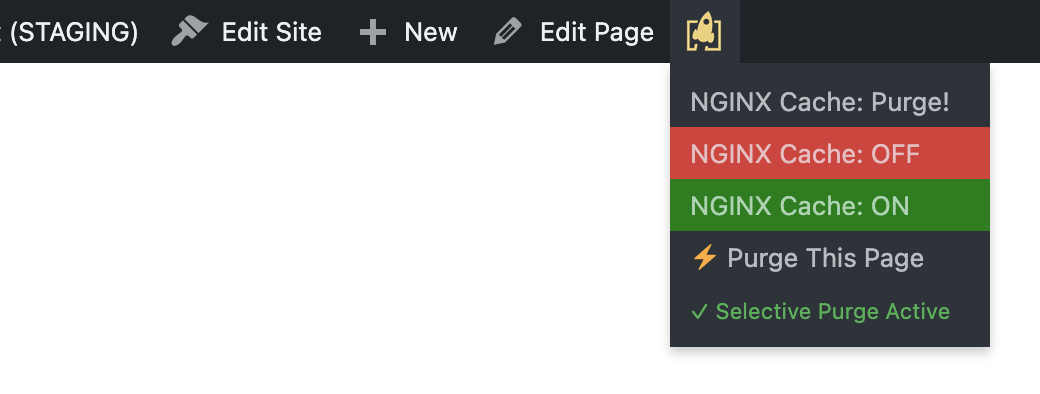
- Allows you to enable, disable and purge the NGINX User Cache
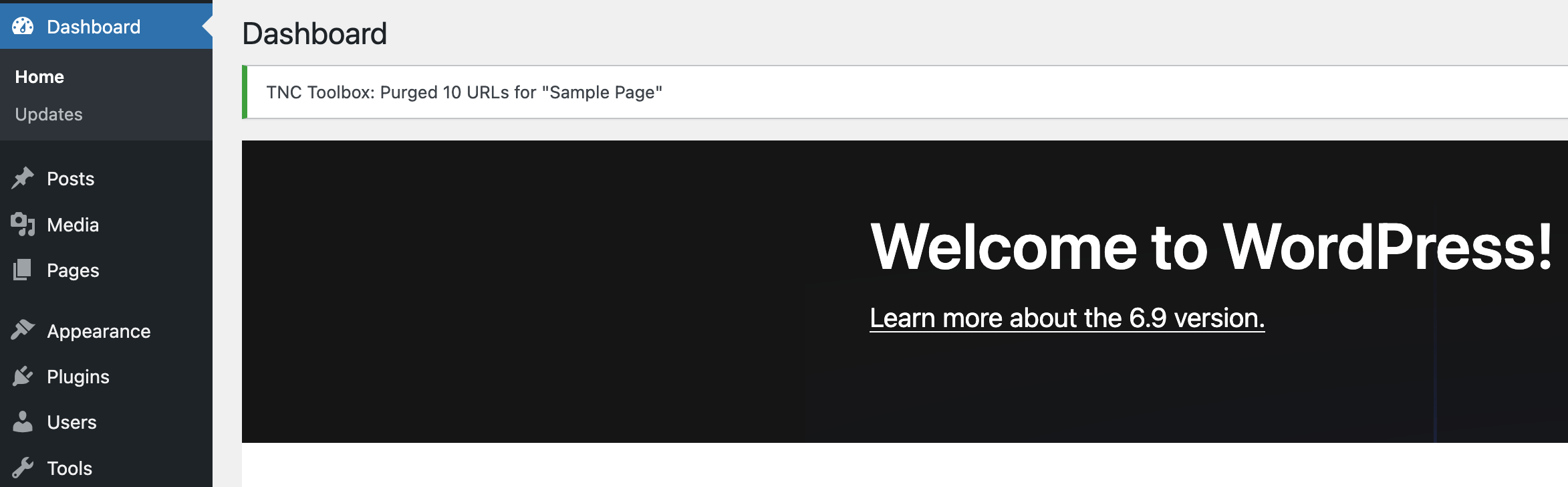
- Purges the NGINX Cache magically on post/page publish/update!
- Also purges the Cache when the WP Core is successfully updated
- Lets you know if the plugin is activated but not yet configured
- Only allows Admins to enable/disable caching & edit configs
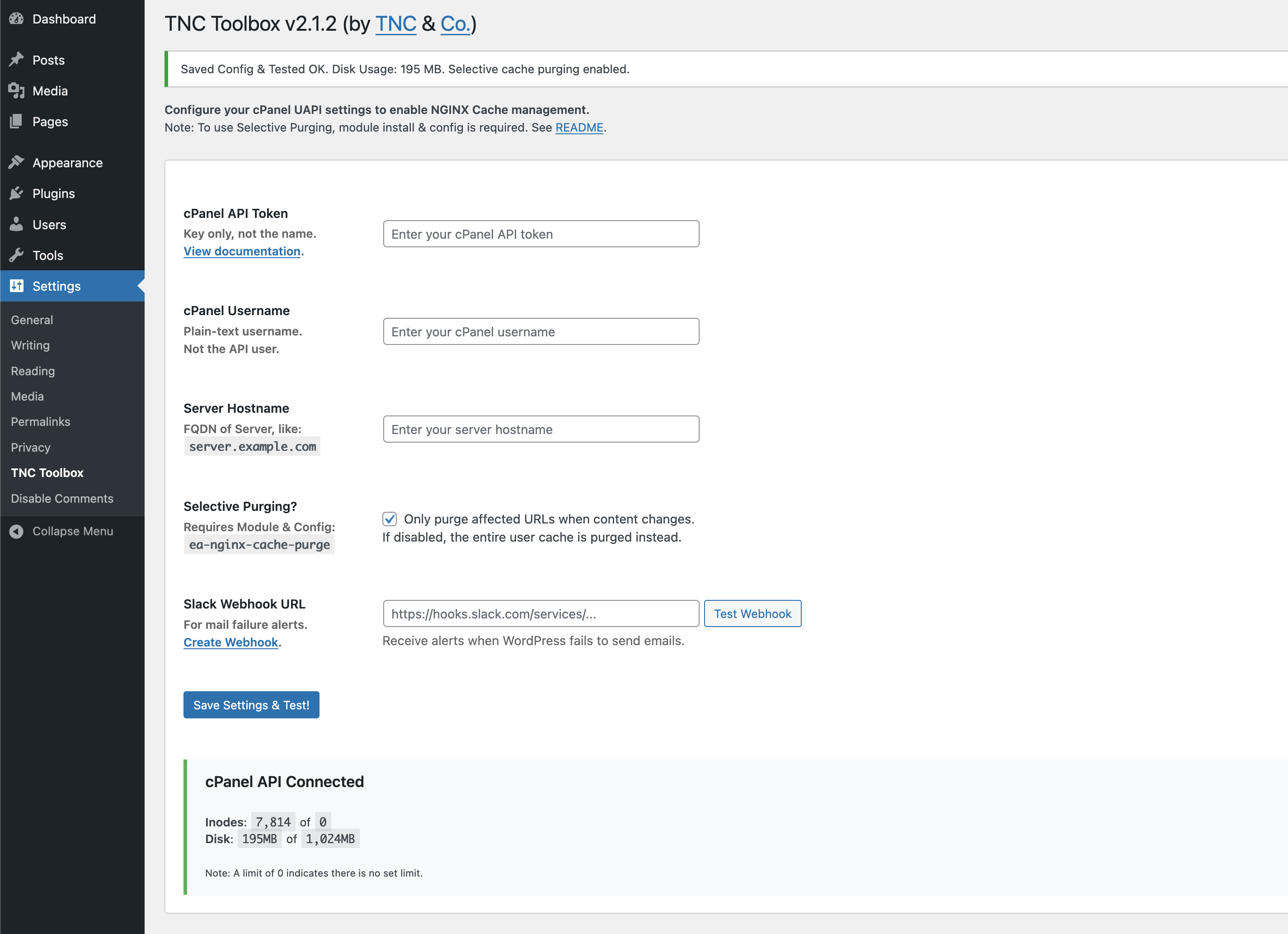
- Shows you the status of cP UAPI via disk usage info
- Purge when any ACF config options are saved
- Supports scheduled post publishing!
- LiteSpeed: Recommends LiteSpeed Cache plugin for optimal performance
Eager for even more capabilities?
We plan to add further features as clients & the community request it.
Please let us know your ideas on GitHub – we’d love to hear from you!
Caching Deployments
For NGINX Stack (cPanel/WHM):
– ea-NGINX (reverse proxy caching) is meant to be 2nd-level
– Make sure your WP site also has on-site caching, like WP Super Cache
– You can go further with caching: browser-caching assets!
For LiteSpeed Stack:
– Use the LiteSpeed Cache plugin
– See LiteSpeed Cache documentation for configuration
3-layer Cache (NGINX):
1. NGINX Caching Proxy (ahead of Apache)
2. WP Super Cache, WP Rocket, etc on-site
3. htaccess/etc rules for Browser Caching
This way, you can ensure maximum efficiency!
The key is to purge when stale, so properly configuring your WP Plugin Cache is critical to ensuring that you don’t end up with cache misses due to stale data that could’ve/should’ve been purged by garbage collection, preloading, etc, rule-sets.
Updating from v1 to v2.x.x
On every website running the plugin, check that:
- Website is reporting v2.x.x plugin version.
- Plugin has been activated post-update. *
- Config exists in the plugin settings.
- API status checker reports OK.
- /wp-content/tnc-toolbox-config/ folder is gone.
(* Change to main plugin file name may result in deactivation)
Verifying cP+WHM Logs
If you’d like to ensure actions are firing properly at a deeper level:
- WHM > Tweak Settings > Logging > Enable cPanel API Log > On
- WHM > Terminal >
tail -f /usr/local/cpanel/logs/api_log - WordPress > Update a Post/Page, or explicitly Purge
- WHM > Terminal > You should see the action fire!
- WHM > Terminal > Ctrl+C to close the tail
Note: To do this, you require root access to the Server.
Installation
Pre-reqs:
- To use ea-NGINX features, your Hosting needs to be on cPanel
- Acquire a cPanel API Token (cPanel > Manage API Tokens)
- Configure the TNC Toolbox plugin inside WordPress
How to install:
- Go to
Pluginsin WP-Admin - Click on the button
Add New - Search for
TNC Toolboxthen clickInstall Now - Click on
Activate pluginthenSettings - Enter your API Token, User & Hostname
- Save the config & use WP as-normal!
Selective Purging:
Starting with v2.1.0, you can leverage Selective Cache Purging rather than the entire cache.
To do this, you need to complete some steps – else it will not work. You must be root.
- Install the GetPageSpeed repository (dnf/yum) onto the Server:
dnf -y install https://extras.getpagespeed.com/release-latest.rpm - Install ea-nginx-cache-purge module from GetPageSpeed repo:
dnf -y install ea-nginx-cache-purge - Add
/etc/nginx/conf.d/server-includes/cache-purge.conf
File Contents:proxy_cache_purge PURGE from 127.0.0.1; - Rebuild & Reload:
nginx -t && systemctl reload nginx
Updating from v1 to v2:
On every website running the plugin, check that:
1. Website is reporting v2.x.x plugin version.
2. Plugin has been activated post-update. *
3. Config exists in the plugin settings.
4. API status checker reports OK.
5. /wp-content/tnc-toolbox-config/ folder is gone.
(* Change to main plugin file name may result in deactivation)
Changelog
This release contains a security fix. It is of minor severity.
2.1.5: Nov 24, 2026
- WordPress 7.2: Bump tested-to version from major v6.9
2.1.4: Mar 27, 2026
- Auto-switch: Bidirectional, rather than “to LSWS only”
- Auto-switch: Don’t switch if user has overridden stack
- Auto-switch: Refine detection to Server identifier only
2.1.3: Mar 23, 2026
- Multi-Stack: Now supports ea-NGINX (cPanel) & LiteSpeed web stacks
- Auto-Detection: Automatically detects LiteSpeed & switches config
- Credential Preservation: UAPI credentials preserved when switching
2.1.2: Jan 13, 2026
- Feature: Slack alerts when wp_mail fails (Webhook field)
2.1.1: Jan 10, 2026
- Bug Fix: Fix false positive cache-purge module detection
2.1.0: Jan 8, 2026
- Feature: Selective Cache Purging with ea-nginx-cache-purge integration
- Feature: “Purge This Page” button in admin bar when viewing posts
- Improvement: Optional selective purging via Settings > TNC Toolbox
Screenshots
For developers
Is this your plugin? Show off the numbers.
Add a live badge to your site, docs or GitHub README. It updates on its own — no account needed.
FAQ
TNC Toolbox: Web Performance: quick answers
Straight answers, pulled from live WordPress.org data.
Source: WordPress.org
Is TNC Toolbox: Web Performance free?
Yes. TNC Toolbox: Web Performance is free to download and use from the official WordPress.org plugin directory.
Is TNC Toolbox: Web Performance safe to use in 2026?
TNC Toolbox: Web Performance is a solid plugin choice in 2026, with a few things worth checking first. It runs on 1K+ sites, is rated 5/5 and was last updated 6 days ago, and scores 66/100 on our health check.
How many websites use TNC Toolbox: Web Performance?
TNC Toolbox: Web Performance is active on 1K+ WordPress websites and has been downloaded 34,986 times since it launched in April 2023. It was downloaded 2,201 times in the last 30 days.
Does TNC Toolbox: Web Performance work with WordPress 7.1?
Yes. The developer has tested TNC Toolbox: Web Performance up to WordPress 7.2, the latest release. It requires WordPress a recent version or newer.
When was TNC Toolbox: Web Performance last updated?
The latest version, 2.1.5, was released on November 24, 2026 (6 days ago).
Who makes TNC Toolbox: Web Performance?
TNC Toolbox: Web Performance is developed and maintained by Merlot Digital (by TNC).
Powered by PageForge
One template and a spreadsheet. A real page for every search.
PageForge turns each row of a CSV into a WordPress page with its own title, URL, SEO fields and schema, built on the layout you already designed. Free on WordPress.org.
- CSV and XLSX, plus Google Sheets on Professional and Enterprise
- Its own title, URL, SEO fields and schema for every page
- Works with the block editor, Elementor, Divi and Avada
- Free on WordPress.org, no credit card