


TinySharp Thumbnail Audit & Repair
Scan, repair, and regenerate WordPress thumbnails with missing-file detection, outdated-size checks, resumable processing, and clear local history.

Use with caution
TinySharp Thumbnail Audit & Rep… works, but test it on a staging site before relying on it in 2026. Was last updated 3 months ago, and scores 55/100 on our health check.
- Small user base (<10 active installs)
- Very few reviews so far
How does it stack up?
Side-by-side on installs, updates, ratings & support



Daily downloads
Download spikes usually follow a new release — each site that auto-updates counts as a download.
Rankings
Where TinySharp Thumbnail Audit &… stands todayWordPress.org search rankings
Live position in the plugin search, top 100| Keyword | Position |
|---|---|
| image sizes | >100 |
| images | >100 |
| media library | >100 |
| regenerate thumbnails | #80 |
| thumbnails | >100 |
About TinySharp Thumbnail Audit & Repair
From the official readme · v1.0.5Description
TinySharp Thumbnail Audit & Repair helps WordPress site owners and developers inspect and rebuild image sub-sizes without treating the Media Library like a black box.
The plugin focuses on a safe workflow:
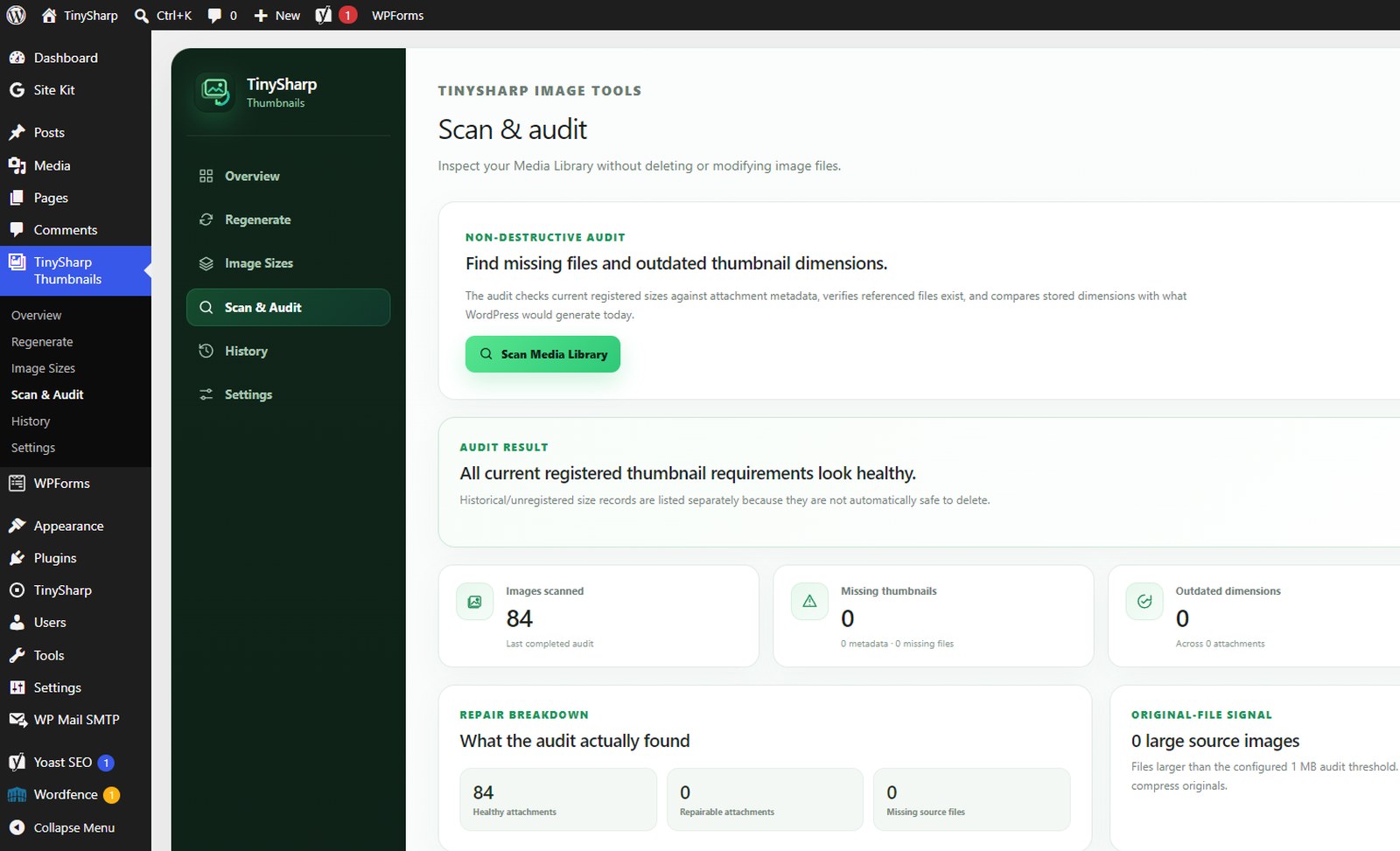
- Scan the Media Library without changing files.
- See missing metadata, physically missing thumbnail files, and image sizes whose stored dimensions no longer match the current WordPress configuration.
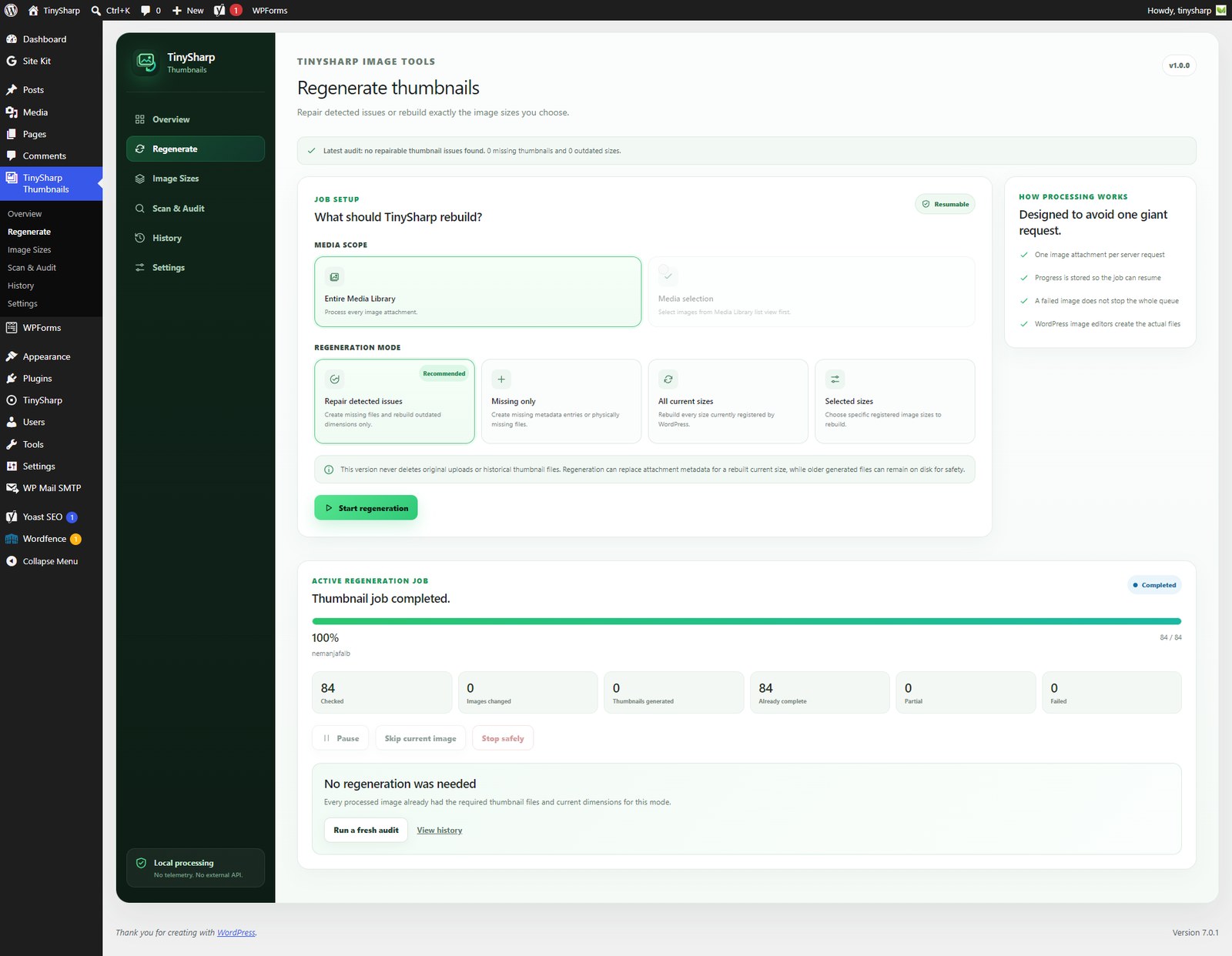
- Repair detected issues, regenerate missing thumbnails only, rebuild all current sizes, or choose specific sizes.
- Review exactly how many images changed, how many thumbnail files were generated, which images were already complete, and which items need attention.
Free features
- Non-destructive Media Library audit.
- Detect missing thumbnail metadata.
- Detect thumbnail metadata whose physical file is missing.
- Detect current image-size names whose stored dimensions no longer match what WordPress would generate today.
- Separate historical/unregistered image-size metadata from repairable current-size problems.
- Exclude known WordPress Site Icon auxiliary sizes from misleading historical-size warnings.
- Show issue examples so you can see which image attachments need attention.
- Regenerate detected missing and outdated thumbnails with the recommended Repair mode.
- Regenerate missing thumbnails only.
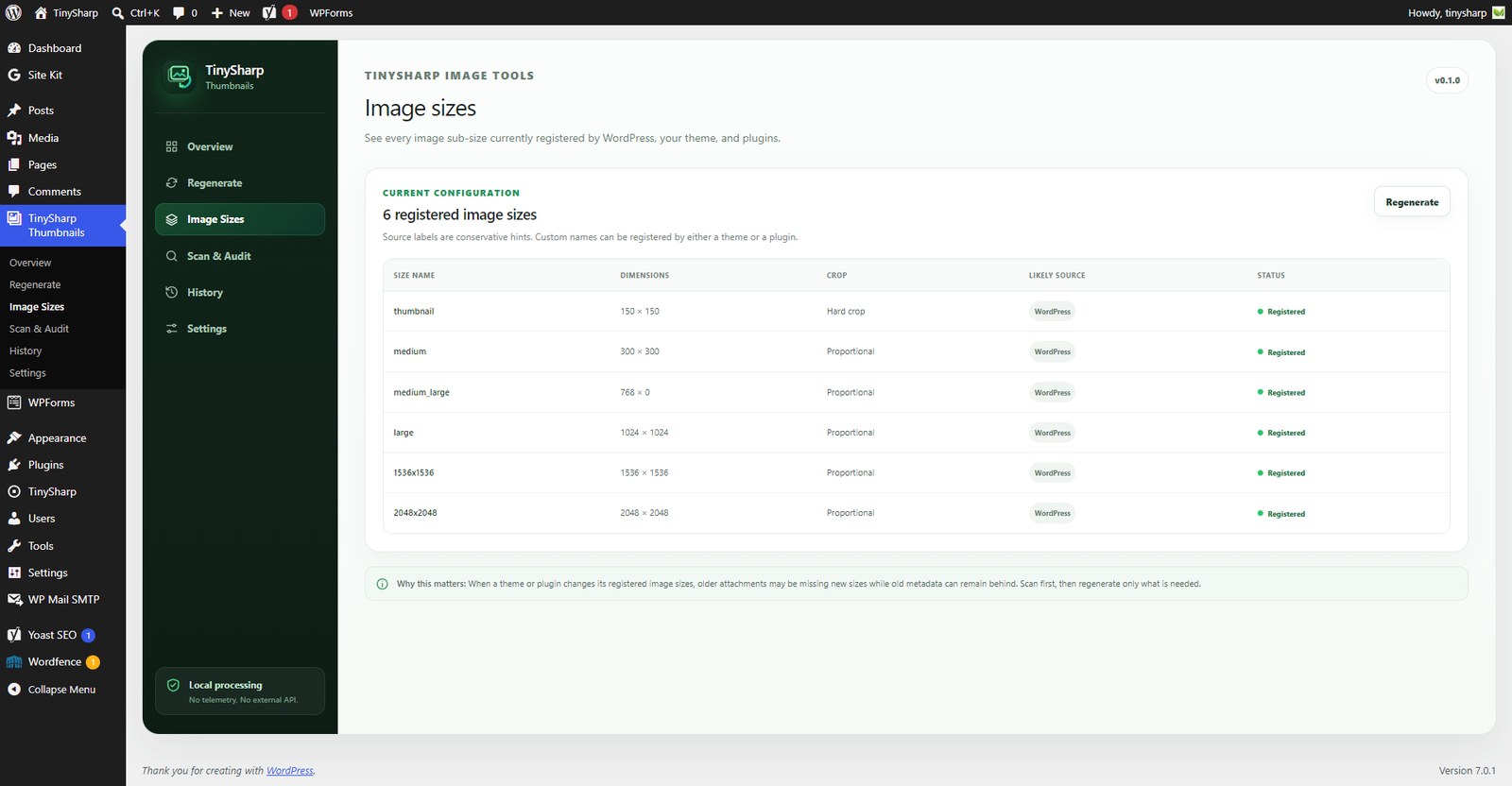
- Regenerate all currently registered WordPress image sizes.
- Regenerate selected image sizes.
- Regenerate a Media Library selection from list view.
- One-image-per-request processing to avoid one giant PHP request.
- Pause and resume a browser-driven job.
- Resume a stored job after leaving the page.
- Safely stop a job.
- Skip a single image if a request-level problem repeatedly blocks progress.
- Continue the queue when one attachment reports a normal processing error.
- Track checked images, changed attachments, generated thumbnails, already-complete images, partial results, and failures separately.
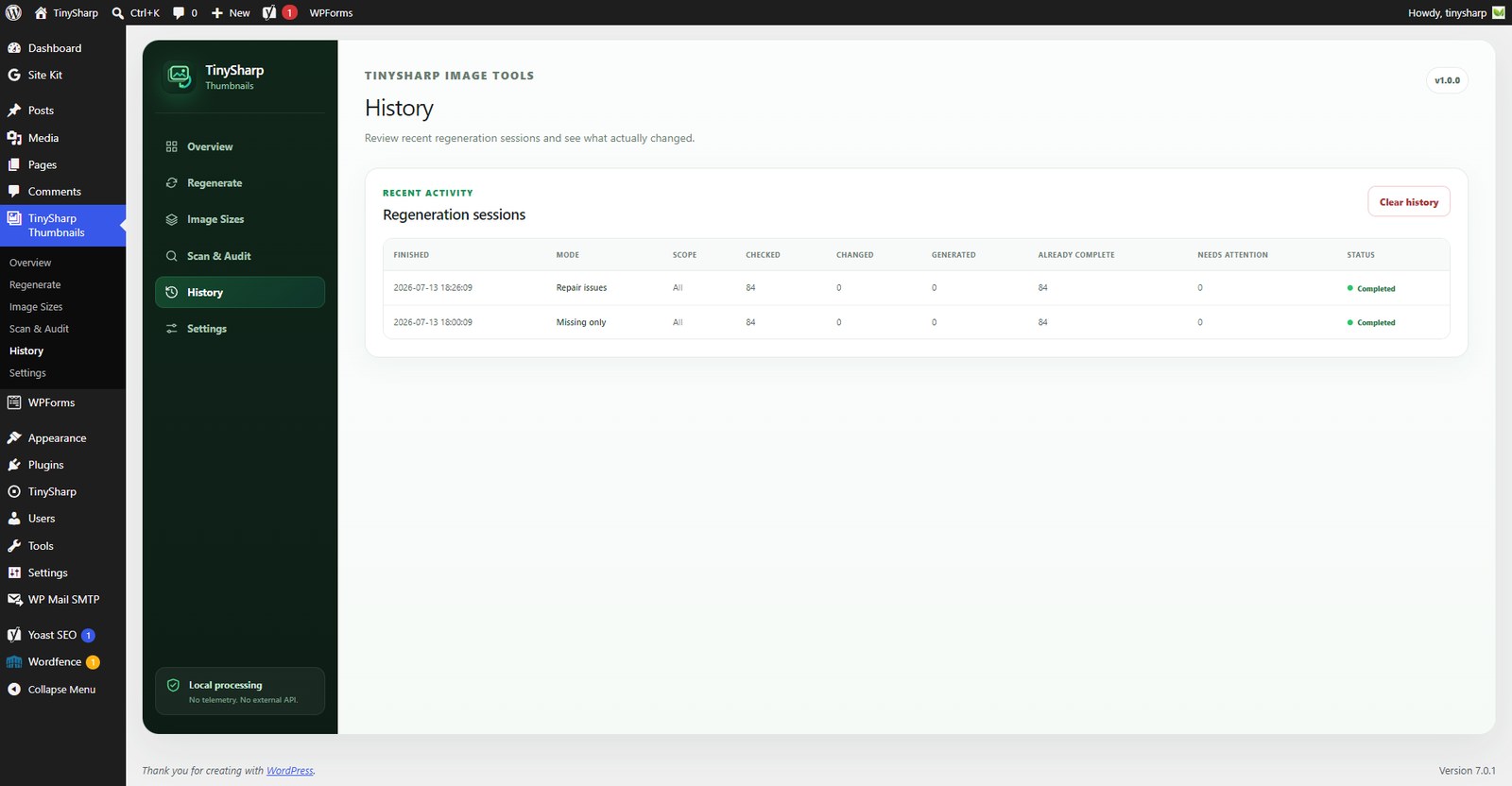
- Keep a local regeneration history.
- Configurable non-destructive large source-image audit threshold.
- No telemetry and no external image processing service.
What Repair mode does
Repair mode checks each image against image sizes currently registered by WordPress, the active theme, and plugins. It rebuilds only:
- sizes missing from attachment metadata,
- sizes whose metadata exists but the referenced thumbnail file is missing,
- sizes whose stored dimensions no longer match the dimensions WordPress would generate with the current configuration.
Images that already satisfy the selected mode are reported as “Already complete” rather than being presented as failures or unexplained skips.
Historical / unregistered size records
Changing a theme, plugin, or Media setting can leave old image-size names in attachment metadata. TinySharp reports these separately because an unregistered size is not automatically safe to delete: older content can still reference its file URL.
This release does not delete historical thumbnail files. The audit reports them for review only.
Resumable processing
TinySharp Thumbnail Audit & Repair processes one image attachment per request and stores job progress temporarily. If you leave the page, return to the Regenerate screen and resume the job. If a request repeatedly fails on one image, you can skip that current image and continue the rest of the queue.
Important safety behavior
- Original uploads are never deleted by this plugin.
- The audit does not modify files or attachment metadata.
- Regeneration updates WordPress attachment metadata for successfully rebuilt current sizes.
- When a current image size changed dimensions, an older generated file can remain on disk. This version intentionally does not delete it automatically.
- “All current sizes” and “Selected sizes” are explicit rebuild modes and can regenerate files even when current metadata already exists.
Privacy
TinySharp Thumbnail Audit & Repair does not send images, Media Library data, or usage telemetry to TinySharp or another external service. Scanning and thumbnail regeneration happen inside your own WordPress installation using WordPress core image APIs and the image editor available on your server.
Installation
- Upload the plugin folder to
/wp-content/plugins/or install the ZIP through Plugins > Add New > Upload Plugin. - Activate the plugin.
- Open TinySharp Thumbnail Audit & Repair in the WordPress admin menu.
- Run Scan & Audit to understand the current Media Library state.
- Open Regenerate and use Repair detected issues for the safest targeted workflow, or choose another explicit mode.
Frequently asked questions
What does this plugin actually fix?
It repairs WordPress image sub-sizes (commonly called thumbnails). This includes missing metadata entries, referenced thumbnail files that disappeared from disk, and current image sizes that still have dimensions from an older configuration.
Why did a job generate zero thumbnails?
That can be a successful result. If every processed image already has the required files and dimensions for the selected mode, TinySharp reports those images as already complete and does not regenerate unnecessary files.
What is the difference between Repair and Missing only?
Missing only creates sizes that are absent from metadata or whose referenced physical file is missing. Repair also rebuilds current size names whose stored dimensions no longer match the current WordPress configuration.
Does the plugin delete old thumbnails?
No. Version 1.0.1 reports historical/unregistered image-size records but does not delete image files.
Why are historical image-size records not automatically deleted?
An old theme or plugin can stop registering a size while older posts still reference the generated file directly. TinySharp therefore treats unregistered size names as review signals, not automatic deletion candidates.
Can I regenerate only missing thumbnails?
Yes. Missing only creates missing metadata entries and repairs metadata entries whose physical thumbnail file is gone.
Can I choose individual image sizes?
Yes. Choose Selected sizes and select the currently registered sizes you want to rebuild.
Can I regenerate selected Media Library images?
Yes. In Media Library list view, select image attachments and use the bulk action “Repair/regenerate thumbnails with TinySharp”. You can also use the row action on an individual image.
What happens if one image fails?
Normal per-image failures are recorded and the queue continues. If a request-level problem repeatedly blocks the same item, the job pauses and offers a “Skip current image” action so you can continue safely.
Does TinySharp send my images to an external server?
No. Thumbnail auditing and regeneration are local to your WordPress installation.
Does thumbnail regeneration compress my original images?
No. Thumbnail regeneration and image compression are different tasks. This plugin rebuilds WordPress image sub-sizes.
Does the plugin show recommendations or review requests?
Only inside the TinySharp Thumbnail Audit & Repair plugin dashboard, never as a site-wide admin notice. A related TinySharp Image Optimizer recommendation can appear after at least 20 thumbnail files were successfully generated, can be disabled in Settings, and has Maybe later and Don’t show again controls. An honest-review request can appear only after at least 50 thumbnail files have been generated across successful work. Positive feedback is never required, and no referral or view tracking is used.
Does Repair mode delete the old file when dimensions changed?
No. It creates the current required size and updates attachment metadata after success. Older generated files are intentionally left in place in this release.
Changelog
1.0.5
- Renamed the plugin to TinySharp Thumbnail Audit & Repair for a more distinctive WordPress.org identity.
- Updated the proposed WordPress.org slug, plugin folder, main file, text domain, and review URL to
tinysharp-thumbnail-audit-repair.
1.0.4
- Removed the Plugin URI header so the plugin and author URLs are no longer identical during WordPress.org submission validation.
1.0.3
- Resolved WordPress.org Plugin Check i18n translator-comment findings.
- Made AJAX nonce verification explicit in each callback.
- Removed unnecessary Domain Path header and aligned Tested up to formatting.
- Prefixed uninstall variables to follow WordPress naming conventions.
1.0.2
- Fixed a fatal error on the Regenerate screen caused by an invalid helper call when rendering conditional sections.
- Removed duplicate mode validation and kept the selected-size and active-job panels conditionally rendered with native HTML attributes.
1.0.1
- Prepared the release package for WordPress.org submission.
- Aligned the plugin folder, main file, and text domain with the proposed
tinysharp-thumbnail-audit-repairslug. - Tightened request validation and sanitization for admin actions and settings.
- Restricted Media Library-wide scan and regeneration controls to site administrators (
manage_options). - Excluded all WordPress Site Icon auxiliary sub-size records from historical-size warnings, including records left by a previously selected Site Icon.
- Limited review eligibility to clean jobs that actually generated thumbnail files.
- Added transparent documentation for contextual related-plugin and honest-review cards.
- Kept all recommendations inside the plugin dashboard with dismiss and permanent opt-out controls.
- Limited the Overview dashboard to one contextual recommendation/review card at a time.
- Reformatted bundled CSS as human-readable source for easier review and maintenance.
1.0.0
- Added production-ready Repair mode for missing and outdated current thumbnails.
- Fixed regeneration of physically missing thumbnail files when stale metadata still exists.
- Added outdated-dimension detection based on the current WordPress image-size configuration.
- Added separate missing-metadata and missing-physical-file counters.
- Added missing source-file detection.
- Added clear healthy/no-action-needed outcomes.
- Replaced ambiguous skipped reporting with Already complete.
- Added changed-attachment and partial-result counters.
- Added request locks to reduce duplicate processing from concurrent requests.
- Added Skip current image recovery for request-level blockers.
- Added issue samples and clearer historical/unregistered size reporting.
- Excluded known Site Icon auxiliary sizes from misleading historical-size warnings.
- Changed review and related-plugin recommendations to require meaningful successful generated-thumbnail results.
- Added cumulative local success metrics and improved history reporting.
- Added configurable large source-image audit threshold.
- Updated UI copy and completion states for clearer real-world results.
Screenshots
For developers
Is this your plugin? Show off the numbers.
Add a live badge to your site, docs or GitHub README. It updates on its own — no account needed.
Best TinySharp Thumbnail Audit & R… alternatives
All image sizes plugins →




FAQ
TinySharp Thumbnail Audit & Repair: quick answers
Straight answers, pulled from live WordPress.org data.
Live data from WordPress.org · checked Oct 5, 2026
Is TinySharp Thumbnail Audit & Rep… free?
Yes. TinySharp Thumbnail Audit & Rep… is free to download and use from the official WordPress.org plugin directory.
Is TinySharp Thumbnail Audit & Rep… safe to use in 2026?
TinySharp Thumbnail Audit & Rep… works, but test it on a staging site before relying on it in 2026. Was last updated 3 months ago, and scores 55/100 on our health check.
How many websites use TinySharp Thumbnail Audit & Rep…?
TinySharp Thumbnail Audit & Rep… is active on <10 WordPress websites and has been downloaded 205 times since it launched in July 2026. It was downloaded 59 times in the last 30 days.
Does TinySharp Thumbnail Audit & Rep… work with WordPress 7.1?
TinySharp Thumbnail Audit & Rep… is officially tested up to WordPress 7.0.6, while the latest release is 7.1.2. It may still work, but try it on a staging site first.
What PHP version does TinySharp Thumbnail Audit & Rep… need?
TinySharp Thumbnail Audit & Rep… requires PHP 7.4 or higher. Most hosts run PHP 8.x today, so it works on any modern WordPress hosting.
When was TinySharp Thumbnail Audit & Rep… last updated?
The latest version, 1.0.5, was released on July 15, 2026 (3 months ago).
Who makes TinySharp Thumbnail Audit & Rep…?
TinySharp Thumbnail Audit & Rep… is developed and maintained by TinySharp.
What are the best alternatives to TinySharp Thumbnail Audit & Rep…?
The most popular alternatives to TinySharp Thumbnail Audit & Rep… are Display All Image Sizes (1K+ installs), Custom Image Sizes by 99 Ro… (600+ installs) and Display Image Dimensions in… (300+ installs).
Powered by PageForge
Want thousands of pages that rank like these? Build them in an afternoon.
This directory runs on the same engine as PageForge. Turn any spreadsheet, CSV or API into thousands of fast, SEO-ready WordPress pages — with schema, internal links and AI-written copy baked in.
- CSV, Google Sheets & API data sources
- AI content, schema & internal links per page
- Works with Elementor, Gutenberg, Yoast & Rank Math
- Free on WordPress.org — no credit card


