


Ticketor
Add event lists, calendars, interactive seating charts and ticket purchasing to your WordPress website with Ticketor.

Solid choice
Ticketor is a solid plugin choice in 2026, with a few things worth checking first. It runs on 30+ sites, is rated 5/5 and was last updated 1 month ago, and scores 70/100 on our health check.
- Tested with the latest WordPress (7.1)
- Small user base (30+ active installs)
- Very few reviews so far
How does it stack up?
Side-by-side on installs, updates, ratings & support



Daily downloads
Download spikes usually follow a new release — each site that auto-updates counts as a download.
Rankings
Where Ticketor stands todayWordPress.org search rankings
Live position in the plugin search, top 100| Keyword | Position |
|---|---|
| box office | #12 |
| event ticketing | #40 |
| Seating Chart | #6 |
| selling tickets | #26 |
| ticketing | #55 |
Version adoption
Share of active sites per release.
Rating breakdown
★★★★★★★★★★ 5 from 1 reviews
About Ticketor
From the official readme · v4.4.0Description
Connect your WordPress website to your Ticketor ticketing and box-office portal with the [ticketor] shortcode. Keep your existing website and embed the Ticketor pages you need.
Use Ticketor to create and manage events, build seating charts, set ticket prices and sell online or at the box office. This plugin displays those hosted pages inside WordPress; your events, orders and payment settings are managed in Ticketor.
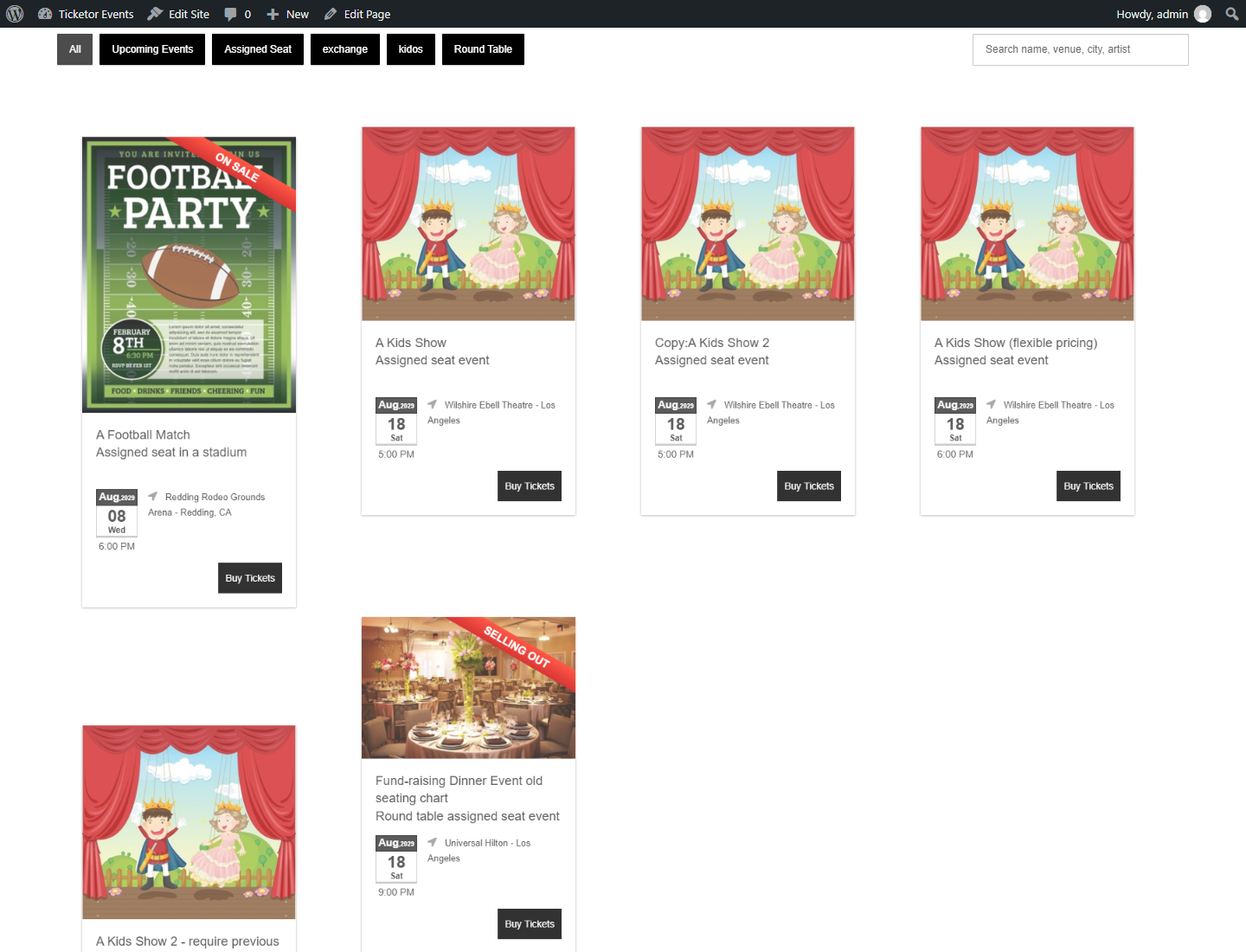
- Embed an event list, calendar, individual event or another Ticketor page.
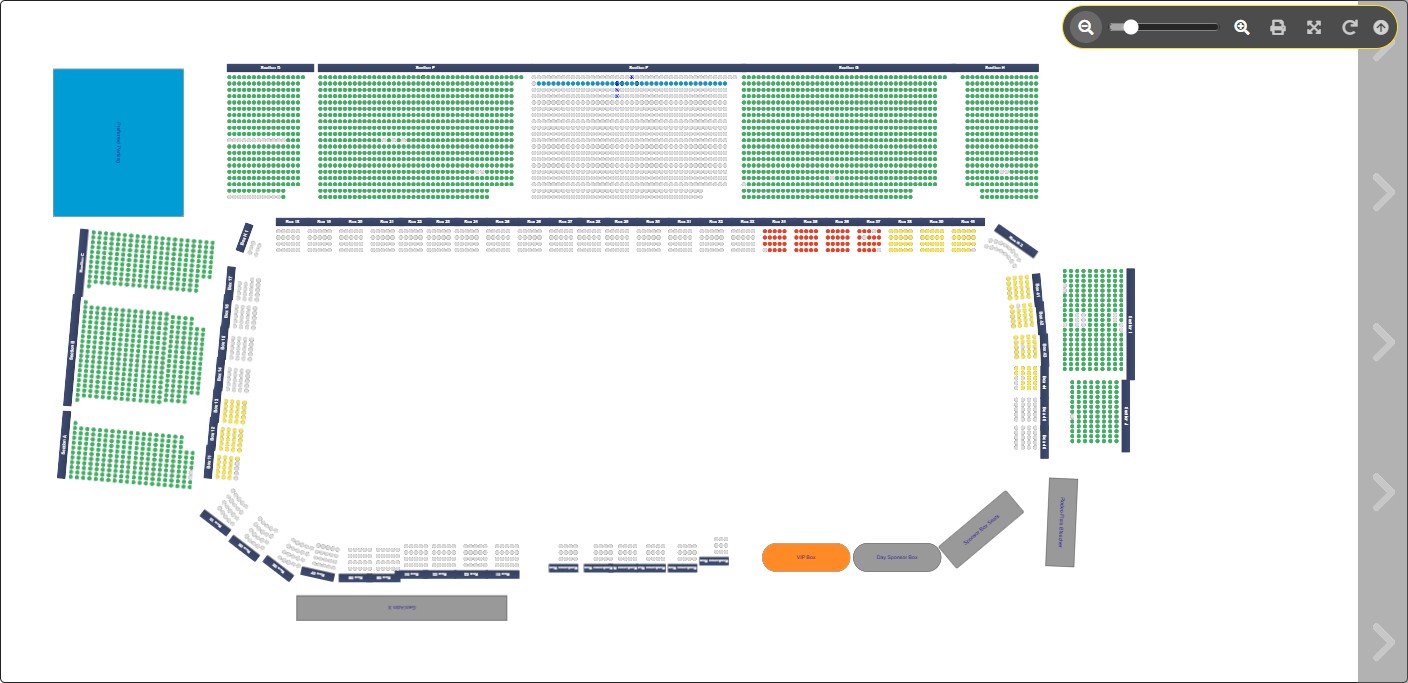
- Support both general admission and assigned-seat events.
- Automatically adjust each embedded page’s height as its content changes.
- Use multiple embeds on one page, including Ticketor sites on custom domains.
- Fit the embedded frame within your WordPress layout on desktop and mobile.
- Keep your Ticketor site’s branding and theme, including right-to-left content.
A Ticketor account is required. The WordPress plugin is free and open source. Ticketor is a separate hosted service with its own plans and fees.
External service and privacy
When a visitor views an embedded Ticketor page, their browser connects to the Ticketor URL in the shortcode. Ticketor receives the browser requests needed to display that page, including the visitor’s IP address and browser information. Interactions within the frame, such as signing in or buying tickets, are handled by Ticketor and the applicable payment provider. This plugin does not collect analytics or store Ticketor account credentials in WordPress.
Learn more: Ticketor, Privacy Policy, Terms of Use.
Installation
- Install and activate Ticketor from WordPress Plugins > Add New, or upload the plugin ZIP using Upload Plugin.
- Sign in to your Ticketor site and open the page you want to embed.
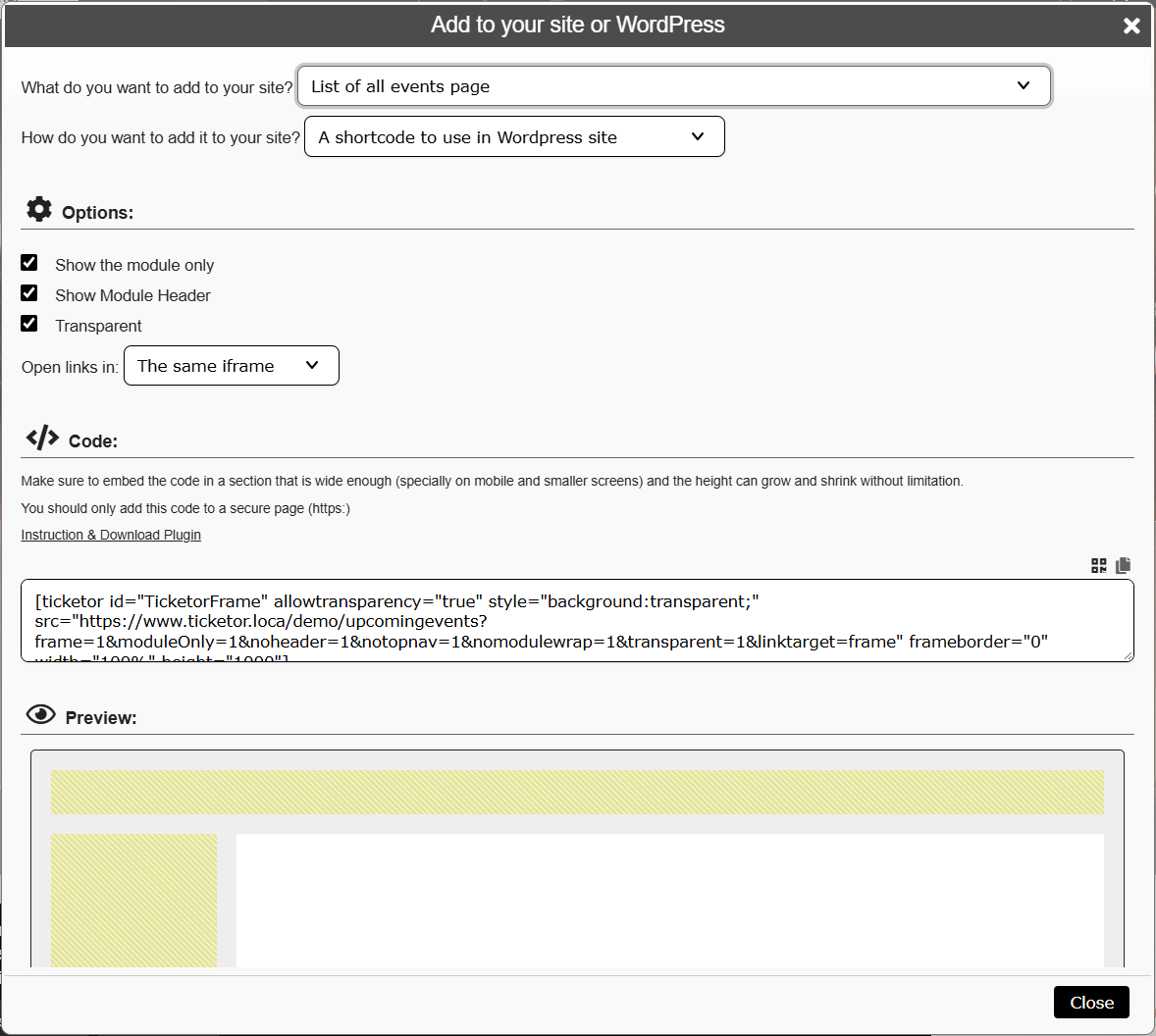
- Open Control Panel > Account & Settings > Embed / Add to Site.
- Select A shortcode to use in WordPress site, choose your options and copy the generated code.
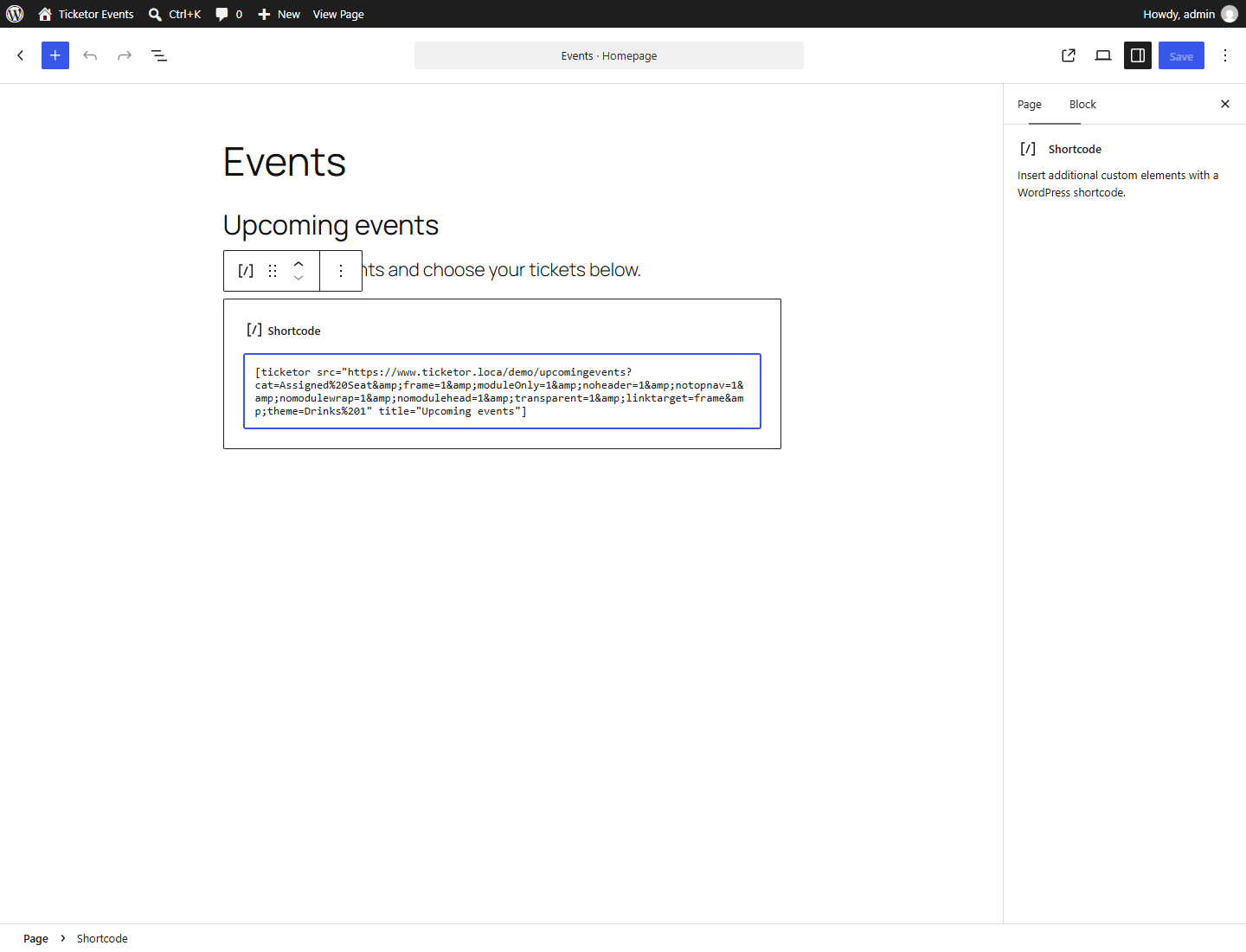
- In the WordPress page editor, add a Shortcode block and paste the code. Publish or update the page, then check the result on desktop and mobile.
You can also paste the shortcode into the classic editor or another editor’s shortcode component. Give the frame room to grow in height; avoid a fixed-height parent container.
Example: upcoming events
[ticketor src="https://www.ticketor.com/demo/upcomingevents?frame=1&moduleOnly=1&noheader=1¬opnav=1&nomodulewrap=1&transparent=1&linktarget=frame" width="100%" height="1000" title="Upcoming events"]
Replace the sample URL with the code generated by your own Ticketor portal. Existing [ticketor] shortcodes remain supported. The height value sets the initial frame height; the plugin updates it when the embedded page reports its content height.
Use HTTPS for both your WordPress website and the embedded Ticketor URL. Ticketor custom domains are supported; use the final HTTPS URL supplied by your portal.
Changelog
Security, accessibility and compatibility update. Existing shortcodes remain supported. Requires WordPress 5.3 or later and PHP 7.4 or later.
4.4.0
- Validate frame URLs and supported iframe attributes; filter inline styles with WordPress’s CSS sanitizer.
- Accept resize messages only from the matching embedded window and its exact origin.
- Handle non-text and malformed messages safely, with independent resizing for multiple frames.
- Add accessible frame titles, unique default IDs and responsive sizing.
- Load one local resize script through WordPress instead of repeating inline scripts.
- Refresh the plugin branding, screenshots, setup instructions and service disclosures.
- Align the plugin header, runtime version and stable release tag.
2.3 – 2019-12-06
- Minor fixes. The plugin header reported version 4.3 for this release.
2.2 – 2019-01-20
- Minor fixes.
2.1 – 2016-01-22
- Minor fixes.
2.0 – 2015-11-16
- Improved iframe height handling.
1.0 – 2015-09-12
- Initial version.
Screenshots

For developers
Is this your plugin? Show off the numbers.
Add a live badge to your site, docs or GitHub README. It updates on its own — no account needed.
Best Ticketor alternatives
All box office plugins →


FAQ
Ticketor: quick answers
Straight answers, pulled from live WordPress.org data.
Source: WordPress.org
Is Ticketor free?
Yes. Ticketor is free to download and use from the official WordPress.org plugin directory.
Is Ticketor safe to use in 2026?
Ticketor is a solid plugin choice in 2026, with a few things worth checking first. It runs on 30+ sites, is rated 5/5 and was last updated 1 month ago, and scores 70/100 on our health check.
How many websites use Ticketor?
Ticketor is active on 30+ WordPress websites and has been downloaded 4,113 times since it launched in November 2016. It was downloaded 208 times in the last 30 days.
Does Ticketor work with WordPress 7.1?
Yes. The developer has tested Ticketor up to WordPress 7.1.5, the latest release. It requires WordPress 5.3 or newer.
What PHP version does Ticketor need?
Ticketor requires PHP 7.4 or higher. Most hosts run PHP 8.x today, so it works on any modern WordPress hosting.
When was Ticketor last updated?
The latest version, 4.4.0, was released on October 20, 2026 (1 month ago).
Who makes Ticketor?
Ticketor is developed and maintained by Ticketor.
What are the best alternatives to Ticketor?
The most popular alternatives to Ticketor are Event Tickets with Ticket S… (1K+ installs), Ticketsolve Shows (10+ installs) and XTCZ Top Box Office (10+ installs).
Powered by PageForge
One template and a spreadsheet. A real page for every search.
PageForge turns each row of a CSV into a WordPress page with its own title, URL, SEO fields and schema, built on the layout you already designed. Free on WordPress.org.
- CSV and XLSX, plus Google Sheets on Professional and Enterprise
- Its own title, URL, SEO fields and schema for every page
- Works with the block editor, Elementor, Divi and Avada
- Free on WordPress.org, no credit card