



text message sms plugin
The Text Message SMS Plugin by Biz Text lets your website receive and send text messages (SMS). You can reply and send text messages from your PC through WordPress or from your mobile phone. No Twilio account is needed.

Consider an alternative
text message sms plugin shows warning signs in 2026 — compare the alternatives below before installing. It runs on 100+ sites, is rated 5/5 and was last updated 2 years ago, and scores 40/100 on our health check.
- Small user base (100+ active installs)
- No update in over a year
- Only tested up to WordPress 6.7 (latest is 7.1)
Daily downloads
Download spikes usually follow a new release — each site that auto-updates counts as a download.
Rankings
Where text message sms plugin stands todayWordPress.org search rankings
Live position in the plugin search, top 100| Keyword | Position |
|---|---|
| receive sms | #62 |
| send sms | >100 |
| sms | >100 |
| text messages | #75 |
Version adoption
Share of active sites per release.
Rating breakdown
★★★★★★★★★★ 5 from 6 reviews
About text message sms plugin
From the official readme · v3.1.0Description
The Text Message SMS Plugin by Biz Text lets your website receive and send text messages (SMS). You can reply and send text messages from your PC through WordPress or from your mobile phone. No Twilio account is needed.
The Text Message SMS Plugin requires an affordable, no-contract, cancel any time Biz Text plan, see our plan at Biz Text Solutions. A Biz Text plan allows you to choose a ‘Biz Text Number,’ to display on your website, allowing you to receive and send text messages.
When your website visitors send you a text, you can reply to those texts through your WordPress dashboard or forward those text messages to one or more mobile numbers. You can reply to texts from your mobile phone and your website visitors will never see your personal cell phone number.
You can also send texts from WordPress to a mobile number that has not texted you first. Your Biz Text Number can handle voice calls too, so you don’t need a landline number, nor do you need to display your mobile phone number to send and receive text messages.
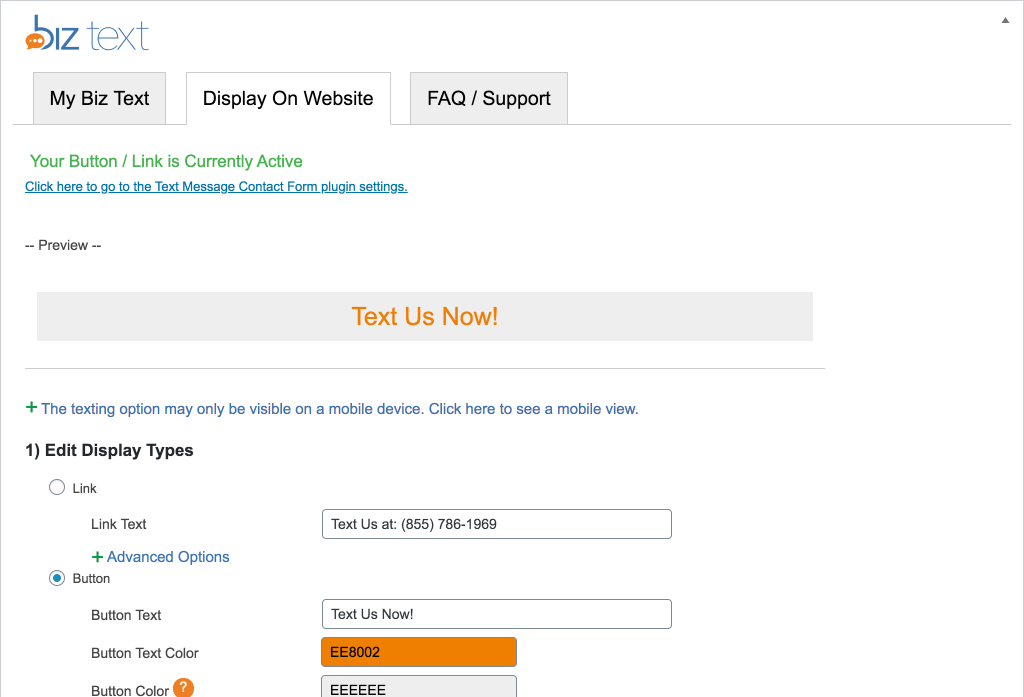
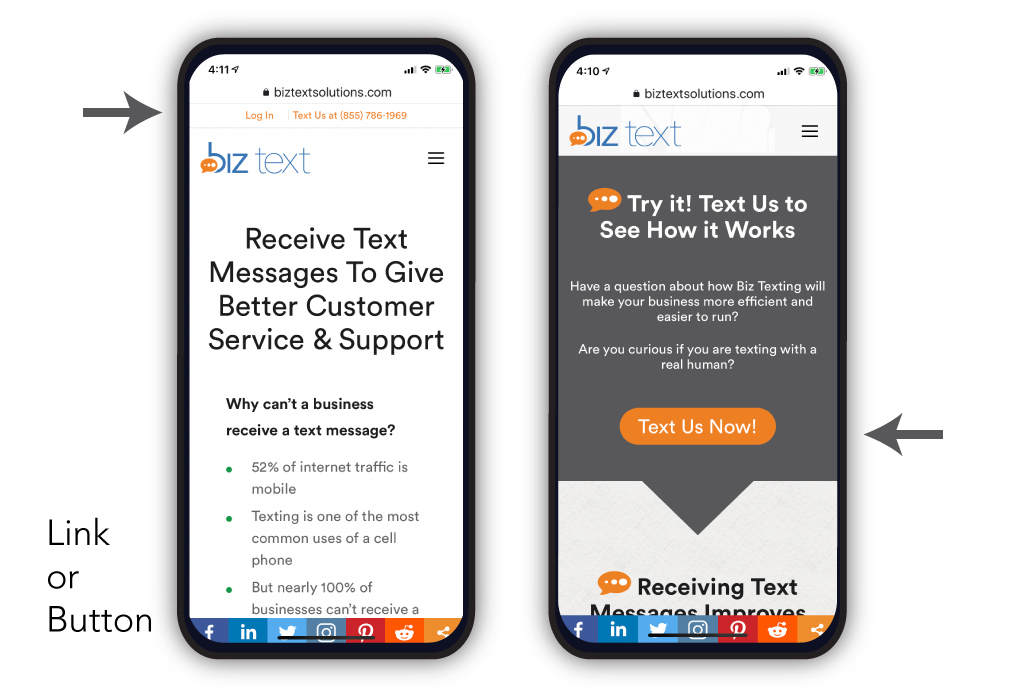
The Text Message SMS Plugin makes it easy for you to display your Biz Text Number on your website. Choose from link or button styles for your texting options, and only your mobile visitors will see the option to text you, your desktop visitors will see your regular website.
Key Features
- Receive, Reply, and Send Texts from your WordPress website
- Display your Biz Text Number with a Button or Link by shortcode or widget
- Fix in position your Button or Biz Text Icon on your website
- Assign Biz Text Admin role to user or custom capability to other roles to access plugin settings
Integrations, Other Biz Text Plugins
To let your desktop visitors send you a text through a contact form that allows email as well, install the Text Message Contact Form Plugin.
Already have a contact form? Use our Text Message SMS Extension for Contact Form 7 to Integrate SMS with Contact Form 7. Receive and Reply by Text or email when a visitor sends you a message.
Send order Text notifications from your WooCommerce Store with our Text Message SMS Extension for WooCommerce
HOW IT WORKS – SEND AND RECEIVE TEXT MESSAGES
- Choose a ‘Biz Text Number’, a local number, and display it on your website
- Your Biz Text Number lets you receive text messages
- Reply to texts received from your PC through your WordPress dashboard or forward texts to your mobile phone
- When you reply to texts from your personal mobile phone, your personal number is never seen by your visitors
- Affordable, no-contract, cancel any time Biz Text plans available now, see our plans at Biz Text Solutions
- Send a text to a single contact or group of contacts
- Add groups with selected contacts
- Less phone calls, better service, change your business forever
To Sign Up
Visit our page Biz Text Solutions for information on the simple plan for your business needs and learn more.
Installation
Upload Manually
- Upload the entire text-message folder to the /wp-content/plugins/ directory
- Activate the plugin through the Plugins screen (Plugins > Installed Plugins).
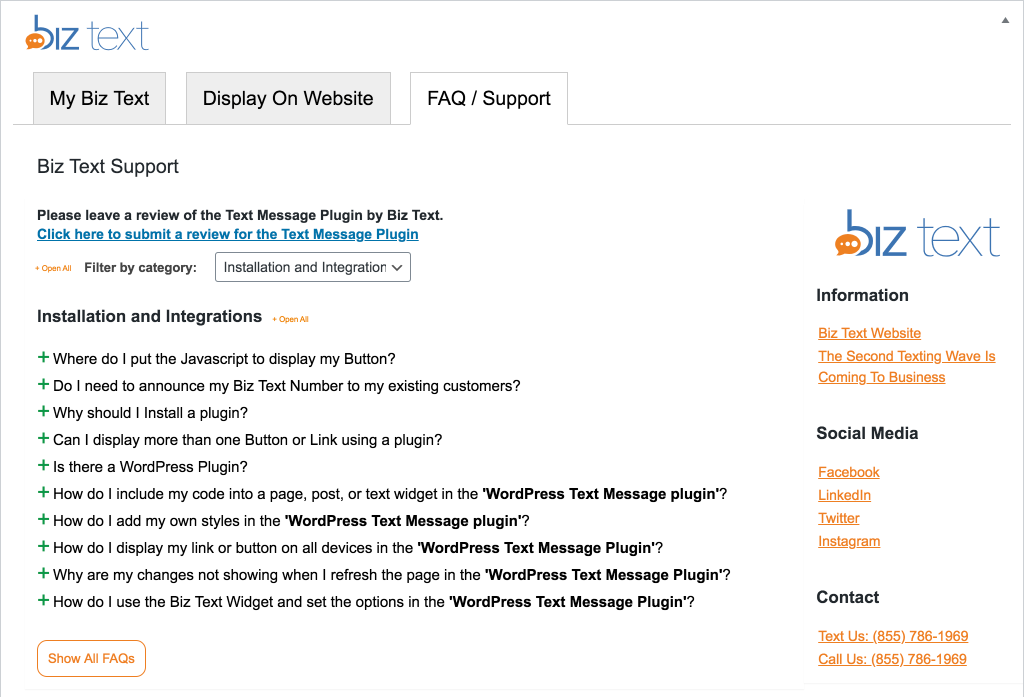
You will find Biz Text menu in your WordPress admin screen.
To learn more, have a look at Biz Text Solutions
Frequently asked questions
How do I get a Biz Text Number and display it?
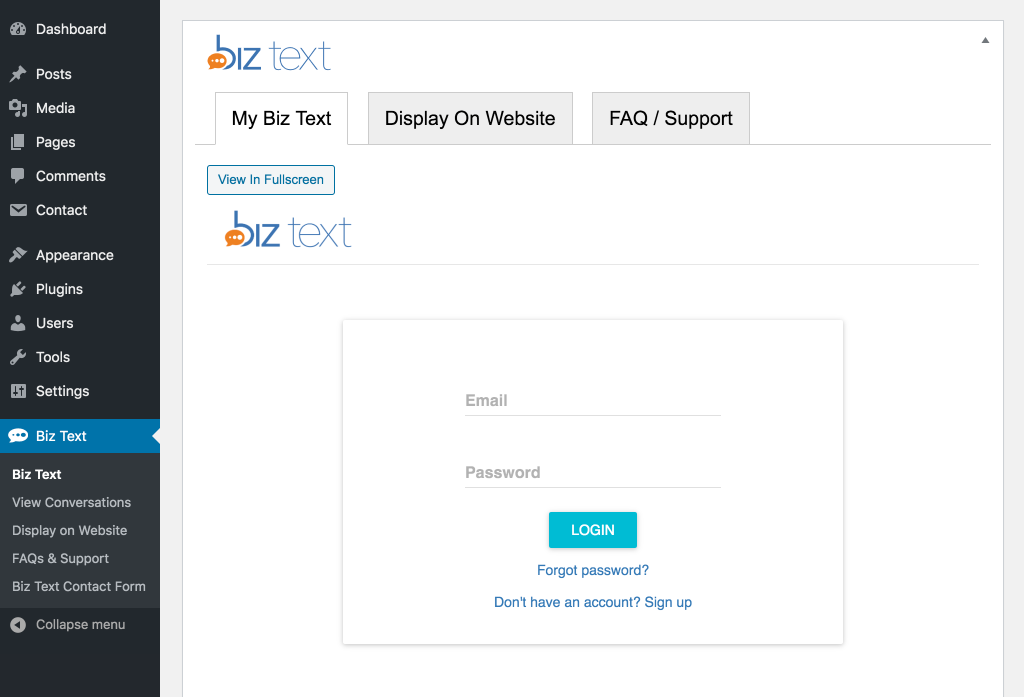
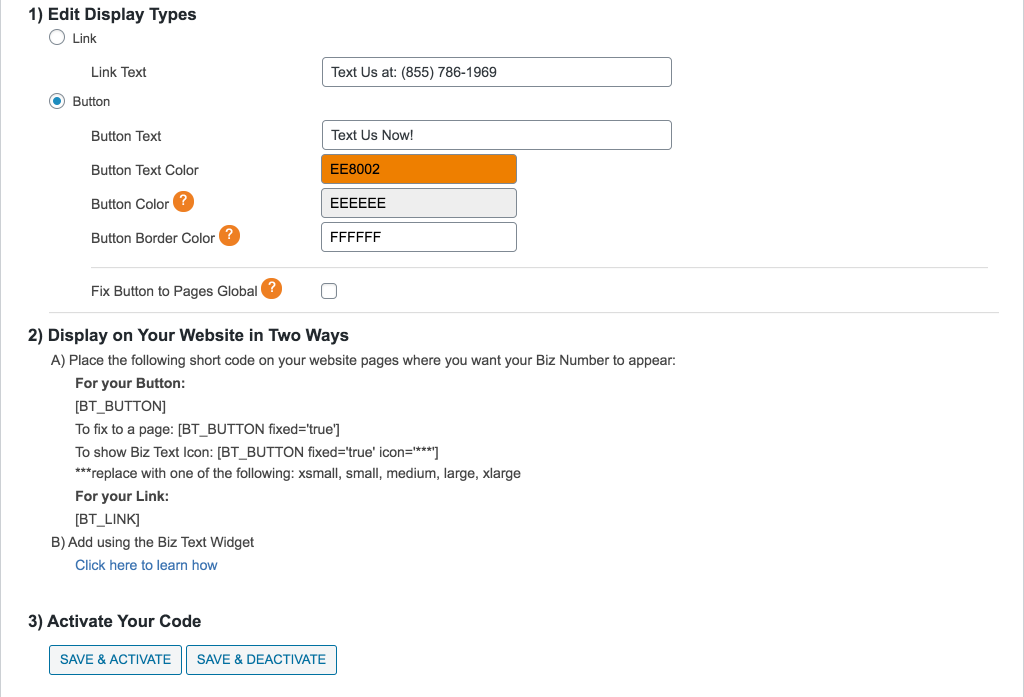
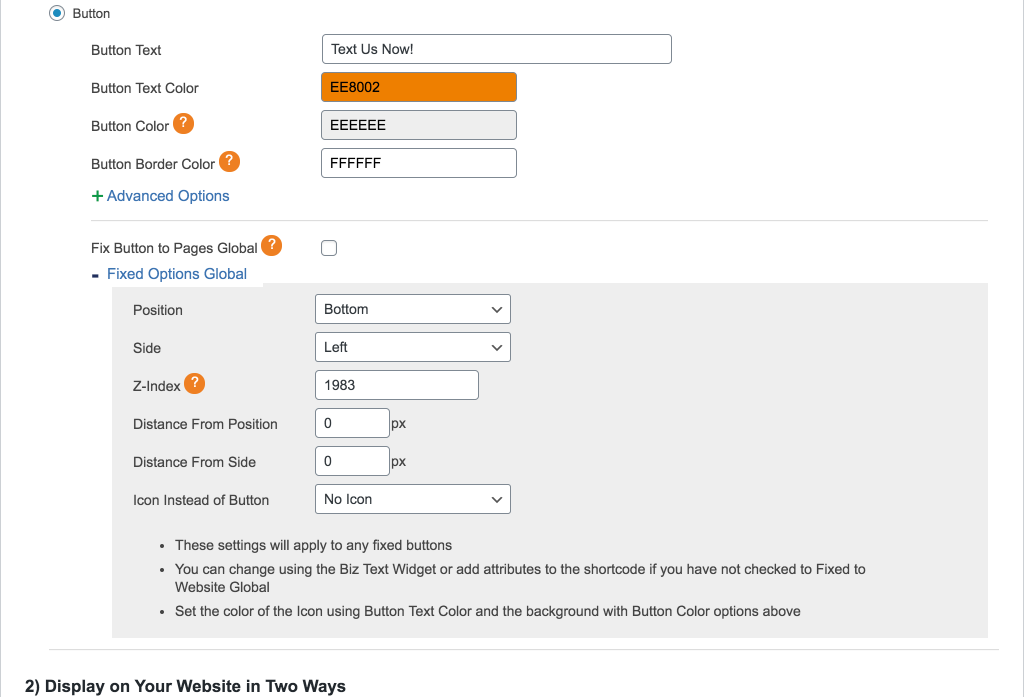
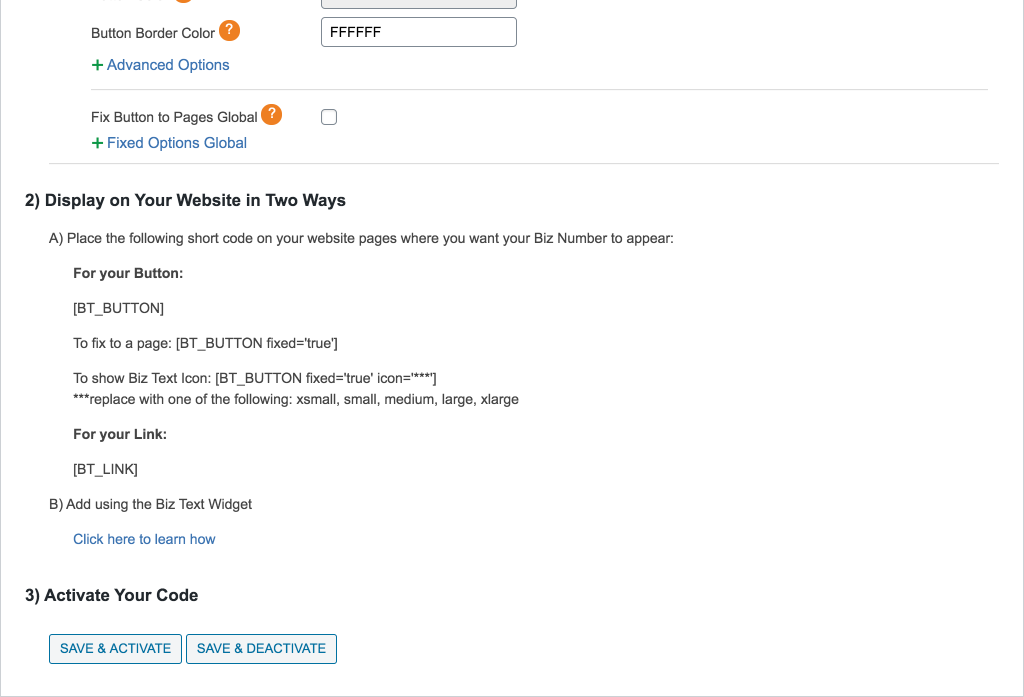
Sign up for a Biz Text plan. Visit Biz Text Solutions for information Install and activate the Text Message SMS Plugin In ‘My Biz Text’ tab of your plugin, sign it to your Biz Text account Choose your button and link styles Place the shortcode on your site or use the Biz Text widget to place the shortcode for you Click on ‘Save & Activate’. Your Biz Text Number is displayed on your website and you are ready to receive and send text messages
How do I include my code into a page, post, or text widget?
Under appearance, choose Widgets and locate the Biz Text Widget under Available Widgets. To activate a widget, drag it to a sidebar or click on it. To deactivate a widget and delete its settings drag it back. Under the location of the Biz Text Widget, click the widget and a title, choose between link or button, and if it will be shown on mobile or all devices.
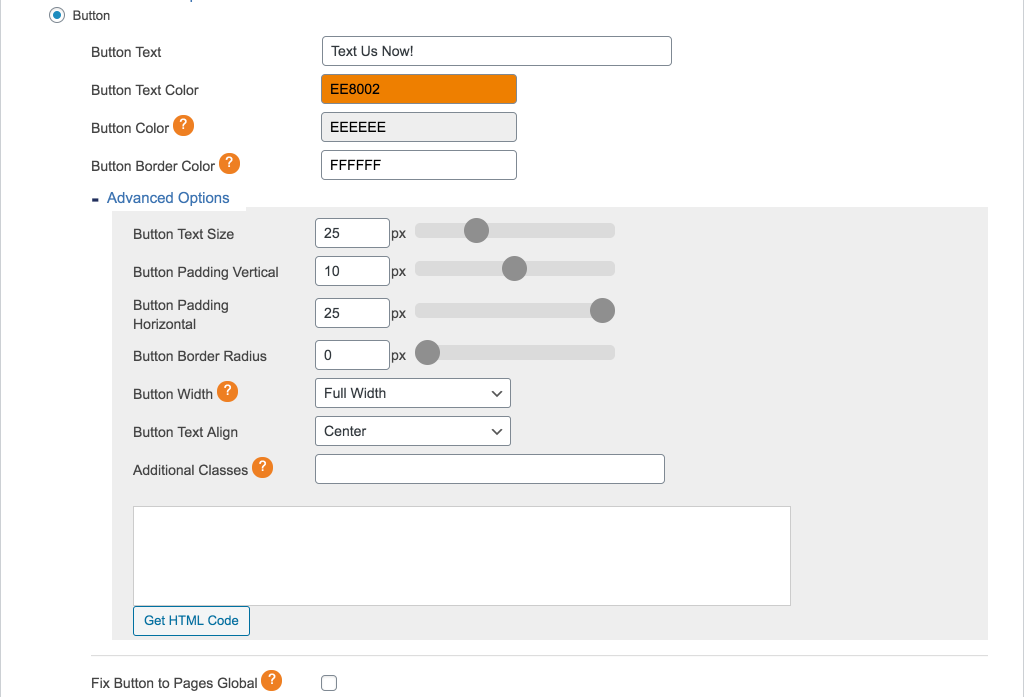
How do I add my own styles?
Click the “Advanced Options” for your link or button and add any extra classes you need to add. ( space separated ).
What roles can see the plugin?
Editor and Administrator.
Changelog
tested for WordPress 6.7
3.1
- tested for WordPress 6.7
3.0
- edit readme.text
- Added validation and defined variables when first installed to comply with PHP 8.0
- Tested for PHP 8.1
- Fix warnings on settings
- Tested for WordPress 6.4.1
- Added wp_is_mobile() to detect mobile devices and WordPress global $is_safari to detect safari
- Removed using Mobile_Detect.php to detect mobile
2.0
- Tested for WordPress 6.1.1
- Fix for PHP 8 removal null for $content line 470 text-form.php
- check for compatibly with php 8.0
1.6
- Added custom role named Biz Text Admin
- Added capability biztext_menu_access to Editor, Administrator, and Biz Text Admin. Allows menu to show in admin and access to the plugin.
- Added uninstall.php
- Tested in WordPress 5.5
- Added uninstall.php
1.5.5
- Corrected the displays not showing in Safari browsers on mobile devices if devices all not selected
- Safari browser, as of iOS 13 defaults to request desktop website on for mobile devices and would need to be turned off by visitor on their device in settings or select mobile or request mobile website
- To correct, if viewed in Safari browser in desktop view and show on all devices is not selected, the displays will only show on screens under 1024px
1.5.0
- Added the ability to fix a button to the screen
- Added the ability to choose Biz Text Icon and Fix to Screen
- Global settings for fixing a button or set for a specific widget or shortcode
- Show Button or link on Safari if mobile
Screenshots

For developers
Is this your plugin? Show off the numbers.
Add a live badge to your site, docs or GitHub README. It updates on its own — no account needed.
FAQ
text message sms plugin: quick answers
Straight answers, pulled from live WordPress.org data.
Live data from WordPress.org · checked Oct 2, 2026
Is text message sms plugin free?
Yes. text message sms plugin is free to download and use from the official WordPress.org plugin directory.
Is text message sms plugin safe to use in 2026?
text message sms plugin shows warning signs in 2026 — compare the alternatives below before installing. It runs on 100+ sites, is rated 5/5 and was last updated 2 years ago, and scores 40/100 on our health check.
How many websites use text message sms plugin?
text message sms plugin is active on 100+ WordPress websites and has been downloaded 11,311 times since it launched in April 2019. It was downloaded 150 times in the last 30 days.
Does text message sms plugin work with WordPress 7.1?
text message sms plugin is officially tested up to WordPress 6.7.9, while the latest release is 7.1.2. It may still work, but try it on a staging site first.
What PHP version does text message sms plugin need?
text message sms plugin requires PHP 7.0 or higher. Most hosts run PHP 8.x today, so it works on any modern WordPress hosting.
When was text message sms plugin last updated?
The latest version, 3.1.0, was released on November 20, 2024 (2 years ago).
Who makes text message sms plugin?
text message sms plugin is developed and maintained by biz text.
Powered by PageForge
Want thousands of pages that rank like these? Build them in an afternoon.
This directory runs on the same engine as PageForge. Turn any spreadsheet, CSV or API into thousands of fast, SEO-ready WordPress pages — with schema, internal links and AI-written copy baked in.
- CSV, Google Sheets & API data sources
- AI content, schema & internal links per page
- Works with Elementor, Gutenberg, Yoast & Rank Math
- Free on WordPress.org — no credit card


