



Telegram Bot & Channel
Telegram Bot & Channel is the all-in-one solution to connect your WordPress site with Telegram. Instantly broadcast posts, automate notifications, and create interactive bots for your audience. No coding required!

Use with caution
Telegram Bot & Channel works, but test it on a staging site before relying on it in 2026. It runs on 500+ sites, is rated 4.8/5 and was last updated 10 months ago, and scores 60/100 on our health check.
- Loved by users — 4.8/5 from 22 reviews
- Small user base (500+ active installs)
How does it stack up?
Side-by-side on installs, updates, ratings & support



Daily downloads
Download spikes usually follow a new release — each site that auto-updates counts as a download.
Rankings
Where Telegram Bot & Channel stands todayWordPress.org search rankings
Live position in the plugin search, top 100| Keyword | Position |
|---|---|
| bot | #14 |
| channel | #14 |
| group | >100 |
| newsletter | >100 |
| telegram | #10 |
Version adoption
Share of active sites per release.
Rating breakdown
★★★★★★★★★★ 4.8 from 22 reviews
About Telegram Bot & Channel
From the official readme · v4.1.1Description
Telegram Bot & Channel is the all-in-one solution to connect your WordPress site with Telegram. Instantly broadcast posts, automate notifications, and create interactive bots for your audience. No coding required!
Key Features:
– 🤖 Bot builder: Create interactive autoresponders for users and groups
– 📣 Broadcast: Send posts, pages, or custom messages to your channels, groups, and subscribers
– 🔔 Automated notifications: Instantly notify your audience about new content
– 🔗 Zapier integration: Connect Telegram with 400+ apps and automate your workflows
– 🔐 Secure: All connections use Telegram WebHooks and require SSL for maximum security
– 🛡️ Modern UI: Clean, user-friendly admin panels with stats, logs, and quick actions
Why choose this plugin?
– 100% free and open source
– No third-party servers: your data stays on your site
– Easy setup: just add your bot token and go
– Developer-friendly: extend with custom PHP actions and filters
Features
Bot & Broadcast:
– Send posts, pages, or custom messages with flexible templates
– Schedule broadcasts for future posts
– Use custom keyboards and inline buttons for rich user interaction
– Broadcast to users, groups, supergroups, and channels
– Unlimited autoresponders and command triggers
– View insights about your Telegram audience
– Haversine algorithm for geo-targeted content
– Create custom applications with command variables
Zapier & Automation:
– Connect Telegram to 400+ apps (RSS, Instagram, Google Sheets, and more)
– Automate news, weather, social, and IoT notifications
– Easy Zapier invite and setup
Security & Privacy:
– All actions protected by WordPress nonces (CSRF protection)
– Only supports secure Telegram WebHooks (SSL required)
– No data sent to third-party servers (except optional Zapier integration)
Screenshots:
1. Modern dashboard with stats and recent activity
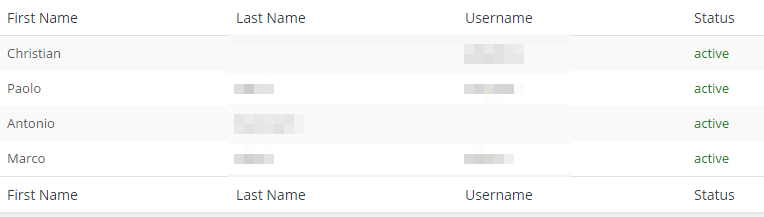
2. Subscribers list
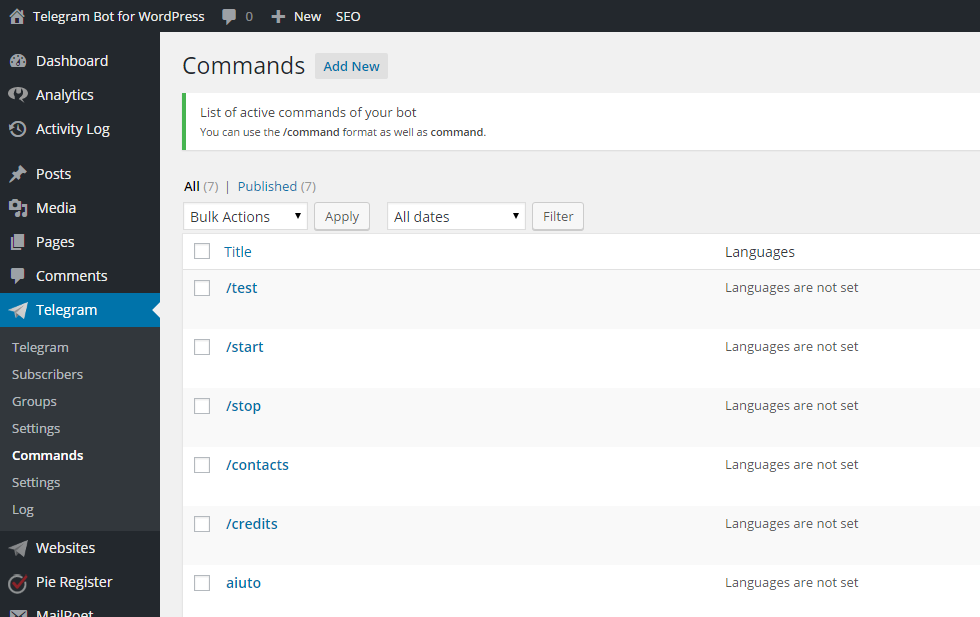
3. Commands and autoresponders
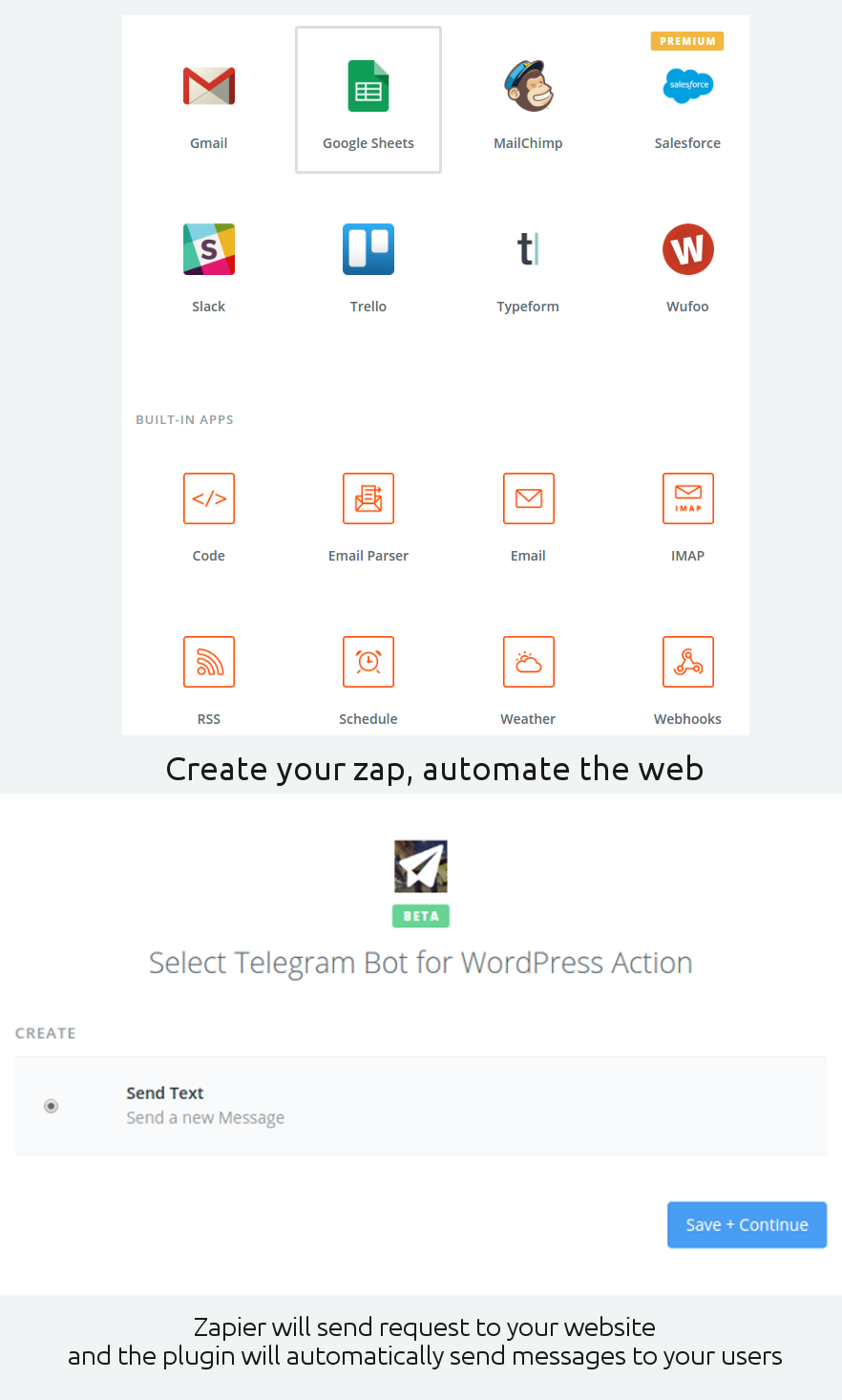
4. Zapier integration
5. Plugin settings with tabs
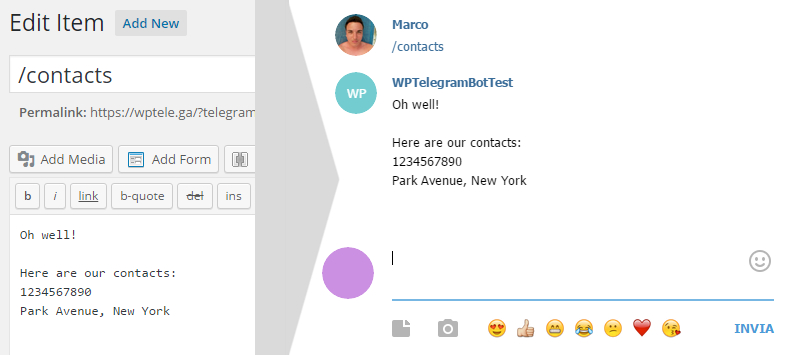
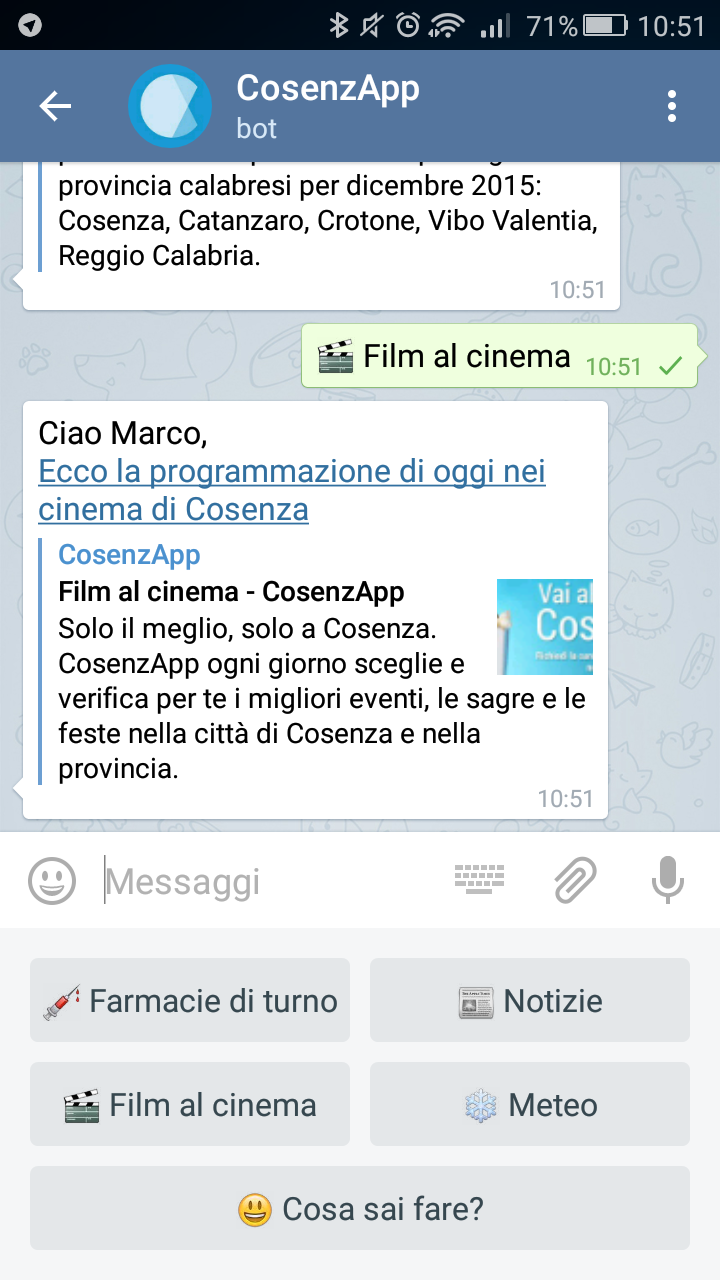
6. Dynamic replies and inline buttons
7. Keyboard example
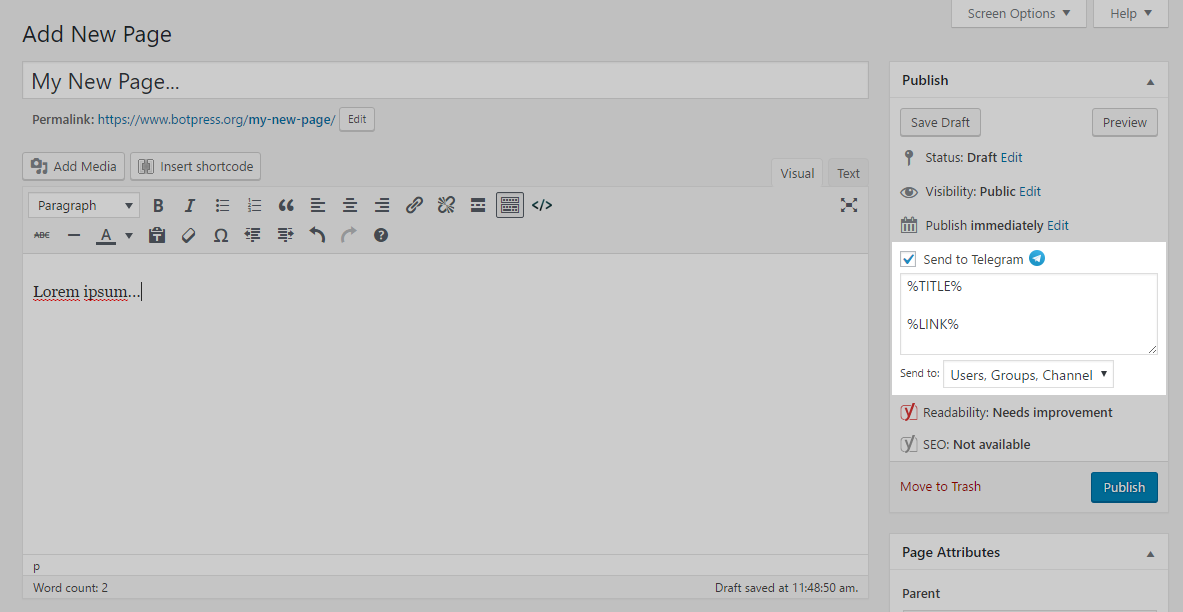
8. Post broadcasting
9. Native Gutenberg support
Installation
- Upload the
telegram-botdirectory to/wp-content/plugins/ - Activate the plugin in the WordPress admin
- Go to the Telegram settings page
- Enter your bot token and configure your preferences
- Enjoy automated Telegram notifications and bot features!
Frequently asked questions
How do I create a Telegram bot?
Visit Telegram’s BotFather and follow the instructions to create a new bot and get your token.
How do users subscribe?
Users can start your bot or join your channel/group where the bot is an admin.
How do I enable Zapier integration?
Enable Zapier in the plugin settings and follow the invite link for setup instructions.
Is SSL required?
Yes, Telegram WebHooks require SSL. Your site must use HTTPS for the plugin to work.
Can I extend the plugin?
Yes! Use WordPress hooks and filters to add custom commands, keyboards, and integrations. See the FAQ and code comments for examples.
Changelog
4.1.1 – 2025-11-20
- [BUGFIX] Security improvements
- [BUGFIX] Minor changes
4.1 – 2025-08-29
- [IMPROVE] Added “Disable Log” option in the Advanced settings tab.
- [IMPROVE] Improved the structure of the settings page:
- [BUGFIX] Minor changes
4.0 20250526
- [SECURITY] Added CSRF protection (WordPress nonces) to all sensitive actions (log clear, send message, etc.)
- [SECURITY] Hardened webhook and Zapier endpoints, removed BotPress.org fallback (now only Telegram WebHooks are supported)
- [SECURITY] Improved admin access checks and output escaping throughout the plugin
- [IMPROVE] Redesigned all admin pages for a modern, user-friendly experience (dashboard, log, send message, settings)
- [IMPROVE] Settings page now uses tabs for easier navigation and clarity
- [IMPROVE] Removed all BotPress.org logic and references (service discontinued, SSL is now required)
- [IMPROVE] Inlined and refactored plugin defaults (removed defaults.php)
- [IMPROVE] Refactored admin notices for maintainability
- [IMPROVE] Enhanced log panel with better design and empty state
- [IMPROVE] Enhanced dashboard with stats, recent activity, and quick actions
- [IMPROVE] Improved send message panel with modern UI
- [IMPROVE] Cleaned up and secured Zapier integration
- [IMPROVE] General code cleanup, improved maintainability and best practices
- [IMPROVE] Updated documentation and removed outdated references
- [DEPRECATED] Removed all support for BotPress.org and non-SSL fallback
- [NOTE] This is a major update. Please review your settings and test your integration after updating.
3.6.3 20230527
- [BUGFIX] Minor changes
3.6.2 20230217
- [BUGFIX] Minor changes
3.6.1 20220927
- [BUGFIX] Minor changes
Screenshots

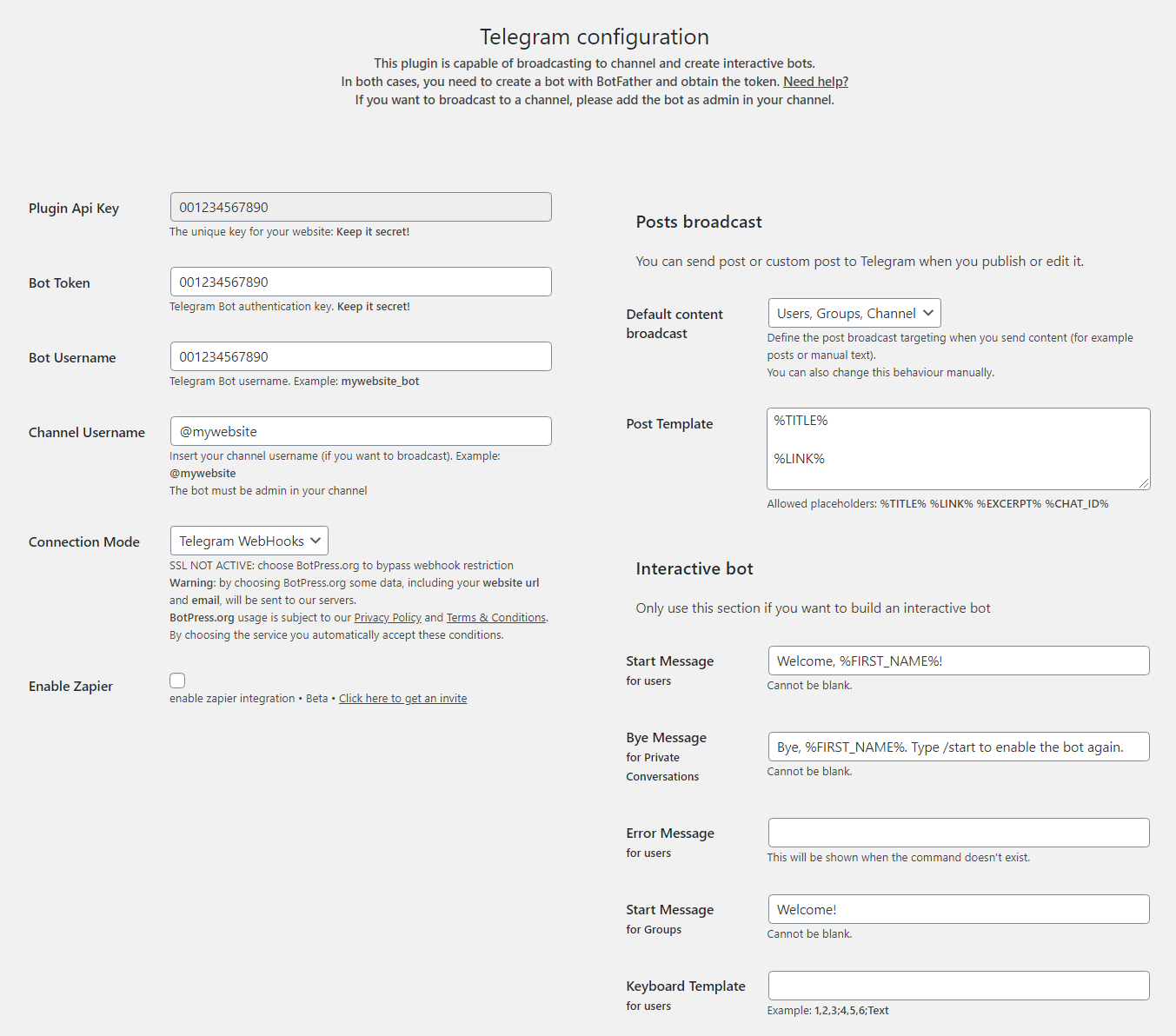

For developers
Is this your plugin? Show off the numbers.
Add a live badge to your site, docs or GitHub README. It updates on its own — no account needed.
Best Telegram Bot & Channel alternatives
All bot plugins →




FAQ
Telegram Bot & Channel: quick answers
Straight answers, pulled from live WordPress.org data.
Live data from WordPress.org · checked Sep 27, 2026
Is Telegram Bot & Channel free?
Yes. Telegram Bot & Channel is free to download and use from the official WordPress.org plugin directory.
Is Telegram Bot & Channel safe to use in 2026?
Telegram Bot & Channel works, but test it on a staging site before relying on it in 2026. It runs on 500+ sites, is rated 4.8/5 and was last updated 10 months ago, and scores 60/100 on our health check.
How many websites use Telegram Bot & Channel?
Telegram Bot & Channel is active on 500+ WordPress websites and has been downloaded 84,015 times since it launched in September 2015. It was downloaded 199 times in the last 30 days.
What PHP version does Telegram Bot & Channel need?
Telegram Bot & Channel requires PHP 7.0 or higher. Most hosts run PHP 8.x today, so it works on any modern WordPress hosting.
When was Telegram Bot & Channel last updated?
The latest version, 4.1.1, was released on November 20, 2025 (10 months ago).
Who makes Telegram Bot & Channel?
Telegram Bot & Channel is developed and maintained by Marco Milesi.
What are the best alternatives to Telegram Bot & Channel?
The most popular alternatives to Telegram Bot & Channel are Spam protection, Honeypot,… (200K+ installs), Chatbot for WordPress by Co… (6K+ installs) and Kama SpamBlock (4K+ installs).
Powered by PageForge
Want thousands of pages that rank like these? Build them in an afternoon.
This directory runs on the same engine as PageForge. Turn any spreadsheet, CSV or API into thousands of fast, SEO-ready WordPress pages — with schema, internal links and AI-written copy baked in.
- CSV, Google Sheets & API data sources
- AI content, schema & internal links per page
- Works with Elementor, Gutenberg, Yoast & Rank Math
- Free on WordPress.org — no credit card


