


Technoviable Bangladesh Location Dropdown for WooCommerce
Searchable District & Upazila/Thana dropdowns for WooCommerce checkout, in Bangla and English, plus a built-in Checkout Field Manager.

Solid choice
Technoviable Bangladesh Locatio… is a solid plugin choice in 2026, with a few things worth checking first. Was last updated 3 weeks ago, and scores 64/100 on our health check.
- Actively developed — last update 3 weeks ago
- Tested with the latest WordPress (7.1)
- Small user base (<10 active installs)
- Very few reviews so far
How does it stack up?
Side-by-side on installs, updates, ratings & support


Daily downloads
Download spikes usually follow a new release — each site that auto-updates counts as a download.
Rankings
Where Technoviable Bangladesh Loc… stands todayWordPress.org search rankings
Live position in the plugin search, top 100| Keyword | Position |
|---|---|
| Bangladesh | #23 |
| checkout | >100 |
| City Dropdown | #57 |
| district | #28 |
| woocommerce | >100 |
About Technoviable Bangladesh Location Dropdo…
From the official readme · v1.2.0Description
Technoviable Bangladesh Location Dropdown for WooCommerce makes WooCommerce checkout faster, friendlier, and more accurate for
Bangladeshi customers — from picking their exact address to customizing the
entire checkout form, all in a single plugin.
Why Choose Technoviable Bangladesh Location Dropdown for WooCommerce
- Bangla + English, in one dropdown — Every location is shown in both
languages, so customers who aren’t comfortable with English can instantly
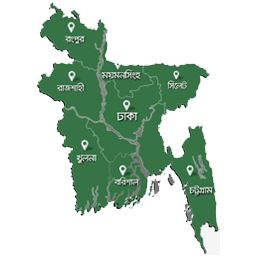
recognize their own area in Bangla. - Deep, detailed location data — All 64 districts of Bangladesh, with
over a 1350+ areas and thanas mapped underneath. - Fast, searchable dropdowns — Customers simply type to find their area
instead of scrolling long lists. - Built-in Checkout Field Manager — Reorder checkout fields with
drag-and-drop, show or hide any field, mark fields as required, or rename
labels, no separate plugin needed. - Correct district names everywhere — Order details, invoices, and
emails always display the real district name instead of an internal code.
Who It’s For
Any WooCommerce store operating in Bangladesh, especially stores serving
customers outside major cities where English fluency at checkout can’t be
assumed.
Important Note
The District → Area dropdown currently works with the classic
(shortcode-based) WooCommerce checkout. Support for the block-based
checkout is planned for a future release.
Do not disable the “Country / Region” field from the Checkout Field
Manager settings. WooCommerce relies on this field to determine
shipping zones and calculate shipping costs correctly. Disabling it
will also prevent the district name from being recorded and displayed
in the order details.
Credits
- The District/Area dataset was originally adapted from an open-source
Bangladesh Thana/Upazila dropdown project for WooCommerce. District
spelling corrections and Bangla-language area names were added by
Technoviable. - This plugin is distributed under the GNU General Public License v2 or
later.
Installation
- Upload the plugin files to
/wp-content/plugins/technoviable-bangladesh-location-dropdown,
or install the plugin directly through the WordPress plugins screen. - Activate the plugin through the ‘Plugins’ screen in WordPress.
- Go to WooCommerce > City Dropdown.
- Check “Enable the Bangladesh District -> Area/Thana dropdown” if you
want the location dropdown feature. - Optionally reorder, hide, or rename checkout fields from the same screen.
Frequently asked questions
Does this work with the block-based checkout?
Yes. If the plugin enabled, it will work with any builders, like – Gutenberg, Elementor, Elegant theme(Divi), etc.
Can I use only the Checkout Field Manager without the location dropdown?
Yes. The Bangladesh District/Area dropdown is optional and can be turned on or off from the settings screen independently of the field manager.
Does this require any external API?
No. All location data ships with the plugin as a local file — no external requests are made for the dropdown to work.
Can I disable the “Country / Region” field?
No, this field should always stay enabled. WooCommerce uses it to determine the correct shipping zone and calculate shipping costs. If it is disabled, shipping address detection breaks, and the district name will no longer appear correctly in the order details, emails, or admin order screen.
Changelog
Plugin renamed to "Technoviable Bangladesh Location Dropdown for WooCommerce". The checkout District/Area dropdown now loads from an enqueued asset file rather than inline code.
1.2.0
- Renamed the plugin to “Technoviable Bangladesh Location Dropdown for WooCommerce” and changed the plugin slug to
technoviable-bangladesh-location-dropdown. - The checkout District/Area dropdown JavaScript is now loaded from a properly enqueued asset file instead of being printed inline inside the checkout markup.
- Location data is passed through
wp_json_encode()withJSON_HEX_TAG, and the inline payload is about 38% smaller because Bangla names are no longer escaped to\uXXXXsequences. - Fixed a case where WordPress could silently skip the checkout script when WooCommerce’s enhanced-select asset had not been registered.
- Declared WooCommerce as a required plugin via the “Requires Plugins” header.
- Hardened the settings save handler: input is now unslashed with
wp_unslash()before sanitization, and malformed submissions are ignored instead of triggering PHP warnings.
1.0.0
- Initial release.
- Checkout Field Manager: reorder, show/hide, and relabel checkout fields.
- Bangladesh District -> Area/Thana searchable dropdown, in Bangla and
English. - Correct district names shown in order details, emails, and My Account
regardless of the internal code stored.
Screenshots


For developers
Is this your plugin? Show off the numbers.
Add a live badge to your site, docs or GitHub README. It updates on its own — no account needed.
Best Technoviable Bangladesh Locat… alternatives
All Bangladesh plugins →




FAQ
Technoviable Bangladesh Location Dr…: quick answers
Straight answers, pulled from live WordPress.org data.
Live data from WordPress.org · checked Oct 17, 2026
Is Technoviable Bangladesh Locatio… free?
Yes. Technoviable Bangladesh Locatio… is free to download and use from the official WordPress.org plugin directory.
Is Technoviable Bangladesh Locatio… safe to use in 2026?
Technoviable Bangladesh Locatio… is a solid plugin choice in 2026, with a few things worth checking first. Was last updated 3 weeks ago, and scores 64/100 on our health check.
How many websites use Technoviable Bangladesh Locatio…?
Technoviable Bangladesh Locatio… is active on <10 WordPress websites and has been downloaded 111 times since it launched in September 2026. It was downloaded 119 times in the last 30 days.
Does Technoviable Bangladesh Locatio… work with WordPress 7.1?
Yes. The developer has tested Technoviable Bangladesh Locatio… up to WordPress 7.1.3, the latest release. It requires WordPress 5.8 or newer.
What PHP version does Technoviable Bangladesh Locatio… need?
Technoviable Bangladesh Locatio… requires PHP 7.4 or higher. Most hosts run PHP 8.x today, so it works on any modern WordPress hosting.
When was Technoviable Bangladesh Locatio… last updated?
The latest version, 1.2.0, was released on September 28, 2026 (3 weeks ago).
Who makes Technoviable Bangladesh Locatio…?
Technoviable Bangladesh Locatio… is developed and maintained by hossainawlad.
What are the best alternatives to Technoviable Bangladesh Locatio…?
The most popular alternatives to Technoviable Bangladesh Locatio… are BanglaPress (300+ installs), Interactive Divisional Maps… (100+ installs) and SSL Wireless SMS Notificati… (70+ installs).
Powered by PageForge
Want thousands of pages that rank like these? Build them in an afternoon.
This directory runs on the same engine as PageForge. Turn any spreadsheet, CSV or API into thousands of fast, SEO-ready WordPress pages — with schema, internal links and AI-written copy baked in.
- CSV, Google Sheets & API data sources
- AI content, schema & internal links per page
- Works with Elementor, Gutenberg, Yoast & Rank Math
- Free on WordPress.org — no credit card


