



Team Showcase
Team is simple and easy to display team showcase page on your website, you can display anywhere via shortcode, easy to customize and build your own layout. we provide some basic styling option and you can build your own…

Solid choice
Team Showcase is a solid plugin choice in 2026, with a few things worth checking first. It runs on 1K+ sites, is rated 4/5 and was last updated 4 months ago, and scores 67/100 on our health check.
Daily downloads
Download spikes usually follow a new release — each site that auto-updates counts as a download.
Rankings
Where Team Showcase stands todayWordPress.org search rankings
Live position in the plugin search, top 100| Keyword | Position |
|---|---|
| meet the team page | #2 |
| members profiles | #43 |
| team | #12 |
| team members | #15 |
| team showcase | #6 |
Version adoption
Share of active sites per release.
Rating breakdown
★★★★★★★★★★ 4 from 53 reviews
About Team Showcase
From the official readme · v1.22.28Description
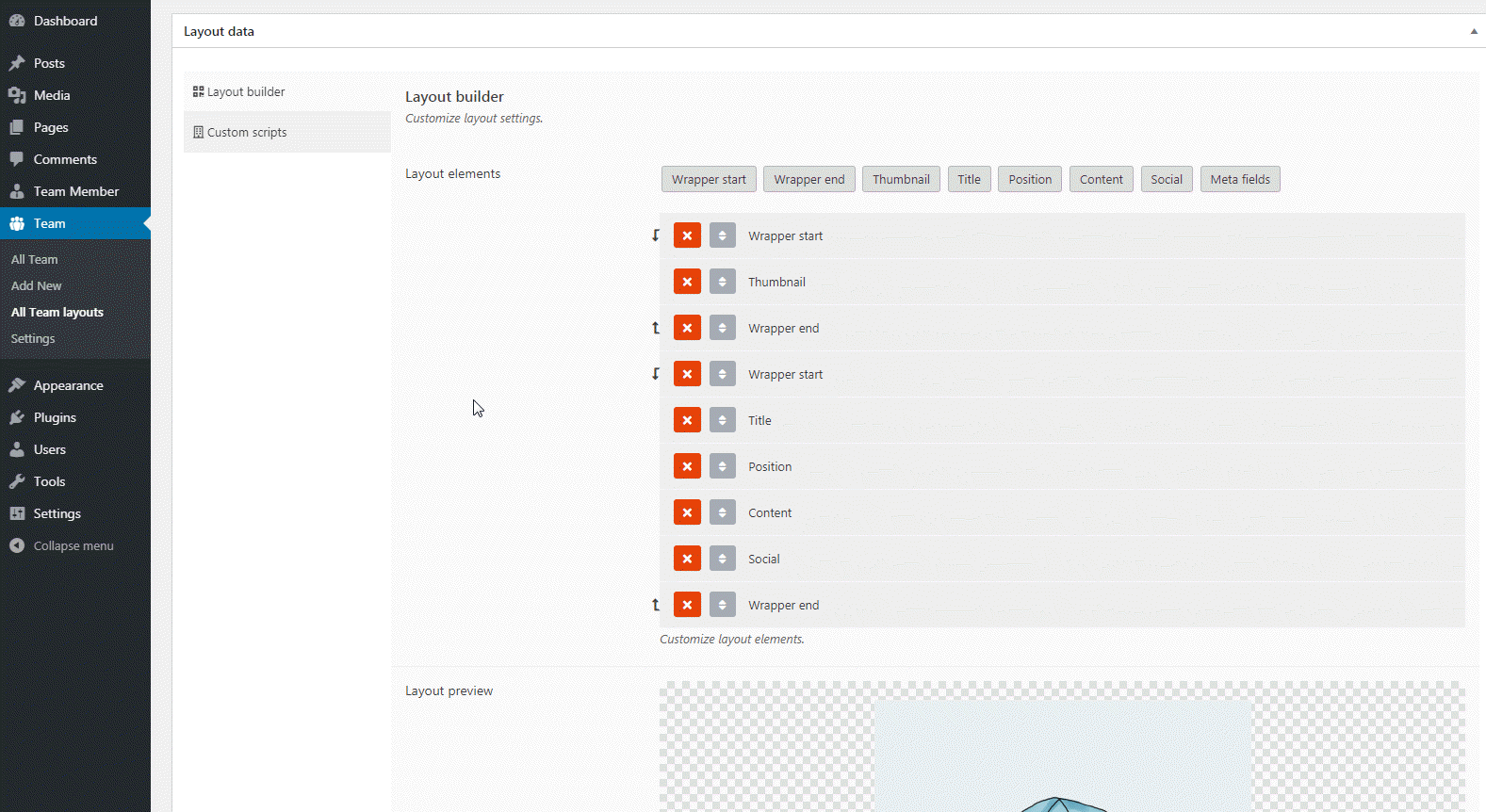
Team is simple and easy to display team showcase page on your website, you can display anywhere via shortcode, easy to customize and build your own layout. we provide some basic styling option and you can build your own layout by layout builder.
Team by http://pickplugins.com
Team members
We added custom post types for creating team members, so you can create unlimited team members as you want. you can assign them to team groups(categories), team member image, social and contact data and custom fields.
Team Member Profile
You can create team member profiles for each team members and customize the layout via layout editor.
Social & Contact link
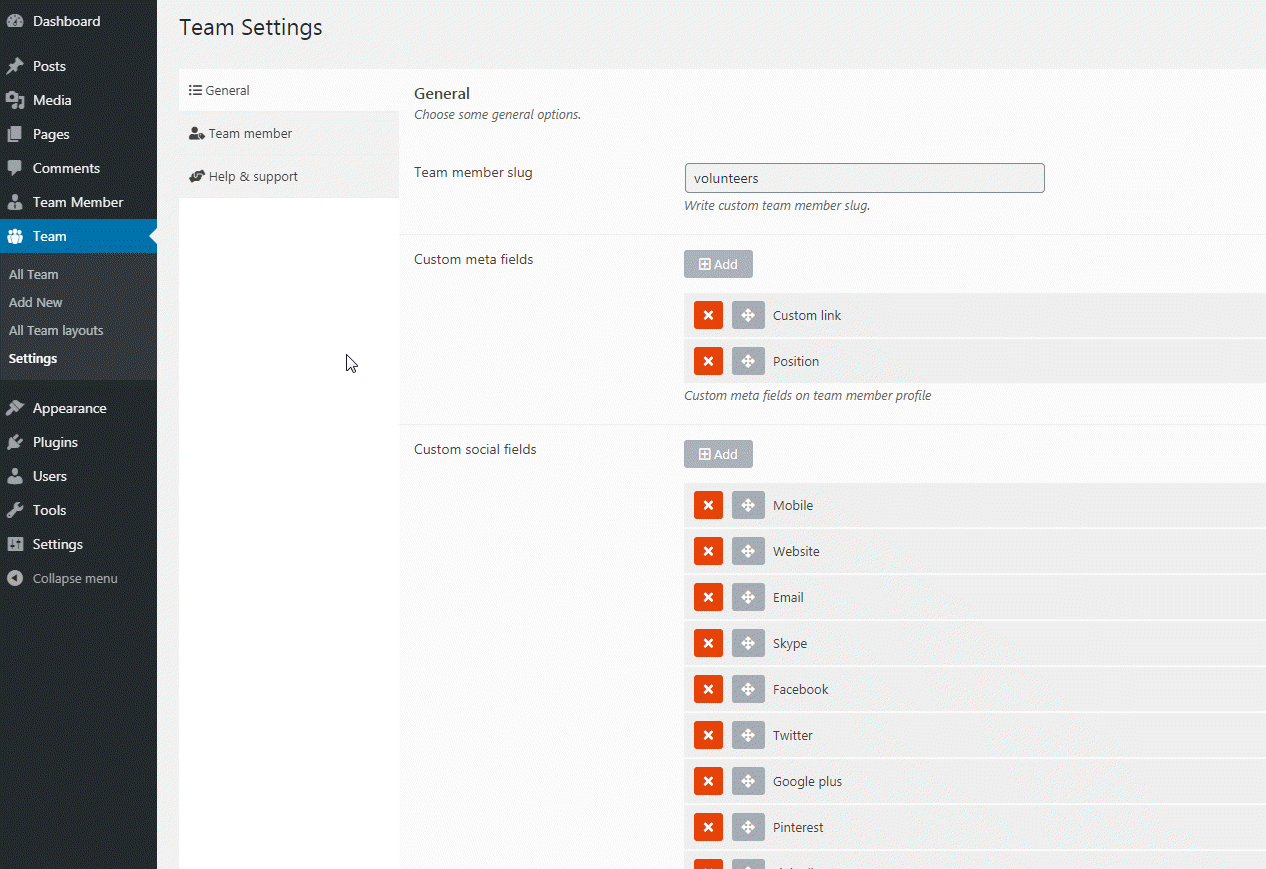
You can display team members social link or contact phone numbers or skype and etc.
Custom meta field
You can add custom meta fields under each team members and these input values can be displaying on the grid via layout builder. you can customize these meta field data by applying your own CSS.
Team member slug
Team member slug can be customize as you want. default team member slug is team_member
Query team members
You can use query team member by team groups, order by id, date, meta value and etc.
Custom links for team members
You can set custom link for team members so that you can linked to each team member to external link like project link or social links.
Grid item width
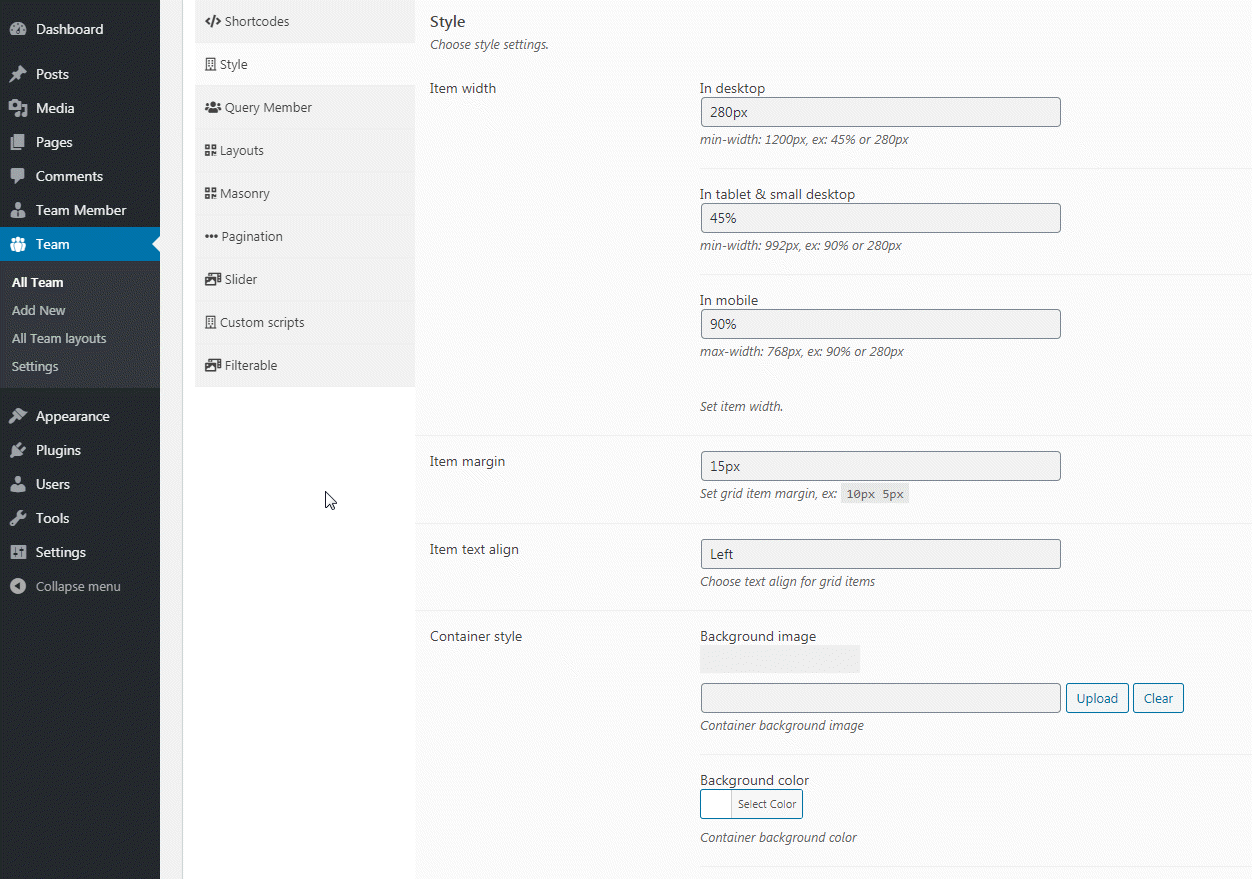
For grid style view you can set custom value for grid item width, you can also set custom width value for tablet and mobile devices.
Container style
You can customize team showcase container style by background image, background color and text align.
Masonry layout
You can display grid item like masonry style.
Pagination style
You can display pagination for grid view so use can access to view others item by clicking on pagination, you can change next & previous text, background colors of pagination elements.
Custom Scripts
You can apply your own CSS and custom JS.
Premium Features
Team members skill
You set skills for team members and display skill bars on team showcase.
Team members custom class
You can assign custom class for team members, so you can apply your own style and CSS.
View type – Slider
You can display team members in a carousel slider, you can customize settings like column count, autoplay, loop, rewind, sliding speed, navs, dots and etc.
View type – Filterable
Displaying team member in a filterable navs based on taxonomies or custom, user can see team members by clicking navigation at top, filterable also has support with pagination. you can customize filterable navs by changing background color, font color and font size and etc. You can also create custom multi filterable navs with group support. filters can be displaying as dropdown, radio or inline.
View type – Glossary
You can display team member in a glossary style grid, so that your visitors can see team members based on each character by clicking on navigation at top. there is also has pagination support. you can customize the indexes by changing background color, font color and font size and etc.
Popup profile
You can linked to team title, thumbnail or read more link to custom popup box, you can also choose custom layout for popup box.
Popup slider
You can linked to team title, thumbnail or read more link to custom popup slider, you can also choose custom layout for popup html and apply your own CSS and style to customize.
Custom link
You can link to team members title, thumbnail and read more to custom URL.
Installation
- Install as regular WordPress plugin.
- Go your plugin setting via WordPress Dashboard and find “Team” activate it.
After activate plugin you will see “Team” menu at left side on WordPress dashboard.
First create some team member from “Team Member” you can assign categories(Team Group) for members.
After creating some team members you need to generate shortcode to display team grid on page.
see the menu on left “Team” click “New Team” and choose option as you need, and click “Team Content” nav to select team members by various type query as you need.
How to use on page or post
When Team options setup done please publish “Team” as like post or page
and then copy shortcode from top of Team Options [team id="1234" ]
then paste this shortcode anywhere in your page to display Team gird.
Changelog
1.22.28
- 2025-12-18 fix – Broken style issue fixed.
1.22.27
- 2025-12-17 fix – Escaping issue fixed.
- 2025-12-17 fix – Missing translation text issue fixed.
1.22.26
- 2024-10-04 fix – Minor security issue fixed.
1.22.25
- 2024-08-10 fix – Broken style issue fixed.
= 1.22.24=
* 2024-05-27 update – Readme update
1.22.23
- 2023-01-23 fix – Thumbnail element link to none issue fixed.
- 2023-01-23 fix – Content layout element default read more text added.
1.22.22
- 2022-10-01 fix – Empty layout issue fixed.
- 2022-10-01 fix – Import default layouts on plugin activation
Screenshots




For developers
Is this your plugin? Show off the numbers.
Add a live badge to your site, docs or GitHub README. It updates on its own — no account needed.
FAQ
Team Showcase: quick answers
Straight answers, pulled from live WordPress.org data.
Live data from WordPress.org · checked Sep 29, 2026
Is Team Showcase free?
Yes. Team Showcase is free to download and use from the official WordPress.org plugin directory.
Is Team Showcase safe to use in 2026?
Team Showcase is a solid plugin choice in 2026, with a few things worth checking first. It runs on 1K+ sites, is rated 4/5 and was last updated 4 months ago, and scores 67/100 on our health check.
How many websites use Team Showcase?
Team Showcase is active on 1K+ WordPress websites and has been downloaded 199,244 times since it launched in September 2014. It was downloaded 428 times in the last 30 days.
Does Team Showcase work with WordPress 7.1?
Team Showcase is officially tested up to WordPress 7.0.6, while the latest release is 7.1.2. It may still work, but try it on a staging site first.
When was Team Showcase last updated?
The latest version, 1.22.28, was released on June 8, 2026 (4 months ago).
Who makes Team Showcase?
Team Showcase is developed and maintained by PickPlugins.
Powered by PageForge
Want thousands of pages that rank like these? Build them in an afternoon.
This directory runs on the same engine as PageForge. Turn any spreadsheet, CSV or API into thousands of fast, SEO-ready WordPress pages — with schema, internal links and AI-written copy baked in.
- CSV, Google Sheets & API data sources
- AI content, schema & internal links per page
- Works with Elementor, Gutenberg, Yoast & Rank Math
- Free on WordPress.org — no credit card


