



Team Members – Multi Language Supported Team Plugin
Multi-language supported Team Members - Team with Slide is the best plugins to display unlimited team in Carouse and Grid view.

Safe pick
Yes — Team Members is a safe, well-maintained plugin to use in 2026. It runs on 6K+ sites, is rated 5/5 and was last updated 10 hours ago, and scores 88/100 on our health check.
- Loved by users — 5/5 from 85 reviews
- Actively developed — last update 10 hours ago
- Tested with the latest WordPress (7.1)
How does it stack up?
Side-by-side on installs, updates, ratings & support



Daily downloads
Download spikes usually follow a new release — each site that auto-updates counts as a download.
Rankings
Where Team Members stands todayWordPress.org search rankings
Live position in the plugin search, top 100| Keyword | Position |
|---|---|
| our team | #2 |
| staff directory | #9 |
| team members | #1 |
| team showcase | #1 |
| team slider | #3 |
Version adoption
Share of active sites per release.
Rating breakdown
★★★★★★★★★★ 5 from 85 reviews
About Team Members
From the official readme · v9.3Description
Live Demo | Support | Upgrade to Pro
Multi-language supported Team Members with Slider is a responsive and mobile-friendly WordPress team making plugin that has some amazing features to make an amazing team showcase. Using this plugin, you can display your team members in a different layout like Grids and Sliders. It is very powerful yet lightweight team member plugin which allows you to decorate your team, support, contacts, about us or staff page with ease of customization. You can add, customize and showcase your team with responsive slider. While using this plugin, you’ll find Team Showcase with Slider the faster and simpler way to add and showcase your team member within your webpage.
How to use Team Member – Multi Language Supported Team Plugin
Team Showcase offers you to add an owl carousel type grid slider containing team members name, designation, description and unlimited custom link with social media.
Best Team members plugin for WordPress
Team Showcase with Slider is an effective tool in WordPress for creating amazing team showcase and sliders with beautiful transition effects. With this awesome plugin, you can add team members along with their designation and social media link so that viewers can evaluate the weight of your team so easily. This will certainly help you a lot in your business exposure.
Team Showcase with Slider has developed with minimal setting and configuration possible along with highly mobile-friendly responsive and sleek designs. Besides, by beautiful and unrepeatable effects, your slider gives a more professional look to your website. This plugin has a user-friendly interface which is very simple to use but gorgeous to look. Anyone without any prior web developing skills can easily adapt with the user panel. Both newbies and pros can find so much in this effective team member plugin.
Our rich library of templates will definitely help the user to pick the right one for them. You can build an interactive team page within minutes by using Team Showcase with Slider plugin. It is very easy to use the provided shortcode into the posts and pages. You can also put the shortcode into the page builders, thus, it can be included in the theme for displaying the team showcase within the theme using PHP function. You’ll get more than 30 ready templates with Team.
Team Showcase with Slider is stunningly effective team builder plugin that permits you to list your employees, team members, support team or contacts very easily on your site. You can build a staff directory and categorize each of the team stuff profiles by adding a unique profile picture, biographical and professional information etc. You can also add your stuff’s social media details and allow your site visitors to get in touch with the support team directly. Team Showcase with Slider is the easiest, fastest and best-ever team member plugin for WordPress to showcase your team in responsive grids. Anyone who tries this awesome plugin once, he’ll always find it very simple to use, in spite of having a bunch of features that exist on a first-class quality plugin.
This plugin was developed by an expert hand who tried to develop Team Showcase with Slider in concern of both beginner and expert WordPress plugin users. Thus, users can find both user-friendly interface and quality features to showcase their team members. It is very simple to create a showcase slider on your WordPress website using this plugin. The plugin has a Shortcode built-in so every newly created team showcase has its own ID number. It makes it easier for embedding in any pages or posts. You can also use this plugin within page builders. This will add extra convenience to advanced users.
AVAILABLE FIELDS:
- Title/Name (Profile Title)
- Designation
- Profile Details Type
- Description (Post Content)
- Profile URL
- Email (Custom field)
- Personal Web URL (Custom field)
- Popup Profile Details
- Social links (35+ social icons including Facebook, Twitter, LinkedIn, Skype, and Youtube)
- Live Preview
Responsive and Slider Showcase
Every layouts of Team Showcase you can choose how many columns you want to display. The Columns will be responsive and adapt in different screen sizes. By using owl carousel so that you can slide your team members. You can activate or deactivate previous next and indicator icons of owl carousel with custom size, position, color etc. members can display there designation separately.
Team member Details
Using Team Showcase, you can show team member details separately. By activating popup option, you can display your team member details with nice custom design and also available the feature of popup option appearance. We have added tinymce editor in member details section so that you can style team member like bold, italic, underline, blockquote, bulleted list, numbered list, align, anchor link etc.
Custom Label and Social Icon
Team Showcase offers unlimited label and 15+ social link icons for every team member. Using label, you can add email, telephone, mobile number, fax etc and easily maintain the ordering of these label. In social link icon, you can customize icon size, text color, background color, hover text color, hover background color etc.
Live Preview
Team Showcase has live preview option of your items. Every time you make any change with your Team Showcase item you can see the live preview at the bottom portion of the admin page. You don’t need to copy the shortcode into the page/post to see the preview. You can also customize live preview background color. This is a great advantage of working with a plugin like Team Showcase.
IMPORTANT: If you think you found a bug in Team Showcase or have any problem or question concerning Team Showcase and Slider plugin, do not hesitate to contact us at www.wpmart.org/contact-us
Features Added
- Display Team member in grid view.
- Display Team member in slider view.
- Team member name font color, font size, line height, font hover color, & family.
- Team member Designation font color, font size, line height, font hover color, & family.
- Team member Social links font color & size.
- Team member Social links font Hover color.
- Customize the margin
- Unlimited Colors
- Fully Responsive
- 30+ Different layout with 50+ exclusive design
- Drag & Drop ordering
- Unlimited Shortcode
- User-friendly Interface
- Touch-enable feature
- Unlimited different styles of member thumbnails.
- Fully and very easily customizable look by admin panel.
- The plugin made with an accent on simplicity, and it is easy to use.
- Front-end browsing
- Sleek, clean and modern design.
- Manual responsive
- Grid with Margin or No Margin.
- Social icon, color size, and background color control.
- Social links (FB, Twitter, LinkedIn and Google+ etc)
- Output your team members anywhere with the shortcode [wpm_team_showcase]
- Easy to setup
Tags:team, team members plugin, team members slider plugin, our team, wordpress team member, team members, team showcase, team slider, Meet My Team, stuff, our stuff, meet the stuff, команда, о компании, о нас, персонал, работники, профиль работника, участник команды, член команды, виджет команды, team grid, staff grid, employees, workers, people, cv, staff bio, member staff
Installation
Installation of Team Showcase with Slider is very simple.
Option 1
Download the plugin team-showcase-supreme.zip from WordPress Plugin Directory. Unzip file into team-showcase-supreme folder. Drop the team-showcase-supreme plugin folder into your wp-content/plugins folder. Refresh your WordPress Administration panels, click on Plugins from the menu. You will see Team Showcase with Slider plugin under Inactive plug-in tab. To turn on Team Showcase with Slider and Slider , click on activate.
Option 2
Download the plugin team-showcase-supreme.zip from WordPress Plugin Directory. click on add new under plugins menu. Upload the available Team Showcase with Slider Plugin file and click install now After installed click on active to tern on.
Frequently asked questions
Is the Team Member plugin support multi-language?
Yes, It’s support all multi-language plugins like WPML, Translate WordPress with GTranslate, Loco Translate, Translate Multilingual sites – TranslatePress, Translate WordPress – Google Language Translator, etc.
Is the Team Member plugin support Elementor, Gutenberg, Visual Composer and WP Bakery?
Yes, It’s support all popular WordPresss page builders.
Is the Team Member plugin support Divi Theme, BeTheme, Avada Theme and Astra Theme?
Yes, It’s support all popular WordPresss themes.
Is the Team Member with Slider Responsive?
Yes, It’s 100% responsive by resizing images, videos, titles and descriptions for mobile devices and tablets.
Are there any limitations for using the Team Member?
No, You can use as much as you want by creating shortcodes.
Is it support Custom CSS?
Yes, You can override the existing styles class by your custom CSS properties.
I bought Team Showcase with Slider Plugin, I have not received it yet. Please suggest, how can I activate it or get the Pro version?
If You acquired the Team Showcase with Slider and have not received it, please just contact with our Support Team. Send a letter with purchase Team Showcase with Slider Order Number.
Changelog
9.3
- FEATURE – Fixed data leak issue
9.2
- FEATURE – Import demo data option added
9.1
- FEATURE – Member order option enabled for free version
9.0
- FEATURE – Fixed Warning
8.9
- FEATURE – Changed image path
8.8
- FEATURE – Patch issue resolved
Screenshots

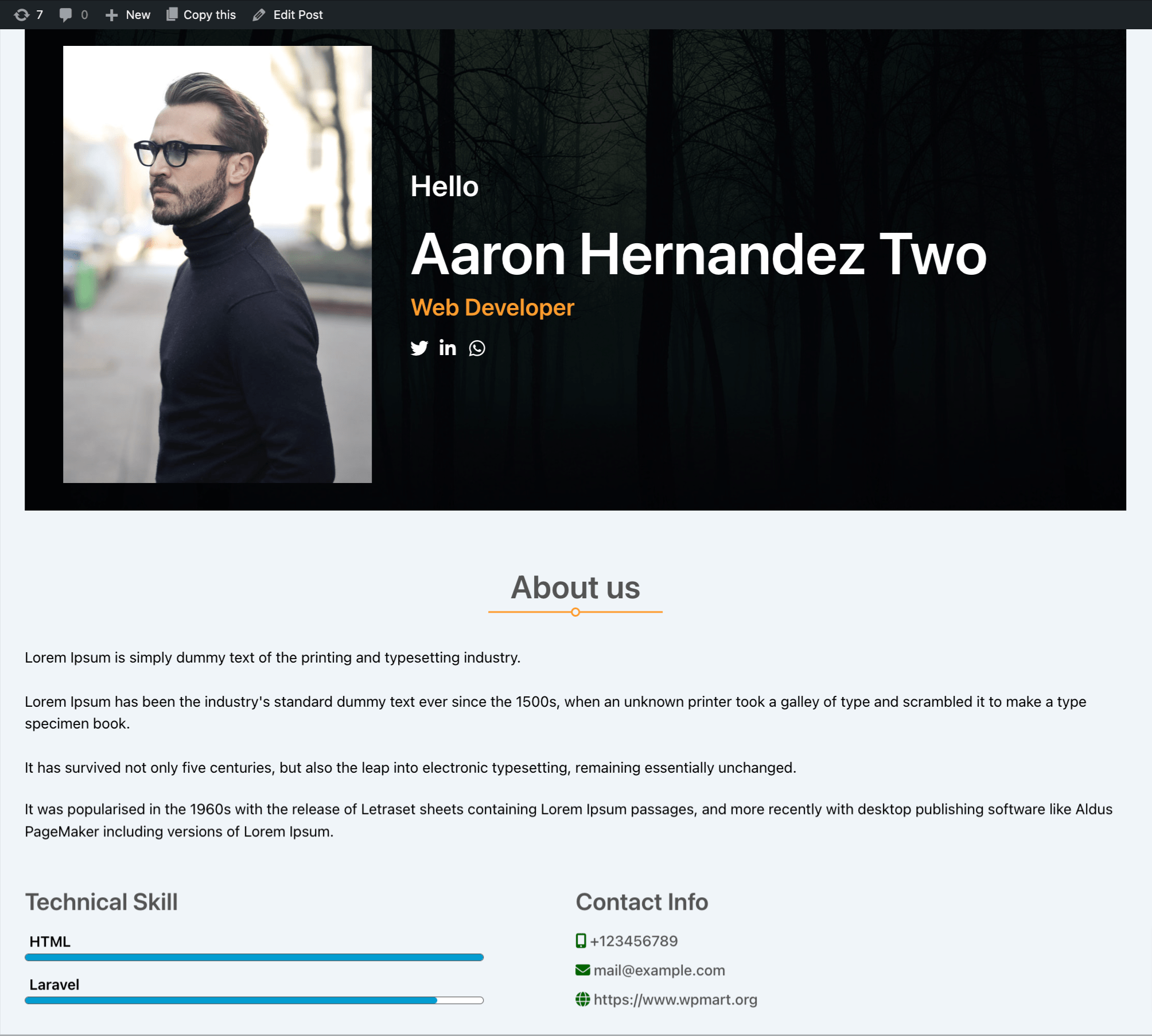
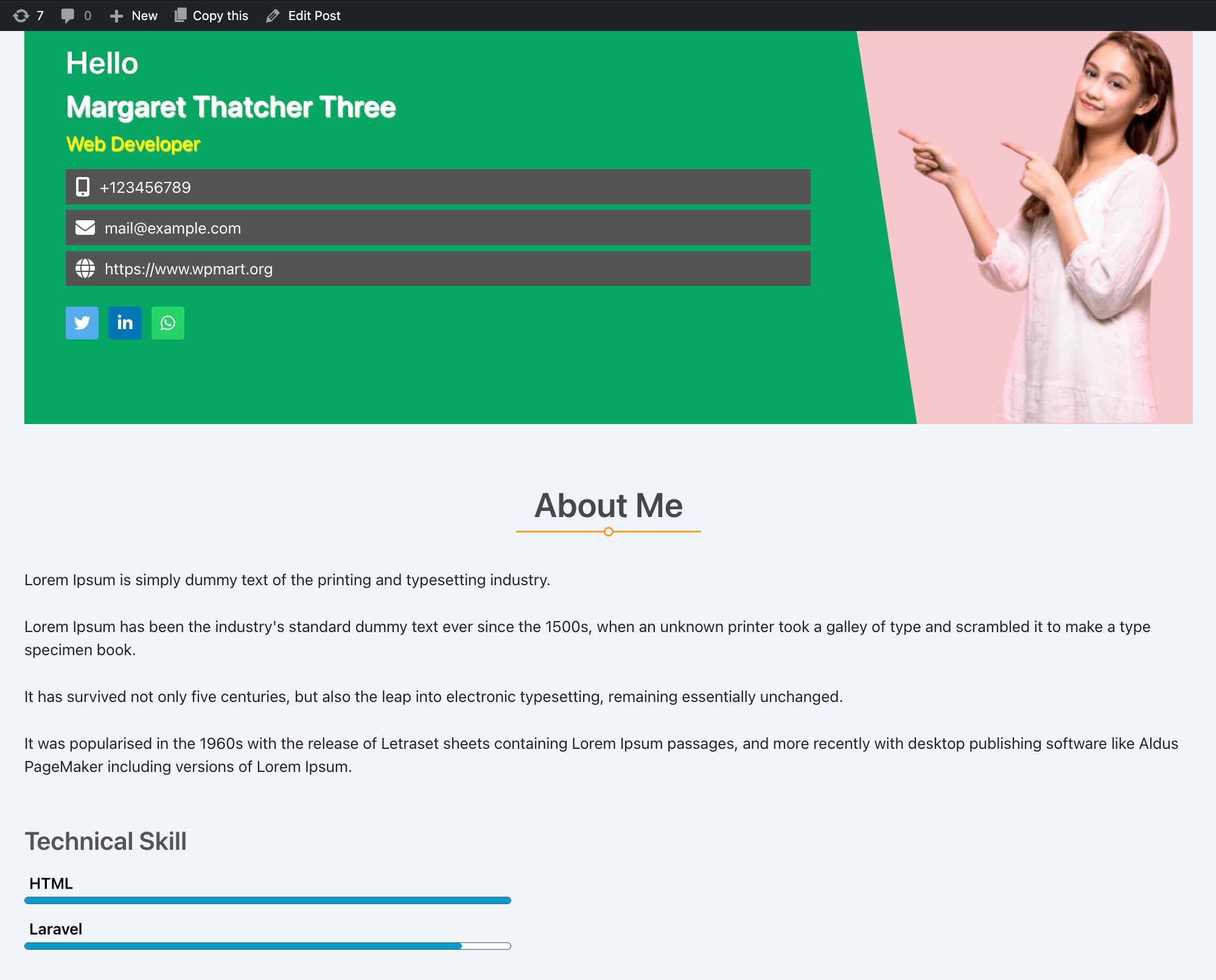




For developers
Is this your plugin? Show off the numbers.
Add a live badge to your site, docs or GitHub README. It updates on its own — no account needed.
Best Team Members alternatives
All our team plugins →





FAQ
Team Members: quick answers
Straight answers, pulled from live WordPress.org data.
Live data from WordPress.org · checked Sep 27, 2026
Is Team Members free?
Yes. Team Members is free to download and use from the official WordPress.org plugin directory.
Is Team Members safe to use in 2026?
Yes — Team Members is a safe, well-maintained plugin to use in 2026. It runs on 6K+ sites, is rated 5/5 and was last updated 10 hours ago, and scores 88/100 on our health check.
How many websites use Team Members?
Team Members is active on 6K+ WordPress websites and has been downloaded 328,620 times since it launched in March 2018. It was downloaded 3,882 times in the last 30 days.
Does Team Members work with WordPress 7.1?
Yes. The developer has tested Team Members up to WordPress 7.1.2, the latest release. It requires WordPress 6.0 or newer.
What PHP version does Team Members need?
Team Members requires PHP 7.0 or higher. Most hosts run PHP 8.x today, so it works on any modern WordPress hosting.
When was Team Members last updated?
The latest version, 9.3, was released on September 27, 2026 (10 hours ago).
Who makes Team Members?
Team Members is developed and maintained by wpmart.
What are the best alternatives to Team Members?
The most popular alternatives to Team Members are Team Builder (6K+ installs), Team Builder Member Showcase (1K+ installs) and Team Members Profile (600+ installs).
Powered by PageForge
Want thousands of pages that rank like these? Build them in an afternoon.
This directory runs on the same engine as PageForge. Turn any spreadsheet, CSV or API into thousands of fast, SEO-ready WordPress pages — with schema, internal links and AI-written copy baked in.
- CSV, Google Sheets & API data sources
- AI content, schema & internal links per page
- Works with Elementor, Gutenberg, Yoast & Rank Math
- Free on WordPress.org — no credit card


