



Tainacan
A powerful and flexible open-source repository platform that brings digital collection management to WordPress.

Safe pick
Yes — Tainacan is a safe, well-maintained plugin to use in 2026. It runs on 1K+ sites, is rated 5/5 and was last updated 4 weeks ago, and scores 82/100 on our health check.
- Actively developed — last update 4 weeks ago
- Tested with the latest WordPress (7.1)
- Momentum — downloads up 91.4% vs the previous 30 days
How does it stack up?
Side-by-side on installs, updates, ratings & support


Daily downloads
Download spikes usually follow a new release — each site that auto-updates counts as a download.
Rankings
Where Tainacan stands todayWordPress.org search rankings
Live position in the plugin search, top 100| Keyword | Position |
|---|---|
| archives | #67 |
| collections | #32 |
| GLAM | #1 |
| museums | #2 |
| repository | #13 |
Version adoption
Share of active sites per release.
Rating breakdown
★★★★★★★★★★ 5 from 12 reviews
About Tainacan
From the official readme · v1.3.0Description
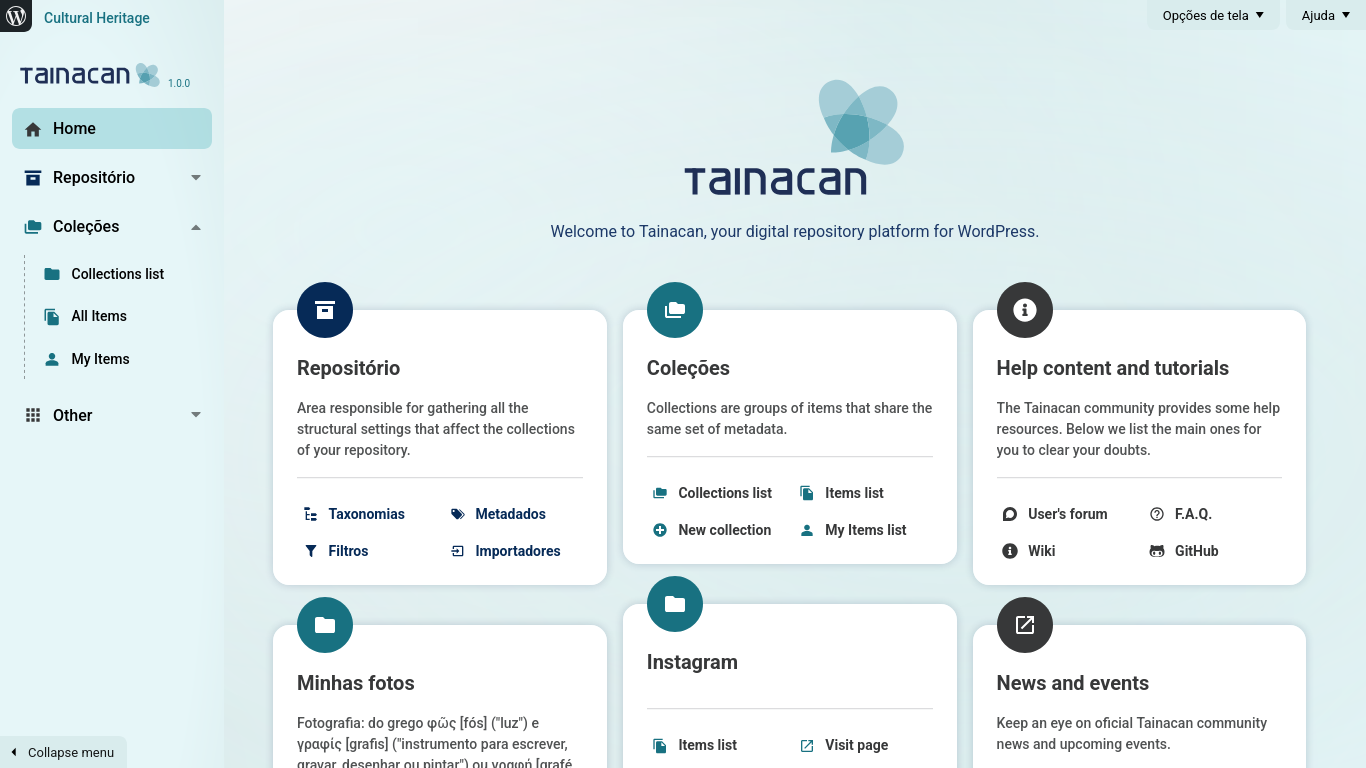
Tainacan is an open-source repository platform that turns WordPress into a powerful and flexible environment for managing and publishing digital collections — as easily as writing a blog post.
Designed for cultural institutions, research projects, archives, museums, and any kind of digital collection, Tainacan integrates seamlessly with the WordPress block editor and takes full advantage of its ecosystem.
Key Features:
- Free and open source – Licensed under GPLv3: use, modify, and share freely
- WordPress based – Built to last taking advantage of the power of the WordPress ecosystem and features
- Compatible with any theme – Use the Tainacan Interface theme or adapt any WordPress theme
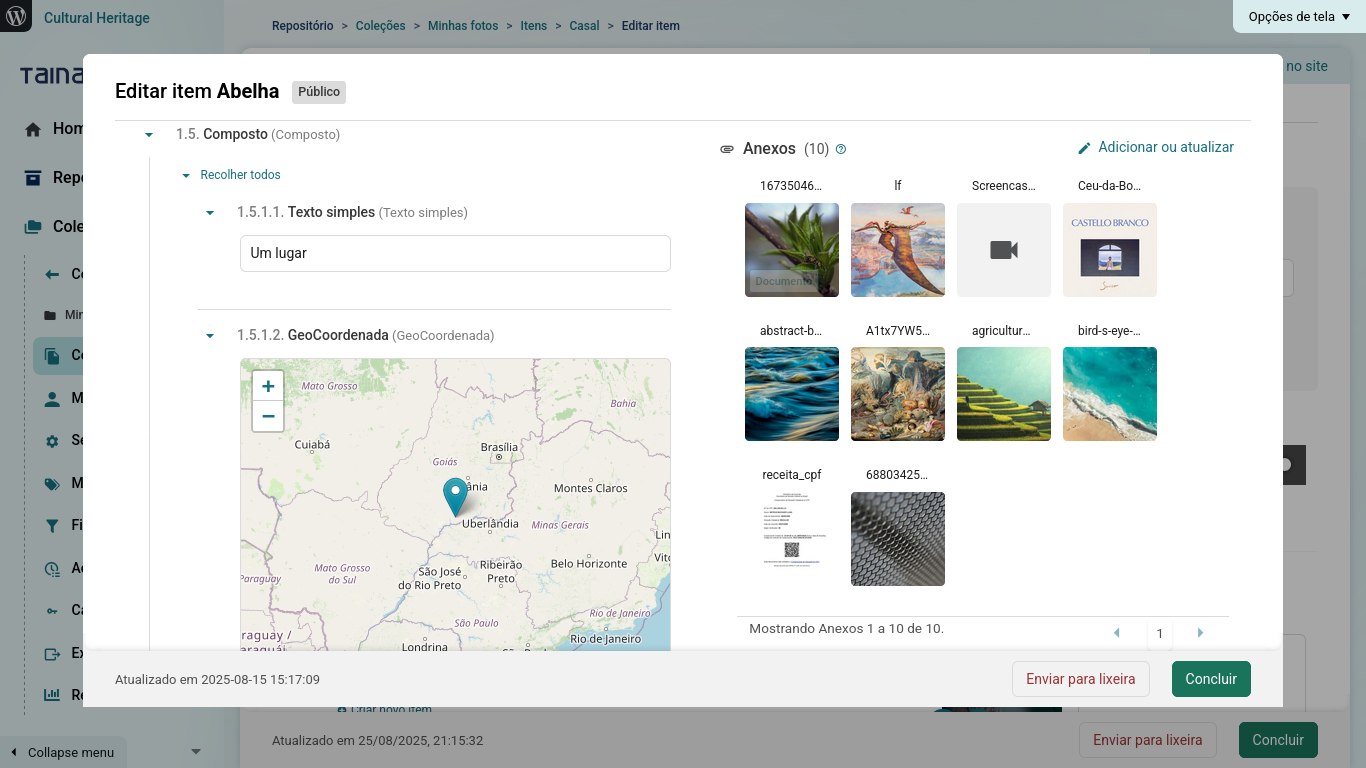
- Easy management – Create collections, define metadata, manage users, and publish content effortlessly
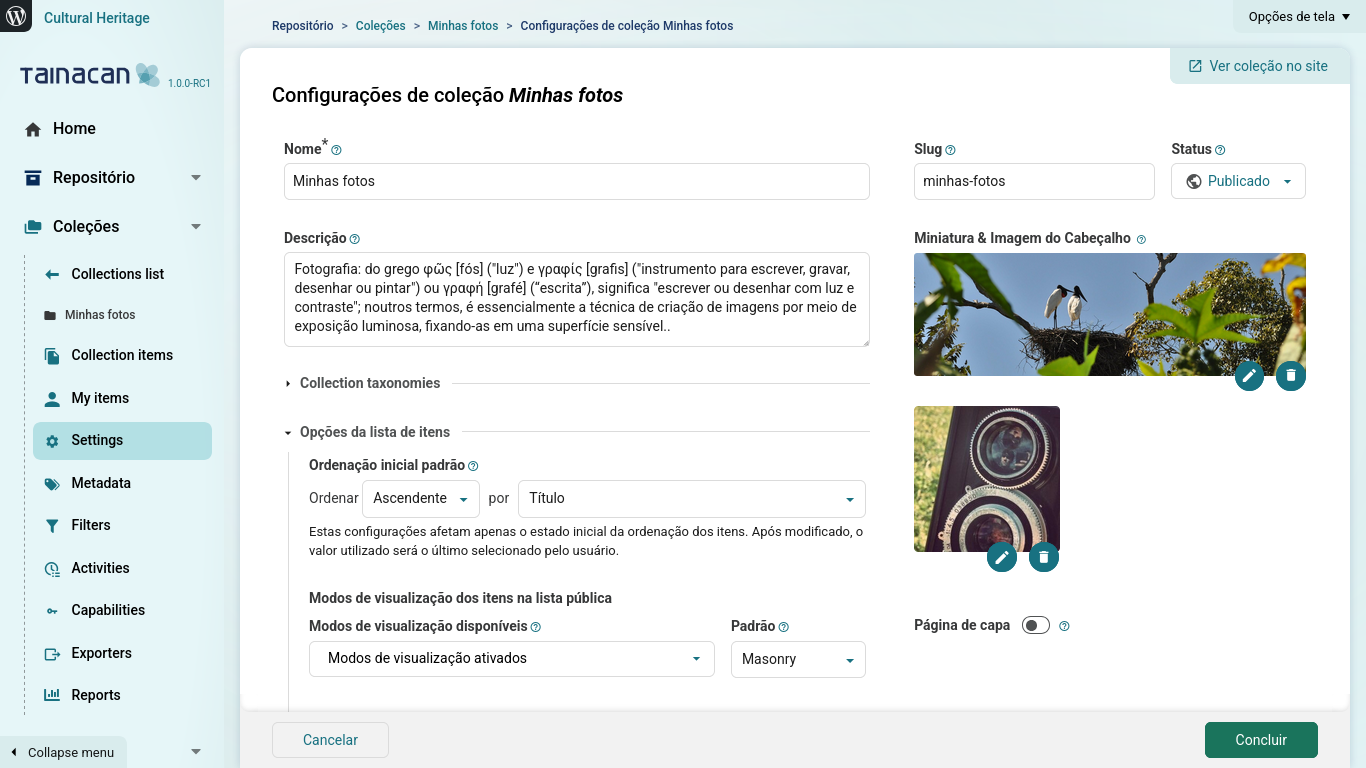
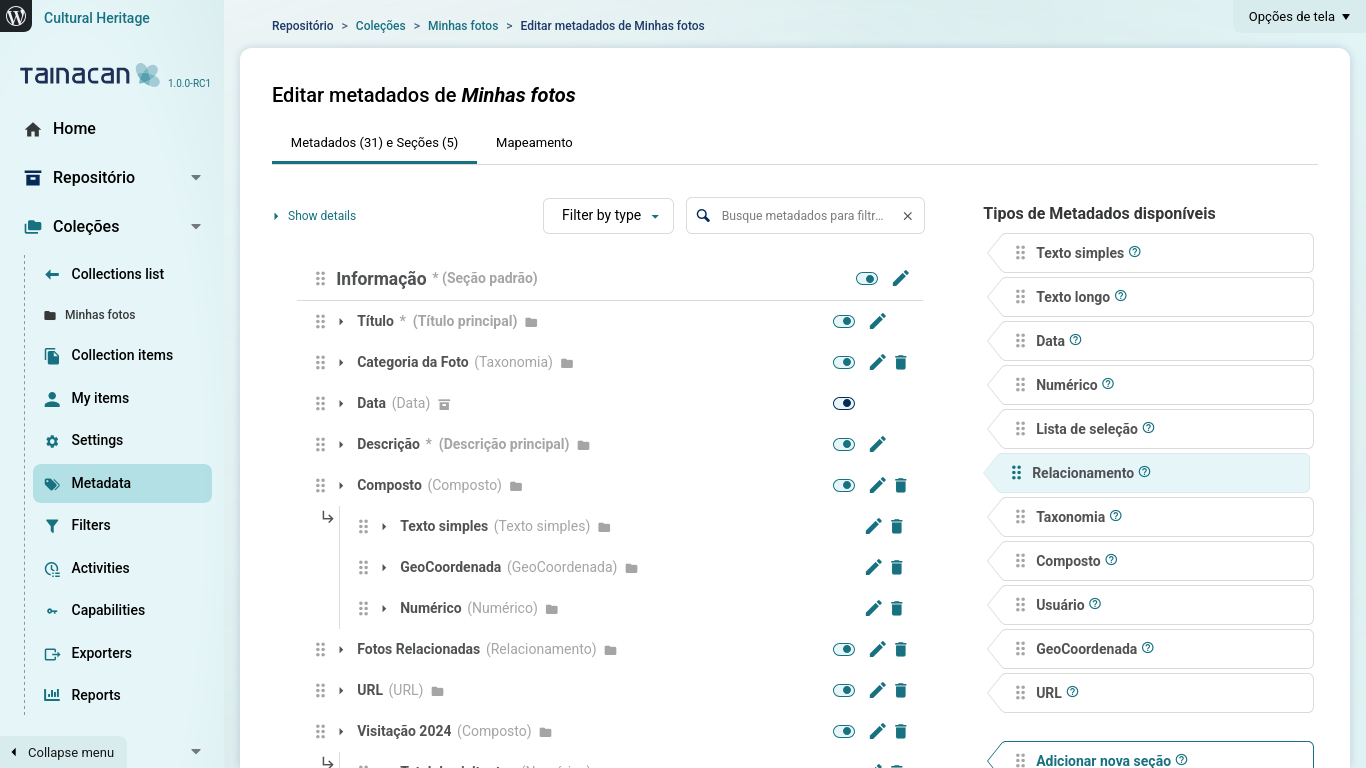
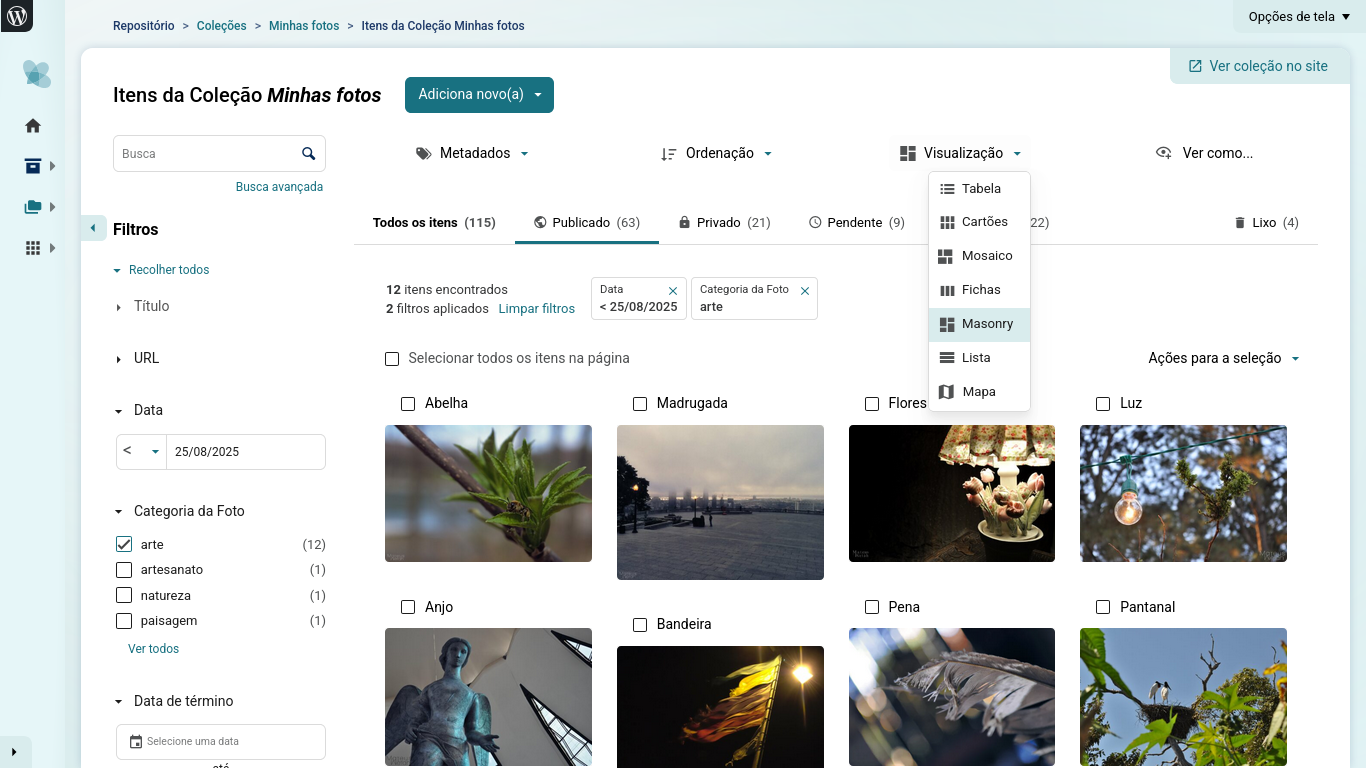
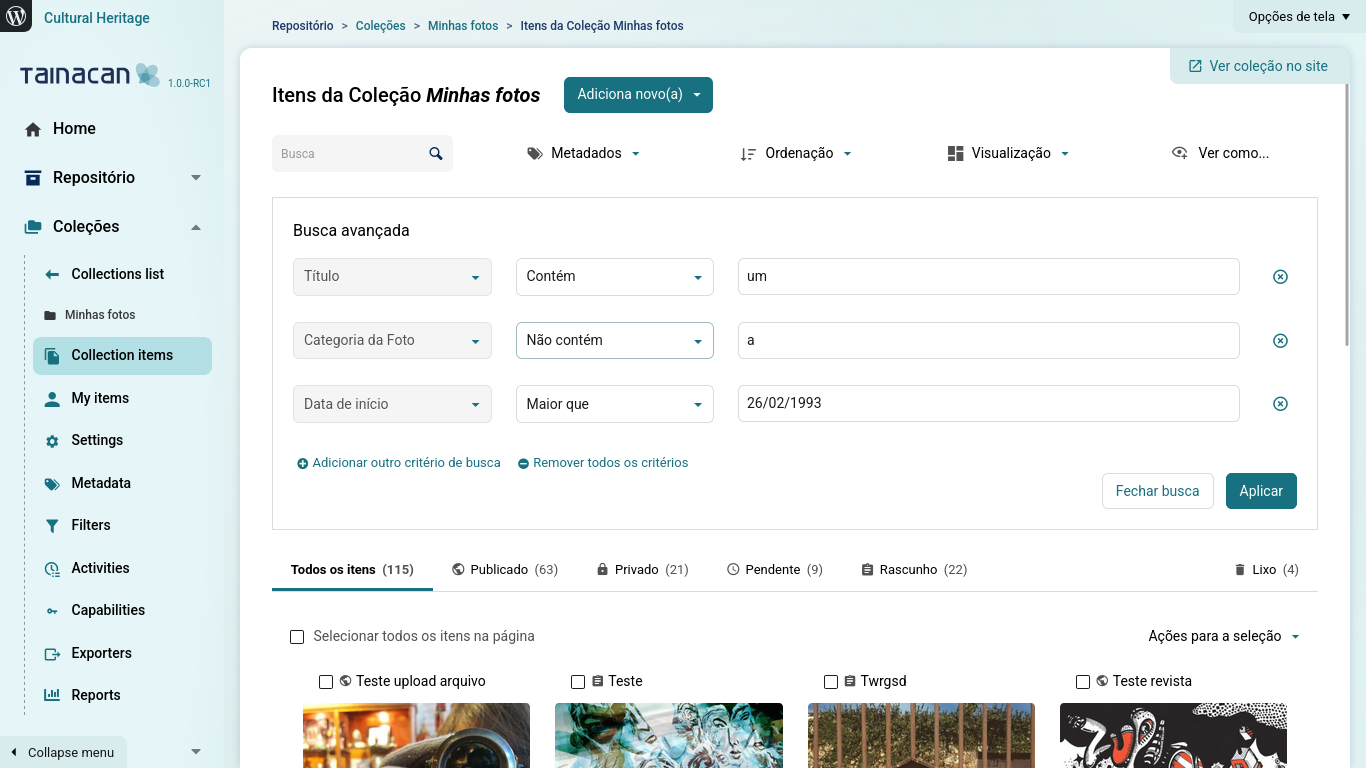
- Highly customizable – Configure metadata, taxonomies, and filters to match your project’s needs
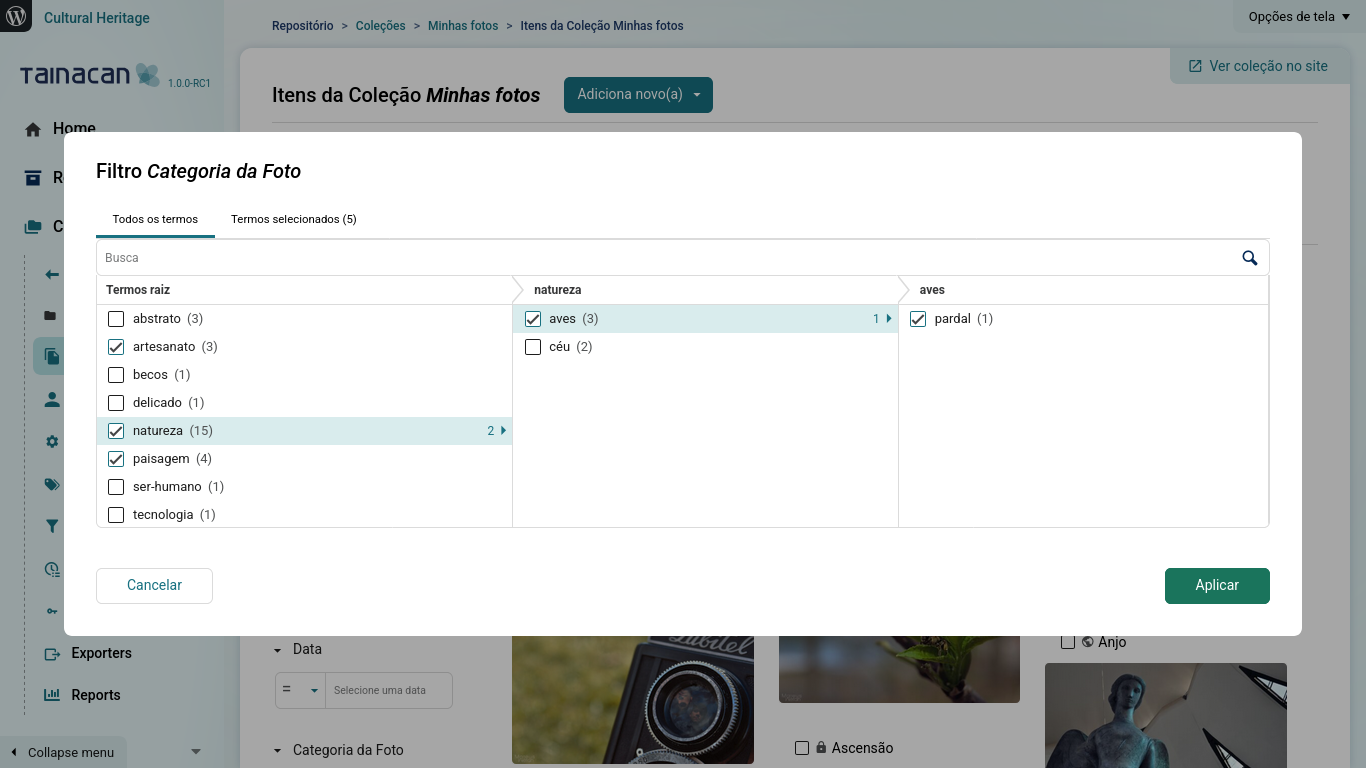
- Faceted search – Offer advanced browsing with intuitive custom filters
- Importing and exporting – Import bulk data from spreadsheets, export in CSV, XLSX, JSON, and other formats
- API and interoperability – Complete RESTful API with support for metadata mapping to standards such as Dublin Core
- Gutenberg blocks – Tell stories about your digital archive using a variety of blocks anywhere in your site
Support
Need help?
Find documentation, community support, and development resources at:
- Website: https://tainacan.org/
- Documentation Wiki: https://wiki.tainacan.org/
- GitHub: https://github.com/tainacan/tainacan
- User Forum: https://tainacan.discourse.group/
Installation
- Upload the
tainacanfolder to the/wp-content/plugins/directory - Activate the plugin through the ‘Plugins’ menu in WordPress
- You will see a new menu item called “Tainacan” in your admin panel
- Click on it to open the Tainacan admin interface and start creating your collections
Requirements:
- WordPress 5.9 or higher
- PHP 7.0 or higher
- For automatic PDF thumbnail generation, Imagick is recommended (but not required)
Frequently asked questions
How do I get started?
After installation, click on the “Tainacan” menu item in your WordPress admin panel. You can create your first collection by clicking “New Collection”, configure its metadata and filters, and start adding items to your collection. For an overview of the main concepts, visit our documentation.
Can I use Tainacan with any WordPress theme?
Yes! Tainacan works with any WordPress theme, but developers can improve their integration. If you want more dedicated page templates we recommend using the Tainacan Interface theme, which is our classic theme that meets the demands of most collections. But you can also try using an FSE theme such as Tainá, or install an integration plugin for a popular theme such as Blocksy.
How do I browse my collections on the public side?
Visit https://your-site/collections to see the list of your collections. You can also add links to the collections in your menu by editing it and enabling “Collections” in the Screen options.
Can I import data from other systems?
Yes! Tainacan supports importing bulk data from CSV spreadsheets. You can also use bulk editing tools to perform adaptations from your system modeling to the one you created in Tainacan.
Does Tainacan have an API?
Yes! Tainacan implements a complete RESTful API (read and write) that allows other applications to interact with your repository. You can expose your collection in different formats such as JSON, CSV, and HTML.
What metadata standards are supported?
Tainacan allows you to define your own metadata standards by adopting a variety of types (text, relationship, numeric, date, geocoordinate etc.), but also supports predefined ones including Dublin Core and INBCM. Even when creating your own, you can still define mappers to other standards, allowing you to export to other systems.
What are taxonomies and how do I use them?
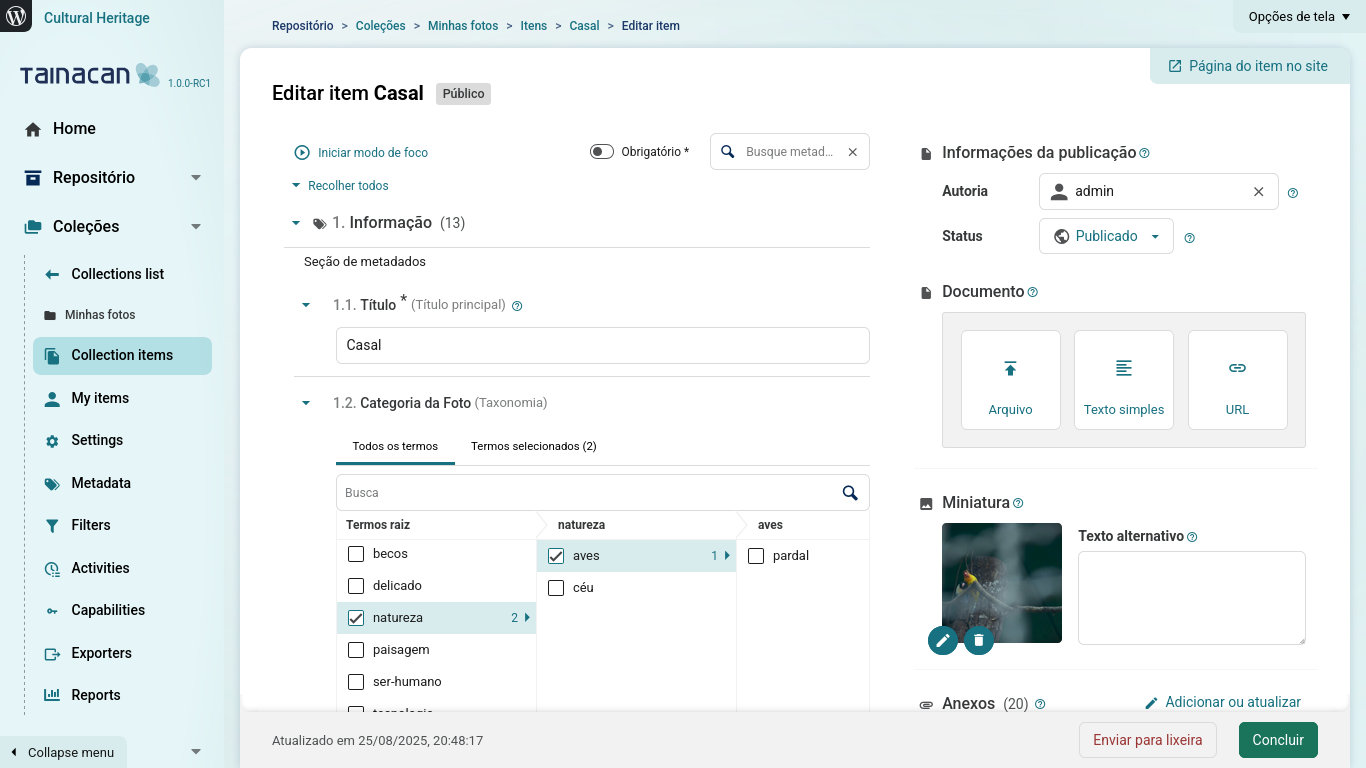
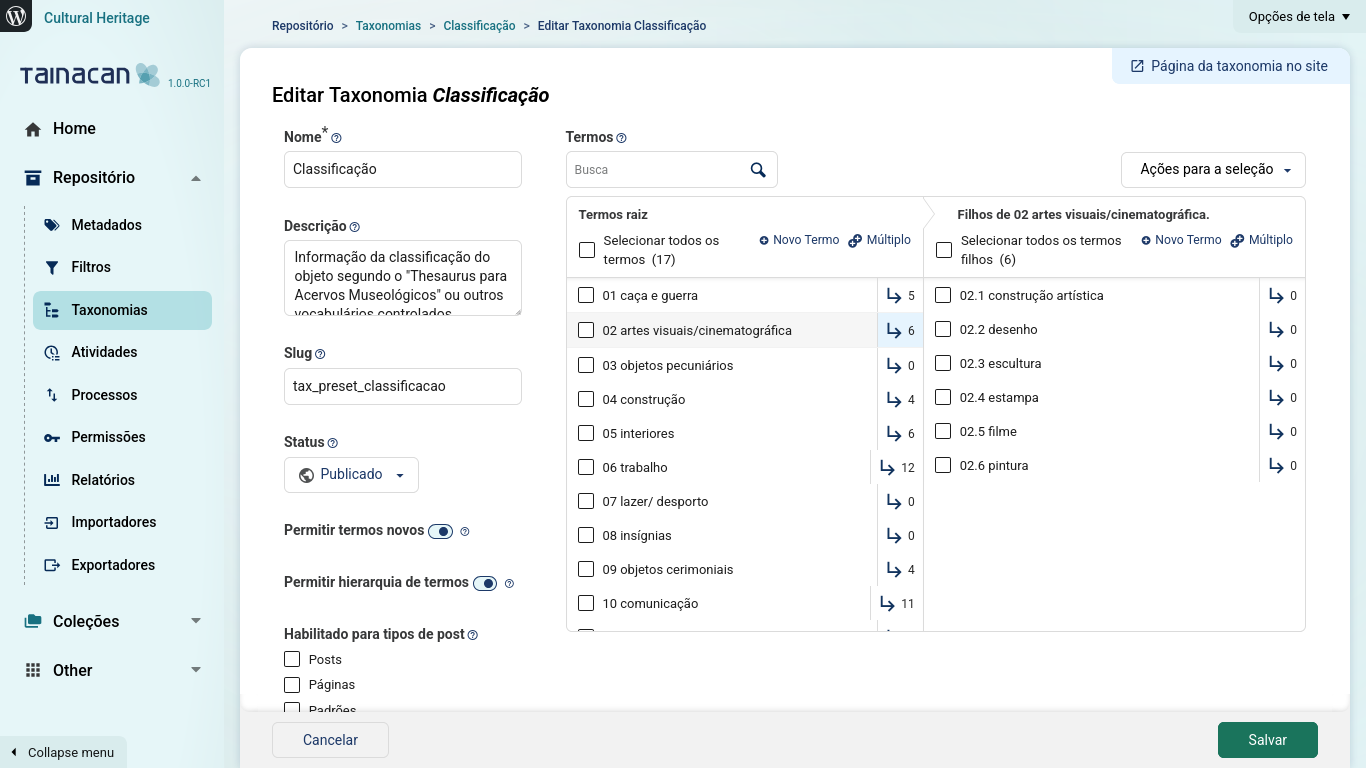
Taxonomies in Tainacan are vocabularies that can be used across all your collections. You can configure taxonomy metadata with a set of hierarchical terms of your own vocabulary. This allows you to create controlled vocabularies that can be reused throughout your repository, ensuring consistency across different collections.
How do I use Gutenberg blocks with Tainacan?
Tainacan offers several Gutenberg blocks so you can present your collections in many different ways! You can display items, collections, search interfaces, and more. Simply add the blocks to your posts and pages through the WordPress block editor.
Where do I report security bugs found in this plugin?
We take security very seriously. Please report any security bugs found in the source code of the Tainacan plugin through the Patchstack Vulnerability Disclosure Program. The Patchstack team will assist you with verification, CVE assignment, and notify the developers of this plugin.
I’m getting 404 errors or blank pages when accessing my collection
After site migration, plugin updates, or new installations, you may need to rebuild WordPress permalinks. If collections or pages are returning 404 errors despite already having items on it, go to Settings -> Permalinks in your WordPress admin panel, ensure “Post Name” or a Custom Structure with /%postname%/ is selected, then click Save Changes (even if nothing changed). This will rebuild the permalink structure.
Changelog
To see the changelog, please visit the GitHub Releases page.
Screenshots
For developers
Is this your plugin? Show off the numbers.
Add a live badge to your site, docs or GitHub README. It updates on its own — no account needed.
Best Tainacan alternatives
All archives plugins →




FAQ
Tainacan: quick answers
Straight answers, pulled from live WordPress.org data.
Live data from WordPress.org · checked Sep 28, 2026
Is Tainacan free?
Yes. Tainacan is free to download and use from the official WordPress.org plugin directory.
Is Tainacan safe to use in 2026?
Yes — Tainacan is a safe, well-maintained plugin to use in 2026. It runs on 1K+ sites, is rated 5/5 and was last updated 4 weeks ago, and scores 82/100 on our health check.
How many websites use Tainacan?
Tainacan is active on 1K+ WordPress websites and has been downloaded 65,905 times since it launched in May 2018. It was downloaded 2,042 times in the last 30 days.
Does Tainacan work with WordPress 7.1?
Yes. The developer has tested Tainacan up to WordPress 7.1.2, the latest release. It requires WordPress 6.5 or newer.
What PHP version does Tainacan need?
Tainacan requires PHP 7.4 or higher. Most hosts run PHP 8.x today, so it works on any modern WordPress hosting.
When was Tainacan last updated?
The latest version, 1.3.0, was released on September 3, 2026 (4 weeks ago).
Who makes Tainacan?
Tainacan is developed and maintained by tainacan.
What are the best alternatives to Tainacan?
The most popular alternatives to Tainacan are Disable Author Archives (10K+ installs), Simple Yearly Archive (6K+ installs) and Advanced Posts/Page (3K+ installs).
Powered by PageForge
Want thousands of pages that rank like these? Build them in an afternoon.
This directory runs on the same engine as PageForge. Turn any spreadsheet, CSV or API into thousands of fast, SEO-ready WordPress pages — with schema, internal links and AI-written copy baked in.
- CSV, Google Sheets & API data sources
- AI content, schema & internal links per page
- Works with Elementor, Gutenberg, Yoast & Rank Math
- Free on WordPress.org — no credit card


