



Taco Table of Contents
Generates a Table of Contents from heading tags. Supports auto-insertion and manual shortcode placement.

Solid choice
Taco Table of Contents is a solid plugin choice in 2026, with a few things worth checking first. Was last updated 6 days ago, and scores 64/100 on our health check.
- Actively developed — last update 6 days ago
- Tested with the latest WordPress (7.1)
- Small user base (<10 active installs)
- Very few reviews so far
How does it stack up?
Side-by-side on installs, updates, ratings & support



Daily downloads
Download spikes usually follow a new release — each site that auto-updates counts as a download.
Rankings
Where Taco Table of Contents stands todayWordPress.org search rankings
Live position in the plugin search, top 100| Keyword | Position |
|---|---|
| contents | >100 |
| navigation | >100 |
| scroll | >100 |
| table of contents | >100 |
| toc | #73 |
About Taco Table of Contents
From the official readme · v1.10.0Description
Taco Table of Contents is a lightweight and performant plugin that automatically generates a Table of Contents (TOC) for your long-form content.
You can choose to have the TOC automatically inserted before or after your content, or place it manually with a shortcode. It features a modern skeleton loading state and automatic scroll highlighting.
Key Features:
Flexible Placement: Automatically insert TOC before/after content or manually via [taco_toc].
Auto-Detection: Automatically scans <h1> through <h6> tags (configurable).
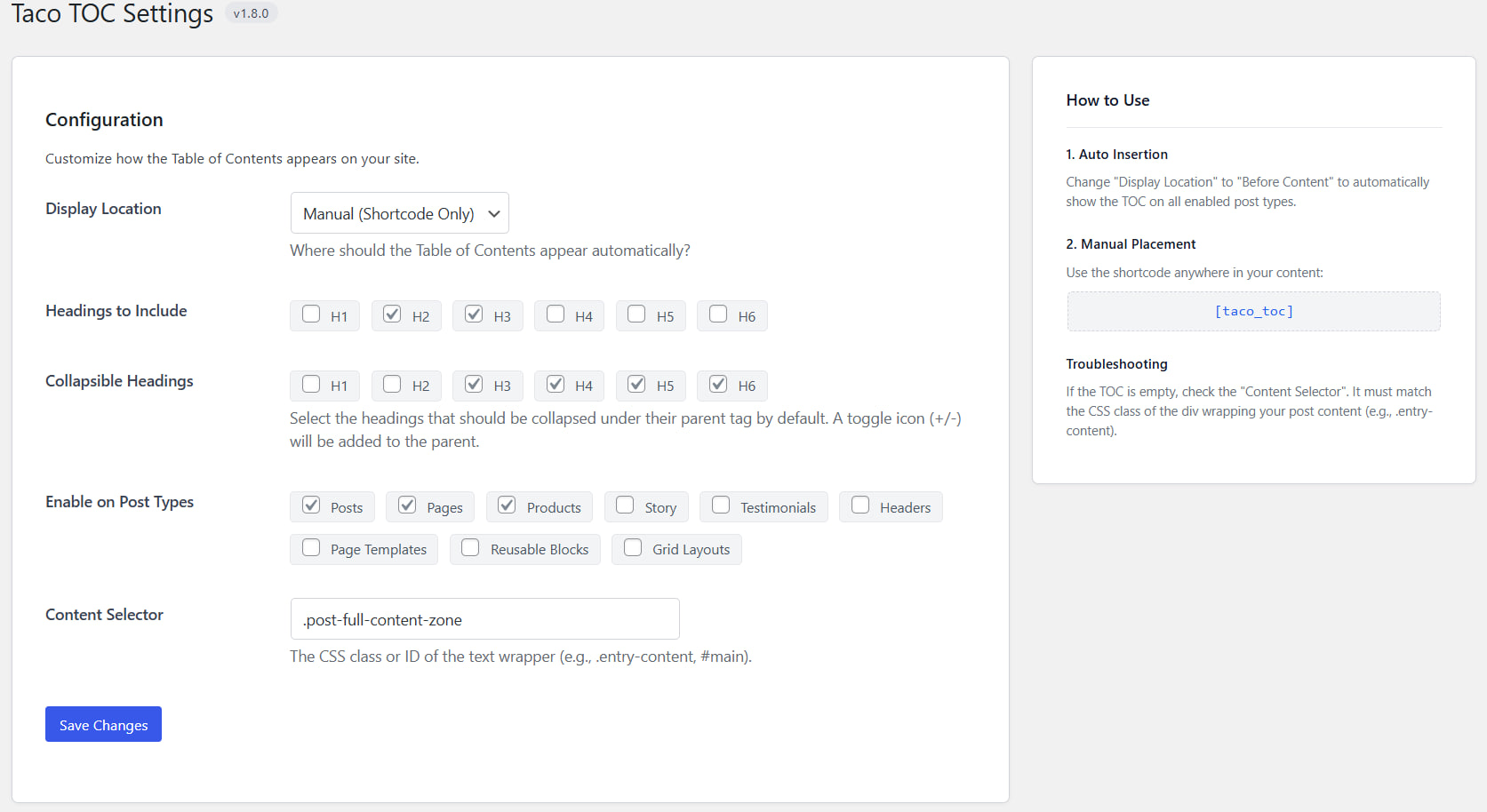
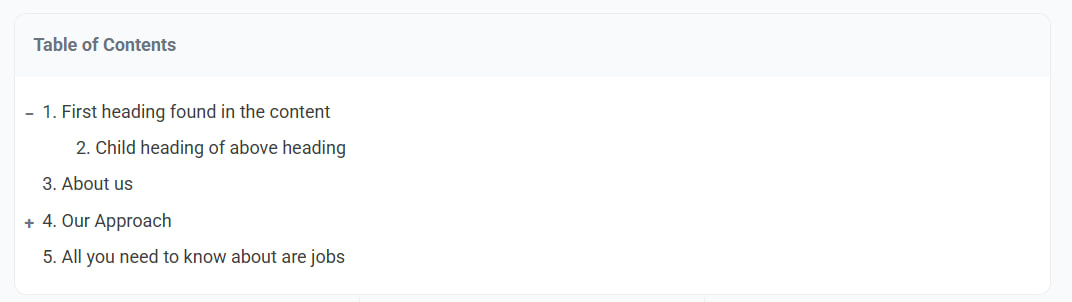
Collapsible Headings: Optionally select which headings should collapse under their parent tag by default
Scroll Spy: Highlights the active section in the TOC as the user scrolls down the page.
Skeleton Loader: Displays a smooth loading animation while the JavaScript calculates heading positions.
Modern Admin UI: Easy to use settings page with built-in help guide.
Smart Scrolling: Automatically jumps to the correct heading on page load if a hash is present in the URL.
Installation
Upload the taco-table-of-contents folder to the /wp-content/plugins/ directory.
Activate the plugin through the ‘Plugins’ menu in WordPress.
Go to Settings > Taco TOC to configure the plugin.
(Optional) Choose “Auto Insert – Before Content” to show the TOC on all allowed post types immediately.
Frequently asked questions
How do I display the Table of Contents?
You can either: Go to Settings > Taco TOC and set “Display Location” to “Before Content”. Or use the shortcode [taco_toc] inside any post or page.
The TOC is empty, why?
Ensure your post has headings (e.g., H2, H3). Check Settings > Taco TOC and ensure the “Content Selector” matches your theme’s content wrapper class (e.g., .entry-content, .post-content, #main).
Can I use the shortcode even if Auto Insert is enabled?
Yes, the shortcode will always work. If you use the shortcode on a page where auto-insert is also active, you might see two tables.
Changelog
1.10.0
- Feature: Added Clean URLs & SEO Mode setting to eliminate URL anchor fragment indexation and keyword cannibalization.
- Added rel=”nofollow” to generated Table of Contents links to suppress crawler fragment mapping.
- Intercepted TOC link clicks with offset-aware smooth scrolling without mutating the browser address bar.
- Implemented automatic URL hash sanitization via history.replaceState on page load.
1.9.4
- Verified compatibility with WordPress 7.1.0 release.
- Updated “Tested up to” WordPress version tag to 7.1.
1.9.3
- Hardened option inputs and settings sanitization logic to prevent TypeErrors in PHP 8.x.
- Cast settings options to expected string/array types across settings and display files.
- Wrapped DOM query selectors in try…catch blocks to prevent unhandled JS exceptions from invalid inputs.
- Decoded Unicode URLs safely and handled URIErrors in hash scrolling.
- Added duplicate ID registry resolution to prevent duplicate element IDs on headings.
- Throttled scrollspy active highlighting with requestAnimationFrame for smooth and lag-free page scrolling.
1.9.2
- Added hierarchical section numbering with hyphenated subheadings (e.g., 2-1.).
- Refined list styling and layout alignment, setting default number color to #475569.
1.9.1
- Aligned settings UI checkboxes with WordPress coding standards using the checked() helper function.
- Added a direct settings link next to the plugin name on the Plugins list screen.
- Redesigned and modernized the admin settings card dashboard and the frontend Table of Contents container with premium visual styling.
- Created structured project documentation files (overview, features, changelog).
1.9.0
- Modernized PHP code and verified PHP 7.4+ compatibility.
- Refactored asset loading to unconditionally register scripts/styles. This resolves a bug where shortcodes used on pages without auto-insertion enabled would fail to load CSS/JS and show a stuck skeleton.
- Styled the ordered list numbers using inside list-style position, preventing sequence numbers from overflowing the container edge.
- Fixed toggle clipping bug on container edge due to overflow: hidden by using absolute positioning inside relative padding.
- Implemented Unicode-aware slug generation supporting global and accented characters.
- Polished scrollspy highlighting logic for the bottom-of-page edge case.
- Cleaned up redundant styles and procedural functions to keep the plugin clean and steady.
Screenshots
For developers
Is this your plugin? Show off the numbers.
Add a live badge to your site, docs or GitHub README. It updates on its own — no account needed.
Best Taco Table of Contents alternatives
All contents plugins →


FAQ
Taco Table of Contents: quick answers
Straight answers, pulled from live WordPress.org data.
Live data from WordPress.org · checked Oct 2, 2026
Is Taco Table of Contents free?
Yes. Taco Table of Contents is free to download and use from the official WordPress.org plugin directory.
Is Taco Table of Contents safe to use in 2026?
Taco Table of Contents is a solid plugin choice in 2026, with a few things worth checking first. Was last updated 6 days ago, and scores 64/100 on our health check.
How many websites use Taco Table of Contents?
Taco Table of Contents is active on <10 WordPress websites and has been downloaded 681 times since it launched in February 2026. It was downloaded 114 times in the last 30 days.
Does Taco Table of Contents work with WordPress 7.1?
Yes. The developer has tested Taco Table of Contents up to WordPress 7.1.2, the latest release. It requires WordPress 5.0 or newer.
What PHP version does Taco Table of Contents need?
Taco Table of Contents requires PHP 7.4 or higher. Most hosts run PHP 8.x today, so it works on any modern WordPress hosting.
When was Taco Table of Contents last updated?
The latest version, 1.10.0, was released on September 26, 2026 (6 days ago).
Who makes Taco Table of Contents?
Taco Table of Contents is developed and maintained by micromax.
What are the best alternatives to Taco Table of Contents?
The most popular alternatives to Taco Table of Contents are Schedule Content Block (400+ installs), Replace Contents (200+ installs) and Treeview On Contents (40+ installs).
Powered by PageForge
Want thousands of pages that rank like these? Build them in an afternoon.
This directory runs on the same engine as PageForge. Turn any spreadsheet, CSV or API into thousands of fast, SEO-ready WordPress pages — with schema, internal links and AI-written copy baked in.
- CSV, Google Sheets & API data sources
- AI content, schema & internal links per page
- Works with Elementor, Gutenberg, Yoast & Rank Math
- Free on WordPress.org — no credit card


