



Sync Forms with Brilliant Directories
Easily sync WordPress form submissions to Brilliant Directories with the ‘Sync Forms with Brilliant Directories’ plugin. Automatically create Members and Leads using Contact Form 7, WPForms, Ninja Forms, Gravity Forms…

Solid choice
Sync Forms with Brilliant Direc… is a solid plugin choice in 2026, with a few things worth checking first. Is rated 5/5 and was last updated 2 months ago, and scores 67/100 on our health check.
- Tested with the latest WordPress (7.1)
- Small user base (<10 active installs)
- Very few reviews so far
How does it stack up?
Side-by-side on installs, updates, ratings & support


Daily downloads
Download spikes usually follow a new release — each site that auto-updates counts as a download.
Rankings
Where Sync Forms with Brilliant D… stands todayWordPress.org search rankings
Live position in the plugin search, top 100| Keyword | Position |
|---|---|
| brilliant directories | #2 |
| contact form 7 | >100 |
| form plugin | >100 |
| lead generation | >100 |
| Sync data | >100 |
Rating breakdown
★★★★★★★★★★ 5 from 1 reviews
About Sync Forms with Brilliant Directories
From the official readme · v1.3.2Description
Easily sync WordPress form submissions to Brilliant Directories with the ‘Sync Forms with Brilliant Directories’ plugin. Automatically create Members and Leads using Contact Form 7, WPForms, Ninja Forms, Gravity Forms, Elementor Forms, and more plugin support coming soon. Just install, connect your BD account, and start syncing. Don’t have a BD account? Activate your free trial here: https://www.brilliantdirectories.com/trial.
Key Benefits for WordPress Users
- Boost Community Engagement – Automatically create Members or Leads in your Brilliant Directories site from WordPress form submissions.
- Effortless Lead Capture – Build high-converting landing pages in WordPress to collect leads and register members directly into your BD database.
- Reliable Data Storage – Unlike some form plugins, every submission is saved in your BD database for centralized access and management.
- Seamless Plugin Integration – Currently supports Contact Form 7, with WPForms, Ninja Forms, and Gravity Forms coming soon.
- Enhanced Tracking Capabilities – Pass UTM parameters, campaign IDs, and other custom data with each submission to power your analytics.
- Quick, No-Code Setup – Connect your form plugin and BD account in minutes—no technical skills required.
Key Features
- Automatic Member/Lead Creation – Instantly generate Members or Leads in BD from WordPress form submissions.
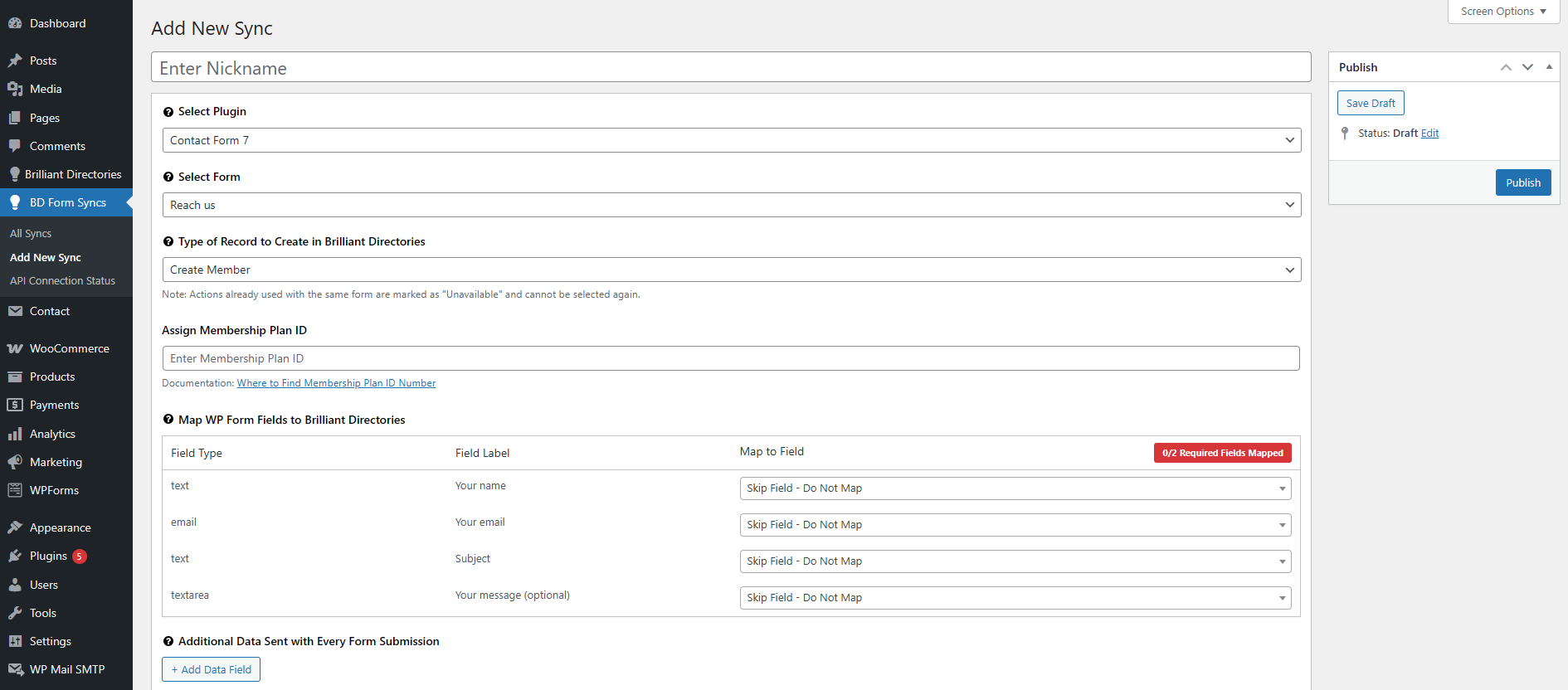
- Custom Field Mapping – Map WP form fields to BD fields, including custom fields and SEO metadata.
- Multi-Plugin Support – Works with Contact Form 7. Support for WPForms, Ninja Forms, and Gravity Forms is coming soon.
- Manual & Scheduled Syncs – Choose instant syncing or set automated schedules to keep your BD site updated.
- Landing Page Integration – Sync submissions from WordPress landing pages directly into BD in real time.
- Intuitive Admin Interface – Easily manage sync settings from your WordPress dashboard—no coding needed.
External Services
This plugin embeds an iframe from Brilliant Directories to provide tutorial videos, FAQs, and additional plugin-related information within the plugin settings page.
Service: Brilliant Directories
What data is sent:
When accessing the plugin settings page, the plugin loads an iframe from https://get.brilliantdirectories.com/wordpress-form-sync-plugin-iframe.
This iframe may load resources such as Google Fonts, YouTube videos, and stylesheets from external sources.
A session management cookie is set by Brilliant Directories for maintaining session security.
Privacy & Terms:
Brilliant Directories Privacy Policy
Brilliant Directories Terms of Service
Support
If you have any issues or need help, please visit our support forum or contact us at support@brilliantdirectories.com.
Installation
- Upload the plugin files to the
/wp-content/plugins/sync-forms-with-brilliant-directoriesdirectory, or install the plugin through the WordPress plugin screen. - Activate the plugin through the ‘Plugins’ screen in WordPress.
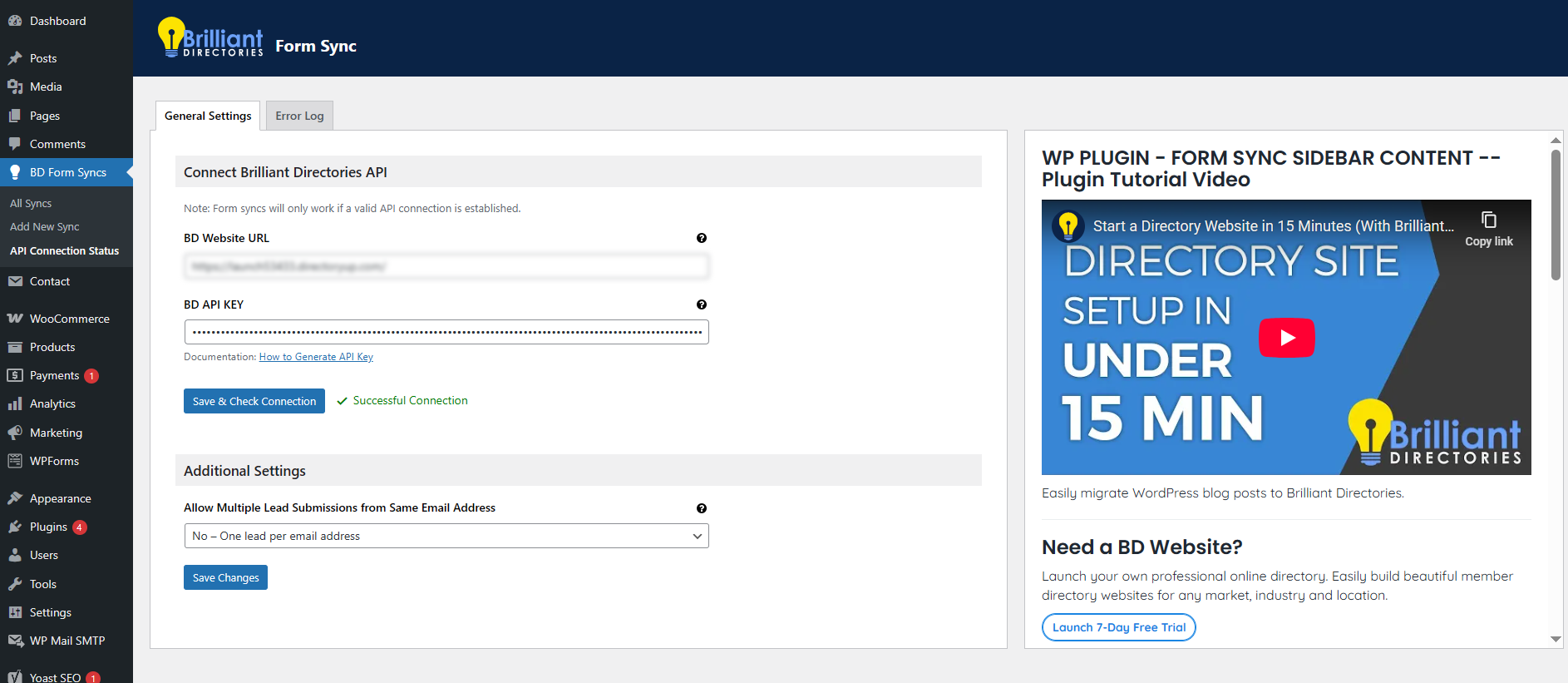
- Go to the plugin settings page by navigating to Brilliant Directories in the WordPress admin sidebar.
- Add your Brilliant Directories API key and configure other necessary settings.
Frequently asked questions
Do I need a Brilliant Directories account to use this plugin?
Yes, a Brilliant Directories account is required to sync your WordPress form submissions. You can create a free account at https://www.brilliantdirectories.com/free-trial.
Where do I generate my Brilliant Directories API key?
You can generate your API key from your Brilliant Directories dashboard. Follow this guide: How to Generate API Key.
Where can I report an issue or request a new feature?
Once the plugin is installed, you can submit feedback and report issues directly from the plugin settings. Our team prioritizes critical issues and popular feature requests.
Will previous form submissions be synced when I install the plugin?
No, past form submissions will not be synced. However, once the plugin is set up, it will immediately begin syncing new form submissions from the connected forms.
What happens if a record already exists on BD?
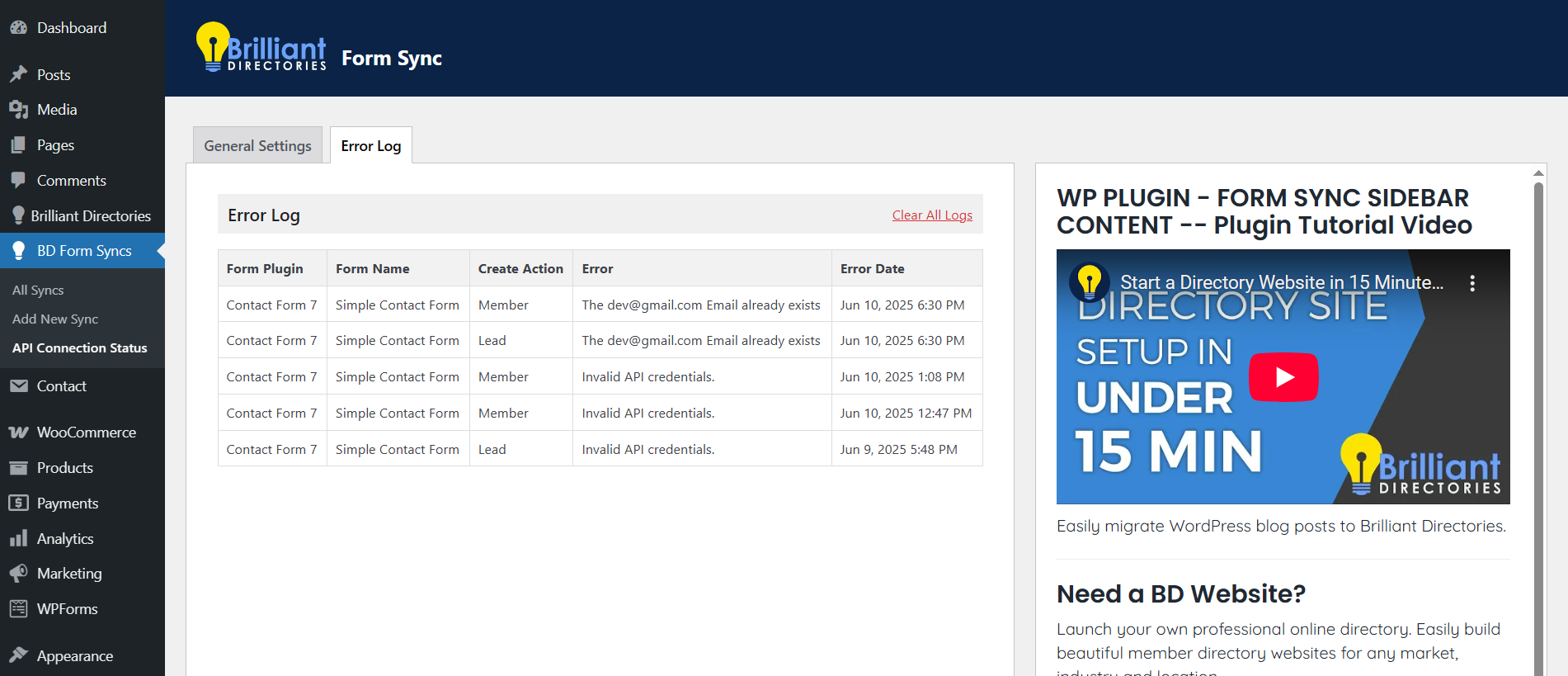
The plugin will skip any submissions where the email address already exists on your Brilliant Directories site, preventing duplicate records.
How does the syncing process work?
The plugin syncs form submissions to your Brilliant Directories site automatically based on the settings you configure, including field mapping and custom data.
How do I map fields from my WP form to Brilliant Directories?
In the Field Mapping section, you can map each form field from WP to the corresponding field in BD. This ensures accurate data transfer from your forms to BD.
Can I add custom data with each form submission?
Yes, you can add custom fields (such as UTM parameters) to be passed along with each submission. This data will be transferred to BD along with the form submission.
What happens if I choose the same action for the same form?
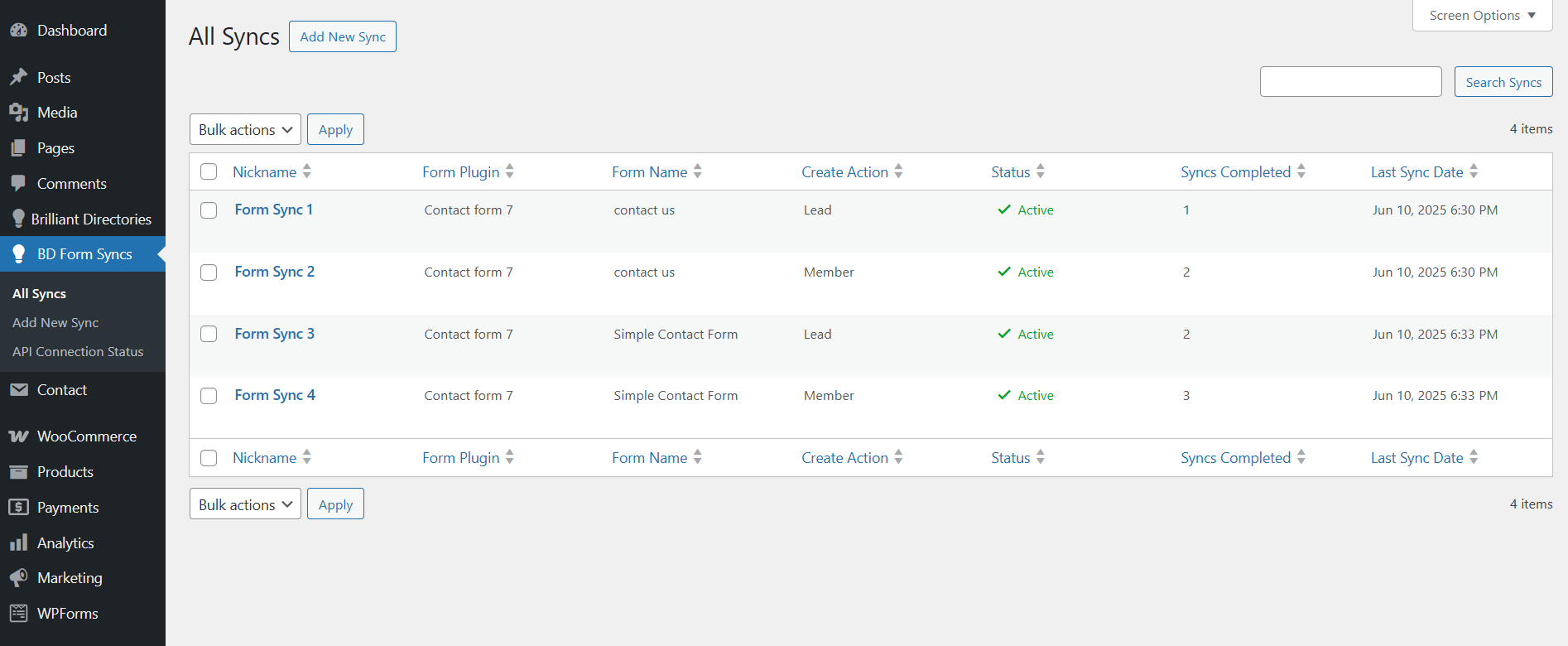
You cannot select the same Create Action (e.g., Member or Lead) for the same form. If an action already exists for the form, it will be automatically disabled to prevent duplication.
Does this plugin support WordPress Multisite?
Currently, the plugin is not tested on WordPress Multisite, but we may add support in a future update.
What happens if I disable the plugin?
If you disable the plugin, the syncing process will stop, but all previously synced records will remain on your Brilliant Directories site.
Changelog
Initial release, no upgrade needed.
1.3.2
- WordPress version compatibility update.
1.3.1
- WordPress version compatibility update.
1.3.0
- Integrated Elementor Forms support for syncing form submissions.
1.2.1
- Bug fixes and improvements.
1.2.0
- Integrated Gravity Forms support for syncing form submissions.
1.1.0
- Integrated Ninja Forms support for syncing form submissions.
- API Field Validation Improvements: Enhanced validation logic for API fields to ensure more accurate and secure data handling.
Screenshots
For developers
Is this your plugin? Show off the numbers.
Add a live badge to your site, docs or GitHub README. It updates on its own — no account needed.
Best Sync Forms with Brilliant Dir… alternatives
All brilliant directories plugins →FAQ
Sync Forms with Brilliant Directori…: quick answers
Straight answers, pulled from live WordPress.org data.
Live data from WordPress.org · checked Oct 17, 2026
Is Sync Forms with Brilliant Direc… free?
Yes. Sync Forms with Brilliant Direc… is free to download and use from the official WordPress.org plugin directory.
Is Sync Forms with Brilliant Direc… safe to use in 2026?
Sync Forms with Brilliant Direc… is a solid plugin choice in 2026, with a few things worth checking first. Is rated 5/5 and was last updated 2 months ago, and scores 67/100 on our health check.
How many websites use Sync Forms with Brilliant Direc…?
Sync Forms with Brilliant Direc… is active on <10 WordPress websites and has been downloaded 952 times since it launched in June 2025. It was downloaded 60 times in the last 30 days.
Does Sync Forms with Brilliant Direc… work with WordPress 7.1?
Yes. The developer has tested Sync Forms with Brilliant Direc… up to WordPress 7.1.3, the latest release. It requires WordPress 5.6 or newer.
When was Sync Forms with Brilliant Direc… last updated?
The latest version, 1.3.2, was released on August 14, 2026 (2 months ago).
Who makes Sync Forms with Brilliant Direc…?
Sync Forms with Brilliant Direc… is developed and maintained by Brilliant Directories.
What are the best alternatives to Sync Forms with Brilliant Direc…?
The most popular alternatives to Sync Forms with Brilliant Direc… are Export Posts to Brilliant D… (10+ installs), Brilliant Directories Sync… (<10 installs) and Brilliant Directories Site… (<10 installs).
Powered by PageForge
Want thousands of pages that rank like these? Build them in an afternoon.
This directory runs on the same engine as PageForge. Turn any spreadsheet, CSV or API into thousands of fast, SEO-ready WordPress pages — with schema, internal links and AI-written copy baked in.
- CSV, Google Sheets & API data sources
- AI content, schema & internal links per page
- Works with Elementor, Gutenberg, Yoast & Rank Math
- Free on WordPress.org — no credit card


