


Stock Locations for WooCommerce
This plugin will help you to manage WooCommerce Products stocks through locations.

Safe pick
Yes — Stock Locations for WooCommerce is a safe, well-maintained plugin to use in 2026. It runs on 900+ sites, is rated 4.8/5 and was last updated 2 months ago, and scores 81/100 on our health check.
- Loved by users — 4.8/5 from 53 reviews
- Small user base (900+ active installs)
How does it stack up?
Side-by-side on installs, updates, ratings & supportDaily downloads
Download spikes usually follow a new release — each site that auto-updates counts as a download.
Rankings
Where Stock Locations for WooComm… stands todayWordPress.org search rankings
Live position in the plugin search, top 100| Keyword | Position |
|---|---|
| simple product | >100 |
| stock | #4 |
| stock locations | #1 |
| Variable Products | #46 |
| woocommerce | >100 |
Version adoption
Share of active sites per release.
Rating breakdown
★★★★★★★★★★ 4.8 from 53 reviews
About Stock Locations for WooCommerce
From the official readme · v3.2.1Description
Stock Locations for WooCommerce will help you manage your products stock across multiple locations easily. If you have multiple physical stores or storage locations, like warehouses, this plugin may help you.
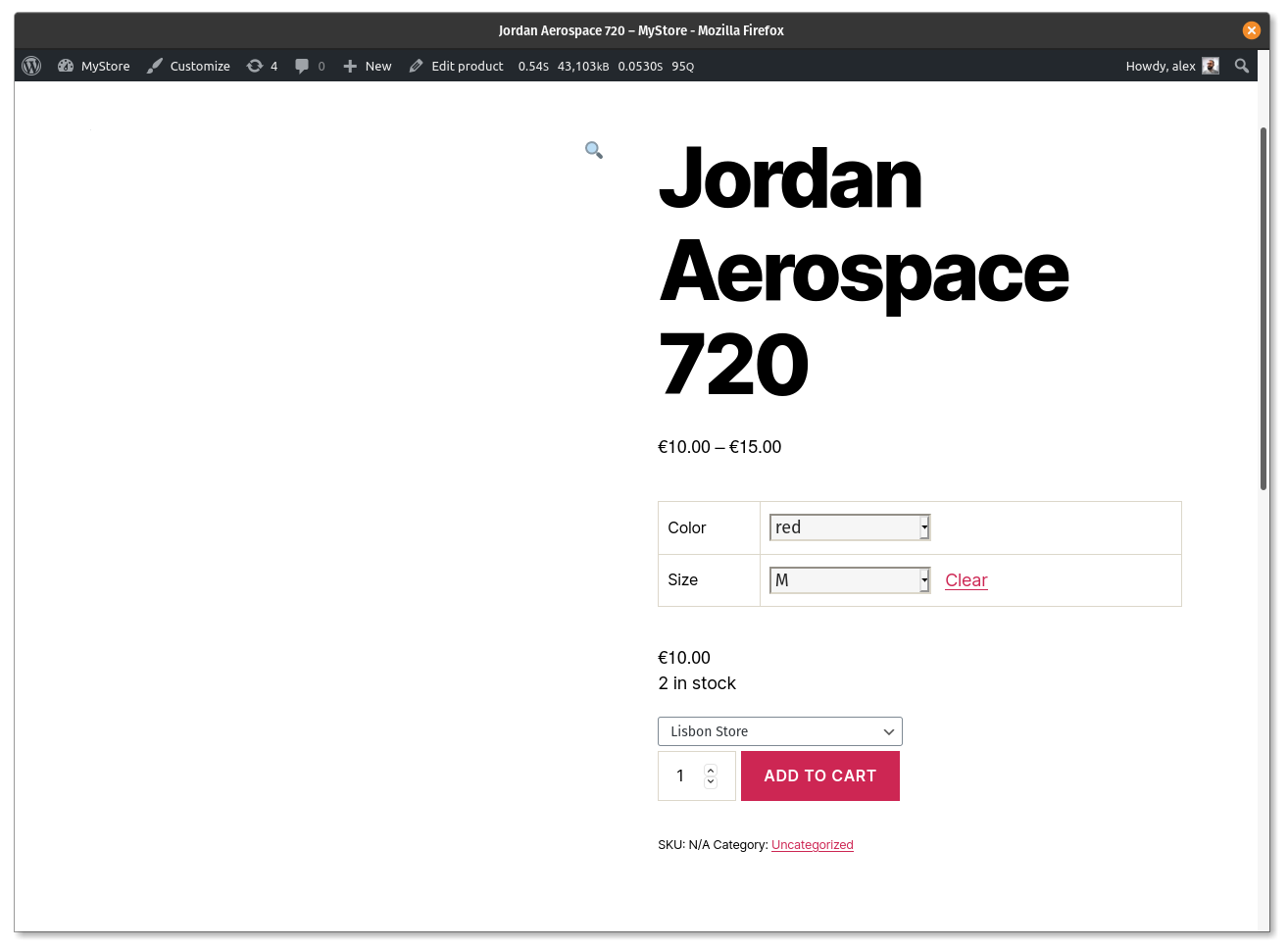
You can print the locations inside a product page on the frontend, with this shortcodes:
Product pages
[slw_product_locations show_qty="yes" show_stock_status="no" show_empty_stock="yes" collapsed="no" stock_location_status="enabled"]
[slw_product_variations_locations show_qty="yes" show_stock_status="no" show_empty_stock="yes" collapsed="yes" stock_location_status="all|disabled|enabled"]
[slw_product_message is_available="yes" only_location_available="no" location="location-slug"]Your custom product message/HTML here[/slw_product_message]
Cart page
[slw_cart_message qty_from_location="location-slug" only_location_available="no"]Your custom cart message/HTML here[/slw_cart_message]
REST API
REST API endpoints (both accept GET and PUT requests):
/wp-json/wc/v3/products/id
/wp-json/wc/v3/products/id/variations/id (first ID is for parent product, the second one for the variation ID)
/wp-json/wp/v2/location/
/wp-json/wp/v2/location/id
This plugin requires at least WooCommerce 3.4.
Features
- New taxonomy for stock locations
- Works on both, simple and variable products
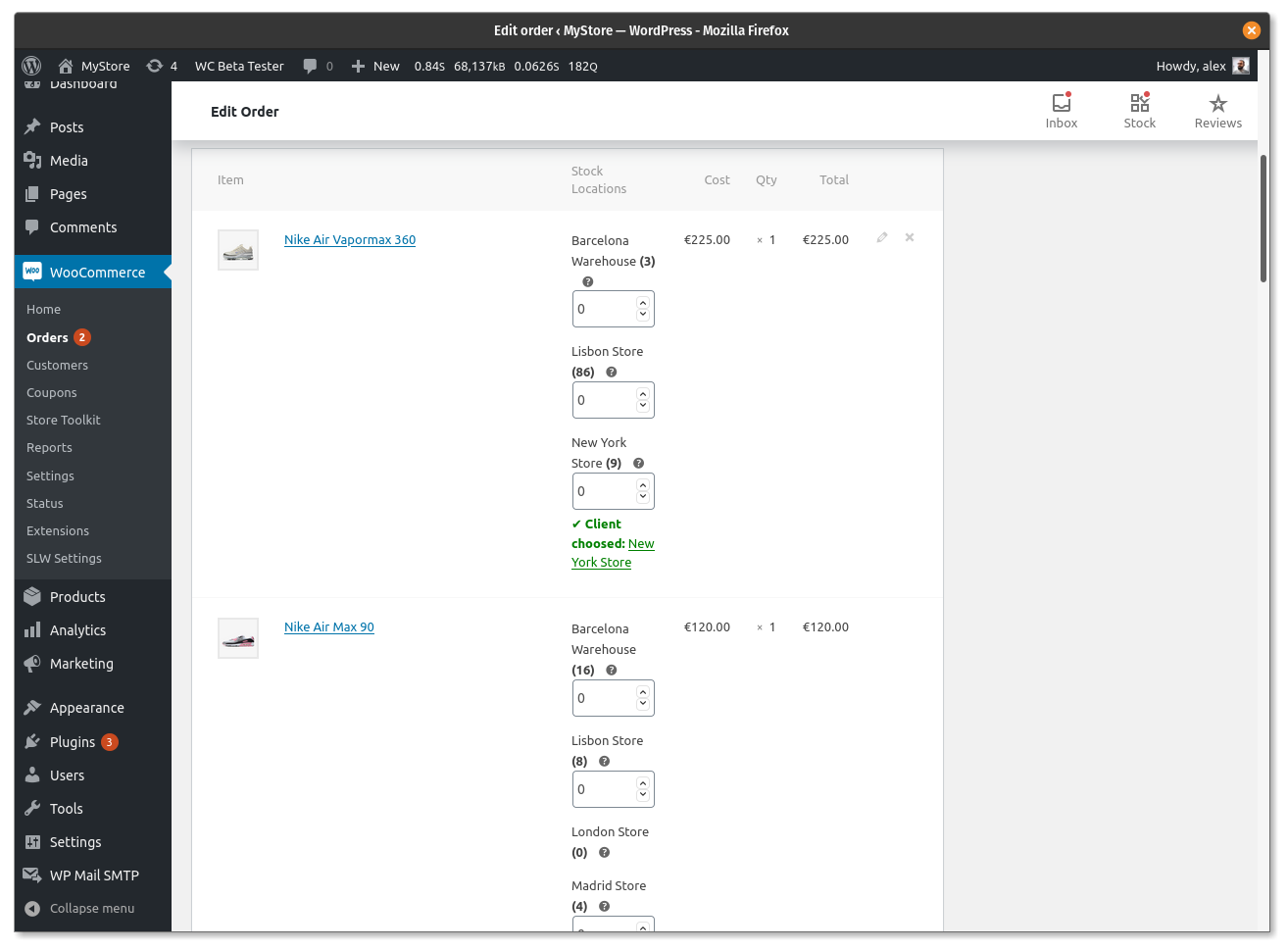
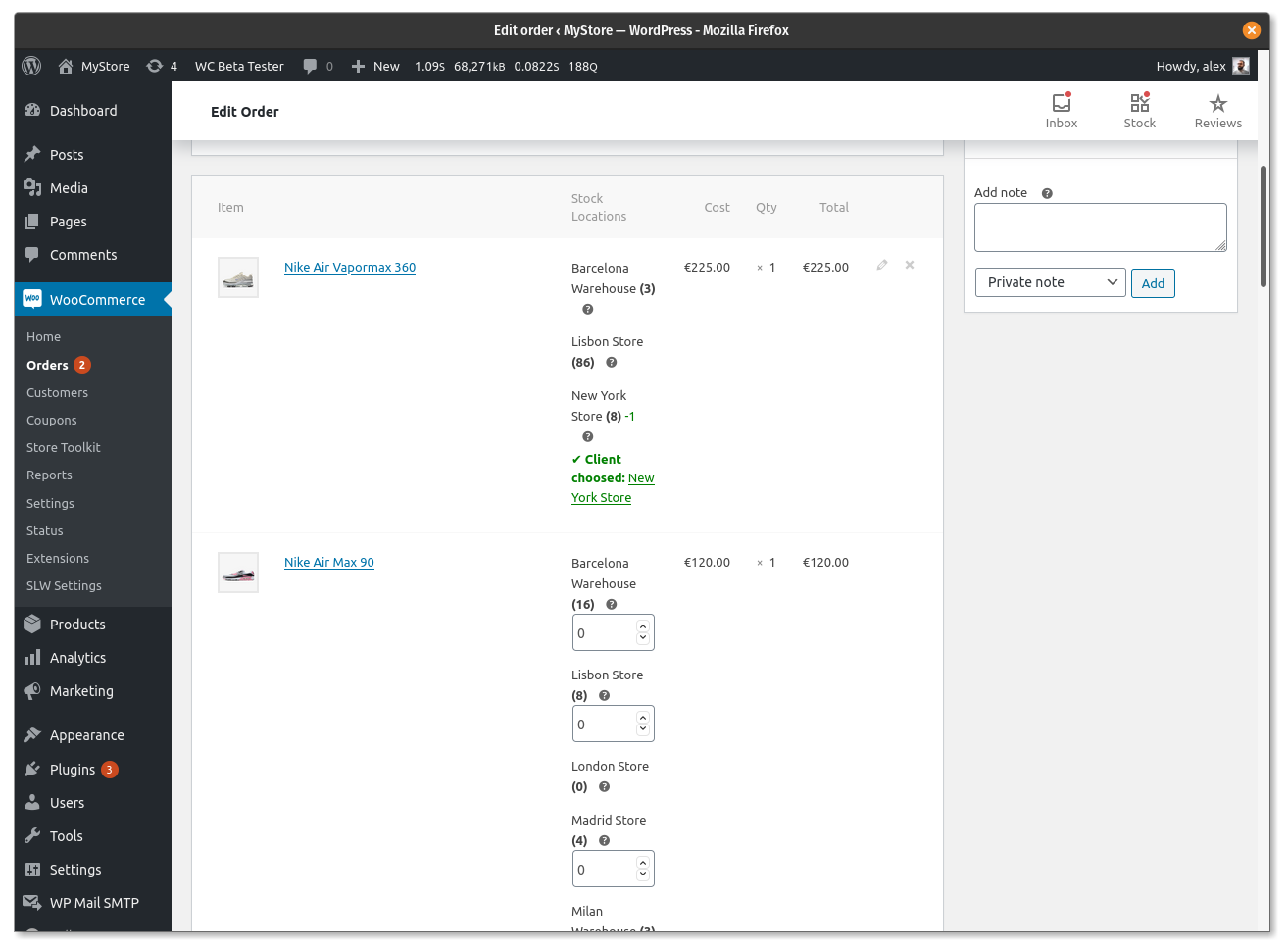
- Easy management of stock with multiple locations, both in product and orders
- Get and update product stock locations from the REST API
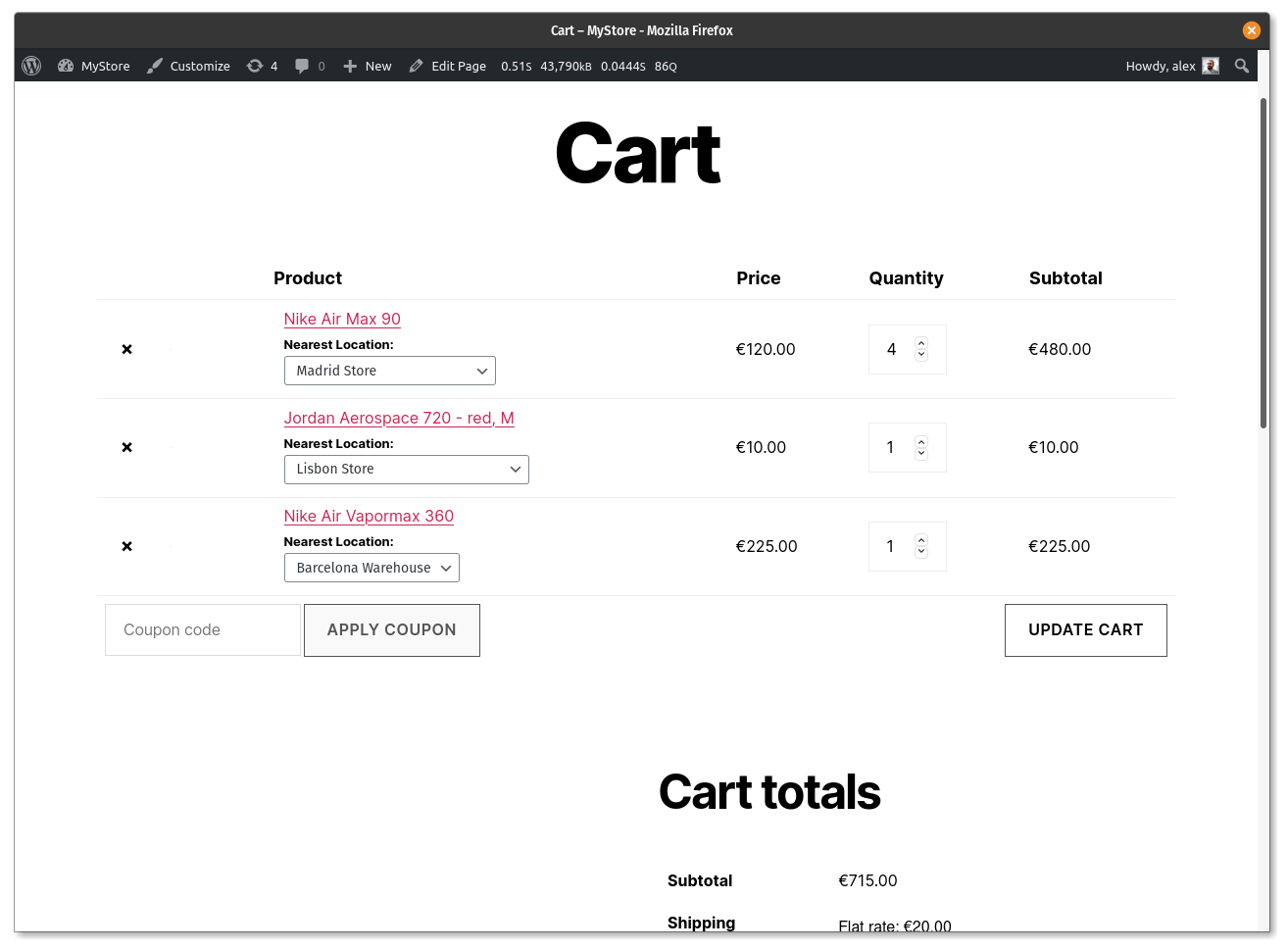
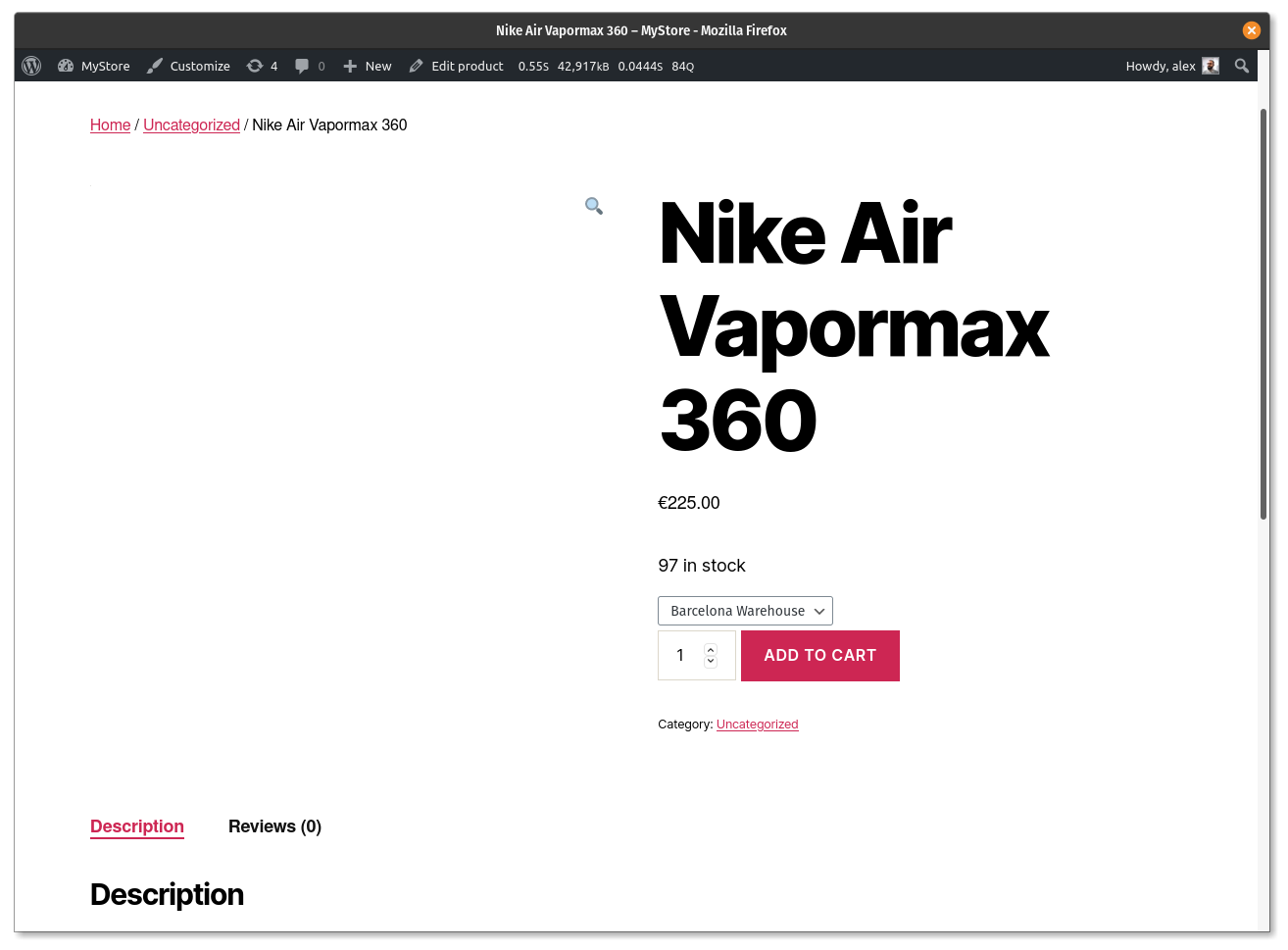
- Allow customers to select locations when purchasing
- Auto order allocation for locations stock reduction
- Send email notifications when stock is allocated for a product in a location
- Send WooCommerce New Order email copy to item location
- Compatible with WPML
Compatibility
- PHP 7.2+
Installation
- Upload “stock-locations-for-woocommerce” to the “/wp-content/plugins/” directory.
- Check if you have WooCommerce 3.4+ plugin activated
- Activate SLW plugin through the “Plugins” menu in WordPress.
Simple Products
- Assign Stock Locations to the product > Update Post
- Under Inventory Tab > Activate Manage Stock
- Under Stock Locations Tab > Manage the stock for the locations
Variable Products
- Assign Stock Locations to the product > Update Post
- Under Inventory Tab > Deativate Manage Stock
- Under Attributes Tab > Create attributes
- Under Variations Tab > Create variations based on attributes
- In each variation > Activate Manage Stock & Add Price > Update Post
- Under Stock Locations Tab > Manage the stock for the locations for each variation
Frequently asked questions
Problems with wp all import?
👉 1. How can we make them activate automatically during the import process? If you want to make them active, in Import settings check “Taxonomies (incl. Categories and Tags)”, under this chose “Update only these taxonomies, leave the rest alone” and type “location” Use this with “custom fields: _stock_at_xxx” as warehouse number and import works perfectly.
Stock Locations | Stock Deductions | Settings and Results
👉 1. How auto order allocation work with multiple stock locations? 👉 2. How location priority work with auto order stock allocation? 👉 3. What if all of my locations don’t have the sufficient stock ordered? If order quantity is within the summation of all stock locations available stock quantity, it will be simply served. If not, auto allocation will not work so admin can decide if he want to deliver the order partially or wait for stock comes in. 👉 4. How location email works? 👉 5. Do you want to sell products from only one stock location? 👉 6. How to make location selection required on cart…
How to lock pre-selected location on frontend?
Turn ON “Enable default location in frontend selection” from WooCommerce > Stock Locations for WC. This option will allow you to select default location for a product on Product Edit page. Now turn ON “Lock frontend location to default” and it will lock frontend location which is selected as default.
I found a bug, where I can report it?
I prefer you to use the Github issues. You can submit a new one here GitHub
How to show location stock quantity with a postfix e.g. 20+?
On settings page you can define a number. If location stock value will be less than the given number, it will display the stock value else will not show the exact number but a plus sign “+” just after the maximum number given.
Changelog
This release fixes a critical issue where variable products were displaying as out of stock despite having available inventory. After updating, variable products will correctly reflect stock status without requiring manual stock entry for each variation in the location tab. Simple products already working with the "Everything stock status to instock" setting will continue to function normally. We highly recommend updating to restore proper stock display for your variable products.
3.1.7
- Fix: Variable products showing out of stock even when inventory exists – resolved stock status handling for variations without manual location stock entry [Thanks to Ben Croft][28/05/2026]
3.1.4
- Fix: Bug with variation stock status querying (PR #171). Variations were getting their is_in_stock queried, and reporting incorrectly they were out of stock. [Thanks to kennydude / Joe Simpson][30/04/2026]
3.1.1
- Fix: Corrected stock status calculation when all locations have zero stock to prevent false “in stock” state. [Thanks to @armanuniverse][06/04/2026]
- Fix: Ensured proper handling and saving of _stock_status (instock/outofstock) in database.
- Improvement: Replaced unreliable stock status checks with aggregated per-location stock calculation.
- Improvement: Standardized return values to boolean for accurate WooCommerce compatibility.
- Props: Thanks to armanuniverse for identifying and sharing the fix.
3.1.0
- Resolved ‘get_variation_default_attribute’ fatal error and out-of-stock display issue caused by Stock Locations plugin update, ensuring variable and simple products now show correct stock status. [Thanks to Renzo Westenbroek | Webreturn][12/03/2026]
3.0.9
- Fixed: Including API response and optimized approach to DB writes, backorder related status and a few more improvements suggested in support threads since October 2025. [07/03/2026]
3.0.8
- Fixed: Compatibility issue with Woodmart theme where early returns in slw_wp_head() prevented closing of tag, causing invalid HTML and breaking mobile viewport (meta viewport ignored, pages rendering in desktop mode on mobile). Refactored dynamic CSS output to collect rules first and only inject block when content exists; bumped hook priority to 20 for safer execution after theme styles. [Thanks to Spikee] [22/02/2026]
Screenshots
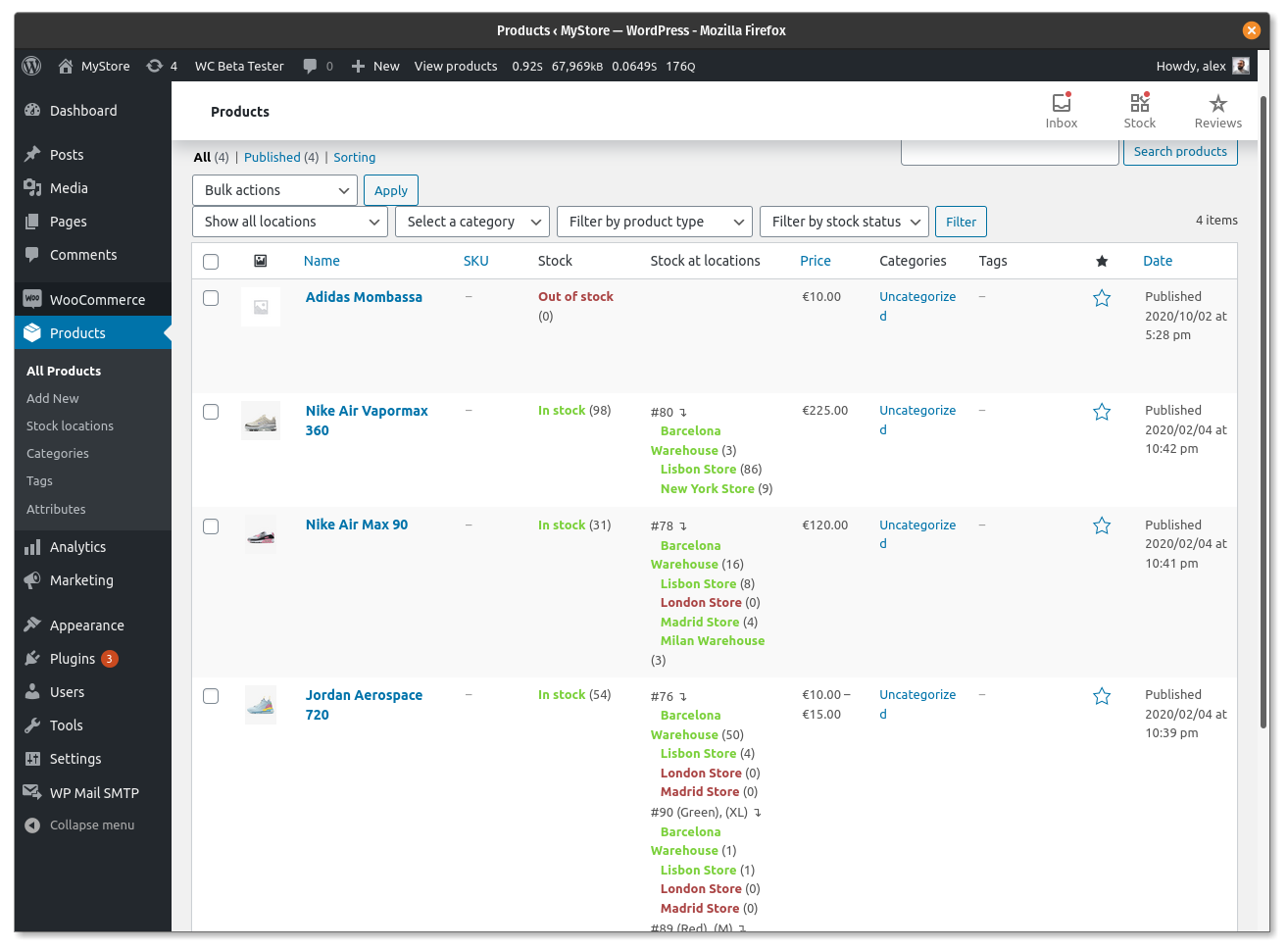
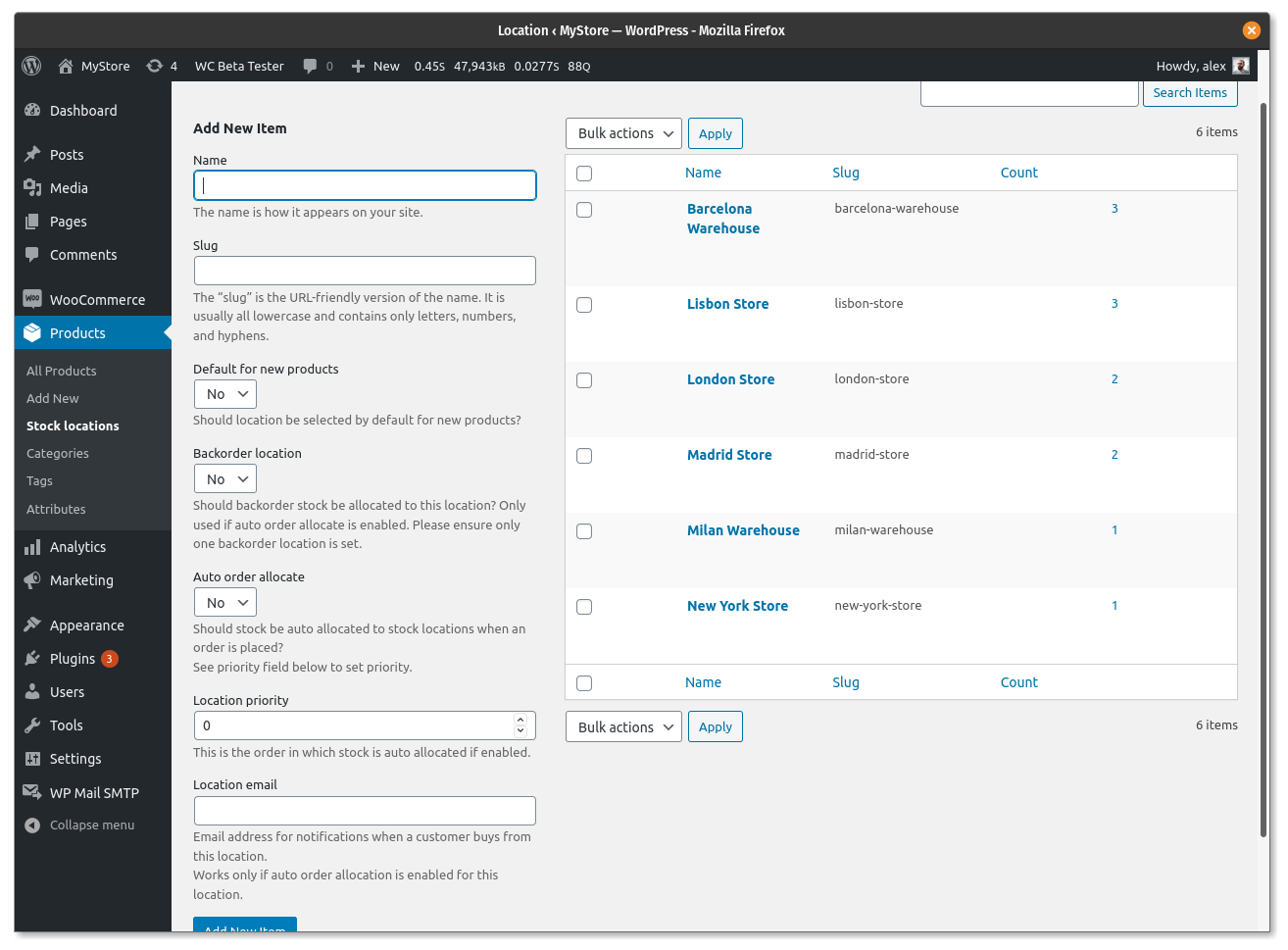
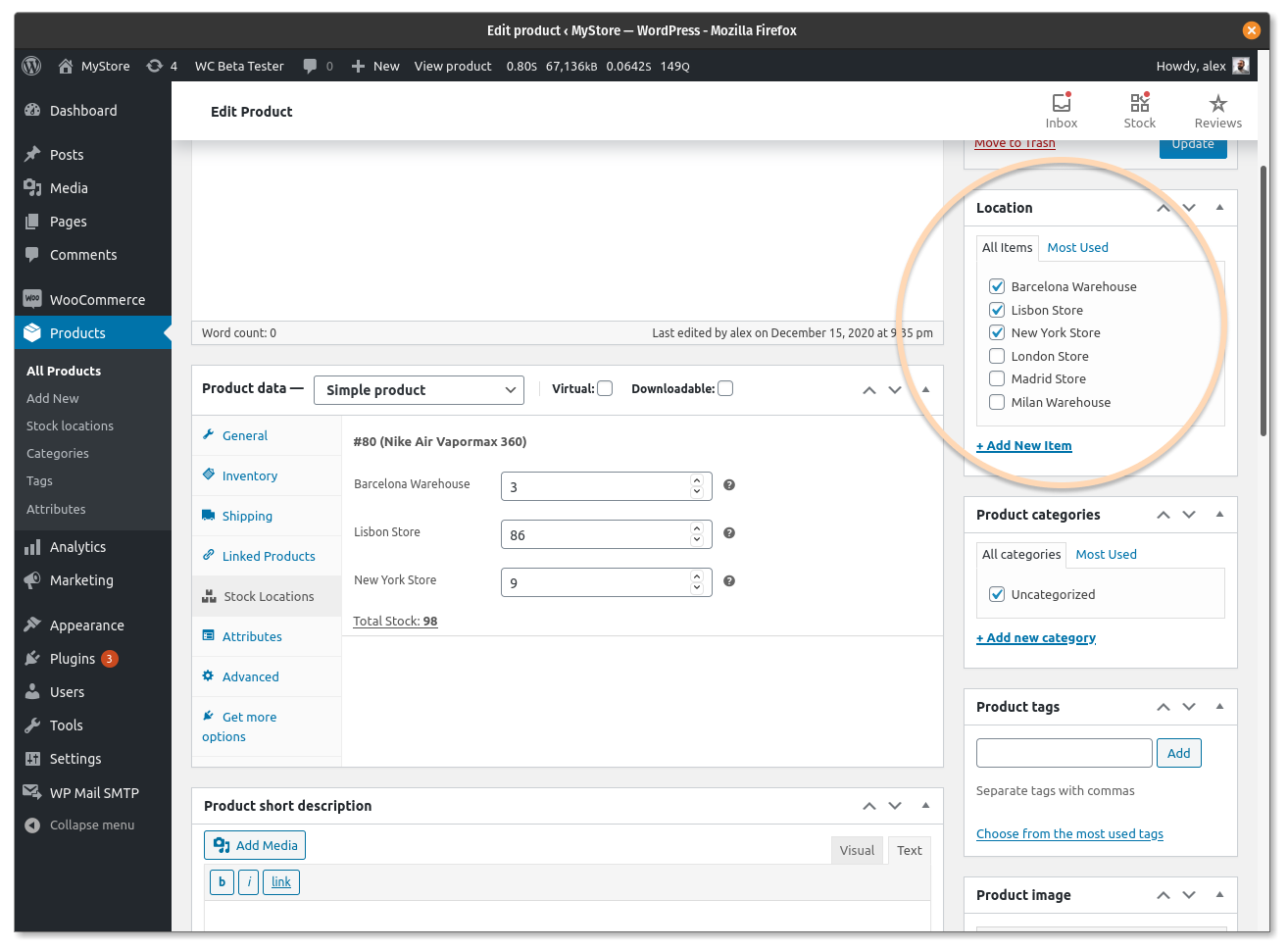
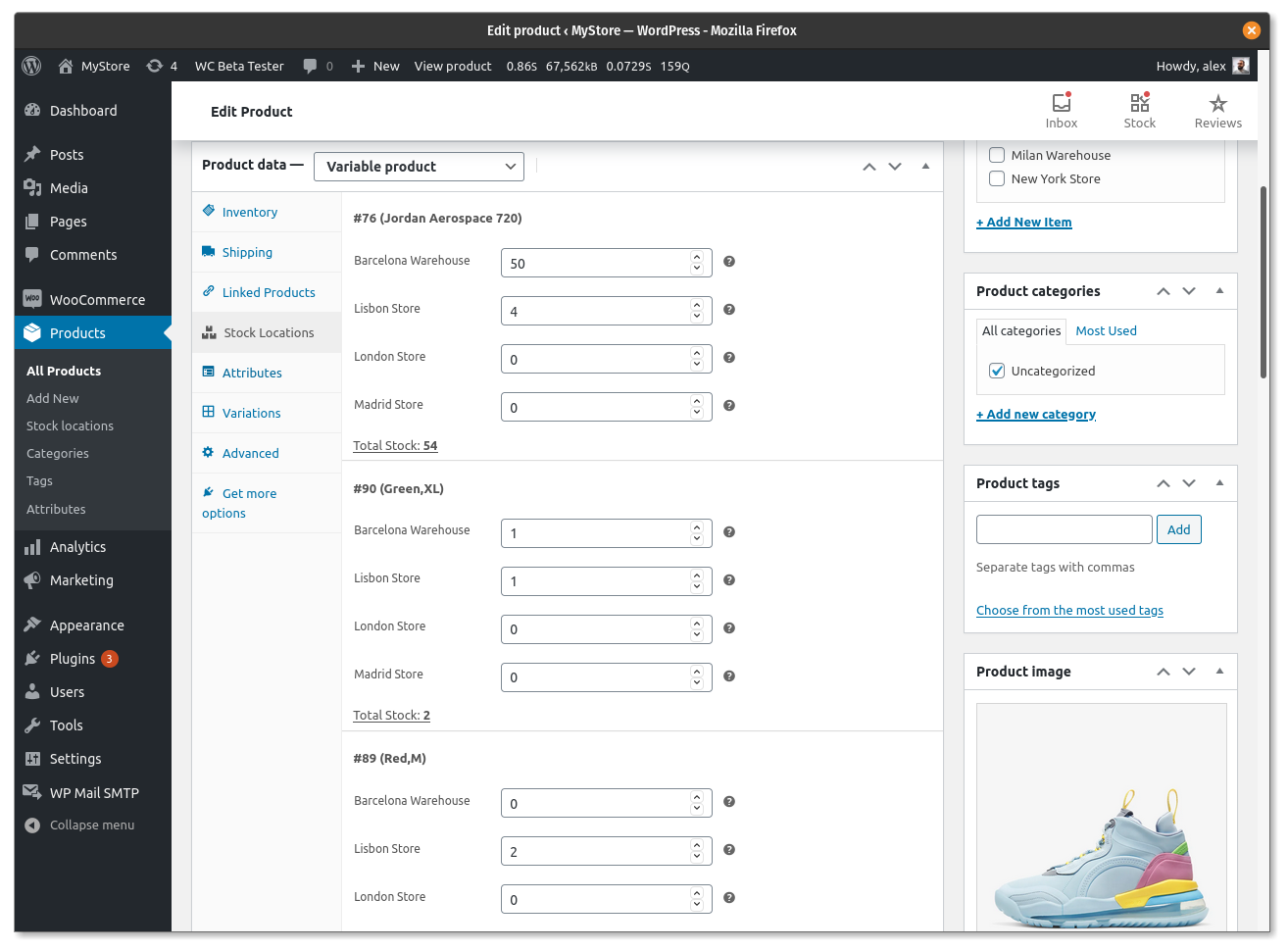
For developers
Is this your plugin? Show off the numbers.
Add a live badge to your site, docs or GitHub README. It updates on its own — no account needed.
Best Stock Locations for WooCommer… alternatives
All simple product plugins →| Rank | Plugin | Active installs |
|---|---|---|
| 2 |
 Similar Products
Add Similar products on Product Page.
Similar Products
Add Similar products on Product Page.
|
30+ |
| 3 |
 Free Bulk Price Update for Woocommerce
Short Description: Update WooCommerce product prices in bulk using increment, decrement…
Free Bulk Price Update for Woocommerce
Short Description: Update WooCommerce product prices in bulk using increment, decrement…
|
<10 |
FAQ
Stock Locations for WooCommerce: quick answers
Straight answers, pulled from live WordPress.org data.
Live data from WordPress.org · checked Oct 8, 2026
Is Stock Locations for WooCommerce free?
Yes. Stock Locations for WooCommerce is free to download and use from the official WordPress.org plugin directory.
Is Stock Locations for WooCommerce safe to use in 2026?
Yes — Stock Locations for WooCommerce is a safe, well-maintained plugin to use in 2026. It runs on 900+ sites, is rated 4.8/5 and was last updated 2 months ago, and scores 81/100 on our health check.
How many websites use Stock Locations for WooCommerce?
Stock Locations for WooCommerce is active on 900+ WordPress websites and has been downloaded 108,176 times since it launched in February 2020. It was downloaded 489 times in the last 30 days.
Does Stock Locations for WooCommerce work with WordPress 7.1?
Stock Locations for WooCommerce is officially tested up to WordPress 7.0.7, while the latest release is 7.1.3. It may still work, but try it on a staging site first.
What PHP version does Stock Locations for WooCommerce need?
Stock Locations for WooCommerce requires PHP 7.2 or higher. Most hosts run PHP 8.x today, so it works on any modern WordPress hosting.
When was Stock Locations for WooCommerce last updated?
The latest version, 3.2.1, was released on August 1, 2026 (2 months ago).
Who makes Stock Locations for WooCommerce?
Stock Locations for WooCommerce is developed and maintained by Fahad Mahmood.
What are the best alternatives to Stock Locations for WooCommerce?
The most popular alternatives to Stock Locations for WooCommerce are Similar Products (30+ installs) and Free Bulk Price Update for… (<10 installs).
Powered by PageForge
Want thousands of pages that rank like these? Build them in an afternoon.
This directory runs on the same engine as PageForge. Turn any spreadsheet, CSV or API into thousands of fast, SEO-ready WordPress pages — with schema, internal links and AI-written copy baked in.
- CSV, Google Sheets & API data sources
- AI content, schema & internal links per page
- Works with Elementor, Gutenberg, Yoast & Rank Math
- Free on WordPress.org — no credit card


