



STEL Order: sync orders, invoices and much more in your ERP
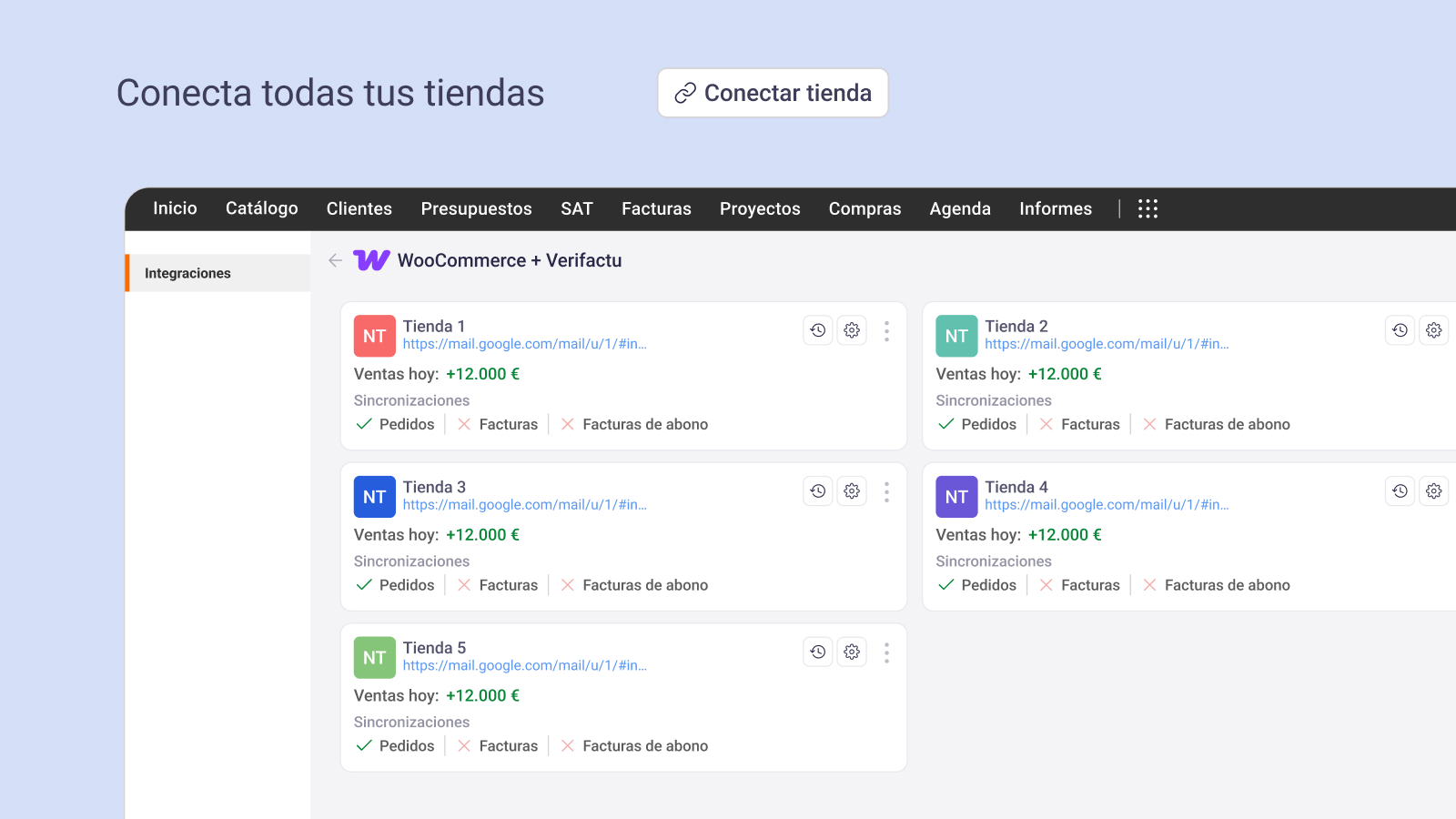
Connect WooCommerce with STEL Order and sync orders, invoices, customers and products.

Solid choice
STEL Order: sync orders, invoic… is a solid plugin choice in 2026, with a few things worth checking first. Was last updated 3 weeks ago, and scores 64/100 on our health check.
- Actively developed — last update 3 weeks ago
- Tested with the latest WordPress (7.1)
- Small user base (<10 active installs)
- Very few reviews so far
- Needs PHP 8.2 or newer
How does it stack up?
Side-by-side on installs, updates, ratings & support


Daily downloads
Download spikes usually follow a new release — each site that auto-updates counts as a download.
Rankings
Where STEL Order: sync orders, in… stands todayWordPress.org search rankings
Live position in the plugin search, top 100| Keyword | Position |
|---|---|
| customers | >100 |
| invoices | >100 |
| products | >100 |
| stock | >100 |
| verifactu | #20 |
About STEL Order: sync orders, invoices and m…
From the official readme · v1.1.0Description
Connect your WooCommerce store with your STEL Order account and synchronize business information between both platforms. Automate your online business
STEL Order is a cloud-based ERP, invoicing and e-commerce platform designed for freelancers and SMEs. This plugin is the official native integration between WooCommerce and STEL Order. Allowing your store to synchronize business information and stop entering data by hand, according to the services and synchronization options configured for your STEL Order account.
Whenever an order is created or updated in WooCommerce, the information can be synced automatically to STEL Order: the order is recorded, the invoice is generated and issued as Verifactu, and customer and product data are updated without manual work.
You keep selling. STEL Order takes care of the rest.
Open source and GPL compliance
This plugin is distributed under the GNU General Public License v2 or later.
In accordance with the GPL, the complete development source code for this plugin is publicly available and may be studied, modified and redistributed by third parties.
The public repository includes the source code, build scripts, Composer dependencies, development tools and documentation used to produce the distributed plugin package:
https://github.com/stelorder/stelorder
The JavaScript and CSS files under assets/js and assets/css are production bundles generated from the React + TypeScript source in src/react-admin-panel.
Those bundles also include our React component library @stelsolutions/stelorder-catalog. Its source code and build tools are available at:
https://github.com/stelorder/stelorder-catalog
Synchronization capabilities
The synchronization capabilities available through the plugin depend on the services and synchronization options configured for the connected STEL Order account.
Depending on your account configuration, the integration can operate with the following business information:
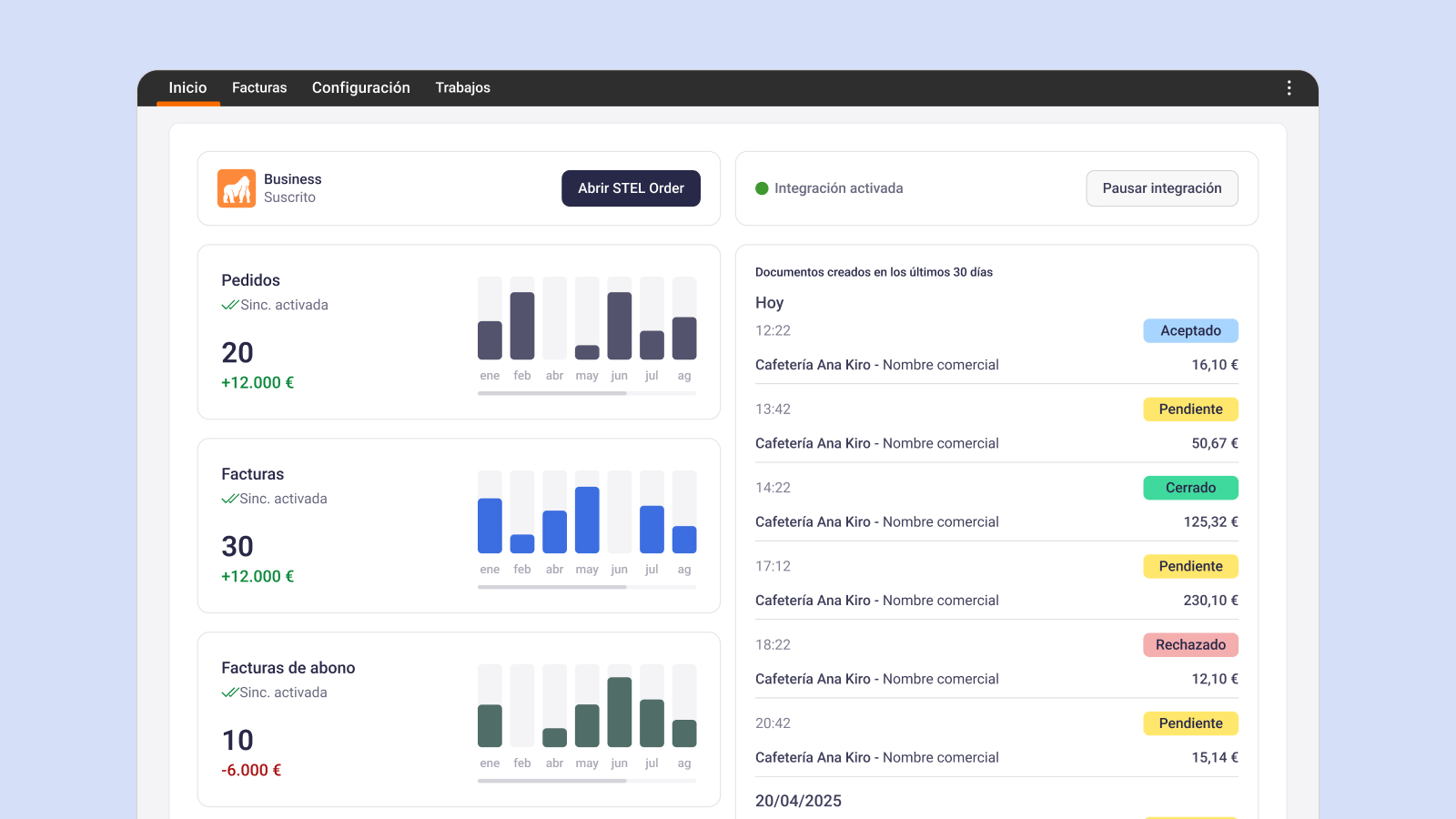
- Orders and invoices: standard invoices and credit notes, generated automatically or manually.
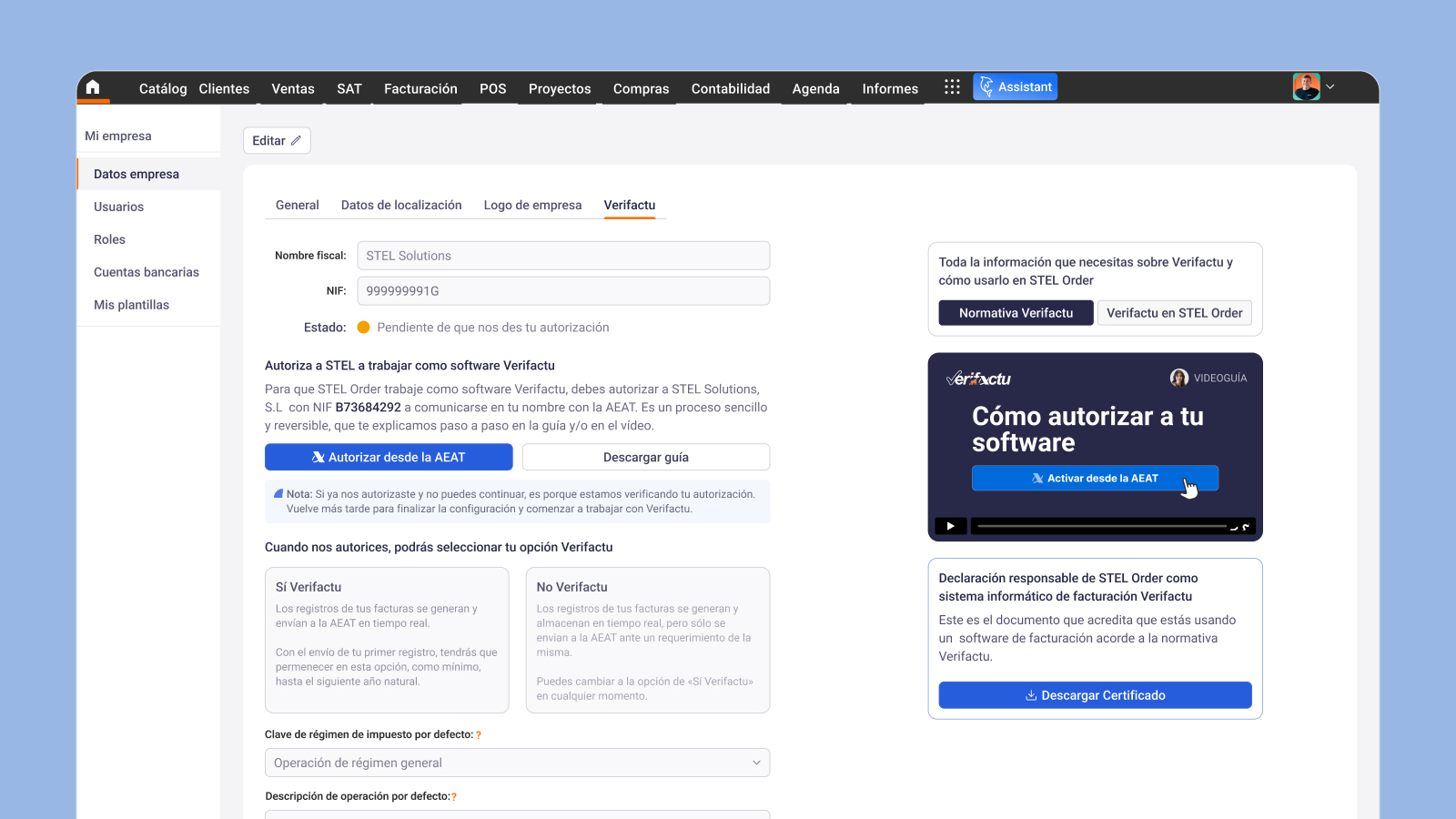
- Verifactu issuing: invoices can be issued according to your configuration.
- Customers: with automatic duplicate detection and handling.
- Products: including product images, variable products, also with duplicate handling.
- Stock synchronization.
- Automatic invoice issuing: at the time of purchase, configurable to fit your workflow.
- Compatible with custom WooCommerce order statuses: choose which status triggers the order or invoice in STEL Order.
- Branded invoices: logo, corporate colors and a custom template instead of WooCommerce’s generic invoice style.
- Series and references: for standard invoices, simplified invoices, credit notes, orders and customers.
- Invoice and PDF history: available from your WooCommerce dashboard.
Product and stock synchronization
When product synchronization is enabled for the connected STEL Order account, the integration can synchronize product information and stock between WooCommerce and STEL Order in real time and in both directions, allowing you to
- Two-way sync of products and stock: changes in STEL Order are reflected in WooCommerce, and vice versa.
- Configure the synchronization direction for supported fields. Choose exactly which fields to sync: name, price, barcode, stock, image, description, reference/SKU and warehouse.
- Works with variable products using size, color, format or any other attribute.
- Full control over which products are synced and under what criteria.
- Bulk synchronization of products, selecting them by category and using the field settings selected in the integration’s product settings for the synchronisation
Why STEL Order?
Because STEL Order has spent more than a decade helping freelancers and SMEs run their business. It is a trusted management and invoicing solution, with real human support and mobile apps for iOS and Android.
Make your business, and your life, easier with STEL Order. Together with this plugin, WooCommerce becomes part of your STEL Order workflow, reducing manual work and keeping business information synchronized between both systems.
External services
This plugin requires an active STEL Order account and connects to STEL Order services in order to authenticate the WooCommerce store, configure the integration, synchronize business data between WooCommerce and STEL Order, retrieve integration resources, and import product media used during synchronization.
STEL Order is a third-party ERP, invoicing and e-commerce service. This plugin acts as a connector between WooCommerce and the customer’s STEL Order account. The features available through the plugin depend on the capabilities and options available for that STEL Order account.
What the STEL Order service is used for
The plugin connects to STEL Order services to:
- authenticate and connect the WooCommerce store to the customer’s STEL Order account;
- create, update and manage the WooCommerce and STEL Order integration;
- store and retrieve integration settings and synchronization configuration;
- manage synchronization subscriptions and webhooks associated with the integration;
- synchronize WooCommerce business data with STEL Order when configured by the store administrator;
- retrieve integration-related resources such as invoices, documents, summaries, jobs and sync-related configuration;
- download product images from STEL Order when product synchronization requires creating or updating WooCommerce product media;
- send technical integration logs to STEL Order for troubleshooting and synchronization monitoring.
What data is sent to STEL Order and when
Depending on the action performed by the store administrator or by WooCommerce events configured for the integration, the plugin may send the following data to STEL Order:
-
When connecting the store to STEL Order, the plugin may send the WooCommerce store host / site URL used to identify the store, the platform type (
woocommerce), and WooCommerce REST API credentials generated for the integration (consumer key and consumer secret), used to establish the connection between WooCommerce and STEL Order. -
When the administrator saves or updates the integration configuration, the plugin may send integration settings and synchronization configuration selected in the plugin, such as product, invoice and order synchronization settings, Verifactu-related settings, and other options associated with the connected STEL Order account and enabled services.
-
When the administrator creates, updates or removes synchronization subscriptions / webhooks, the plugin may send integration identifiers, platform identifiers, subscriber identifiers, and subscription configuration, including the WooCommerce resource associated with the subscription, the synchronization direction, and any selected fields or subscriber properties associated with that subscription.
-
When a WooCommerce order webhook configured for the integration is triggered, the plugin may send a transformed order payload obtained from WooCommerce data through the WooCommerce API / webhook system as part of the synchronization flow. Depending on the order and on the synchronization configuration, this payload may include order-related business data such as the WooCommerce order identifier, order line items, totals, customer-related order data, and other order fields provided by WooCommerce and selected for synchronization.
-
When a WooCommerce product webhook configured for the integration is triggered, the plugin may send a transformed product payload obtained from WooCommerce product data through the WooCommerce API / webhook system as part of the synchronization flow. Depending on the product type and synchronization configuration, this payload may include product-related business data such as the WooCommerce product identifier, product name, type, SKU/reference, description, price, images, global unique identifier, and, for variable products, the selected variations and their associated data that are included in the synchronization event.
-
When the plugin requests data from STEL Order to render or operate the integration, the plugin may send identifiers and authentication data needed to retrieve integration information, including integration configuration, subscribers, invoices, documents, jobs, summaries and sync-related configuration associated with the connected STEL Order account.
-
When product synchronization requires importing images from STEL Order into WooCommerce, the plugin may download product media / image resources from STEL Order and attach those images to WooCommerce products.
-
When the plugin sends technical logs to STEL Order for troubleshooting, the plugin may send technical integration log data such as request identifiers, timestamps, store domain, and error or synchronization event metadata generated by the plugin for troubleshooting and monitoring purposes.
What data is received from STEL Order and when
The plugin may also receive data from STEL Order in order to operate the integration, including:
- temporary authentication tokens used to connect the store to STEL Order;
- integration configuration and synchronization settings associated with the connected account;
- subscriber / webhook configuration associated with the integration;
- invoices, documents, jobs, summaries and sync-related configuration retrieved from STEL Order;
- product media / images downloaded from STEL Order when required by product synchronization.
Terms of service and privacy policy
STEL Order Terms of Use:
https://www.stelorder.com/terminos-de-uso-stel-order/
STEL Order Privacy Policy:
https://www.stelorder.com/politica-de-privacidad-stel-order/
Installation
Minimum Requirements
- WordPress 6.5 or greater
- PHP 8.2 or greater
- WooCommerce 9.2.1 or greater
- MySQL 5.7 or greater
- InnoDB transactional engine
- An active STEL Order account
Installation
- Install the plugin using the WordPress Plugin Installer or upload it to
wp-content/plugins/. - Activate the plugin.
- Open the STEL Order settings page.
- Connect your existing STEL Order account or create one from the plugin.
- Configure the synchronization options available for your STEL Order account.
Frequently asked questions
Do I need a STEL Order account?
Yes. This plugin requires an active STEL Order account. The synchronization capabilities available through the plugin depend on the services configured for that account.
Does the synchronization work in both directions?
It depends on the synchronization services configured for your STEL Order account. Depending on your account settings, synchronization can take place from WooCommerce to STEL Order, or in both directions for supported resources.
What business information can be synchronized?
Depending on the services configured for your STEL Order account, the integration can synchronize orders, invoices, customers, products, stock and other business information.
What happens if I already have customers or products in STEL Order?
The plugin automatically matches existing customers and products to avoid creating duplicate records whenever possible.
Is it compatible with products that have different sizes, colours, prices or any other product variables in WooCommerce?
Yes. The plugin supports WooCommerce variable products and synchronizes supported variation data according to your STEL Order synchronization configuration.
Can I choose which WooCommerce order status triggers synchronization?
Yes. You can configure which WooCommerce statuses trigger synchronization according to the synchronization options available for your STEL Order account.
Can I customize invoices?
Yes. Invoice templates, branding, numbering and document configuration are managed through your STEL Order account.
I need help
You can request a demonstration or contact the STEL Order support team through the official support channels.
Changelog
1.0.0
- Initial release with WooCommerce integration for STEL Order, including synchronization of business information, Verifactu support and product synchronization capabilities according to the connected STEL Order account.
1.1.0
- Added bulk product synchronization capabilities, allowing the store administrator to synchronize multiple products at once based on selected categories and using the field settings configured in the integration’s product settings.
Screenshots

For developers
Is this your plugin? Show off the numbers.
Add a live badge to your site, docs or GitHub README. It updates on its own — no account needed.
Best STEL Order: sync orders, invo… alternatives
All customers plugins →





FAQ
STEL Order: sync orders, invoices a…: quick answers
Straight answers, pulled from live WordPress.org data.
Live data from WordPress.org · checked Oct 1, 2026
Is STEL Order: sync orders, invoic… free?
Yes. STEL Order: sync orders, invoic… is free to download and use from the official WordPress.org plugin directory.
Is STEL Order: sync orders, invoic… safe to use in 2026?
STEL Order: sync orders, invoic… is a solid plugin choice in 2026, with a few things worth checking first. Was last updated 3 weeks ago, and scores 64/100 on our health check.
How many websites use STEL Order: sync orders, invoic…?
STEL Order: sync orders, invoic… is active on <10 WordPress websites and has been downloaded 204 times since it launched in August 2026. It was downloaded 132 times in the last 30 days.
Does STEL Order: sync orders, invoic… work with WordPress 7.1?
Yes. The developer has tested STEL Order: sync orders, invoic… up to WordPress 7.1.2, the latest release. It requires WordPress 6.5 or newer.
What PHP version does STEL Order: sync orders, invoic… need?
STEL Order: sync orders, invoic… requires PHP 8.2 or higher. Most hosts run PHP 8.x today, so it works on any modern WordPress hosting.
When was STEL Order: sync orders, invoic… last updated?
The latest version, 1.1.0, was released on September 10, 2026 (3 weeks ago).
Who makes STEL Order: sync orders, invoic…?
STEL Order: sync orders, invoic… is developed and maintained by stelorder.
What are the best alternatives to STEL Order: sync orders, invoic…?
The most popular alternatives to STEL Order: sync orders, invoic… are EchBay Phonering Alo (1K+ installs), Contribuinte Checkout (1K+ installs) and Feedback Company (800+ installs).
Powered by PageForge
Want thousands of pages that rank like these? Build them in an afternoon.
This directory runs on the same engine as PageForge. Turn any spreadsheet, CSV or API into thousands of fast, SEO-ready WordPress pages — with schema, internal links and AI-written copy baked in.
- CSV, Google Sheets & API data sources
- AI content, schema & internal links per page
- Works with Elementor, Gutenberg, Yoast & Rank Math
- Free on WordPress.org — no credit card


