


Steil 3D Configurator
Show an interactive 3D product on any page. Visitors pick colours per part and a finish, then request a quote. Upload your own GLB or FBX model.

Use with caution
Steil 3D Configurator works, but test it on a staging site before relying on it in 2026. Was last updated 3 months ago, and scores 49/100 on our health check.
- Small user base (<10 active installs)
- Very few reviews so far
How does it stack up?
Side-by-side on installs, updates, ratings & support


Daily downloads
Download spikes usually follow a new release — each site that auto-updates counts as a download.
Rankings
Where Steil 3D Configurator stands todayWordPress.org search rankings
Live position in the plugin search, top 100| Keyword | Position |
|---|---|
| 3d | >100 |
| block | >100 |
| configurator | #43 |
| gutenberg | >100 |
| product | >100 |
About Steil 3D Configurator
From the official readme · v1.1.0Description
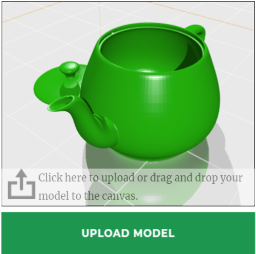
Steil 3D Configurator adds a Gutenberg block that shows an interactive 3D product. Visitors can rotate the model, pick a colour per part and a finish, and send a quote request with their configuration (including a screenshot of what they built).
Everything is editable from the WordPress admin:
- Configurator products — a Custom Post Type. Upload a glTF/GLB or FBX model, let the editor detect its parts, and assign a colour palette, finishes and defaults to each. Reuse the same product across many pages.
- The block — pick a product, set the height, choose where the controls sit, and toggle the finish selector, reset button and quote form.
Built on Three.js. Works with classic and block (FSE) themes; styles are scoped so they don’t clash with your theme. No external services or CDNs — everything is bundled locally.
A sample “Lounge chair” product is created on activation so you can try the block immediately.
Installation
- Upload the plugin zip via Plugins → Add New → Upload Plugin, or copy the folder to
wp-content/plugins/. - Activate it. A sample configurator product is created automatically.
- Go to 3D Configurator to create your own product: upload a model (GLB or FBX), click “Detect parts from model”, and assign palettes.
- Add the Steil 3D Configurator block to any page and pick your product.
Frequently asked questions
What model formats are supported?
glTF/GLB 2.0 and FBX. GLB (a single binary file) is recommended for the smallest, most portable models.
How does part recolouring work?
Each “part” has one or more match terms. Any mesh or material whose name contains a match term is recoloured with that part’s palette. Use “Detect parts from model” to see the available names.
Where do quote requests go?
To the site admin email by default. Use the steil_cfg_quote_recipient filter to change it.
Changelog
Adds textures, optional parts and per-block styling controls. Existing products keep working unchanged.
1.1.0
- Textures: upload textures and assign them per part, with three bundled demo textures on the sample product. Visitors pick a colour or a texture.
- Optional parts: mark a part optional so visitors can toggle it on/off; hidden parts are left out of the quote.
- Adjustable styling per block: colours, corner radius, shadow, spacing, panel width, button shape and stage background in the block sidebar.
- Refreshed default look and a custom block icon.
- Wider default layout and improved camera framing so the model always sits nicely in view.
1.0.1
- New custom 3D-cube block icon in the editor, replacing the generic art icon.
1.0.0
- Initial release: configurator block, glTF/GLB + FBX upload, part mapping, palettes, finishes, quote request with screenshot, bundled sample product.
Screenshots


For developers
Is this your plugin? Show off the numbers.
Add a live badge to your site, docs or GitHub README. It updates on its own — no account needed.
Best Steil 3D Configurator alternatives
All 3d plugins →





FAQ
Steil 3D Configurator: quick answers
Straight answers, pulled from live WordPress.org data.
Live data from WordPress.org · checked Oct 3, 2026
Is Steil 3D Configurator free?
Yes. Steil 3D Configurator is free to download and use from the official WordPress.org plugin directory.
Is Steil 3D Configurator safe to use in 2026?
Steil 3D Configurator works, but test it on a staging site before relying on it in 2026. Was last updated 3 months ago, and scores 49/100 on our health check.
How many websites use Steil 3D Configurator?
Steil 3D Configurator is active on <10 WordPress websites and has been downloaded 199 times since it launched in July 2026. It was downloaded 51 times in the last 30 days.
Does Steil 3D Configurator work with WordPress 7.1?
Steil 3D Configurator is officially tested up to WordPress 7.0.6, while the latest release is 7.1.2. It may still work, but try it on a staging site first.
What PHP version does Steil 3D Configurator need?
Steil 3D Configurator requires PHP 7.4 or higher. Most hosts run PHP 8.x today, so it works on any modern WordPress hosting.
When was Steil 3D Configurator last updated?
The latest version, 1.1.0, was released on July 2, 2026 (3 months ago).
Who makes Steil 3D Configurator?
Steil 3D Configurator is developed and maintained by stijntimmerman.
What are the best alternatives to Steil 3D Configurator?
The most popular alternatives to Steil 3D Configurator are Panorama (2K+ installs), Easy 3D Viewer (1K+ installs) and 3D Viewer Block (1K+ installs).
Powered by PageForge
Want thousands of pages that rank like these? Build them in an afternoon.
This directory runs on the same engine as PageForge. Turn any spreadsheet, CSV or API into thousands of fast, SEO-ready WordPress pages — with schema, internal links and AI-written copy baked in.
- CSV, Google Sheets & API data sources
- AI content, schema & internal links per page
- Works with Elementor, Gutenberg, Yoast & Rank Math
- Free on WordPress.org — no credit card


