


Stayrail – Sticky Widgets & Elements
Make any widget, block or element sticky while visitors scroll. Lightweight, no jQuery, zero layout shift – with one-click import from Fixed Widget.

Use with caution
Stayrail works, but test it on a staging site before relying on it in 2026. Was last updated 1 month ago, and scores 60/100 on our health check.
- Tested with the latest WordPress (7.1)
- Small user base (<10 active installs)
- Very few reviews so far
How does it stack up?
Side-by-side on installs, updates, ratings & support


Daily downloads
Download spikes usually follow a new release — each site that auto-updates counts as a download.
Rankings
Where Stayrail stands todayWordPress.org search rankings
Live position in the plugin search, top 100| Keyword | Position |
|---|---|
| fixed widget | >100 |
| sticky | >100 |
| sticky block | >100 |
| sticky sidebar | >100 |
| sticky widget | >100 |
About Stayrail – Sticky Widgets & Elements
From the official readme · v0.5.0Description
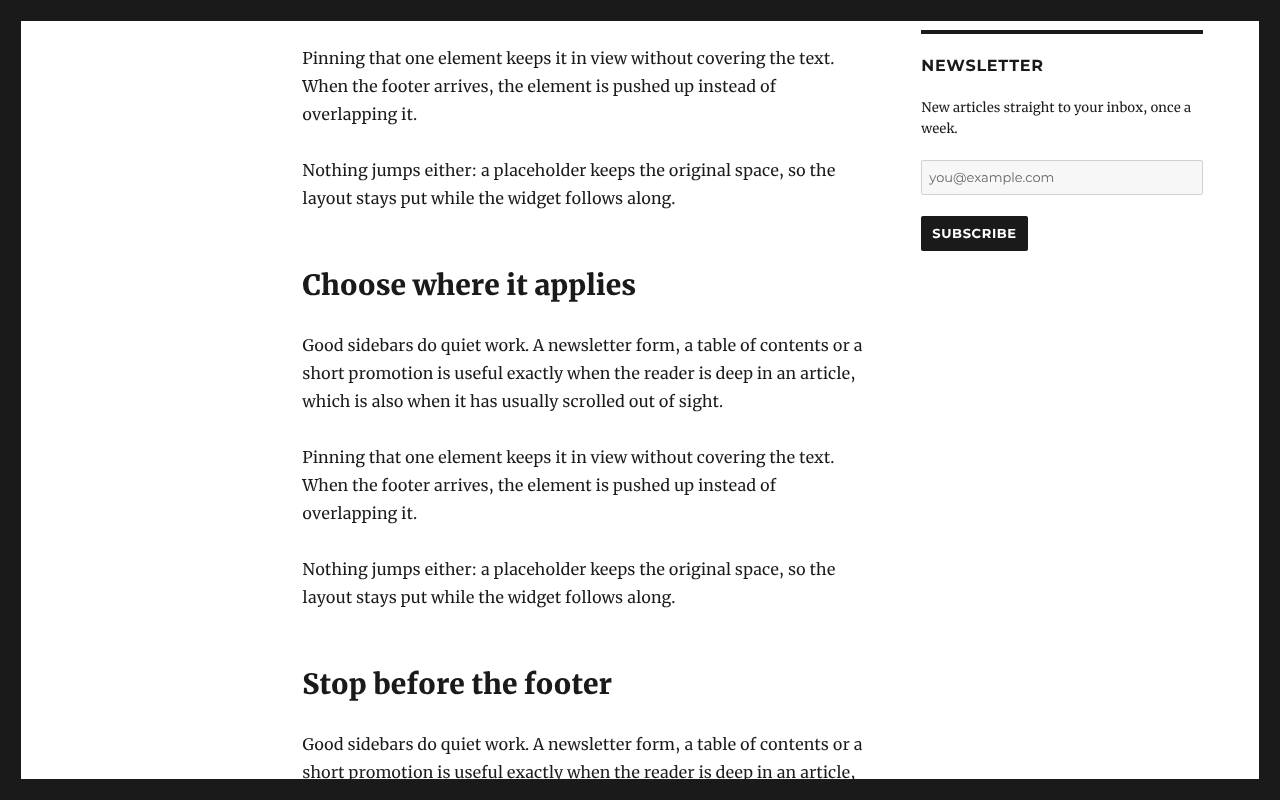
Stayrail keeps your most important content in view: sidebar ads, sign-up forms, tables of contents, calls to action or anything else you choose.
It is a modern, actively maintained alternative to the “Fixed Widget” (Q2W3) plugin, and it can import your existing Fixed Widget setup in one click.
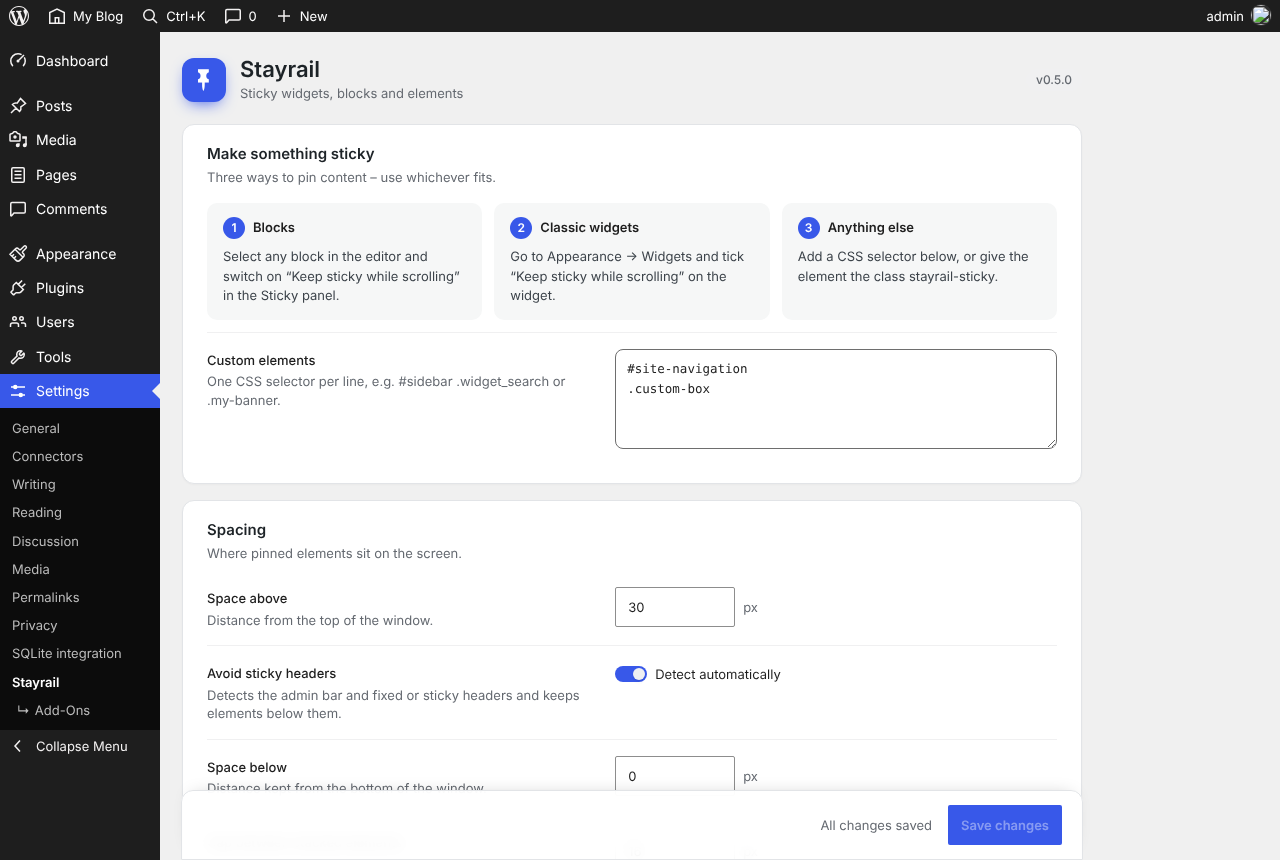
Three ways to make something sticky
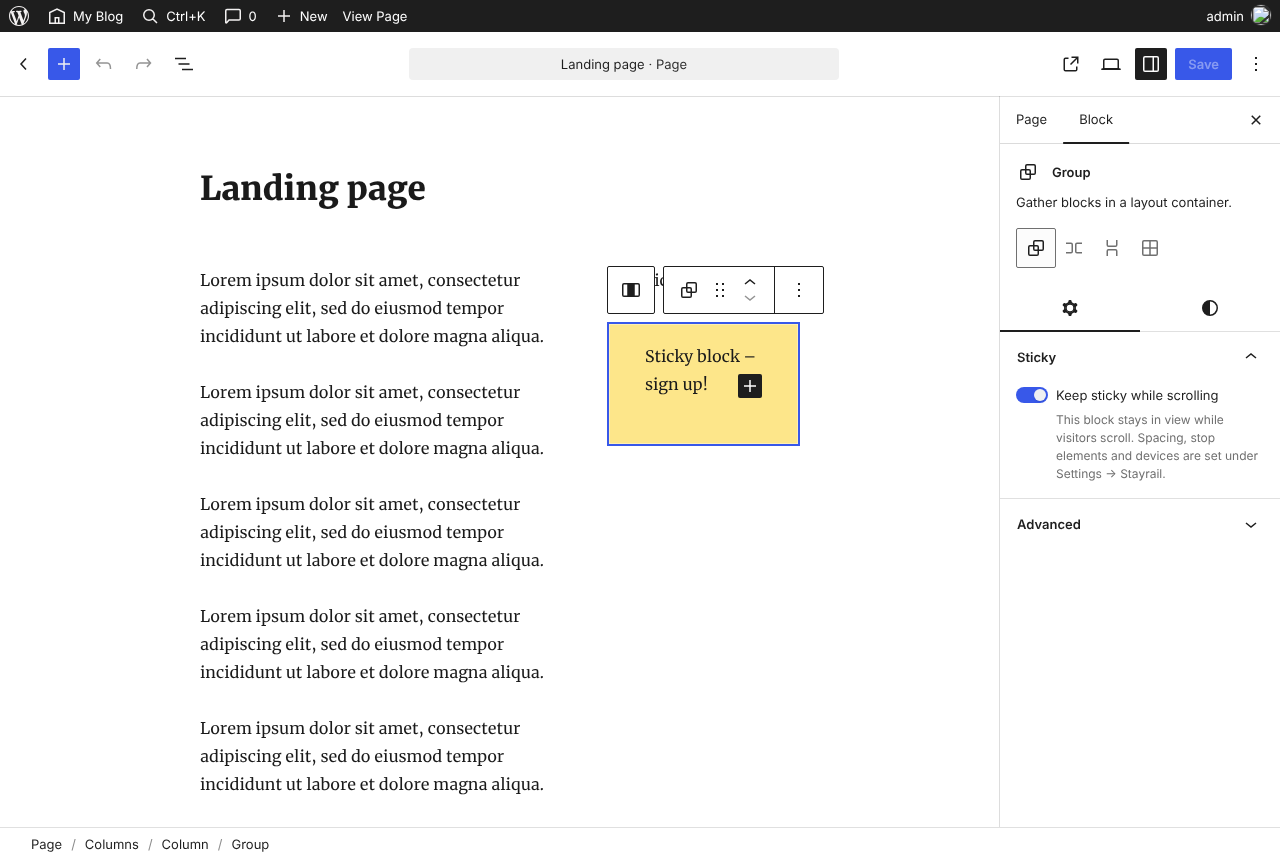
- Blocks – select any block in the editor, site editor or block widget editor and switch on “Keep sticky while scrolling”.
- Classic widgets – tick “Keep sticky while scrolling” on any widget under Appearance → Widgets.
- Anything else – add a CSS selector in the settings, or give an element the class
stayrail-sticky. Works with page builders such as Elementor, Divi, Bricks and Brizy.
Built to just work
- Stable width when zooming, resizing or rotating the screen.
- Zero layout shift: a placeholder keeps the element’s spot in the page.
- Automatically stays below the admin bar and sticky headers.
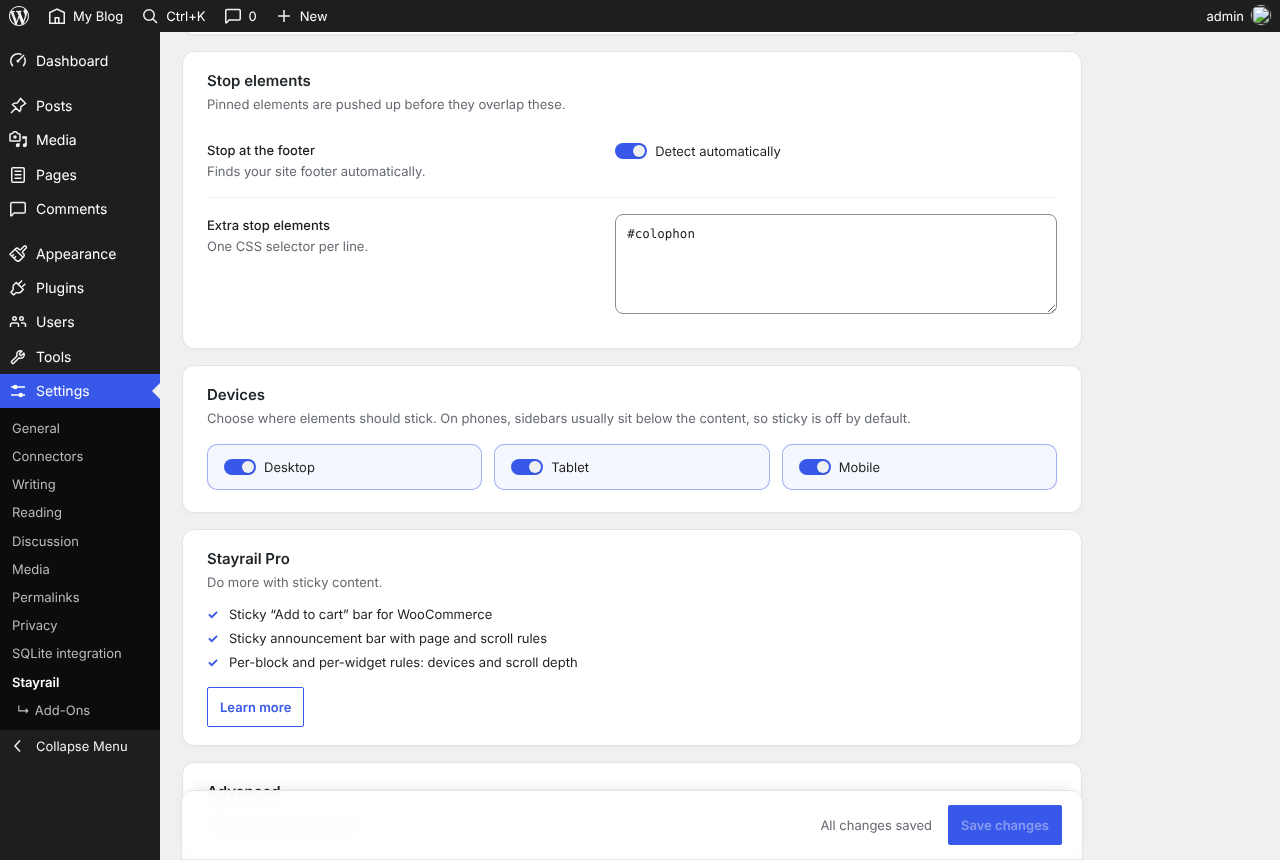
- Automatically stops at the site footer, plus your own stop elements.
- Several sticky widgets in one sidebar stack neatly.
- Choose desktop, tablet and/or mobile, with your own breakpoints.
- Elements taller than the screen scroll until their bottom is reached, then stick.
- Plain JavaScript, no jQuery. Script loads deferred.
- Translation-ready. Norwegian (bokmål) included.
Switching from Fixed Widget
Activate Stayrail and you’ll see an import notice. One click copies your margins, stop elements, custom elements, minimum screen size and every widget you had marked as fixed. Then deactivate Fixed Widget.
For developers
window.Stayrail.refresh()– re-scan the page after loading content with JavaScript (infinite scroll, AJAX).document.dispatchEvent( new Event( 'stayrail:refresh' ) )– same, event-based.data-stayrail-devices="desktop,tablet"– per-element device override.data-stayrail-after="30"– only stick after 30 % of the page has been scrolled..stayrail-is-stuck– class added while an element is pinned.stayrail:stuck/stayrail:released– events fired on the element when it is pinned or released.stayrail_frontend_config– filter the configuration sent to the script.
External services
Stayrail includes the Freemius SDK, which is used only to sell and license the optional Stayrail Pro add-on. It runs in anonymous mode: the free plugin shows no opt-in screen and sends no data on its own.
Data is sent to Freemius (https://freemius.com) only if you choose to opt in from the Plugins screen, or when you buy or activate Stayrail Pro. In that case Freemius receives your site address, WordPress and plugin versions, and the admin e-mail and name used for the license. Freemius terms: https://freemius.com/terms/ – privacy policy: https://freemius.com/privacy/
Installation
- Install and activate the plugin.
- Go to Settings → Stayrail.
- Make a block, widget or element sticky using one of the three methods above.
Changelog
0.5.0
- Translations now come from translate.wordpress.org.
0.4.0
- Prepared for Stayrail Pro through Freemius (anonymous mode, no data sent by default).
0.3.0
- New events: stayrail:stuck and stayrail:released on pinned elements.
0.2.0
- Per-element rules via data attributes (devices, scroll depth).
- Extension points for add-ons on the settings screen.
0.1.0
- First release.
Screenshots
For developers
Is this your plugin? Show off the numbers.
Add a live badge to your site, docs or GitHub README. It updates on its own — no account needed.
Best Stayrail alternatives
All fixed widget plugins →FAQ
Stayrail – Sticky Widgets & Elements: quick answers
Straight answers, pulled from live WordPress.org data.
Source: WordPress.org
Is Stayrail free?
Yes. Stayrail is free to download and use from the official WordPress.org plugin directory.
Is Stayrail safe to use in 2026?
Stayrail works, but test it on a staging site before relying on it in 2026. Was last updated 1 month ago, and scores 60/100 on our health check.
How many websites use Stayrail?
Stayrail is active on <10 WordPress websites and has been downloaded 179 times since it launched in October 2026. It was downloaded 110 times in the last 30 days.
Does Stayrail work with WordPress 7.1?
Yes. The developer has tested Stayrail up to WordPress 7.1.5, the latest release. It requires WordPress 6.2 or newer.
What PHP version does Stayrail need?
Stayrail requires PHP 7.4 or higher. Most hosts run PHP 8.x today, so it works on any modern WordPress hosting.
When was Stayrail last updated?
The latest version, 0.5.0, was released on October 27, 2026 (1 month ago).
Who makes Stayrail?
Stayrail is developed and maintained by Inovex AS.
What are the best alternatives to Stayrail?
The most popular alternatives to Stayrail are Fixed Widget and Sticky Ele… (70K+ installs), Fixed Widget Area (70+ installs) and StickySpot (<10 installs).
Powered by PageForge
One template and a spreadsheet. A real page for every search.
PageForge turns each row of a CSV into a WordPress page with its own title, URL, SEO fields and schema, built on the layout you already designed. Free on WordPress.org.
- CSV and XLSX, plus Google Sheets on Professional and Enterprise
- Its own title, URL, SEO fields and schema for every page
- Works with the block editor, Elementor, Divi and Avada
- Free on WordPress.org, no credit card