


Stachethemes Seat Planner Lite
Let customers select and reserve exact seats or tables in WooCommerce, prevent double bookings during checkout, and validate entry with QR tickets.

Solid choice
Stachethemes Seat Planner Lite is a solid plugin choice in 2026, with a few things worth checking first. It runs on 60+ sites, is rated 5/5 and was last updated 2 weeks ago, and scores 75/100 on our health check.
- Actively developed — last update 2 weeks ago
- Tested with the latest WordPress (7.1)
- Momentum — downloads up 204.6% vs the previous 30 days
- Small user base (60+ active installs)
- Very few reviews so far
- Needs PHP 8.2 or newer
How does it stack up?
Side-by-side on installs, updates, ratings & support



Daily downloads
Download spikes usually follow a new release — each site that auto-updates counts as a download.
Rankings
Where Stachethemes Seat Planner L… stands todayWordPress.org search rankings
Live position in the plugin search, top 100| Keyword | Position |
|---|---|
| Event Tickets | #93 |
| seat booking | #6 |
| Seating Chart | #5 |
| woocommerce | >100 |
| woocommerce tickets | >100 |
Version adoption
Share of active sites per release.
Rating breakdown
★★★★★★★★★★ 5 from 3 reviews
About Stachethemes Seat Planner Lite
From the official readme · v1.9.5Description
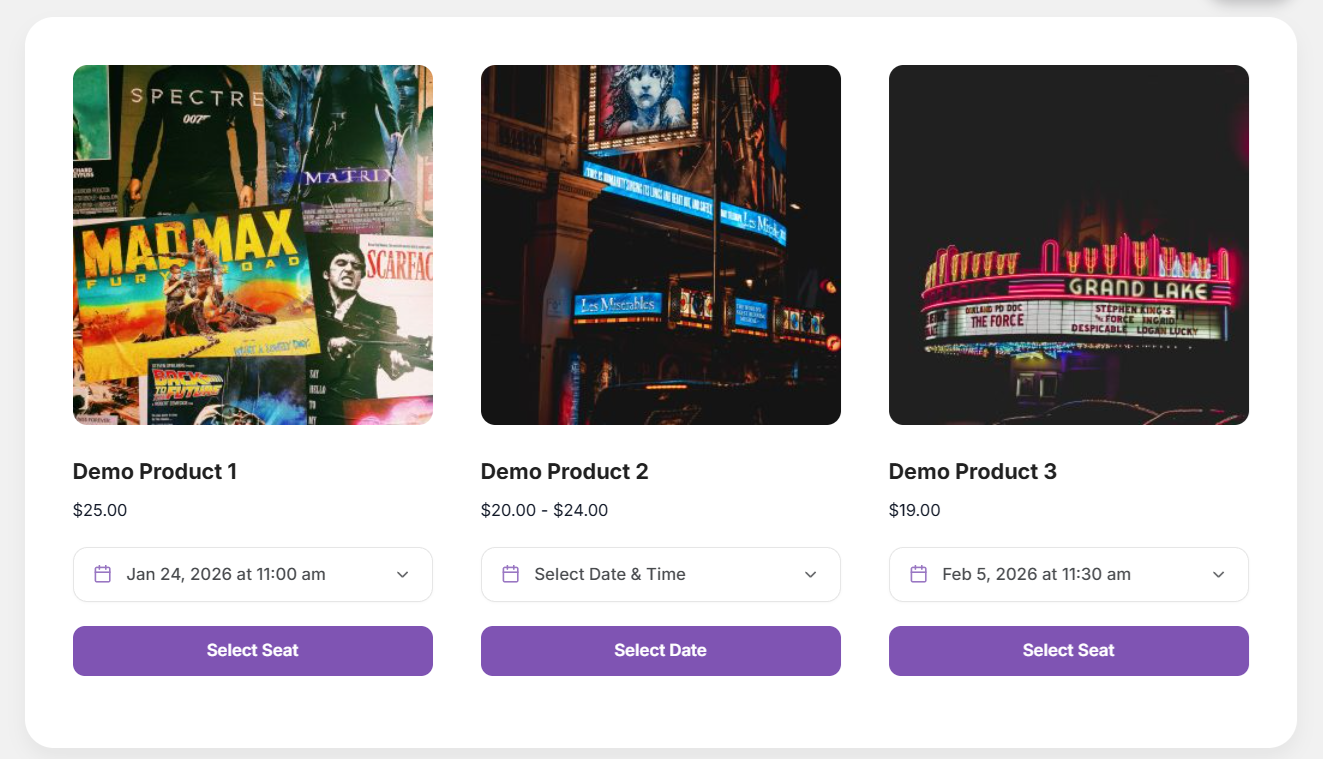
Stachethemes Seat Planner helps you sell reserved seats with WooCommerce. Create an interactive seating map, assign prices and availability, and let customers choose their seats before checkout.
Use it for theaters, cinemas, concerts, conferences, workshops, tours, classes, or any product where customers need to book specific seats or spaces.
Features
Seat Planner Lite is the core seat booking system for WooCommerce—maps, holds, checkout, and check-in in one plugin. Upgrade to Stachethemes Seat Planner (Pro) for multi-date events, discounts, custom fields, PDF tickets, unlimited layout objects, and more – see Premium Features.
Core booking & seat management
- Table & seat support – Build both table layouts and seating charts in the same system.
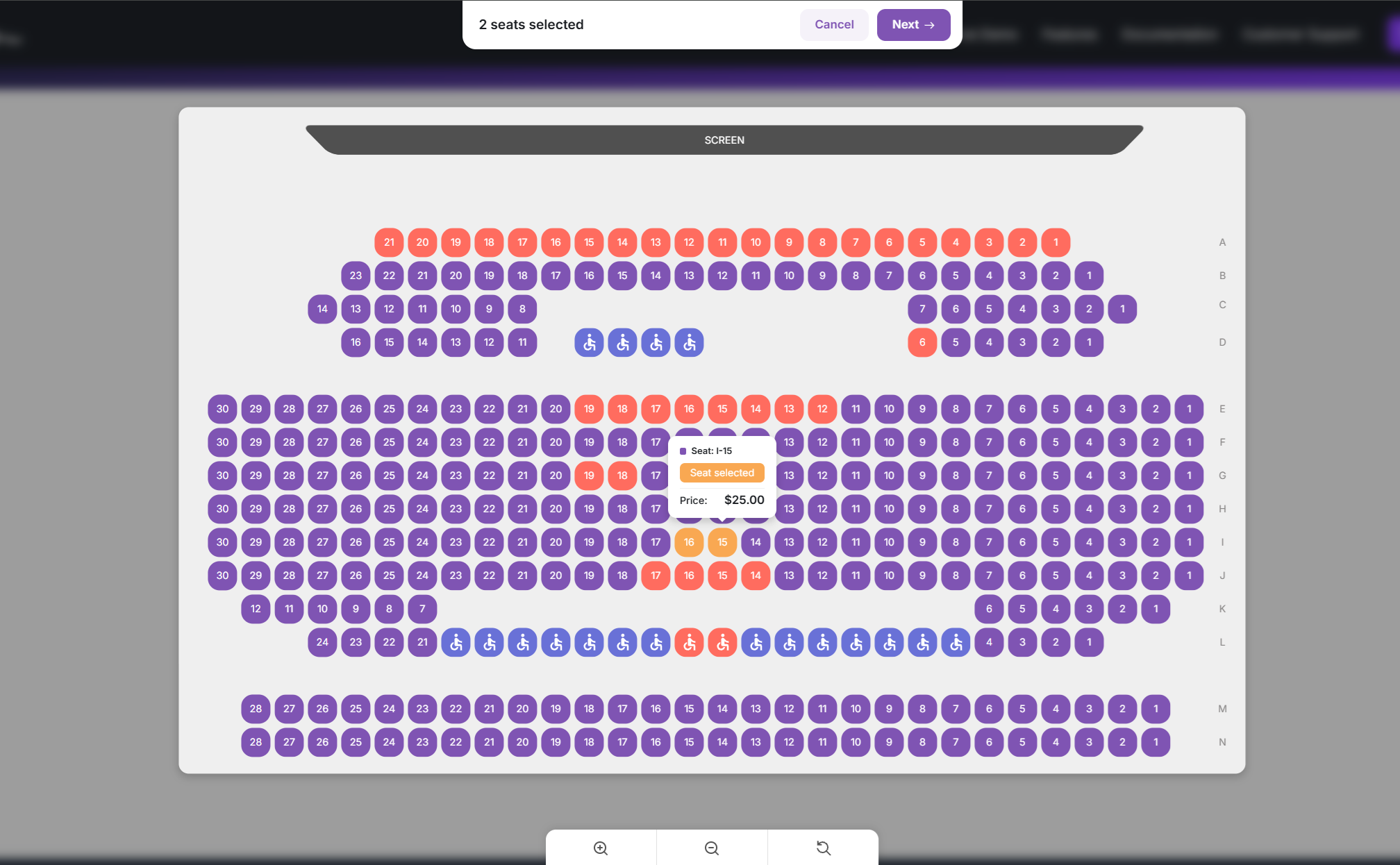
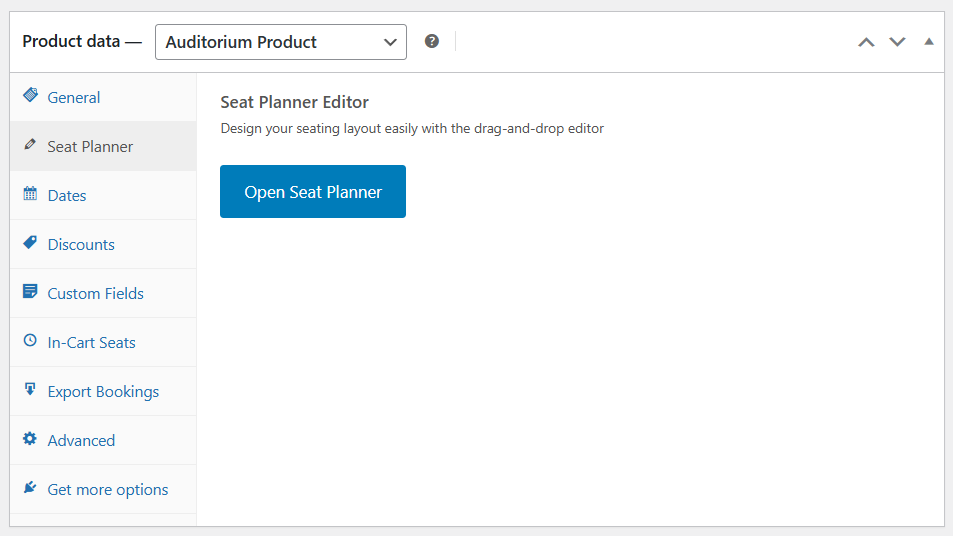
- Drag-and-drop seat planner – Design your venue with seats, tables, screens, labels, and static objects.
- Up to 250 layout objects – Build plans with seats, labels, screens, and other objects (Pro removes this cap).
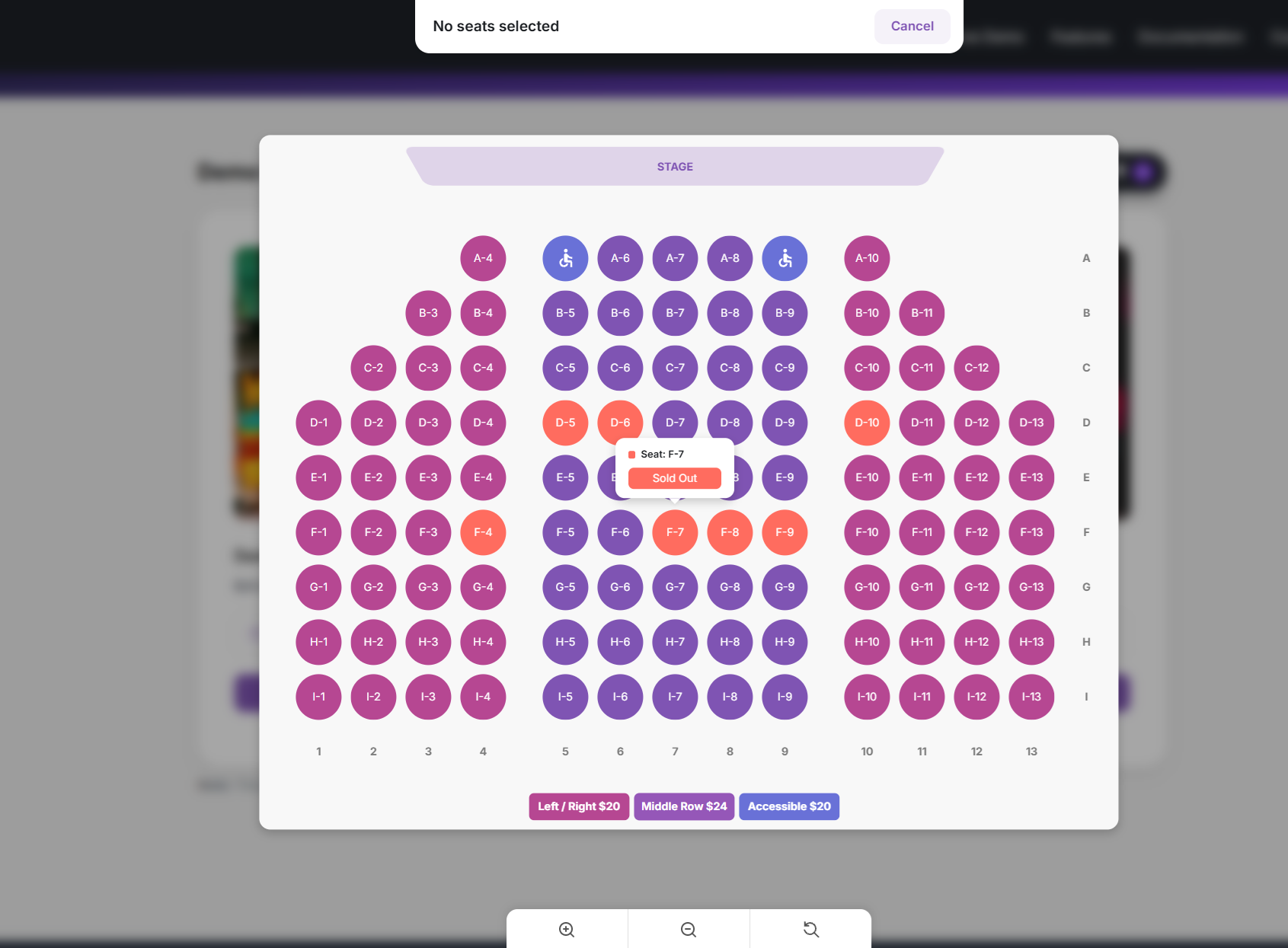
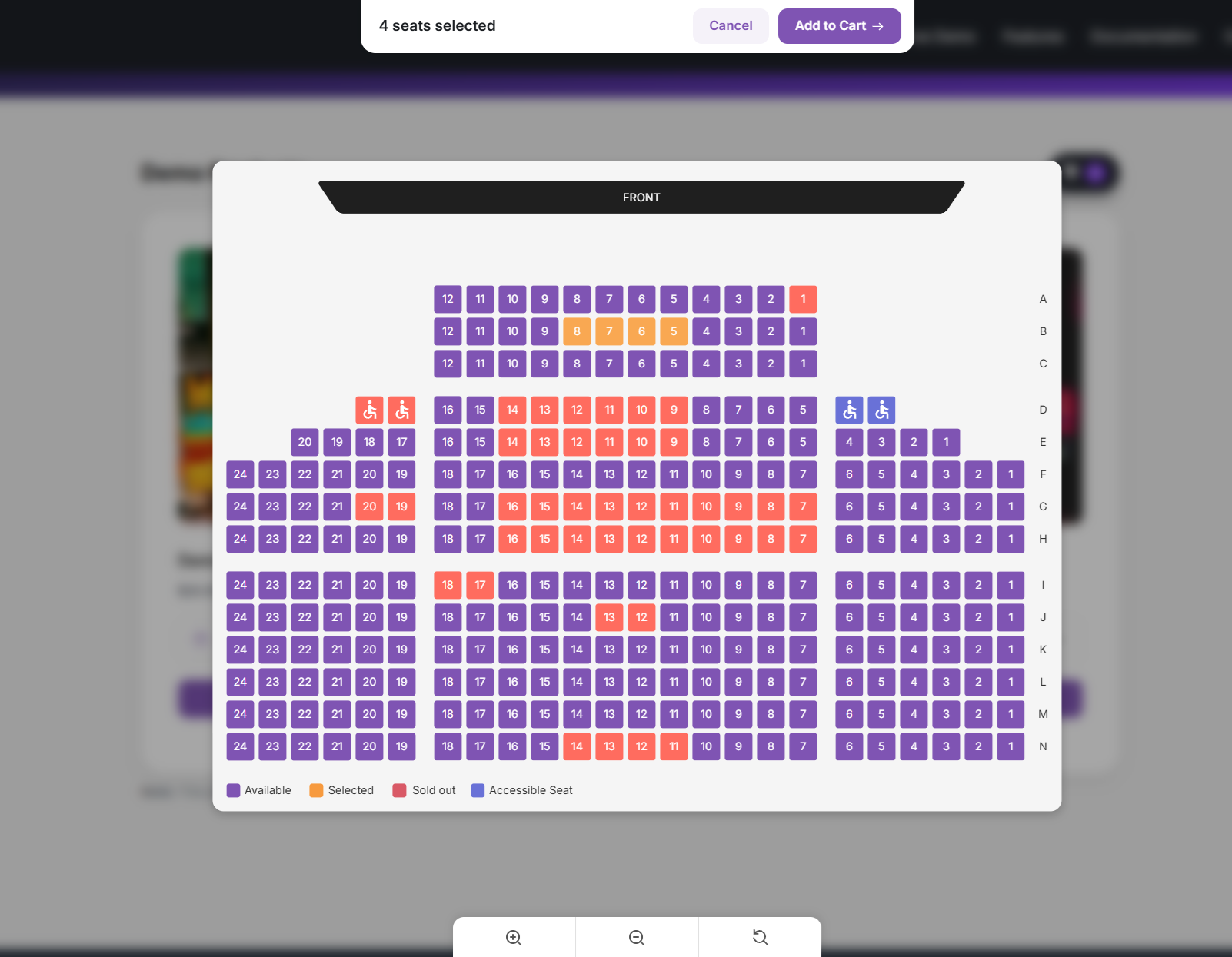
- Interactive seat selection – Customers pick seats in real time on a map with zoom, pan, and seat details.
- Best Available – Auto-select the best contiguous seats; filter by price when seats have different rates.
- CSV import & export – Import and export seat layouts from the seat planner editor.
- Cart hold timer – Temporary seat holds while customers checkout to help prevent double bookings.
- Handicap / accessible seats – Mark accessible seats so they stand out on the map.
- Auto-fill and pattern tools – Place rows or sections quickly when building your layout.
- Table Templates – Place round, square, or rectangular tables (4-12 seats) with one click; optional Table ID labels seats as “Table 1-1”, “Table 1-2”, and so on.
- Map Regions – Place named region rectangles on the canvas (invisible to visitors); customers jump to regions via chips above the zoom controls on the front seat map.
- Per-seat pricing – Set prices by location, section, or individual seat.
- On-site-only seats – Restrict selected seats to on-site purchase via seat status.
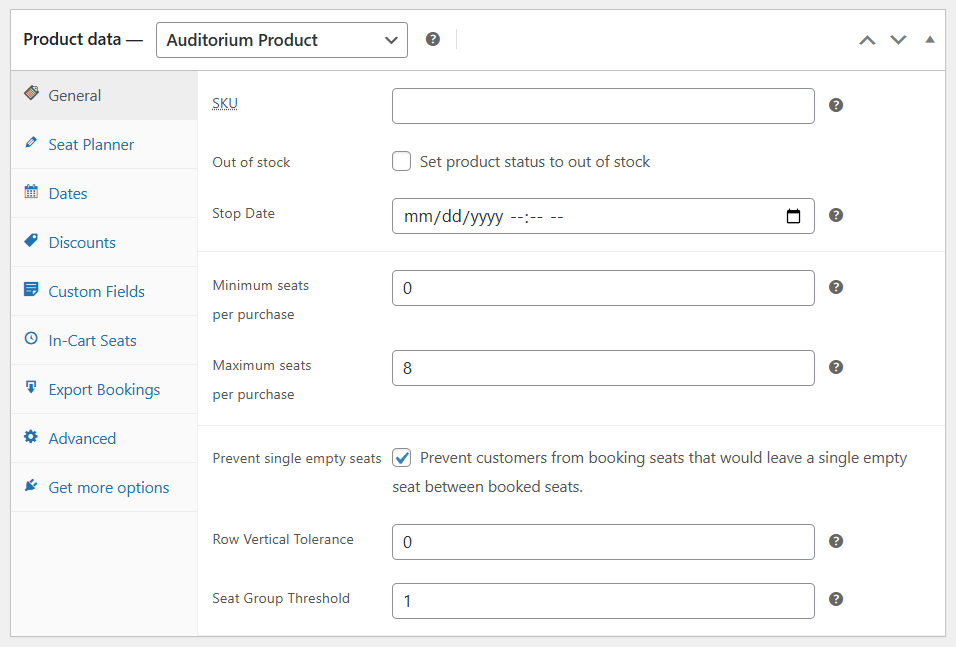
- Prevent single empty seats – Optional grouping rules so customers cannot leave an isolated empty seat; choose Horizontal, Vertical, or both, plus Strict / Lenient / Middle-gaps rule types.
Checkout & customer experience
- Standard WooCommerce cart and checkout – No separate ticketing checkout to learn.
- Configurable redirect after adding seats – Send customers to the cart, checkout, or a custom URL; optional cart timer on the storefront.
- Unique QR code per seat – Generated for each purchased seat for validation at the door.
- Auto-complete paid auditorium orders – Configurable, including mixed-cart behavior.
- Front-end dark mode and accent color – Brand the seat-selection experience.
- WooCommerce coupon seat limits – Require a minimum or maximum number of auditorium seats in the cart before a coupon applies.
Manager & day-of operations
- Run the venue from one screen – See what is free, block seats for holds or VIPs, and fix availability without waiting on a customer order.
- Sell at the door or comp a seat – Create a single-seat order from the floor when someone pays in person or gets a complimentary ticket.
- Fix mistakes without re-checkout – Move a customer to another seat on an existing order when they picked the wrong one.
- Know who is inside – Filter by scanned tickets and reset check-in when staff scans the wrong code.
- Detect and fix double bookings and stale inventory – Automatically find conflicts, seats stuck as taken, and unpaid orders still blocking sales.
Check-in & ticket validation
- Built-in web scanner – Validate tickets with a camera QR scanner in your WordPress dashboard.
- Scan records – Each scan updates ticket status; invalid or already-scanned tickets are shown clearly.
Integrations & layout tools
- Shortcodes – Embed a “Select seat” button or live seat counts on any page.
- Elementor widgets – Select Seat Button and Seat Count widgets.
- Gutenberg blocks – Select Seat Button and Seat Count blocks.
Statistics & analytics
- See how the event is selling – Seats sold, occupancy, revenue, and order counts at a glance; trends over time; breakdown by order or date; a simple read on how fast you are filling the house.
Premium Features
Upgrade to Stachethemes Seat Planner on WooCommerce for the full feature set, including everything in Lite plus:
Core booking & seat management
- Unlimited layout objects – No 250-object cap in the seat planner editor.
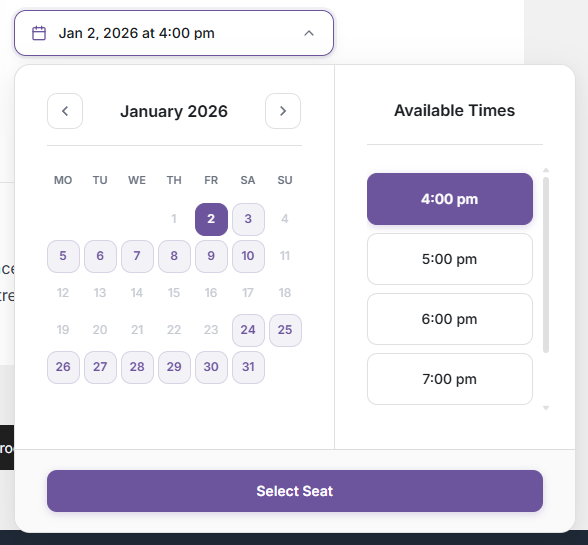
- Multiple event dates on one product – One seat map, many performances.
- Optional sales rules – Stop sales before the event; min/max seats per purchase.
Pricing, discounts & upsells
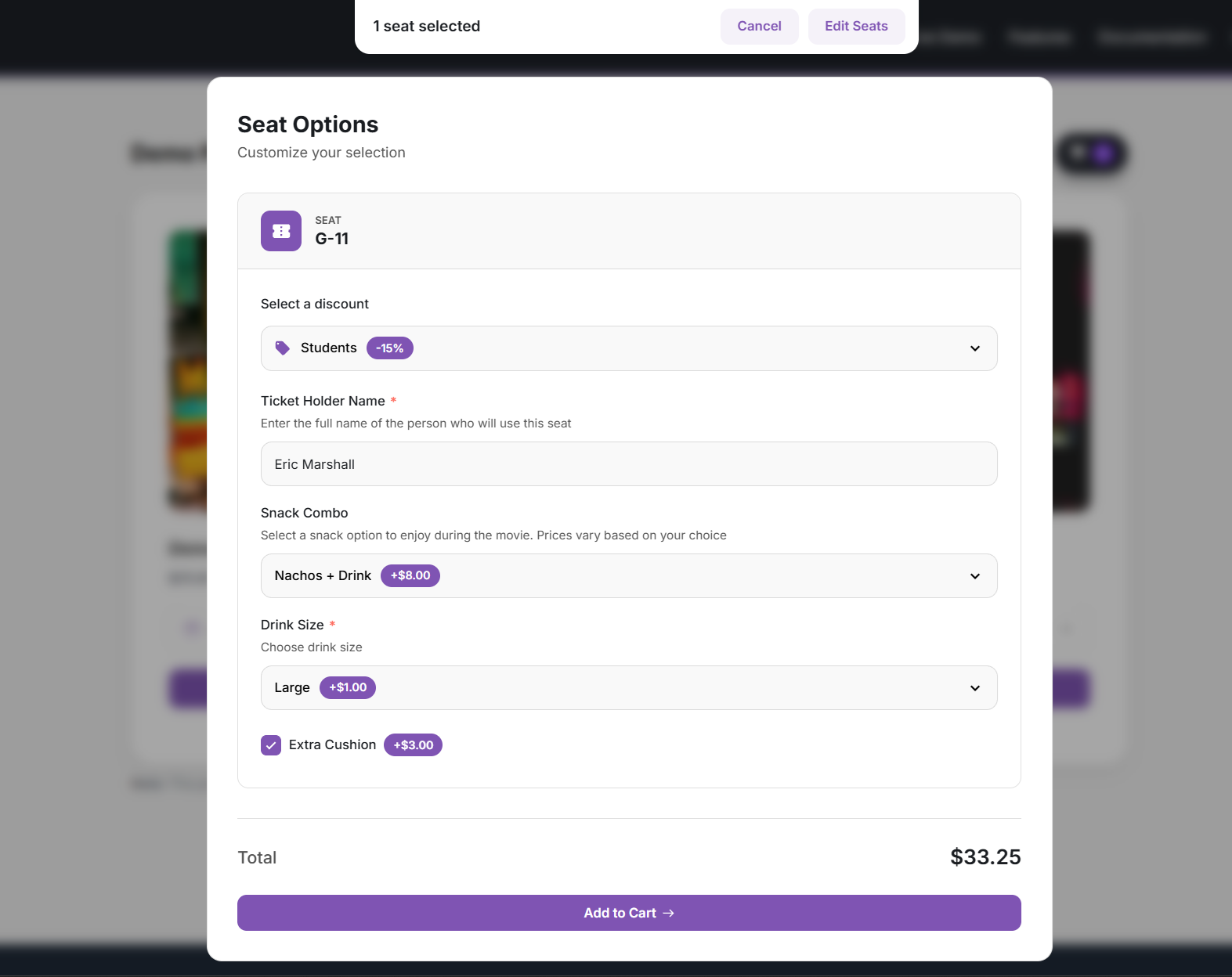
- Seat-level discounts – Percentage or fixed amount on selected seats or groups; optional role restrictions.
- Custom fields per seat – Free or paid add-ons, upgrades, meal choices, and more (with conditional display).
Checkout & customer experience
- PDF tickets – Attach ticket details and QR codes to order emails; optional My Account downloads.
Manager & day-of operations
- Bulk create orders – Create orders for multiple seats at once from Manager.
- Full booking edits – Change seat, date, discounts, and custom fields on existing orders.
- Move bookings to another date – For multi-date products (bulk action supported).
Check-in & ticket validation
- Free Android app – Door check-in; pairs with your site via integration settings.
Integrations & layout tools
- Export bookings – Export bookings from the product or Manager (filter by date, choose columns).
- Script embed – Run seat selection on external sites with an allowed-origins whitelist.
Statistics, reports & analytics
- CSV export – Statistics tables and booking exports.
- Automated email reports – Scheduled occupancy and sales summaries, with CSV and optional color-coded seat-map snapshot.
Demo
Source Repository
Credits
Installation
Installation from within WordPress
- Visit Plugins > Add New.
- Click Upload Plugin and upload the plugin archive.
- Install and activate the Stachethemes Seat Planner Lite plugin.
Manual Installation
- Upload the entire
stachethemes-seat-planner-litefolder to the/wp-content/plugins/directory. - Visit Plugins.
- Activate the Stachethemes Seat Planner Lite plugin.
Changelog
1.9.5
- Fixed: Paid/completed orders now re-book seats on the map even if the cart reservation expired while the customer was paying at a redirect gateway. Emptying the cart no longer releases the order-level seat lock.
- Fixed: Seats Remaining on Manager → Statistics no longer contradicts the seats sold total.
1.9.4
- Added: Prevent single empty seats – enable it on the product General tab so customers cannot leave an isolated empty seat. Choose Horizontal rows, Vertical columns, or both, plus Strict, Lenient near sold seats, or Middle gaps only.
1.9.3
- Added: Map Regions in the Seat Planner editor – place named region rectangles on the canvas (invisible to visitors); customers jump to regions via chips above the zoom controls on the front seat map.
- Improved: QR Verify now shows the same ticket details as a door scan (order, seat, date, and price) for each seat.
- Improved: Faster add-to-cart on stores with a large order history – the booking-conflict check now only scans cancellable (pending/failed) orders instead of the full order history. Double-booking protection is unchanged.
- Update: WordPress dashboard menu now uses the Seat Planner icon.
- Fixed: Best Available failed to select seats (worker script crashed with “window is not defined”).
1.9.1
- Added: WooPayments and Stripe Express Checkout compatibility for Auditorium Products on Cart and Checkout (Apple Pay / Google Pay). Product-page Express Checkout remains unavailable because seat selection is required first.
- Fixed: WooPay order summary no longer shows escaped cart-timer HTML next to seat details.
1.9.0
- Added: Table Templates in the Seat Planner editor – place round, square, or rectangular tables (4-12 seats) with one click; optional Table ID labels seats as “Table 1-1”, “Table 1-2”, …; adjust diameter/side/width/height and seat size before placing. Customers still book seats individually.
- Added: QR Verify in Dashboard -> Tools – enter an order ID to dry-run validate seat QR codes (image status and scan readiness) without marking tickets as scanned.
- Removed: Stalled Orders check from Dashboard -> Tools -> Booking Integrity.
- Update: Export Bookings removed from the Edit Product page (available from Manager -> Statistics in Pro).
1.8.7
- Added: Best Available – automatically select the best contiguous seats for customers; filter by price when seats have different rates. Enable it in Dashboard -> Settings -> General.
- Added: CSV import and export for seat plans in the seat planner editor.
- Update: Seat planner layout object limit raised from 100 to 250 (seats, labels, screens, and other objects).
- Update: UI improvements across the Overview dashboard and admin select controls.
- Fixed: Booking and seat lookups when one order includes seats from more than one event.
- Fixed: Cart no longer removes a seat when customers book the same seat label from different events that share a layout.
- Added: “Orphan taken seat” check in Tools to find and repair seats marked as taken without a matching order.
- Fixed: Statistics dates no longer show on the wrong day.
- Fixed: Missing QR code images are regenerated when tickets are viewed or sent in emails.
Screenshots
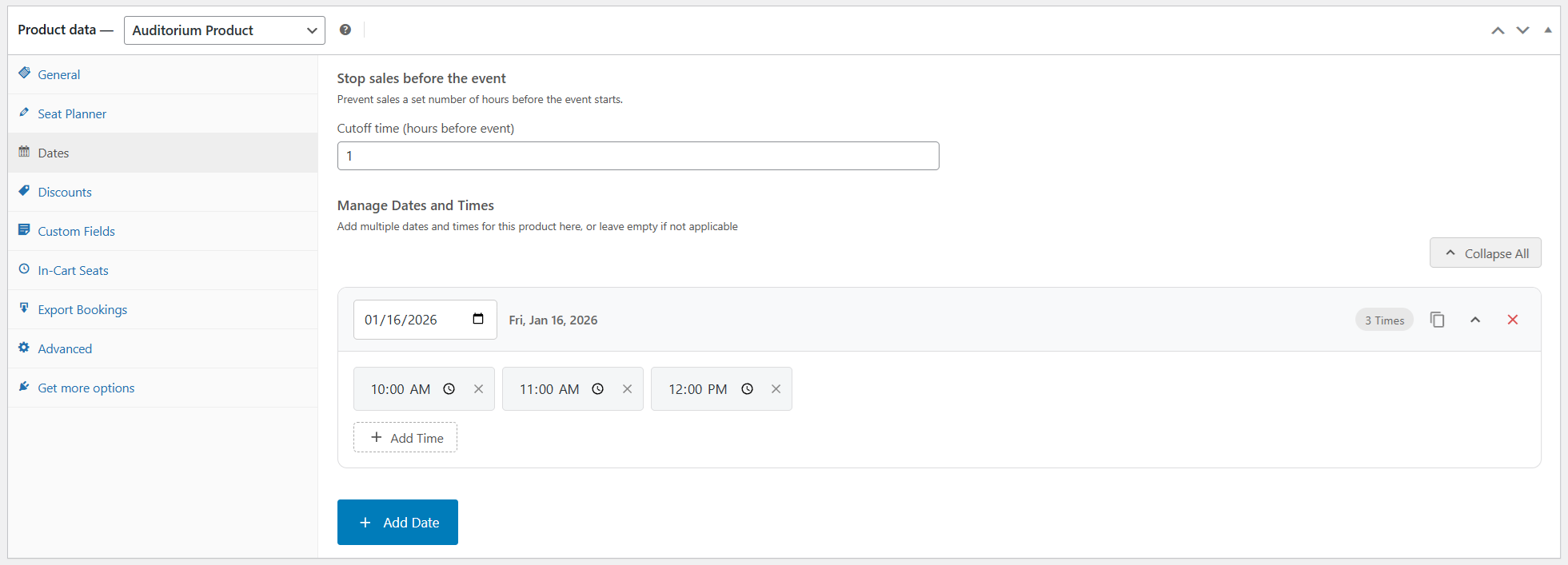
For developers
Is this your plugin? Show off the numbers.
Add a live badge to your site, docs or GitHub README. It updates on its own — no account needed.
Best Stachethemes Seat Planner Lite alternatives
All Event Tickets plugins →





FAQ
Stachethemes Seat Planner Lite: quick answers
Straight answers, pulled from live WordPress.org data.
Live data from WordPress.org · checked Oct 4, 2026
Is Stachethemes Seat Planner Lite free?
Yes. Stachethemes Seat Planner Lite is free to download and use from the official WordPress.org plugin directory.
Is Stachethemes Seat Planner Lite safe to use in 2026?
Stachethemes Seat Planner Lite is a solid plugin choice in 2026, with a few things worth checking first. It runs on 60+ sites, is rated 5/5 and was last updated 2 weeks ago, and scores 75/100 on our health check.
How many websites use Stachethemes Seat Planner Lite?
Stachethemes Seat Planner Lite is active on 60+ WordPress websites and has been downloaded 4,228 times since it launched in April 2025. It was downloaded 591 times in the last 30 days.
Does Stachethemes Seat Planner Lite work with WordPress 7.1?
Yes. The developer has tested Stachethemes Seat Planner Lite up to WordPress 7.1.2, the latest release. It requires WordPress 6.7 or newer.
What PHP version does Stachethemes Seat Planner Lite need?
Stachethemes Seat Planner Lite requires PHP 8.2 or higher. Most hosts run PHP 8.x today, so it works on any modern WordPress hosting.
When was Stachethemes Seat Planner Lite last updated?
The latest version, 1.9.5, was released on September 21, 2026 (2 weeks ago).
Who makes Stachethemes Seat Planner Lite?
Stachethemes Seat Planner Lite is developed and maintained by Stachethemes.
What are the best alternatives to Stachethemes Seat Planner Lite?
The most popular alternatives to Stachethemes Seat Planner Lite are Sugar Calendar (10K+ installs), Eventin (10K+ installs) and Event Booking Manager for W… (7K+ installs).
Powered by PageForge
Want thousands of pages that rank like these? Build them in an afternoon.
This directory runs on the same engine as PageForge. Turn any spreadsheet, CSV or API into thousands of fast, SEO-ready WordPress pages — with schema, internal links and AI-written copy baked in.
- CSV, Google Sheets & API data sources
- AI content, schema & internal links per page
- Works with Elementor, Gutenberg, Yoast & Rank Math
- Free on WordPress.org — no credit card


