


Speed Contact Bar
Let your website visitors get in touch with you easily with permanent visible contact information.

Safe pick
Yes — Speed Contact Bar is a safe, well-maintained plugin to use in 2026. It runs on 4K+ sites, is rated 4.6/5 and was last updated 2 weeks ago, and scores 87/100 on our health check.
- Loved by users — 4.6/5 from 56 reviews
- Actively developed — last update 2 weeks ago
- Tested with the latest WordPress (7.1)
- Momentum — downloads up 553.8% vs the previous 30 days
How does it stack up?
Side-by-side on installs, updates, ratings & support


Daily downloads
Download spikes usually follow a new release — each site that auto-updates counts as a download.
Rankings
Where Speed Contact Bar stands todayWordPress.org search rankings
Live position in the plugin search, top 100| Keyword | Position |
|---|---|
| contact | #36 |
| contact bar | #2 |
| phone | #52 |
| responsive | >100 |
| social icons | #85 |
Version adoption
Share of active sites per release.
Rating breakdown
★★★★★★★★★★ 4.6 from 56 reviews
About Speed Contact Bar
From the official readme · v6.14.0Description
Let your website visitors get in touch with you easily with permanent visible contact information.
The plugin is available in English, Spanish (Español), Russian (ру́сский), German (Deutsch) and Polish (Polski). You can add further translations by contributing to GlotPress
The plugin does not collect any personal data, so it is ready for EU General Data Protection Regulation (GDPR) compliance.
Quick contact to you
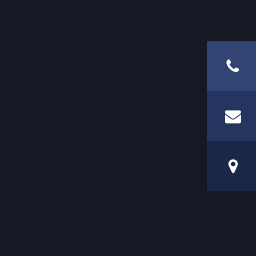
Speed Contact Bar enables your visitors to get in contact with you quickly. The plugin shows a colored bar with your contact data and social media URLs on the top of every page of your website.
The bar design is responsive and thus ready for smartphones and tablets. The social media icons are included already.
Each icon appears if you set its target URL in the option page. The phone icons and numbers are clickable to trigger a phone call. The e-mail is clickable to open a mail client.
Demo
You want to test Speed Contact Bar before installing on your site? Try it out on your free WordPress playground and click here.
What users said
- “Perfect! Just tried it and it works!” in WordPress.org Support Forum by immortalguru on Septemer 10, 2019
- “Useful addition for any business. Could be crucial.” in 10 Best Free Restaurant WordPress Plugins of 2019 by John Hughes on June 2, 2019
- “FANTASTIC Plugin!” in WordPress.org Reviews by maderemark on August 10, 2018
- “Speed Contact Bar là một bar plugin rất tốt cho mọi doanh nghiệp …” in 10 Plugin miễn phí tốt nhất cho Nhà Hàng năm 2018 by Duy Anh on May 18, 2018
- “Speed Contact Bar is ideal when you want visitors to get in touch fast …” in 18 Plugins To Customize the Header And Footer Of Your Site by Claire Brotherton on April 30, 2018
- “Perfect 5 star plugin” in WordPress.org Reviews by maartensurf on December 13, 2017
- “This plugin is the only one in the whole repository that really provides what I want.” in WordPress.org Support by stepheniryna on July 14, 2017
- “the BEST customer service I have received in 2016!” in WordPress.org Support by chrissavid33 on December 31, 2016
- “100% recommended. Saved my time” in WordPress.org Reviews by ramarao on August 20, 2016
- “Absolutely fantastic. Was exactly what I was looking for and looks brilliant on my website.” in WordPress.org Reviews by tydem00 on April 15, 2015
- “It’s one of my favorites, and easily one of the best for social buttons.” in WordPress.org Support Forum by aleos97 on April 25, 2015
What you can configure
There are some options you can set to let the contact bar fit to your needs. You can set
- your contact data
- URLs to your social media pages and profiles and
- many design options like colors
Available contact data options
You can show these three personal contact data:
- Headline, can be a link with an optional URL
- Postal address can be a link with an optional URL
- Phone number, automatically linked to open an available phone application, can be displayed with a text of your choice
- Fax number, automatically linked to open an available phone application, can be displayed with a text of your choice
- Cell phone number, automatically linked to open an available phone application, can be displayed with a text of your choice. Thanks to Jim Colao for the icons!
- E-Mail address, automatically linked to open an available mail client, can be displayed with a text of your choice
- WhatsApp, Messenger and Telegram to open an available chat client, can be displayed with a text of your choice
- any further content you wish by using the filter hook
speed-contact-bar-data(as documented in FAQ section "How to add and re-order list entries by using hooks").
Supported social media platforms
Speed Contact Bar supports links to these social media platforms, as ordered alphabetically:
- Flickr
- IMDb
- Skype
- SlideShare
- Snapchat
- SoundCloud
- Telegram
- Text Messages
- Tumblr
- X (former Twitter)
- Vimeo
- Yelp
- YouTube
- Any further content you wish by using the filter hook
speed_contact_bar_icons(as documented in FAQ section "How to add and re-order list entries by using hooks").
More social media platforms will come in future.
Design options under your fingertips
You can set the design of the contact bar easily, fast and safe to be suitable to the design of your website:
- Page types where to hide the bar: You can set on which page types the bar is not displayed, e.g. start page, archive page, search results page etc.
- Maximal viewport width to hide the bar: You can specify the window width up to which the bar is not displayed, e.g. in Smartphones
- Minimal viewport width to hide the bar: You can specify the window width from which the bar is not displayed, e.g. in desktop browsers
- Position of the bar: You can place the bar at the top or bottom on every page
- Fixed position: You can set whether it should scroll with the content or stay fixed
- Horizontal padding of the contact bar
- Vertical padding of the contact bar
- Space between bar and page content if the bar is fixed
- Background color of the contact bar or a transparent bar
- Background color opacity of the contact bar, i.e. its grade of transparency
- Text color
12 Link color - Lightness of icons: You can select between dark or bright icons
- Content alignment within the bar
- Font size of the texts and links
- Icon size
- Headline visibility: switch the headline on or off
- Headline text
- Headline HTML tag
- Headline URL to make the headline a link
- Shadow under or above the bar for a chic 3D effect
- Link target of all links to open a contact link in the same window or in a new window
- Show contact data on small displays instead of showing icons only
- specify a display width as a trigger to show or to hide the bar
- any further style you wish by using the filter hook
speed-contact-bar-style
Do you miss some options? We will add it! Please write your request in the plugin’s support forum at wordpress.org. We will try to take a look and answer as soon as possible.
Read the FAQ section "How to add and re-order list entries by using hooks" about how to use the plugin’s hooks.
Languages
Speed Contact Bar translations are served by wp.org.
Your language is missing? Please be part of the community and help to translate Speed Contact Bar on GlotPress. Thank you!
Installation by Using the WordPress Dashboard
- Navigate to the ‘Add New’ in the plugins dashboard
- Search for ‘Speed Contact Bar’
- Click ‘Install Now’
- Activate the plugin on the Plugin dashboard
- Configure the plugin with the options page at “Settings” => “Speed Contact Bar”.
Installation by Uploading in WordPress Dashboard
- Navigate to the ‘Add New’ in the plugins dashboard
- Navigate to the ‘Upload’ area
- Select
speed-contact-bar.zipfrom your computer - Click ‘Install Now’
- Activate the plugin in the Plugin dashboard
- Configure the plugin with the options page at “Settings” => “Speed Contact Bar”.
Installation by Using FTP
- Download
speed-contact-bar.zip - Extract the
speed-contact-bardirectory to your computer - Upload the
speed-contact-bardirectory to the/wp-content/plugins/directory - Activate the plugin in the Plugin dashboard
- Configure the plugin with the options page at “Settings” => “Speed Contact Bar”.
Frequently asked questions
Could there be any conflicts with my theme?
In most themes, the Speed Contact Bar works fine without any conflicts. Only if the theme comes with an own fixed top bar there can be a source of design conflicts with a fixed Speed Contact Bar. In that case, you can try to set the position of the Speed Contact Bar at the bottom of every page. That will avoid the conflict.
What does the plugin need to work fine?
Speed Contact Bar requires WordPress 4.6 or higher.
I am logged in as administrator. Why do I not see the contact bar?
The most likely reason is the WordPress Admin Bar fixed on top of the page. In this case it overlaps the Speed Contact Bar. You have two possibilities to see the bar: Go to your user profile in the backend and deactivate the checkbox at “Show admin bar” Use another browser, as a not logged in user
How to add and re-order list entries by using hooks?
Repeatedly users ask for special things to be included in the contact bar. Of course, if you know how to code with PHP, HTML and CSS you can change the plugin’s code and insert whatever you want. But changing the plugin’s code is not a good idea. Every upgrade of the plugin will delete your inserted code. Luckily there is a solution: hooks offered by this plugin. You can change the content and design of the contact bar with your own functions. And you can be sure that they will not be overwritten by future plugin’s upgrades when you place your function in the functions.php of your theme or in…
How to add a simple text to the personal contact information list and re-arrange the contact data?
The following function does two things: it adds a list item with the content ‘Hello World’ as the first item and it changes the order of the list items. In the end, the function returns the changed list. // Passed parameter: an array of personal contact data as list items function change_speed_contact_bar_data ( $list_items ) { // Adds an item as first item in the list via array_unshift() // The content has to be surrounded by the LI element array_unshift( $list_items, 'Hello World' ); // Re-orders the list items and returns the new list // Here: ( a, b, c, d ) => ( c, d, a, b ) return array(…
How to add a second email address to the personal contact information list?
The following function appends the email address ‘foo@bar.zz’ with a dark 30 x 30x px icon to the list. At the end the function returns the changed list. // Passed parameter: an array of personal contact data as list items function add_speed_contact_bar_mailaddress ( $list_items ) { $email_address = antispambot( 'foo@bar.zz' ); $list_items[] = sprintf( '%s', esc_url( 'mailto:' . $email_address, array( 'mailto' ) ), '/wp-content/plugins/speed-contact-bar/public/', 'dark', 30, 30, esc_attr__( 'Email', 'speed-contact-bar' ), esc_html( $email_address ) ); return $list_items; } // Let the function…
How to add an item to the icon list?
The following function does two things: it appends a list item with the content ‘Foo Bar’ at the end of the list, and it inserts a list item with a standard WordPress search form at a desired position in the list. At the end the function returns the changed list. // Passed parameter: an array of social media icons as list items function change_speed_contact_bar_icons ( $list_items ) { // Add an item as last item in the list, via $array[] // The content has to be surrounded by the LI element $list_items[] = 'Foo Bar'; // Adds an item at any position in the list via array_splice() // Way of…
How to add style sheets for the search box?
The following function appends some Cascading Style Sheets code for the search form inserted by the previous function. In the end, the function returns the changed CSS code. // Passed parameter: a string of CSS function change_speed_contact_bar_style ( $css_code ) { // Adds style for search form, appends it to existing code with '.=' // The content has to be surrounded by the STYLE element $css_code .= "\n"; // Returns changed CSS return $css_code; } // Let the function work add_filter( 'speed_contact_bar_style', 'change_speed_contact_bar_style' );
Why are the icons shown as broken images?
Most of the icons in the Speed Contact Bar are in SVG format. It is a scalable image format which keeps the images fine in every size. The reason of the broken icons is a misconfiguration of your server. It sends the wrong HTTP header for SVG files. Your web server needs an extra line in the configuration file: AddType image/svg+xml svg For Apache servers, the configuration file is called ‘.htaccess’.
I want to switch off the contact bar for a while without losing all settings. How?
Just deactivate the plugin. The contact bar does not appear and all your data are kept stored. If you activate the plugin again you see the contact bar with the last stored settings. If you deactivate and delete the plugin on the plugins page all files and settings of the contact bar will be deleted residue-free.
How can I get the contact bar in my language?
Translations are available in English, Spanish, Russian, German and Polish. If you want to see another language it would be great if you would provide the translation. Please write your request in the plugin’s support forum at wordpress.org. We will try to take a look and answer as soon as possible.
Changelog
Improved SEO with option for setting nofollow
6.14.0
- hardened output buffer comparison
- enforced strict array comparisons
- moved plugin scripts to footer
- added translator context
- completed translation calls
- updated YouTube icon
- removed deprecated multisite function
- derived default email from WordPress site URL
- removed unnecessary activation query checks
- hardened dynamic admin output
- replaced direct site query with WordPress API
- raised required PHP version to 5.6
- improved accessibility for screen reader
- added direct file access prevention
- removed development code
6.13.0
- new WeChat
- optimized logos and replaced png with svg (vector) files (modern WhatsApp, Snapchat, Soundcloud)
- fixed wrong ration with IMDb logo and replaced png with SVG
- fixed wrong ration with Yelp logo and replaced png with SVG
- tested with WordPress 6.6-7.1
6.12.1.1
- hotfix white screen
6.12.1
- fixed the previous fix where “nofollow” was sometimes set incorrectly
6.12.0
- fixed no link on X logo anymore
- fixed where “nofollow” was sometimes set incorrectly
- we now get plugin’s translation from wp.org
6.11.0
- renaming Twitter to X (new logo and adjusted wording) (maintain backward compatibility with current Twitter settings)
Screenshots


For developers
Is this your plugin? Show off the numbers.
Add a live badge to your site, docs or GitHub README. It updates on its own — no account needed.
Best Speed Contact Bar alternatives
All contact plugins →


FAQ
Speed Contact Bar: quick answers
Straight answers, pulled from live WordPress.org data.
Live data from WordPress.org · checked Sep 26, 2026
Is Speed Contact Bar free?
Yes. Speed Contact Bar is free to download and use from the official WordPress.org plugin directory.
Is Speed Contact Bar safe to use in 2026?
Yes — Speed Contact Bar is a safe, well-maintained plugin to use in 2026. It runs on 4K+ sites, is rated 4.6/5 and was last updated 2 weeks ago, and scores 87/100 on our health check.
How many websites use Speed Contact Bar?
Speed Contact Bar is active on 4K+ WordPress websites and has been downloaded 282,354 times since it launched in April 2014. It was downloaded 2,517 times in the last 30 days.
Does Speed Contact Bar work with WordPress 7.1?
Yes. The developer has tested Speed Contact Bar up to WordPress 7.1.2, the latest release. It requires WordPress 4.6 or newer.
What PHP version does Speed Contact Bar need?
Speed Contact Bar requires PHP 5.6 or higher. Most hosts run PHP 8.x today, so it works on any modern WordPress hosting.
When was Speed Contact Bar last updated?
The latest version, 6.14.0, was released on September 13, 2026 (2 weeks ago).
Who makes Speed Contact Bar?
Speed Contact Bar is developed and maintained by Kybernetik Services.
What are the best alternatives to Speed Contact Bar?
The most popular alternatives to Speed Contact Bar are Flamingo (800K+ installs), Contact Form 7 add confirm (50K+ installs) and WPZOOM Forms (10K+ installs).
Powered by PageForge
Want thousands of pages that rank like these? Build them in an afternoon.
This directory runs on the same engine as PageForge. Turn any spreadsheet, CSV or API into thousands of fast, SEO-ready WordPress pages — with schema, internal links and AI-written copy baked in.
- CSV, Google Sheets & API data sources
- AI content, schema & internal links per page
- Works with Elementor, Gutenberg, Yoast & Rank Math
- Free on WordPress.org — no credit card


