


SmartVideo – Video Player and CDN
Lightweight HTML5 video player and video hosting with CDN built for WordPress

Solid choice
SmartVideo is a solid plugin choice in 2026, with a few things worth checking first. It runs on 1K+ sites, is rated 4/5 and was last updated 1 month ago, and scores 74/100 on our health check.
- Tested with the latest WordPress (7.1)
How does it stack up?
Side-by-side on installs, updates, ratings & support



Daily downloads
Download spikes usually follow a new release — each site that auto-updates counts as a download.
Rankings
Where SmartVideo stands todayWordPress.org search rankings
Live position in the plugin search, top 100| Keyword | Position |
|---|---|
| video embed | #60 |
| video hosting | #11 |
| video player | #17 |
| vimeo | #98 |
| youtube | >100 |
Version adoption
Share of active sites per release.
Rating breakdown
★★★★★★★★★★ 4 from 18 reviews
About SmartVideo – Video Player and CDN
From the official readme · v2.4.4Description
SmartVideo is a YouTube alternative that replaces YouTube and Vimeo embeds on your WordPress site with a clean, ad-free video player served from a global CDN. No “Recommended Videos” pulling visitors away. No YouTube branding competing with yours. Just your content, loading fast.
⚠️ Important: player update
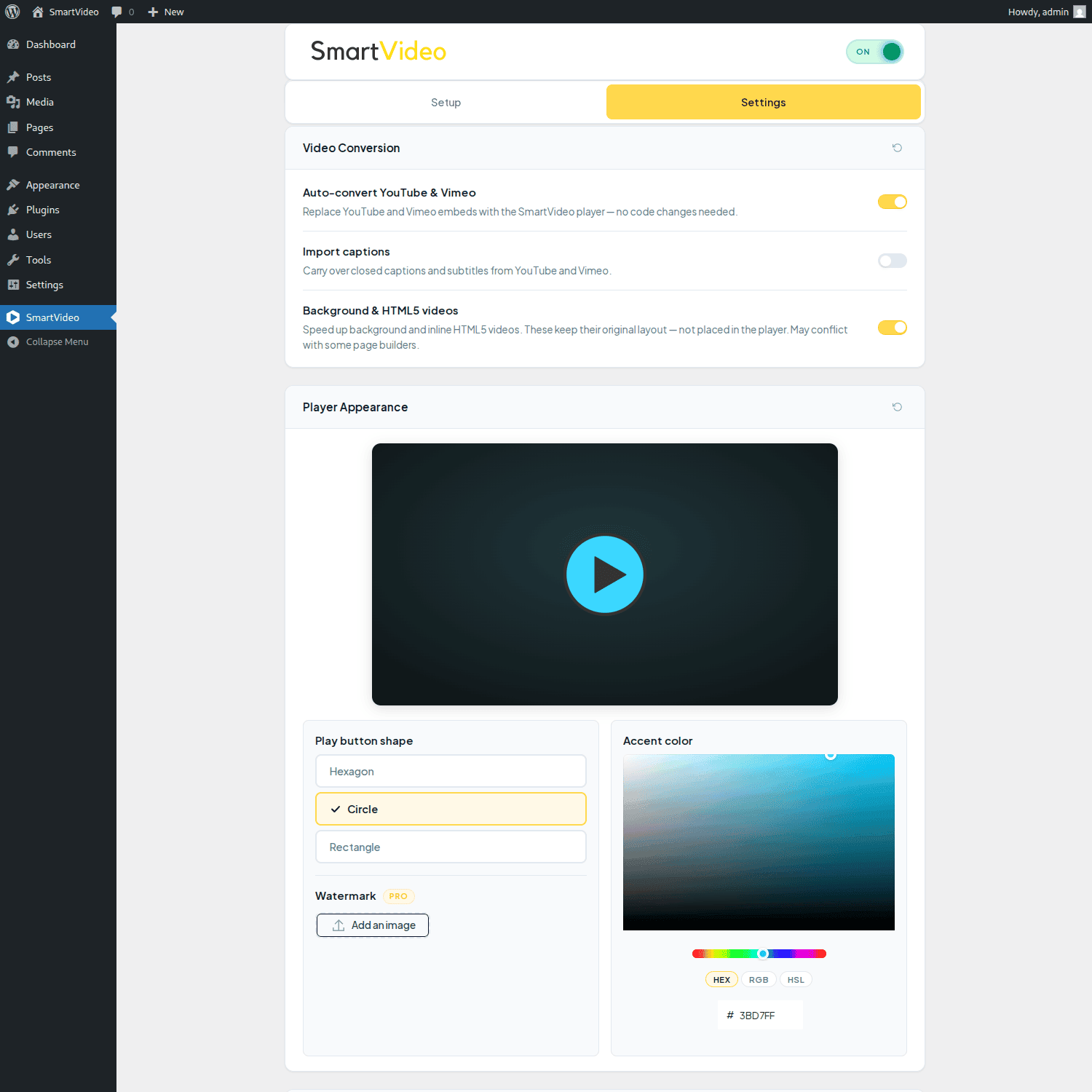
SmartVideo 2.4.0 brings a new, faster player, and it is opt-in. Your site keeps playing videos on the classic player when you update, so nothing about your videos changes on update day. Switch over whenever you’re ready: set Player → Version to Stable in the SmartVideo settings, and the player appearance and playback settings start applying. A later release will make the new player the default for everyone, with the classic player still available if you need it.
⚡ Why SmartVideo?
- The SmartVideo player loads only on pages with video, unlike YouTube embeds which add weight to every page — pages load faster and PageSpeed scores improve
- Video hosting with global CDN delivery
- Auto-converts existing YouTube and Vimeo embeds with zero manual work
- Only loads its player on pages that actually have video — no player script on the rest of your site
Why WordPress Site Owners Choose SmartVideo
Speed & Performance First
* Lightweight video player loads significantly faster than standard YouTube/Vimeo embeds
* Improve Core Web Vitals and page speed performance
* Global CDN delivers video from the nearest edge server
* Lazy load video — defer video loading until needed
* Optimized for mobile, desktop, and tablet viewing
Complete Brand Control
* Remove YouTube or Vimeo branding, overlays, and distracting related videos
* Custom player branding with your colors and watermark
* Professional, distraction-free playback environment
* Prevent traffic leaks to competitor content
WordPress Integration Made Simple
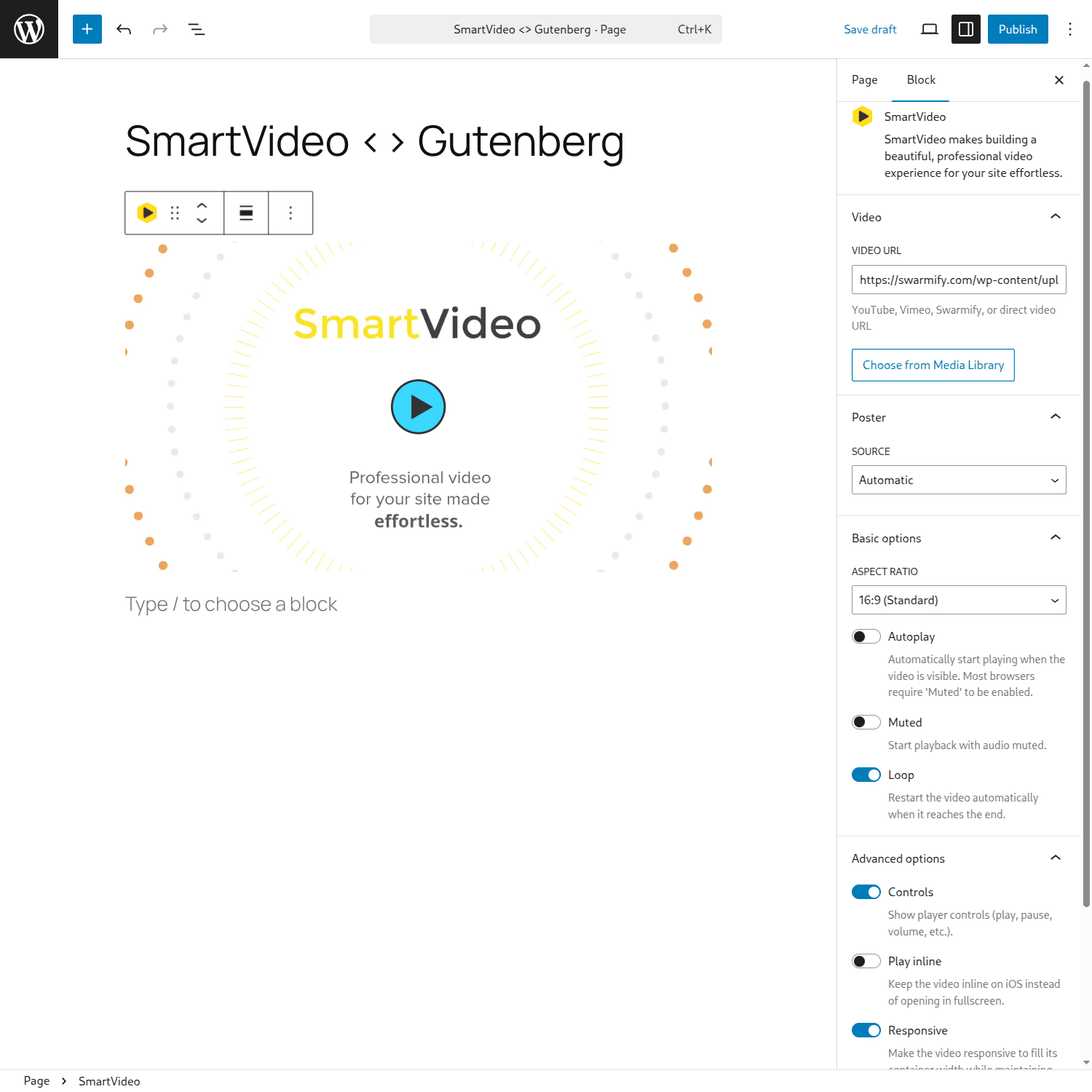
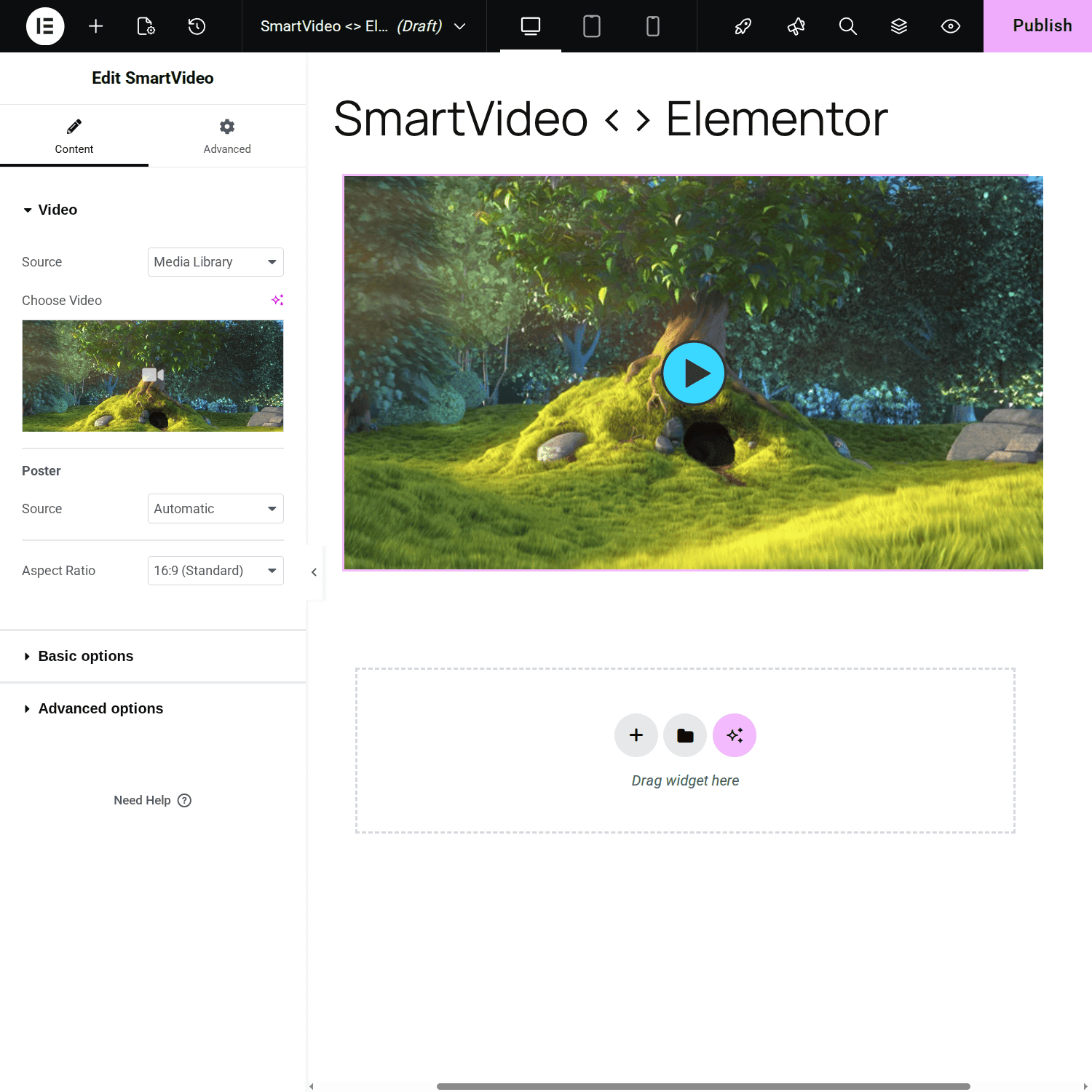
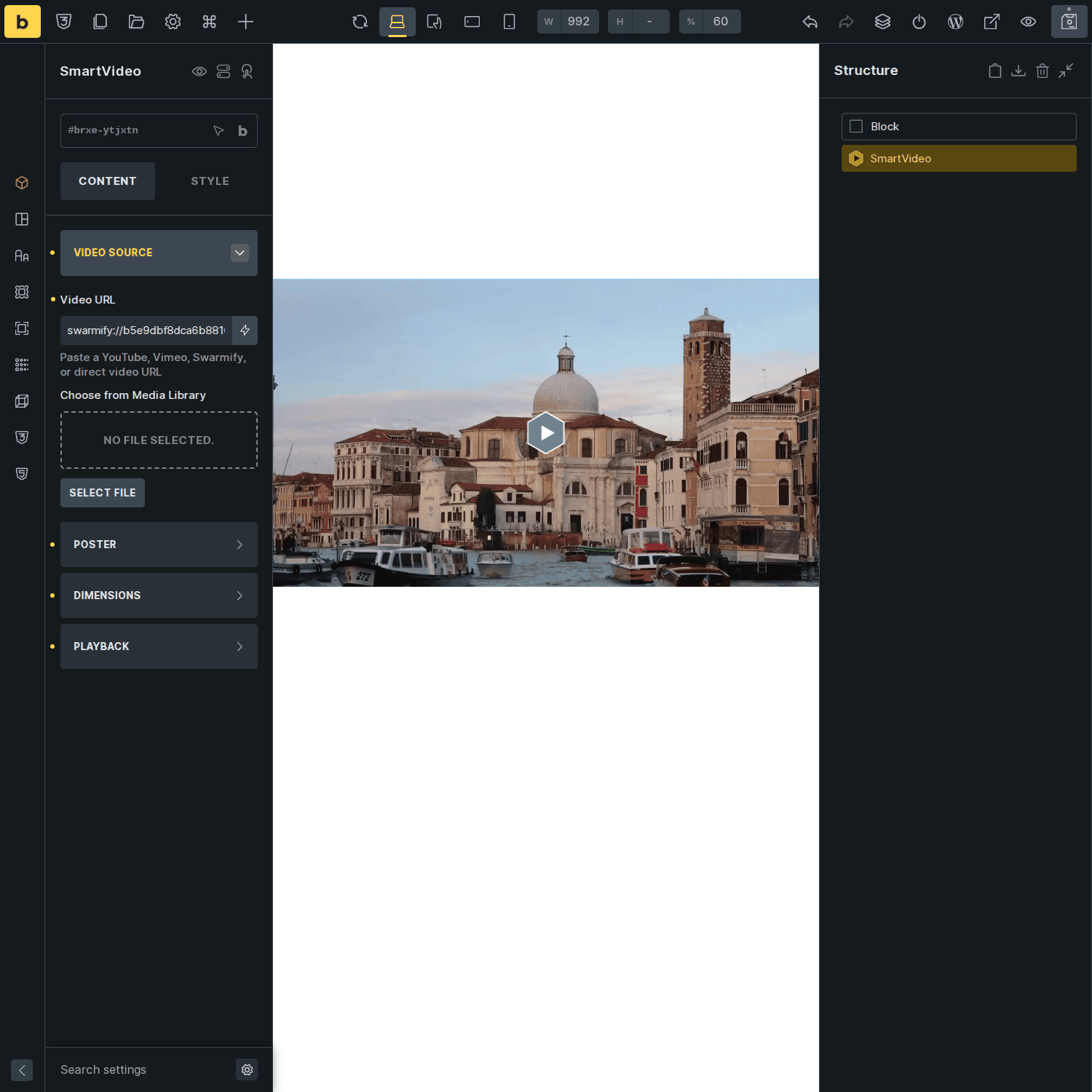
* Native widgets for Elementor, Gutenberg, Beaver Builder, Bricks, Breakdance, and Divi 5
* Auto-converts existing YouTube and Vimeo embeds instantly (no workflow changes)
* Embed videos in seconds with shortcodes or blocks
* Responsive design adapts to any theme
* Per-page disable toggle when you need the original embed
What Our Users Say
⭐⭐⭐⭐⭐ Stefan G. – “After using Swarmify we are incredibly annoyed. But only because of our mistake of not having used Swarmify before. Super fast video player and CDN!”
⭐⭐⭐⭐⭐ Dan S. – “This tool is easy to setup and as easy to use. Does the job as intended, no nonsense. Really enhances the experience of having video on your website.”
⭐⭐⭐⭐⭐ Joe W. – “I implemented this on my site and immediately saw an impact. I am very impressed with how simple they have made the entire setup. It works very well and as advertised.”
⭐⭐⭐⭐⭐ Aditya R. – “Goodbye YouTube Embeds! Incredibly fast, stable and bloat-free!”
🎯 Key Features
- 📹 Video Hosting: Generous bandwidth, automatic encoding, and CDN delivery included
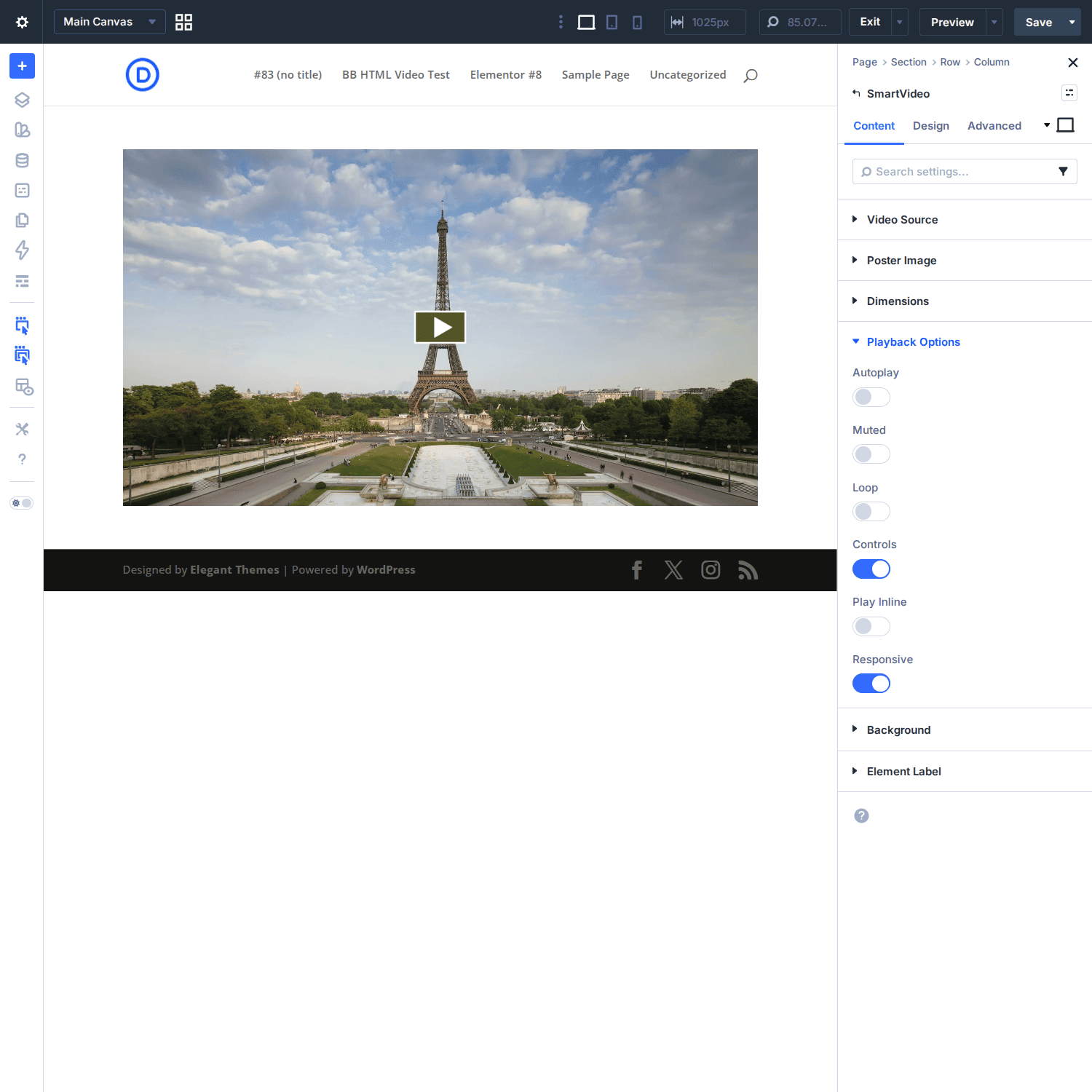
- ⚙️ Playback Customization: Autoplay, loop, mute, hide controls, play inline, video speed control
- 🎨 Visual Enhancement: Add poster images and custom branding
- 🧩 Page Builder Support: Native widgets for Gutenberg, Elementor, Beaver Builder, Bricks, Breakdance, and Divi 5
- 🎯 Conditional Loading: Player script only loads on pages with video content
- 🔒 Per-Page Control: Disable SmartVideo on individual pages or posts
- 💰 Monetization Ready: VAST ad support for revenue generation
- 📁 Format Support: MP4, HLS adaptive bitrate streaming (M3U8), MPEG-DASH, WEBM, VP8/9, MP3, AAC, OPUS
- 📊 Video Schema & SEO: JSON-LD VideoObject video schema auto-generated for pages with SmartVideo
- 🛠️ Developer Friendly: Filters, shortcodes, and extensive customization options
🔧 Behind the Scenes: How SmartVideo Works
SmartVideo handles video streaming and optimization automatically:
- 🤖 Automatic Encoding: Uploads are optimized for web delivery
- 🌍 Global CDN: Routes video from the nearest edge server for fast playback
- 📱 Responsive Rendering: Adapts to any device or screen size
- 📦 Generous Limits: Bandwidth, encoding, and storage included with every plan
Whether you’re showcasing product demos, educational content, sales videos, or background visuals, SmartVideo loads fast, looks professional, and keeps visitors on your site.
🚀 Get Started in Minutes
Start with our free 14-day trial:
- 📥 Install the SmartVideo plugin from your WordPress dashboard
- 🔗 Connect your free Swarmify account (14-day trial included)
- 👀 Watch your existing embeds automatically convert to the clean SmartVideo player
- 📈 Upgrade when you’re ready for more hosting and advanced features
SmartVideo requires a Swarmify account. Visit swarmify.com/pricing for current plans. The WordPress plugin itself is free and open source (AGPL-3.0).
Installation
- Upload the plugin files to the
/wp-content/plugins/SmartVideodirectory, or install the plugin through the WordPress plugins screen directly. - Activate the plugin through the ‘Plugins’ screen in WordPress.
- Use the Settings->SmartVideo screen to configure the plugin.
- You will need to sign up for an account at Swarmify.
Frequently asked questions
How does SmartVideo speed up videos on my WordPress site?
SmartVideo replaces heavy YouTube/Vimeo embeds (hundreds of KB of JavaScript) with a lightweight player served from a global CDN. Pages load faster, Core Web Vitals and PageSpeed scores improve, and videos start playing sooner. The plugin also uses conditional loading — the player script only loads on pages that actually have video.
Which page builders does SmartVideo support?
SmartVideo includes native widgets for Gutenberg (block editor), Elementor, Beaver Builder, Bricks, Breakdance, and Divi 5. Each widget supports full visual editing with an in-canvas preview. You can also use the [smartvideo] shortcode in any builder or the classic editor.
How does auto-conversion from YouTube/Vimeo work?
When you enable auto-convert in settings, SmartVideo detects YouTube and Vimeo embeds on your pages and serves them through the SmartVideo player instead. For Vimeo, the video file is re-encoded and delivered via our CDN. Visitors see a clean, ad-free player with no “Recommended Videos” or third-party branding.
I use Vimeo on my site. How do I switch to SmartVideo?
Install the plugin and enable Vimeo auto-convert in settings. All your existing Vimeo embeds will be automatically converted — no need to re-embed anything. Your workflow stays the same.
What video and audio formats are supported?
Video: MP4, HLS (M3U8), MPEG-DASH, WEBM, VP8/9. Audio: MP3, AAC, OPUS.
Can I disable SmartVideo on specific pages?
Yes. SmartVideo 2.2.0 adds a per-page disable toggle in both the Gutenberg editor sidebar and the classic editor. This lets you keep the original embed on specific pages while SmartVideo handles the rest of your site.
Who is Swarmify?
Swarmify is a video acceleration company focused on making fast, professional video accessible to any website owner. SmartVideo is our flagship product, combining a clean video player with CDN-powered delivery.
Who is SmartVideo for?
SmartVideo is built for site owners who want fast, professional video without the complexity of managing encoding, CDNs, and player configuration. Whether you’re hosting self-hosted video files or replacing YouTube/Vimeo embeds, SmartVideo handles delivery and keeps visitors on your site.
Who is SmartVideo not for?
SmartVideo requires a paid account for ongoing use (14-day free trial to start). If you need a completely free solution and are willing to accept third-party branding and related video recommendations, YouTube or Vimeo embeds may be a better fit.
Why choose SmartVideo as a Vimeo alternative?
Vimeo places its branding, overlays, and recommendations in your video experience, which can distract viewers and redirect traffic away from your site. As a Vimeo alternative, SmartVideo removes those elements and gives you full control of the player appearance and your brand.
Can I use SmartVideo for live video?
SmartVideo currently supports on-demand video only. Live streaming is not yet available. Contact our support team if you’d like to be notified when live streaming support is added.
Are there any content restrictions?
You may use SmartVideo to deliver any content that is legally permissible under United States law and for which you have the appropriate usage and distribution rights. Swarmify adheres to DMCA procedures and responds to takedown requests.
Changelog
Stops WordPress's HTML filter deleting SmartVideos when a page is saved without full editing permissions, and makes pages that already lost their video play again automatically - no re-saving needed. Recommended for everyone.
2.4.4
- Fixed SmartVideos disappearing from pages after they were saved
- WordPress strips out HTML it doesn’t recognise whenever someone without full editing permissions saves a page, and it was removing the SmartVideo from the saved copy. A single save could take out a whole batch of pages at once, and the video stopped playing for your visitors. WordPress now leaves the video in place when the page is saved.
- Pages that already lost their video are playing again
- Nothing was ever really lost: every setting for the video survived in the saved page, so SmartVideo now rebuilds the player from those settings when the page is displayed. Affected pages started working the moment you updated – there’s nothing to edit or re-save.
- The block editor stops reporting those pages as broken
- Affected pages no longer show “This block contains unexpected or invalid content” with an “Attempt Recovery” button. The editor now reads the video’s settings straight from the saved page, and the next time you save that page as you normally would, the video is written back into it. SmartVideo never rewrites your saved pages on its own.
- Stopped publishing the underlying file address for SmartVideo-hosted videos
- Video structured data for an embed added by its swarmify:// link included the directly playable file address – the very thing a swarmify:// link exists to keep out of your page’s source. Videos added that way no longer publish video structured data.
2.4.3
- Fixed the SmartVideo block showing an empty space in the block editor. Current WordPress versions draw the editor preview inside a frame of its own, and the player wasn’t loading there, so the block looked blank while you were editing it. Published pages were never affected — they played normally throughout. The preview now shows the real player again.
2.4.2
- Fixed vertical videos still rendering widescreen on embeds added before 2.4.1
- 2.4.1 corrected new embeds only, because the block editor stores the widescreen shape in the saved block and never revisits it. SmartVideo now corrects that shape when the page is displayed, so switching an embed’s link to the youtube.com/shorts/… form is enough — you no longer have to remove and re-add the block. Nothing in your saved pages is changed.
- Removed the
[smartvideo]shortcode’s rawdata-swarm-setupattribute- WordPress ends a shortcode at the first
], so a real player configuration written there was cut off partway — which could stop the video playing, leave stray text on the page, or add bad entries to your video structured data. Use the shortcode’s ownoverlay_*attributes for call-to-action overlays. Settingdata-swarm-setupon a hand-written<smartvideo>tag is unaffected and works as before.
- WordPress ends a shortcode at the first
- Housekeeping
- The player script no longer loads on classic editor screens in the admin, where it was never used.
- Fixed deprecation notices on sites running PHP 8.4.
2.4.1
- Vertical videos keep their true shape. YouTube Shorts and other vertical or 4:3 embeds now render at their real aspect ratio instead of being squeezed into a widescreen 16:9 frame. Embeds added with a youtube.com/shorts/… link pick this up automatically; if a vertical video still shows widescreen after updating, remove that embed block and paste the Shorts link in fresh.
2.4.0
- New player, ready when you are
- A new, faster player is now available — and entirely opt-in. Your site keeps playing videos on the classic player when you update, so playback stays exactly as it is today. When you’re ready, switch under Player → Version in the SmartVideo settings — Legacy is the classic player, Stable is the new one, and Beta previews what’s next. A later release will make the new player the default.
- While you stay on the classic player, the new player-only controls appear disabled with a “Legacy player” note. Any values you set are kept and start applying when you switch.
- New appearance controls (new player)
- Secondary color, glass tint, corner radius, and a separate play-button corner radius
- Watermark opacity and position
- New playback and behavior controls (new player)
- Keyboard shortcuts, with an adjustable arrow-key seek step and individual toggles for mute, fullscreen, number-key jumps, and captions
- Google Analytics events — optional playback events at a reporting interval you choose
- Lazy-load player toggle
- Some player features vary by Swarmify plan; the settings page shows what applies to yours
- Per-video call-to-action overlay
- Add a clickable overlay with your own text and link to individual videos. Available in the block editor and the
[smartvideo]shortcode for now — support in the other page builders comes in a later release.
- Add a clickable overlay with your own text and link to individual videos. Available in the block editor and the
- Breakdance builder support
- Native SmartVideo element for Breakdance, joining Gutenberg, Elementor, Beaver Builder, Bricks, and Divi
- Fixes
- Fixed the “iFrame player” setting having no effect on Vimeo embeds on the new player
- Fixed “Could not save settings” appearing after resetting a settings section
- YouTube start times (
?t=/?start=) are now preserved in the block editor too - The settings status panel now checks the exact player file your site loads, so it can no longer report OK while the player is blocked
- Fixed SmartVideo elements collapsing to nothing on Bricks 2.x pages
- Removed a harmless but noisy missing-file error on every Divi 4 page
- Fixed videos never loading on sites with WP-Optimize’s “Delay JavaScript” feature enabled
- Notes
- The poster-first fast-load mode built for this release ships disabled — it depends on player-side support that lands in an upcoming player release, and will be switched on in a later plugin update
- Tested with WordPress 7.0.2
2.3.3
- Fixed uploads failing on hosts where the wp-content folder is not writable
- On managed hosts that keep the plugin folder read-only, every media upload since 2.3.0 stopped with “Upload service unavailable”. Uploads now fall back to your uploads folder.
- Fixed large uploads being saved damaged when another plugin also manages uploads
- If a second upload or media plugin set its own transfer size, the pieces of the file were reassembled in the wrong places and the finished file was unusable, with no error shown. The pieces are now placed using the size actually sent.
- Fixed YouTube links that stopped working after 2.3.0
- Saved links that were not in the most common form, such as those starting with “//”, with capital letters in the address, with extra spaces, or from a channel-specific address, were no longer recognized and the video did not play.
- Fixed being unable to add Swarmify-hosted videos in the classic editor
- The “Add SmartVideo” window rejected swarmify:// addresses as invalid, even though they are the plugin’s own format.
- Fixed slow pages on sites that block outside connections
- Where a Vimeo thumbnail could not be fetched, every page view retried and waited. The result is now remembered briefly.
- Fixed “Reset advanced settings” undoing the 2.3.1 video repair
- On a site repaired by 2.3.1 or 2.3.2, resetting that section could switch conditional loading back on and blank the videos again. Reset now leaves that setting alone.
Screenshots

For developers
Is this your plugin? Show off the numbers.
Add a live badge to your site, docs or GitHub README. It updates on its own — no account needed.
Best SmartVideo alternatives
All video embed plugins →





FAQ
SmartVideo – Video Player and CDN: quick answers
Straight answers, pulled from live WordPress.org data.
Live data from WordPress.org · checked Sep 29, 2026
Is SmartVideo free?
Yes. SmartVideo is free to download and use from the official WordPress.org plugin directory.
Is SmartVideo safe to use in 2026?
SmartVideo is a solid plugin choice in 2026, with a few things worth checking first. It runs on 1K+ sites, is rated 4/5 and was last updated 1 month ago, and scores 74/100 on our health check.
How many websites use SmartVideo?
SmartVideo is active on 1K+ WordPress websites and has been downloaded 91,249 times since it launched in February 2018. It was downloaded 1,059 times in the last 30 days.
Does SmartVideo work with WordPress 7.1?
Yes. The developer has tested SmartVideo up to WordPress 7.1.2, the latest release. It requires WordPress 6.6 or newer.
What PHP version does SmartVideo need?
SmartVideo requires PHP 7.3 or higher. Most hosts run PHP 8.x today, so it works on any modern WordPress hosting.
When was SmartVideo last updated?
The latest version, 2.4.4, was released on August 25, 2026 (1 month ago).
Who makes SmartVideo?
SmartVideo is developed and maintained by JDAdmin.
What are the best alternatives to SmartVideo?
The most popular alternatives to SmartVideo are Wonder Video Embed (4K+ installs), Video Player Block (2K+ installs) and Gumlet Video (300+ installs).
Powered by PageForge
Want thousands of pages that rank like these? Build them in an afternoon.
This directory runs on the same engine as PageForge. Turn any spreadsheet, CSV or API into thousands of fast, SEO-ready WordPress pages — with schema, internal links and AI-written copy baked in.
- CSV, Google Sheets & API data sources
- AI content, schema & internal links per page
- Works with Elementor, Gutenberg, Yoast & Rank Math
- Free on WordPress.org — no credit card


