



Smart Calculators Suite
Loan, mortgage, savings, retirement, investment, solar, and industry-specific calculators in one plugin to engage users and generate leads.

Use with caution
Smart Calculators Suite works, but test it on a staging site before relying on it in 2026. Was last updated 4 months ago, and scores 49/100 on our health check.
- Small user base (<10 active installs)
- Very few reviews so far
How does it stack up?
Side-by-side on installs, updates, ratings & support



Daily downloads
Download spikes usually follow a new release — each site that auto-updates counts as a download.
Rankings
Where Smart Calculators Suite stands todayWordPress.org search rankings
Live position in the plugin search, top 100| Keyword | Position |
|---|---|
| calculators | >100 |
| Financial Calculator | #32 |
| loan calculator | #44 |
| mortgage calculator | #46 |
| solar calculator | #5 |
About Smart Calculators Suite
From the official readme · v1.0Description
Smart Calculators Suite is a comprehensive collection of modern, responsive, and user-friendly calculators designed for websites that need practical decision-making tools.
Whether you run a financial website, real estate business, consulting firm, or service-based company, this plugin helps you engage users, improve conversions, and provide real value through interactive calculations.
Included Calculators:
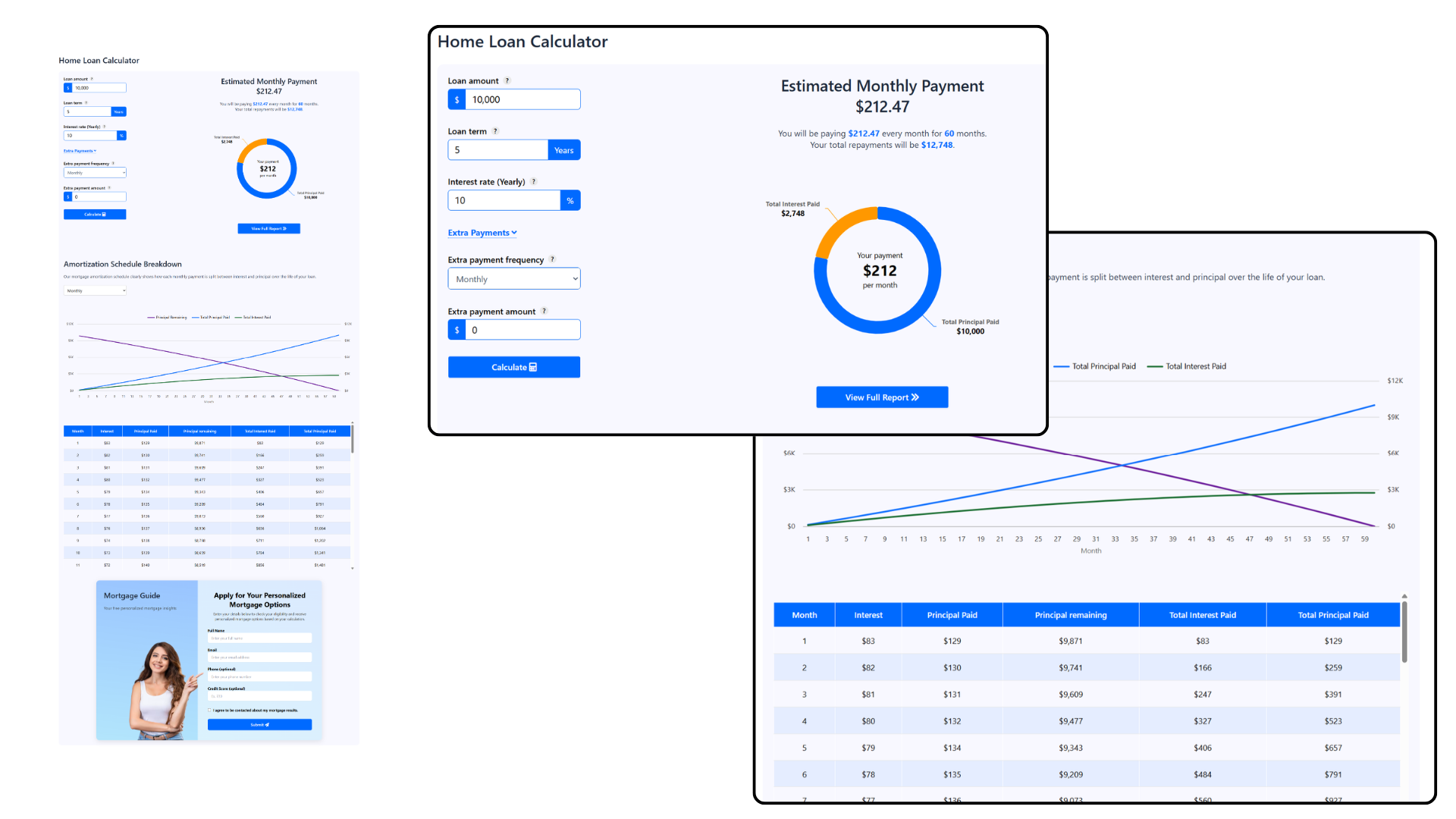
- Loan Calculator Live Preview
- Mortgage Calculator Live Preview
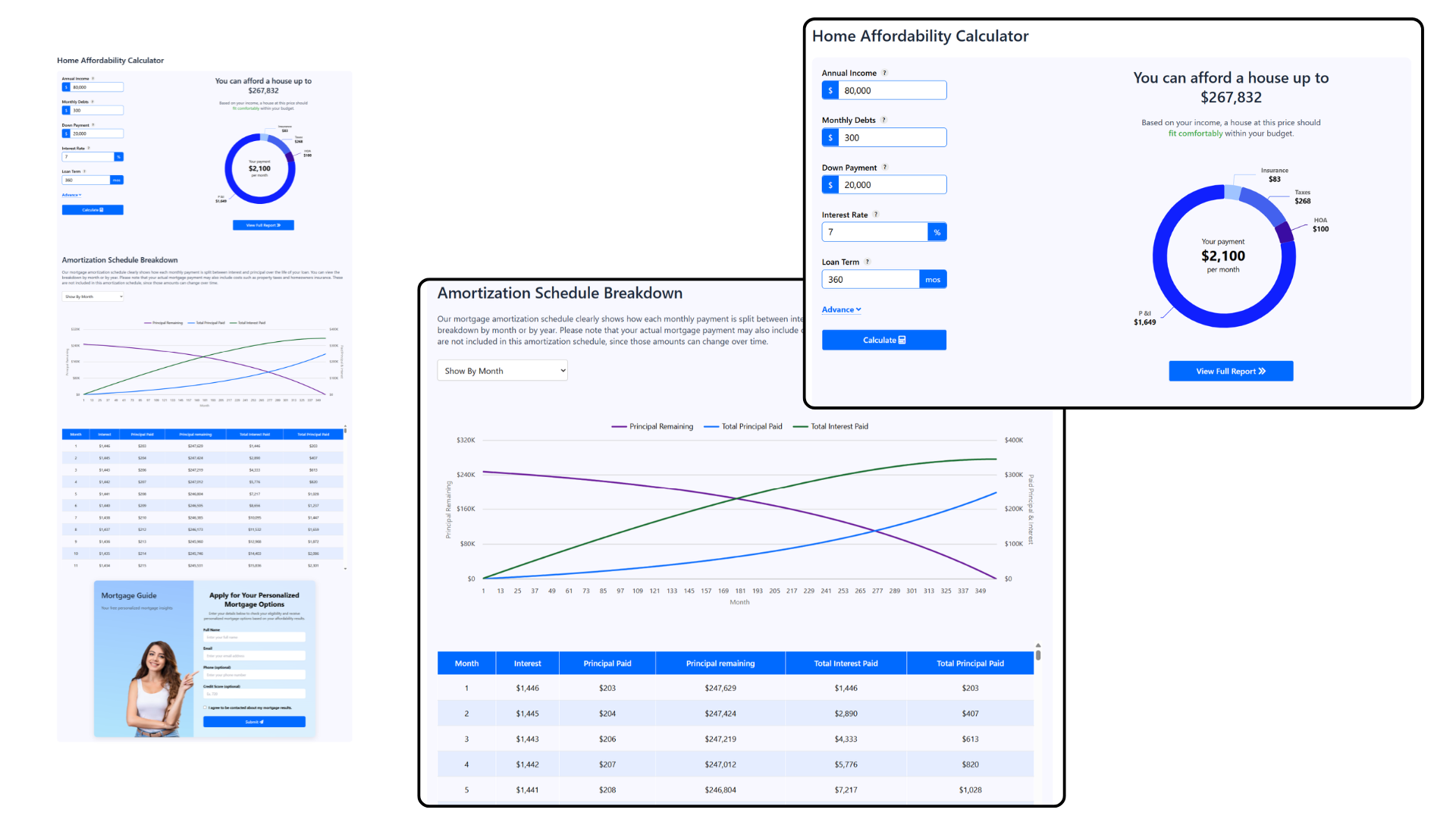
- Home Affordability Calculator Live Preview
- Retirement Savings Growth Calculator Live Preview
- Compound Interest Calculator Live Preview
- Investment Growth Calculator (Coming Soon)
- Savings Calculator (Coming Soon)
- Rent vs Buy Calculator (Coming Soon)
- Home Budget Planner (Coming Soon)
- Solar Panel Cost & Savings Calculator (Coming Soon)
- Cleaning Cost Calculator (Coming Soon)
- Service Pricing Estimator (Coming Soon)
- Custom Cost Estimation Calculators (Coming Soon)
Key Features:
- Easy shortcode-based integration
- Mobile-friendly and responsive design
- Fast loading and lightweight
- Works with any WordPress theme
- Built-in Lead Form and Contact Form
- Ideal for lead generation and user engagement
More calculators and enhancements are continuously added to make this suite even more powerful.
Live Previews
Plugin Usage Data
This plugin may collect non-sensitive usage data to help us improve the usual bugs and design conflicts to provide you best experience ever.
Installation
Installation of the plugin is really simple.
- Install using one of these options:
- Install directly from WordPress Admin panel: go to Plugins -> Add New -> Search for “Smart Calculators Suite”, and click the Install button.
- Download the ZIP manually from WordPress’ plugins repository, and upload it through WordPress Admin panel: go to Plugins -> Add New -> Upload Plugin, browse to the downloaded Zip and upload it.
- Download the ZIP, extract it and manually upload the extracted folder through FTP to the
/wp-content/plugins/directory of your WordPress installation.
- Activate the plugin through the ‘Plugins’ menu in WordPress.
- That’s it!
Frequently asked questions
Can I change currency of the calculator?
Yes, you can use any currency in the calculator. You can change currency setting from admin menu.
Can I update design according to my web theme?
We provide exclusive options to change look of the calculator by changing colors , shadow and labels that best fit your requirements.
Can I collect leads through these calculators?
Yes. The plugin includes a built-in Lead Form and Contact Form. The Lead Form appears before the calculator results and can be turned on or off by the admin from the calculator settings. When enabled, users must enter their name and email to view the results. The Contact Form appears below the calculator and is completely optional, allowing visitors to contact you if they wish.
Screenshots

For developers
Is this your plugin? Show off the numbers.
Add a live badge to your site, docs or GitHub README. It updates on its own — no account needed.
Best Smart Calculators Suite alternatives
All calculators plugins →



FAQ
Smart Calculators Suite: quick answers
Straight answers, pulled from live WordPress.org data.
Live data from WordPress.org · checked Sep 30, 2026
Is Smart Calculators Suite free?
Yes. Smart Calculators Suite is free to download and use from the official WordPress.org plugin directory.
Is Smart Calculators Suite safe to use in 2026?
Smart Calculators Suite works, but test it on a staging site before relying on it in 2026. Was last updated 4 months ago, and scores 49/100 on our health check.
How many websites use Smart Calculators Suite?
Smart Calculators Suite is active on <10 WordPress websites and has been downloaded 377 times since it launched in March 2026. It was downloaded 49 times in the last 30 days.
Does Smart Calculators Suite work with WordPress 7.1?
Smart Calculators Suite is officially tested up to WordPress 7.0.6, while the latest release is 7.1.2. It may still work, but try it on a staging site first.
What PHP version does Smart Calculators Suite need?
Smart Calculators Suite requires PHP 5.6 or higher. Most hosts run PHP 8.x today, so it works on any modern WordPress hosting.
When was Smart Calculators Suite last updated?
The latest version, 1.0, was released on June 5, 2026 (4 months ago).
Who makes Smart Calculators Suite?
Smart Calculators Suite is developed and maintained by wppluginboxdev.
What are the best alternatives to Smart Calculators Suite?
The most popular alternatives to Smart Calculators Suite are Smart Forms & Calculators B… (100+ installs), GoZen Engage (20+ installs) and RoughEst Instant Estimate C… (10+ installs).
Powered by PageForge
Want thousands of pages that rank like these? Build them in an afternoon.
This directory runs on the same engine as PageForge. Turn any spreadsheet, CSV or API into thousands of fast, SEO-ready WordPress pages — with schema, internal links and AI-written copy baked in.
- CSV, Google Sheets & API data sources
- AI content, schema & internal links per page
- Works with Elementor, Gutenberg, Yoast & Rank Math
- Free on WordPress.org — no credit card


