


Slimify
Local JPEG and PNG compression with optional WebP siblings. No remote API.

Solid choice
Slimify is a solid plugin choice in 2026, with a few things worth checking first. Was last updated 5 days ago, and scores 64/100 on our health check.
- Actively developed — last update 5 days ago
- Tested with the latest WordPress (7.1)
- Small user base (<10 active installs)
- Very few reviews so far
- Needs PHP 8.4 or newer
How does it stack up?
Side-by-side on installs, updates, ratings & support



Daily downloads
Download spikes usually follow a new release — each site that auto-updates counts as a download.
Rankings
Where Slimify stands todayWordPress.org search rankings
Live position in the plugin search, top 100| Keyword | Position |
|---|---|
| compression | >100 |
| images | >100 |
| optimise | #63 |
| performance | >100 |
| webp | >100 |
About Slimify
From the official readme · v1.0.2Description
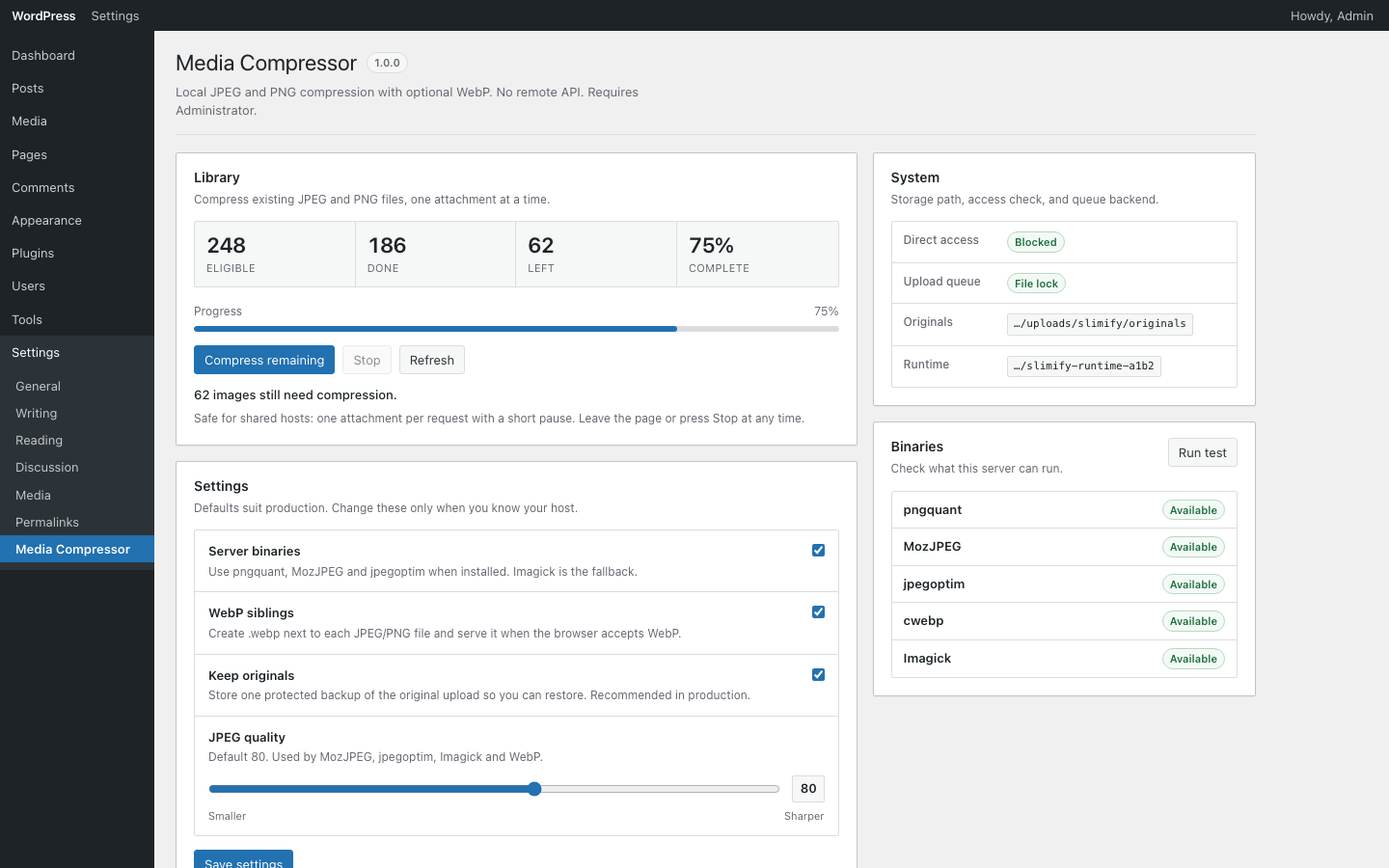
Slimify compresses JPEG and PNG uploads on your server using pngquant, MozJPEG, jpegoptim, and Imagick. Optional WebP siblings are created when smaller than the final image.
- Local tooling only — no third-party API, accounts, or telemetry
- Compress on upload, restore from originals, and bulk-process the library
- Private originals storage under uploads with nginx/Apache deny patterns
- Works with common offload plugins (WP Offload Media, Offload Media – Cloud Storage (Acowebs), and others) — remote originals are fetched, compressed, and pushed back, and WebP siblings are only served from the CDN once confirmed there
- Missing files screen lists library entries whose original is gone, so bulk runs never stall on them
Installation
- Upload the
slimifyfolder to/wp-content/plugins/ - Activate the plugin through the Plugins screen
- Open Settings → Media Compressor to configure quality and WebP
Changelog
1.0.2
- Feature: native support for Offload Media – Cloud Storage (Acowebs) — WebP siblings are merged into its batch file-path filter (
acoofmp_attachment_file_paths), compressed attachments are re-synced through its ownacoofmp_sync_attachments_to_cloud(stale cloud copies are replaced), and offload state is read from its post meta - Feature: new
slimify_offload_batch_file_path_hooksfilter for offloaders whose file-list filter passes an attachment-ID-keyed batch map - Feature: Media Library bulk actions — “Compress with Slimify” and “Restore original (Slimify)” in the Bulk actions dropdown, with per-item eligibility and a result notice
- Fix: offload pushes via a plugin’s own sync API no longer depend on a metadata-update listener existing
1.0.1
- Fix: auto-offload failed when a theme registers a numeric size name (e.g. add_image_size(‘680’, …)) — WordPress stores it under key 0 and reports it missing forever; Slimify treats it as present, uses a safe offload key, and keeps its srcset entry correct
- Fix: images under 2 KB were marked “Over limits” and skipped WebP — compression and WebP eligibility are now separate
- Fix: “Over limits” attachments could never recover — skipped files are no longer locked in the ledger
- Fix: offload file-path hooks are collected on
initso themes and mu-plugins can register them - Fix: WebP is only served from the CDN once confirmed there; otherwise a local WebP URL is used
- Fix: delivery filters run last so offloaders cannot undo the WebP swap
- Improvement: WebP siblings in offload manifests use named keys (
size.webp) - Feature: after compress/restore, any offload plugin that hooks metadata updates is asked to re-upload; WebPs are HEAD-checked before CDN delivery
- Feature: Missing files screen lists attachments with no local or remote source instead of stalling bulk runs
- Fix: Missing files scan no longer flags offloaded items whose local copy was removed
- Security: Missing files delete only accepts flagged attachments and re-checks before deleting
- Security: remote WebP checks use safe HTTP requests with redirects disabled
- Performance: remote WebP checks only run for offloaded attachments (3 s timeout, 12-file cap, 10 s budget)
- Fix: “pushed to remote” is not reported until WebPs are confirmed
- Fix: library stats no longer count an attachment as both compressed and missing
- Fix: a successful compress clears the missing-file flag
- Fix: a busy compress no longer triggers a needless offload
- Fix: remote downloads that swap format behind a .jpg/.png URL are rejected
- Hardening: temporary copies go to the system temp directory, not public uploads
- Fix: WebP delivery treats www and non-www hosts as the same site
- Fix: uninstall removes Slimify cron events
- Fix: WebP clients keep a responsive srcset (rebuilt when Core drops it for a .webp src)
- Fix: host-less upload URLs under WP-CLI without –url are no longer treated as remotely fetchable
- Fix: images offloaded after compression switch to CDN WebP once confirmed (offloader upload + hourly delivery re-check)
- Fix: new uploads queue that re-check only after WebPs exist
- Fix: the deferred queue waits for the upload request to finish before compressing
- Fix: remote WebP checks with more than 12 files make progress on each run
1.0.0
- Initial release
Screenshots
For developers
Is this your plugin? Show off the numbers.
Add a live badge to your site, docs or GitHub README. It updates on its own — no account needed.
Best Slimify alternatives
All compression plugins →





FAQ
Slimify: quick answers
Straight answers, pulled from live WordPress.org data.
Live data from WordPress.org · checked Nov 18, 2026
Is Slimify free?
Yes. Slimify is free to download and use from the official WordPress.org plugin directory.
Is Slimify safe to use in 2026?
Slimify is a solid plugin choice in 2026, with a few things worth checking first. Was last updated 5 days ago, and scores 64/100 on our health check.
How many websites use Slimify?
Slimify is active on <10 WordPress websites and has been downloaded 403 times since it launched in August 2026. It was downloaded 214 times in the last 30 days.
Does Slimify work with WordPress 7.1?
Yes. The developer has tested Slimify up to WordPress 7.1.4, the latest release. It requires WordPress 6.4 or newer.
What PHP version does Slimify need?
Slimify requires PHP 8.4 or higher. Most hosts run PHP 8.x today, so it works on any modern WordPress hosting.
When was Slimify last updated?
The latest version, 1.0.2, was released on November 13, 2026 (5 days ago).
Who makes Slimify?
Slimify is developed and maintained by Miro Sedlacek.
What are the best alternatives to Slimify?
The most popular alternatives to Slimify are TinyPNG Image Optimization (100K+ installs), Disable JPEG Compression (1K+ installs) and WP Resized Image Quality (800+ installs).
Powered by PageForge
Want thousands of pages that rank like these? Build them in an afternoon.
This directory runs on the same engine as PageForge. Turn any spreadsheet, CSV or API into thousands of fast, SEO-ready WordPress pages — with schema, internal links and AI-written copy baked in.
- CSV, Google Sheets & API data sources
- AI content, schema & internal links per page
- Works with Elementor, Gutenberg, Yoast & Rank Math
- Free on WordPress.org — no credit card


