



Skrybar Translate
Translate posts, ACF fields, SEO meta and slugs with DeepL or Google Cloud Translation. Works with Polylang and WPML.

Solid choice
Skrybar Translate is a solid plugin choice in 2026, with a few things worth checking first. Was last updated 4 weeks ago, and scores 64/100 on our health check.
- Actively developed — last update 4 weeks ago
- Tested with the latest WordPress (7.1)
- Small user base (<10 active installs)
- Very few reviews so far
How does it stack up?
Side-by-side on installs, updates, ratings & support


Daily downloads
Download spikes usually follow a new release — each site that auto-updates counts as a download.
Rankings
Where Skrybar Translate stands todayWordPress.org search rankings
Live position in the plugin search, top 100| Keyword | Position |
|---|---|
| deepl | #48 |
| multilingual | >100 |
| polylang | >100 |
| translation | >100 |
| wpml | >100 |
About Skrybar Translate
From the official readme · v1.0.0Description
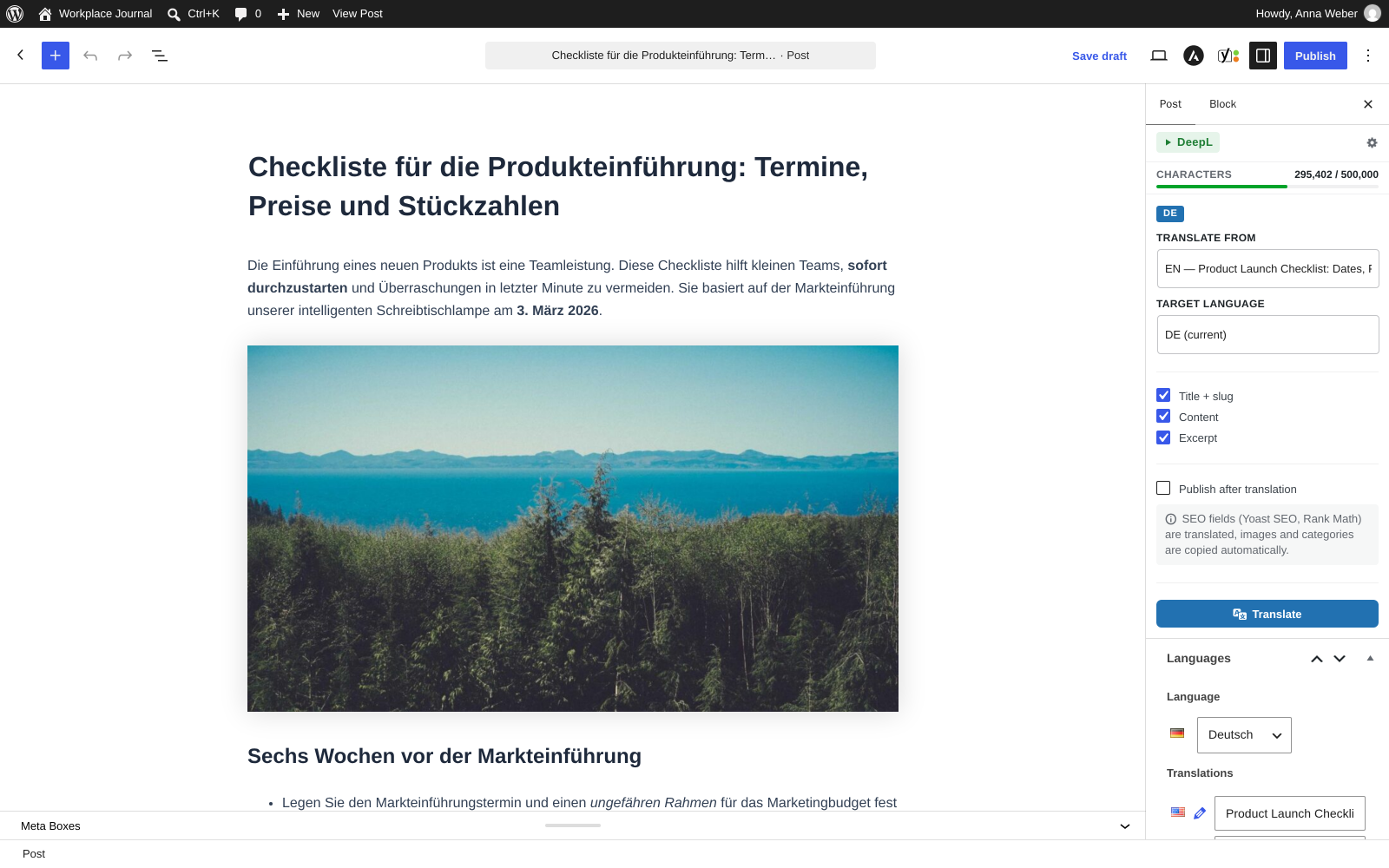
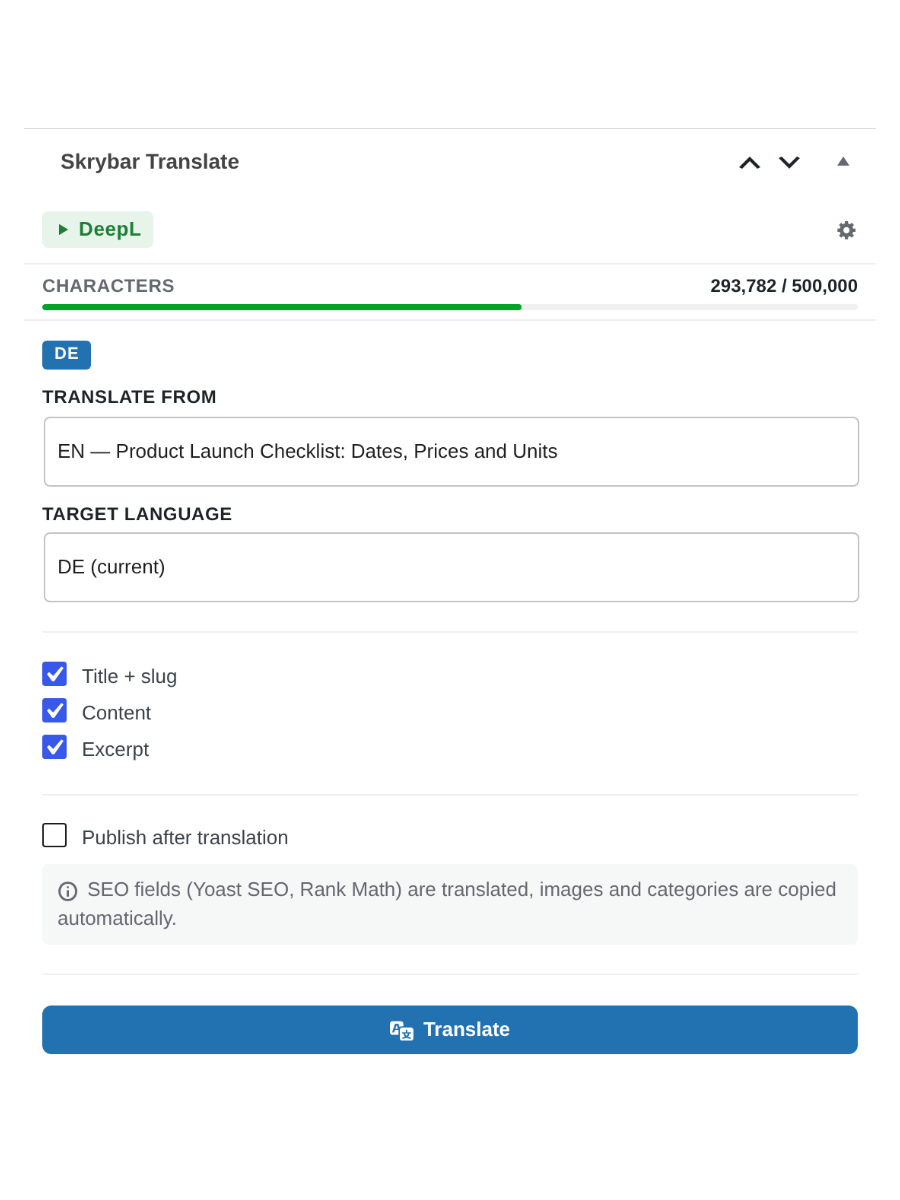
Skrybar Translate adds a one-click translation workflow to multilingual WordPress sites. It creates a draft of a post in the target language and translates all supported fields using your own DeepL or Google Cloud Translation API key.
Features
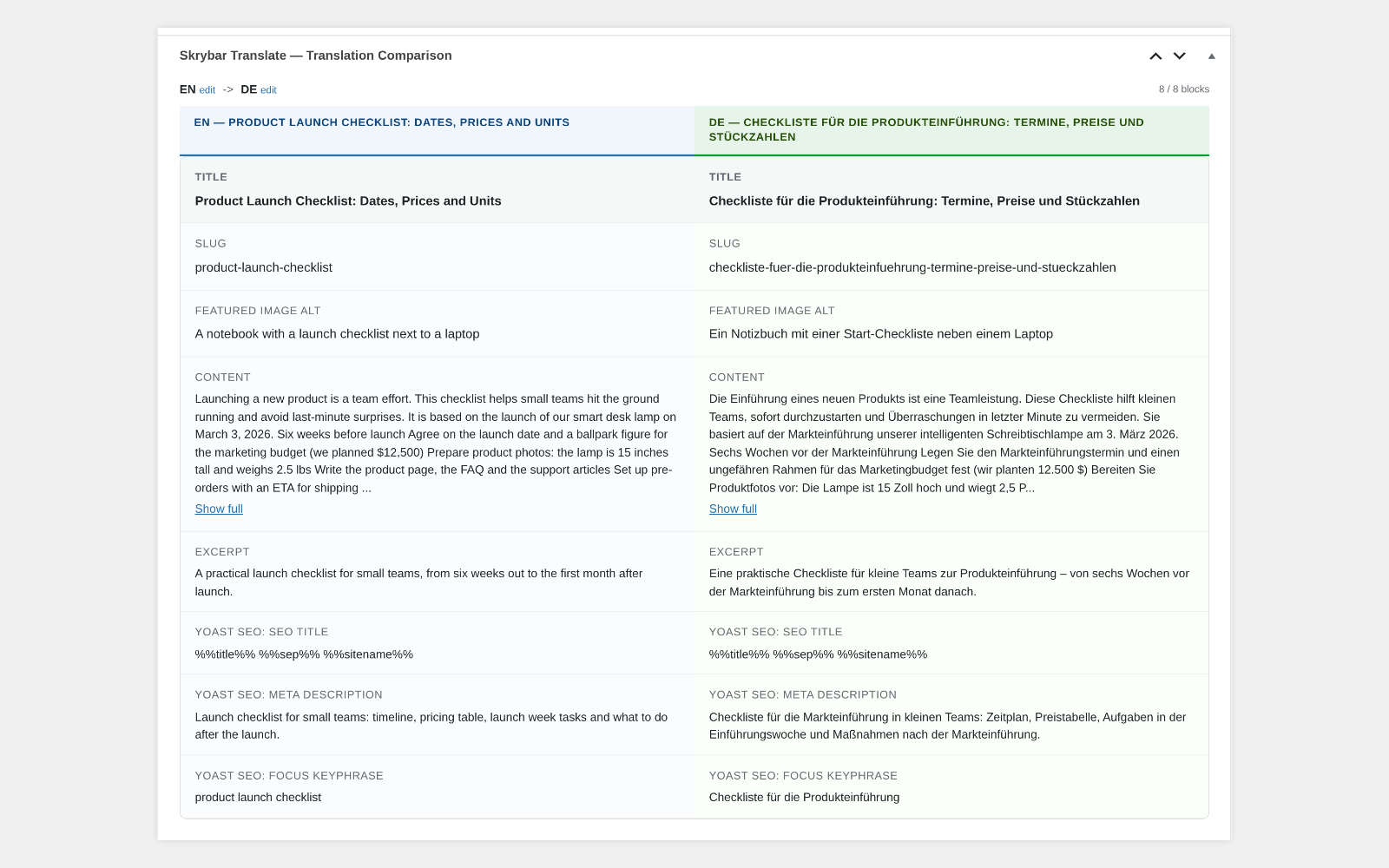
- Translate title, content (Gutenberg and Classic Editor), excerpt and slug
- ACF fields, including Group, Repeater and Flexible Content, with automatic field detection and a skip list: text is translated, other values are copied
- Yoast SEO and Rank Math: SEO title, meta description and focus keyphrase(s), with a warning when the translated keyphrase is missing from the translated SEO title or description
- Image alt text inside the content is translated
- Featured image and ACF images are copied to the translation; with media translation enabled (Polylang media languages, WPML Media Translation) the featured image alt text is translated on the target-language copy
- Categories, tags and custom taxonomies: existing translations of terms are reused, otherwise the original term is kept
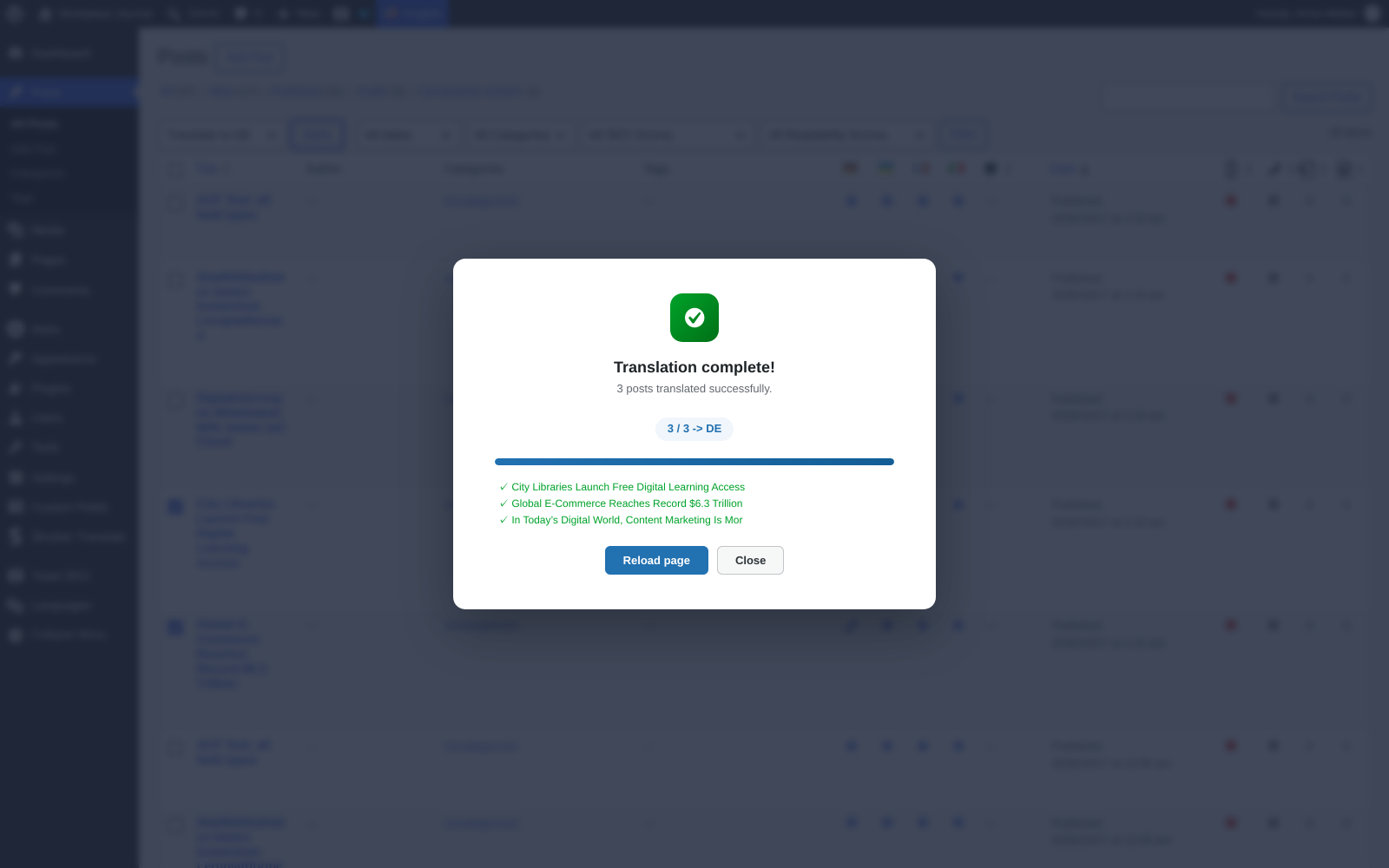
- Bulk translation from the post list, up to 20 posts per batch; translations that are not drafts are skipped
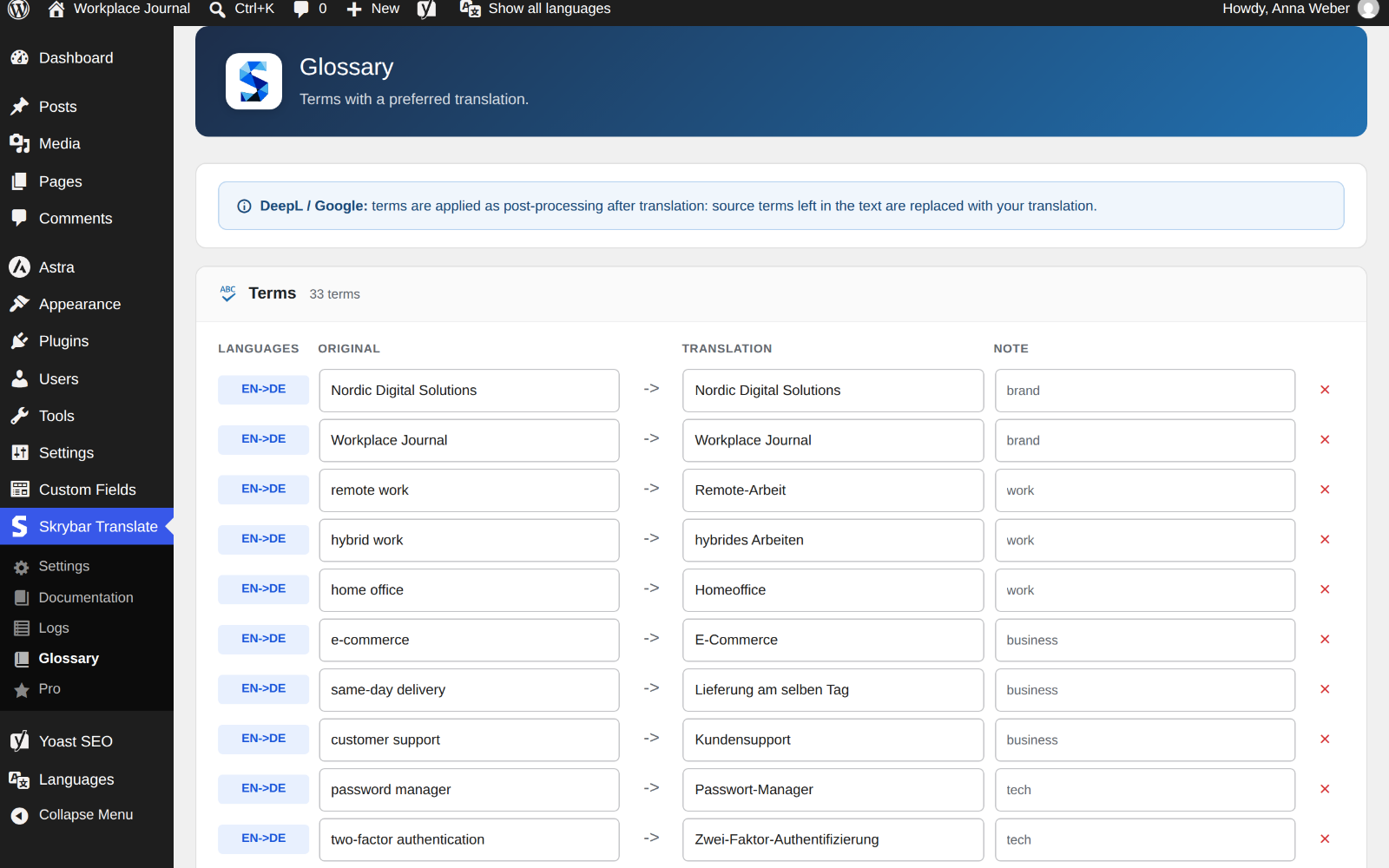
- Glossary per language pair: source terms left in the translation are replaced with your translation (works best with up to ~150 terms)
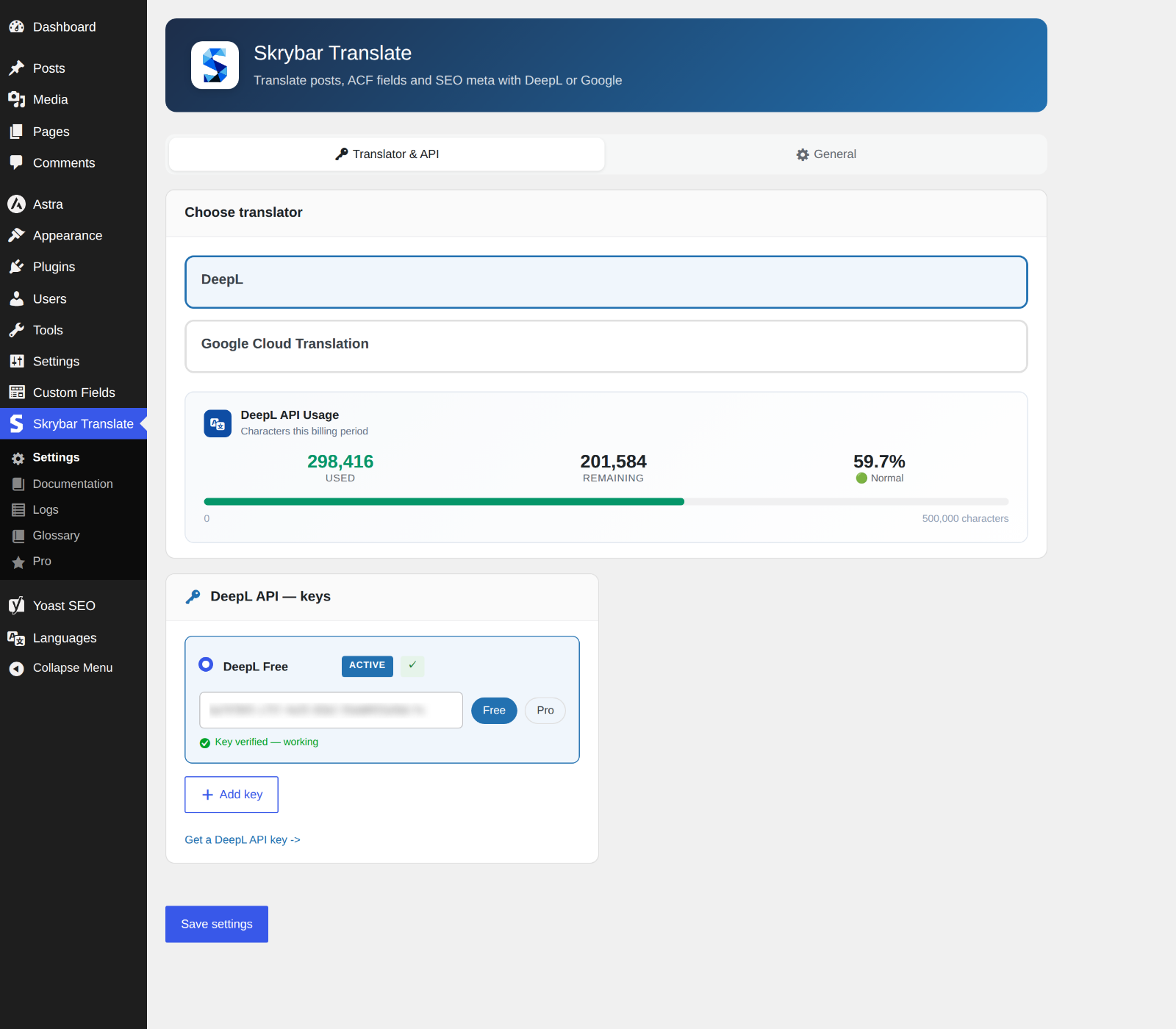
- DeepL API keys with validation and a usage indicator; choose the active key
- Form of address: formal (Sie, vous, usted) or informal (du, tu, tú) in the whole post, with DeepL; formal by default on new installations
- Optional auto-publish after translation and optional auto-translate when a published post is updated (the latter requires ACF); both off by default
- Detection of leftover Cyrillic words in translations into non-Cyrillic languages, with a warning right after translation
- Translation log with post, languages, translator, character count, translated fields, status and warnings
- API keys can be defined in
wp-config.php(SKRYBAR_DEEPL_API_KEY,SKRYBAR_GOOGLE_API_KEY) instead of the database - Translations are stored as regular posts in your WordPress database
Supported plugins
- Multilingual: Polylang and WPML
- SEO: Yoast SEO and Rank Math
- Custom fields: Advanced Custom Fields (ACF)
Requirements
- Polylang or WPML
- A DeepL API key or a Google Cloud Translation API key. Pricing is set by each provider; see their websites for current plans.
Skrybar Translate Pro (optional add-on)
For teams that need more, Skrybar Translate Pro is a separate plugin that installs next to Skrybar Translate and adds:
- Skrybar AI translation (tone-aware)
- Quality check with an AI editor report
- SEO meta & title generation for Yoast SEO and Rank Math
- Proofreader & rewriter
- E-E-A-T audit & readability score
- Expert comment & FAQ
- Text expansion
Learn more at skrybar.com. The comparison is also available in the plugin under Skrybar Translate > Pro.
External Services
This plugin sends content to a third-party translation service only when you start a translation: by clicking Translate, running a bulk translation, or, if you enable it in the settings, with Auto-translate (disabled by default). Apart from that, only the DeepL usage check described below is made. A DeepL or Google API key is required; without it no data is sent.
DeepL API
Used to translate text when DeepL is selected as the translator. Also used to validate your key when you save the settings, and to read your character usage when you open the settings page or the post editor (cached for one hour; only the API key is sent).
Data sent: the text of the fields being translated (title, content, excerpt, image alt text, SEO meta, text from ACF fields), for focus keyphrases also the post title, SEO title and description as context, the source and target language, and your API key.
* Terms: https://www.deepl.com/pro-license
* Privacy: https://www.deepl.com/privacy
Google Cloud Translation API
Used to translate text when Google is selected as the translator.
Data sent: the text of the fields being translated (title, content, excerpt, image alt text, SEO meta, text from ACF fields), the source and target language, and your API key.
* Terms: https://cloud.google.com/terms
* Privacy: https://policies.google.com/privacy
Privacy
- API keys are stored in your WordPress database (or in
wp-config.phpif you define them there). They are sent only to the translation service you select. - The translation log is stored in your own database. It contains the post and its title, the user who ran the translation, languages, translator, character count, translated fields, status and warnings, not the translated text.
- On uninstall you can choose to remove only settings and cache, or to remove all plugin data including logs and glossary.
Installation
- Upload the
skrybar-translatefolder to/wp-content/plugins/or install it via Plugins → Add Plugin. - Activate the plugin. Make sure Polylang or WPML is installed and your languages are configured.
- Go to Skrybar Translate → Settings and open the Translator & API tab.
- Choose DeepL or Google and enter your API key.
- In the General tab, set the default source and target language.
- Open a post and use the Skrybar Translate box to translate it, or select posts in the post list and choose “Translate to XX” in Bulk actions.
Screenshots
For developers
Is this your plugin? Show off the numbers.
Add a live badge to your site, docs or GitHub README. It updates on its own — no account needed.
Best Skrybar Translate alternatives
All deepl plugins →




FAQ
Skrybar Translate: quick answers
Straight answers, pulled from live WordPress.org data.
Live data from WordPress.org · checked Nov 17, 2026
Is Skrybar Translate free?
Yes. Skrybar Translate is free to download and use from the official WordPress.org plugin directory.
Is Skrybar Translate safe to use in 2026?
Skrybar Translate is a solid plugin choice in 2026, with a few things worth checking first. Was last updated 4 weeks ago, and scores 64/100 on our health check.
How many websites use Skrybar Translate?
Skrybar Translate is active on <10 WordPress websites and has been downloaded 167 times since it launched in October 2026. It was downloaded 179 times in the last 30 days.
Does Skrybar Translate work with WordPress 7.1?
Yes. The developer has tested Skrybar Translate up to WordPress 7.1.4, the latest release. It requires WordPress 6.5 or newer.
What PHP version does Skrybar Translate need?
Skrybar Translate requires PHP 8.0 or higher. Most hosts run PHP 8.x today, so it works on any modern WordPress hosting.
When was Skrybar Translate last updated?
The latest version, 1.0.0, was released on October 19, 2026 (4 weeks ago).
Who makes Skrybar Translate?
Skrybar Translate is developed and maintained by skrybar.
What are the best alternatives to Skrybar Translate?
The most popular alternatives to Skrybar Translate are LATW AI Translation for WPML (100+ installs), Translify for TranslatePres… (30+ installs) and Yard DeepL (20+ installs).
Powered by PageForge
Want thousands of pages that rank like these? Build them in an afternoon.
This directory runs on the same engine as PageForge. Turn any spreadsheet, CSV or API into thousands of fast, SEO-ready WordPress pages — with schema, internal links and AI-written copy baked in.
- CSV, Google Sheets & API data sources
- AI content, schema & internal links per page
- Works with Elementor, Gutenberg, Yoast & Rank Math
- Free on WordPress.org — no credit card


