



SiteSEO – SEO Simplified
SiteSEO is an easy, fast and powerful SEO plugin for WordPress. Unlock your Website's potential and Maximize your online visibility with our SiteSEO!

Solid choice
SiteSEO – SEO Simplified is a solid plugin choice in 2026, with a few things worth checking first. It runs on 500K+ sites, is rated 4/5 and was last updated 3 days ago, and scores 73/100 on our health check.
- Proven at scale on 500K+ active sites
- Actively developed — last update 3 days ago
- Tested with the latest WordPress (7.1)
How does it stack up?
Side-by-side on installs, updates, ratings & support



Daily downloads
Download spikes usually follow a new release — each site that auto-updates counts as a download.
Rankings
Where SiteSEO – SEO Simplified stands todayWordPress.org search rankings
Live position in the plugin search, top 100| Keyword | Position |
|---|---|
| meta description | #9 |
| schema | #38 |
| seo | #14 |
| xml sitemap | #26 |
Version adoption
Share of active sites per release.
Rating breakdown
★★★★★★★★★★ 4 from 9 reviews
About SiteSEO – SEO Simplified
From the official readme · v1.4.2Description
SiteSEO is a revolutionary WordPress SEO plugin that seamlessly integrates with all page builders and themes, making it the best choice for optimizing your website.
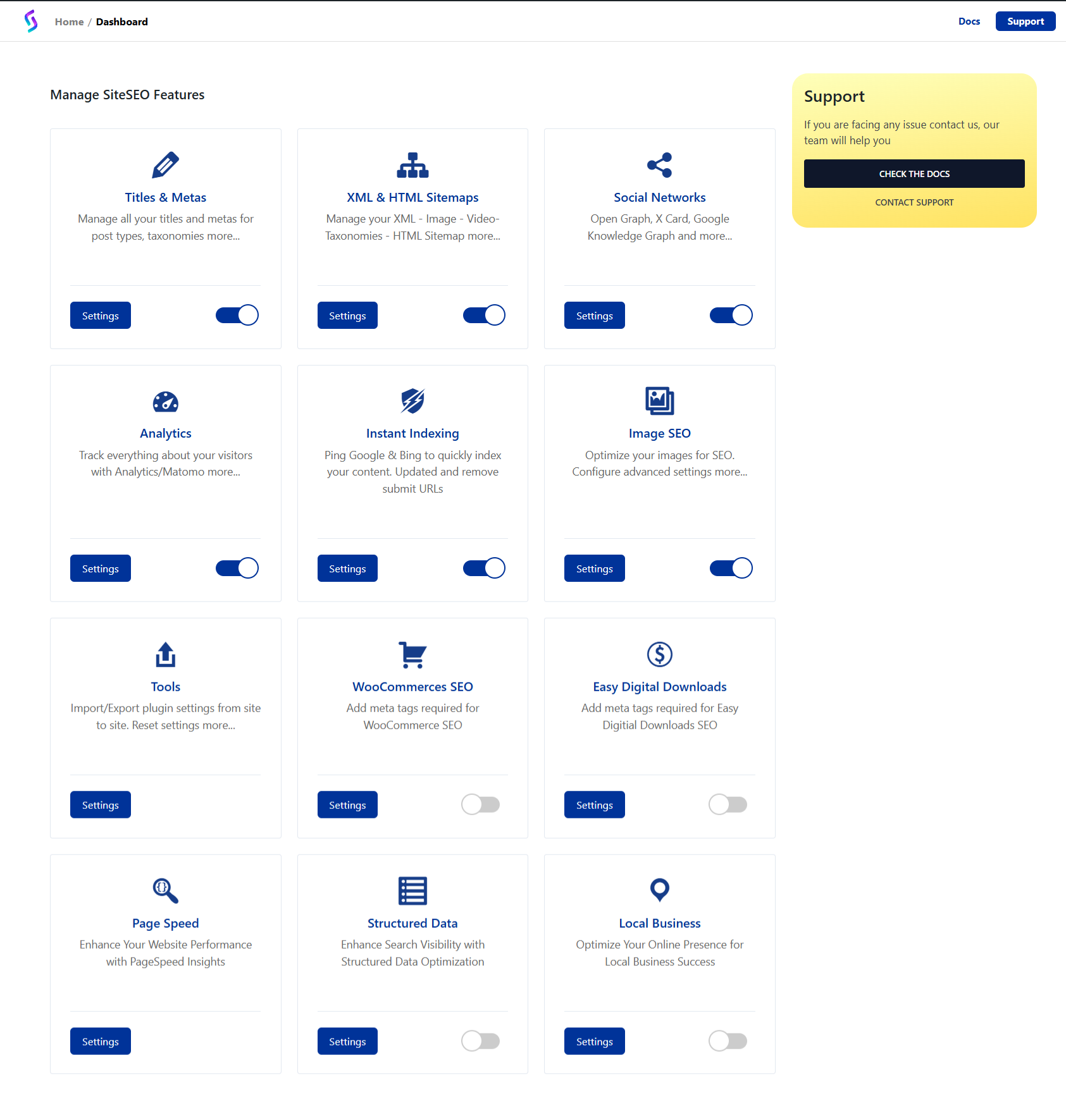
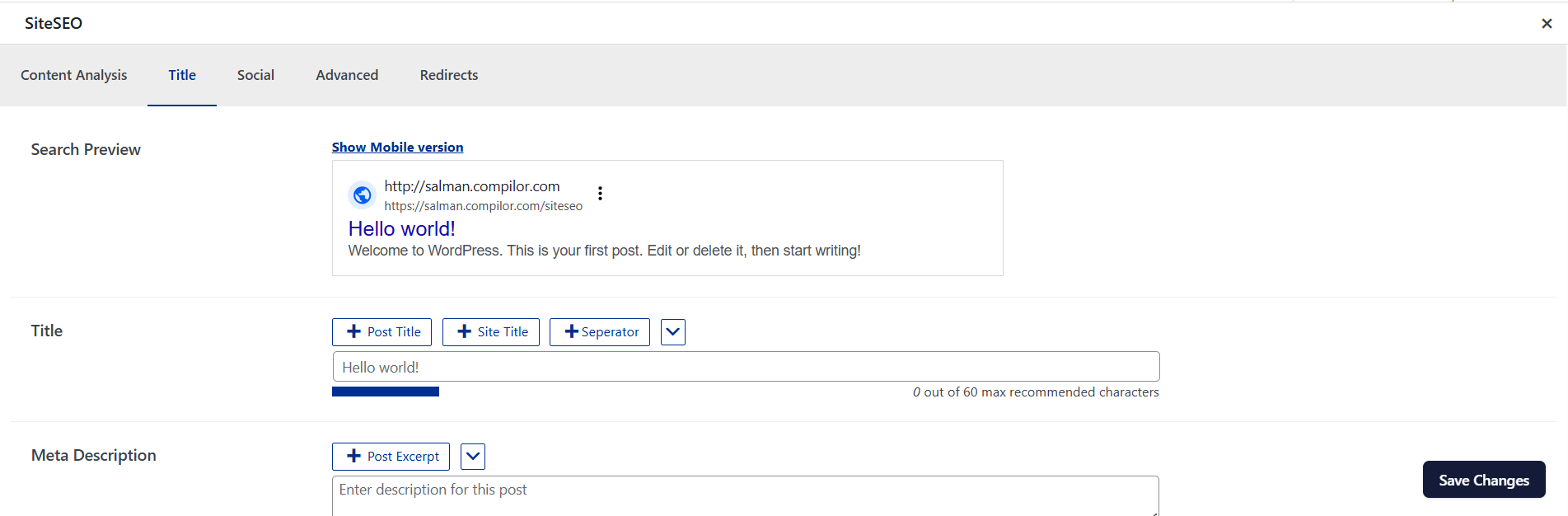
SiteSEO is a powerful WordPress SEO plugin to maximize your online Visibility, boost traffic and elevate rankings. It helps you to manage XML Sitemaps, improve social sharing, manage Titles and Metas and so much more.
You can find our official documentation at https://siteseo.io/docs. We are also active in our community support forums on wordpress.org if you are one of our free users. Our Premium Support Ticket System is at https://softaculous.deskuss.com
Home Page | Support | Documents
Key Features :
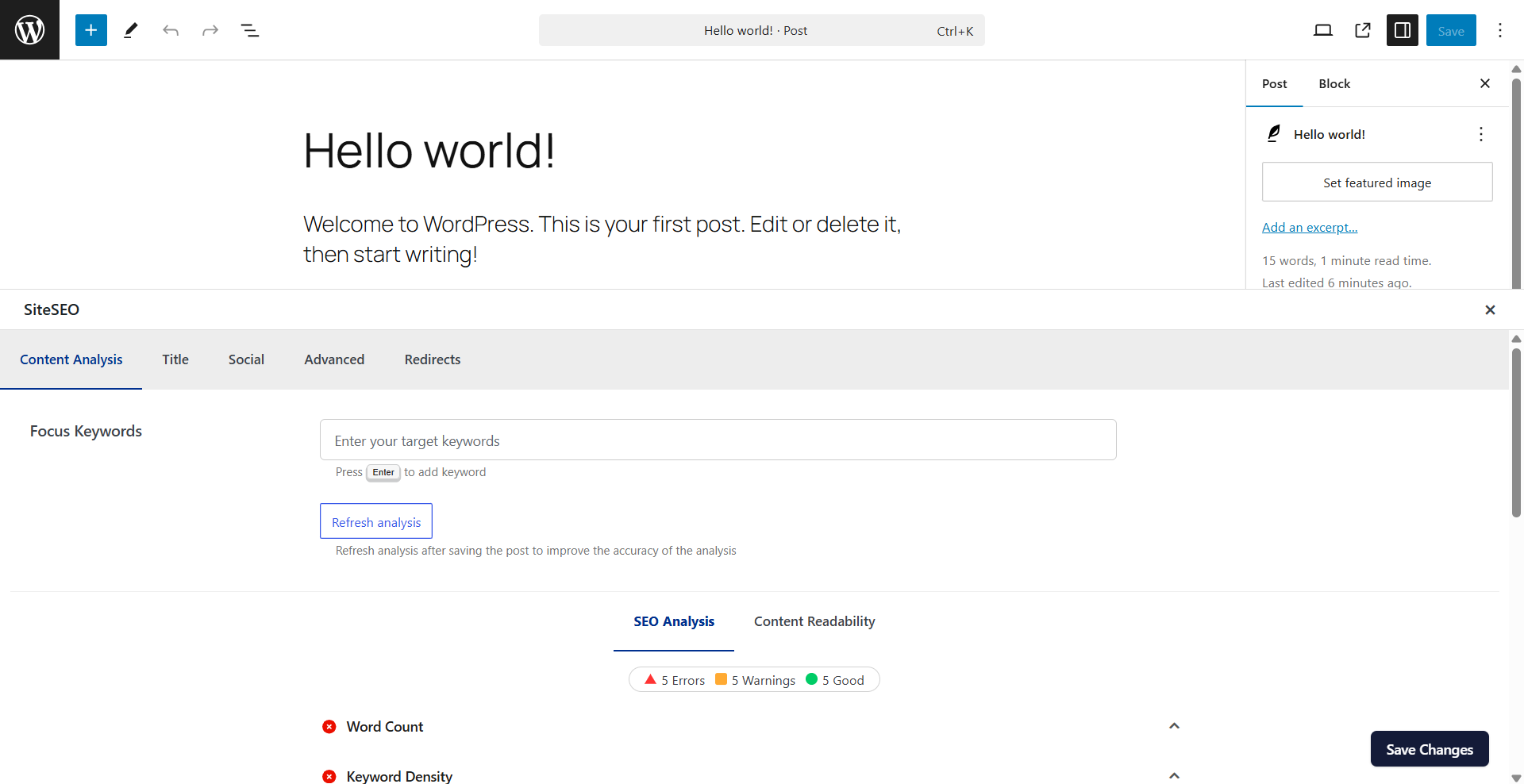
- Content Analysis : Get valuable insights to create content that is perfectly optimized for search engines.
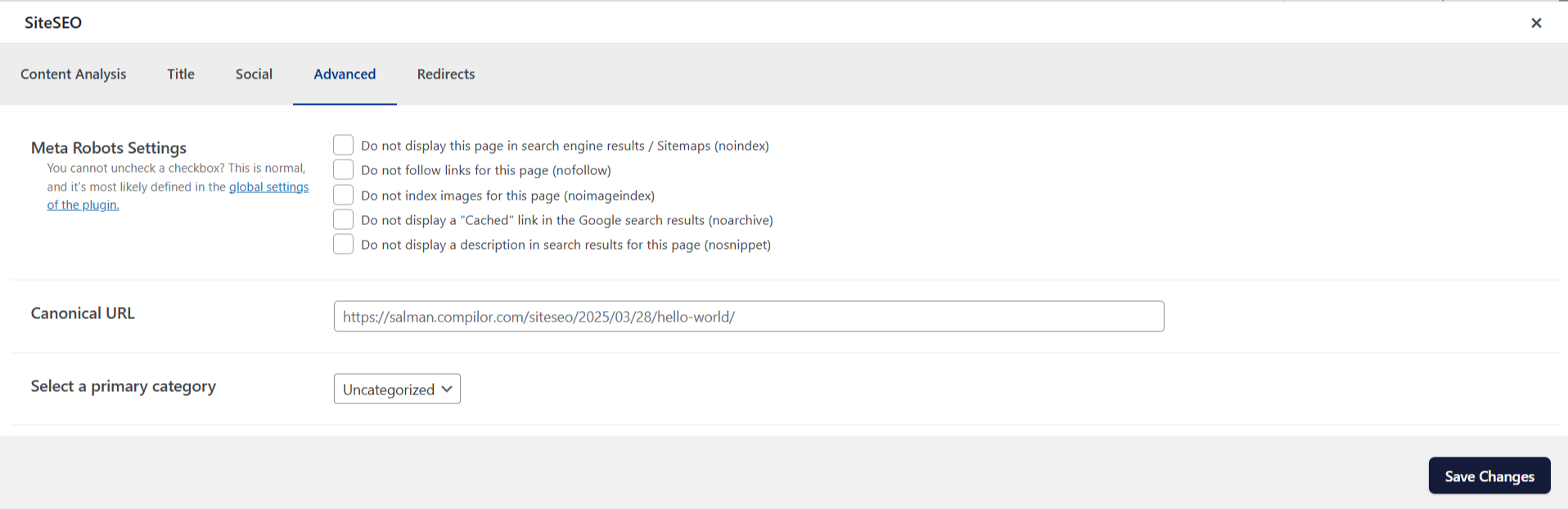
- Universal SEO Metabox : Edit your SEO metadata from any page builder or theme builder effortlessly.
- Easy Import : Migrate your post and term metadata from other plugins with a simple one-click process.
Why Choose SiteSEO :
- Save Time and Money: Import and export metadata easily with SiteSEO PRO, which starts at $49 per year.
- All-in-One Solution: SiteSEO comes with all the features you need to optimize your WordPress site’s SEO, eliminating the need for additional extensions and potential conflicts.
- Easy and User-Friendly: You don’t need to be an SEO expert or coder to use SiteSEO. Most settings are automatically configured, and an installation wizard guides you through the setup process.
SiteSEO Free Features :
SiteSEO Free offers a comprehensive set of features, including :
- Google Indexing API and IndexNow API for quick content indexing.
- Content analysis with unlimited keywords for optimized content creation.
- Google Knowledge Graph support for better visibility.
- Social media previews for Google, Facebook, and X(Twitter).
- Open Graph and X Cards integration for enhanced social media sharing.
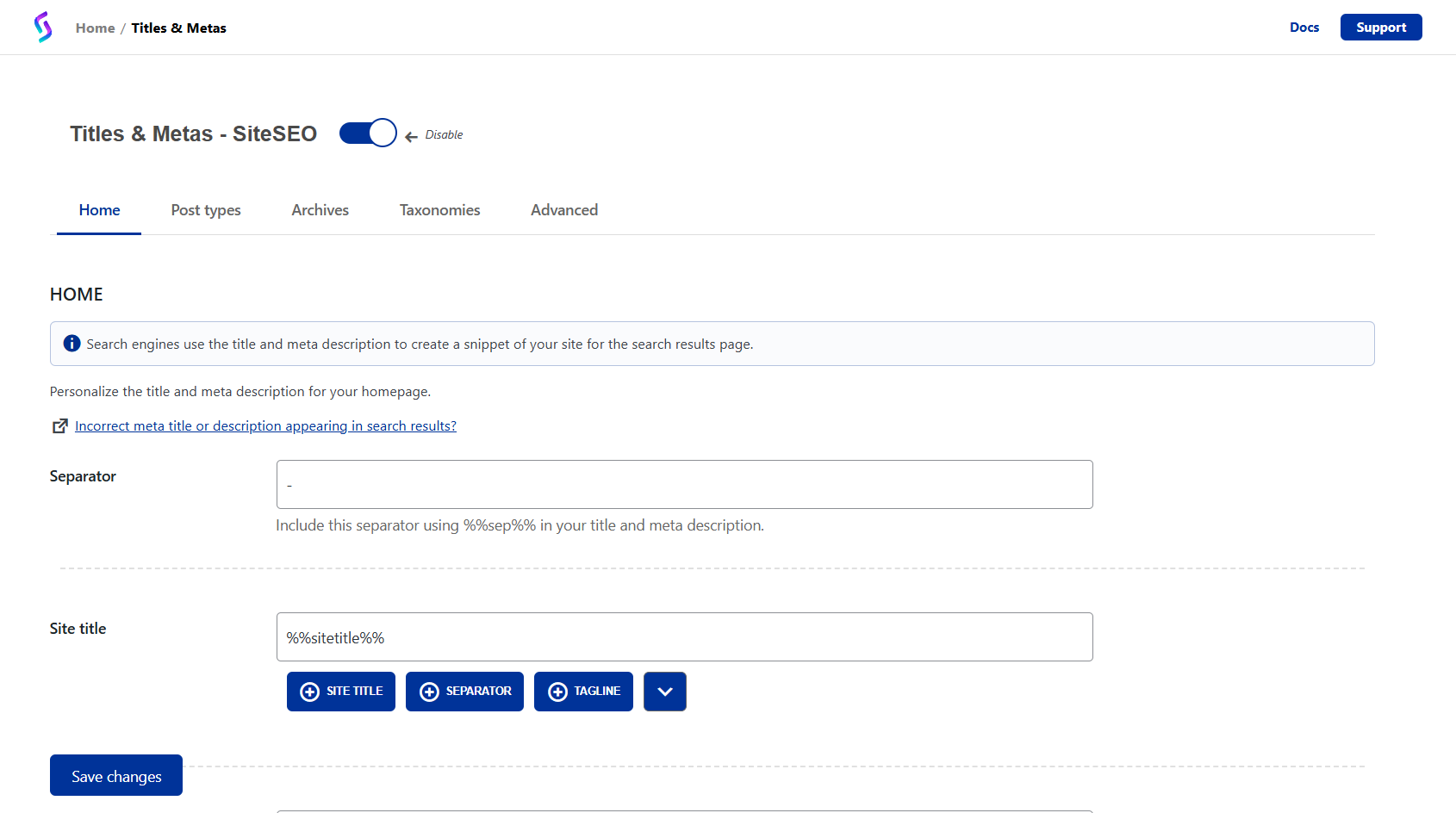
- Customizable titles and meta descriptions with dynamic variables.
- Installation wizard for hassle-free site setup.
Upgrade to SiteSEO PRO for More Power:
Unlock advanced capabilities with SiteSEO PRO, such as:
- Enhanced WooCommerce Support: Optimize e-commerce sites with price and currency meta tags, product XML sitemaps, and more.
- Google Page Speed Insights: Analyze your site’s performance on mobile and desktop, including Core Web Vitals.
- SitSEO AI: Our AI integration generates SEO-friendly titles and meta descriptions. This helps improve your click-through rate (CTR) by making your content more appealing and discoverable in search results.
- Robots.txt Editor: Edit the virtual robots.txt directly from SiteSEO, comes with shortcuts for common robots.txt rules.
- htaccess Editor: Edit your htaccess file, comes with common htaccess rules you can use.
- Google News Sitemap: Google news sitemaps are special sitemap, specifically for content, which is time bound, and helps in making content eligible to be shown on Google’s News surface.
- Structured Data: Helps search engines understand your website better, as it adds Structured data markup.
- Breadcrumbs: Helps improve the navigation for users.
- Video Sitemap: Helps search engines understand the video content on your website better.
- 404 Monitoring and Redirection: Monitor and redirect user who end up on a 404 page.
- Dublin Code: Meta tags for title and description, support by Governments, directories, Bing and Yandex.
- Local Business: Adds schema that helps search engines understand your local business well using data like address, opening hours, website, phone number and more.
- RSS Sitemap: Gives search engines info about your recent feed.
- Search Statistics: Seamlessly integrate Google Search Console and view all your search performance insights right within SiteSEO.
Multi-language Support :
SiteSEO is available in multiple languages, and you can contribute to further localization on translate.wordpress.org.
Integrations:
SiteSEO smoothly integrates with popular tools such as Elementor, WooCommerce and more.
Get Started with SiteSEO Today!
Visit our website siteseo.io for more information, join our official community group, and explore our resources to improve your SEO game.
Don’t miss out on the ultimate SEO solution for your WordPress website – Get SiteSEO now!
Third Party API usage
- IndexNow: is used to inform Microsoft Bing about the latest content changes on a user’s website. The plugin sends a list of updated URLs along with the API key generated when the user saved the Instant Indexing settings. It also includes the site’s URL and the URL of the key location, allowing Bing to verify the website’s identity.Terms and Condition | IndexNow.org
- Google Instant Index: Is a service used to notify Google when a post is created, updated, or deleted. SiteSEO utilizes this service to inform Google by sending the updated post’s URL, its state (“UPDATE” or “DELETE”), and an access token obtained via Google OAuth. Terms and Conditions | Google Search Central
- Google OAuth: When using Google Instant Indexing SiteSEO need to verify with Google the keys the users has set to access Google’s services. So SiteSEO sends the key users has provided in the SiteSEO settings to Google to verify the user is authorized to use those keys for Instant Indexing. Terms and Conditions | Google Search Central
Installation
- Upload ‘siteseo’ to the ‘/wp-content/plugins/’ directory
- Activate the plugin through the ‘Plugins’ menu in WordPress
- Click on SiteSEO and apply settings.
Frequently asked questions
How to use Google Tag Manager / Facebook Pixel with SiteSEO ?
Go to SiteSEO > Analytics > Custom Tracking tab. Paste GTM / Facebook Pixel tracking code to [HEAD] Add an additional tracking code / [BODY] Add an additional tracking code textarea fields. Save changes and clear your cache.
Which types of sitemaps support SiteSEO?
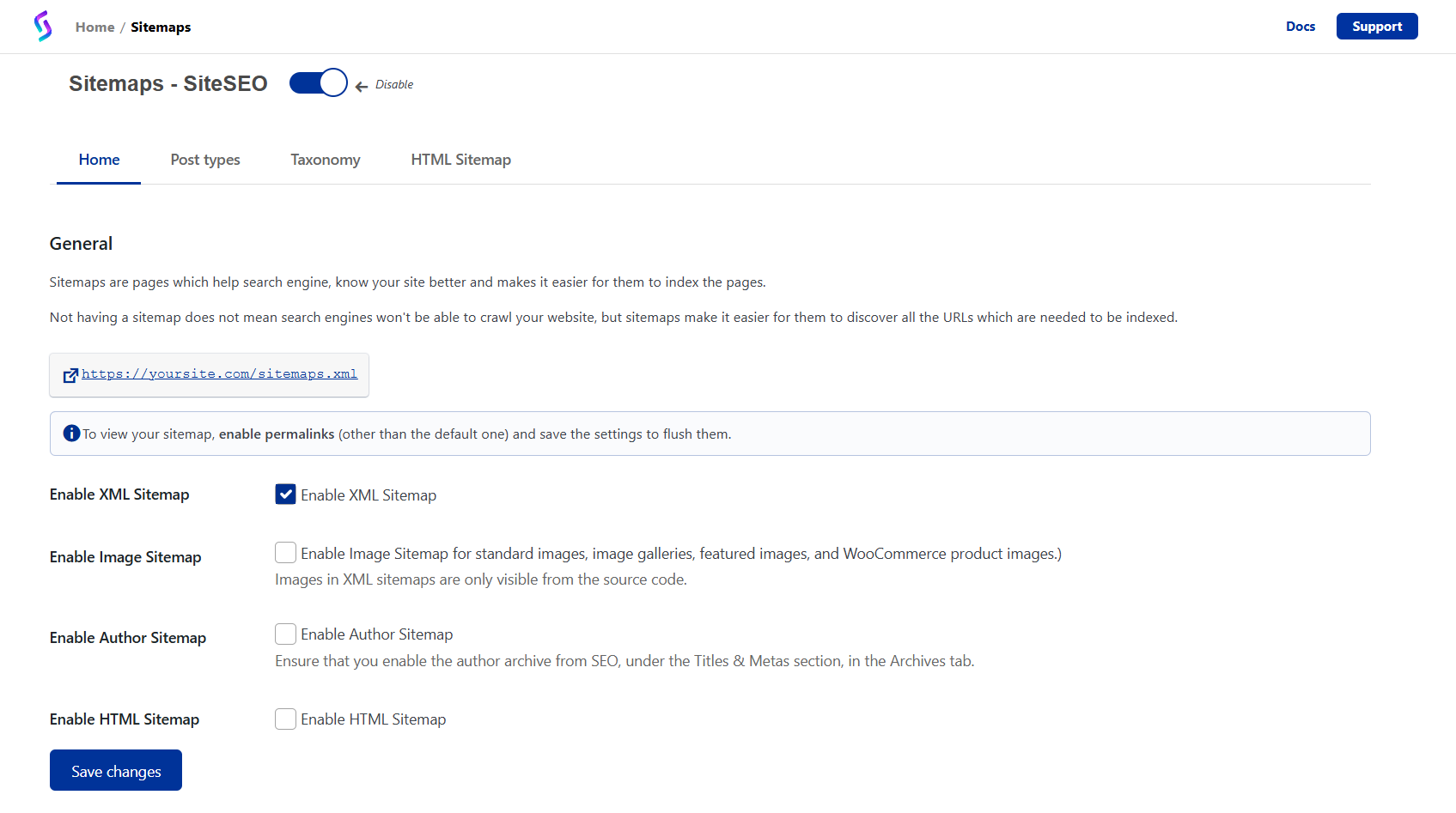
XML sitemaps for search engines: post, page, post type, taxonomies, images and author. HTML sitemap for accessibility and SEO. SiteSEO PRO supports Google News XML.
Is SiteSEO GDPR compliant?
Yes!
Is SiteSEO compatible with WordPress multisite ?
Yes!
My question is not listed here!
Read our complete FAQ on our site
Changelog
1.4.2 (September 24 , 2026)
- [Pro-Improvement] Improved security checks for plugin updates by verifying plugin signatures before upgrading.
- [Improvement] Fixed an issue where the sitemap cache was not cleared when the post type changed while its status remained the same.
- [Improvement] Improved page-loading performance by optimizing social media image data
- [Pro-Bug-Fix] Fixed an issue in llms.txt where the post limit setting was ignored.
- [Pro-Bug-Fix] Fixed an issue where the author URL in the structured data schema used the post ID instead of the author ID.
- [Bug-Fix] Fixed an issue where /category/ was not excluded from URLs when hovering over the Advanced category URL option.
- [Bug-Fix] Fixed an issue where the default image did not override the og:image tag.
- [Bug-Fix] Fixed the missing standard meta description tag on taxonomy archive pages.
- [Bug-Fix] Fixed a TypeError that occurred when generating post content for meta tags.
1.4.1 (August 14, 2026)
- [Pro-Improvement] Added a Custom ID option for Local Business.
- [Pro-Improvement] Improvement with WooCommerce product rating schema.
- [Bug-Fix] Fixed an issue where sitemap pagination failed to list all posts on large sites.
- [Bug-Fix] Fixed an issue where meta descriptions were not rendering on category, tag, and custom taxonomy pages.
- [Bug-Fix] Fixed migration failures when importing data from other plugins on sites with a large number of posts.
- [Task] Tested with WordPress 7.1
1.4.0 (July 13, 2026)
- [Feature] Added AI Abilities Pro feature
- [Improvement] Made compatibility with WPML plugin
- [Bug-Fix] There were issues with external and internal links in SEO analysis, this has been fixed.
1.3.9 (June 2, 2026)
- [Pro-Improvement] Added pagination support for the HTML sitemap.
- [Improvement] Made compatibility with the Divi 5 page builder.
- [Bug-Fix] Fixed an issue where gtag was being enqueued twice.
- [Bug-Fix] Fixed an issue with the breadcrumbs schema.
- [Bug-Fix] Fixed an issue with the Open Graph image limit.
- [Bug-Fix] Fixed an issue in the Organization schema where the Twitter account field was added without a value.
1.3.8 (April 8, 2026)
- [Pro-Feature] Added SEO Quick Settings options.
- [Pro-Feature] Added Advanced Redirect feature.
- [Pro-feature] Added External Links Manager feature.
- [Bug-Fix] Fixed missing Gutenberg blocks issue caused by block category override.
1.3.7 (March 24, 2026)
- [Feature] Added support for keywords meta tags
- [Improvement] Improved SEO analysis and scoring.
- [Improvement] You can now easily remove social tag images from the metabox.
Screenshots
For developers
Is this your plugin? Show off the numbers.
Add a live badge to your site, docs or GitHub README. It updates on its own — no account needed.
Best SiteSEO – SEO Simplified alternatives
All meta description plugins →





FAQ
SiteSEO – SEO Simplified: quick answers
Straight answers, pulled from live WordPress.org data.
Live data from WordPress.org · checked Sep 27, 2026
Is SiteSEO – SEO Simplified free?
Yes. SiteSEO – SEO Simplified is free to download and use from the official WordPress.org plugin directory.
Is SiteSEO – SEO Simplified safe to use in 2026?
SiteSEO – SEO Simplified is a solid plugin choice in 2026, with a few things worth checking first. It runs on 500K+ sites, is rated 4/5 and was last updated 3 days ago, and scores 73/100 on our health check.
How many websites use SiteSEO – SEO Simplified?
SiteSEO – SEO Simplified is active on 500K+ WordPress websites and has been downloaded 1,871,874 times since it launched in December 2023. It was downloaded 107,011 times in the last 30 days.
Does SiteSEO – SEO Simplified work with WordPress 7.1?
Yes. The developer has tested SiteSEO – SEO Simplified up to WordPress 7.1.2, the latest release. It requires WordPress 5.0 or newer.
What PHP version does SiteSEO – SEO Simplified need?
SiteSEO – SEO Simplified requires PHP 7.2 or higher. Most hosts run PHP 8.x today, so it works on any modern WordPress hosting.
When was SiteSEO – SEO Simplified last updated?
The latest version, 1.4.2, was released on September 24, 2026 (3 days ago).
Who makes SiteSEO – SEO Simplified?
SiteSEO – SEO Simplified is developed and maintained by Softaculous.
What are the best alternatives to SiteSEO – SEO Simplified?
The most popular alternatives to SiteSEO – SEO Simplified are SmartCrawl SEO checker, ana… (10K+ installs), Simple SEO (10K+ installs) and VS Meta Description (3K+ installs).
Powered by PageForge
Want thousands of pages that rank like these? Build them in an afternoon.
This directory runs on the same engine as PageForge. Turn any spreadsheet, CSV or API into thousands of fast, SEO-ready WordPress pages — with schema, internal links and AI-written copy baked in.
- CSV, Google Sheets & API data sources
- AI content, schema & internal links per page
- Works with Elementor, Gutenberg, Yoast & Rank Math
- Free on WordPress.org — no credit card


