


SiteBrief
Generate secure, shareable site health reports. No login credentials needed.

Use with caution
SiteBrief works, but test it on a staging site before relying on it in 2026. Was last updated 6 months ago, and scores 42/100 on our health check.
- Small user base (<10 active installs)
- Very few reviews so far
- Only tested up to WordPress 6.9 (latest is 7.1)
How does it stack up?
Side-by-side on installs, updates, ratings & support


Daily downloads
Download spikes usually follow a new release — each site that auto-updates counts as a download.
Rankings
Where SiteBrief stands todayWordPress.org search rankings
Live position in the plugin search, top 100| Keyword | Position |
|---|---|
| developer-tools | >100 |
| report | >100 |
| share | >100 |
| site health | >100 |
| site info | >100 |
About SiteBrief
From the official readme · v1.0.0Description
SiteBrief is a site health reporting plugin that lets WordPress site owners create clean reports and share them securely with developers, freelancers, or agencies without handing over admin credentials.
WordPress collects detailed environment info through Site Health, but that page requires admin access and exposes sensitive data like database credentials and file paths. SiteBrief fixes this with a whitelist filter that only includes safe, approved fields. Everything else is excluded automatically.
🔧 How It Works
- Go to Tools > SiteBrief in your WordPress admin dashboard
- Toggle on the sections you want to include (all 15 are on by default)
- Optionally set a password and choose how long the link stays active (1 hour to 30 days)
- Click Generate Link. The URL is copied to your clipboard automatically
- Send the link to your developer, agency, or support team
- They open it in any browser, no login needed, and see a clean report with only the info you chose to share
Prefer not to share a link? Click Export TXT or Export JSON to download the report as a file instead. Attach it to a support ticket, email, or Slack message.
Want to hide your site identity? Enable Brand Masking before generating. It replaces your real site name and domain with aliases you pick, so the recipient sees the technical details without knowing which site it is.
✨ Features
- Shareable links: Each report gets a unique URL. Set expiry from 1 hour to 30 days. Expired links show a clean message, no leaked data.
- Password protection: Add a password to any link. Rate limited to 5 attempts per IP per hour.
- Brand masking: Replace your site name and domain with aliases throughout the entire report. The plugin auto detects and replaces all occurrences across every field value.
- Section controls: 15 sections, all on by default. Toggle off what you do not need.
- Text export: Download a plain .txt file with aligned labels and values. Zero dependencies, works everywhere, easy to paste into tickets or emails.
- JSON export: Download the full report as structured JSON for automated processing, importing into other tools, or archiving.
- Share management: See all shares in a table with status, views, expiry, and one click revoke. New rows blink and scroll into view automatically.
- Auto cleanup: Weekly cron removes expired records. No maintenance needed.
📋 Report Sections
- WordPress Environment: Version, locale, timezone, permalink structure, HTTPS status, multisite, environment type, user count
- Site Overview: WP Cron status, scheduled events count, object cache type, persistent cache, REST API status, XML RPC status, published content counts, and custom post types
- Server Configuration: PHP version, SAPI, memory limits, upload limits, execution time, cURL, imagick, pretty permalinks
- Database Info: Extension type, server version, client version, max allowed packet, max connections
- Plugins: Active, inactive, and must use plugins combined in one section with parsed version numbers, author info, update available badges, and auto update status
- Themes: Active theme details, parent theme info, and inactive themes combined with the same parsed display
- Directory Sizes: WordPress core, uploads, themes, plugins, database, and total with descriptive path labels
- Filesystem Permissions: Writable status per directory with all paths stripped
- Constants: WP_DEBUG, WP_CACHE, memory limits, cron settings, auto update settings, and more
- Media Handling: Image editor, supported formats, GD and Imagick versions, upload limits
- Drop ins: List of active drop in files like object-cache.php and db.php
🚫 What Is Always Excluded
Database username, password, host, and name. Table prefix. ABSPATH and all file paths. IP addresses. Admin email. Auth keys and salts. If a field is not on the whitelist, it cannot appear in any report.
⚙️ Security Engine
- Whitelist filtering: Only approved fields are included. Database credentials, file paths, API keys, and IPs are never in the output.
- Token security: Each link uses a 64 character random token with SHA-256 hashed storage. The full token is never stored in the database.
- Password protection: Add a password to any link. Passwords are hashed with bcrypt via
wp_hash_password(). - Rate limiting: Failed password attempts are capped at 5 per IP per hour via transients.
- Path stripping: Multilayered. Known constants replaced with
[path], plus regex for Unix style absolute paths. - Immutable snapshots: Report data is captured and frozen at generation time. Changes to your site after generation do not affect the report.
⚡ Performance
- Zero frontend impact: Nothing loads on normal pages. Admin assets load only on the SiteBrief page. Public code only runs when someone visits a share link.
- Object caching: Share lookups use
wp_cache_get/setwith thesitebriefgroup. Cache is invalidated on create, delete, and cleanup. - Directory size caching: Calculated sizes are stored in a transient for one hour to avoid repeated filesystem scans.
- Auto cleanup: Weekly cron removes expired records. No maintenance needed.
🎨 Display
- Standalone report page: Public reports render as a standalone HTML document outside the active theme. Clean, professional, mobile responsive.
- WordPress dashicons: Section headers use native WordPress dashicons for familiar visual cues.
- Collapsible sections: All sections expand and collapse with smooth animations.
- Status badges: Values like Yes/No, Enabled/Disabled, and environment types automatically get color coded pill badges.
- Smart plugin/theme display: Combined sections with parsed version numbers, author info, and update available badges.
- Copy to clipboard: One click copies the entire report as plain text.
- Print styles: Clean print output with no action buttons or navigation.
🔌 Developer Friendly
- No build step: Vanilla JS and CSS. No npm, no webpack, no bundler.
- Filter hooks:
meshpros_report_brandlets themes customize the report branding. - GDPR compliant: Privacy exporter and eraser hooks registered for personal data requests.
🛡️ Secure and Private
Nonce verification, capability checks, and input sanitization on every request. No external API calls, no tracking, no third party dependencies. Everything runs entirely on your server.
🏢 Custom Development
Need a custom report section, a white label version, or integration with your support workflow? We build tailored solutions for agencies and hosting companies. Contact hello@meshpros.com for a quote.
Installation
- Go to Plugins > Add New in your WordPress admin
- Search for SiteBrief
- Click Install Now, then Activate
- Go to Tools > SiteBrief
Or upload the sitebrief folder to your plugins directory and activate.
Requires PHP 7.4+ and WordPress 5.9+.
Frequently asked questions
What data is included?
Only fields on a hardcoded whitelist. Database credentials, file paths, IPs, and other sensitive data are excluded automatically. There is no setting to override this.
How secure are the links?
Each link uses a 64 character random token. Only the SHA-256 hash is stored in the database. Links expire automatically and can be revoked instantly.
Can I password protect links?
Yes. Set a password when generating. Recipients must enter it before viewing. Passwords are hashed with bcrypt. Failed attempts are rate limited to 5 per IP per hour.
What is brand masking?
It replaces your real site name and domain with aliases you choose. The plugin finds and replaces all occurrences across every field in the report.
Is the report live or a snapshot?
Snapshot. Data is captured when you click Generate. The link serves that frozen copy. Changes to your site after generation do not affect the report.
What sections are available?
15 sections: WordPress Environment, Site Overview (cron, cache, REST API, XML RPC, content stats), Active Theme, Active Plugins, Server Configuration, Database Info, Media Handling, Directory Sizes, Parent Theme, Inactive Themes, Inactive Plugins, Filesystem Permissions, Constants, Drop ins, and Must Use Plugins.
Does this phone home?
No. Everything runs on your server. No data is sent anywhere. No external resources are loaded.
Will it slow my site?
No. Nothing loads on normal pages. Admin assets load only on the SiteBrief page. The public code only runs when someone visits a share link.
Can I request custom development?
Yes. We offer custom feature development and integrations. Contact hello@meshpros.com for a quote.
Changelog
First release.
1.0.0
Initial release.
- Whitelist based site health reports with 15 toggleable sections
- Shareable links with configurable expiry (1 hour to 30 days)
- Password protection with bcrypt hashing and rate limiting
- Brand masking for site name and domain
- Site Overview section with cron, object cache, REST API, XML RPC, and content stats
- Combined plugins and themes sections with parsed version info
- Status badges for boolean and environment values
- WordPress dashicons in section headers
- Plain text and JSON export
- Share management with status tracking and one click revoke
- Auto cleanup of expired records via weekly cron
- GDPR privacy exporter and eraser
- Print friendly report styles
- Mobile responsive standalone report page
For developers
Is this your plugin? Show off the numbers.
Add a live badge to your site, docs or GitHub README. It updates on its own — no account needed.
Best SiteBrief alternatives
All developer-tools plugins →




FAQ
SiteBrief: quick answers
Straight answers, pulled from live WordPress.org data.
Live data from WordPress.org · checked Oct 12, 2026
Is SiteBrief free?
Yes. SiteBrief is free to download and use from the official WordPress.org plugin directory.
Is SiteBrief safe to use in 2026?
SiteBrief works, but test it on a staging site before relying on it in 2026. Was last updated 6 months ago, and scores 42/100 on our health check.
How many websites use SiteBrief?
SiteBrief is active on <10 WordPress websites and has been downloaded 280 times since it launched in April 2026. It was downloaded 52 times in the last 30 days.
Does SiteBrief work with WordPress 7.1?
SiteBrief is officially tested up to WordPress 6.9.10, while the latest release is 7.1.3. It may still work, but try it on a staging site first.
What PHP version does SiteBrief need?
SiteBrief requires PHP 7.4 or higher. Most hosts run PHP 8.x today, so it works on any modern WordPress hosting.
When was SiteBrief last updated?
The latest version, 1.0.0, was released on April 27, 2026 (6 months ago).
Who makes SiteBrief?
SiteBrief is developed and maintained by Muhammad Kashif.
What are the best alternatives to SiteBrief?
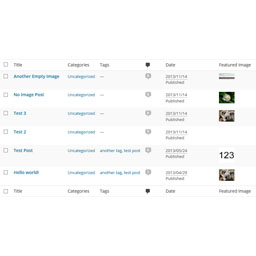
The most popular alternatives to SiteBrief are Advanced Post Manager (4K+ installs), Debug Log Viewer (1K+ installs) and Post List Featured Image (900+ installs).
Powered by PageForge
Want thousands of pages that rank like these? Build them in an afternoon.
This directory runs on the same engine as PageForge. Turn any spreadsheet, CSV or API into thousands of fast, SEO-ready WordPress pages — with schema, internal links and AI-written copy baked in.
- CSV, Google Sheets & API data sources
- AI content, schema & internal links per page
- Works with Elementor, Gutenberg, Yoast & Rank Math
- Free on WordPress.org — no credit card


