



Simple:Press Forum
The most versatile and feature-rich forum plugin for WordPress. Create unlimited forums with awesome features directly in your WordPress site.

Safe pick
Yes — Simple:Press Forum is a safe, well-maintained plugin to use in 2026. It runs on 300+ sites, is rated 4.2/5 and was last updated 2 weeks ago, and scores 86/100 on our health check.
- Actively developed — last update 2 weeks ago
- Tested with the latest WordPress (7.1)
- Momentum — downloads up 257.3% vs the previous 30 days
- Small user base (300+ active installs)
How does it stack up?
Side-by-side on installs, updates, ratings & supportDaily downloads
Download spikes usually follow a new release — each site that auto-updates counts as a download.
Rankings
Where Simple:Press Forum stands todayWordPress.org search rankings
Live position in the plugin search, top 100| Keyword | Position |
|---|---|
| community forum | #10 |
| discussion forum | #6 |
| forum | #11 |
| forums | #12 |
| wordpress forum | #12 |
Version adoption
Share of active sites per release.
Rating breakdown
★★★★★★★★★★ 4.2 from 23 reviews
About Simple:Press Forum
From the official readme · v6.11.15Description
Simple:Press is an all-in-one, feature-rich forum plugin designed to seamlessly integrate with your WordPress site.
With a focus on performance and user experience, it offers an extensive range of free and premium features to meet all your forum needs.
The plugin has undergone rigorous testing and offers complete support for PHP 7.4 up to PHP 8.4.
Key Features
- Enterprise-grade performance, scalable for thousands of users
- Seamless integration with WordPress user and security models, featuring a robust user group and permission system
- SEO optimized for enhanced search engine visibility
- Highly customizable and extendable for a tailored experience
- Data import compatibility with other forum platforms, such as bbPress and Asgaros
- Multi-level forum structures with subforum support
- Options for both private and public forums
- Fully theme and template driven for easy customization
- Selection of adaptable themes with customizable colors and font sizes to match your brand identity
- Extensive administration options and settings for streamlined management
Simple:Press Pro
Take your forum to the next level by adding Simple:Press Pro, a bundle of add-ons that bring over 100 additional features to your forum.
Some of the included add-ons are:
- Analytics: Engaging charts displaying forum data
- Ads: An advanced advertising engine integrated within the forum
- Private messaging system: Enables users to exchange private messages
- Push Notifications: Supports SMS, Pushover, PushBullet, and Slack
- Reputation System
- Polls
- Admin Bar: Front-end management tool for admins and moderators, eliminating the need for wp-admin access
- Image, media, and file uploader: Allows designated users to upload files and media to topics and posts
- Multiple post editors, including TinyMCE
- Who’s Online
View all add-ons and pricing.
Compatibility
Simple:Press supports standard and multi-site versions of WordPress and was built to be
compatible with most themes, both free and commercial.
Languages
Simple:Press is available in a variety of languages and volunteers and customers are always adding more! Portions of the plugin have been translated into 20+ languages by our users and volunteers. These include German, Portuguese(BR), Arabic, Chinese, French, Italian, Persian, Polish, Spanish, Swedish and more!
View our translation site
Latest Updates
6.11.15 – September 2026
- Bug: Fixed a fatal error when editing pages containing the sp_recent_posts shortcode
- Improvement: Added compatibility for legacy and current topic-cache formats
- Improvement: Improved database connection checks and removed deprecated mysqli_ping() usage
- Bug: Fixed potential fatal errors caused by WordPress database connection checks
- Improvement: Improved CSS cache busting for both parent and child Simple:Press themes
- Bug: Fixed an undefined variable passed to the sph_nicedate filter
6.11.14 – January 2026
- Feature: Added ability for developers to customize which HTML tags are allowed in forum topic displays through filter hooks
- Improvement: Better error messages for navigation popup
- Improvement: Added border styling to page jump input field for better visibility
- Improvement: Cleaned up date formatting code
- Bug: Fixed database cleanup function that was crashing
- Bug: Fixed new user email system to properly handle admin notification settings and email formatting
6.11.13 – January 2026
- Fixed issue with addons not executing JS correctly
6.11.12 – January 2026
- Fixed issue with spam and math question for guest posts
6.11.11 – December 2025
- Added allowed attributes to fix compatibility issues with Poll addon
- Fixed query errors caused by improper table name quoting. Thanks! https://github.com/terresquall
- Fixed null reference exceptions that were triggering warnings https://github.com/terresquall
- Fixed nonce validation for delete operations
- Fixed issues preventing topic deletion
6.11.10 – September 2025
- Unread message counters now update correctly
- “Last visit” tracking now works as expected
- Relaxed overly strict HTML sanitization in admin output
6.11.9 – September 2025
- Fixed an issue that prevented YouTube videos from embedding correctly when using TinyMCE
- Enhanced Forum Description to support additional HTML elements for richer content
- Cleaned up codebase by removing deprecated oEmbed imports
6.11.8 – August 2025
- Fixed translation handling to ensure translations load correctly
- Improved search to resolve errors with the Search by User add-on
- Fixed pagination issues in search results
- Continued updates to use global allowed HTML tags for safer output
6.11.7 – August 2025
- Fixed missing Edit button in forum posts
- Security fix addressing a vulnerability reported via Patchstack
6.11.6 – August 2025
- Fixed issue with translations not loaded
- Fixed missing nonce on admin tools
- Fixed issue with some YouTube urls that were not embeded correctly
6.11.5 – July 2025
- Fixed broken release notes not showing correctly for add-ons
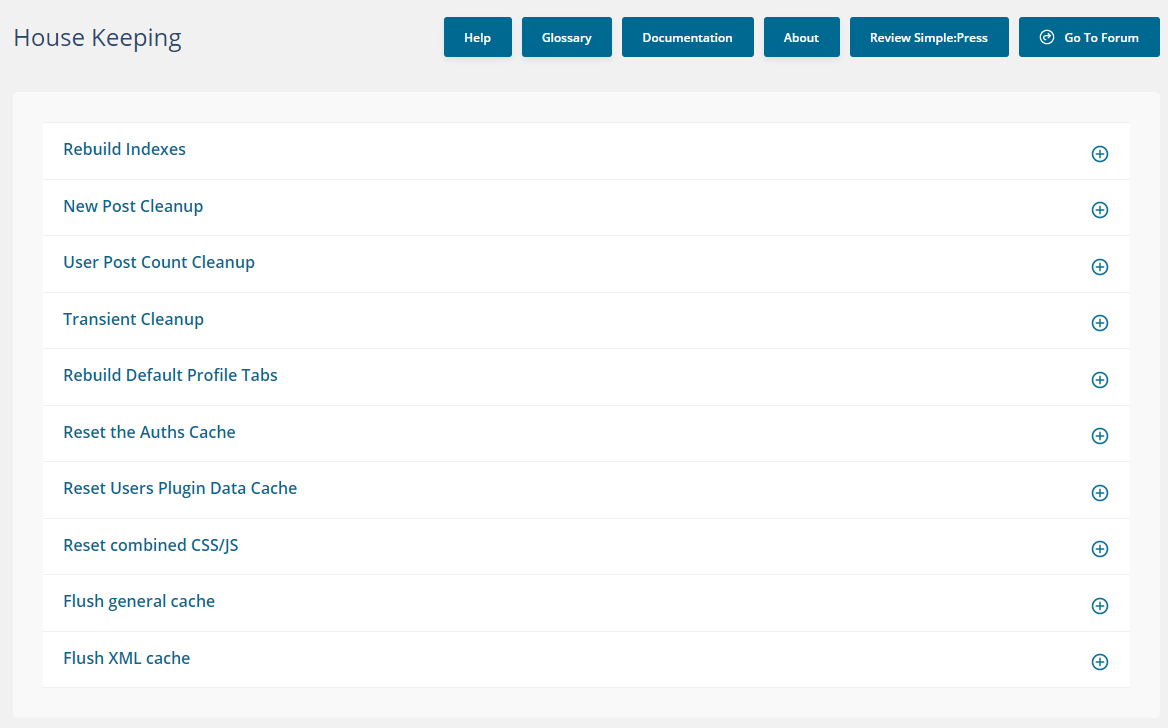
- Fixed issue with House Keeping forms not showing correctly
6.11.4 – July 2025
- Fixed broken member listing display
- Fixed issue with theme icon sets not loding correctly
- Resolved RSS CDATA double-escaping issue
- Enhanced pagination handling for smoother navigation
- Fixed user group listing to ensure consistent output
- Continued update to use global allowed HTML tags
6.11.3 – July 2025
- Fixed license verification and activation issues affecting some Pro users
- Corrected HTML escaping in licensing admin and plugin update outputs
6.11.2 – July 2025
- Fixed post deletion issues on mobile devices
- Improved license verification handling
- Fixed saving issues in some plugins
- Minor HTML escaping corrections throughout the codebase
6.11.1 – July 2025
- Fixed mobile output rendering issues
- Multiple output fixes applied for improved desktop view rendering.
- Improved content filtering by centralizing allowed HTML tags into a global constant
- Added support for custom attributes within allowed tags
6.11.0 – June 2025
- Code compliance update: Refactored codebase to pass WordPress Plugin Check with no errors or warnings
- Replaced deprecated functions and improved use of WordPress core APIs
- Enforced consistent escaping, sanitization, and validation throughout admin and front-end
- Added missing translation functions for better i18n support
- Improved file and directory handling using WP-native methods
- General code cleanup and adherence to WordPress coding standards
- Security update: Implemented fixes for potential XSS attacks and improved nonce usage on front-end forms
- RPX support dropped
6.10.13 – March 2025
- Improved security posture: Implemented fixes for potential XSS attacks and ensured proper nonce usage on front-end forms.
6.10.12 – January 2025
- Improved security by sanitizing inputs in plugin search functionality to prevent potential vulnerabilities.
6.10.11 – January 2025
- Enhanced methods for search forms and links to sanitize inputs, preventing malicious JavaScript and HTML injection.
6.10.10 – October 2024
- Removed old code that affected some WP hosts memory usage
6.10.9 – June 2024
- Added new WYSIWYG editor fields to enable better HTML editing features
6.10.8 – February 2024
- Added setting to allow admins to hide firstname, lastname and email from user profile
6.10.7 – December 2023
- Fixed issue with checkbox for custom messages that did not save correctly
- Fixed issue with user pagination when no group is selected
6.10.6 – November 2023
- Improved the pagination handler to handle large amounts of pages better
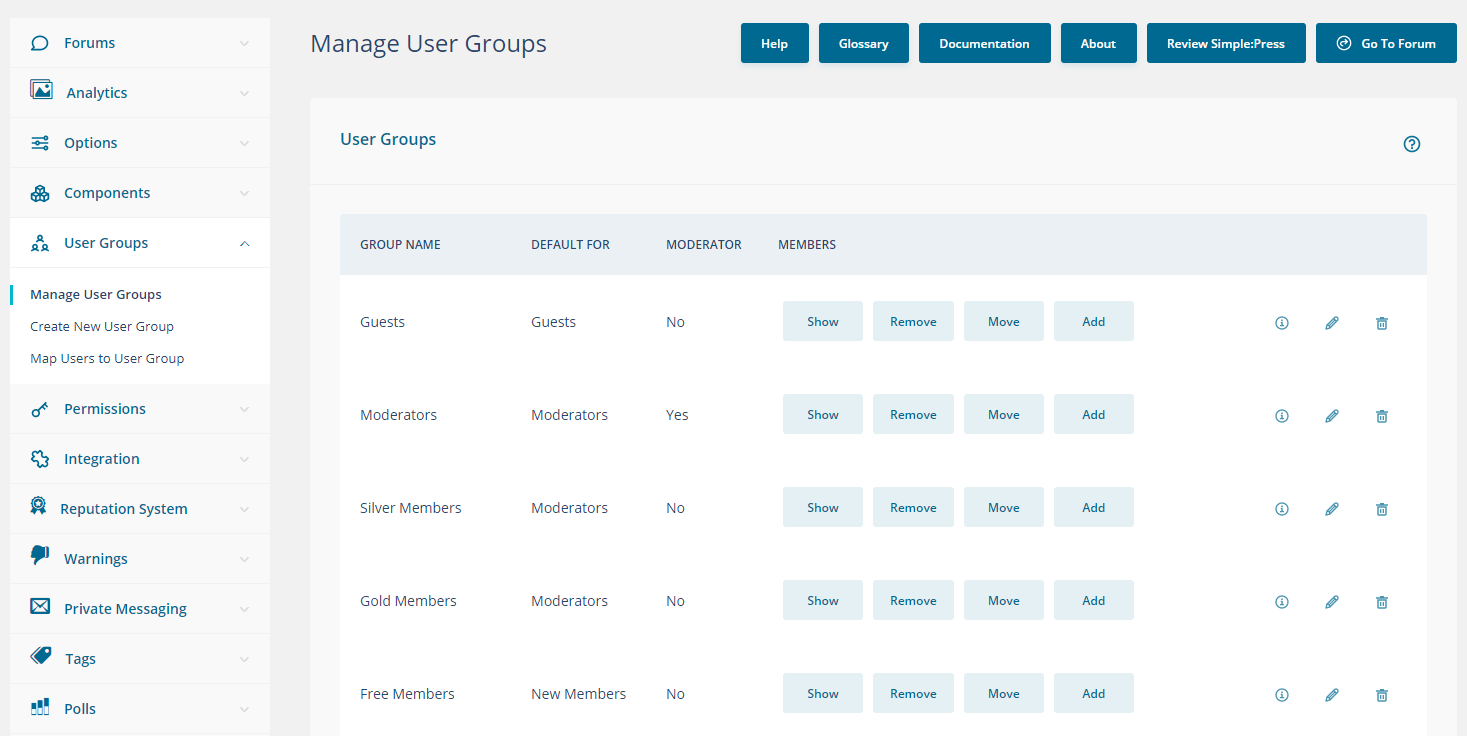
- Improved the user group handling allowing admins to search for specific users
- Increased the number of shown users per page in the user group admin
- Added indicator showing current page in pagination links
- Added hover in the user group admin to show user ID to easier find the correct user
- Improved the spinner/loading image positioning
- Fixed warning when installing forum without sample data
6.10.5 – November 2023
- Fixed compatibility issue with WordPress 6.4
6.10.4 – October 2023
- Fixed issue with installations on multisites
- Only stow Forum link in WP admin bar for Admins
- Improve usability when hovering icons and showing cursor pointer instead
- Minor CSS-improvements to admin
- Fixed warnings
6.10.3 – July 2023
- Fixed issue with member search failing when no results were returned
6.10.2 – July 2023
- Fixed issue with checkbox data that was not saved
6.10.1 – July 2023
- Fixed a bug that made “Manage Groups And Forums” return an error when editing a forum
- Solve issue with automatic updates for free themes
6.10.0 – July 2023
- Full PHP8.2 support, this ensures that all features and functionalities provided by the plugin work smoothly and efficiently in PHP 8.2 environments
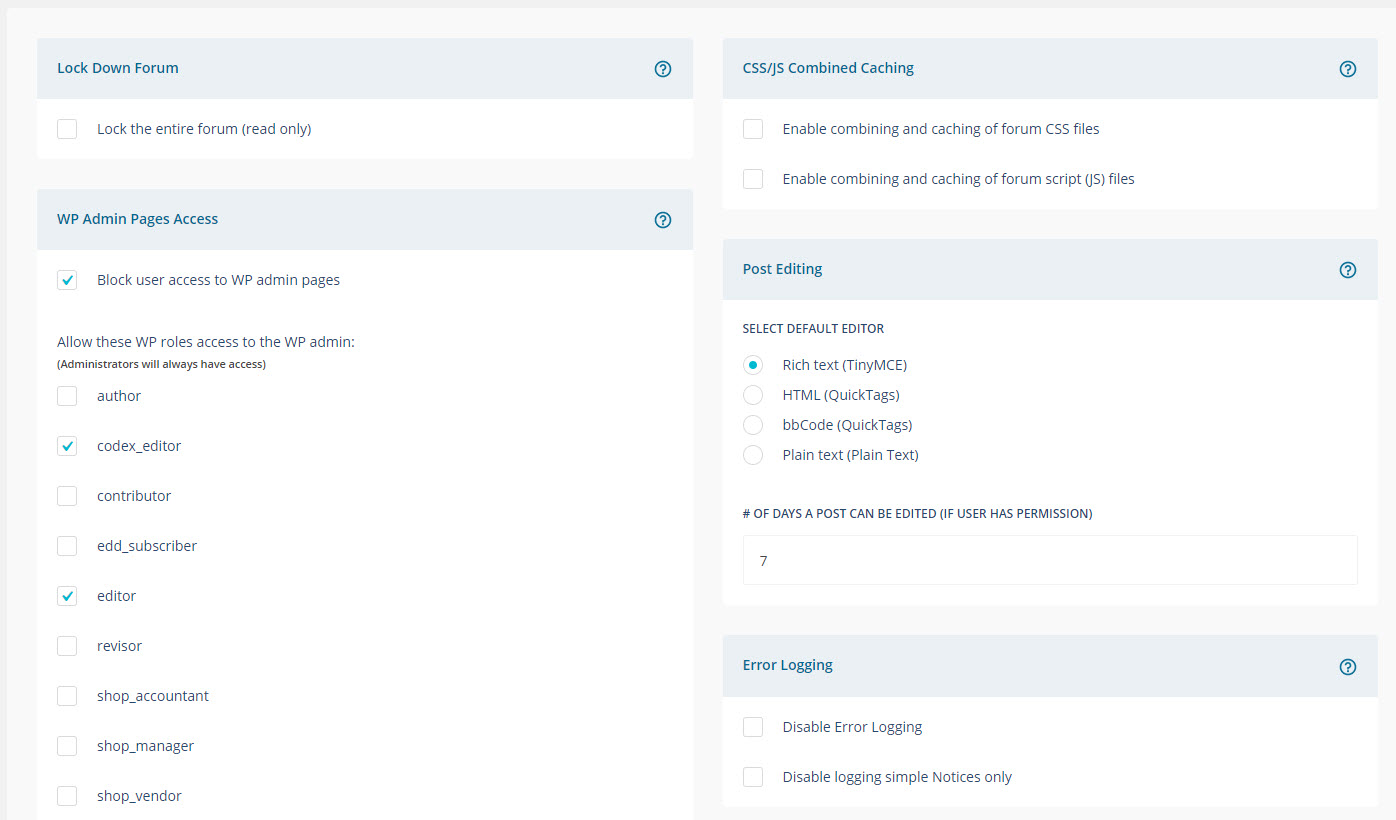
- New and improved admin interface with less clutter
- Manage Groups and Forums has been refactored to better visualise forum structure and make administration more intuitive
- Addons that have their own menu get grouped at the bottom to make it easier to find specific settings for installed addons
- Error messages, caution notices and information notices are visually separated to better aid users to know what and what not to change
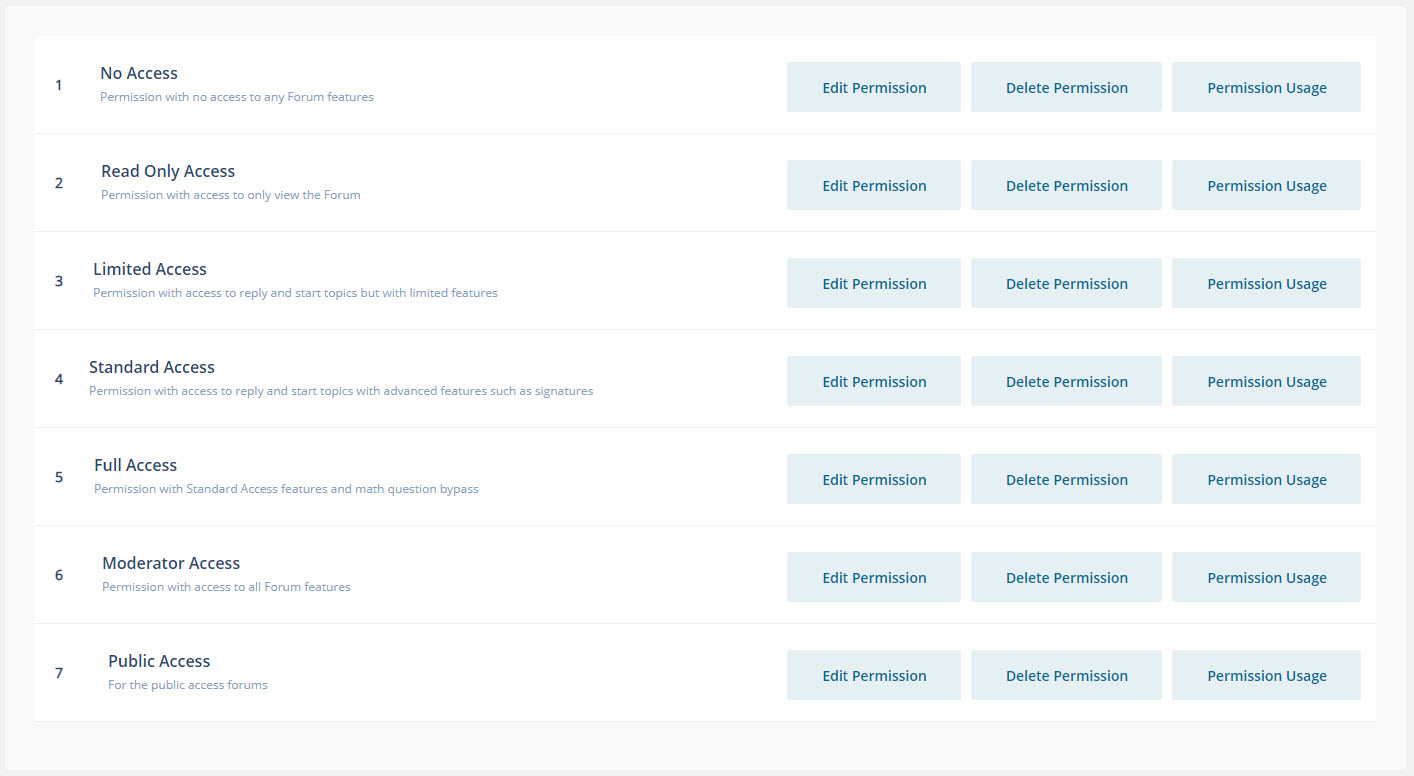
- Permission view has been made more compact to improve readability and permission overview
- Storage location administration has been restructured to simplify folder management and give the user a better overview
- A multitude of PHP-warnings have been silenced
- Plugin administration has been improved and made more compact to give a better overview of installed and activated plugins and their options
- Activating and handling themes has been improved and simplified
- Licensing UI redesign to better aid users in understanding the licensing process
- Admin stylesheet has been updated and obsolete CSS-syntax’s has been removed
- Modern theme have had an update to help partially hidden search inputs on mobile view
6.9.1 – June 2023
- Reverted: Only allow Simple:Press to run queries on Simple:Press pages
6.9.0 – June 2023
- Resolve PHP8.2 issues
- Fix avatar options not saved
- Fixed installation warnings when activating and installing Simple:Press for a more seamless installation
- Only allow Simple:Press to run queries on Simple:Press pages
- Minor admin cleanup, remove buttons, missing font-fix
- Added progress indicator when uploading theme or add-ons to help users better understand what is happening
- Indicator added when activating/deactivating add-ons, aiming to assist administrators
- Fix backend and frontend issue with disabled forums to avoid confusion
- Fixed SQL-error on install
6.8.10 – March 2023
- Added new optional constant to allow sp-resources to live in uploads folder
- Fixed CSS font issue in admin to improve readability and user experience
6.8.9 – March 2023
- Fixes issue in
spa-admin-notice.phpthat causes upgrades to fail
6.8.8 – February 2023
- Added correct version number
6.8.7 – February 2023
- Fixed alignment issue in modern theme
6.8.6 – February 2023
- Added missing version number for WP.org
6.8.5 – February 2023
- Fix issue with upgrading
6.8.4 – February 2023
- Fixed issues with TinyMCE editor not working properly
6.8.3 – January 2023
- Special rank badges were not displaying in admin or front-end.
6.8.2 – December 2022
- A couple of PHP 8.1 compatibility fixes.
6.8.1
- Various security related fixes.
6.8.0
- Compatibility with PHP 8.x. If using premium add-ons, new versions will be required.
- Show error code when there’s an error with the license process.
6.7.0
- Add option to sort by the membership column in the FORUM->USERS->MEMBER INFORMATION list.
- Tools popup on desktop makes better use of horizontal space.
- G00121: Fix an issue with deleting subsites rendering all user posts as guests in any other site that has the forum in use.
- G00116: When sorting the user list under FORUM->USERS->MEMBER INFORMATION, the list would be unstyled.
- G00117: Custom icons not rendering in drop-down properly.
- G00123: Large custom icon images need to be resized when viewing the forum list in admin.
- G00098: Fix admin screen issue where the Bulk Actions Arrow in MEMBER INFORMATION is too close to text.
- G00022: Deleting a topic from the FORUM TOOLS popup did not refresh the screen.
- G00100: Moving users not belonging to any user group did not refresh the section after the users were moved.
- G00000: Multiple issues with caching icon files when a filename is reused. Added cache-busting querystrings in the admin area to force cdns and page caches to re-request the file.
- G00000: Multiple issues with caching featured images files when a filename is reused. Added cache-busting querystrings in the admin area to force cdns and page caches to re-request the file.
- G00000: Multiple tweaks related to extra line breaks showing up in SP themes when the WP 59 FSE theme was in use.
6.6.6
- G00000: Fix a drag-n-drop issue introduced by WP 5.9.
6.6.5
- G00000: Add support for FSE themes introduced in WP 5.9.
6.6.4
- G00000: Check to make sure a YOAST class is callable before attempting to use it. Compatibility fix for Yoast 17.8.0
- G00000: Add a filter in sp-api-class-spcauths.php to support future functionality.
6.6.3
- G00000: Add a new overlay to the default 2020 theme to match the WP 2021 theme. The new overlay is the default on all new installs.
- G00110: Could not reorder profile tabs and menus in admin screen.
6.6.2
- G00000: Page number overlap on certain admin screens when the page numbers get to 3 digits.
- G00000: When deleting users and choosing the option to delete the user, they now get deleted instead of being set to “guest”.
6.6.1
- G00000: (Security) Verify a nonce & user capability before allowing certain file-related operations.
6.6.0
- G00000: Introduction of a “white label” mode that removes most references to Simple:Press.
- G00000: Updated the Modern2020 theme to the latest version.
- G00000: Much better support for WordPress Multisite with numerous multi-site related fixes and improvements.
- G00000: Fix a compatibility issue with PHP 7.4.0
- G00000: Fix a string that needed to be in double-quotes instead of single quotes in order to de-reference an embedded variable.
- G00000: Fix an issue in the sp_ColumnEnd function where the class and tag names were not being assigned properly in the generated html for the column.
Installation
Using The WordPress Dashboard
- Navigate to the ‘Add New’ in the plugins dashboard
- Search for ‘Simple Press’
- Click ‘Install Now’ and activate the plugin
Uploading in WordPress Dashboard
- Download
simplepress.zipfrom this page - Navigate to the ‘Add New’ in the plugins dashboard
- Navigate to the ‘Upload’ area
- Select
simplepress.zipfrom your computer - Click ‘Install Now’ and activate the plugin
Using FTP
- Download
simplepress.zipfrom this page - Extract the
simplepressdirectory to your computer - Upload the
simplepressdirectory to the/wp-content/plugins/directory and activate the plugin
Setup
After you activated the plugin through the plugins dashboard, you need to run the installer. Click the INSTALL button at the top of the admin pages or go to Forum->Install.
This creates the tables and default data that the plugin requires.
Getting Started
Now that you have installed your forums read our getting started pages.
Frequently asked questions
I’ve installed the plugin – now what?
Now that you have installed your forums read our getting started pages.
I don’t receive e-mail notifications
There are several factors that can influence e-mail notifications delivery. The best thing you can do to diagnose email delivery issues is to install a plugin that shows you an email log. We recommend MAILGUN or SMTP POST. The logs will let you know if emails are being generated and not delivered or just not being generated at all.
I cannot seem to create a new forum. When I select a FORUM GROUP in which to create the forum, nothing happens.
Use your CTRL-F5 key to refresh your browser cache for that page. Sometimes old CSS and JS scripts just needs to be cleared out and CTRL-F5 does that.
Can I import data from my old forum?
Yes! You can import data into our forum from other forums including bbPress, Asgaros and others. Get the importer here; With a bit of development skill you can even build your own importer for something we don’t already have! Or contact us to build one for you or to use our flat-fee import data service.
I am a WordPress admin, but I can’t see Forum menu items
When a new WordPress administrator is created by another WordPress admin, the new WP Admin is NOT automatically granted rights to the forum. Instead, an existing forum admin needs to explicitly grant the new WP ADMIN forum privileges under the FORUM->ADMINS menu option. One of the nice consequences of this division of security is that you can make a user a Forum Admin without making them a WordPress admin. Upon installation, existing WP admins are made Forum admins; so this issue will only present itself when a new WP admin is created after the forum is installed.
What shortcodes are available?
Simple:Press does not use short-codes. Instead, it outputs the entire forum directly into the content area of the WordPress page you specify. By default that page is called FORUM but you can easily switch it to a different page in FORUM->INTEGRATION->PAGE AND PERMALLINKS.
Why is the forum so narrow?
Many themes use a sidebar on their default WordPress pages. This reduces the content area that the forum is allowed to use. Additionally, themes might designate a content are of only x% of the width of the screen. These two practices are the primary reasons why the forum might not look the way it should. However, the good news is that many of the higher quality themes provide a “full width” page template or allow you to change the default content area width of pages. Contact your theme developer to find out if they have either of these two options.
Can I charge for forum access?
All the other reputable membership plugins use WordPress ROLES to control their membership. Simple:Press forums does too. So you can use ROLES to integrate with most other membership plugins if you like. Just contact us if you need more help understanding what this means.
Can I upload files to posts?
The free version of the plugin does not allow file uploads. But the premium version does. The premium version also allow users to list, view and delete their prior file uploads. The free version of the plugin can still display images that are stored elsewhere – just paste the link to the image into the post editor.
The editor looks simple – is there a better one?
The editor in the free version is a pure text editor. However, Simple:Press Pro comes with a full wysiwyg editor – the same one that WordPress uses – TinyMCE.
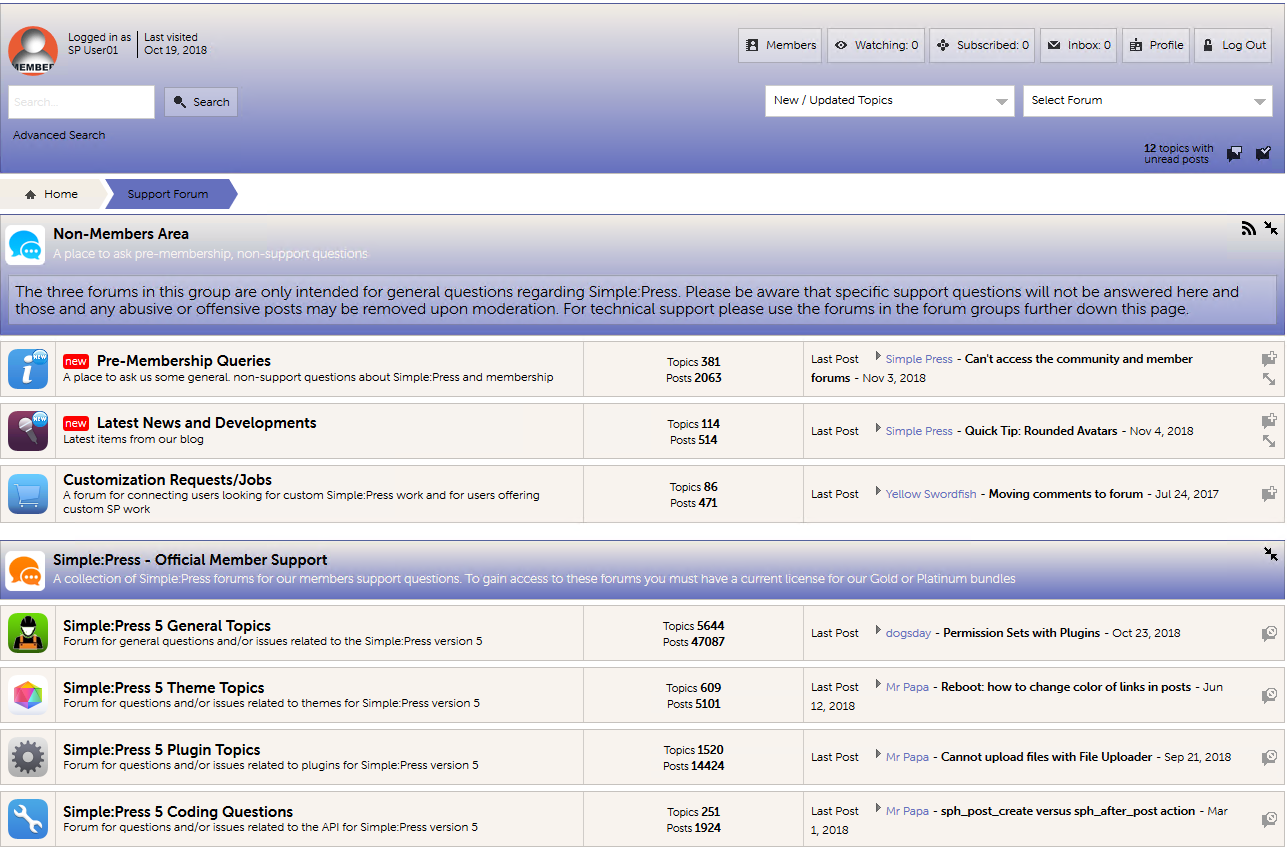
Screenshots
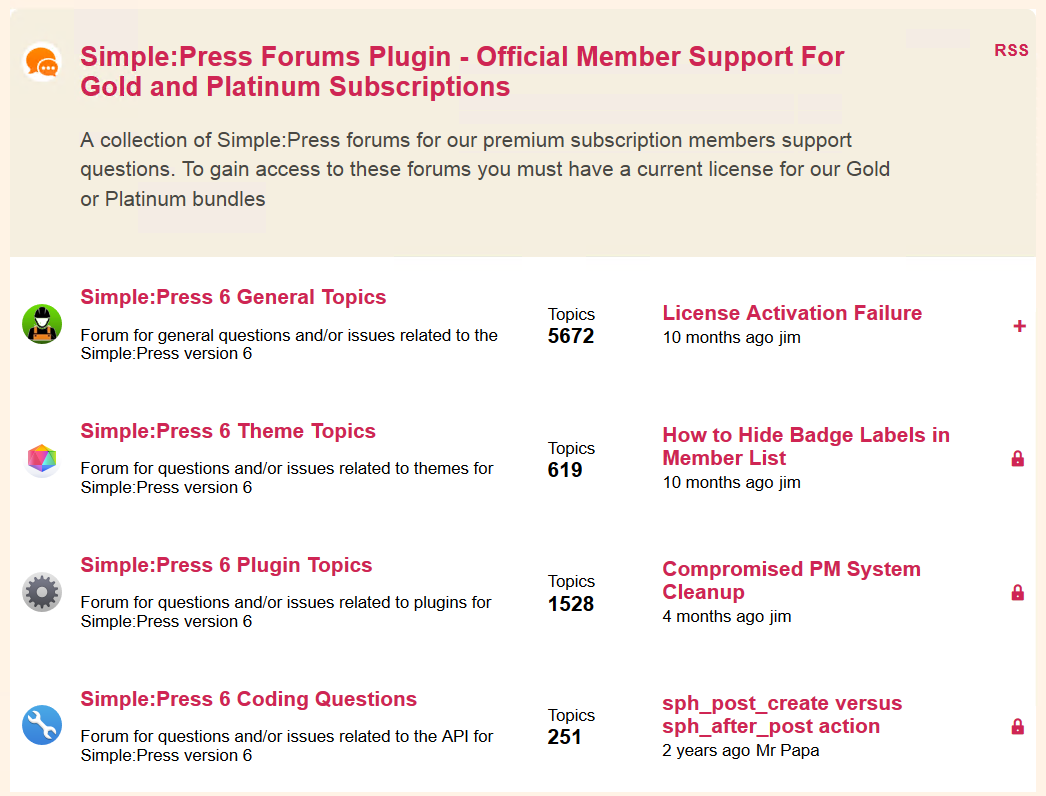
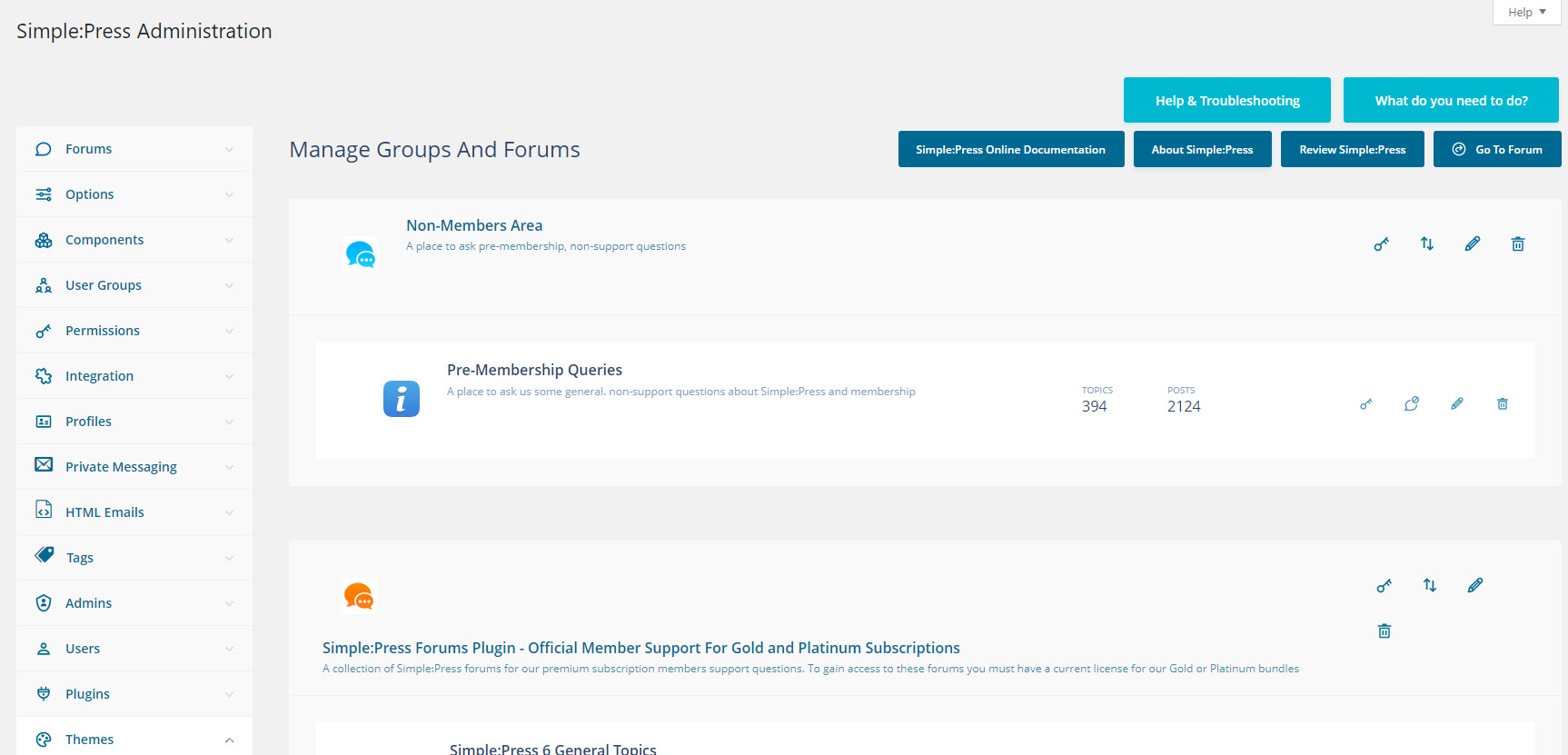
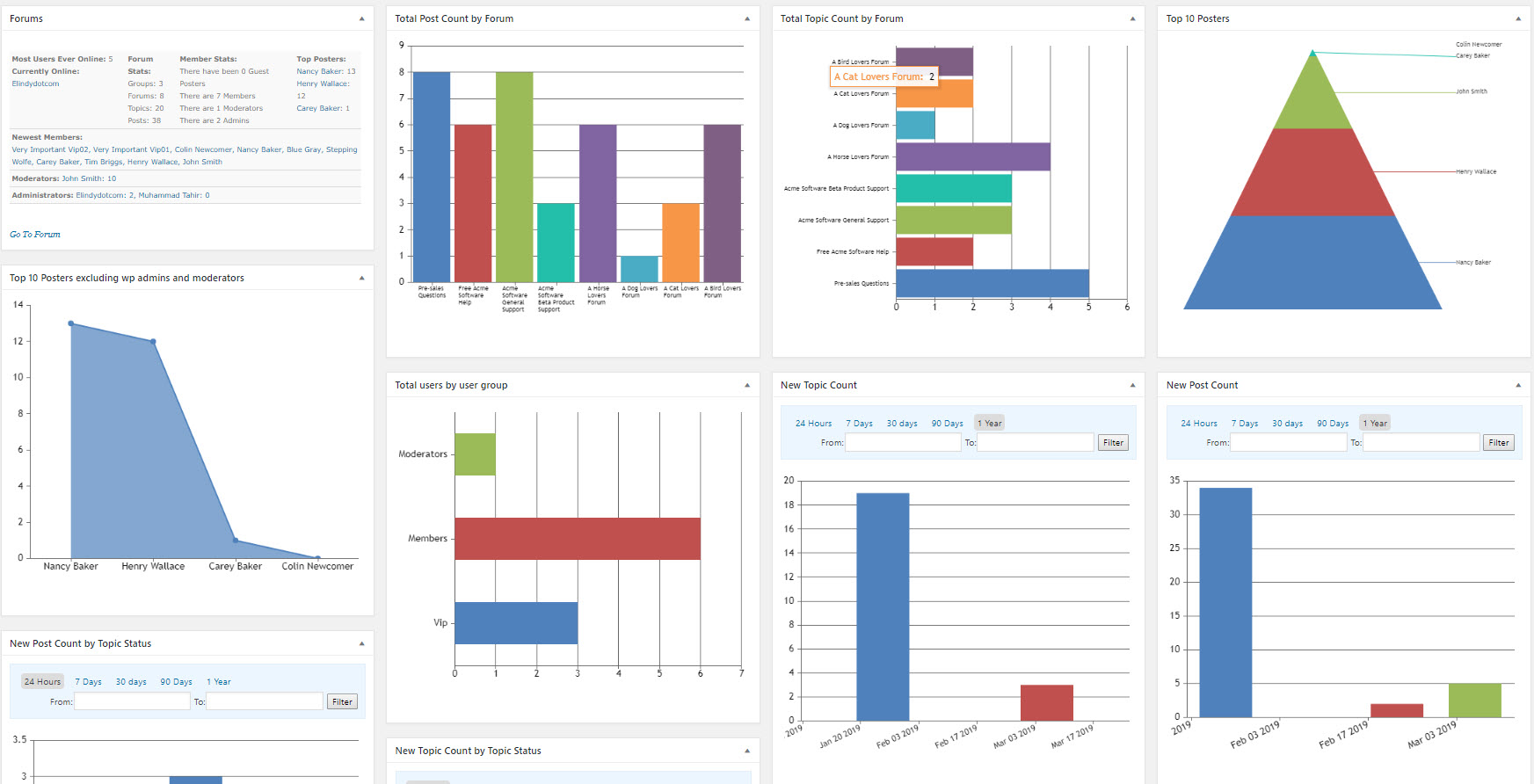
For developers
Is this your plugin? Show off the numbers.
Add a live badge to your site, docs or GitHub README. It updates on its own — no account needed.
Best Simple:Press Forum alternatives
All community forum plugins →| Rank | Plugin | Active installs |
|---|---|---|
| 2 |
 CM Answers – Discussion Forum Plugin for WordPress Q&A
Discussion Forum Plugin for WordPress Q&A. Build engaging community forums with voting…
CM Answers – Discussion Forum Plugin for WordPress Q&A
Discussion Forum Plugin for WordPress Q&A. Build engaging community forums with voting…
|
300+ |
FAQ
Simple:Press Forum: quick answers
Straight answers, pulled from live WordPress.org data.
Live data from WordPress.org · checked Sep 30, 2026
Is Simple:Press Forum free?
Yes. Simple:Press Forum is free to download and use from the official WordPress.org plugin directory.
Is Simple:Press Forum safe to use in 2026?
Yes — Simple:Press Forum is a safe, well-maintained plugin to use in 2026. It runs on 300+ sites, is rated 4.2/5 and was last updated 2 weeks ago, and scores 86/100 on our health check.
How many websites use Simple:Press Forum?
Simple:Press Forum is active on 300+ WordPress websites and has been downloaded 48,999 times since it launched in November 2018. It was downloaded 686 times in the last 30 days.
Does Simple:Press Forum work with WordPress 7.1?
Yes. The developer has tested Simple:Press Forum up to WordPress 7.1.2, the latest release. It requires WordPress 5.7 or newer.
What PHP version does Simple:Press Forum need?
Simple:Press Forum requires PHP 7.0 or higher. Most hosts run PHP 8.x today, so it works on any modern WordPress hosting.
When was Simple:Press Forum last updated?
The latest version, 6.11.15, was released on September 17, 2026 (2 weeks ago).
Who makes Simple:Press Forum?
Simple:Press Forum is developed and maintained by simplepress.
What are the best alternatives to Simple:Press Forum?
The most popular alternatives to Simple:Press Forum are CM Answers (300+ installs).
Powered by PageForge
Want thousands of pages that rank like these? Build them in an afternoon.
This directory runs on the same engine as PageForge. Turn any spreadsheet, CSV or API into thousands of fast, SEO-ready WordPress pages — with schema, internal links and AI-written copy baked in.
- CSV, Google Sheets & API data sources
- AI content, schema & internal links per page
- Works with Elementor, Gutenberg, Yoast & Rank Math
- Free on WordPress.org — no credit card


