



Simple Author Box
Add a responsive author box or guest author box with social icons to any post. Great author box for any site!

Safe pick
Yes — Simple Author Box is a safe, well-maintained plugin to use in 2026. It runs on 90K+ sites, is rated 4.3/5 and was last updated 1 month ago, and scores 89/100 on our health check.
- Proven at scale on 90K+ active sites
- Tested with the latest WordPress (7.1)
How does it stack up?
Side-by-side on installs, updates, ratings & support



Daily downloads
Download spikes usually follow a new release — each site that auto-updates counts as a download.
Rankings
Where Simple Author Box stands todayWordPress.org search rankings
Live position in the plugin search, top 100| Keyword | Position |
|---|---|
| author bio | #2 |
| author box | #1 |
| Author Profile | #1 |
| author social icons | #1 |
| guest author | #4 |
Version adoption
Share of active sites per release.
Rating breakdown
★★★★★★★★★★ 4.3 from 115 reviews
About Simple Author Box
From the official readme · v2.61Description
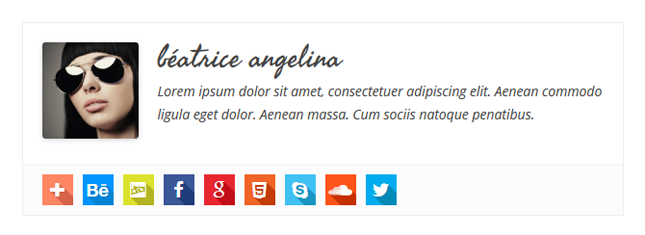
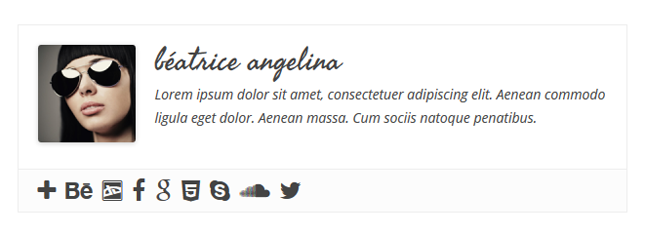
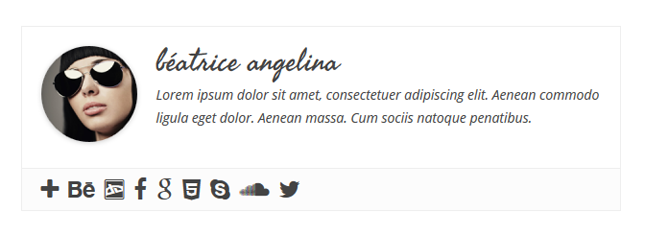
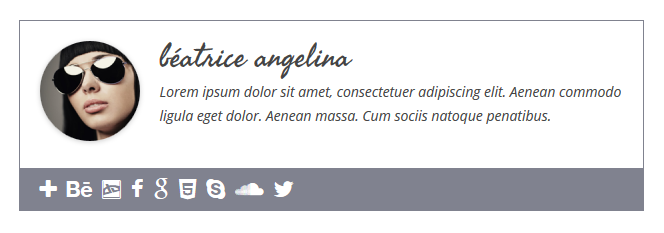
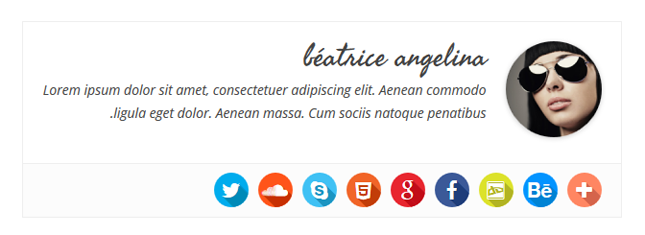
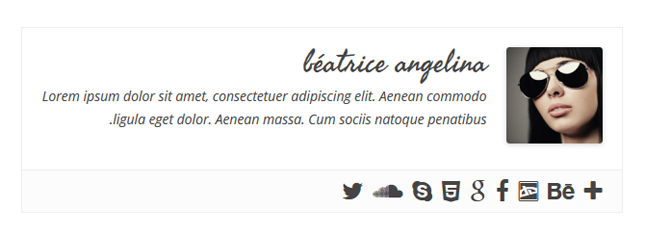
Simple Author Box adds a responsive author box at the end of your posts, showing the author name, author gravatar and author description – author bio. It also adds over 30 social profile fields on WordPress user profile screen, allowing to display the author social icons in the author box.
Having problems with spam, bots, or AI scrapers? Have a look at our free Captcha plugin used on over 200,000 sites.
Main Features
- Shows author gravatar, name, website, description (author bio) and social icons
- Fully customizable to match your theme design (style, color, size and text options)
- Nice looking on desktop, laptop, tablet or mobile phones
- Automatically insert the author box at the end of your post
- Option to manually insert the author box on your template file (single.php or author.php)
- Simple Author Box has RTL support
- Simple Author Box has AMP support
- Great for guest posts, and guest authors
- GDPR compatible Bunny Fonts
Simple Author Box Pro Features
Premium features only available in Simple Author Box Pro
- Change author box position to before/after content
- Choose whether the author’s name should link to its website/page/none
- Select where to show author box on
- Add rotate effect on author avatar hover
- Option to open author website link in a new tab
- Option to add “nofollow” attribute on author website link
- Choose the author website’s position: right/left
- Social icons type, style, rotate effect, shadow effect, thin border
- Option to change the color palette
- Choose the font and font sizes for the author’s job title, website, name, and description
- Enable guest authors and co-authors
- Option to use guest authors as co-authors
- Top authors widget – displays the most popular authors based of comments
- Simple author box widget – displays the users selected
Read more about the Simple Author Box advanced features.
GDPR Compatibility
We are not lawyers. Please do not take any of the following as legal advice.
Simple Author Box does not track, collect or process any user data. If you opt to use Bunny Fonts they will be loaded from a 3rd party CDN. In that case user data will be processed according to their terms of service. Based on that, we feel it’s GDPR compatible, but again, please, don’t take this as legal advice.
Installation
- Download the plugin (.zip file) on your hard drive.
- Unzip the zip file contents.
- Upload the
simple-author-boxfolder to the/wp-content/plugins/directory. - Activate the plugin through the ‘Plugins’ menu in WordPress.
- A new sub menu item
Simple Author Boxwill appear in your main Settings menu.
Frequently asked questions
Why does the author box not display on a page?
The Simple Author Box plugin was designed to display the author information on posts, categories, tags, etc. The plugin does not work on pages – it was not designed for this, unfortunately. Adding the shortcode on a blog page will also not work because the plugin won’t have author information to display/will not know which author information to display. Adding the shortcode in a widget that is on a page is another instance when the SAB will not be displayed due to the same reasons. You can add it in a widget, but that widget has to be on a single post.
What should I add for Whatsapp ?
You should add there your phone number, for more information read this
What should I add for Telegram ?
You should add there your username, for more information read this
Can I remove the SAB from WooCommerce/Category/Tags pages? Can I have only on posts?
The PRO version of Simple Author Box fixes this.
Is there any widget in Simple Author Box ?
Yes, but we also have two awesome widgets in the PRO version.
I have two author boxes. How can I hide one?
The second author box might be a theme feature and you will need to turn it off from your theme’s options, or hide it with custom CSS.
How I can translate the author’s biography ?
You can use 2 plugins in order to do this: Polylang or WPML. Here it is how to translate an author’s biography with each plugin: Polylang When using Polylang a “Biographical Info” textarea is added for each language, this way you can enter the “Biographical Info” for each respective language. WPML In order to translate the “Biographical Info” using this plugin you have to have the wpml-string-translation plugin installed and the following configurations made: In the String Translation settings at the bottom you will see a “More options” setting. Click “Edit” then select “Author” from there…
How can I use it with Content Blocks (Custom Post Widget) ?
When adding a widget in the widget area you can select the content block to display and there you will also see a checkbox titled “Do not apply content filters”. Checking this checkbox will prevent the author box from displaying for that custom post. When using a shortcode, example [content_block id=41] you can stop the author box from displaying by using one of these shortocodes instead: [content_block id=41 suppress_content_filters=true] or [content_block id=41 suppress_filters=true], both work.
How can I get support?
You can get free support either here on the support forums: https://wordpress.org/support/plugin/simple-author-box.
How can I say thanks?
You can say thank you by leaving us a review here: https://wordpress.org/support/plugin/simple-author-box/reviews/#new-post Or you can give back by recommending this amazing plugin to your friends!
How can I report security bugs?
You can report security bugs through the Patchstack Vulnerability Disclosure Program. The Patchstack team help validate, triage and handle any security vulnerabilities. Report a security vulnerability.
Changelog
2.61
- 2026-07-19
- Minor fixes
2.60
- 2026-05-21
- Minor fixes
2.59
- 2025-07-31
- Removed dead social networks
2.58
- 2025-05-19
- Fixed bug with social links formatting
2.56
- 2025-05-05
- Updated Twitter icon to X
- Added new icons for BlueSky, TikTok and Patreon
2.55
- 2025-04-15
- fixed Simple Author Box Widget CSS issue
- minor security fixes
Screenshots



For developers
Is this your plugin? Show off the numbers.
Add a live badge to your site, docs or GitHub README. It updates on its own — no account needed.
Best Simple Author Box alternatives
All author bio plugins →





FAQ
Simple Author Box: quick answers
Straight answers, pulled from live WordPress.org data.
Live data from WordPress.org · checked Sep 27, 2026
Is Simple Author Box free?
Yes. Simple Author Box is free to download and use from the official WordPress.org plugin directory.
Is Simple Author Box safe to use in 2026?
Yes — Simple Author Box is a safe, well-maintained plugin to use in 2026. It runs on 90K+ sites, is rated 4.3/5 and was last updated 1 month ago, and scores 89/100 on our health check.
How many websites use Simple Author Box?
Simple Author Box is active on 90K+ WordPress websites and has been downloaded 1,804,488 times since it launched in August 2014. It was downloaded 15,456 times in the last 30 days.
Does Simple Author Box work with WordPress 7.1?
Yes. The developer has tested Simple Author Box up to WordPress 7.1.2, the latest release. It requires WordPress 4.6 or newer.
What PHP version does Simple Author Box need?
Simple Author Box requires PHP 5.6 or higher. Most hosts run PHP 8.x today, so it works on any modern WordPress hosting.
When was Simple Author Box last updated?
The latest version, 2.61, was released on August 16, 2026 (1 month ago).
Who makes Simple Author Box?
Simple Author Box is developed and maintained by WebFactory.
What are the best alternatives to Simple Author Box?
The most popular alternatives to Simple Author Box are Co-Authors, Multiple Author… (20K+ installs), Molongui Authorship (10K+ installs) and Starbox (10K+ installs).
Powered by PageForge
Want thousands of pages that rank like these? Build them in an afternoon.
This directory runs on the same engine as PageForge. Turn any spreadsheet, CSV or API into thousands of fast, SEO-ready WordPress pages — with schema, internal links and AI-written copy baked in.
- CSV, Google Sheets & API data sources
- AI content, schema & internal links per page
- Works with Elementor, Gutenberg, Yoast & Rank Math
- Free on WordPress.org — no credit card


