



SilkMotion Infinite Image Marquee for Elementor
A GPU-accelerated infinite image marquee widget for Elementor, with sub-pixel positioning for smooth motion. No Elementor Pro required.

Use with caution
SilkMotion Infinite Image Marqu… works, but test it on a staging site before relying on it in 2026. It runs on 10+ sites and was last updated 3 months ago, and scores 57/100 on our health check.
- Small user base (10+ active installs)
- Very few reviews so far
How does it stack up?
Side-by-side on installs, updates, ratings & support



Daily downloads
Download spikes usually follow a new release — each site that auto-updates counts as a download.
Rankings
Where SilkMotion Infinite Image M… stands todayWordPress.org search rankings
Live position in the plugin search, top 100| Keyword | Position |
|---|---|
| elementor | >100 |
| elementor widget | >100 |
| Image carousel | >100 |
| infinite scroll | >100 |
| logo marquee | #26 |
Version adoption
Share of active sites per release.
About SilkMotion Infinite Image Marquee for E…
From the official readme · v1.0.0Description
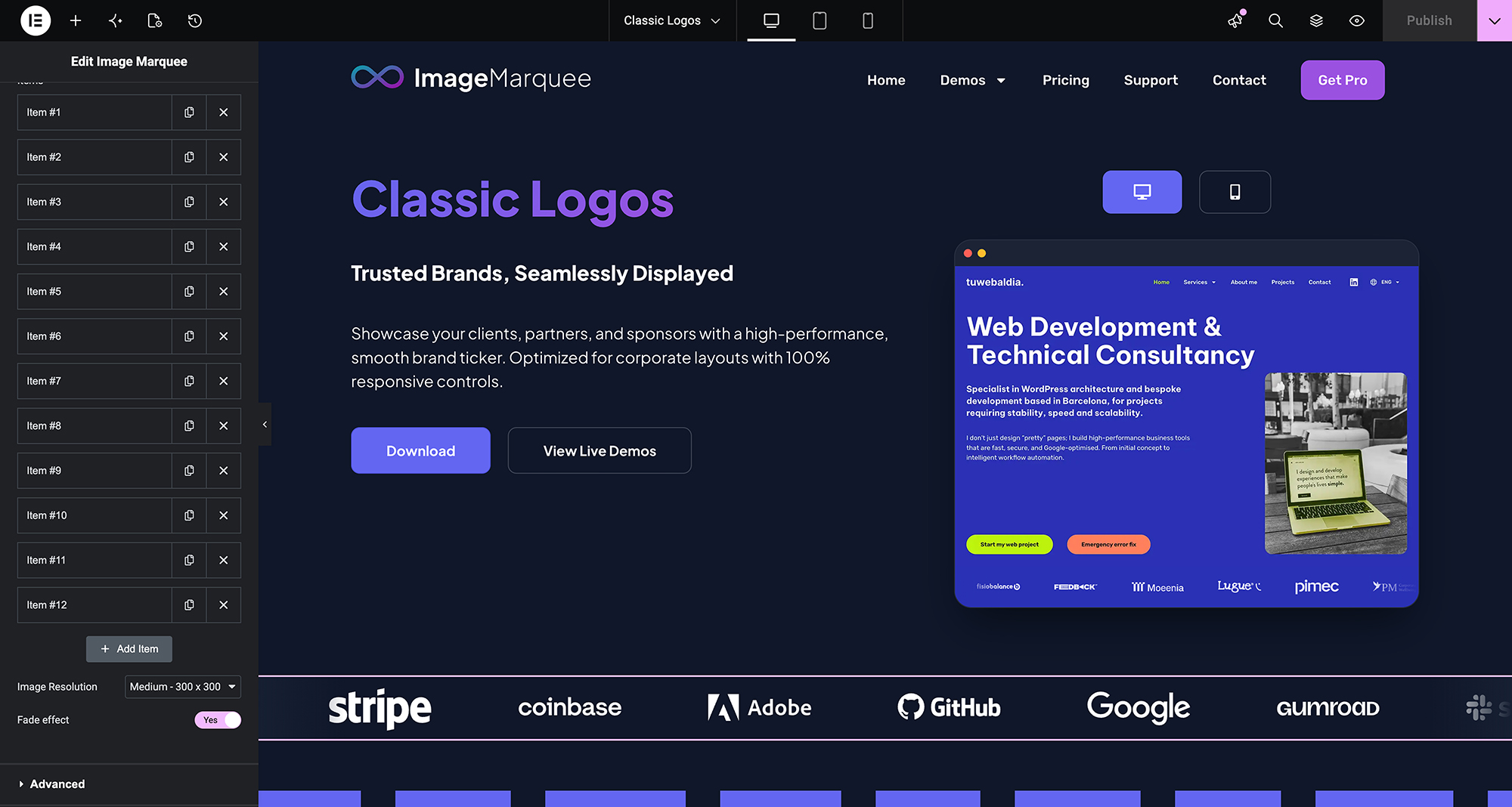
SilkMotion Infinite Image Marquee is an Elementor widget that displays a continuously scrolling row or column of images, commonly used for partner logos, certifications, client photos, or press mentions.
https://www.imagemarquee.com/
How it works
The widget calculates image positions using decimal (sub-pixel) values and renders the animation with CSS3 GPU acceleration, rather than moving elements in whole-pixel steps. It does not load any external slider or animation library (such as jQuery-based carousel plugins) — the animation is handled by a small built-in script plus CSS.
Features included in the free version
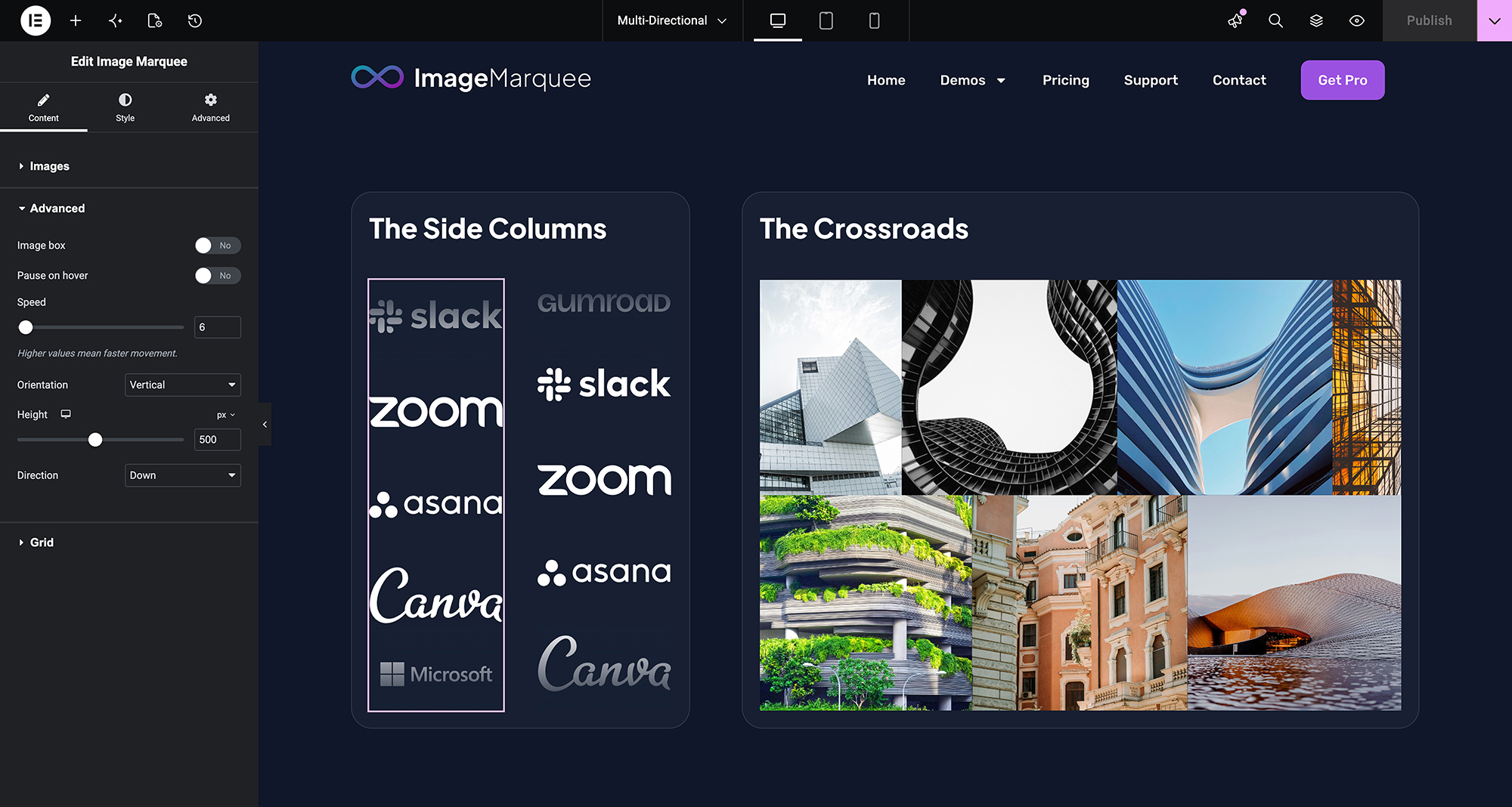
- Infinite horizontal & vertical marquee — scroll images left, right, up or down.
- Speed and direction control — adjustable scroll speed and direction.
- Pause on hover — stops the animation when a visitor hovers over the marquee, so links can be clicked.
- Fade edge effect — configurable fade color and width at the edges of the marquee.
- Per-image links — each image can have its own URL, with options for nofollow and opening in a new window, and support for Elementor dynamic tags.
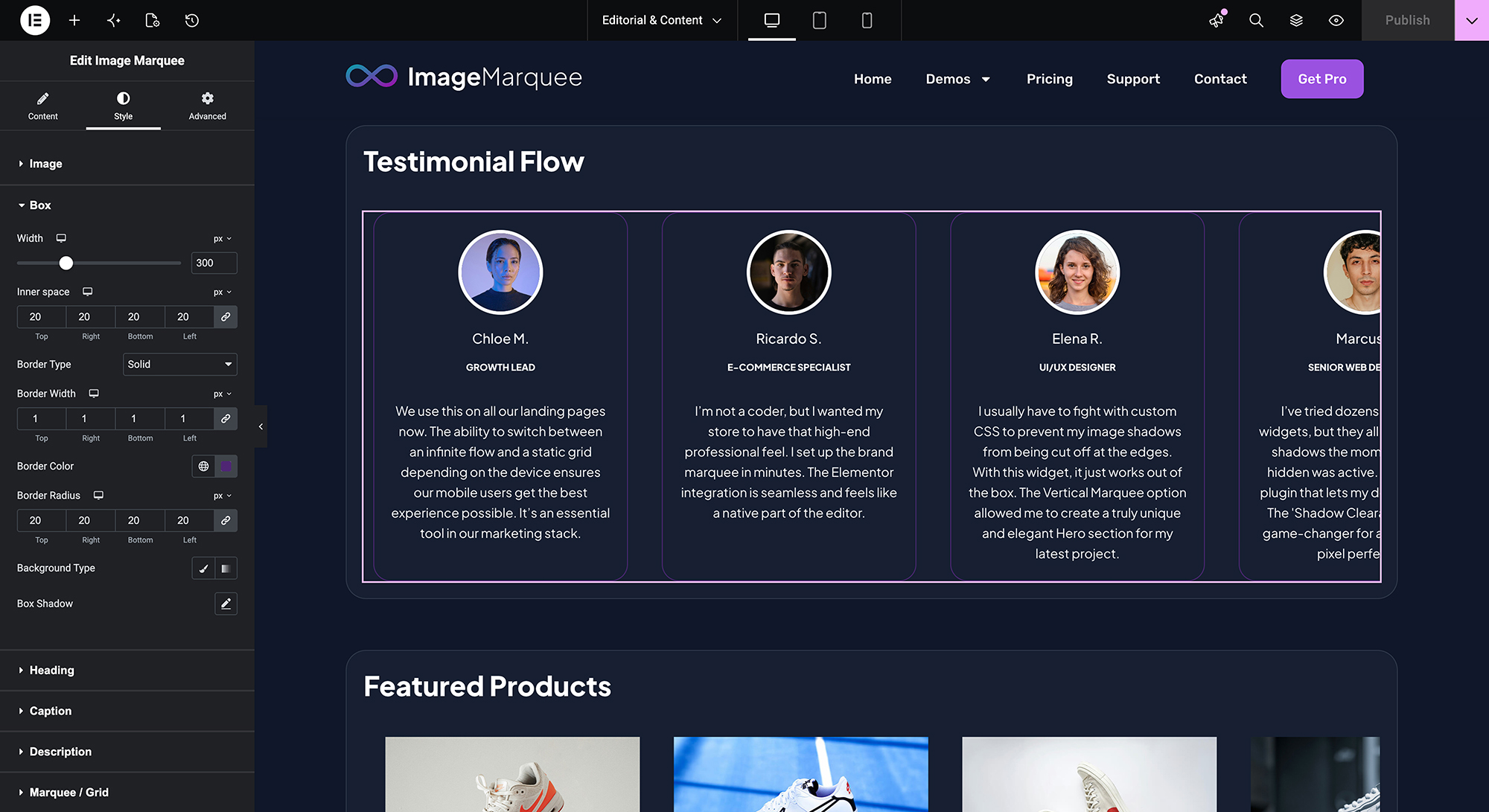
- Style controls — image size, spacing, opacity, hover effects, CSS filters, borders, shadows and image box styling, all configurable from native Elementor controls.
- Clean HTML output for accessibility and SEO.
This plugin works with Elementor Free; Elementor Pro is not required.
Additional features in SilkMotion Infinite Image Marquee Pro
SilkMotion Infinite Image Marquee Pro adds the following features to the same widget:
- Gallery Lightbox — clicking an image opens it full-size using Elementor’s native lightbox.
- Images with Text — add a heading, caption and description to each image, for use cases such as testimonials or a text-and-image ticker.
- Individual Image Scaling — set width, height and object-fit independently for each image, useful when source images have different dimensions.
- Smart Adaptive Grid — replaces the scrolling marquee with a static grid layout on tablet and mobile breakpoints, with a configurable number of columns per breakpoint.
Like the free version, SilkMotion Infinite Image Marquee Pro works with Elementor Free; Elementor Pro is not required for any of its features, including the Gallery Lightbox. Upgrading to Pro does not remove or reset existing marquees: the Pro widget uses the same widget name, so previously configured settings are preserved and the new options appear alongside them. See plans and pricing for details.
Installation
- Upload the plugin folder to the
/wp-content/plugins/directory, or install it directly from the WordPress plugin screen (Plugins → Add New → search for “SilkMotion Infinite Image Marquee”). - Activate the plugin through the ‘Plugins’ menu in WordPress.
- Open a page with the Elementor Editor.
- In the widget panel, search for SilkMotion Infinite Image Marquee and drag it onto the page.
- In the widget’s Content tab, add images to the gallery/list control and set the marquee direction (horizontal or vertical) and speed.
- In the Style tab, adjust image size, spacing, hover effects, fade edges and other visual options as needed.
- Optionally, assign a link to each image in the Content tab (URL, open in new window, nofollow, or a dynamic tag).
- Click Update or Publish to save the page.
No additional configuration, license key, or external account is required to use the free version. If SilkMotion Infinite Image Marquee Pro is installed and activated with a valid license, its additional controls (Gallery Lightbox, Images with Text, Individual Image Scaling, Smart Adaptive Grid) appear automatically inside the same widget panel.
Frequently asked questions
Do I need Elementor Pro to use this plugin?
No. SilkMotion Infinite Image Marquee works with both the Free and Pro versions of Elementor. Vertical scrolling, sub-pixel motion, pause-on-hover and fade effects are all included without an Elementor Pro license. The same applies to SilkMotion Infinite Image Marquee Pro, including the Gallery Lightbox feature.
What does “sub-pixel” motion mean?
The widget calculates image positions using decimal values rather than whole pixels, and renders the animation using hardware-accelerated CSS. This is intended to reduce the visible stepping/jitter that can occur at slow scroll speeds.
Does this plugin load external slider libraries?
No. The plugin does not load third-party slider or carousel JavaScript libraries. The animation is implemented with a small built-in script and CSS.
Can I link each image to a different website?
Yes. Each image has its own link field, with options for opening in a new window, adding a nofollow attribute, and using Elementor dynamic tags.
Can I use it for content other than logos?
Yes. The widget can display any series of images, such as certificates, badges, client photos, press mentions or awards.
What do I get with SilkMotion Infinite Image Marquee Pro?
Four additional features inside the same widget: Gallery Lightbox (click to open images in Elementor’s native lightbox), Images with Text (heading, caption and description per image), Individual Image Scaling (set size independently per image) and Smart Adaptive Grid (static grid layout on mobile and tablet, with configurable columns per breakpoint). As with the free version, Elementor Pro is not required. See imagemarquee.com for details.
If I upgrade to Pro, will I lose my existing marquees?
No. The Pro plugin extends the same widget used by the free version, so marquees built with the free version keep their existing settings after upgrading; the additional Pro controls appear in the same panel.
Changelog
Initial release.
1.0.0
- Initial release.
- GPU-accelerated marquee animation (horizontal & vertical).
- Pause on hover, fade edges, per-image links and style controls.
- No third-party slider/animation library dependencies.
- Spanish (es_ES) translation included.
Screenshots
For developers
Is this your plugin? Show off the numbers.
Add a live badge to your site, docs or GitHub README. It updates on its own — no account needed.
Best SilkMotion Infinite Image Mar… alternatives
All elementor plugins →





FAQ
SilkMotion Infinite Image Marquee f…: quick answers
Straight answers, pulled from live WordPress.org data.
Live data from WordPress.org · checked Oct 14, 2026
Is SilkMotion Infinite Image Marqu… free?
Yes. SilkMotion Infinite Image Marqu… is free to download and use from the official WordPress.org plugin directory.
Is SilkMotion Infinite Image Marqu… safe to use in 2026?
SilkMotion Infinite Image Marqu… works, but test it on a staging site before relying on it in 2026. It runs on 10+ sites and was last updated 3 months ago, and scores 57/100 on our health check.
How many websites use SilkMotion Infinite Image Marqu…?
SilkMotion Infinite Image Marqu… is active on 10+ WordPress websites and has been downloaded 218 times since it launched in July 2026. It was downloaded 72 times in the last 30 days.
Does SilkMotion Infinite Image Marqu… work with WordPress 7.1?
SilkMotion Infinite Image Marqu… is officially tested up to WordPress 7.0.7, while the latest release is 7.1.3. It may still work, but try it on a staging site first.
What PHP version does SilkMotion Infinite Image Marqu… need?
SilkMotion Infinite Image Marqu… requires PHP 7.4 or higher. Most hosts run PHP 8.x today, so it works on any modern WordPress hosting.
When was SilkMotion Infinite Image Marqu… last updated?
The latest version, 1.0.0, was released on July 18, 2026 (3 months ago).
Who makes SilkMotion Infinite Image Marqu…?
SilkMotion Infinite Image Marqu… is developed and maintained by Francesc.
What are the best alternatives to SilkMotion Infinite Image Marqu…?
The most popular alternatives to SilkMotion Infinite Image Marqu… are Ultimate Addons for Element… (2M+ installs), Essential Addons for Elemen… (1M+ installs) and Royal Addons for Elementor (600K+ installs).
Powered by PageForge
Want thousands of pages that rank like these? Build them in an afternoon.
This directory runs on the same engine as PageForge. Turn any spreadsheet, CSV or API into thousands of fast, SEO-ready WordPress pages — with schema, internal links and AI-written copy baked in.
- CSV, Google Sheets & API data sources
- AI content, schema & internal links per page
- Works with Elementor, Gutenberg, Yoast & Rank Math
- Free on WordPress.org — no credit card


