


Sign-up Sheets
Create online sign-up sheets for volunteers, events, and group scheduling.

Safe pick
Yes — Sign-up Sheets is a safe, well-maintained plugin to use in 2026. It runs on 1K+ sites, is rated 4.8/5 and was last updated 3 weeks ago, and scores 85/100 on our health check.
- Actively developed — last update 3 weeks ago
- Tested with the latest WordPress (7.1)
- Momentum — downloads up 225.7% vs the previous 30 days
How does it stack up?
Side-by-side on installs, updates, ratings & support


Daily downloads
Download spikes usually follow a new release — each site that auto-updates counts as a download.
Rankings
Where Sign-up Sheets stands todayWordPress.org search rankings
Live position in the plugin search, top 100| Keyword | Position |
|---|---|
| non-profit | #3 |
| sign up | #2 |
| signup | #37 |
| volunteer | #13 |
Version adoption
Share of active sites per release.
Rating breakdown
★★★★★★★★★★ 4.8 from 16 reviews
About Sign-up Sheets
From the official readme · v2.4.0Description
Sign-up Sheets helps you organize sign-ups, events, shifts, and other scheduled tasks directly in WordPress. It offers a flexible way to coordinate people, time slots, and responsibilities without relying on a third-party service.
The free version of Sign-up Sheets includes core tools for building and managing sign-up sheets on your site:
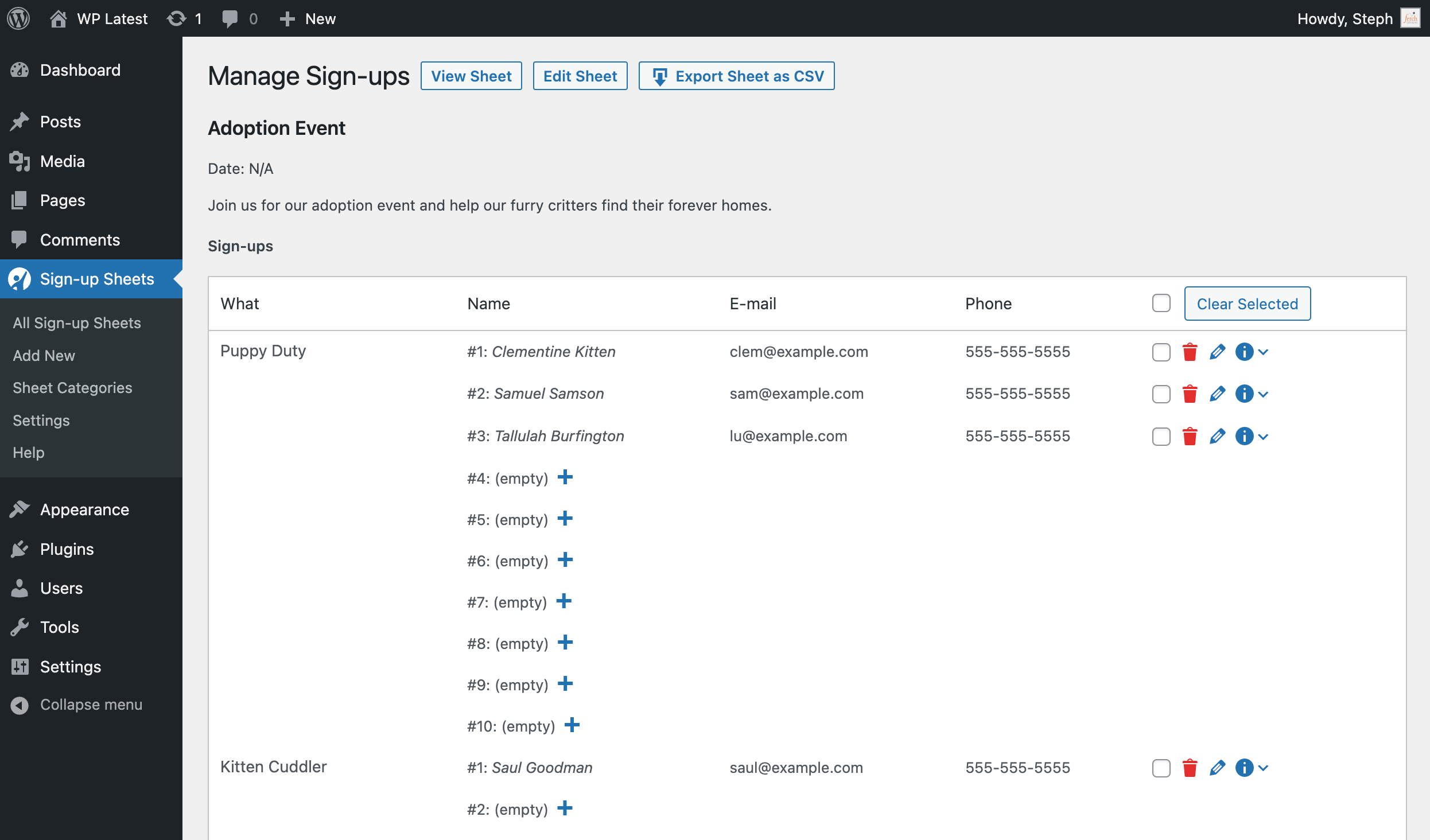
- Add, edit, and clear sign-up spots as needed
- Copy a sheet or task to speed up setup
- Send confirmation emails after sign-up
- Let logged-in users view all of their sign-ups on one page with the
[user_sign_ups]shortcode - Create an unlimited number of sign-up sheets and spots
- Enable optional reCAPTCHA protection
- Export sign-up data for one sheet or all sheets to CSV
- Support WordPress GDPR privacy features for your sign-up sheets
- Built with accessibility in mind based on WCAG Guidelines. If you run into any accessibility issues, please report them to help make the plugin more inclusive for all users.
- See the full list of Sign-up Sheets features
The Pro version of Sign-up Sheets adds advanced tools for more complex scheduling and form needs:
- Create custom task fields and custom sign-up form fields
- Send optional reminder emails before an event
- Customize confirmation and reminder emails per sheet
- Assign categories to sign-up sheets and display current sheets for a specific category
- Let logged-in users edit their own sign-ups
- Enable Spot Locking to hold a spot for 3 minutes while a user completes the sign-up form
- Use Compact and Semi-Compact display modes to condense tasks with many spots into a single line
- Set sign-up limits per task
- See the full list of Sign-up Sheets features
Sign-up Sheets is used for church and nonprofit volunteer opportunities, school and PTO/PTA events, club sign-ups, meeting room reservations, photographer time slots, peronal gatherings, and more. It is a practical alternative to monthly paid services like SignUpGenius while keeping your sign-ups on your own WordPress site.
Installation
- Download the plugin
- From your WordPress Admin panel, click the Plugins Menu
- Deactivate and delete any previous versions of Sign-up Sheets including the free version.
- Within the Plugins menu, click the “Add New” button
- Click the “Upload Plugin” button from the menu at the top
- Select the Sign-up Sheets zip file you downloaded and click the “Install Now” button
- After installation is complete, click “Activate Plugin”
Manual Install – SFTP
1. Download the plugin and extract the files
2. Copy the sign-up-sheets directory and all its files to your /wp-content/plugins/ directory
3. Activate the plugin through the ‘Plugins’ menu in WordPress
4. Create a new blank page and add the [sign_up_sheet] shortcode (optional)
Frequently asked questions
How do I create a Sign-up Sheet page on my site?
First you add a sheet under Sign-up Sheets > Add Sign-up Sheet. Then you can optionally create a Sheet listing page using the Gutenberg Block or the [sign_up_sheet] shortcode. To learn more, visit the Creating a Sign-up Sheet doc.
Is Sign-up Sheets GDPR-compliant?
Please read our GDPR and Sign-up Sheets article for how to configure your sign-ups to adhere to GDPR.
If I update to the Pro version, will I lose my information from the free version?
No, you will not lose any information and will retain all of your current sign-up sheets and sign-ups.
Can I change the “from” address on the confirmation email?
Yes, in Settings > Sign-up Sheets you can specify any email you want. It defaults to the email address set in Settings > General.
How can I suggest an idea for the plugin?
Any and all feedback is greatly appreciated! Post your idea on the Sign-up Sheets Suggestions Forum or send an email through the website.
What is the difference between “Custom Task Fields” and “Custom Sign-up Fields (pro version only)
Custom Task Fields: (on the Sign-up Sheet) are fields that appear when you create or edit a sheet in the admin on each task that you create. They are for display purposes only on the front-end of the Sign-up Sheet. Custom Sign-up Fields: (on the Sign-up Form) are fields that users fill out on the front-end on the form they use to sign-up for an open spot
How do I display sheets from only 1 specific category (Pro version only)
To filter by category, you can include the category id # in the [sign_up_sheet] shortcode to determine which category will display on that page. As an example, the following shortcode would show all sheets associated with category #5… [sign_up_sheet category_id="5"]
When are email reminders sent? (Pro version only)
When you have the “reminder” setting turned on in Settings > Sign-up Sheets, a WordPress event will be triggered to check for reminders needing to be sent out. This happens when someone visits your site, but no more than once per hour. You can set how many days prior to the event you would like reminders to go out.
How do I change the sheet list heading?
The list title defaults to ‘Current Sign-up Sheets’. To customize this, you can add the option list_title to your [sign_up_sheet] shortcode (example: [sign_up_sheet list_title=""]). If you are using the Pro version and filtering by a specific category, you can also have this default to the name of the category by adding the option list_title_is_category (example: [sign_up_sheet category_id=4 list_title_is_category=true]).
How can I report security bugs?
You can report security bugs through the Patchstack Vulnerability Disclosure Program. The Patchstack team help validate, triage and handle any security vulnerabilities. Report a security vulnerability.
Changelog
Contains multiple security hardening fixes. Update is strongly recommended.
2.4.0 | 2026-09-16
- Added preview to the Gutenberg block with settings moved to the editor sidebar.
- Updated Gutenberg block to use block API version 3 (requires WordPress 6.0+).
- Updated Settings page to a redesigned layout with sidebar navigation and live search.
- Updated the default simple captcha to use a randomized answer instead of a fixed one.
- Added ability for sheet “Preview” to show preview of meta field values such as sheet date and tasks rather than just the sheet description WP offers natively.
- Added config to disable the default sheet “archive” page that lists all sheets the /sheet/ URL.
- Added setting to hide your theme’s default Previous/Next post navigation on sheet pages if theme implements it (hidden by default).
- Fixed an inverted honeypot anti-spam check that could allow spam submissions through.
- Fixed error when accessing Manage Sign-ups page with invalid post ID by adding validation check.
- Fixed cursor jumping to the end of task fields when clicking to edit them in the admin sheet editor.
- Fixed the confirmation email message field stripping the “<{removal_link}>” placeholder (and any other literal “<…>” text) on every settings save.
- Hardened nonce verification, capability checks, input sanitization, and output escaping across Settings, bulk edit, sheet preview, custom fields, and the Gutenberg block. [Security]
- Hardened an internal file-loading safeguard. [Security]
- Hardened access control for displaying full sign-up contact details on the front end. [Security]
- Hardened access control on sheet task save and the Manage Sign-ups deletion actions (single and bulk). [Security]
- Hardened debug logging to prevent unauthorized data exposure. [Security]
- Hardened access control on the Manage Sign-ups page and CSV export, and narrowed the Sign-up Sheet Viewer role to read-only capabilities. [Security]
- Hardened database migration state checks and re-run access control. [Security]
- Hardened signup meta field handling against tampering from submitted form data. [Security]
- Hardened role capability revocation on deactivation so previously granted capabilities, including Pro sheet-category taxonomy permissions, are fully removed. [Security]
- Hardened the Help page email test form with nonce verification, input sanitization, and output escaping. [Security]
- Hardened the public sign-up form against unpublished tasks and unauthorized field submissions. [Security]
- Hardened access control on the sign-up form and sheet shortcodes to enforce sheet visibility. [Security]
- Hardened output escaping for custom field metadata in the admin sheet editor. [Security]
- Hardened task capacity enforcement on the sign-up form submission handler. [Security]
- Hardened access control so individual tasks and sign-ups respect their parent sheet’s visibility. [Security]
- Hardened output escaping in the notice display system and signup form response template tag. [Security]
- Hardened reCAPTCHA verification against spoofing and bypass attempts. [Security]
- Hardened validation of the redirect destination after a successful sign-up. [Security]
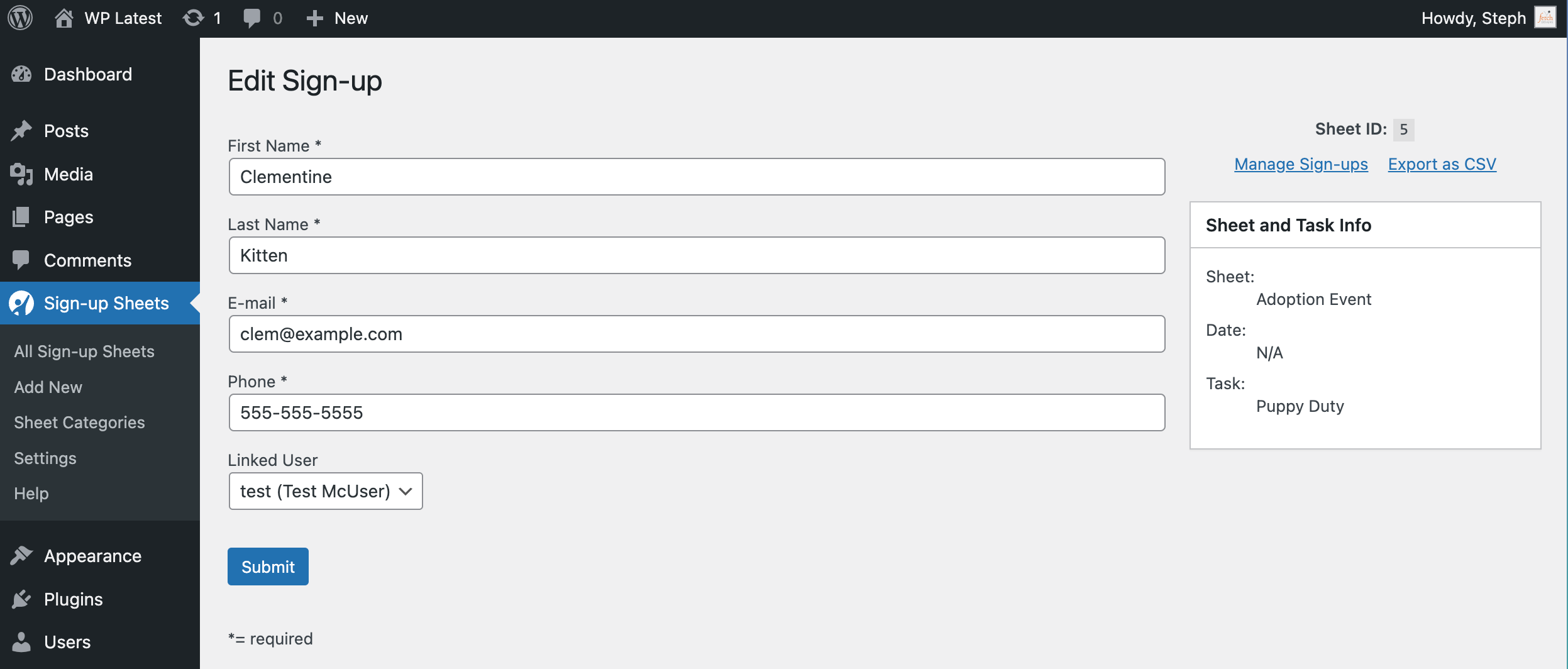
- Hardened validation on the admin Edit Sign-up page. [Security]
- Fixed a PHP warning on the admin Add Sign-up page when neither a sign-up nor task parameter is present.
2.3.4 | 2026-03-14
- Added security checks to AJAX migration status endpoint.
- Fixed output escaping of admin notice CSS class names.
- Removed duplicate function definition
fdsus_scode_user_sign_ups_actions().
For the changelog of earlier versions, please see changelog.txt.
Screenshots


For developers
Is this your plugin? Show off the numbers.
Add a live badge to your site, docs or GitHub README. It updates on its own — no account needed.
Best Sign-up Sheets alternatives
All non-profit plugins →


FAQ
Sign-up Sheets: quick answers
Straight answers, pulled from live WordPress.org data.
Live data from WordPress.org · checked Oct 6, 2026
Is Sign-up Sheets free?
Yes. Sign-up Sheets is free to download and use from the official WordPress.org plugin directory.
Is Sign-up Sheets safe to use in 2026?
Yes — Sign-up Sheets is a safe, well-maintained plugin to use in 2026. It runs on 1K+ sites, is rated 4.8/5 and was last updated 3 weeks ago, and scores 85/100 on our health check.
How many websites use Sign-up Sheets?
Sign-up Sheets is active on 1K+ WordPress websites and has been downloaded 67,877 times since it launched in October 2012. It was downloaded 1,609 times in the last 30 days.
Does Sign-up Sheets work with WordPress 7.1?
Yes. The developer has tested Sign-up Sheets up to WordPress 7.1.3, the latest release. It requires WordPress 6.0 or newer.
What PHP version does Sign-up Sheets need?
Sign-up Sheets requires PHP 7.2 or higher. Most hosts run PHP 8.x today, so it works on any modern WordPress hosting.
When was Sign-up Sheets last updated?
The latest version, 2.4.0, was released on September 17, 2026 (3 weeks ago).
Who makes Sign-up Sheets?
Sign-up Sheets is developed and maintained by Fetch Designs.
What are the best alternatives to Sign-up Sheets?
The most popular alternatives to Sign-up Sheets are GoFundMe Pro (400+ installs), Fundraising Thermometer by… (300+ installs) and Pay What You Want (300+ installs).
Powered by PageForge
Want thousands of pages that rank like these? Build them in an afternoon.
This directory runs on the same engine as PageForge. Turn any spreadsheet, CSV or API into thousands of fast, SEO-ready WordPress pages — with schema, internal links and AI-written copy baked in.
- CSV, Google Sheets & API data sources
- AI content, schema & internal links per page
- Works with Elementor, Gutenberg, Yoast & Rank Math
- Free on WordPress.org — no credit card


