


Shared Files – File Upload & Download Manager
File management plugin featuring file upload, download manager, statistics and download log.

Safe pick
Yes — Shared Files is a safe, well-maintained plugin to use in 2026. It runs on 3K+ sites, is rated 4.4/5 and was last updated 4 weeks ago, and scores 89/100 on our health check.
- Actively developed — last update 4 weeks ago
- Tested with the latest WordPress (7.1)
- Momentum — downloads up 126.5% vs the previous 30 days
How does it stack up?
Side-by-side on installs, updates, ratings & support



Daily downloads
Download spikes usually follow a new release — each site that auto-updates counts as a download.
Rankings
Where Shared Files stands todayWordPress.org search rankings
Live position in the plugin search, top 100| Keyword | Position |
|---|---|
| download manager | #12 |
| file manager | #17 |
| file sharing | #7 |
| file upload | #11 |
| upload | #25 |
Version adoption
Share of active sites per release.
Rating breakdown
★★★★★★★★★★ 4.4 from 34 reviews
About Shared Files
From the official readme · v1.7.72Description
File management plugin featuring file upload, download manager, statistics and download log.
The best file sharing plugin for WordPress
Shared Files is a powerful WordPress plugin that allows you to securely share and manage files, documents and downloads directly from your WordPress site.
With features like file upload and download tracking it’s the perfect solution for businesses, educational institutions, and anyone needing to share files easily and securely.
Install Shared Files today and enhance your WordPress site’s file management capabilities.
Get the Shared Files plugin and stay neatly organized and managed with your documents and files.
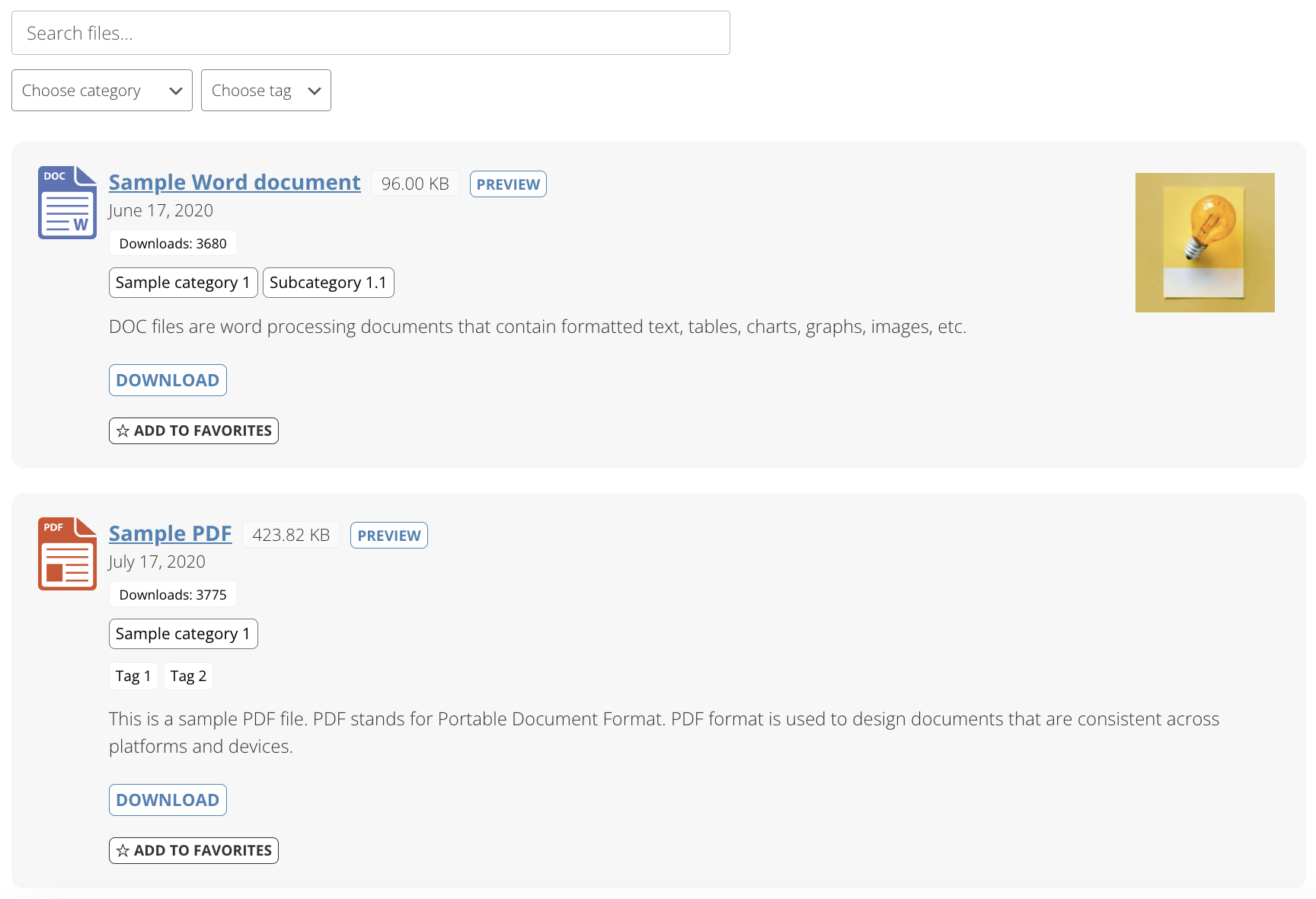
Shared Files provides an interface for uploading and managing a large group of documents and files easily with numerous layout options and shortcodes for inserting downloadable files anywhere on the website.
- Controlled and isolated files from the media library, making it simple to list shared files on the WordPress website
- Upload and manage files from WP admin area
- View supported files in the browser, including photos, movies, and other types of files (including lightbox view)
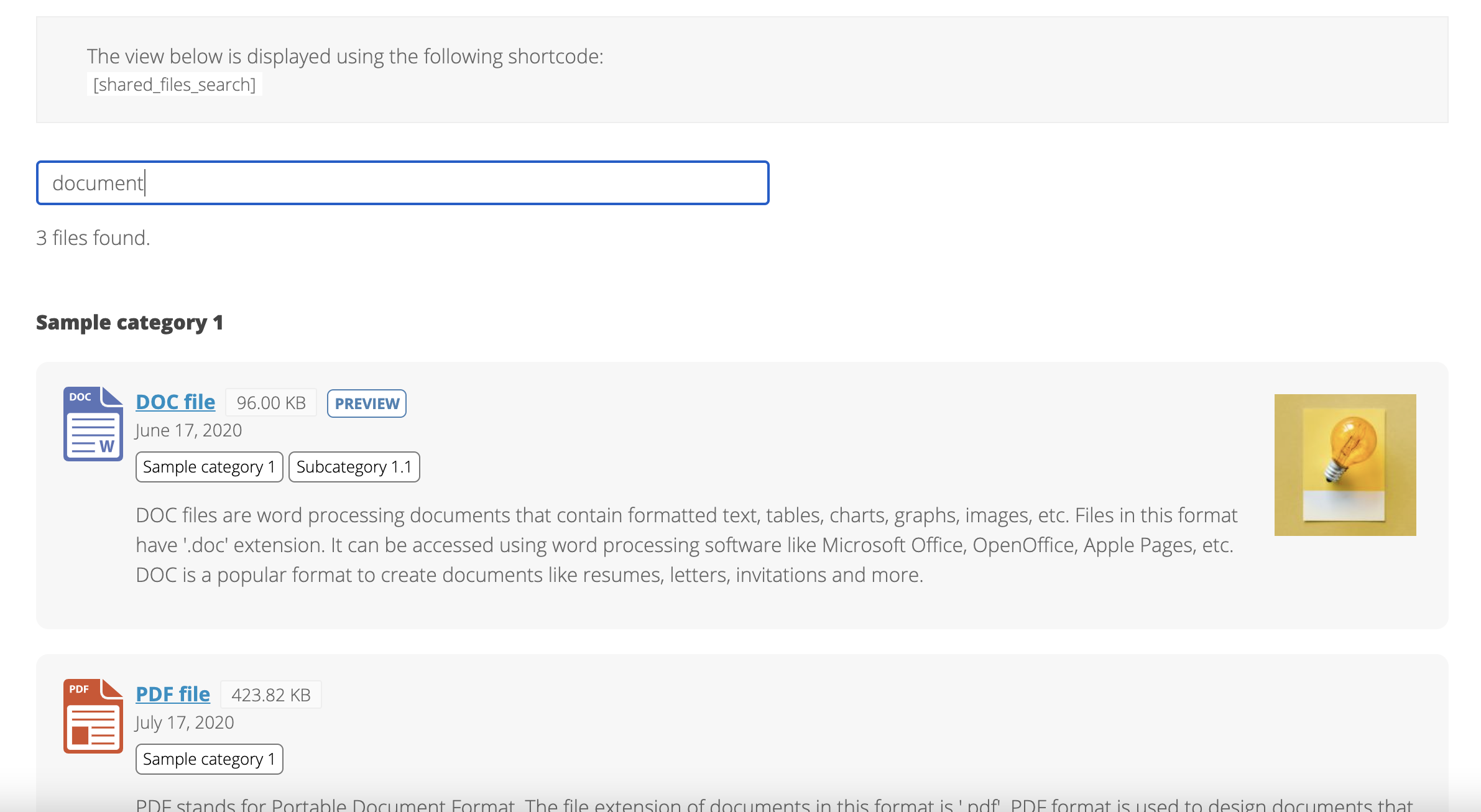
- Search functionality to easily and quickly find uploaded documents
Download Manager for WordPress
- Top 50 most popular files
- Download log of all file downloads
- Search log of all searches made in the front end
- Download counter for all files
- Front end search from all files
- Add tags to files
- Allow visitors to upload files without logging in
- Allow only logged in users to upload files
- Enable support for any file type
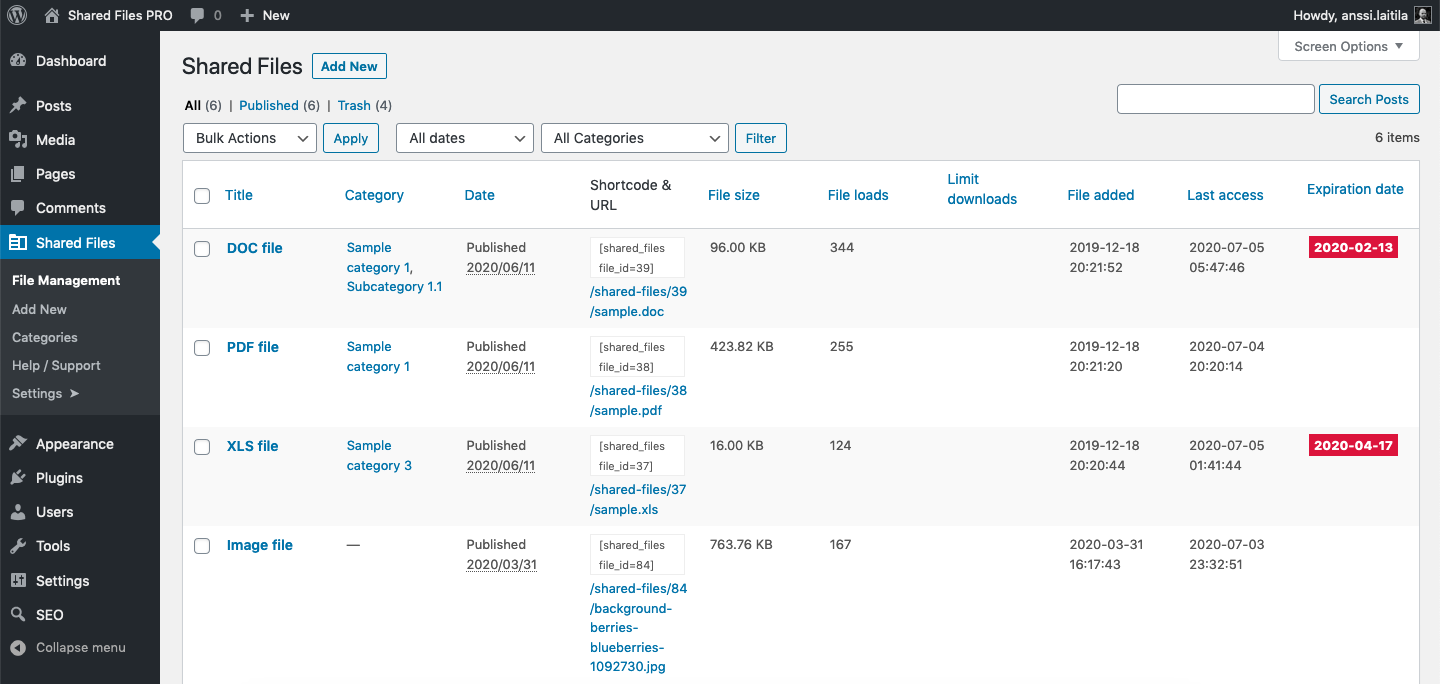
- File manager in the WP admin area
These are just some of the highlights offered by the Shared Files plugin.
Getting started with this file management plugin
Installing and getting started with organizing your files is super simple when you are using Shared Files plugin. Let’s see how!
Start managing your files right inside WordPress admin with 2 steps:
- Add some files and documents from WP admin > Shared Files > File Manager.
- Insert one of these shortcodes to any page or post on your site.
- [shared_files] (default file list)
- [shared_files_simple] (simple file list)
- All shortcodes can be found from WP admin / Shared Files / Shortcodes
That’s it! The files are now listed for downloading.
File Management
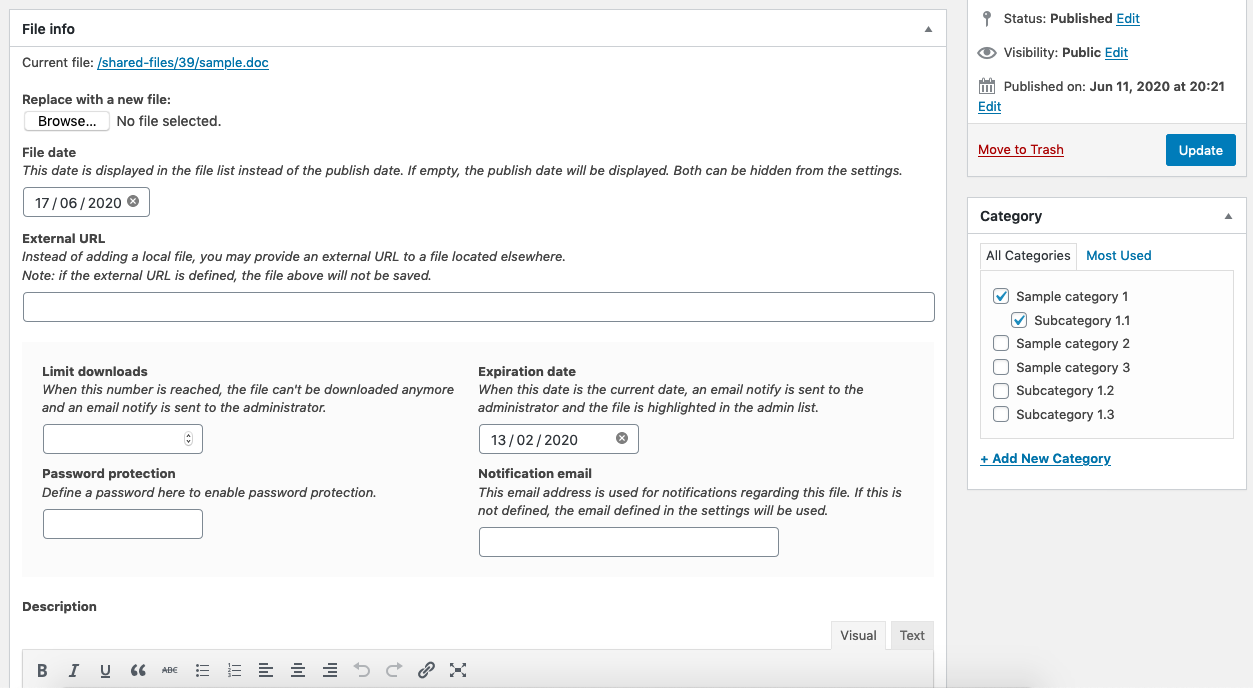
Shared Files for WordPress has a file manager that allows adding files by the following actions:
- Adding file name
- Choosing the file
- Setting the date for the file
- Setting the expiration date for the file
- Adding file description
- And many more
The plugin is extremely simple to use while also being scalable for a big number of files all thanks to a bulk of features offered by Shared Files plugin.
Host local downloads – an alternative solution to Dropbox, OneDrive or Google Drive
Use this download manager plugin as an alternative to Dropbox, OneDrive or Google Drive to list the downloads directly on your WordPress site instead of an external service.
Media Gallery
Create a media gallery of images (JPEG, PNG, GIF, WebP and AVIF are supported formats) and allow users to upload their own images.
File Manager
Use the file manager at WP admin / Shared Files / File manager to add the files. Then use one of the shortcodes listed at WP admin / Shared Files / Shortcodes to list the downloads anywhere on your site.
Files of any type
Shared Files is a file sharing solution for WordPress that allows sharing numerous types of files with ease, including
- Word
- PowerPoint
- XLS
- Images (JPEG, PNG, GIF, WebP and AVIF)
- YouTube videos
- Any file type can be activated from the plugin settings
- File folders – this is particularly important for big teams for effective collaboration
File search
What is the purpose of a file-sharing plugin if not allowing you to easily and quickly find the exact file you’re looking for. This is what Shared Files plugin offers to it’s users.
Powerful and fast file search functionality based on defined file data, such as file name, description, and more makes it super easy for Shared Files plugin users to track and find the exact file/document they’re looking for.
Previewing files
This file managing plugin allows a team to upload files onto the WordPress admin, collaborate with each other, and most importantly administrator and users can preview the files on the browser before going live to ensure the accuracy of the uploaded file.
Download files
The files you have listed on your site are available for anyone to download by default. It’s also possible to manage, track and limit downloads by various settings.
Document / file tags
The best way to stay organized and seated with a bulk of files is to assign them tags. With a couple of tags, you can instantly categorize and label files for hassle-free searches down the road, and then find all of those files again easily.
Shared Files allows adding tags to files, either using the same tags as posts or a custom taxonomy.
File management
If your site is continuously growing there is definitely a need to handle the dozens of files and media you have out there. Luckily if you are using the Shared Files plugin, you don’t need any other add-ons.
File managing solution Shared Files not only helps to upload and organize files, but it also performs the task of the media library and file manager allowing to store and categorize files and images without the need for other third-party solutions.
Lightbox preview
Shared Files plugin offers the feature of opening YouTube videos or image files in a lightbox preview. Lightbox previews offer a number of benefits including the ability to customize, add content and update it when necessary, flexibility in location placement, and most importantly high visibility.
Front end file upload (in paid plans)
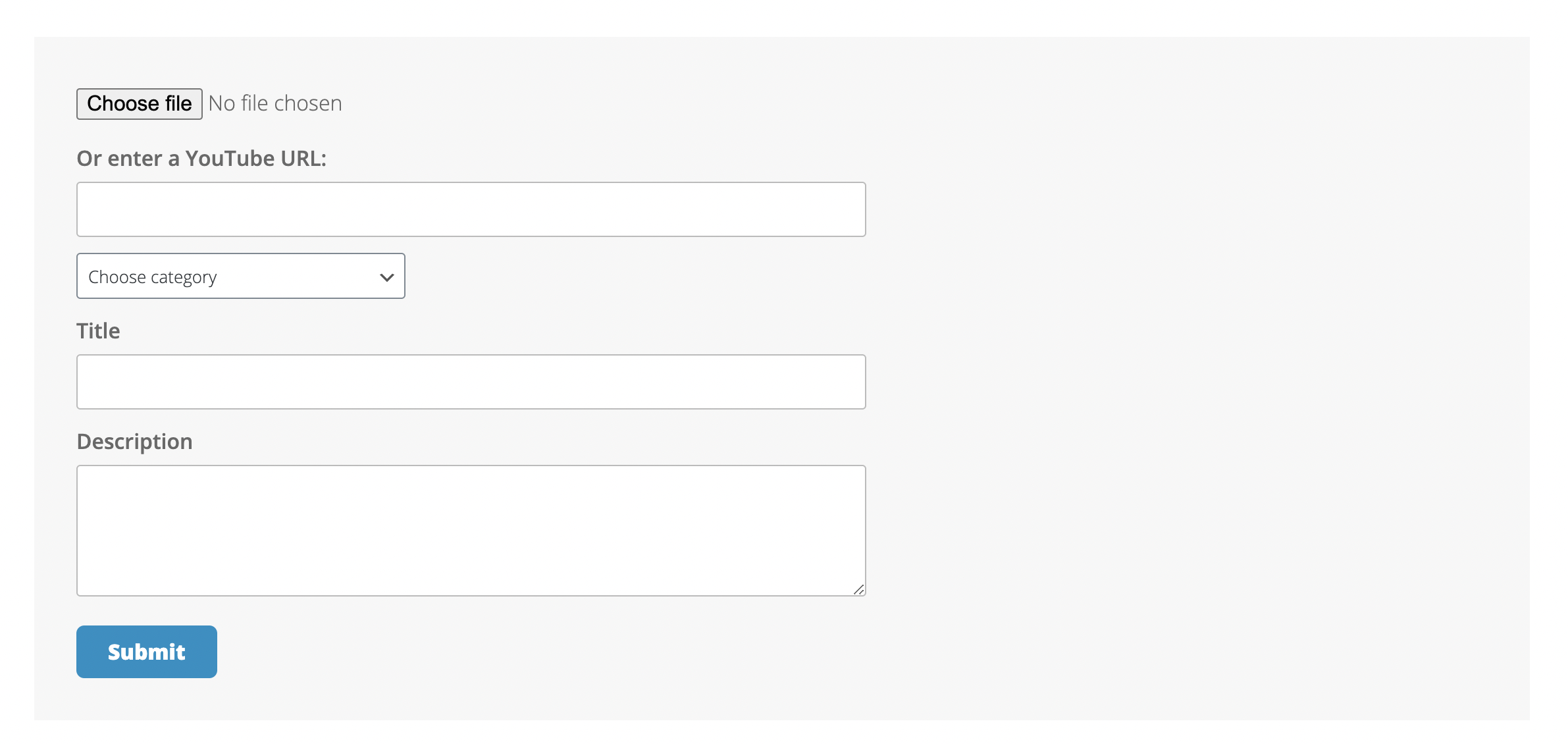
An exciting feature of the Shared Files WordPress file-sharing plugin is the ability of users or visitors to upload files. So any of the users having access can upload files right from the front end having their own contribution to a vast depository of website files.
It is critical to allow both visitors and users to upload files/documents, particularly allowing to do it from the frontend as it requires the least effort.
File sharing
For a team collaboration or a group of developers working on the same website, it’s crucial to be able to constantly share files and be able to preview the files others have shared.
The Shared Files plugin has thought of it. The plugin allows the quick and easy share of uploaded files with various users with access.
FTP upload
Using an FTP server is a common solution for businesses that want to keep their data safe. File manager enables the administrators and users to upload files using File Transfer Protocol (FTP). They can do it using a single-file or multi-file uploader.
Statistics
What is more important than having a statistics of your uploads! Shared Files plugin allows you to have constant eye on the uploaded files and documents by providing you with accurate file upload statistics and analysis.
Shared Files FREE – a simple solution for file management and download tracking
- Fast search of all files targeting all visible data on the file card, e.g. name and description
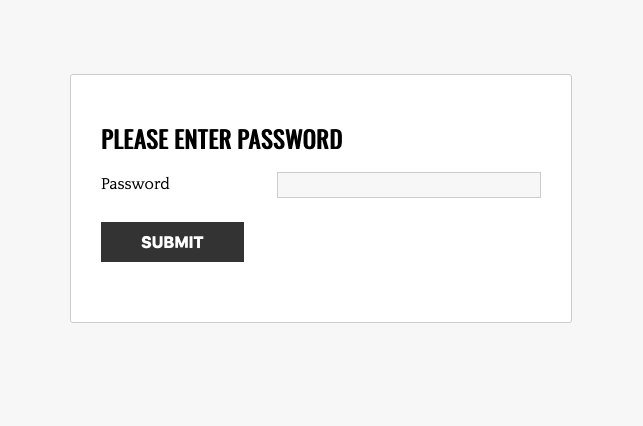
- Wait for the Countdown page with a counter and automatic download when the counter reaches zero
- Any file type upload (audio, video, image, PDF, Word, file folder, etc)
- SVG icons of high quality for 25 various file types, plus individual custom icons for various file types
- Browser preview of the uploaded files/documents
- Lightbox view for images and videos (, YouTube, mp4, webm, ogg, mov)
- Functions as a file explorer, download manager, and file manager
- WordPress Multisite compatible
Shared Files PRO – a full featured download manager and file management plugin
- Search filters based on categories, tags, and custom field data
- Users and roles with different file-opening permissions
- Downloads wait countdown page
- Frontend file uploader
- Visitors/users can upload and add files to new categories
- FTP files can be uploaded and activated with a single click
- Upload multiple files
- Allow any user role to edit files from the front end
- Favorite files for both logged-in and non-logged-in users
- Activate Media Library files
- Sort files into groups
- Alternatively, specify an external URL for the file and track its loads
- When a file is downloaded or uploaded, you will receive an email notification
- Set a file’s expiration date
- Limit the number of downloads for each file
- Display files in the site search results
- Log downloader’s city and country
- City and country also in the search log
This product includes GeoLite2 data created by MaxMind, available from maxmind.com
Demos
- Simple List
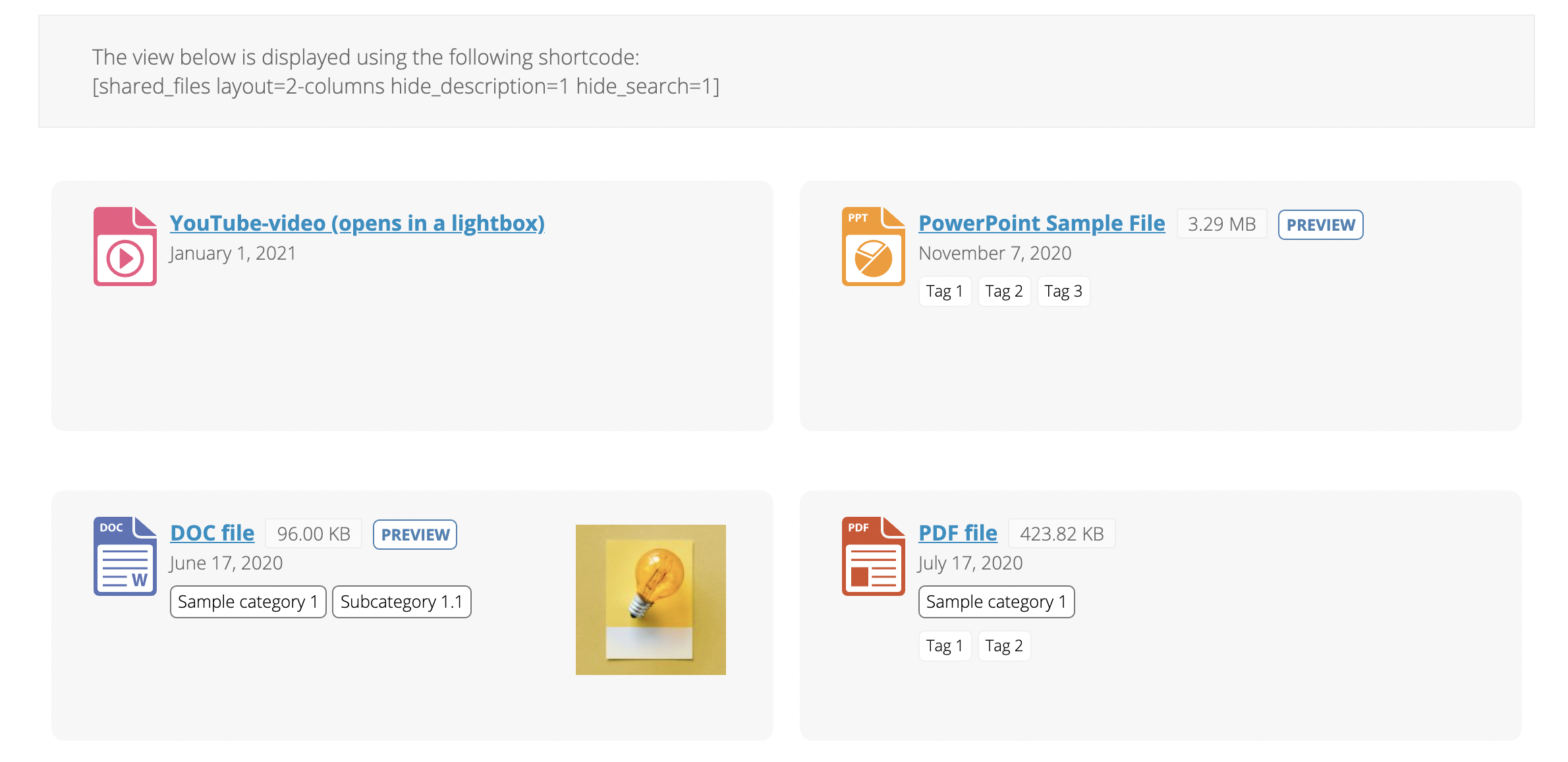
- 2 columns
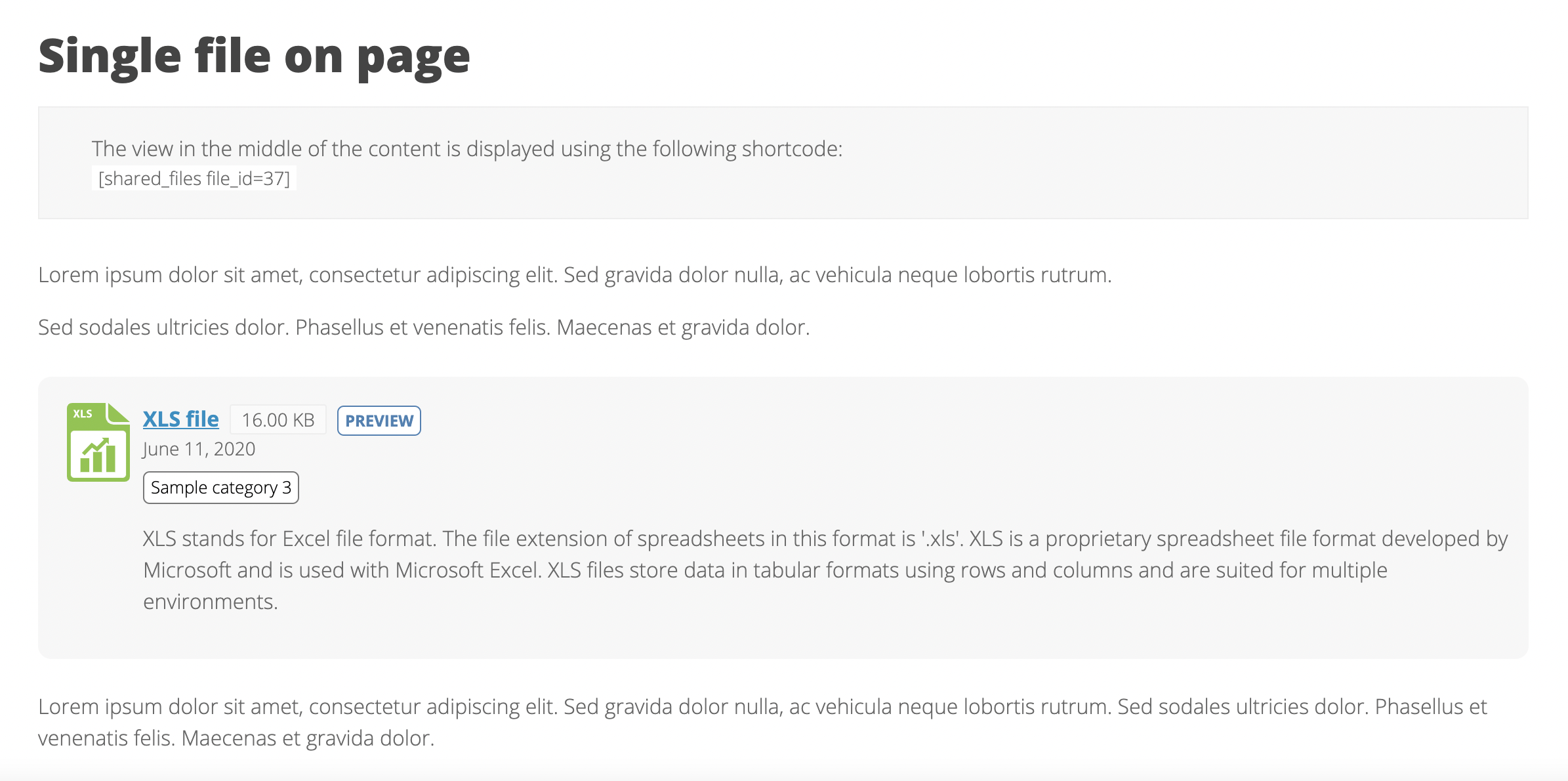
- Single file on page
- List files from a category
- Search only
- List files by category
- File upload 1
- File upload 2
- Accordion
- Favorite files
- Wait Countdown Page – an isolated download page for all files
Additional resources
You can check more info about us on our website: https://www.sharedfilespro.com/
For any support queries or feature requests regarding the free version, please contact us at the support forum.
Follow the Shared Files blog to stay informed about the plugin and its advancements.
Do you want to effectively work with a lot of files by managing them quickly and easily? The solution is one – Shared Files!
How can I report security bugs?
Please see the first FAQ item below.
Installation
- Activate the plugin from WordPress plugin directory or manually upload it to your site
- See the Help / Support page for further instructions
Changelog
1.7.72 – 2026-10-21
- (Free + All plans) Updated Freemius SDK to the latest version
1.7.71 – 2026-09-07
- (Free + All plans) Fixed an issue where saving a page containing the shortcode [shared_files] would return an error
1.7.70 – 2026-08-20
- (Free + All plans) Security: fixed an issue regarding unallowed file path when adding featured image. Reported by WPScan.
- (All plans) Security: Front end uploads for non-logged in users is now disabled by default, and needs to be activated by this setting on the File upload tab: Non-logged in users can upload files. Reported by hoangphuong via WPScan.
1.7.69 – 2026-08-10
- (All plans) New setting for front-end uploader: Rate limit: max. uploads per window (plugin settings, File upload tab), for logged in users
- (All plans) New setting for front-end uploader: Rate limit window size (in seconds), for logged in users
- (All plans) Fixed an issue with the rate limit settings for non-logged in users
1.7.68 – 2026-07-28
- (Free + All plans) Bug fixes
- (All plans) Fixed an issue where PHP warnings would appear in automatically sent email content
- (All plans) New setting for front-end uploader: Rate limit: max. uploads per window (plugin settings, File upload tab), for non-logged in users
- (All plans) New setting for front-end uploader: Rate limit window size (in seconds), for non-logged in users
- (All plans) Security: fixed an arbitrary file deletion issue via path traversal in the file deletion routine. Reported by Huynh Kien Minh via WPScan.
1.7.67 – 2026-06-22
- (All plans) Fixed an issue where frontend upload failed when tag checkboxes were selected
- (Free + All plans) Tweaks and fixes
- (Free) Security: fixed an arbitrary file deletion issue via path traversal in the file deletion routine. Reported by Huynh Kien Minh via WPScan.
- (Free) Security: fixed missing authorization on the file upload handler. Reported by hoangphuong via WPScan.
Screenshots
For developers
Is this your plugin? Show off the numbers.
Add a live badge to your site, docs or GitHub README. It updates on its own — no account needed.
Best Shared Files alternatives
All download manager plugins →





FAQ
Shared Files: quick answers
Straight answers, pulled from live WordPress.org data.
Source: WordPress.org
Is Shared Files free?
Yes. Shared Files is free to download and use from the official WordPress.org plugin directory.
Is Shared Files safe to use in 2026?
Yes — Shared Files is a safe, well-maintained plugin to use in 2026. It runs on 3K+ sites, is rated 4.4/5 and was last updated 4 weeks ago, and scores 89/100 on our health check.
How many websites use Shared Files?
Shared Files is active on 3K+ WordPress websites and has been downloaded 289,016 times since it launched in July 2018. It was downloaded 5,384 times in the last 30 days.
Does Shared Files work with WordPress 7.1?
Yes. The developer has tested Shared Files up to WordPress 7.1.5, the latest release. It requires WordPress 6.2 or newer.
What PHP version does Shared Files need?
Shared Files requires PHP 7.2 or higher. Most hosts run PHP 8.x today, so it works on any modern WordPress hosting.
When was Shared Files last updated?
The latest version, 1.7.72, was released on October 21, 2026 (4 weeks ago).
Who makes Shared Files?
Shared Files is developed and maintained by Anssi Laitila.
What are the best alternatives to Shared Files?
The most popular alternatives to Shared Files are Download Manager (90K+ installs), Download Monitor (80K+ installs) and Download Manager Addons for… (6K+ installs).
Powered by PageForge
One template and a spreadsheet. A real page for every search.
PageForge turns each row of a CSV into a WordPress page with its own title, URL, SEO fields and schema, built on the layout you already designed. Free on WordPress.org.
- CSV and XLSX, plus Google Sheets on Professional and Enterprise
- Its own title, URL, SEO fields and schema for every page
- Works with the block editor, Elementor, Divi and Avada
- Free on WordPress.org, no credit card