



SendPulse – Popup Builder for Email Optins, Lead Generation, Sticky Bars and Videos
SendPulse Pop-ups plugin for WordPress. Create highly converting and mobile-friendly pop-ups, opt-in forms, exit popups, sticky bars, NPS surveys, etc

Use with caution
SendPulse works, but test it on a staging site before relying on it in 2026. It runs on 100+ sites and was last updated 4 months ago, and scores 53/100 on our health check.
- Small user base (100+ active installs)
- Very few reviews so far
How does it stack up?
Side-by-side on installs, updates, ratings & support



Daily downloads
Download spikes usually follow a new release — each site that auto-updates counts as a download.
Rankings
Where SendPulse stands todayWordPress.org search rankings
Live position in the plugin search, top 100| Keyword | Position |
|---|---|
| conversion | >100 |
| ecommerce | >100 |
| marketing | >100 |
| popup | >100 |
| popups | >100 |
Version adoption
Share of active sites per release.
About SendPulse
From the official readme · v1.2.2Description
Add interactive, condition-based forms to your website! Subscribers of such forms will be added to your mailing lists and to the contacts of your SendPulse CRM. Create modal windows, fullscreen pop-ups, horizontal adds, pop-up flows and surveys in a matter of a couple of clicks.
Gather your subscribers contact information, ratings and reviews – all in one form!
FEATURES
- Install the plugin in 1 click and set up within minutes;
- Add multiple pop-ups to your website/project
- Customize every element of your form
- AB testing for your pop-ups
- User rating gathering
- Pop-up flows
- Multi-step surveys/quizzes
SENDPULSE’S POP-UPS KEY FEATURES
- All-new block-by-block pop-up builder
- Variety of elements available for adding to the form
- Ready pop-up and survey templates
- Detailed analytics and reports
- Pop-up data personalization
WHAT IS SENDPULSE?
SendPulse is a multi-channel marketing automation platform for multifaceted business promotion and customer retention.
SendPulse allows you to create interactive forms, send email, SMS, and web push campaigns, stay in touch with clients using Telegram, Facebook Messenger, WhatsApp, and Instagram chatbots, and create landing pages in just 15 minutes.
You can easily track all of your marketing activities and gather customer data with SendPulse’s free CRM.
Create a SendPulse account and send up to 15,000 emails every month for free.
You can install SendPulse Free Web Push if you need a plugin for web push notifications.
More info about Pop-ups from SendPulse
You can get all info about starting using Pop-ups at https://sendpulse.com/knowledge-base/pop-ups/builder/getting-started-with-project
Also don’t forget to check other Help Center articles about SendPulse Pop-ups here https://sendpulse.com/knowledge-base/pop-ups
Contacts
- Customer support – https://sendpulse.com/support
- X (Twitter) – https://twitter.com/SendPulseCom
- Facebook – https://facebook.com/sendpulse
Usage
- Create a Pop-up
- Connect your Website
- Customize Your Pop-ups appearance
- Copy the installation code after you customize the widget appearance
- Go to your WordPress Admin Panel -> Settings -> SendPulse Pop-ups
- Paste installation code to text box in front of Paste your Pop-ups code here text.
Requirement
- PHP version >= 8.0+ (Recommended >= 8.0+)
Installation
- Upload ‘sendpulse-popups’ to the ‘/wp-content/plugins/’ directory
- Activate the plugin through the ‘Plugins’ menu in WordPress
- Go to your Admin Panel -> Settings -> SendPulse Pop-ups
- Paste to text box Pop-ups code for your site from SendPulse Pop-ups section on Pop-up creation dialog.
If You already created popup project earlier and didn’t copy your site code you will need to go to Project -> Your project name -> Settings > Site installation code.
Frequently asked questions
Do I need a SendPulse account to use this Pop-ups plugin?
Yes. You can create your SendPulse account at https://sendpulse.com/features/pop-up
How can I add Pop-ups to my WordPress site?
You need to have an account at SendPulse.com. Go to the “Pop-ups” section in your SendPulse account. If you have not created any projects before, click Create Project. If You already created popup project earlier and didn’t copy your site code you will need to go to Project -> Your project name -> Settings > Site installation code. Enter your project name and a link to a site where you want to add your widget. Click Continue. You can copy the installation code after you customize the popup appearance. Go to your WordPress Admin Panel -> Settings -> SendPulse Pop-ups Paste installation code to…
I don’t want to use plugin. Is there a way to use Pop-ups without plugin?
Yes. You can copy the installation code and add it in template before tag at footer.php template
I don’t want to use plugin and not familiar with coding. Is there another way to use Pop-ups without plugin?
Yes. If your theme support widgets you can add installation code at Html widget at footer section.
How to Add Pop-ups Code to a Website Using Google Tag Manager?
If you don’t have access to your website’s source code or want to separate the scripts related to tracking and marketing, you can add your popup widget code using Google Tag Manager. You can read about this way in our Knowledge Base
How can I customize Pop-ups Appearance
You can read about Pop-ups customization in our Knowledge Base
How can I view my Popups statistics?
You can read full article with examples at our Knowledge Base: – How to view your pop-up statistics – How to track your pop-up statistics in Google Analytics
Why are the SendPulse Pop-ups not appearing on my website?
If the Pop-ups do not appear on your website, the issue is often caused by frontend optimization plugins. Many performance plugins (such as WP Rocket, Autoptimize, LiteSpeed Cache, etc.) modify how JavaScript is loaded by enabling features like: JavaScript minification JavaScript combination (bundling) Deferred or delayed script execution These optimizations can change the loading order or execution timing of third-party scripts and may prevent the SendPulse Pop-ups initialization. How to fix: Temporarily disable JavaScript optimization options and check if the Pop-ups start working. If they…
Changelog
1.2.2
- Tested up to WordPress 7.0
1.2.1
- Improved popup script handling and validation.
- Improved compatibility with existing saved popup scripts.
- Preserved the existing settings page workflow while making frontend script output more predictable.
1.2
- Improved compatibility with WordPress Plugin Check (PCP)
- Fixed missing translators comment for i18n strings
- Fixed output escaping for inline script to meet WordPress security standards
- Added FAQ section about conflicts with frontend optimization plugins
- Updated minimum supported PHP version to 8.0
1.1
- fix missing escape when echo’d
- added blueprint.json
1.0
- Initial release
Screenshots

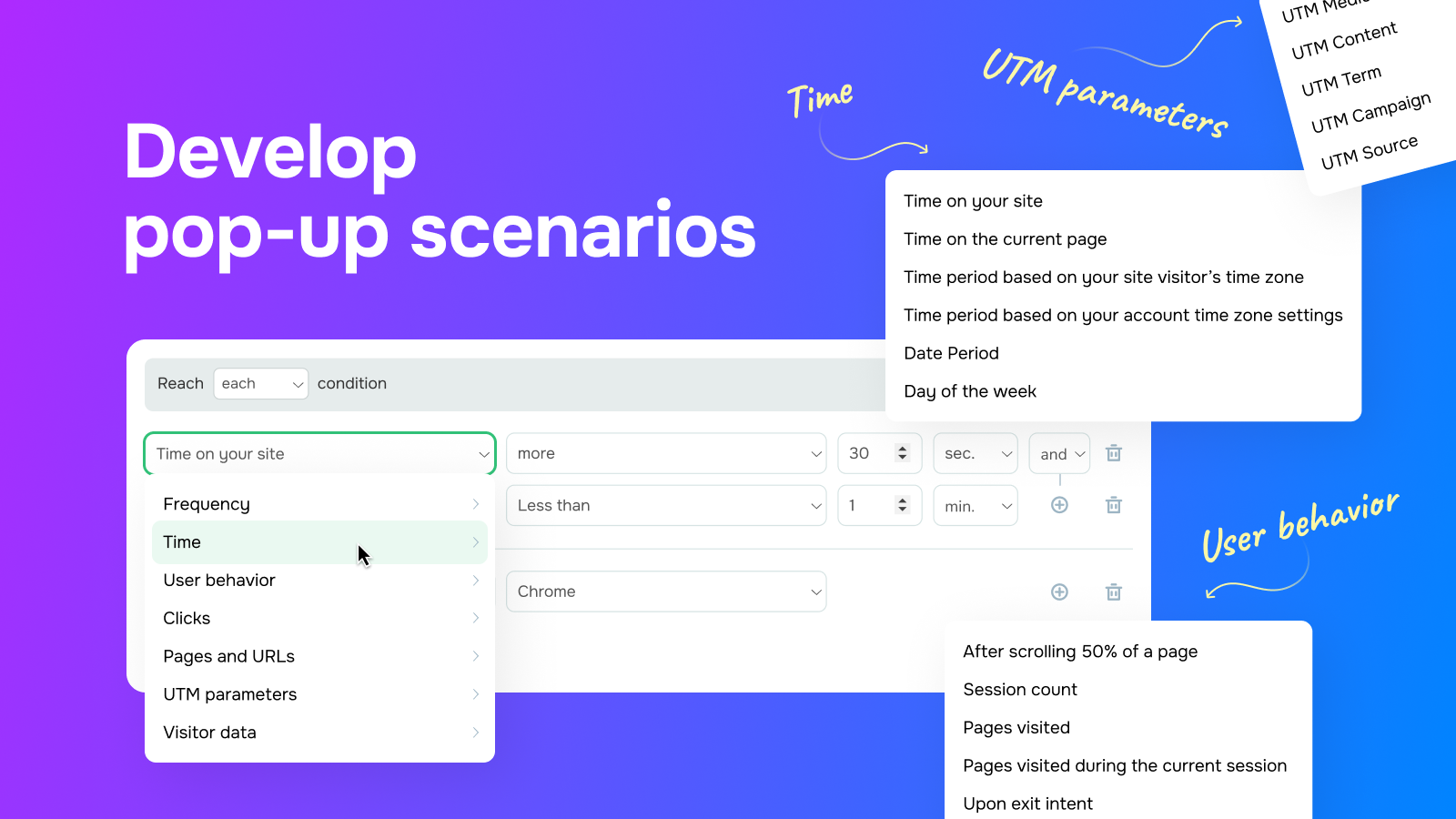


For developers
Is this your plugin? Show off the numbers.
Add a live badge to your site, docs or GitHub README. It updates on its own — no account needed.
Best SendPulse alternatives
All conversion plugins →





FAQ
SendPulse: quick answers
Straight answers, pulled from live WordPress.org data.
Live data from WordPress.org · checked Sep 29, 2026
Is SendPulse free?
Yes. SendPulse is free to download and use from the official WordPress.org plugin directory.
Is SendPulse safe to use in 2026?
SendPulse works, but test it on a staging site before relying on it in 2026. It runs on 100+ sites and was last updated 4 months ago, and scores 53/100 on our health check.
How many websites use SendPulse?
SendPulse is active on 100+ WordPress websites and has been downloaded 2,345 times since it launched in March 2024. It was downloaded 89 times in the last 30 days.
Does SendPulse work with WordPress 7.1?
SendPulse is officially tested up to WordPress 7.0.6, while the latest release is 7.1.2. It may still work, but try it on a staging site first.
What PHP version does SendPulse need?
SendPulse requires PHP 8.0 or higher. Most hosts run PHP 8.x today, so it works on any modern WordPress hosting.
When was SendPulse last updated?
The latest version, 1.2.2, was released on May 25, 2026 (4 months ago).
Who makes SendPulse?
SendPulse is developed and maintained by SendPulse.
What are the best alternatives to SendPulse?
The most popular alternatives to SendPulse are Popup Maker (700K+ installs), Matomo Analytics (100K+ installs) and Buttonizer (70K+ installs).
Powered by PageForge
Want thousands of pages that rank like these? Build them in an afternoon.
This directory runs on the same engine as PageForge. Turn any spreadsheet, CSV or API into thousands of fast, SEO-ready WordPress pages — with schema, internal links and AI-written copy baked in.
- CSV, Google Sheets & API data sources
- AI content, schema & internal links per page
- Works with Elementor, Gutenberg, Yoast & Rank Math
- Free on WordPress.org — no credit card


