


SecuSeek – Web Security Scanner & Vulnerability Assessment
SecuSeek – Web Security Scanner & Vulnerability Assessment brings comprehensive security scanning and vulnerability management directly into your WordPress admin dashboard. Monitor, analyze, and manage security findings…

Use with caution
SecuSeek works, but test it on a staging site before relying on it in 2026. It runs on 100+ sites, is rated 5/5 and was last updated 12 months ago, and scores 47/100 on our health check.
- Small user base (100+ active installs)
- Very few reviews so far
- Only tested up to WordPress 6.8 (latest is 7.1)
Daily downloads
Download spikes usually follow a new release — each site that auto-updates counts as a download.
Rankings
Where SecuSeek stands todayWordPress.org search rankings
Live position in the plugin search, top 100| Keyword | Position |
|---|---|
| findings | >100 |
| scan | >100 |
| security | >100 |
| vulnerability | >100 |
| Web Security | >100 |
Version adoption
Share of active sites per release.
Rating breakdown
★★★★★★★★★★ 5 from 1 reviews
About SecuSeek
From the official readme · v1.0.3Description
SecuSeek – Web Security Scanner & Vulnerability Assessment brings comprehensive security scanning and vulnerability management directly into your WordPress admin dashboard. Monitor, analyze, and manage security findings from multiple scans in a centralized, user-friendly interface.
🔍 Comprehensive Security Scanning
SecuSeek performs extensive security scans and aggregates all findings in one place. View vulnerabilities across your entire web infrastructure with detailed information about each security issue.
✨ Key Features
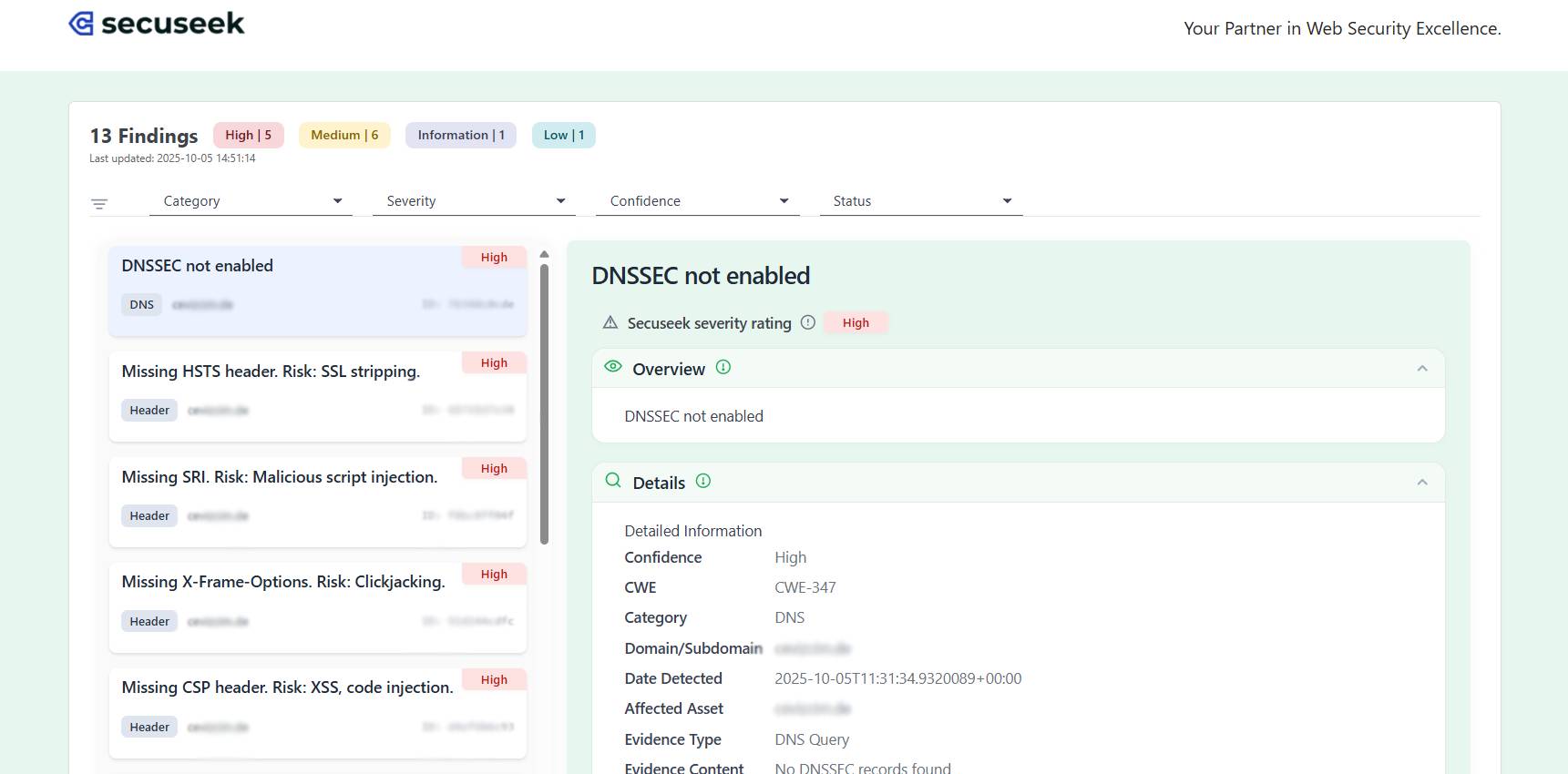
- Real-time Findings Dashboard – Monitor all security vulnerabilities with live updates
- Multi-Severity Classification – Findings categorized by Critical, High, Medium, and Low severity levels
- Advanced Filtering System – Filter by category, severity, confidence level, status, domain, and custom groups
- Detailed Vulnerability Information – Complete details including CVE/CWE identifiers, confidence scores, and evidence
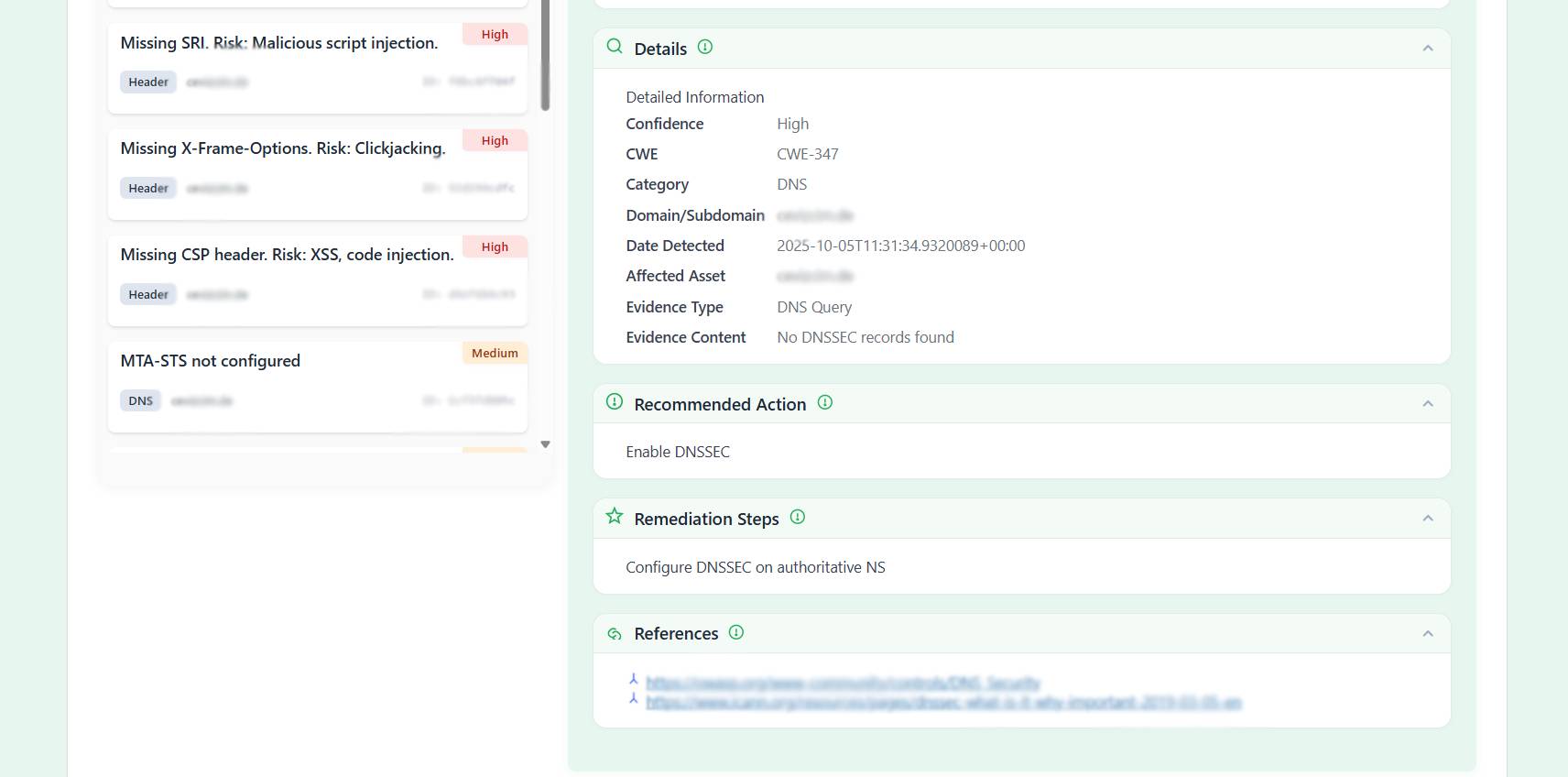
- Actionable Remediation Steps – Get specific guidance on how to fix each vulnerability
- Reference Links – Direct links to official security advisories and documentation
- Export Capabilities – Export findings for reports and documentation
📊 What You Get With Each Finding
- Overview – Clear explanation of the vulnerability
- Detailed Information – CVE/CWE codes, confidence level, category, affected assets
- Detection Details – When and where the vulnerability was detected
- Recommended Actions – Immediate steps to take
- Remediation Steps – Detailed instructions to fix the issue
- External References – Links to security advisories and technical documentation
🎯 How It Works
- Install and activate the SecuSeek plugin
- Enter your SecuSeek API key from your account
- SecuSeek automatically performs security scans on your configured domains
- View all findings organized by severity in your WordPress dashboard
- Filter and analyze vulnerabilities
- Follow remediation steps to fix security issues
- Export reports for documentation or compliance purposes
🛡️ Who Should Use This?
- Website Administrators – Monitor security across all your WordPress sites
- Security Professionals – Conduct regular security audits and vulnerability assessments
- Development Teams – Track and fix security issues during development
- Business Owners – Stay informed about your website’s security status
- Anyone using SecuSeek – Seamlessly integrate scan results into WordPress admin
🔗 External Services
This plugin connects to SecuSeek’s external API to fetch and display security scan results – for complete details about data handling, privacy practices, and service transparency, visit https://secuseek.com/.
💻 Modern Technology Stack
Built with modern web technologies for a fast, responsive experience:
* Alpine.js for reactive UI components
* Font Awesome for clean iconography
* WordPress HTTP API for secure external requests
* WordPress Cron for scheduled scans
All source code is human-readable and available in the plugin directory.
Terms and Privacy
- Terms of Service:
https://secuseek.com/terms-and-conditions/ - Privacy Policy:
https://secuseek.com/privacy-policy/
Installation
- Upload the plugin files to the
/wp-content/plugins/secuseekdirectory, or install the plugin through the WordPress plugins screen directly. - Activate the plugin through the ‘Plugins’ screen in WordPress.
- Enter your SecuSeek API key in the plugin settings page.
Changelog
Minor layout adjustments.
1.0.3
- Minor layout adjustments.
1.0.2
- Enhanced signup link visibility in login form
- Added subtle but prominent styling for “Sign In / Register at SecuSeek” link
- Improved visual hierarchy to encourage user registration
- Better user engagement with refined UI elements
1.0.1
- Improved filter interface with simplified chip display
- Enhanced user experience with better filter management
- Fixed filter removal functionality
- Updated plugin branding and SEO optimization
1.0
- Initial release.
Screenshots
For developers
Is this your plugin? Show off the numbers.
Add a live badge to your site, docs or GitHub README. It updates on its own — no account needed.
FAQ
SecuSeek: quick answers
Straight answers, pulled from live WordPress.org data.
Source: WordPress.org
Is SecuSeek free?
Yes. SecuSeek is free to download and use from the official WordPress.org plugin directory.
Is SecuSeek safe to use in 2026?
SecuSeek works, but test it on a staging site before relying on it in 2026. It runs on 100+ sites, is rated 5/5 and was last updated 12 months ago, and scores 47/100 on our health check.
How many websites use SecuSeek?
SecuSeek is active on 100+ WordPress websites and has been downloaded 1,774 times since it launched in October 2025. It was downloaded 162 times in the last 30 days.
Does SecuSeek work with WordPress 7.1?
SecuSeek is officially tested up to WordPress 6.8.13, while the latest release is 7.1.5. It may still work, but try it on a staging site first.
When was SecuSeek last updated?
The latest version, 1.0.3, was released on December 2, 2025 (12 months ago).
Who makes SecuSeek?
SecuSeek is developed and maintained by SecuSeek.
Powered by PageForge
One template and a spreadsheet. A real page for every search.
PageForge turns each row of a CSV into a WordPress page with its own title, URL, SEO fields and schema, built on the layout you already designed. Free on WordPress.org.
- CSV and XLSX, plus Google Sheets on Professional and Enterprise
- Its own title, URL, SEO fields and schema for every page
- Works with the block editor, Elementor, Divi and Avada
- Free on WordPress.org, no credit card