



Security Safe
This security plugin helps you quickly audit, harden, and secure your WordPress website.

Use with caution
Security Safe works, but test it on a staging site before relying on it in 2026. It runs on 700+ sites, is rated 5/5 and was last updated 7 months ago, and scores 54/100 on our health check.
- Small user base (700+ active installs)
- Only tested up to WordPress 6.9 (latest is 7.1)
- Needs PHP 8.1 or newer
How does it stack up?
Side-by-side on installs, updates, ratings & supportDaily downloads
Download spikes usually follow a new release — each site that auto-updates counts as a download.
Rankings
Where Security Safe stands todayWordPress.org search rankings
Live position in the plugin search, top 100| Keyword | Position |
|---|---|
| 404 errors | #41 |
| disable xmlrpc | #8 |
| firewall | #61 |
| limit login | #91 |
| wp security | #68 |
Version adoption
Share of active sites per release.
Rating breakdown
★★★★★★★★★★ 5 from 13 reviews
About Security Safe
From the official readme · v3.0.1Description
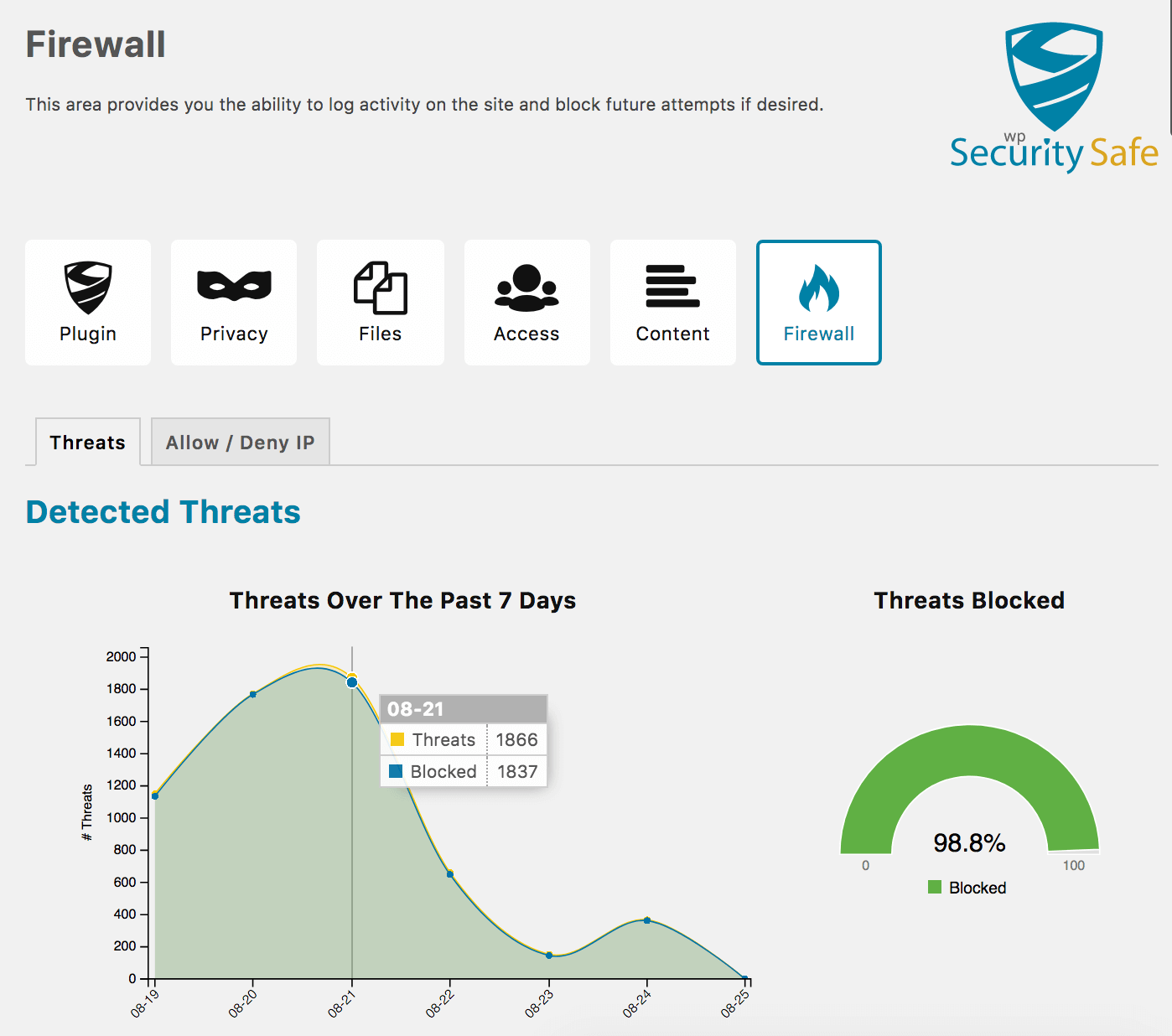
WP FIREWALL
- Detects and Logs Threats
- Add Firewall Rules to Allow and Deny IP Addresses With Internal Notes
- Historical Log of Firewall Blocks With Visual Chart
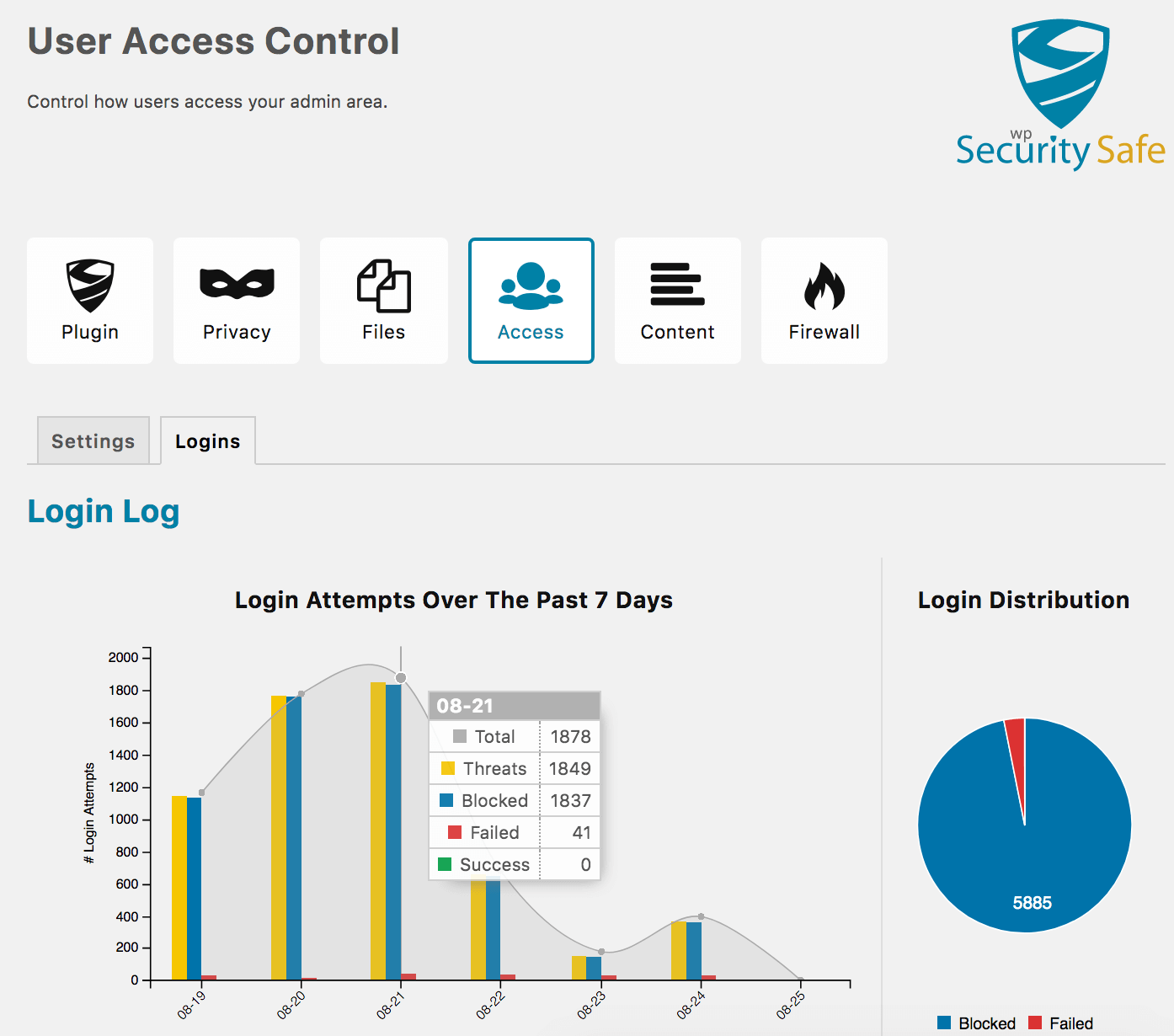
WP LOGIN SECURITY
- Disable XML-RPC.php
- Brute Force Protection
- [Pro] Automatically Block IPs Based on Threat Score
- [Pro] Priority Support
WP PRIVACY
- Hide WordPress CMS Version
- Hide Script Versions
- Make Website Anonymous During Updates
- [Pro] Make Theme Versions Private
- [Pro] Make Plugin Versions Private
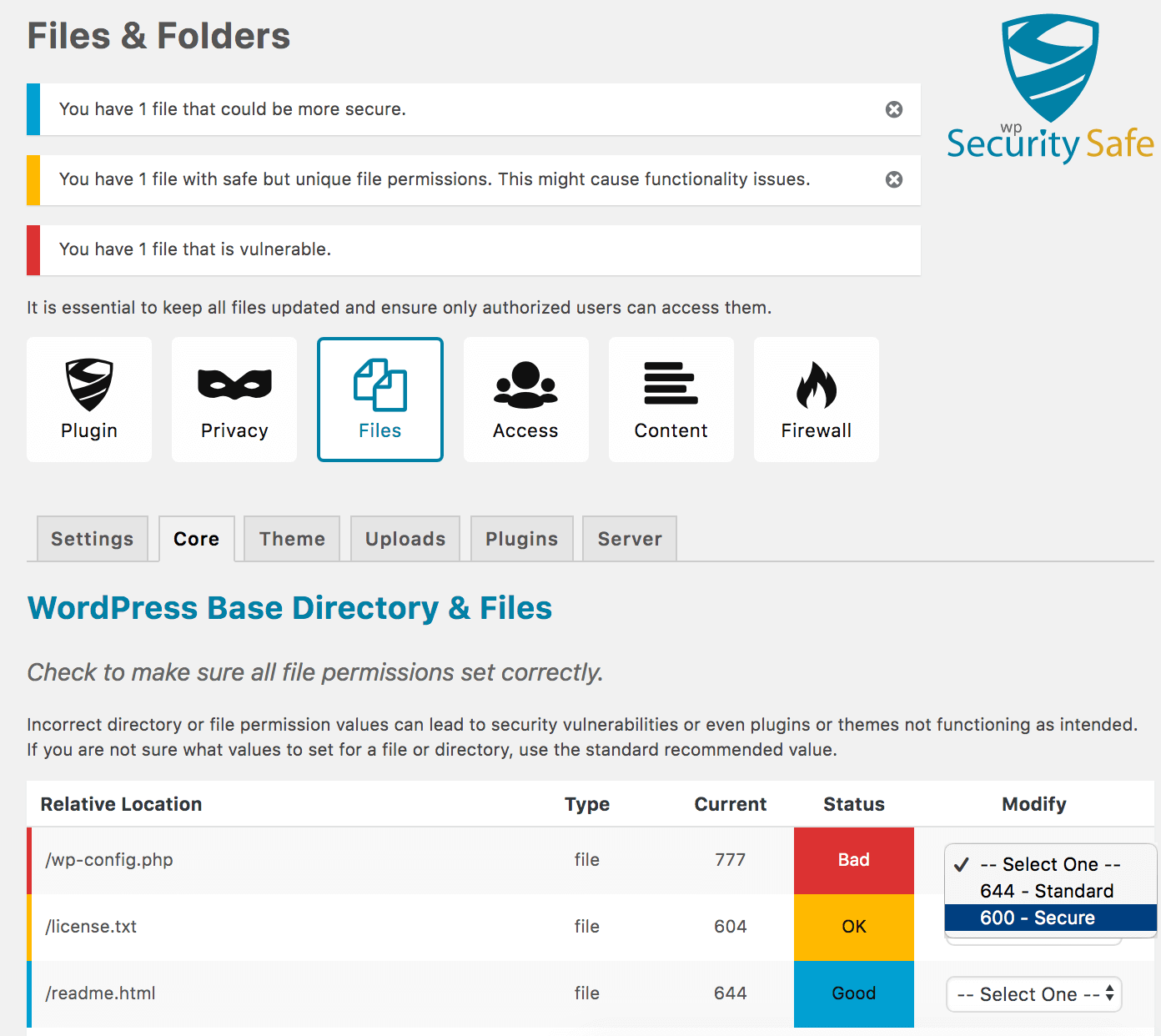
WP CORE, THEME, AND PLUGIN FILE SECURITY
- Disable Editing Theme Files
- Audit & Fix File Permission
- [Pro] Bulk Fix File Permissions
- [Pro] Automatically Fix Theme/Plugin File Permissions
OTHER FEATURES
- 404 Error Logging
- Content Copyright Protection
- Audit Hosting Software Versions
- Various Logs and Charts
- Turn On/Off All Security Policies Easily
- Import/Export Settings
Every WordPress security plugin becomes more complicated and bloated as more features are added. As a plugin’s code grows, it consumes more time to load, thus slowing down your website. Security Safe’s purpose is to protect your website from the majority of threats with minimal impact on website load time. We constantly test our load performance to ensure our features to ensure it continues to run fast and lean.
Note: Upgrade to Security Safe Pro to unlock advanced Pro features.
Twitter: Follow Security Safe
Website: Security Safe
LANGUAGE SUPPORT
- English (default)
- Spanish
- Translate this plugin in your language.
Videos
More Plugins By The Same Author
- Fix Alt Text – Fix Alt Text will help you manage your image alt text easier for better website SEO and accessibility.
- WhereUsed – Helps you find where pages and other things are referenced throughout your site.
Installation
- Install Security Safe automatically or by uploading the ZIP file to your plugins folder.
- Activate the Security Safe on the ‘Plugins’ admin page. When activated the plugin settings are initially set minimum security values.
- Navigate to the Plugin Settings by clicking on the Security Safe menu located on the left side admin panel.
- On Plugin Settings page, you will notice an icon menu at the top of the page. Navigate through all of them and review and change settings as they pertain to your site’s needs.
- Test your site thoroughly. If you notice that your site is not functioning as expected, you can turn off each type of security policy (Privacy, Files, User Access, etc.) by navigating to each page and disabling the policy type. If necessary, you can disable all policy types at once on Plugin Settings page.
- If you are having issues, reach out for help in the forum before leaving a review.
Changelog
Versions Key (Major.Minor.Patch)
- Major – 1.x.x increase involves major changes to the visual or functional aspects of the plugin, or removing functionality that has been previously deprecated. (higher risk of breaking changes)
- Minor – x.1.x increase introduces new features, improvements to existing features, or introduces deprecations. (low risk of breaking changes)
- Patch – x.x.1 increase is a bug fix, security fix, or minor improvement and does not introduce new features. (non-breaking changes)
Version 3.0.1
*Release Date – 09 Mar 2026
- Security: updated queries to be escaped using standard wpdb::prepare
- Security: escape translation reference
Version 3.0.0
*Release Date – 08 Mar 2026
- Renamed plugin from WP Security Safe to Security Safe
- Security: HTML Escaping of translation on output
- Removed Feature: Automatic WordPress updates were removed as it is now a WordPress core feature.
- Improvement: Made cache busting for js and css reliant of file modified time
- Improvement: Updated C3 Charts to latest version v0.7.20
- Improvement: Updated D3 to version v5.16.0
- Improvement: Manage PHP dependencies using composer
- Improvement: Compatible with PHP 8.4, 8.3, 8.2, 8.1
- Improvement: Requires minimum PHP version 8.1
- Improvement: Requires minimum WP version 6.1
- Minor Improvement: Updated PHP EOL Checks
- Minor Improvement: International Translation WP Compliance
- Minor Improvement: Updated PHP version checks
- Note: Tested up to: 6.9
Version 2.6.6
*Release Date – 23 Sep 2025
- Bug Fix: Translation was being called too early
- Bug Fix: IP addresses were not being logged properly
- Minor Improvement: Added tighter code syntax to catch errors easier
- Minor Improvement: Replaced some deprecated WordPress core function usage
- Minor Improvement: Updated SDK dependency to version 2.12.2
- Note: Tested up to: 6.8.2
Version 2.6.5
*Release Date – 28 Oct 2024
- Bug Fix: illegal_user_logins() not defined as static method causing fatal error
Version 2.6.4
*Release Date – 25 Oct 2024
- Bug Fix: Calling non-static method statically
Screenshots
For developers
Is this your plugin? Show off the numbers.
Add a live badge to your site, docs or GitHub README. It updates on its own — no account needed.
Best Security Safe alternatives
All 404 errors plugins →| Rank | Plugin | Active installs |
|---|---|---|
| 2 |
 Proactive Site Advisor – Privacy‑First Anomaly Alerts
Get early warnings on traffic drops, 404 surges, and bot spikes. Privacy‑friendly anomaly…
Proactive Site Advisor – Privacy‑First Anomaly Alerts
Get early warnings on traffic drops, 404 surges, and bot spikes. Privacy‑friendly anomaly…
|
<10 |
FAQ
Security Safe: quick answers
Straight answers, pulled from live WordPress.org data.
Live data from WordPress.org · checked Sep 29, 2026
Is Security Safe free?
Yes. Security Safe is free to download and use from the official WordPress.org plugin directory.
Is Security Safe safe to use in 2026?
Security Safe works, but test it on a staging site before relying on it in 2026. It runs on 700+ sites, is rated 5/5 and was last updated 7 months ago, and scores 54/100 on our health check.
How many websites use Security Safe?
Security Safe is active on 700+ WordPress websites and has been downloaded 21,671 times since it launched in January 2018. It was downloaded 189 times in the last 30 days.
Does Security Safe work with WordPress 7.1?
Security Safe is officially tested up to WordPress 6.9.9, while the latest release is 7.1.2. It may still work, but try it on a staging site first.
What PHP version does Security Safe need?
Security Safe requires PHP 8.1 or higher. Most hosts run PHP 8.x today, so it works on any modern WordPress hosting.
When was Security Safe last updated?
The latest version, 3.0.1, was released on March 9, 2026 (7 months ago).
Who makes Security Safe?
Security Safe is developed and maintained by Sovereign Stack, LLC.
What are the best alternatives to Security Safe?
The most popular alternatives to Security Safe are Proactive Site Advisor (<10 installs).
Powered by PageForge
Want thousands of pages that rank like these? Build them in an afternoon.
This directory runs on the same engine as PageForge. Turn any spreadsheet, CSV or API into thousands of fast, SEO-ready WordPress pages — with schema, internal links and AI-written copy baked in.
- CSV, Google Sheets & API data sources
- AI content, schema & internal links per page
- Works with Elementor, Gutenberg, Yoast & Rank Math
- Free on WordPress.org — no credit card


