


Search Everything
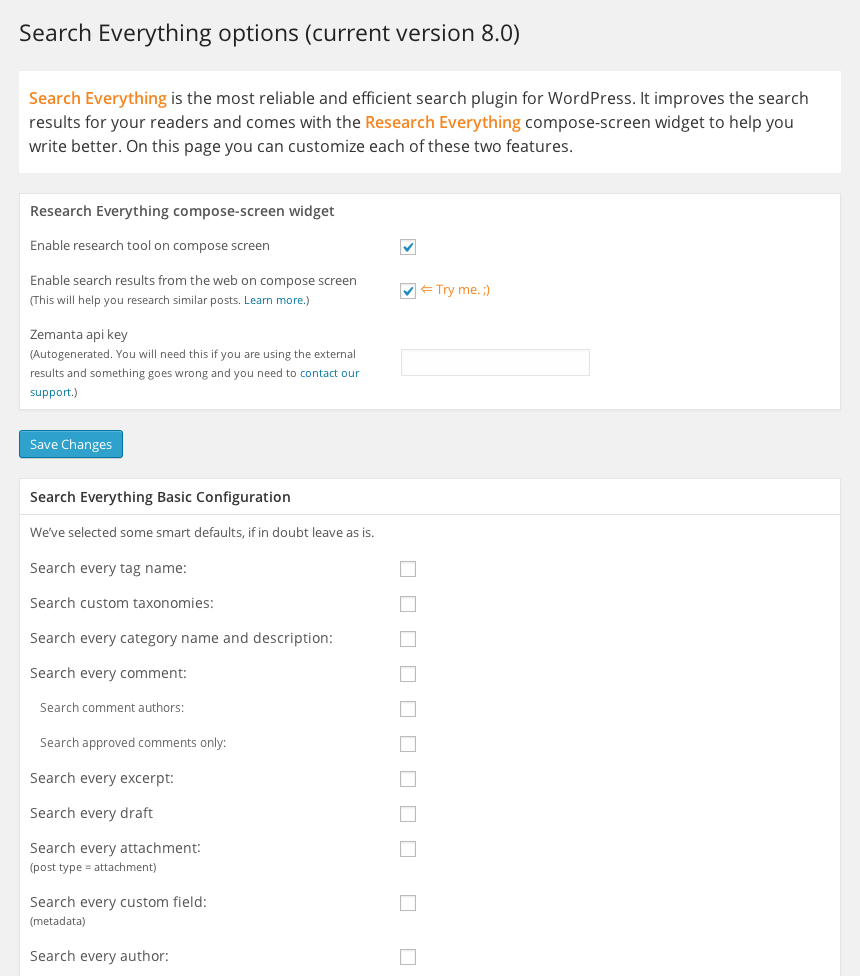
Search Everything improves WordPress default search functionality without modifying any of the template pages. You can configure it to search pages, excerpts, attachments, drafts, comments, tags and custom fields…

Use with caution
Search Everything works, but test it on a staging site before relying on it in 2026. It runs on 10K+ sites, is rated 4.1/5 and was last updated 9 years ago, and scores 43/100 on our health check.
- Proven at scale on 10K+ active sites
- No update in 8 years
- Only tested up to WordPress 4.7 (latest is 7.1)
How does it stack up?
Side-by-side on installs, updates, ratings & support


Daily downloads
Download spikes usually follow a new release — each site that auto-updates counts as a download.
Rankings
Where Search Everything stands todayWordPress.org search rankings
Live position in the plugin search, top 100| Keyword | Position |
|---|---|
| category exclusion | >100 |
| category search | >100 |
| search | >100 |
| search highlight | >100 |
| tag search | >100 |
Version adoption
Share of active sites per release.
Rating breakdown
★★★★★★★★★★ 4.1 from 86 reviews
About Search Everything
From the official readme · v8.1.9Description
Search Everything improves WordPress default search functionality without modifying any of the template pages. You can configure it to search pages, excerpts, attachments, drafts, comments, tags and custom fields (metadata) and you can specify your own search highlight style. It also offers the ability to exclude specific pages and posts. It does not search password-protected content. Simply install, configure… and search.
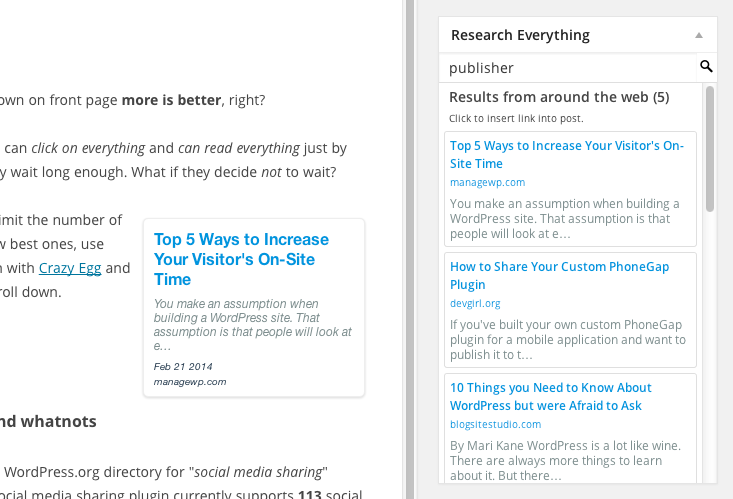
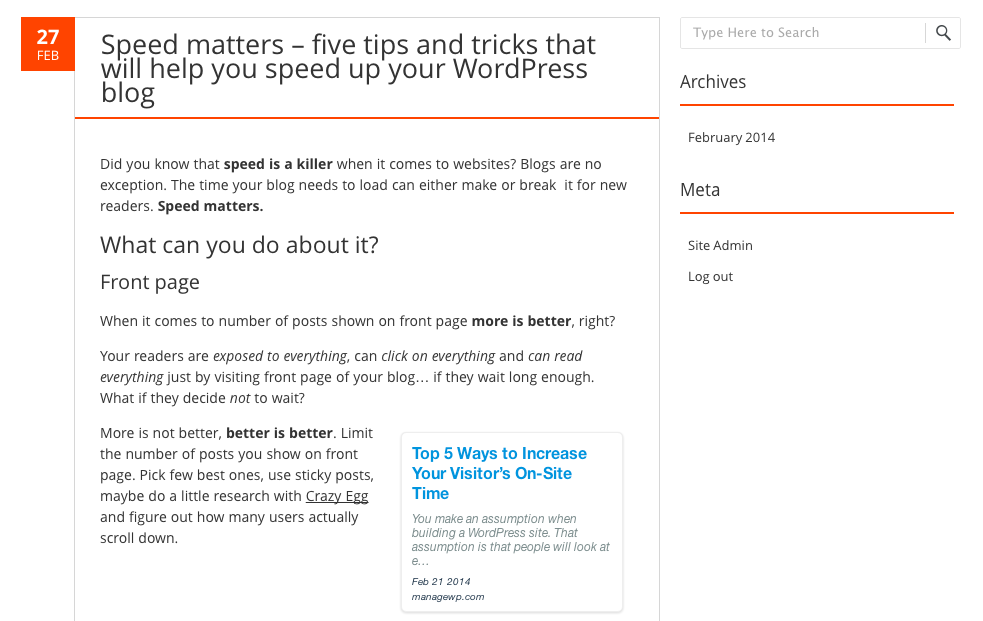
Search Everything plugin now includes a writing helper called Research Everything that lets you search for your posts and link to them while writing. You can also enable Power Search to research posts from the wider web (for WP3.7 and above).
Better WordPress search in three steps
- Activate
- Configure options
- Search!
What it does
Search Everything increases the ability of the default WordPress Search, options include:
- Search Highlighting
- Search Every Page
- Search Every Tag
- Search Custom Taxonomies ( new )
- Search Every Category
- Search non-password protected pages only
- Search Every Comment
- Search only approved comments
- Search Every Draft
- Search Every Excerpt
- Search Every Attachment (post type, not the content itself – check FAQ)
- Search Every Custom Field (metadata)
- Exclude Posts from search
- Exclude Categories from search
Update
From Jan 24, 2014 Search Everything originaly developed by dancameron, sproutventure will be maintained and developed further by Zemanta.
Terms of Service
The plugin source code is released under GPLv2. Usage of our service is governed by Zemanta Terms of Service and Zemanta Privacy Policy.
Installation
Installation Instructions:
- Download the plugin and unzip it.
- Put the ‘search-everything’ directory into your wp-content/plugins/ directory.
- Go to the Plugins page in your WordPress Administration area and click ‘Activate’ next to Search Everything.
- Go to the Settings > Search Everything and configure it.
- That’s it. Enjoy searching.
Changelog
8.1.9
- Fixed a search issue that caused all results to be returned regardless of the options.
8.1.8
- Fixed a migration/update issue
8.1.7
- Compatibility with WordPress 4.7
- Security update: resolve SQL injection vunerability related to WP 4.7
8.1.6
- Security update: filtering out empty search strings that could enable sql injections
8.1.5
- Compatibility with PHP 7
- Bypassing highlighting in dashboard searches
8.1.4
- Removed unnecessary styles on frontend
- Fixed php notice showing up sometimes
- Czech language added
Screenshots
For developers
Is this your plugin? Show off the numbers.
Add a live badge to your site, docs or GitHub README. It updates on its own — no account needed.
Best Search Everything alternatives
All category exclusion plugins →FAQ
Search Everything: quick answers
Straight answers, pulled from live WordPress.org data.
Live data from WordPress.org · checked Sep 26, 2026
Is Search Everything free?
Yes. Search Everything is free to download and use from the official WordPress.org plugin directory.
Is Search Everything safe to use in 2026?
Search Everything works, but test it on a staging site before relying on it in 2026. It runs on 10K+ sites, is rated 4.1/5 and was last updated 9 years ago, and scores 43/100 on our health check.
How many websites use Search Everything?
Search Everything is active on 10K+ WordPress websites and has been downloaded 1,291,746 times since it launched in October 2006. It was downloaded 604 times in the last 30 days.
Does Search Everything work with WordPress 7.1?
Search Everything is officially tested up to WordPress 4.7.37, while the latest release is 7.1.2. It may still work, but try it on a staging site first.
When was Search Everything last updated?
The latest version, 8.1.9, was released on November 28, 2017 (9 years ago).
Who makes Search Everything?
Search Everything is developed and maintained by Sovrn.
What are the best alternatives to Search Everything?
The most popular alternatives to Search Everything are EchBay Search Everything (200+ installs), Free Shipping Excluder for… (60+ installs) and Combined Search (10+ installs).
Powered by PageForge
Want thousands of pages that rank like these? Build them in an afternoon.
This directory runs on the same engine as PageForge. Turn any spreadsheet, CSV or API into thousands of fast, SEO-ready WordPress pages — with schema, internal links and AI-written copy baked in.
- CSV, Google Sheets & API data sources
- AI content, schema & internal links per page
- Works with Elementor, Gutenberg, Yoast & Rank Math
- Free on WordPress.org — no credit card


