

Ruby Mega Menu
A powerful mega menu builder replacing the default navigation with dropdowns, mega menus, and content tabs — no code required.

Use with caution
Ruby Mega Menu works, but test it on a staging site before relying on it in 2026. It runs on 10+ sites and was last updated 6 months ago, and scores 51/100 on our health check.
- Small user base (10+ active installs)
- Very few reviews so far
How does it stack up?
Side-by-side on installs, updates, ratings & support


Daily downloads
Download spikes usually follow a new release — each site that auto-updates counts as a download.
Rankings
Where Ruby Mega Menu stands todayWordPress.org search rankings
Live position in the plugin search, top 100| Keyword | Position |
|---|---|
| dropdown | >100 |
| mega menu | #61 |
| menu | >100 |
| menu builder | >100 |
| navigation | >100 |
Version adoption
Share of active sites per release.
About Ruby Mega Menu
From the official readme · v1.0.8Description
Ruby Mega Menu replaces your default navigation with a fully-featured menu builder — no page builder required, no CSS hacks.
Build three types of menus side-by-side in the same menu bar:
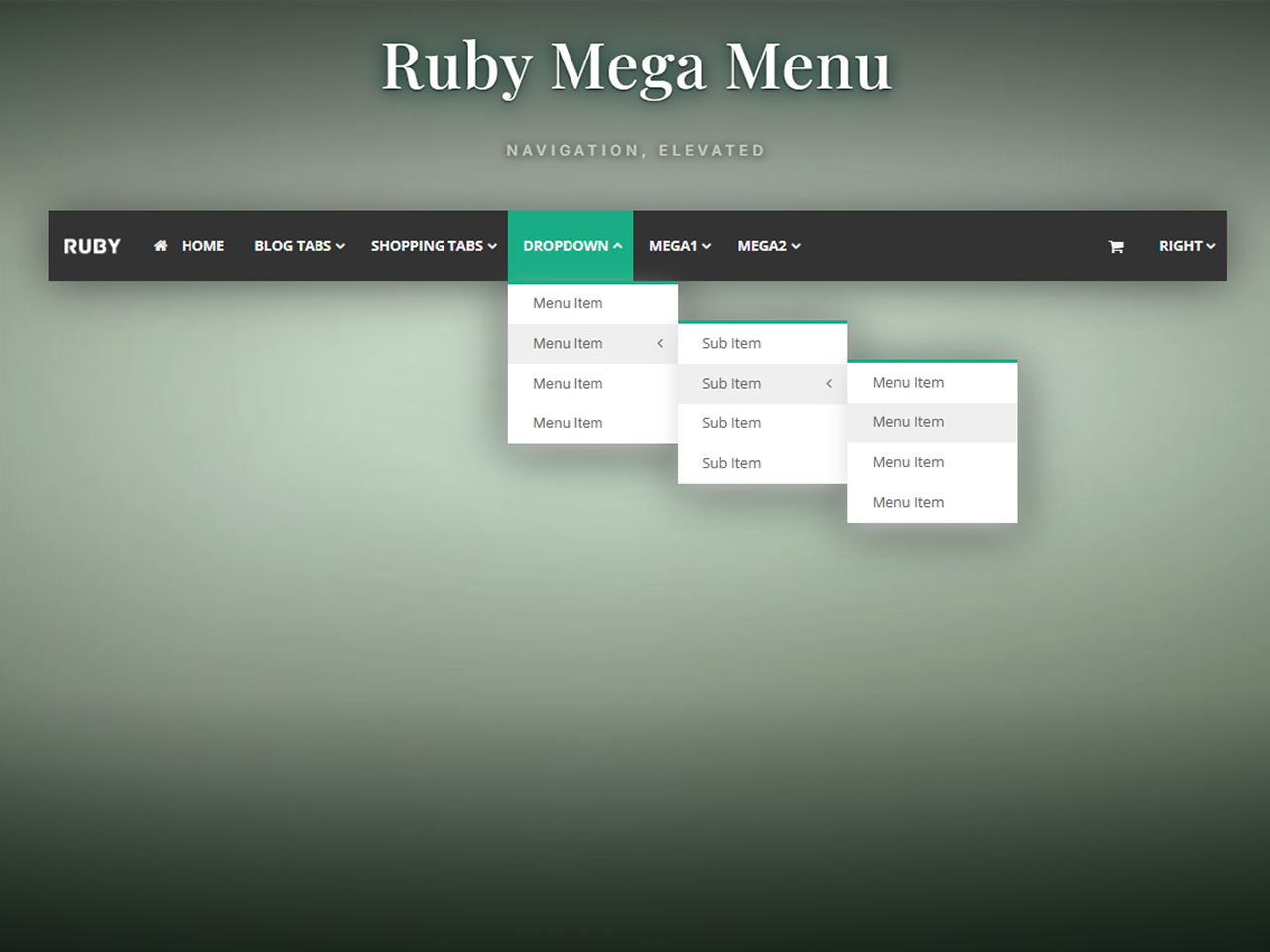
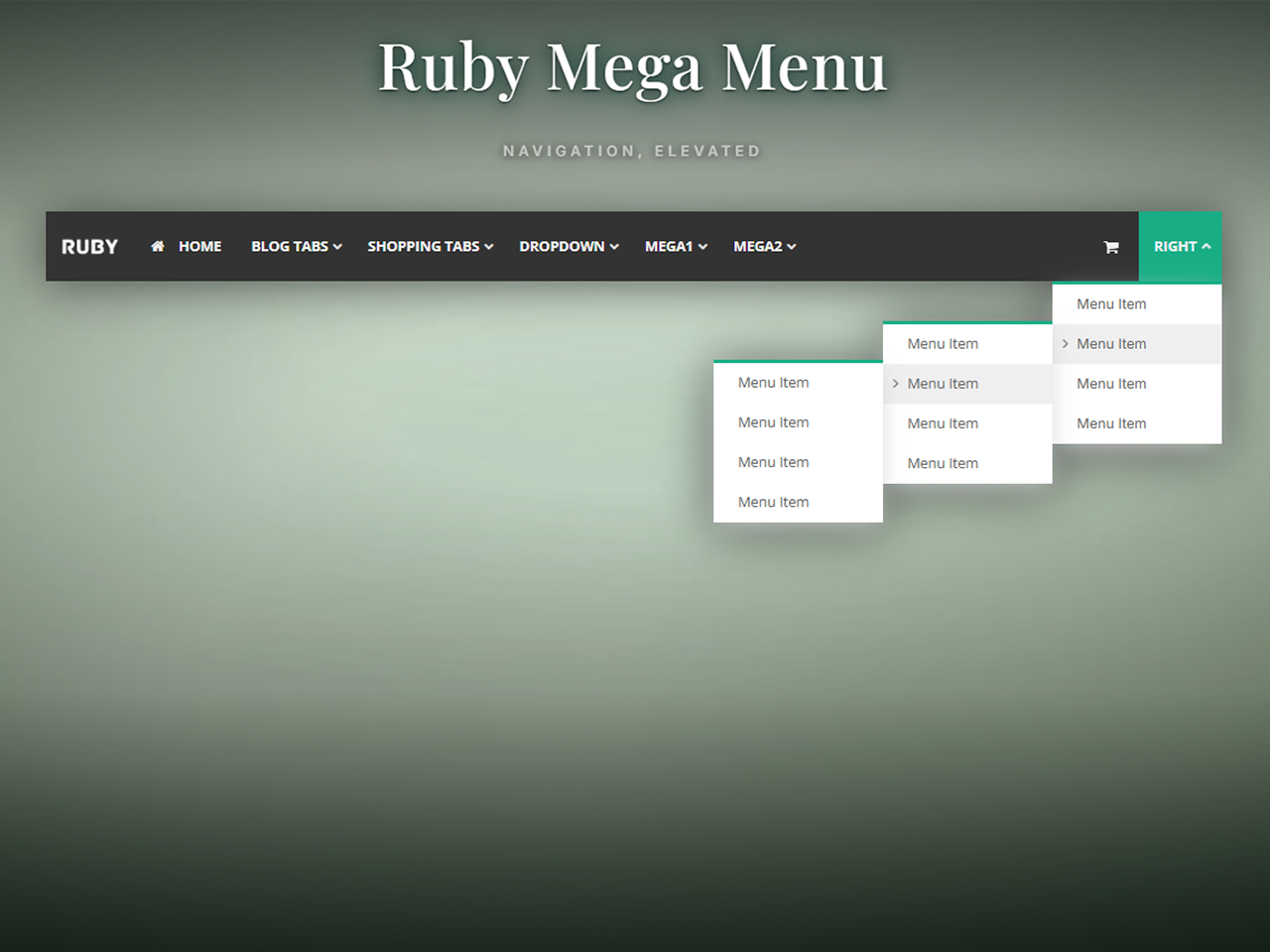
- Classic Dropdown — Up to 3 nested sub-levels with icons, link targets, and custom URLs.
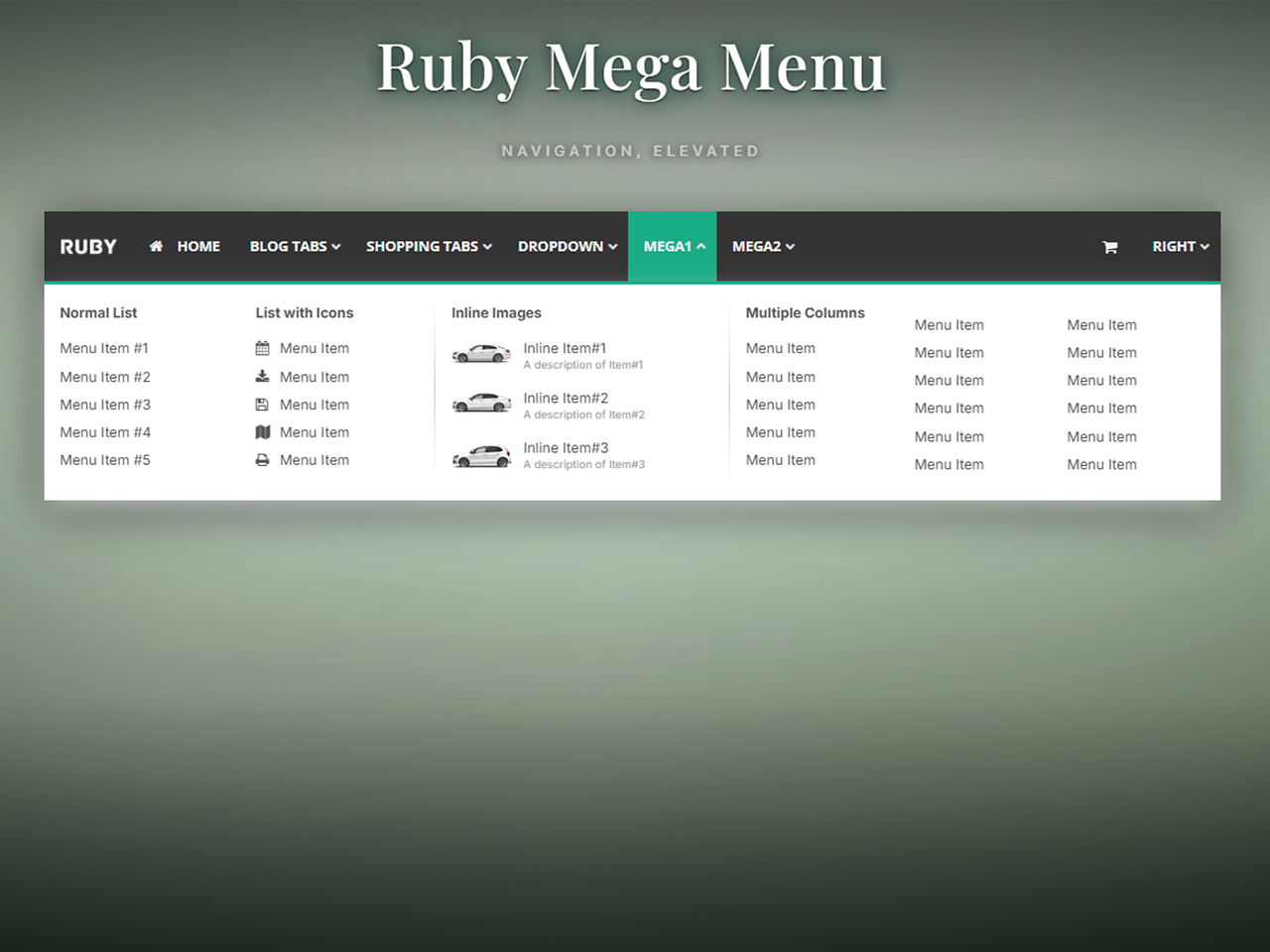
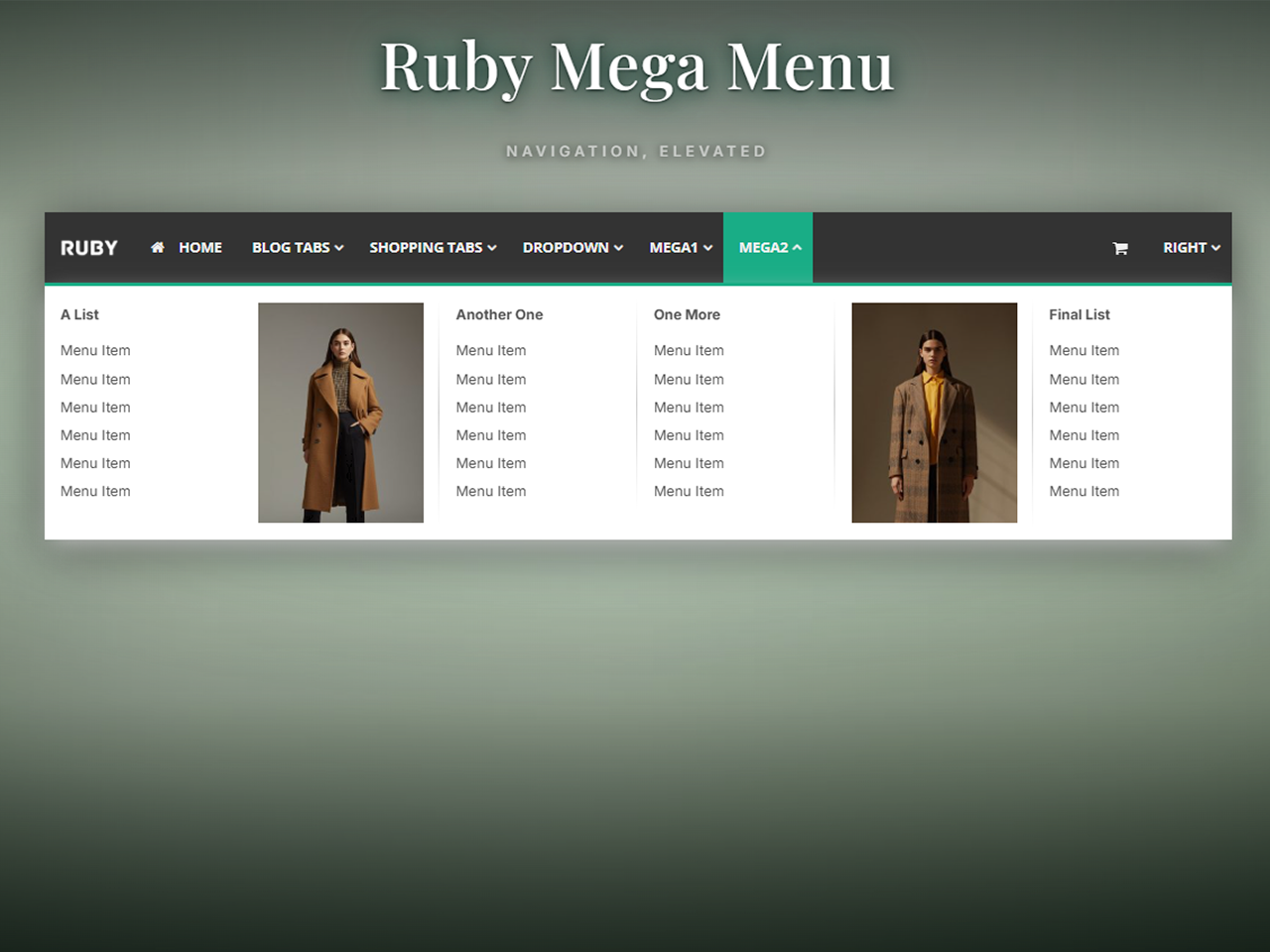
- Classic Mega Menu — Multi-column layouts with lists, images, image-link cards, and image+list combinations.
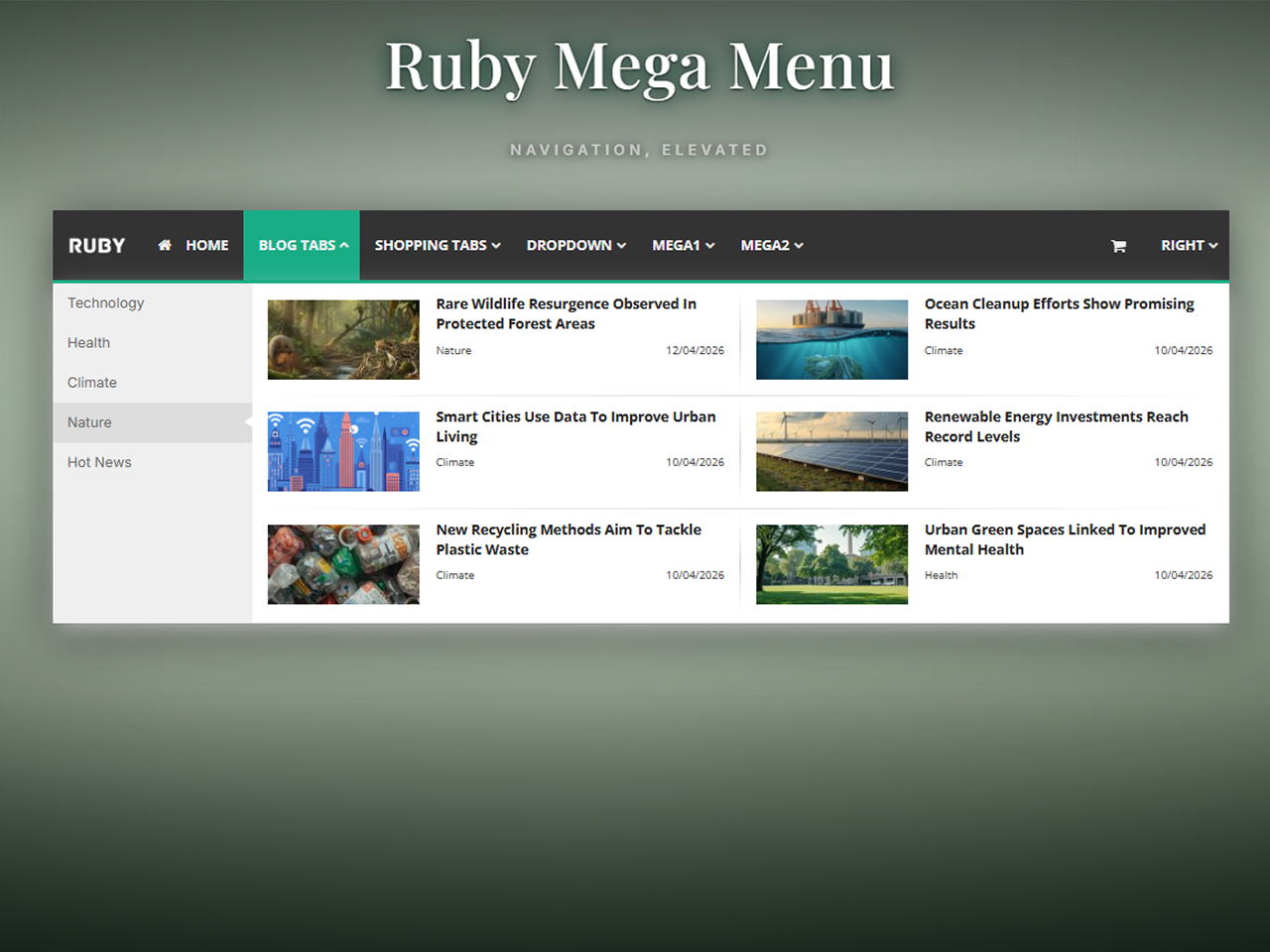
- Content Tabs (Vertical) — Auto-pulls your latest blog posts by category into a tabbed reading experience.
Features
- Drag-and-drop menu builder in the WordPress admin
- 5 mega menu column types (normal list, list with images, multiple lists, image link, image + list)
- 4 blog layouts for the vertical tabs menu (4-col grid, 3-col grid, 2-col grid, flat list)
- 300+ Font Awesome icons
- Full typography control — Google Fonts, size, weight per menu region
- Full color customization — every element has its own color picker
- Responsive design — mobile hamburger menu with slide-in navigation
- Content separators, dividers, right-aligned menu items
- Header mode with custom height, background color, or image
- FSE theme support via
[rubymm_rubymenu]shortcode - Replace the theme’s default navigation in specific menu locations or globally
- Compatible with popular themes (Avada, The7, Astra, GeneratePress, and most others)
Documentation
Full documentation available at docs.rubymegamenu.com.
Full video tutorial available at Youtube
Installation
- Upload the
ruby-mega-menufolder to the/wp-content/plugins/directory, or install via the WordPress plugin directory. - Activate the plugin through the Plugins menu in WordPress.
- Go to Ruby Mega Menu in the admin sidebar to start building.
- Add the
[rubymm_rubymenu]shortcode to a page or template, OR enable automatic theme replacement in Settings.
For detailed setup instructions, visit docs.rubymegamenu.com/installation/.
Changelog
Shortcode renamed to [rubymm_rubymenu]. Update existing pages that use [ruby_menu] before upgrading.
1.0.8
- Security: introduced esc_inline_css() helper that applies wp_strip_all_tags(), wp_kses_no_null(), str_ireplace(‘</style’), and blocks @import, expression(), javascript:/data: URLs and IE behavior/binding properties before any CSS is passed to wp_add_inline_style().
- Security: introduced esc_css_selector_list() helper that sanitizes each CSS selector via preg_replace and wp_strip_all_tags() before output.
- Security: both wp_add_inline_style() call-sites (dynamic CSS and hide-theme-nav CSS) now route through these helpers immediately before output.
1.0.7
- Security: all output values in view-settings.php now wrapped with esc_attr() at the point of echo (late escaping).
- Security: CSS inline style output now uses wp_strip_all_tags() + str_ireplace(‘</style’) as a two-step sanitization before wp_add_inline_style().
- Security: CSS selector regex tightened to exclude quote characters (“, ‘) that are not valid in safe selectors.
- Security: font-family regex simplified to alphanumeric, space and hyphen only — sufficient for all Google Font names.
- Fix: PHP syntax error in font-family preg_replace (misquoted regex) resolved.
1.0.6
- Security: added explicit format arrays (%d/%s) to all $wpdb->insert, $wpdb->update, and $wpdb->delete calls for proper SQL type safety.
- Security: added $wpdb->prepare() to get_top_level_items() query for consistency with WordPress coding standards.
- Security: all dynamic CSS values now late-escaped at point of string building using esc_css_color() and esc_css_dimension() helpers.
- Security: added esc_html() to unescaped echo in view-builder.php.
- Fix: classic dropdown subdropdown positioning now correctly uses saved Dropdown Width setting (left/right offset).
- Fix: blog-type mega menu nav items no longer inherit theme margin-bottom or line-height overrides.
- Fix: shop menu tab items no longer inherit theme font-weight or font-stretch overrides on desktop.
- Fix: admin bar offset fix (fixAdminBarOffset) now only applies margin-top on mobile breakpoint, preventing unwanted spacing on desktop.
- Fix: mobile teleport now skips #wpadminbar when applying margin-top to body first div, preventing admin bar from being pushed down.
1.0.5
- Compliance: prefixed remaining AJAX action hooks (rmm_search_posts, rmm_get_post_link) with rubymm_.
- Changed: shortcode renamed from [ruby_menu] to [rubymm_rubymenu] for a more distinctive identifier.
- Fixed: delete confirmation popup was blank due to mismatched localization key (confirm_delete vs confirm_delete_top).
- Fixed: dynamic font CSS was outputting duplicate #ruby-mega-menu selector due to prefix already being present in font_targets() array.
- Fixed: Google Fonts loading used array_merge instead of array_replace_recursive, causing saved font settings to not properly override defaults.
- Fixed: font-family, font-size, and font-weight in dynamic CSS now use !important to prevent theme styles from overriding plugin typography settings.
- Added: active menu item support — top-level nav items now receive ruby-active-menu-item class when the user is on the corresponding page, using $wp->request for accurate URL matching in subdirectory installs. Filter is scoped to plugin-managed menus only.
1.0.4
- Fixed: CSS cascade order — dynamic menu styles now load before responsive CSS so mobile layout rules take priority.
- Fixed: right-aligned top-level menu items — second-level submenu now stacks full-width on mobile instead of being pushed off-screen.
1.0.3
- Compliance: fully removed Freemius SDK, premium license checks, and all premium feature placeholders from WordPress.org build.
- Compliance: ensured no locked features or license checks remain in the code, per WordPress.org Plugin Directory Guidelines.
Screenshots
For developers
Is this your plugin? Show off the numbers.
Add a live badge to your site, docs or GitHub README. It updates on its own — no account needed.
Best Ruby Mega Menu alternatives
All dropdown plugins →





FAQ
Ruby Mega Menu: quick answers
Straight answers, pulled from live WordPress.org data.
Source: WordPress.org
Is Ruby Mega Menu free?
Yes. Ruby Mega Menu is free to download and use from the official WordPress.org plugin directory.
Is Ruby Mega Menu safe to use in 2026?
Ruby Mega Menu works, but test it on a staging site before relying on it in 2026. It runs on 10+ sites and was last updated 6 months ago, and scores 51/100 on our health check.
How many websites use Ruby Mega Menu?
Ruby Mega Menu is active on 10+ WordPress websites and has been downloaded 382 times since it launched in June 2026. It was downloaded 73 times in the last 30 days.
Does Ruby Mega Menu work with WordPress 7.1?
Ruby Mega Menu is officially tested up to WordPress 7.0.9, while the latest release is 7.1.5. It may still work, but try it on a staging site first.
What PHP version does Ruby Mega Menu need?
Ruby Mega Menu requires PHP 7.4 or higher. Most hosts run PHP 8.x today, so it works on any modern WordPress hosting.
When was Ruby Mega Menu last updated?
The latest version, 1.0.8, was released on June 2, 2026 (6 months ago).
Who makes Ruby Mega Menu?
Ruby Mega Menu is developed and maintained by ismailonur.
What are the best alternatives to Ruby Mega Menu?
The most popular alternatives to Ruby Mega Menu are Cities Shipping Zones for W… (4K+ installs), Min Max Step Quantity Limit… (3K+ installs) and Navigation menu as Dropdown… (2K+ installs).
Powered by PageForge
One template and a spreadsheet. A real page for every search.
PageForge turns each row of a CSV into a WordPress page with its own title, URL, SEO fields and schema, built on the layout you already designed. Free on WordPress.org.
- CSV and XLSX, plus Google Sheets on Professional and Enterprise
- Its own title, URL, SEO fields and schema for every page
- Works with the block editor, Elementor, Divi and Avada
- Free on WordPress.org, no credit card