



RSOrangetech Gallery — Masonry & Grid
Create responsive grid and masonry image galleries with lazy load support.

Use with caution
RSOrangetech Gallery works, but test it on a staging site before relying on it in 2026. It runs on 10+ sites, is rated 5/5 and was last updated 9 months ago, and scores 45/100 on our health check.
- Small user base (10+ active installs)
- Very few reviews so far
- Only tested up to WordPress 6.9 (latest is 7.1)
How does it stack up?
Side-by-side on installs, updates, ratings & support



Daily downloads
Download spikes usually follow a new release — each site that auto-updates counts as a download.
Rankings
Where RSOrangetech Gallery stands todayWordPress.org search rankings
Live position in the plugin search, top 100| Keyword | Position |
|---|---|
| grid gallery | >100 |
| image gallery | >100 |
| infinite scroll | >100 |
| masonry gallery | #84 |
| responsive | >100 |
Version adoption
Share of active sites per release.
Rating breakdown
★★★★★★★★★★ 5 from 1 reviews
About RSOrangetech Gallery — Masonry & Grid
From the official readme · v1.0.6Description
RSOrangetech Gallery — Masonry & Grid is a lightweight and modern gallery plugin that lets you create beautiful image galleries with Grid and Masonry layouts. Built using WordPress best practices, it supports multiple image uploads, lazy loading, lightbox viewing, and responsive layouts—without slowing down your website.
RSOrangetech Gallery — Masonry & Grid Features
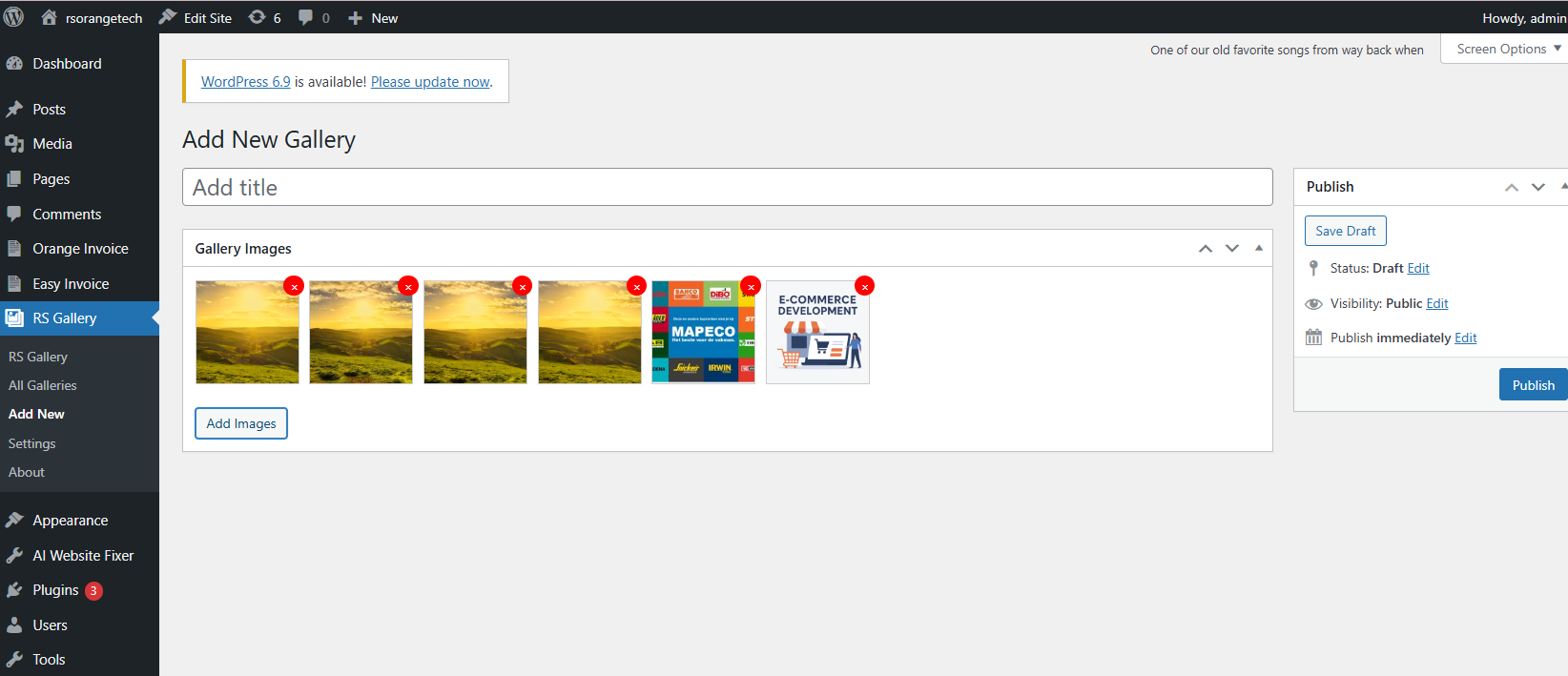
- Multiple Image Upload: Upload and manage multiple images easily using the core media library with drag & drop support
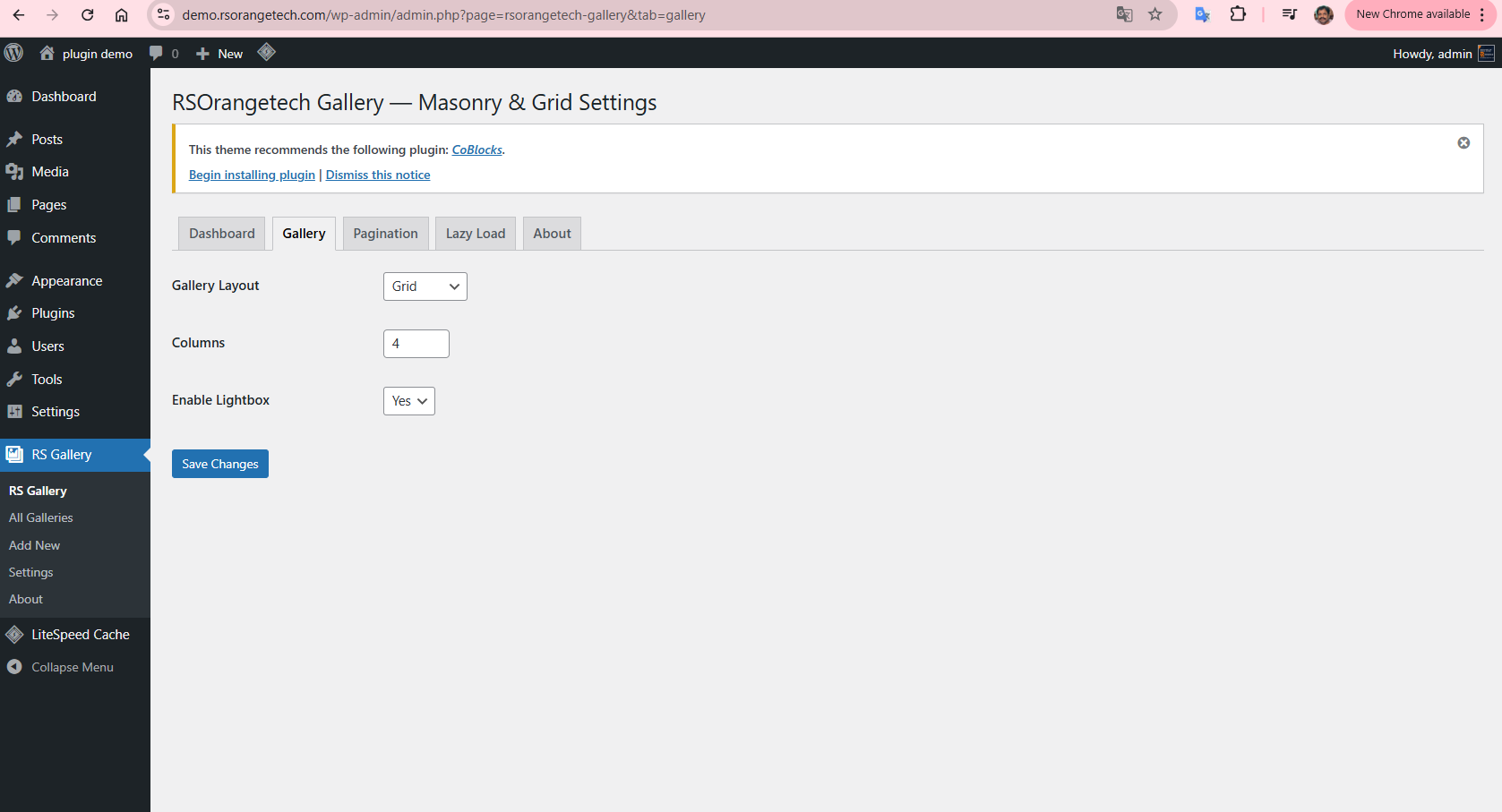
- Grid & Masonry Layouts:Choose between clean grid or modern Masonry layouts for a professional gallery display
- Fully Responsive: Galleries adapt perfectly to all screen sizes—desktop, tablet, and mobile
- Lazy Loading Support: Improve page speed by loading images only when they come into view
- Lightbox View:Open images in a beautiful lightbox overlay for an enhanced user experience
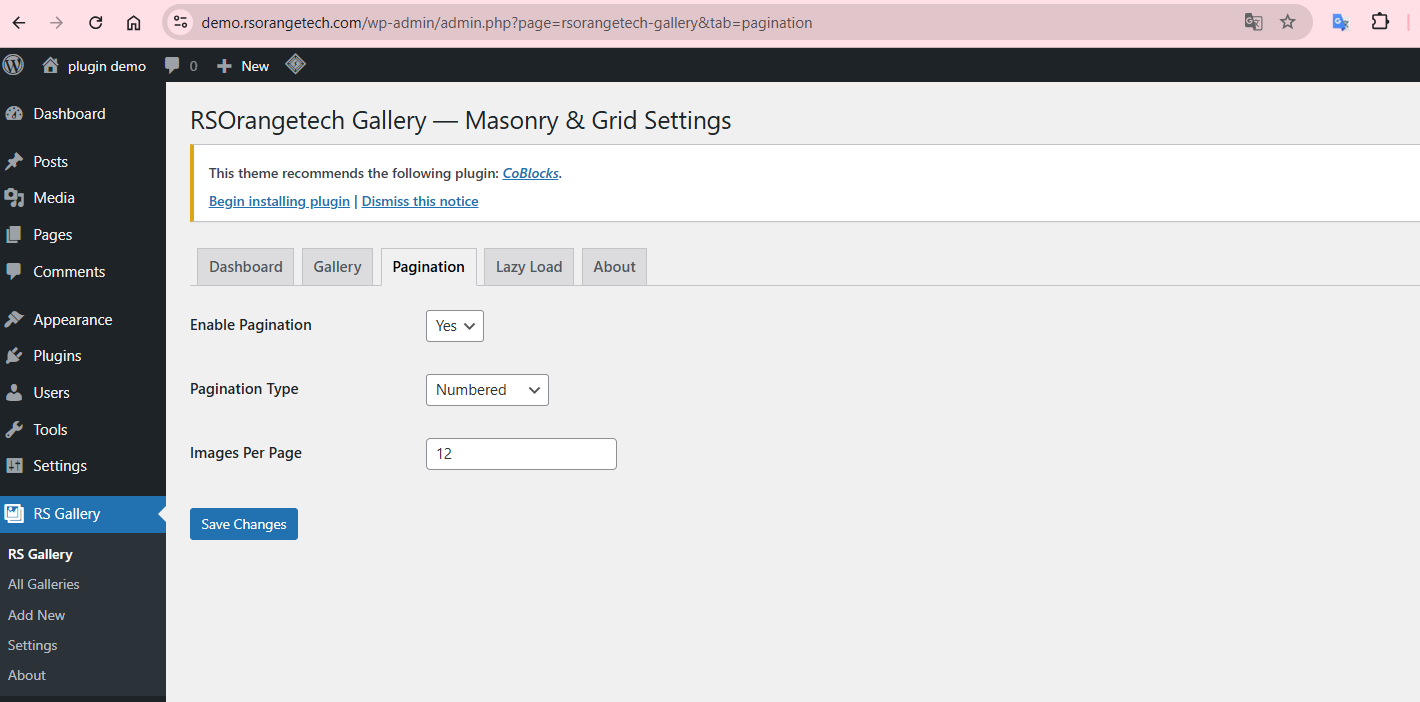
- Easy Admin Settings: Simple settings panel to control layout, columns, spacing, and performance options
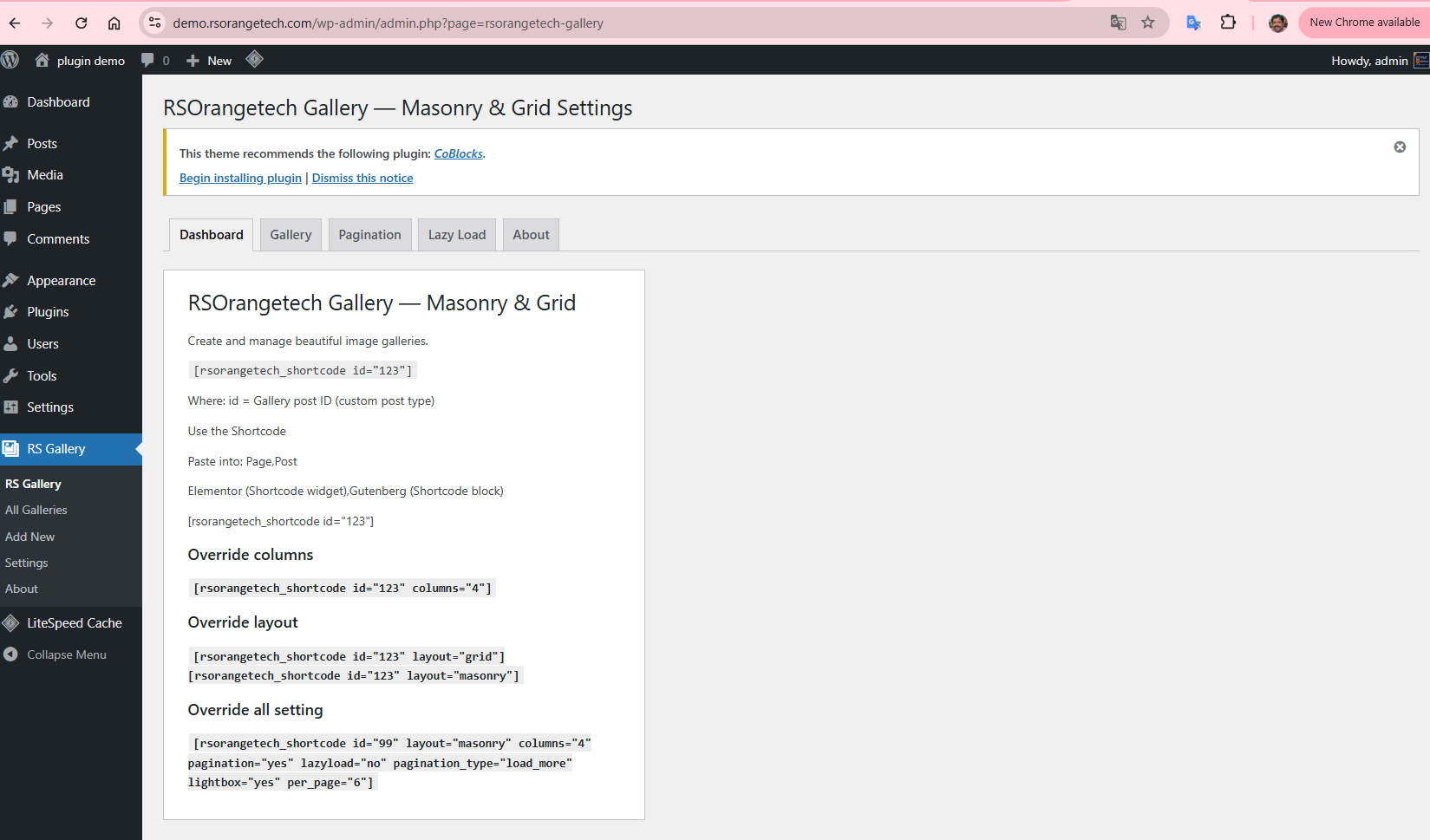
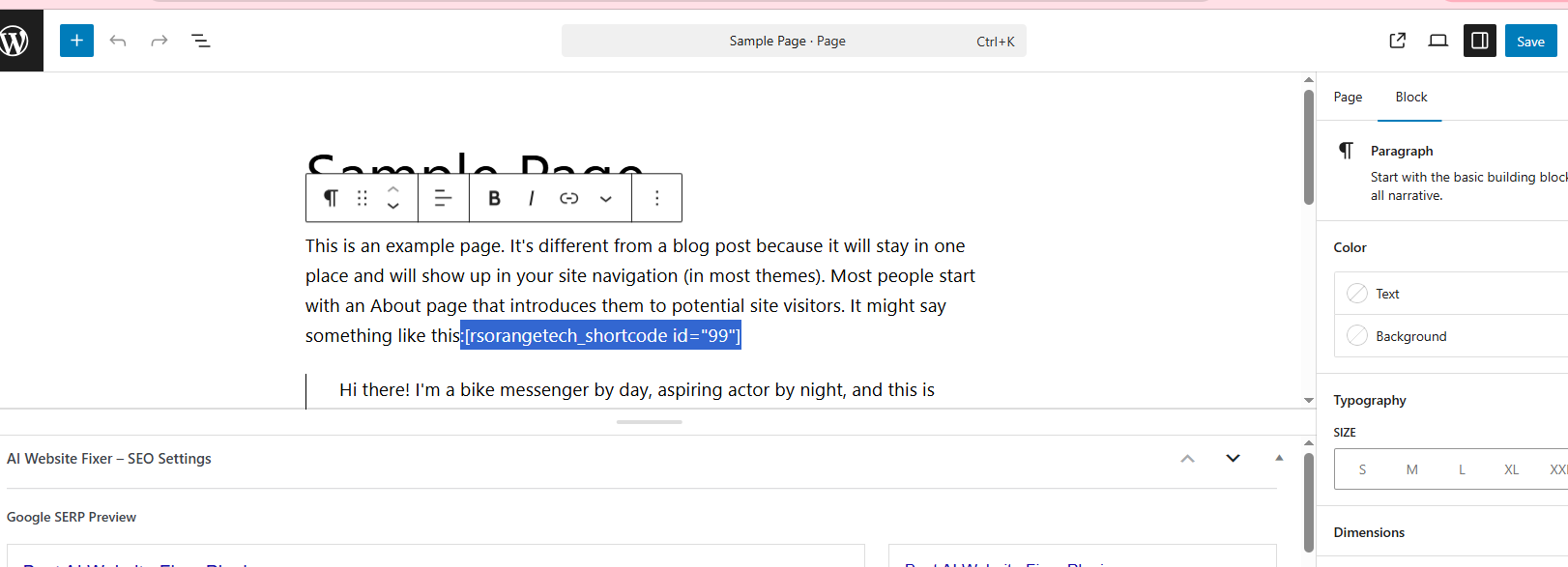
- Shortcode Support: Display galleries anywhere using a shortcode like:[rsorangetech_shortcode id=”123″]
- Load More Button : Manually load more images without page refresh.
- Infinite Scroll : Automatically load images while scrolling.
- Custom Image Sizes : Optimized thumbnails and lightbox images for performance.
- Shortcode with Overrides : Use [rsorangetech_shortcode id=”99″ layout=”masonry” columns=”4″ pagination=”yes” lazyload=”no” pagination_type=”load_more” lightbox=”yes” per_page=”6″] with layout and column overrides
- Secure AJAX Handling: Nonce-protected requests for better security.
- Accessibility Ready : Keyboard navigation, ARIA labels, and screen-reader support.
Visit the RSOrangetech Gallery — Masonry & Grid Homepage
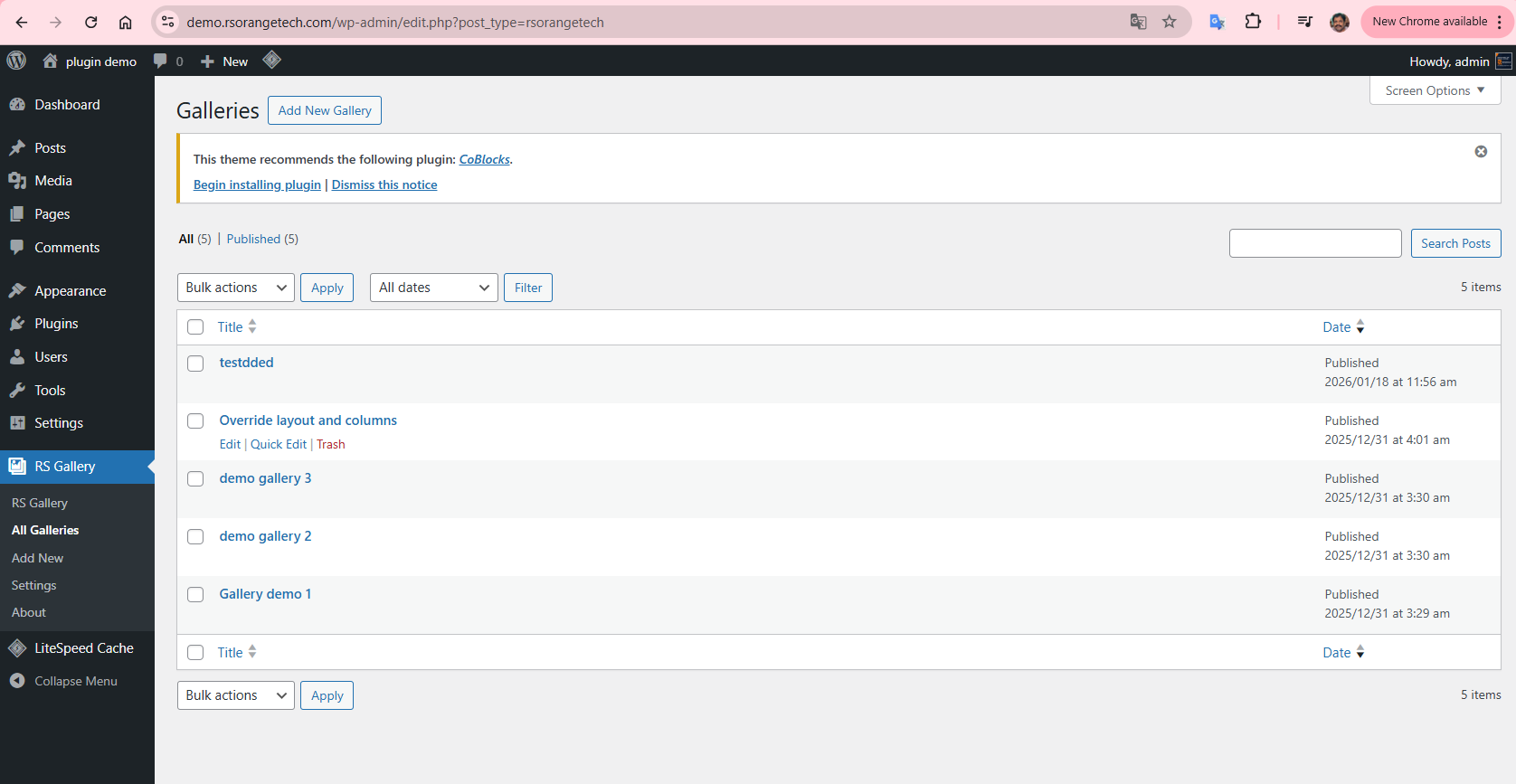
All RSOrangetech Gallery — Masonry & Grid view
Video Tutorial
Documentation
Shortcodes
[rsorangetech_shortcode id=”123″]
[rsorangetech_shortcode id=”123″ columns=”4″]
[rsorangetech_shortcode id=”123″ layout=”masonry”]
Third Party Libraries
This plugin bundles the following third-party libraries:
- GLightbox – MIT License
- Lazysizes – MIT License
- Masonry – GPL compatible
Installation
- Upload
RSOrangetech Gallery — Masonry & Gridfolder to the/wp-content/plugins/directory - Activate the plugin through the ‘Plugins’ menu in WordPress
- You will be redirected to the RSOrangetech Gallery — Masonry & Grid Help page to get started
Changelog
1.0.5
- ✅ Infinite Scroll
- ✅ Load More button
- ✅ Pagination
- ✅ Accessibility (rare!)
1.0.4
- fixed images save issue in grid
Screenshots

For developers
Is this your plugin? Show off the numbers.
Add a live badge to your site, docs or GitHub README. It updates on its own — no account needed.
Best RSOrangetech Gallery alternatives
All grid gallery plugins →FAQ
RSOrangetech Gallery: quick answers
Straight answers, pulled from live WordPress.org data.
Live data from WordPress.org · checked Oct 12, 2026
Is RSOrangetech Gallery free?
Yes. RSOrangetech Gallery is free to download and use from the official WordPress.org plugin directory.
Is RSOrangetech Gallery safe to use in 2026?
RSOrangetech Gallery works, but test it on a staging site before relying on it in 2026. It runs on 10+ sites, is rated 5/5 and was last updated 9 months ago, and scores 45/100 on our health check.
How many websites use RSOrangetech Gallery?
RSOrangetech Gallery is active on 10+ WordPress websites and has been downloaded 491 times since it launched in January 2026. It was downloaded 63 times in the last 30 days.
Does RSOrangetech Gallery work with WordPress 7.1?
RSOrangetech Gallery is officially tested up to WordPress 6.9.10, while the latest release is 7.1.3. It may still work, but try it on a staging site first.
When was RSOrangetech Gallery last updated?
The latest version, 1.0.6, was released on January 19, 2026 (9 months ago).
Who makes RSOrangetech Gallery?
RSOrangetech Gallery is developed and maintained by rsorangetech.
What are the best alternatives to RSOrangetech Gallery?
The most popular alternatives to RSOrangetech Gallery are Image Photo Gallery Final T… (20K+ installs), Gallery PhotoBlocks (3K+ installs) and Photo Gallery WordPress (30+ installs).
Powered by PageForge
Want thousands of pages that rank like these? Build them in an afternoon.
This directory runs on the same engine as PageForge. Turn any spreadsheet, CSV or API into thousands of fast, SEO-ready WordPress pages — with schema, internal links and AI-written copy baked in.
- CSV, Google Sheets & API data sources
- AI content, schema & internal links per page
- Works with Elementor, Gutenberg, Yoast & Rank Math
- Free on WordPress.org — no credit card


