



RS WP Book Showcase – A Complete Book Catalogue & Library System
Premier WordPress book gallery plugin, offering advanced search options and multiple layouts for effortless book showcasing.

Solid choice
RS WP Book Showcase is a solid plugin choice in 2026, with a few things worth checking first. It runs on 1K+ sites, is rated 3.9/5 and was last updated 1 month ago, and scores 67/100 on our health check.
- Tested with the latest WordPress (7.1)
- Needs PHP 8.1 or newer
Daily downloads
Download spikes usually follow a new release — each site that auto-updates counts as a download.
Rankings
Where RS WP Book Showcase stands todayWordPress.org search rankings
Live position in the plugin search, top 100| Keyword | Position |
|---|---|
| book carousel | #2 |
| book catalogue | #1 |
| book collection | #2 |
| book display | #4 |
| book-library | #5 |
Version adoption
Share of active sites per release.
Rating breakdown
★★★★★★★★★★ 3.9 from 25 reviews
About RS WP Book Showcase
From the official readme · v6.7.72Description
RS WP Book Showcase is a powerful, all-in-one WordPress book gallery plugin designed for authors, book reviewers, affiliate marketers, bloggers, and bookstore owners. Whether you want to showcase your books, build a book catalog, or set up a fully functional online bookstore, this plugin has everything you need.
🚀 Key Features
✔ Advanced Book Showcase
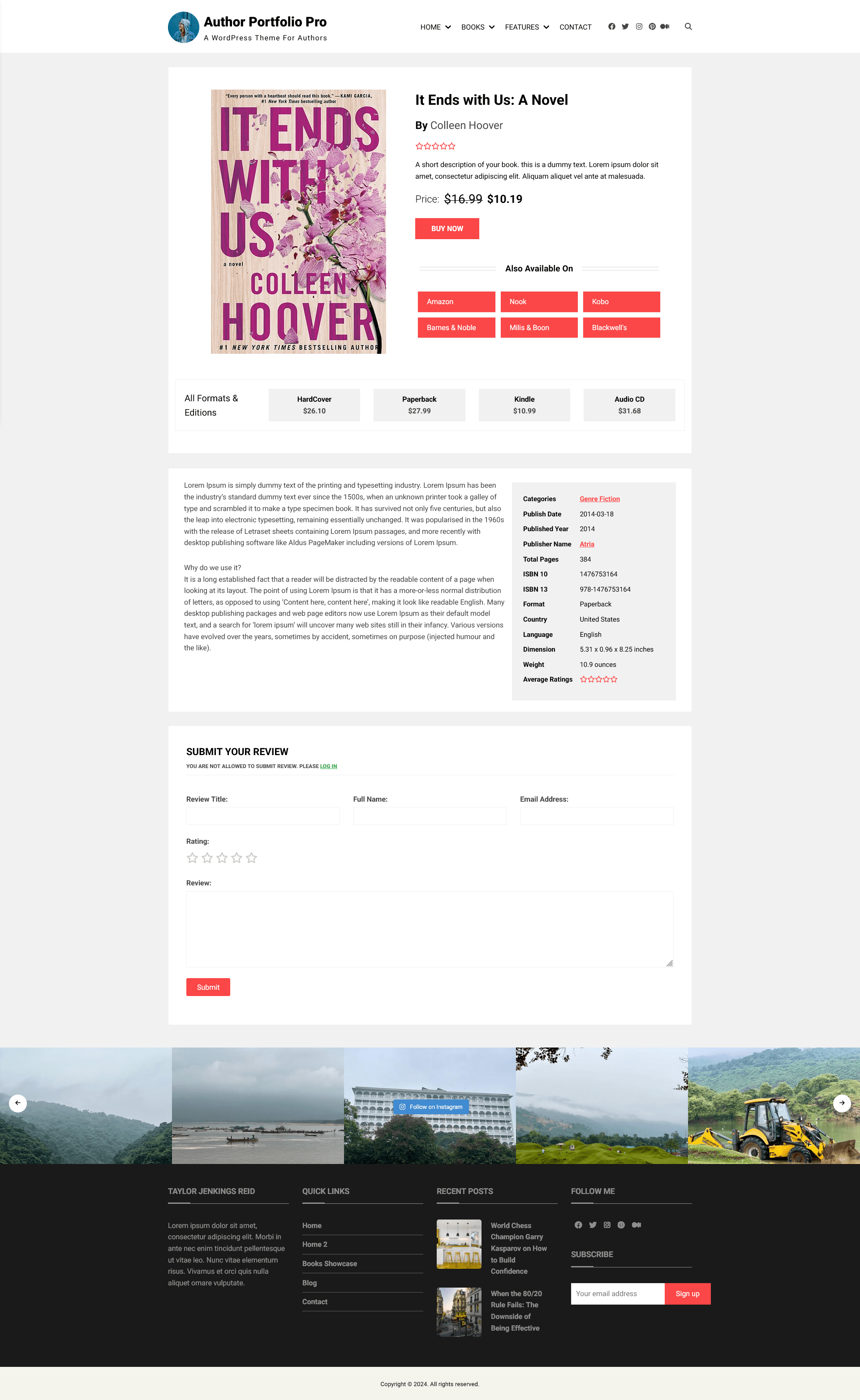
Display books beautifully with customizable layouts, galleries, and a dedicated single book page.
✔ Advanced Search & Filtering
Help visitors find books effortlessly with a powerful search form.
✔ Import Books with Ease
Add books manually or import them via CSV or directly from Amazon.
✔ Automatic Amazon Affiliate Tagging
Enter your Amazon Tracking ID once, and the plugin will automatically append it to all Amazon book links—no need to add it manually.
✔ Complete Bookstore Setup
Transform your website into a fully functional online bookstore, with multiple purchase links and book formats.
✔ Built-in Review System
Enable readers to leave reviews just like WooCommerce, increasing engagement and credibility.
✔ Show Sample Content
Let visitors preview a sample chapter or excerpt before purchasing.
✔ Multi-Language Support
Easily translate the plugin into any language and localize your book showcase effortlessly.
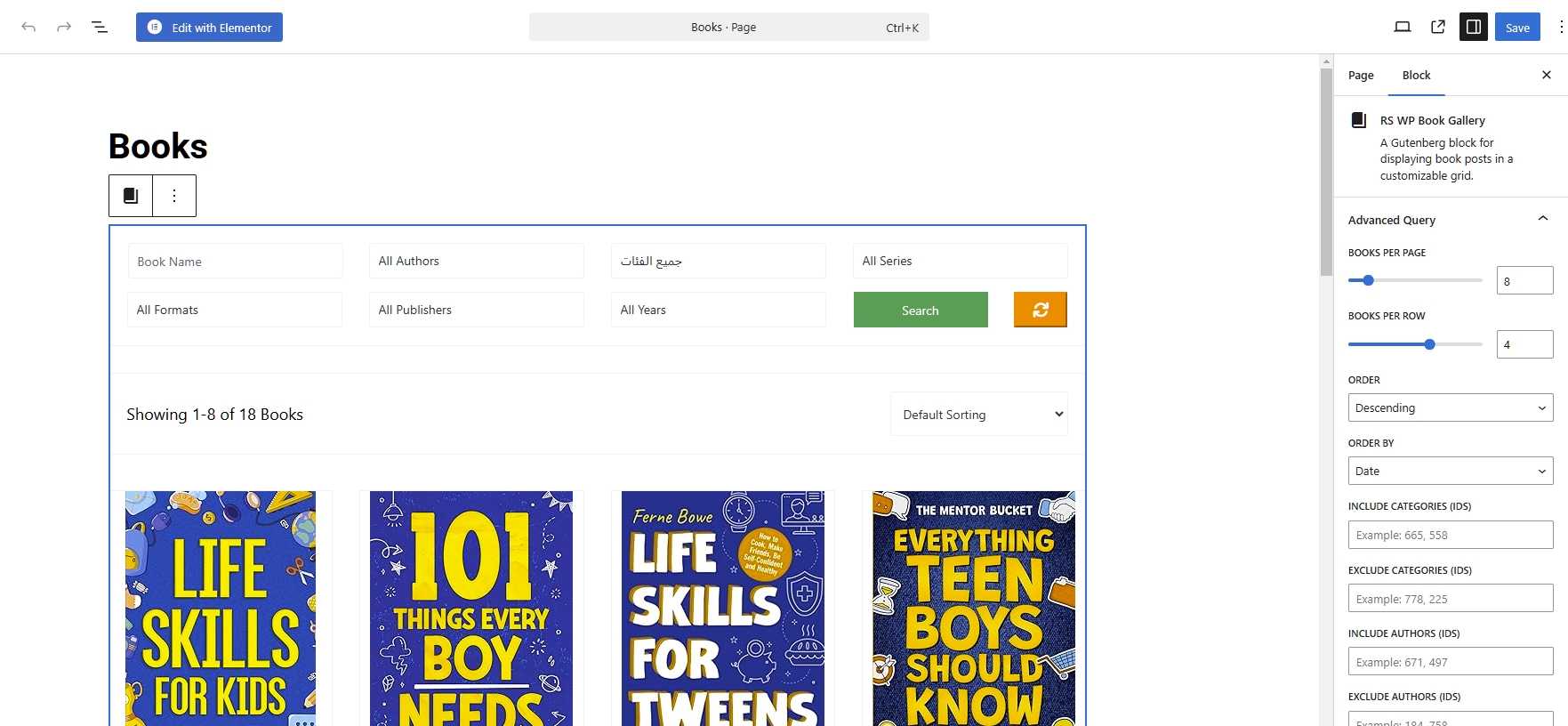
✔ Book Gallery Block for Gutenberg
Build and customize book galleries seamlessly using the Gutenberg block editor.
✔ Extensive Book Carousel
Showcase selected books anywhere on your page using a book carousel shortcode or Gutenberg block.
Whether you’re an author looking to showcase books, a blogger reviewing bestsellers, or an affiliate marketer building a book catalog, RS WP Book Showcase is the perfect solution.
Features Comparison
✅ Available in Free & Pro
- Advanced Search Form (Free: Limited, Pro: Includes all fields)
- Unlimited Books
- Book Gallery Gutenberg Block
- Book Gallery Shortcode & List Layout
- Book Slider/Carousel Shortcode & Gutenberg Block
- Fully Customizable Book Meta Fields
- Price & Buy Now Button
- Custom Taxonomies (Author, Category, Series)
- Book Status Field
- Customizable Price Currency
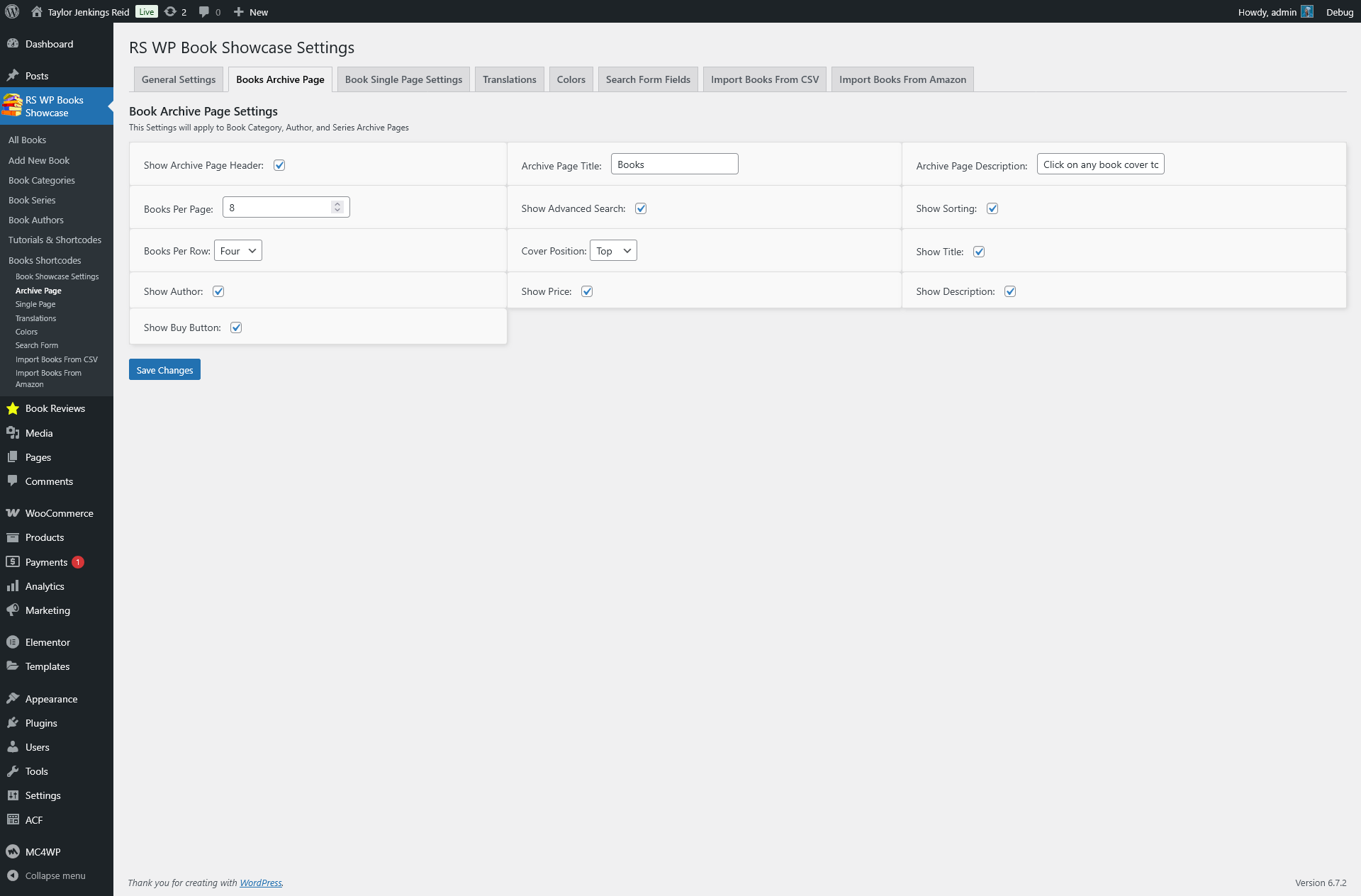
- Control Over Book Archive Pages
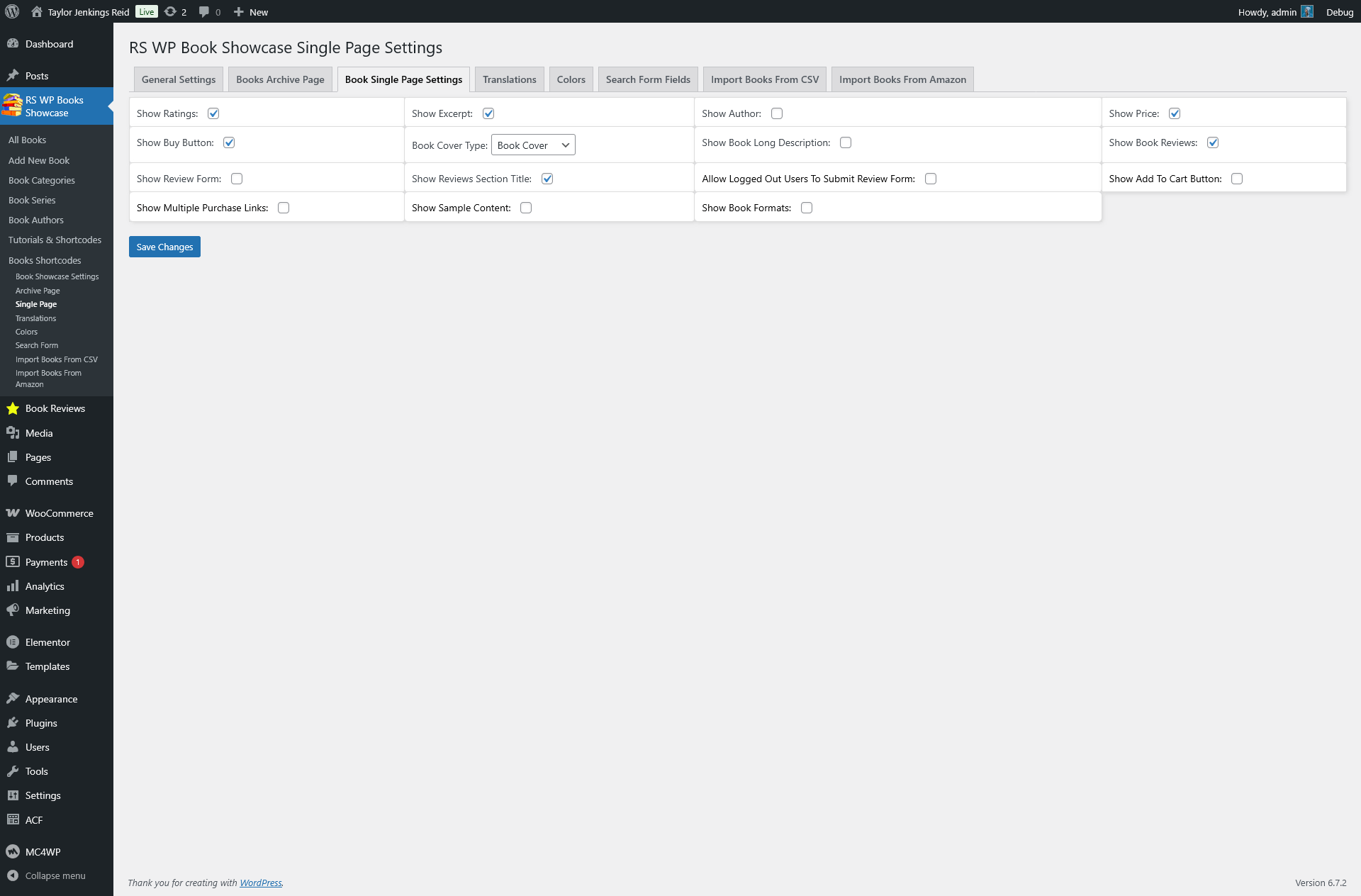
- Show/Hide Any Elements & Customize Colors
- Search Form Customization (Pro unlocks all fields)
🔥 Pro Only Features
- Amazon Affiliate ID Integration (Automatic Tracking ID Addition)
- WooCommerce Integration (Sell Books Directly)
- Enable Editor for Author Descriptions
- Guest Reviews (Allow Logged-Out Users)
- Cart & Checkout System
- Multiple Purchase Links
- Show Sample Book Content
- Show Multiple Formats (Price & Purchase Links)
- Import Books From CSV & Amazon
- Full-Width Book Slider Block
- Translate All Text Fields
- Add Social Media Links to Author Pages
📖 Discover All Features of RS WP Book Showcase
🔓 Unlock Pro Features
**📚 Documentation & Tutorials**
Text Documentation
- 📌 How To Add Books Gallery To WordPress Website (1 Easy Way)
- 📌 How To Add Books To A WordPress Website (2 Methods)
- 📌 How To Add Multiple Purchase Links To A Book Page
Video Tutorials
📽 How To Add a Book Gallery To Your Website (Free)
📽 How to Scrape Book Details From Amazon and Import to Your Website
📽 How To Add A Book Gallery Using Gutenberg Block (PRO)
📽 How To Add A Book Gallery Using Elementor (PRO)
🚀 Why Choose RS WP Book Showcase?
✔ Regular Updates & Feature Enhancements
We ensure frequent updates with new features, security patches, and improved functionality.
✔ Premium Customer Support
Get dedicated support to help you set up and customize your book showcase effortlessly.
✔ Lightning-Fast Performance
Optimized for speed and performance, ensuring smooth navigation and a seamless user experience.
✔ Seamless Elementor Integration
Use Elementor’s drag-and-drop builder to design and customize book showcases effortlessly.
**🎭 Most Compatible Themes for This Plugin**
-
Author Portfolio Pro Theme
The ultimate WordPress theme for authors, writers, publishers, and bloggers.
SEO-optimized, responsive, and built for book showcases. - Author Personal Blog WordPress Theme (Free)
- Writers Portfolio WordPress Theme (Free)
- Book Review Blog WordPress Theme (Free)
- Book Author Template WordPress Theme (Free)
Donate
If you love this plugin and want to support its development, you can donate here:
Buy Me a Coffee
Installation
Install RS WP Book Showcase as a regular WordPress plugin. Here are different ways to install plugin:
Install by search plugin:
- In your Admin, go to menu Plugins > Add New
- Search RS WP Book Showcase
- Click to install
- Activate the plugin
Install by upload plugin:
- Download the latest version of RS WP BOOKS SHOWCASE (.zip file)
- In your Admin, go to menu Plugins > Add New
- Select “Upload Plugin”
- Click on “Choose File”
- Select downloaded rswpbs.zip and click on “Install Now” button
- Activate the plugin
Frequently asked questions
How do I add a book gallery?
You can add a book gallery using the Gutenberg block, shortcode, or Elementor widget.
Does this plugin support Amazon Affiliate links?
Yes! You can enter your Amazon Tracking ID once, and all Amazon book links will automatically have your affiliate tag added.
Can I import books from Amazon?
Yes! The Pro version allows you to import books from Amazon and CSV files.
Does this plugin work with WooCommerce?
Yes! You can enable WooCommerce integration in the Pro version to sell books directly. Even if you already have a WooCommerce store selling other products, you can still sell books separately without affecting your existing store setup. Books will not appear on default WooCommerce shop pages, but they will be fully integrated with the cart, checkout, and order system. Additionally, you can add downloadable book files, allowing customers to download them instantly after completing payment.
Changelog
6.7.72 – September 09, 2026
- Feature: Added dynamic star rating display on gallery grid cards using FontAwesome review score icons.
- Enhancement: Display all assigned book categories on gallery grid items instead of limiting output to a single category.
- Enhancement: Removed hardcoded category limits on Single Book pages to showcase all assigned categories seamlessly.
- Tweak: Added show_rating shortcode and block attribute support to toggle review star visibility in gallery layouts.
6.7.71 – September 02, 2026
- Feature: Added asynchronous chunked AJAX batch engine for CSV importing with live progress tracking and activity console.
- Feature: Added smart Upsert logic to CSV Importer to automatically update existing books by ISBN/ASIN or title instead of creating duplicates.
- Performance: Replaced heavy search dropdown queries with cached DISTINCT database queries and automatic transient invalidation.
- Performance: Fixed
pre_get_postsloop by removing dangerouswp_reset_query()calls and adding full pagination support for all custom taxonomies includingbook-publisher. - Fix: Resolved
tax_queryoverwrite bug by consolidating all taxonomy and meta query assembly intoRSWPBS_Query_Builder. - Fix: Fixed Gutenberg block editor preview styling by declaring editor styles in
block.jsonand hooking intoenqueue_block_assets. - Fix: Fixed media selector JavaScript error where file selection remained stuck on “No file selected” and disabled import button.
- Refactor: Rebuilt core bootstrap into a clean Singleton architecture (
RSWPBS) with dedicatedRSWPBS_Activatorlifecycle class. - Refactor: Implemented standardized multi-tier
RSWPBS_Template_Loaderwith 100% backward compatibility for legacyrsbs-templates/overrides. - Compatibility: Added strict
function_existssafety wrappers on all global import/template helper functions to prevent duplicate declaration fatal errors.
6.7.70 – May 27, 2026
- Added Open Library Import Feature
- Disabled Publisher Migration notice if it is fresh installetion.
6.7.69 – May 26, 2026
- Disabled Unused WooCommerce field temporary
6.7.68 – May 24, 2026
- Lower the php version and the plugin working good with 7.4+ higher
6.7.67 – May 21, 2026
- Improved Block Theme Compatibility
Screenshots





For developers
Is this your plugin? Show off the numbers.
Add a live badge to your site, docs or GitHub README. It updates on its own — no account needed.
FAQ
RS WP Book Showcase: quick answers
Straight answers, pulled from live WordPress.org data.
Live data from WordPress.org · checked Oct 13, 2026
Is RS WP Book Showcase free?
Yes. RS WP Book Showcase is free to download and use from the official WordPress.org plugin directory.
Is RS WP Book Showcase safe to use in 2026?
RS WP Book Showcase is a solid plugin choice in 2026, with a few things worth checking first. It runs on 1K+ sites, is rated 3.9/5 and was last updated 1 month ago, and scores 67/100 on our health check.
How many websites use RS WP Book Showcase?
RS WP Book Showcase is active on 1K+ WordPress websites and has been downloaded 154,409 times since it launched in April 2022. It was downloaded 902 times in the last 30 days.
Does RS WP Book Showcase work with WordPress 7.1?
Yes. The developer has tested RS WP Book Showcase up to WordPress 7.1.3, the latest release. It requires WordPress 4.9 or newer.
What PHP version does RS WP Book Showcase need?
RS WP Book Showcase requires PHP 8.1 or higher. Most hosts run PHP 8.x today, so it works on any modern WordPress hosting.
When was RS WP Book Showcase last updated?
The latest version, 6.7.72, was released on September 9, 2026 (1 month ago).
Who makes RS WP Book Showcase?
RS WP Book Showcase is developed and maintained by RS WP THEMES.
Powered by PageForge
Want thousands of pages that rank like these? Build them in an afternoon.
This directory runs on the same engine as PageForge. Turn any spreadsheet, CSV or API into thousands of fast, SEO-ready WordPress pages — with schema, internal links and AI-written copy baked in.
- CSV, Google Sheets & API data sources
- AI content, schema & internal links per page
- Works with Elementor, Gutenberg, Yoast & Rank Math
- Free on WordPress.org — no credit card


