



RobArt Text Collector
Collect, organise and reuse text snippets anywhere you write in WordPress — a floating scratchpad for the phrases and blocks you retype all day.

Solid choice
RobArt Text Collector is a solid plugin choice in 2026, with a few things worth checking first. It runs on 70+ sites, is rated 5/5 and was last updated 1 week ago, and scores 75/100 on our health check.
- Actively developed — last update 1 week ago
- Tested with the latest WordPress (7.1)
- Small user base (70+ active installs)
- Very few reviews so far
How does it stack up?
Side-by-side on installs, updates, ratings & support


Daily downloads
Download spikes usually follow a new release — each site that auto-updates counts as a download.
Rankings
Where RobArt Text Collector stands todayWordPress.org search rankings
Live position in the plugin search, top 100| Keyword | Position |
|---|---|
| boilerplate | #5 |
| clipboard | #29 |
| reusable content | #32 |
| snippets | >100 |
| text | #63 |
Version adoption
Share of active sites per release.
Rating breakdown
★★★★★★★★★★ 5 from 1 reviews
About RobArt Text Collector
From the official readme · v0.5.11Description
Stop retyping the same text. If you find yourself pasting the same intro paragraph, product blurb, address, disclaimer or boilerplate into post after post, RobArt Text Collector gives those snippets a home — and drops them back at your cursor in one click.
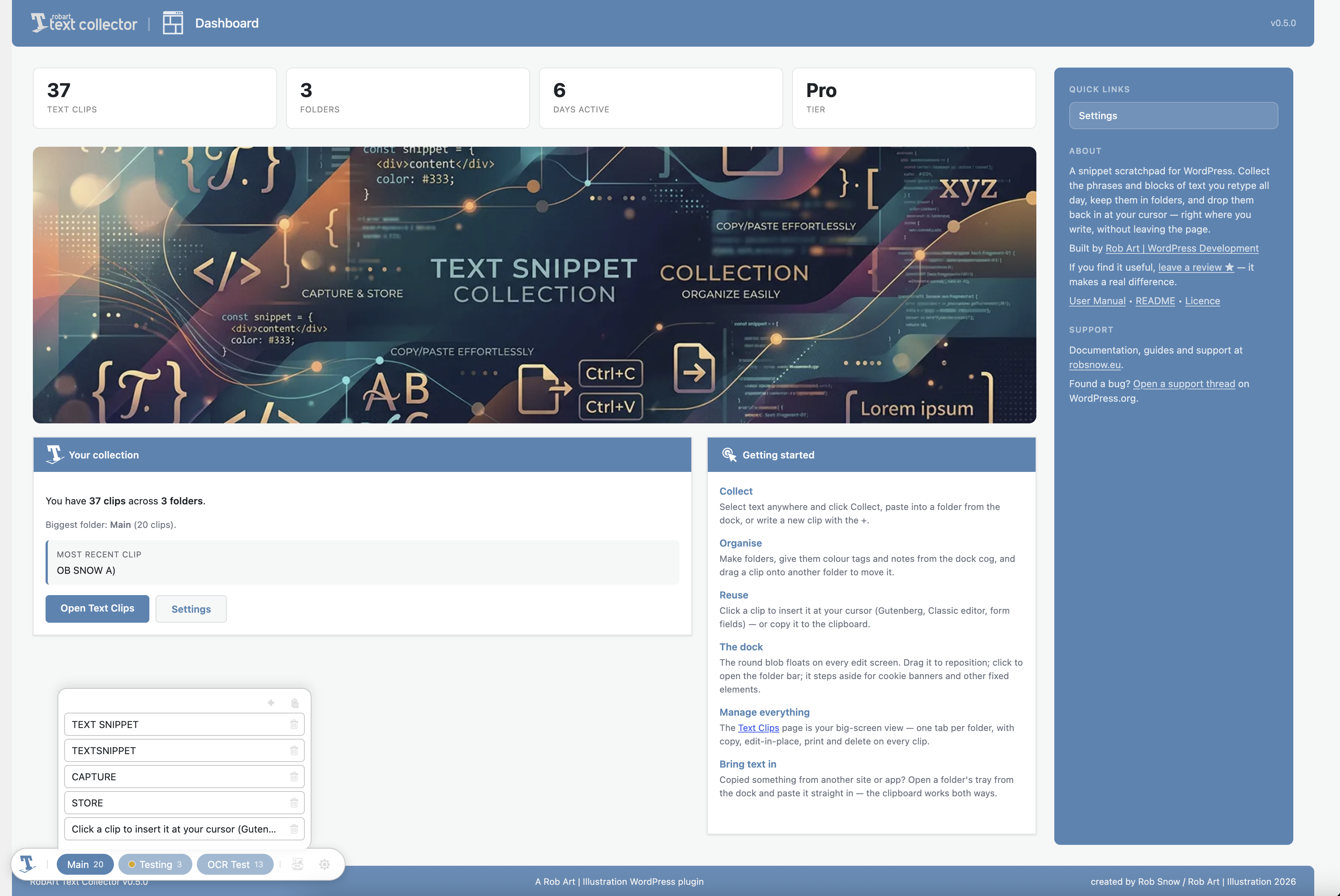
It’s a small floating dock (a draggable “scratchpad”) that rides along wherever you edit in WordPress: the block editor, the Classic editor, plain admin fields, and the front-end when you’re logged in. Select some text, click Collect, and it’s saved. Click a saved clip to drop it straight at your cursor — or copy it to the clipboard when there’s nowhere to insert.
Reusable blocks are great for layouts, but clunky for plain phrases. This is built for the text you reuse.
Collect
- Select any text in WordPress and save it with the Collect button.
- Paste clips straight in from your clipboard.
- Works inside the block editor and the Classic (TinyMCE) editor.
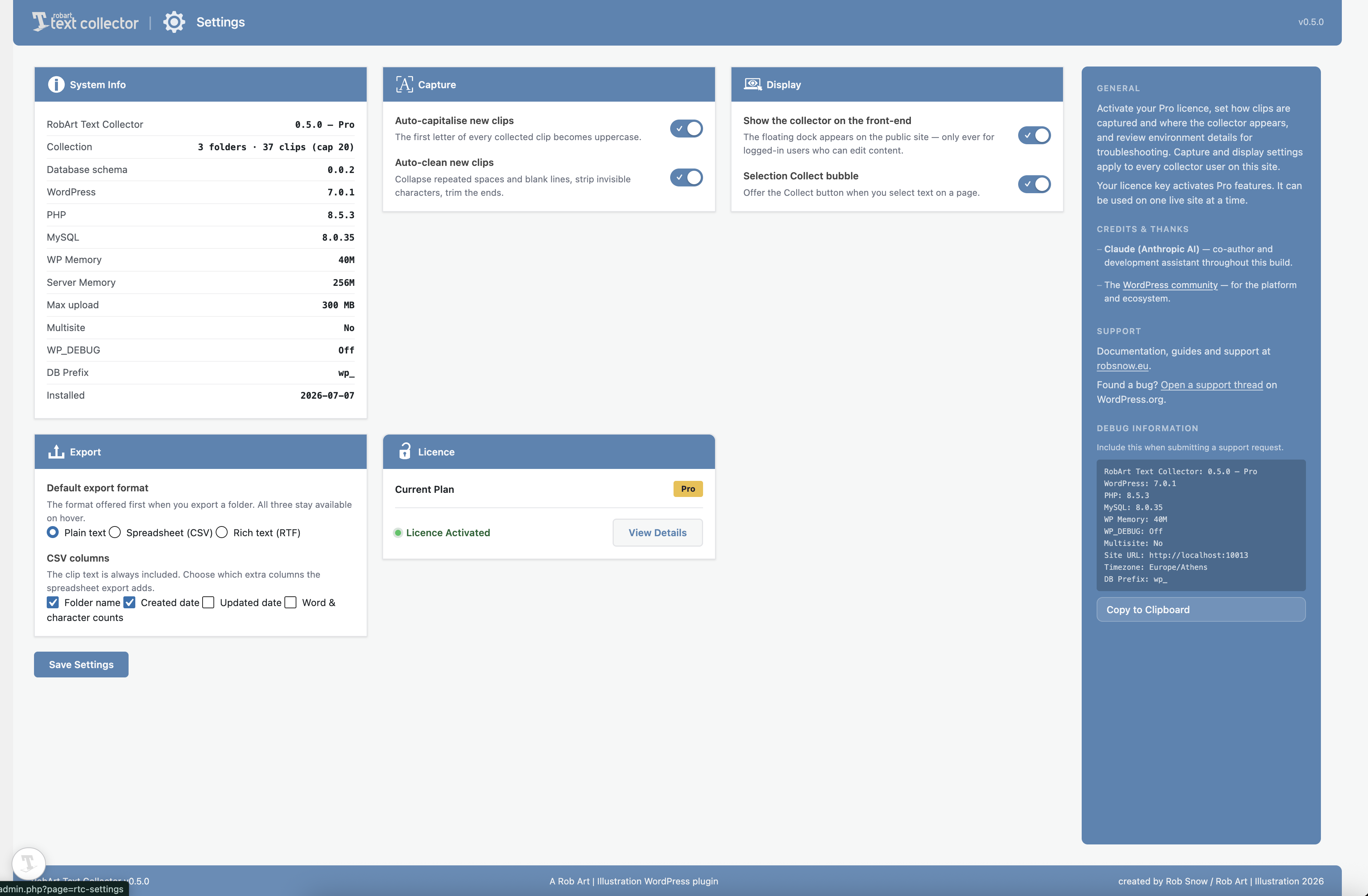
- Optional tidy-up on capture: auto-capitalise the first letter, collapse stray whitespace, strip invisible characters.
Organise
- Group clips into colour-tagged folders, each with an optional note.
- A pinned Main folder to start; add your own.
- Rename, merge, empty or delete folders from a per-folder settings panel.
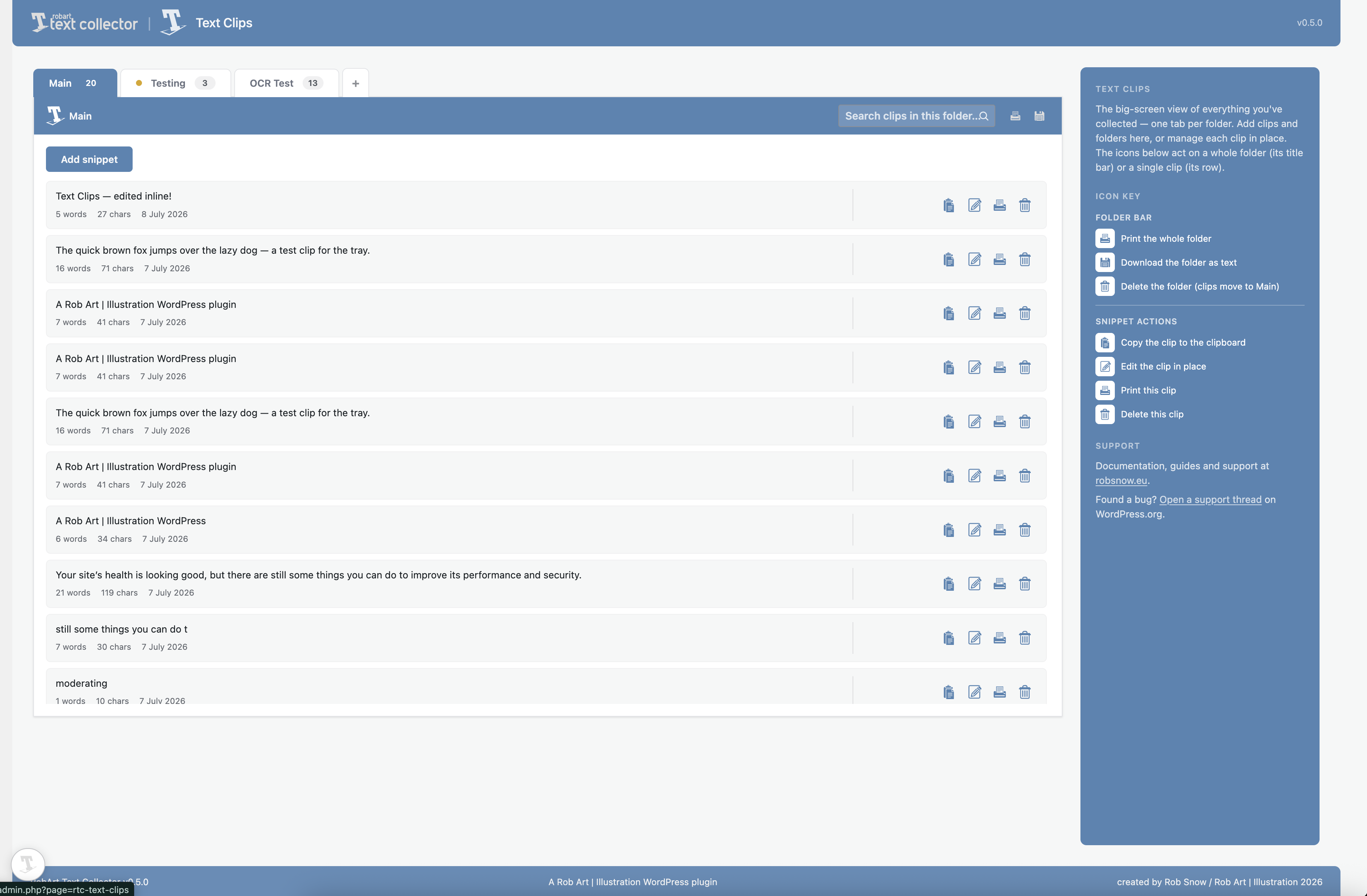
- A full Text Clips admin page mirrors the dock: one tab per folder, with copy / edit-in-place / print / delete on every clip.
Reuse
- Click a clip to insert it at your editing cursor, or copy it to the clipboard.
- Drag a clip onto another folder to move it.
- Download a whole folder as a plain-text file.
Your clips are private to your own WordPress account and stored in your own site’s database. There are no external services in the free plugin.
Free vs Pro
The free plugin is the whole collect → organise → reuse workflow, in full: the dock, the Collect bubble, unlimited folders, colour tags, notes, insert-at-cursor, and plain-text export.
Pro adds hands-on tools for a growing library:
- Read text from images (Live Text) — arm the scan tool on the dock, click any image on the page, and select the recognised text right on the picture to collect it. Great for screenshots, scanned notes, and graphics where text can’t normally be selected. It runs entirely in your browser; no image is ever uploaded.
- Search and filter your clips.
- Alt-drag to reorder folders and clips.
- Export a folder as a spreadsheet (CSV) or rich text (RTF), with a choice of columns.
Pro is a one-time purchase (it includes every version 1.x update). The Pro add-on is what talks to the licence server; the free plugin never does.
A note on the licence server (Pro only)
The free plugin makes no external calls. The paid Pro add-on validates your licence key with the author’s licence server at robsnow.eu (which in turn checks Lemon Squeezy). It sends only your licence key and your site URL, and only when you activate, deactivate, or during a periodic re-check. See the author’s site for the privacy policy and terms.
External Services
The free plugin makes no external requests — your clips are stored only in your own site’s database.
The paid RobArt Text Collector Pro add-on (a separate download, not part of this free plugin) validates your licence key with the author’s licence server so Pro features can be unlocked on your site. This applies only if you install the Pro add-on and enter a key.
- Service: RobArt / WPRobarts licence server at robsnow.eu, which in turn verifies the licence with Lemon Squeezy (the payment processor).
- What is sent, and when: your licence key and your site URL — sent only when you activate a licence, deactivate it, or during a periodic background re-check of an active licence. No personal data, and nothing about your clips, is ever sent.
- Why: to confirm the licence is valid and tied to your site, and to release Pro updates to licensed sites.
- Terms & privacy: see the author’s site at https://robsnow.eu/ for the privacy policy and terms of service, and Lemon Squeezy’s policies at https://www.lemonsqueezy.com/privacy and https://www.lemonsqueezy.com/terms .
Support
Questions, bug reports and feature requests are welcome on the plugin’s support forum on WordPress.org. Documentation and guides are available at https://robsnow.eu/plugins-wordpress-development/ .
Uninstall
Deleting the plugin from the Plugins screen removes all of its data: your folders and clips (the plugin’s two custom tables), its settings and licence record, its transients, and the per-user “Main folder” reference. Deactivating the plugin keeps everything — only Delete removes data.
Installation
- Upload the plugin to
/wp-content/plugins/robart-text-collector, or install via the
Plugins screen. - Activate it through the Plugins menu in WordPress.
- Open the RobArt Text Collector menu and configure it on the Settings page.
Frequently asked questions
Where are my clips stored?
In your own site’s database, private to your WordPress user account. Nothing is sent anywhere — the free plugin makes no external calls.
Does it work with the block editor and the Classic editor?
Yes. Select text in either and use the Collect button to save it; click a saved clip to insert it at your cursor. It also works in plain admin fields and on the front-end when you’re logged in as an editor.
Can I collect text from other websites or apps?
A WordPress plugin’s buttons only appear on your own WordPress pages, so it can’t add a “collect” option to other sites or native apps. But you can copy text anywhere, then paste it into the dock’s tray — the clipboard is the bridge both ways.
Can I read text out of an image?
Yes, with Pro. Click the scan tool on the dock to arm it, then click an image on the page — the plugin recognises the text on the picture and lets you select it right there and collect it. It works on any image the dock can see that’s hosted on your own site (screenshots, scanned notes, graphics); the recognition happens entirely in your browser and nothing is uploaded. Images loaded from another website can’t be read this way.
Is it OK, legally, to collect text this way?
Collecting and reusing ordinary text — your own boilerplate, notes, and everyday phrases — is exactly what this tool is for. But recognising text in an image doesn’t change who owns it: copying and reusing someone else’s copyrighted writing, or a registered trademark or slogan, can infringe their rights whether you typed it, pasted it, or read it from a picture. Use the tool for legitimate, lawful collection, and respect copyright and trademark law. See the plugin’s Privacy & responsible-use notes in the manual.
What’s the difference between Free and Pro?
Free is the complete collect → organise → reuse workflow — the dock, the Collect bubble, unlimited folders, tags, notes, insert-at-cursor and plain-text export. Pro adds reading text from images (Live Text), search and filter, Alt-drag reordering, and CSV/RTF export. Pro is a one-time purchase that includes every version 1.x update.
Is there a limit on how much I can collect?
A folder holds up to 20 clips, which keeps the dock tray and folder list quick to scan; you can make as many folders as you like. If you’d rather set your own ceiling, both are filterable — see ratc_snippets_per_folder_cap and ratc_folders_cap.
Who can see the Text Collector menu?
Anyone who can edit content (the edit_posts capability), so editors reach their clips too — not just administrators. Only administrators see the Settings page.
Changelog
0.5.11
- Fixed: on the front end the floating dock briefly appeared shifted to the right, then jumped left into place on load. The dock now paints at its correct position from the first frame in both the admin screen and the front end, so there is no visible flash or layout shift.
0.5.10
- Fixed: the floating collector dock could show its “Open Text Collector” accessibility label as visible text on themes that do not provide the standard screen-reader-text utility. The dock now hides its own labels regardless of the active theme.
0.5.9
- Hardened the built-in documentation renderer: all text is now HTML-escaped before formatting and links are passed through esc_url(), so the bundled help docs cannot introduce unsafe markup. Defensive hardening — the renderer only ever processes the plugin’s own documentation.
- Fixed the plugin logo not appearing on the “Enjoying RobArt Text Collector?” review reminder panel. Logo resolution is now resilient, so it will not silently disappear if an asset is renamed.
0.5.8
- Hardening for the WordPress.org review: every AJAX handler now verifies the capability and nonce inline (in addition to the shared guard), so the checks are visible when each handler is read on its own. No functional change — the same permissions were already enforced.
0.5.7
- Fixed: adding a clip with the folder + button no longer freezes on “Saving…”. Clicking inside the new-clip box was treated as clicking away from the tray, which closed it mid-save; the clip now saves reliably.
0.5.6
- Fixed: the floating dock now repositions correctly when you collapse or expand the WordPress admin menu — it previously stayed put and drifted out over the page content.
- Changed: after activating the plugin you now land on its Dashboard (the welcome overview) rather than a separate onboarding screen.
Screenshots

For developers
Is this your plugin? Show off the numbers.
Add a live badge to your site, docs or GitHub README. It updates on its own — no account needed.
Best RobArt Text Collector alternatives
All boilerplate plugins →

FAQ
RobArt Text Collector: quick answers
Straight answers, pulled from live WordPress.org data.
Live data from WordPress.org · checked Oct 2, 2026
Is RobArt Text Collector free?
Yes. RobArt Text Collector is free to download and use from the official WordPress.org plugin directory.
Is RobArt Text Collector safe to use in 2026?
RobArt Text Collector is a solid plugin choice in 2026, with a few things worth checking first. It runs on 70+ sites, is rated 5/5 and was last updated 1 week ago, and scores 75/100 on our health check.
How many websites use RobArt Text Collector?
RobArt Text Collector is active on 70+ WordPress websites and has been downloaded 2,057 times since it launched in July 2026. It was downloaded 525 times in the last 30 days.
Does RobArt Text Collector work with WordPress 7.1?
Yes. The developer has tested RobArt Text Collector up to WordPress 7.1.2, the latest release. It requires WordPress 6.2 or newer.
What PHP version does RobArt Text Collector need?
RobArt Text Collector requires PHP 8.0 or higher. Most hosts run PHP 8.x today, so it works on any modern WordPress hosting.
When was RobArt Text Collector last updated?
The latest version, 0.5.11, was released on September 24, 2026 (1 week ago).
Who makes RobArt Text Collector?
RobArt Text Collector is developed and maintained by Rob Art.
What are the best alternatives to RobArt Text Collector?
The most popular alternatives to RobArt Text Collector are HTML5 Boilerplate (40+ installs), Plugin Builder (20+ installs) and Skeletonisr (10+ installs).
Powered by PageForge
Want thousands of pages that rank like these? Build them in an afternoon.
This directory runs on the same engine as PageForge. Turn any spreadsheet, CSV or API into thousands of fast, SEO-ready WordPress pages — with schema, internal links and AI-written copy baked in.
- CSV, Google Sheets & API data sources
- AI content, schema & internal links per page
- Works with Elementor, Gutenberg, Yoast & Rank Math
- Free on WordPress.org — no credit card


