



Reviews Feed – Add Testimonials and Customer Reviews From Google Reviews, Yelp, TripAdvisor, and More
No API key required. Display Yelp and Google reviews for any business in a clean, customizable feed on your site.

Solid choice
Reviews Feed is a solid plugin choice in 2026, with a few things worth checking first. It runs on 100K+ sites, is rated 4.3/5 and was last updated 3 days ago, and scores 78/100 on our health check.
- Proven at scale on 100K+ active sites
- Actively developed — last update 3 days ago
- Tested with the latest WordPress (7.1)
- Momentum — downloads up 46.9% vs the previous 30 days
How does it stack up?
Side-by-side on installs, updates, ratings & support


Daily downloads
Download spikes usually follow a new release — each site that auto-updates counts as a download.
Rankings
Where Reviews Feed stands todayWordPress.org search rankings
Live position in the plugin search, top 100| Keyword | Position |
|---|---|
| google business | #21 |
| Google Reviews | #8 |
| reviews | #6 |
| testimonials | #15 |
| Yelp | #4 |
Version adoption
Share of active sites per release.
Rating breakdown
★★★★★★★★★★ 4.3 from 37 reviews
About Reviews Feed
From the official readme · v2.13.1Description
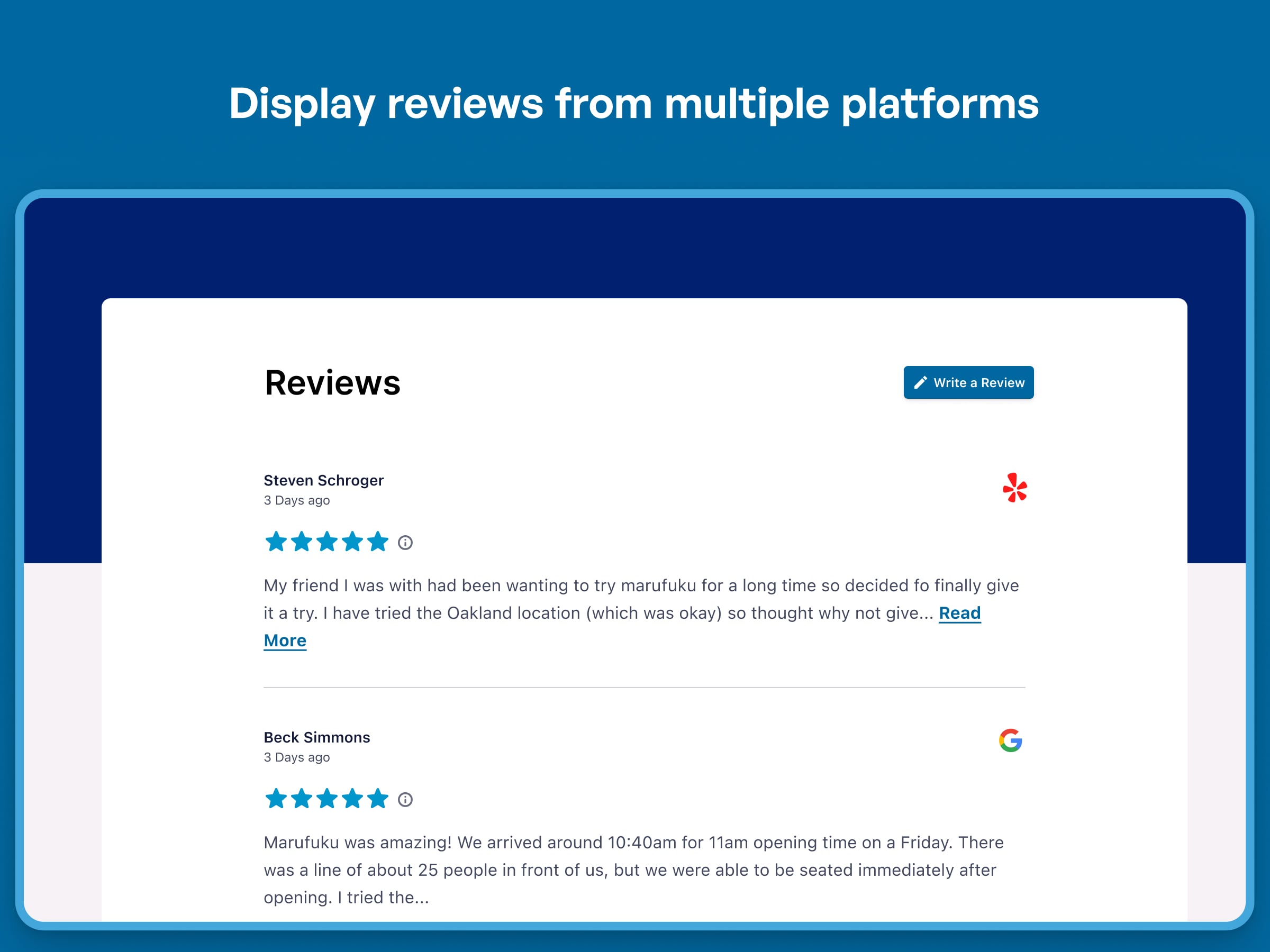
Display Yelp and Google business reviews on your site, either in the same single feed or in multiple different ones. Provide social proof through real customer testimonials that will turn site visitors into paying customers.
If a Google business listing has a physical location, you can display your latest reviews for it in an attractive feed. You can also enter the website address of any Yelp business and instantly create a feed of your Yelp reviews as well. Business ratings are an important part of social proof to increase customer confidence in your online business. Website visitors will instantly increase their trust in your business if they can see real customer reviews from real customers.
Showing Google rating and Yelp reviews on your website is one of the best ways to convince site visitors to do business with you and boost your conversions. Customer testimonials are crucial to building positive brand trust for online businesses.
Our plugin makes it easy to set up an automatically updating feed of Yelp and Google reviews. After installing the plugin, create a feed by visiting the Reviews Feed menu item that appears in your dashboard. Configure a source of reviews for your feed, customize the look and feel, then use a shortcode to display your reviews feed anywhere on your site. It takes less than a minute to get started.
In our free version, an API key is required only if you would like ongoing updates to your reviews feed. If you don’t have an API key, you can still display up to 10 of the latest reviews for a single business without needing an API key. Simply verify your email address to unlock this feature!
Features
- Super simple to set up
- Display reviews from multiple Google and Yelp accounts in the same feed or in separate feeds
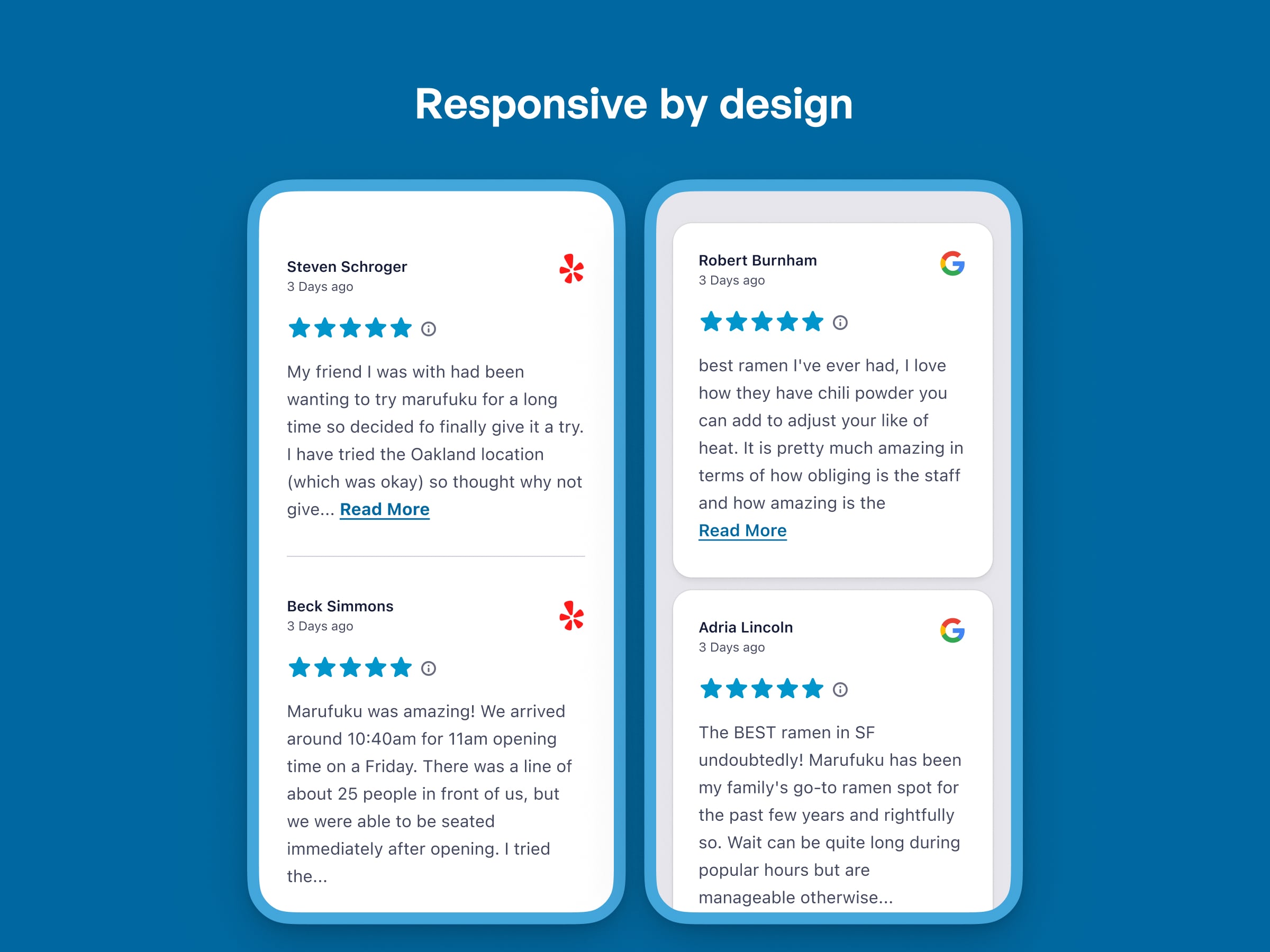
- Completely responsive and mobile ready – layout looks great on any screen size and in any container width
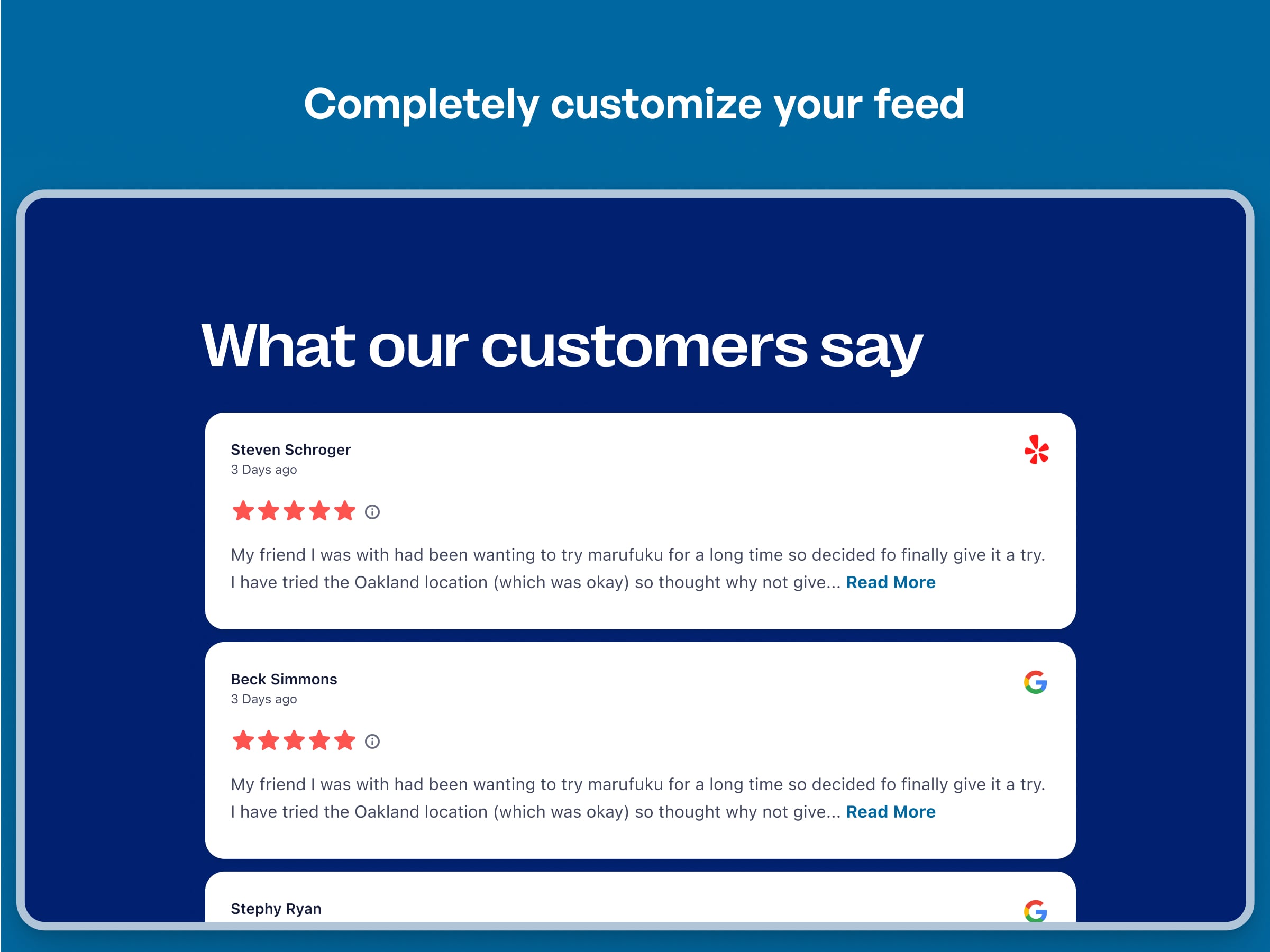
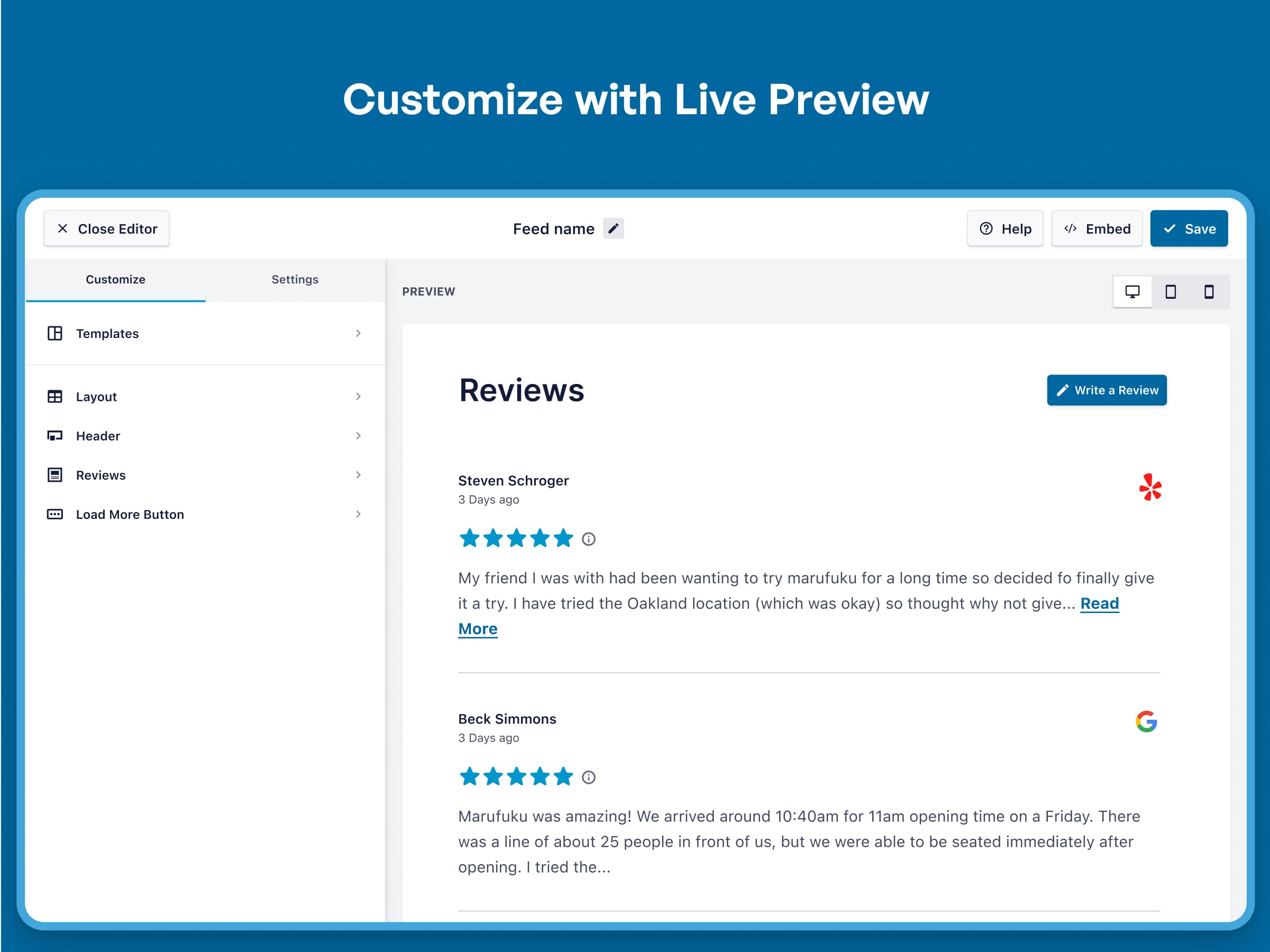
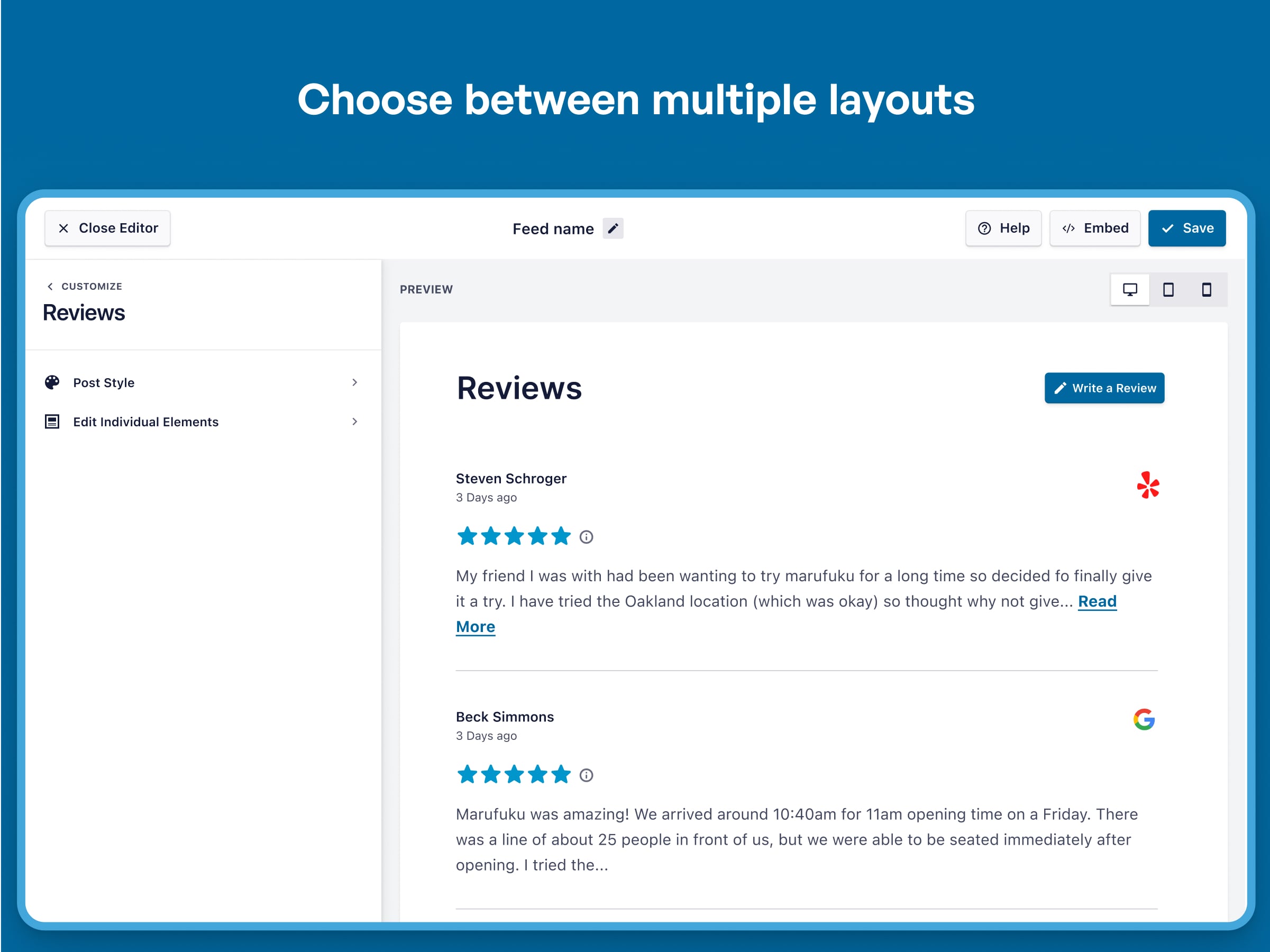
- Completely customizable – Customize the width, height, number of reviews, number of columns, text size, background color, review spacing and more!
- Display multiple reviews feeds on the same page or on different pages throughout your site
- Customize the length of the review text with the ability to show the entire text with a click
- Choose to show your Google reviews translated in many supported languages or show them without translation
- Display the reviewer’s name, date and start rating of each Google review or Yelp review
- Show the overall star rating of your Google or Yelp listing in a customizable header at the top of the feed
- Prompt site visitors to leave a review on Google or Yelp with a button in the header
- Display your Yelp and Google reviews in chronological order or reverse chronological order.
- Automatically show new reviews, collected daily when you enter you own API keys (free and easy to get)
- New! Display up to 10 of the latest free Google reviews or free Yelp reviews for a single business without needing an API key. Simply verify your email address to unlock this feature!
- Handy block for easily adding your reviews feed to posts and pages using the block editor
Benefits
- Build Brand Trust – Customer reviews are essential to building trust with customers
- Social Proof – Real customer reviews, proven to increase sales.
- Display Your Reviews Your Way – Customize your Google review and Yelp review feeds to look exactly the way you want, so that they blend seamlessly into your site or pop out at your visitors!
- Keep Your Site Looking Fresh – Show your latest Yelp and Google reviews and Yelp reviews updated automatically every day.
- Super Simple to Set Up – Once installed, you can be displaying your Yelp and Google reviews within a minute! No confusing steps or special account needed.
Pro Version
In order to maintain the free version of the plugin on an ongoing basis, and to provide quick and effective support for free, we offer a Pro version of the plugin. The Pro version allows you to:
* Include Trustpilot, TripAdvisor, WordPress.org and Facebook reviews in your feed
* Filter reviews by star rating
* Create and add reviews manually to feeds
* Create custom collections of specific reviews to display anywhere
* Show reviews in a carousel slider
* Show images from Yelp reviews that open in a large popup lightbox
* Show avatar images for all reviewers
* Filter customer reviews by keyword or phrase
* Moderate your review feeds with a visual moderation mode, select specific reviews to display in the feed
* Choose from several attractive preconfigured templates
* Highlight a specific Google review or Yelp review
* Even more advanced customization options than the free version
* Block reviews by specific users
* Integrate with WPML (WordPress Multilingual) to show translated Google reviews in the chosen site language
* Unlock more reviews and automatic updates without API keys! The Pro version allows you to display up to 50 initial reviews from Google and Yelp and receive weekly automatic updates from multiple sources – all without needing to add an API key.
* Collect and display user-submitted reviews! Seamlessly integrate with WPForms and Formidable Forms to collect customer reviews directly through your forms and display them in your review feeds.
* NEW! Display WooCommerce product reviews! Showcase reviews from your WooCommerce store by selecting individual products, categories, or tags.
Find out more about the Pro version.
Featured Reviews from Smash Balloon Products
“The plugins created by Smash Balloon are absolutely solid! I’ve used them all on various websites. But recently, there was a code conflict caused by another plugin. I reached to Smash Balloon’s customer support, and they went over and beyond to help me resolve the issue.” – walterhnry
“The guys @smashballoon are the bomb! thank you! I’ve been looking for an Instagram plugin like yours forever! Thank you Thank you Thank you!” – ApisCera
Feedback or Support
We’re dedicated to providing the most customizable, robust and well supported Yelp and Google reviews feed plugin in the world, so if you have an issue or have any feedback on how to improve the plugin, then please open a ticket in the Support forum.
For advanced review moderation by star rating or curated list, to display Yelp review images, display reviews in a carousel slider + more, check out the Pro version.
Build positive brand trust in your Google business or Yelp listing with real Yelp and Google reviews on your website. Super simple to set up and tons of customization options to seamlessly match the look and feel of your site.
Why do I need this?
Boost Social Proof
Showing real customer reviews on your checkout page, pricing page, and in other places on your website has been shown to increase conversions and boost sales of your Google business or Yelp store.
Save Time
Don’t have time to update the reviews on your site? Save time and increase efficiency by setting up a feed once and having the latest reviews show up automatically on your website.
Display Your Reviews Your Way
Customize your review feeds to look exactly the way you want, so that they blend seamlessly into your site or pop out at your visitors!
No Coding Required
Choose from tons of built-in Reviews Feed customization options to create a truly unique feed of your Yelp and Google reviews.
Super simple to set up
Once installed, you can be displaying your Yelp and Google reviews in under a minute! No confusing steps or registration needed.
Mind-blowing Customer Support
We understand that sometimes you need help, have issues or just have questions. We love our users and strive to provide the best support experience in the business. We’re experts in the Yelp and Google reviews API and can provide unparalleled service and expertise. If you need support then just let us know and we’ll get back to you right away.
What can it do?
- Display reviews from any physical Google business or Yelp business listing.
- Completely responsive and mobile ready –your reviews feed layout looks great on any screen size and in any container width
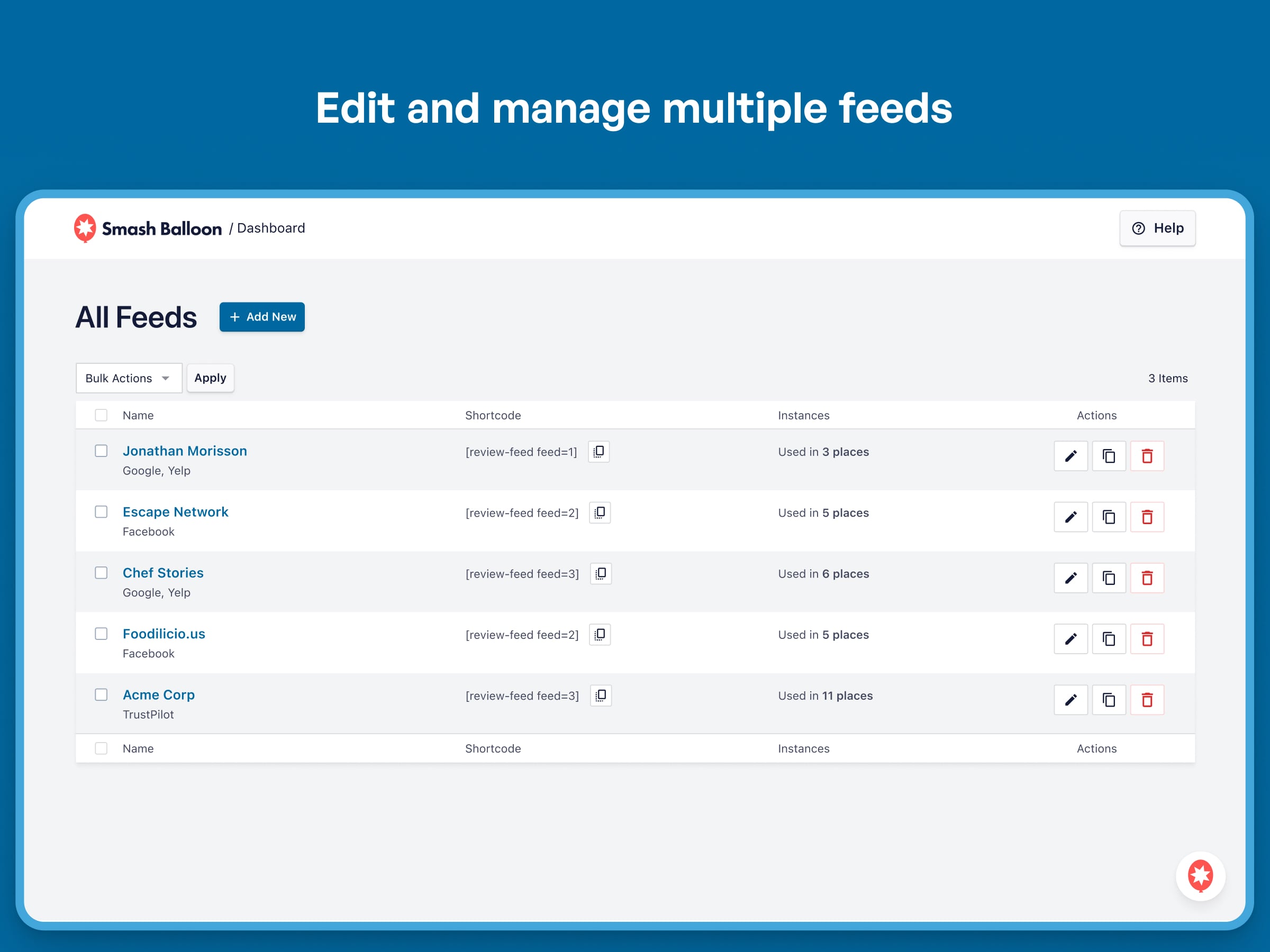
- Display multiple reviews feeds on the same page or on different pages throughout your site by creating multiple feeds in our customizer
- Choose a language for your Google reviews content to display in or leave reviews untranslated.
- Collect and permanently store new Yelp and Google reviews over time. Use our feature to load more reviews on the page.
- Encourage visitors to leave their own reviews with a link to Google or Yelp to rate your business.
Installation
- Install the Review Feeds plugin either via the WordPress plugin directory, or by uploading the files to your web server (in the
/wp-content/plugins/directory). - Activate the Reviews Feed plugin through the ‘Plugins’ menu in WordPress.
- Navigate to the ‘Reviews Feed’ settings page to connect your Google business or Yelp account.
- Use the shortcode
[reviews-feed feed=1]in your page, post or widget to display your reviews. - You can display multiple reviews feeds by using shortcode options, for example:
[reviews-feed feed=2]
For simple step-by-step directions on how to set up the Reviews Feed plugin, please refer to our setup guide.
Display your Feed
Single Reviews Feed
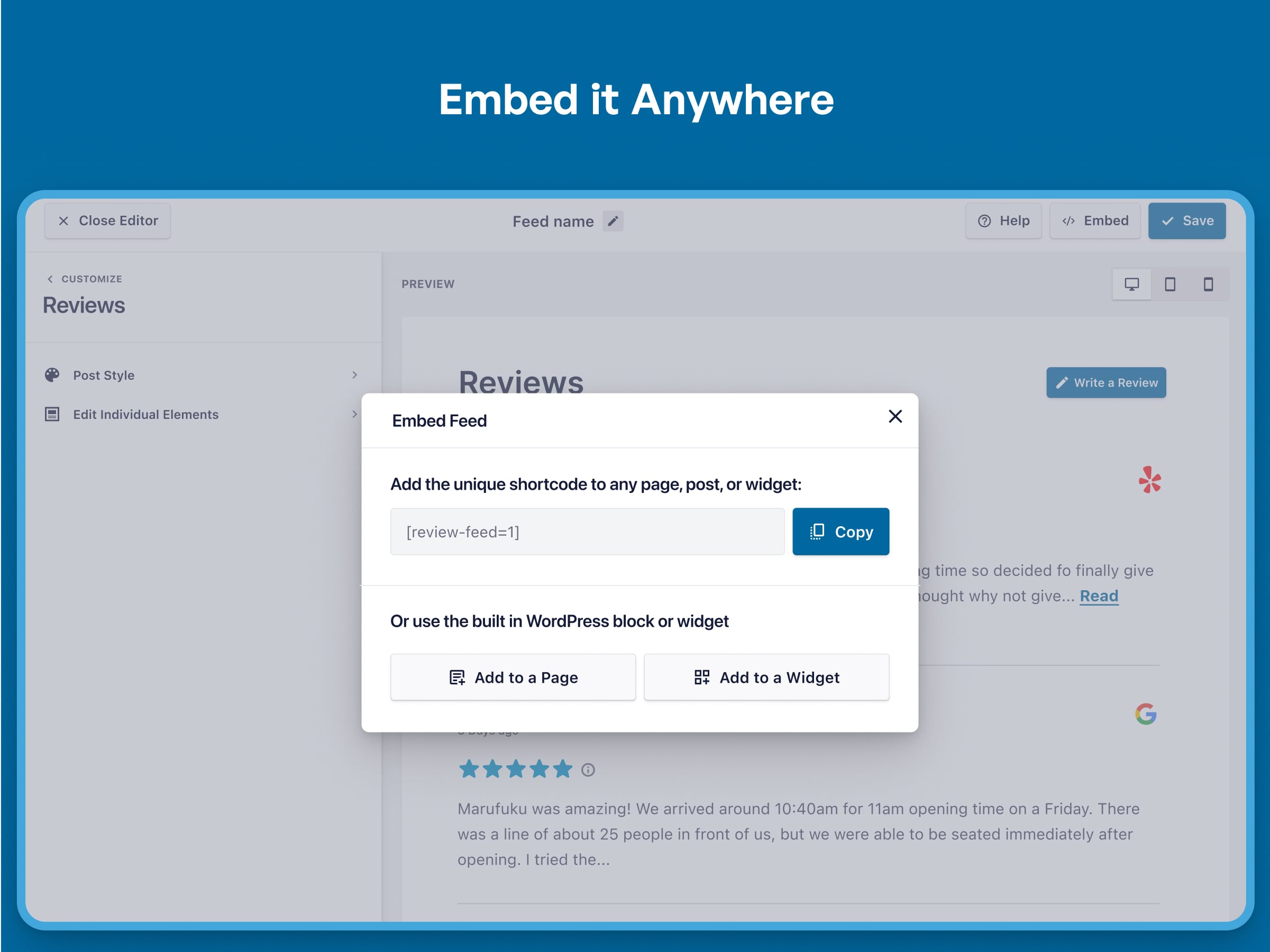
Copy and paste the following shortcode directly into the page, post or widget where you’d like the Yelp and Google reviews feed to show up: [reviews-feed feed=1]
Multiple Reviews Feeds
If you’d like to display multiple review feeds, then you can set different settings by creating another feed using the customizer: [reviews-feed feed=2]
You can display as many different Yelp and Google reviews feeds as you like, on either the same page or on different pages, by just using the shortcode options below after creating multiple reviews feeds in the customizer. For example:
[reviews-feed feed=2]
[reviews-feed feed=3]
[reviews-feed feed=4]
Setting up the Free Reviews Feed WordPress Plugin
1) Once you’ve installed the Reviews Feed plugin, click on the Reviews Feed item in your WordPress menu
2) Click on the “Add New” button. Then add a source by clicking the “Add New” button on the source selection page.
3) Select either “Yelp” or “Google” as the review provider. For Yelp reviews, enter the URL of the business page on yelp.com. For Google reviews, use the provided link to find a place ID for the business.
4) After connecting and selecting your review sources, select the “default” feed template.
5) You will now see a preview of your reviews feed along with customization options.
6) After you are done customizing, save your changes and click the “Embed” button. Choose the option to copy and paste a shortcode wherever you’d like or select a page to embed with a Gutenberg block.
Frequently asked questions
Can I display multiple reviews feeds on my site or on the same page?
Yep. You can display multiple reviews feeds by creating multiple feeds and using multiple shortcodes: [reviews-feed feed=1] [reviews-feed feed=2].
Can I show reviews from more than one account in one single feed?
Yep. You can add multiple accounts from both Google and Yelp using the customizer.
How do I find my Google business place ID?
We include a handy link to Google’s place ID finder when connecting your Google account to the plugin.
Does the plugin send any data to Smash Balloon?
Only if you turn on the optional Usage Tracking setting (Reviews Feed → Settings → Advanced), which is off by default in the free plugin. When enabled, it sends a weekly background report about your plugin settings and relevant site stats (like WordPress and PHP versions) to help us prevent conflicts and improve the product. It never sends sensitive information such as access tokens, email addresses, or user info, and you can turn it off at any time — doing so also deletes the data collected on your site. Learn More
My review feed is empty. What happened!?
There are a few common reasons for this: Your Google business does not have a physical address. At this time, only Google businesses with a physical address can be included in the feed. There are no reviews available for the provider. Make sure there are reviews available on Google or Yelp for your chosen business. If you’re still having an issue displaying your feed, then please open a ticket in the Support forum with a link to the page where you’re trying to display the reviews feed and, if possible, a link to your Google business or Yelp business page.
How do I get a Google business (Google Maps) API key?
It’s free and simple to get an API key for Google reviews. This allows you to continue to get fresh Google reviews daily. See our guide here.
How do I get a Yelp reviews API key?
Yelp also provides a free API key that is easy to obtain. This allows you to continue to get fresh Yelp reviews daily. See our guide here.
How do I filter my reviews by star rating?
This is a feature of the Pro version of the plugin, which allows you to filter your review feeds, show Yelp review images, show reviews in a carousel + more!
Can I control the reviews I want to appear in my feed?
This is a feature of the Pro version of the plugin, which lets you easily show specific reviews or hide certain ratings from your feed.
Are other review providers available besides Yelp and Google?
Our Pro version offers support for Facebook reviews, Trustpilot reviews, and WooCommerce product reviews in the “Plus” tier, and additionally TripAdvisor reviews and WordPress.org reviews in the “Elite” tier.
Changelog
2.13.1
- Fix: The All Feeds page opens again on sites with a lot of content. Working out where each feed was used meant searching every post on the site, twice per feed, so on large sites the page could sit loading for around ten minutes. It now does that work once and remembers it.
- Fix: Feeds added with the Reviews block, the older feed block, a synced pattern, a template part or the Elementor widget are now counted under “Instances”. Before this, only feeds added with a shortcode were, so a feed that was live on your site could be listed as used in 0 places right next to the delete button.
- Fix: Instance counts are accurate where feed IDs share the first digits. Feed 12 was also counting pages that used feed 127. Some counts will go down after updating, and the lower number is the right one.
- Fix: Adding or removing a feed from a page shows up straight away instead of waiting for a cached result to expire.
- Fix: When we cannot finish checking where a feed is used, the Instances column now says so instead of showing zero, and the delete confirmation no longer claims the feed is unused.
- Fix: Double-clicking the Finish button when adding a source no longer saves it more than once.
- Fix: The onboarding tooltip that points at the block inserter works again on WordPress 6.9 and 7.0, where the editor moved into a frame and the tooltip lost track of the button.
- Fix: Review dates read “1 year ago” instead of “1 years ago”.
- Fix: The About us and Support pages line up with the plugin’s other pages again instead of sitting slightly to the right.
- Fix: Deactivating Reviews Feed no longer clashes with the feedback form of another Smash Balloon plugin active on the same site, which could show the wrong form or make the request fail.
2.13.0
- New: Reviews Feed now shares your overall rating, your connected review sources, each feed’s stats and your latest reviews with the Feed Analytics dashboard, so its Reviews report is fully populated instead of asking you to update this plugin. Nothing is shared unless Feed Analytics asks for it.
- Improvement: Translations refreshed. The translation template had not been rebuilt in several releases, so hundreds of newer strings could not be translated. They can now, and translations that already existed for them are back in use.
- Improvement: The PRO and PRO+ labels in the admin menu can now be translated.
- Fix: Review dates no longer show as a large negative number of “seconds ago” when a source stores the review time as text.
- Fix: Typos and grammar corrected in a number of settings and help strings.
2.12.0
- Fix: Plugin security hardening.
- New: Trust Badges, a Plus feature. The new screen shows what a badge looks like and what it can do; building and placing one needs a Plus licence.
- Maintenance: behind-the-scenes improvements and compatibility updates.
- Fix: Creating or previewing a feed no longer breaks the page. If a single cached review had been saved in a damaged form, the whole feed stopped loading — on some sites as a critical error screen. That one review is now skipped and the rest of the feed shows as usual.
- Fix: Duplicating or importing a review collection no longer fails for the same reason. One damaged review used to stop the entire copy; it is now skipped and every other review comes across. And a file that is not a collection export now tells you so instead of failing quietly.
2.11.0
- New: Optional usage tracking, off by default. The free plugin has never sent anything and still will not unless you switch it on under Settings → Advanced. With it on, we get a weekly report about your plugin settings and site details like your WordPress and PHP versions. Never access tokens, email addresses or anything about your users. Switching it back off deletes what was collected on your site.
- Improvement: Tested and supported on WordPress 7.1.
- Fix: Adding a source now tells you what is wrong instead of doing nothing. Clicking Finish with the box empty looked like a dead button, and some providers gave no message at all when what you typed was not accepted.
- Fix: Duplicating a feed keeps its styling instead of rendering with none.
- Maintenance: behind-the-scenes improvements and compatibility updates.
2.10.0
- New: Rich snippets. Your reviews can now show as star ratings in Google search results — the plugin adds schema.org markup for your feeds. Works with or without an SEO plugin (it merges into All in One SEO when that’s active). On by default, with a toggle under Settings → Advanced.
- Improvement: “Read more” reliably expands long reviews.
- Fix: Plugin security hardening.
2.9.0
- Improved: The upgrade prompts for our premium review sources — Airbnb, Booking.com, AliExpress and Easy Digital Downloads — now show each service’s own branding, for a clearer, more consistent look.
- Improved: Accessibility. Feeds now work properly with keyboards and screen readers — list and heading structure, described source icons, a real “Read more” button, announcements after “Load More”, and visible focus outlines.
- Maintenance: behind-the-scenes improvements and compatibility updates.
Screenshots
For developers
Is this your plugin? Show off the numbers.
Add a live badge to your site, docs or GitHub README. It updates on its own — no account needed.
Best Reviews Feed alternatives
All google business plugins →





FAQ
Reviews Feed: quick answers
Straight answers, pulled from live WordPress.org data.
Live data from WordPress.org · checked Sep 26, 2026
Is Reviews Feed free?
Yes. Reviews Feed is free to download and use from the official WordPress.org plugin directory.
Is Reviews Feed safe to use in 2026?
Reviews Feed is a solid plugin choice in 2026, with a few things worth checking first. It runs on 100K+ sites, is rated 4.3/5 and was last updated 3 days ago, and scores 78/100 on our health check.
How many websites use Reviews Feed?
Reviews Feed is active on 100K+ WordPress websites and has been downloaded 1,873,483 times since it launched in March 2023. It was downloaded 168,011 times in the last 30 days.
Does Reviews Feed work with WordPress 7.1?
Yes. The developer has tested Reviews Feed up to WordPress 7.1.2, the latest release. It requires WordPress 4.1 or newer.
What PHP version does Reviews Feed need?
Reviews Feed requires PHP 7.4 or higher. Most hosts run PHP 8.x today, so it works on any modern WordPress hosting.
When was Reviews Feed last updated?
The latest version, 2.13.1, was released on September 23, 2026 (3 days ago).
Who makes Reviews Feed?
Reviews Feed is developed and maintained by Syed Balkhi.
What are the best alternatives to Reviews Feed?
The most popular alternatives to Reviews Feed are Widgets for Google Reviews (1M+ installs), Auto Publish for Google My… (9K+ installs) and Widgets for Google Reviews… (3K+ installs).
Powered by PageForge
Want thousands of pages that rank like these? Build them in an afternoon.
This directory runs on the same engine as PageForge. Turn any spreadsheet, CSV or API into thousands of fast, SEO-ready WordPress pages — with schema, internal links and AI-written copy baked in.
- CSV, Google Sheets & API data sources
- AI content, schema & internal links per page
- Works with Elementor, Gutenberg, Yoast & Rank Math
- Free on WordPress.org — no credit card


