


Request a Quote – Quote Forms for Any WordPress Site
Add a simple quote request form to your site. Customers submit requests, you track and respond to every one from a single dashboard.

Safe pick
Yes — Request a Quote is a safe, well-maintained plugin to use in 2026. It runs on 800+ sites, is rated 4.8/5 and was last updated 4 days ago, and scores 86/100 on our health check.
- Loved by users — 4.8/5 from 44 reviews
- Actively developed — last update 4 days ago
- Tested with the latest WordPress (7.1)
- Momentum — downloads up 368.8% vs the previous 30 days
- Small user base (800+ active installs)
How does it stack up?
Side-by-side on installs, updates, ratings & supportDaily downloads
Download spikes usually follow a new release — each site that auto-updates counts as a download.
Rankings
Where Request a Quote stands todayWordPress.org search rankings
Live position in the plugin search, top 100| Keyword | Position |
|---|---|
| price quote | #3 |
| quote form | #6 |
| quote request | #5 |
| request a quote | #4 |
| rfq | #3 |
Version adoption
Share of active sites per release.
Rating breakdown
★★★★★★★★★★ 4.8 from 44 reviews
About Request a Quote
From the official readme · v2.6.0Description
Request a Quote Form Plugin makes it easy to add a professional quote request form to any WordPress site, no WooCommerce, no complicated setup, no code.
Whether you sell products, offer services, or handle custom orders, this plugin lets customers submit a quote request directly from your site. You get every request organized in one place, so nothing falls through the cracks and you can respond faster.
Watch it in action
Why small businesses choose this plugin
- Works on any WordPress site: you don’t need WooCommerce or any other store plugin installed
- Simple setup: add the form with a shortcode and start collecting requests in minutes
- One dashboard for everything: view, organize, and respond to every quote request without digging through email
- Instant notifications: get an email the moment a new request comes in, so you can follow up while it’s fresh
- Flexible fields: collect exactly the details you need, whether that’s product selection, project description, or budget range
- Export your data: download requests to CSV anytime for your own records or reporting
LIVE DEMO
Try the Request a Quote Starter Demo →
Powerful | Easy to use | Beautiful
Who it’s for
Freelancers, service providers, contractors, agencies, and small shops who want an easy way to let customers ask for pricing, without needing an online store or a developer to set it up.
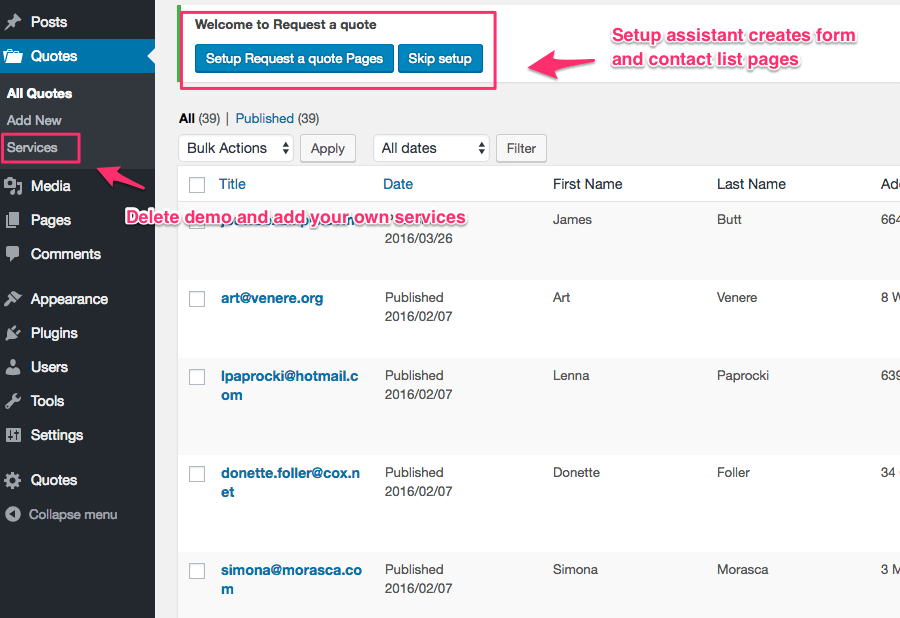
From the first request to your reply, everything happens right inside your WordPress dashboard.
Free vs Pro
Free version includes:
- File sharing so you receive all the relevant information upfront
- Personalize your settings to match how you work
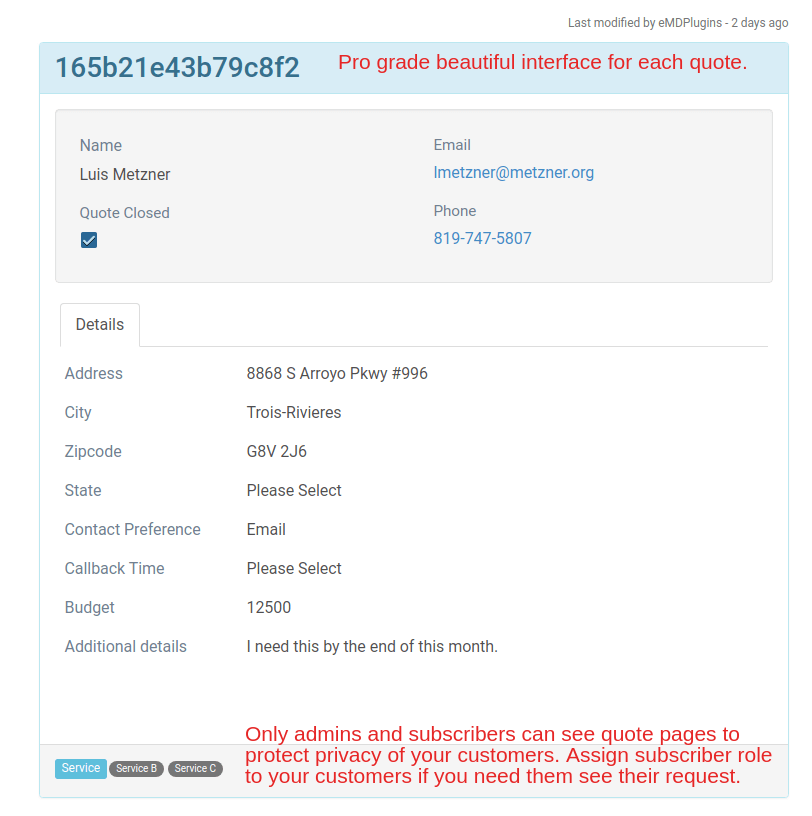
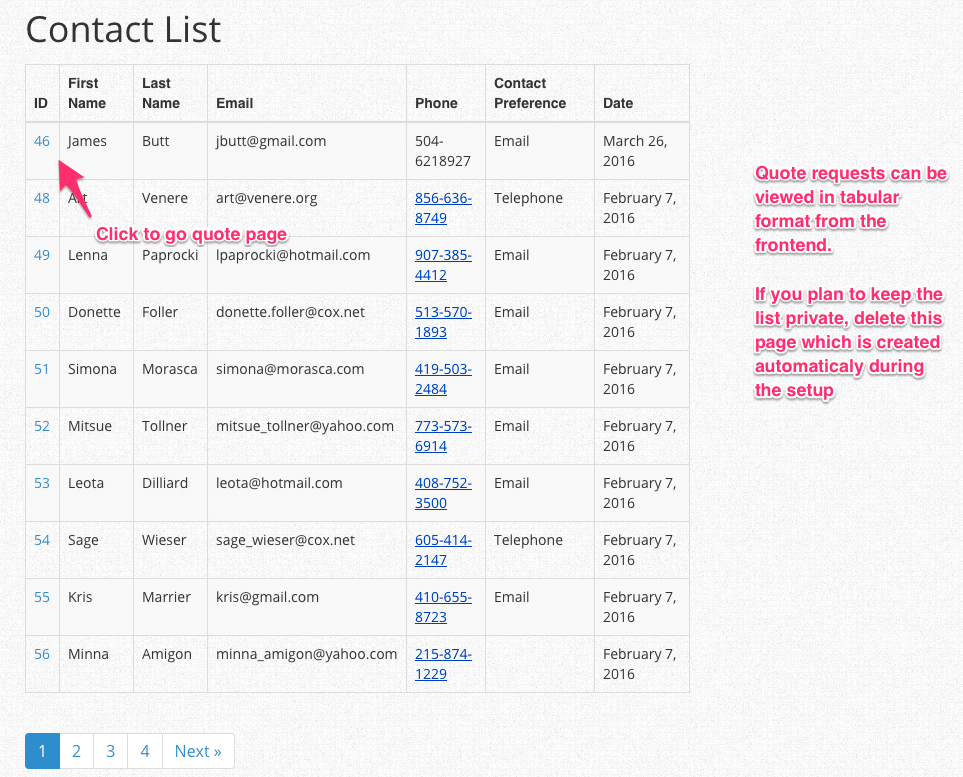
- One dashboard for every sales quote request
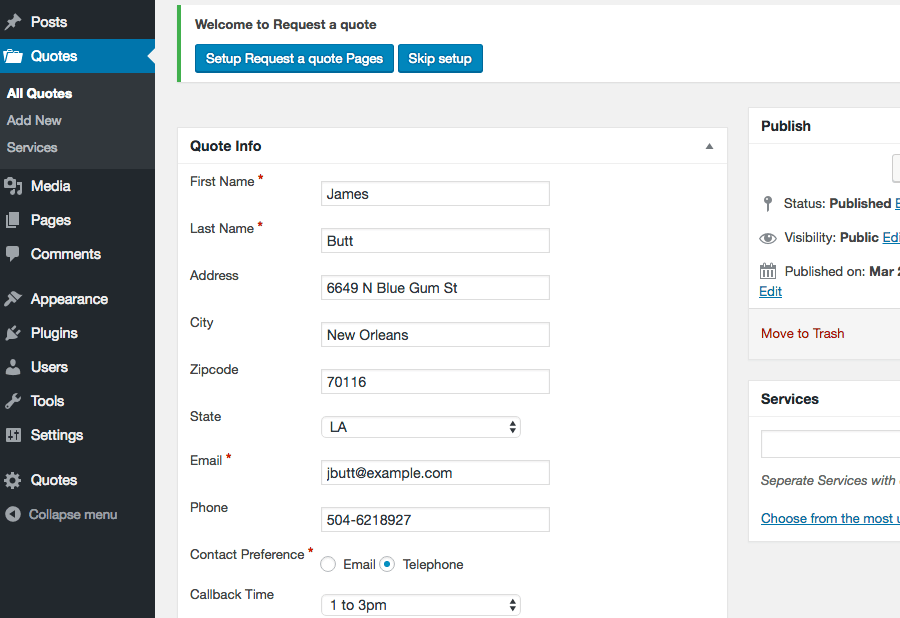
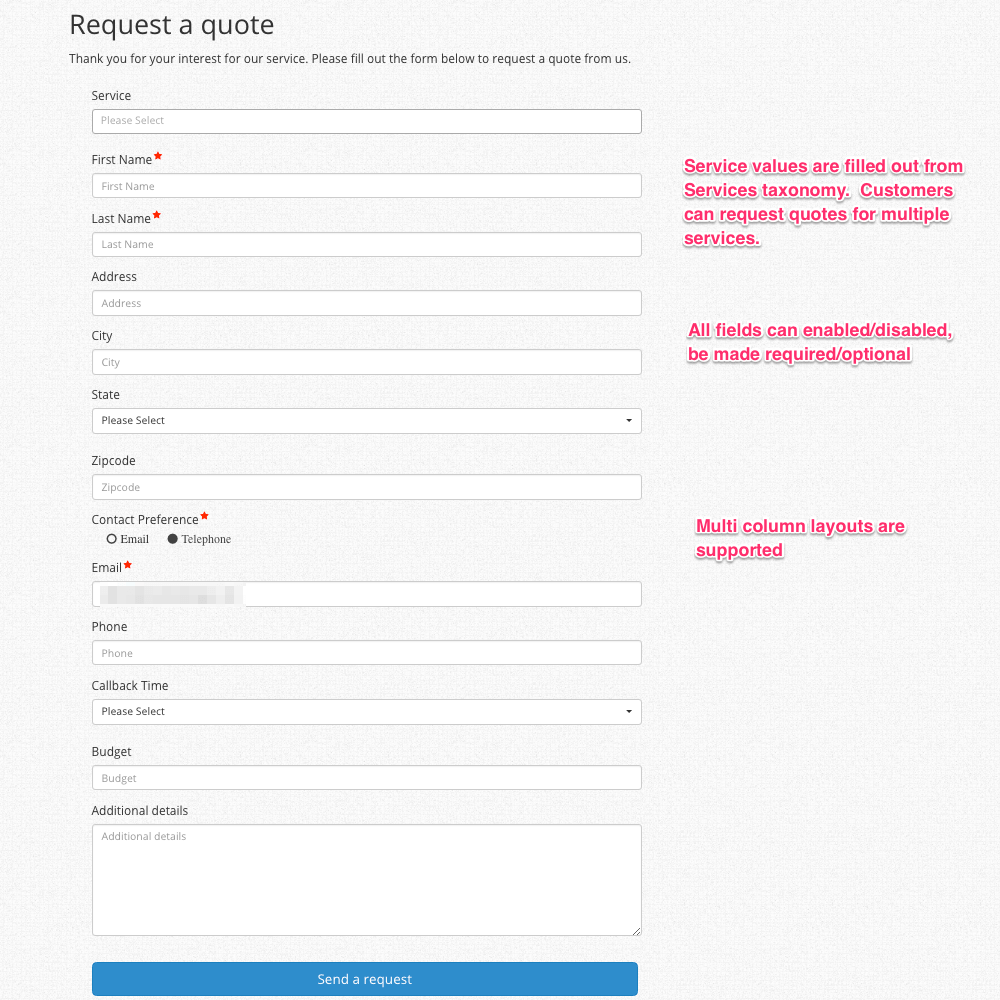
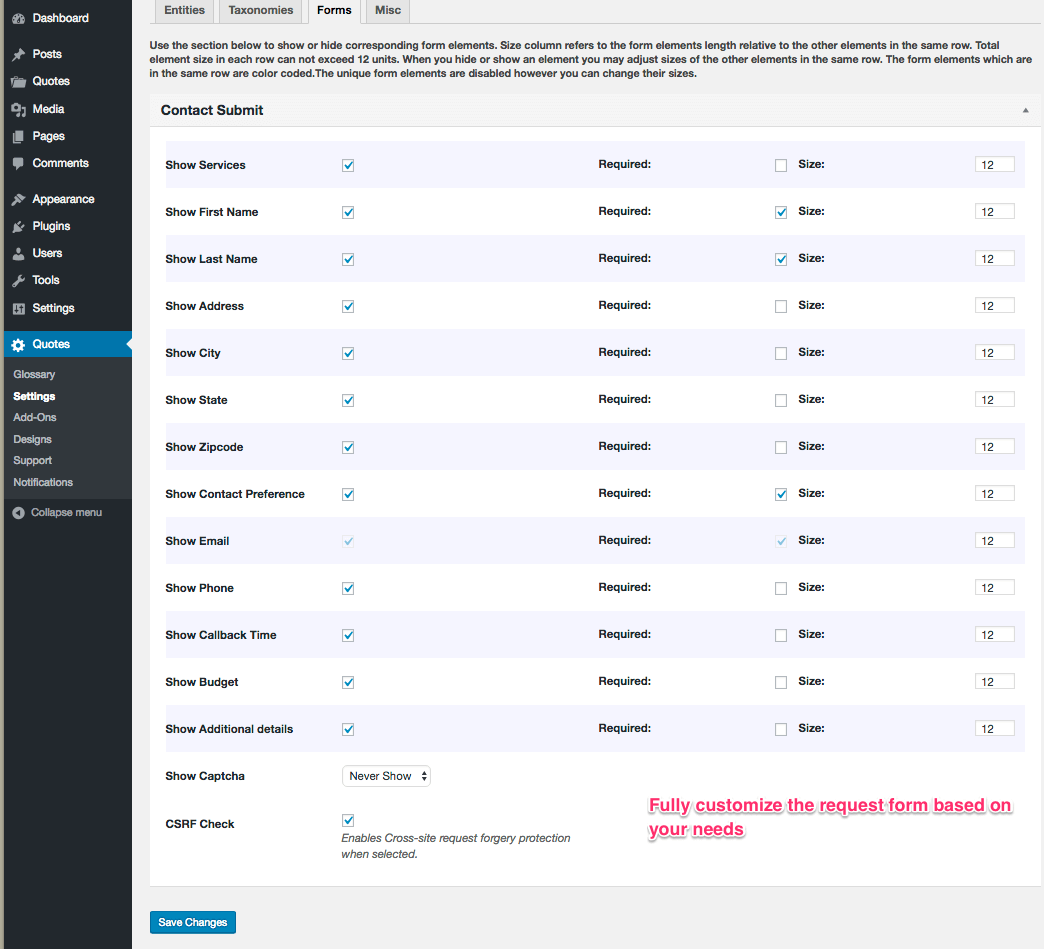
- Fully customizable quote request form
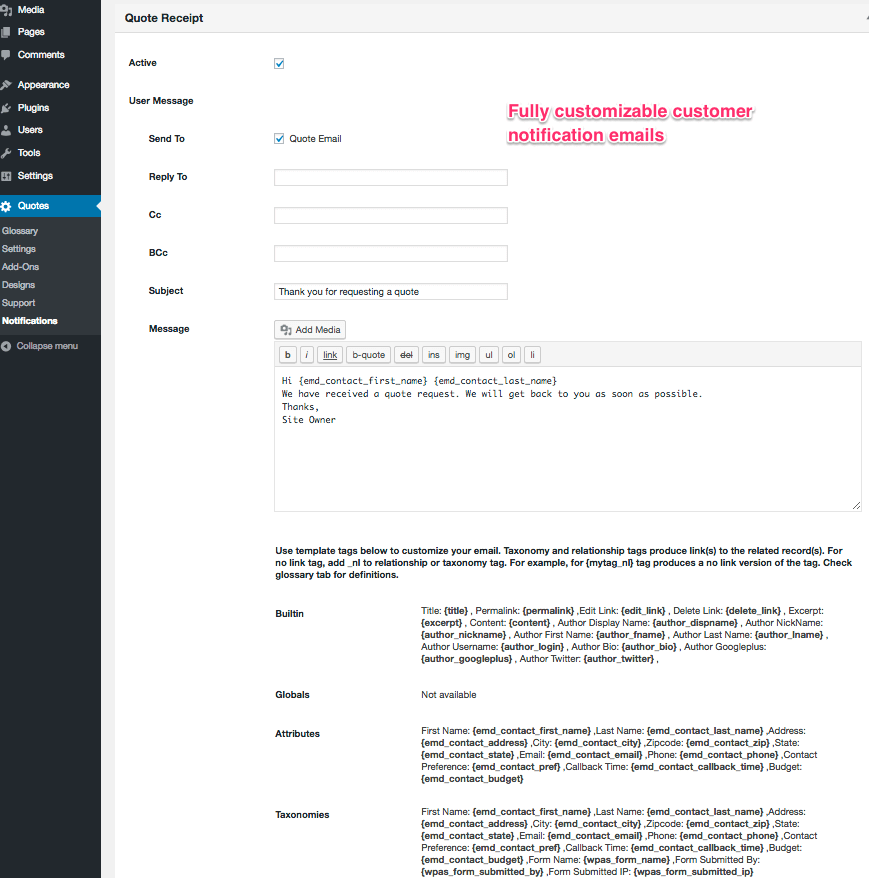
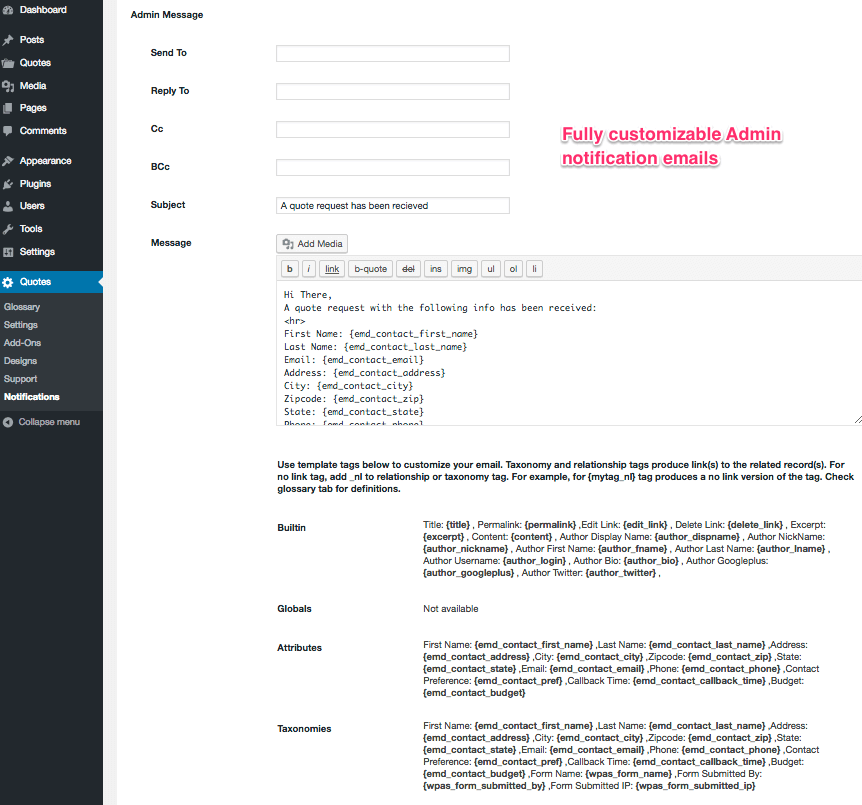
- Automatic email notifications for new requests and updates
- Mobile-friendly — customers can request and accept quotes from any device
Pro version adds:
- Advanced form builder for more powerful quote and information request forms
- Automation that eliminates manual work on quote and information requests
- Time-based triggers to automatically route, escalate, or assign requests
- Smart matching to connect inquiries with the right specialist on your team
- Sales pipeline sorting and tracking tools
- Spam protection to keep inquiries genuine
- Custom Field Builder integration for tailored quote fields
- Smart Search add-on included — filter and find requests instantly
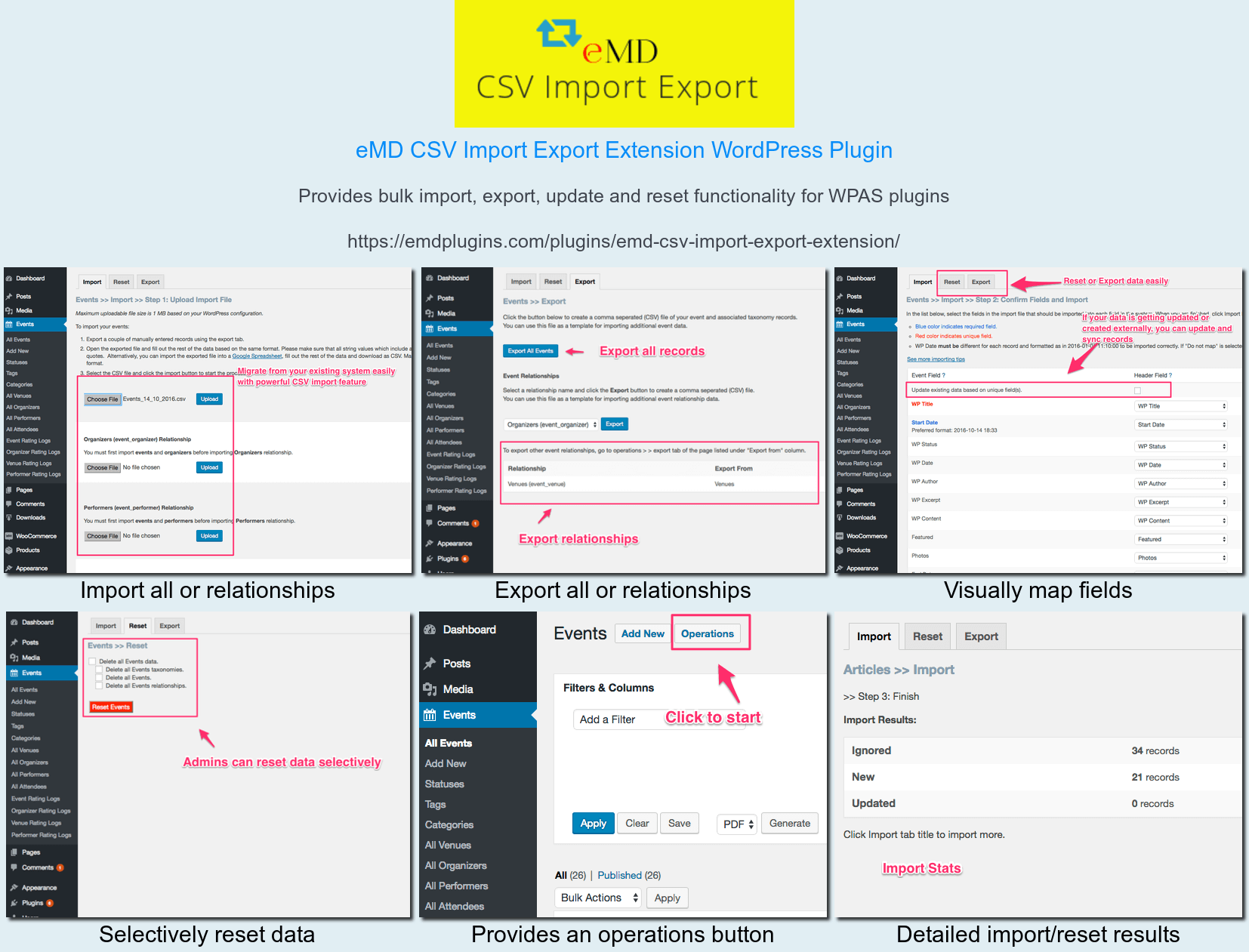
- Import/Export add-on included — bulk import, export, or reset your data
Learn more about Request a Quote Pro →
See it in action
Installation
The simplest way to install is to click on ‘Plugins’ then ‘Add’ and type ‘Request a quote’ in the search field.
Manual Installation Type 1
- Login to your website and go to the Plugins section of your admin panel.
- Click the Add New button.
- Under Install Plugins, click the Upload link.
- Select the plugin zip file from your computer then click the Install Now button.
- You should see a message stating that the plugin was installed successfully.
- Click the Activate Plugin link.
Manual Installation Type 2
- You should have access to the server where WordPress is installed. If you don’t, see your system administrator.
- Copy the plugin zip file up to your server and unzip it somewhere on the file system.
- Copy the “request-a-quote” folder into the /wp-content/plugins directory of your WordPress installation.
- Login to your website and go to the Plugins section of your admin panel.
- Look for “Request a quote” and click Activate.
Changelog
2.6.0
- FIXED Security hardening and access control improvements.
2.5.6
- FIXED Function call vulnerability in the file deletion AJAX handler.
2.5.5
- FIXED An issue where non-admin users were blocked from wp-admin due to an incorrect wp_die() call in show_optin()
2.5.4
- FIXED Missing authorization and nonce check in callback function for check_optin
- TWEAK tested with WP 6.9
2.5.3
- FIXED Validate input for emd_form_builder_lite_pagenum function
- FIXED XSS vulnerability for noaccess_msg
2.5.2
- FIXED Resolved an issue where deleted taxonomy terms were being unintentionally recreated.
- FIXED Removed repeated initialization of default taxonomy terms.
Screenshots
For developers
Is this your plugin? Show off the numbers.
Add a live badge to your site, docs or GitHub README. It updates on its own — no account needed.
Best Request a Quote alternatives
All price quote plugins →| Rank | Plugin | Active installs |
|---|---|---|
| 2 |
 Quotify
Allow your customer to add products to Quotation Cart and ask for price or any information… |
100+ |
| 3 |
 Price Quote for WooCommerce
Transform your WooCommerce store into a B2B powerhouse by allowing customers to request… |
20+ |
FAQ
Request a Quote: quick answers
Straight answers, pulled from live WordPress.org data.
Source: WordPress.org
Is Request a Quote free?
Yes. Request a Quote is free to download and use from the official WordPress.org plugin directory.
Is Request a Quote safe to use in 2026?
Yes — Request a Quote is a safe, well-maintained plugin to use in 2026. It runs on 800+ sites, is rated 4.8/5 and was last updated 4 days ago, and scores 86/100 on our health check.
How many websites use Request a Quote?
Request a Quote is active on 800+ WordPress websites and has been downloaded 100,218 times since it launched in November 2016. It was downloaded 886 times in the last 30 days.
Does Request a Quote work with WordPress 7.1?
Yes. The developer has tested Request a Quote up to WordPress 7.1.5, the latest release. It requires WordPress 5.8 or newer.
When was Request a Quote last updated?
The latest version, 2.6.0, was released on November 25, 2026 (4 days ago).
Who makes Request a Quote?
Request a Quote is developed and maintained by emarket-design.
What are the best alternatives to Request a Quote?
The most popular alternatives to Request a Quote are Quotify (100+ installs) and Price Quote for WooCommerce (20+ installs).
Powered by PageForge
One template and a spreadsheet. A real page for every search.
PageForge turns each row of a CSV into a WordPress page with its own title, URL, SEO fields and schema, built on the layout you already designed. Free on WordPress.org.
- CSV and XLSX, plus Google Sheets on Professional and Enterprise
- Its own title, URL, SEO fields and schema for every page
- Works with the block editor, Elementor, Divi and Avada
- Free on WordPress.org, no credit card