


Republish Old Posts
Republish old posts automatically by resetting the date to the current date. Promote old posts to users that haven't seen them.

Use with caution
Republish Old Posts works, but test it on a staging site before relying on it in 2026. It runs on 2K+ sites, is rated 4.3/5 and was last updated 3 months ago, and scores 59/100 on our health check.
- Tested with the latest WordPress (7.1)
- Momentum — downloads up 41.8% vs the previous 30 days
Daily downloads
Download spikes usually follow a new release — each site that auto-updates counts as a download.
Rankings
Where Republish Old Posts stands todayWordPress.org search rankings
Live position in the plugin search, top 100| Keyword | Position |
|---|---|
| old post promoter | #1 |
| post promoter | #2 |
| republish | #1 |
| republishing | #1 |
Version adoption
Share of active sites per release.
Rating breakdown
★★★★★★★★★★ 4.3 from 12 reviews
About Republish Old Posts
From the official readme · v1.27Description
** WARNING: DON’T USE THIS PLUGIN IF YOUR PERMALINKS INCLUDE DATES **
The Republish Old Posts plugin helps revive old posts by resetting the publish date to the current date. This will push old posts to your front page, the top of archive pages, and back into RSS feeds. Ideal for sites with a large repository of evergreen content.
Why would you want to do this? Here are a few reasons:
- New visitors to your site haven’t seen your old content. This will help them discover it.
- Old content won’t show up in date-based searches on search engines, but resetting the date can make them look fresh again.
- People like to share and link to new content and they determine that by looking at the publication date.
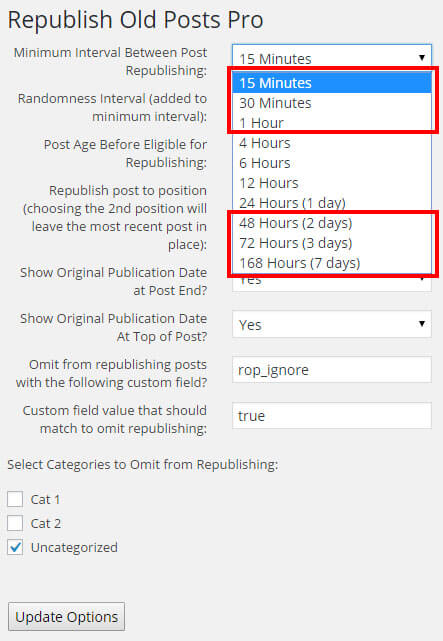
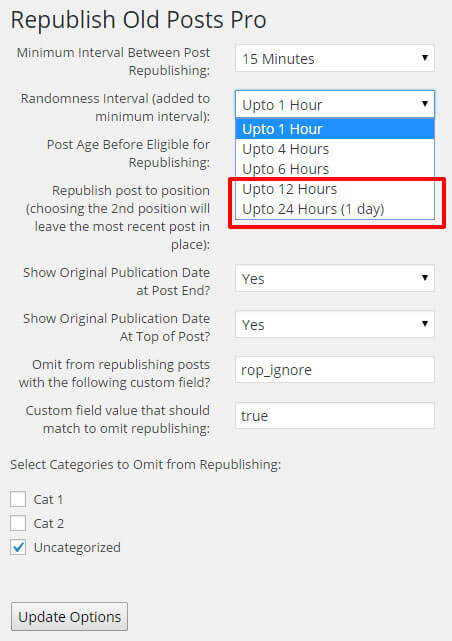
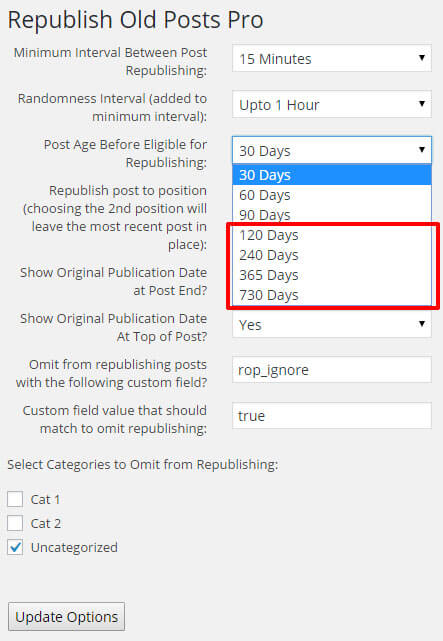
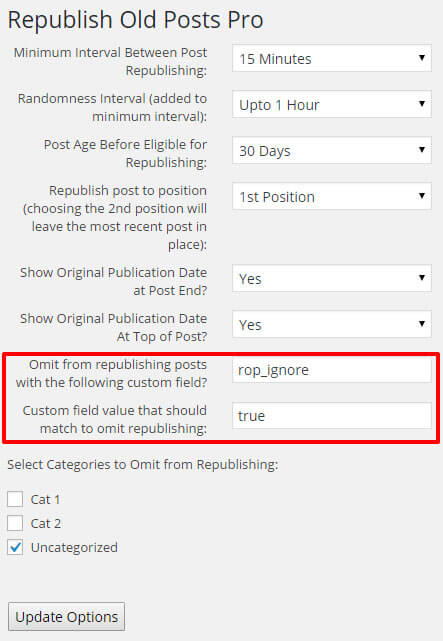
A pro version (a lifetime license is less than $15) with many additional options (see screenshots) for controlling when and what posts are republished.
Installation
- Upload Republish Old Posts to the
/wp-content/plugins/directory - Activate the plugin through the ‘Plugins’ menu in WordPress
- Adjust the options as needed to suit your republishing schedule
Changelog
1.27
- All Versions: Added nonce check for additional security against CSRF. Thanks to Skalucy of Patchtack.com. Synching version number with Pro version.
1.21
- All Versions: Updated info regarding the pro version.
1.20
- All Versions: Fixed problem with displaying which categories have been omitted.
1.19
- All Versions: Added code to delete last update value in database when plugin is deactivated. May fix issues related to unexpected re-publishing.
1.18
- Pro Version: Added option to update a post’s GUID when it is republished.
1.17
- All Versions: Added cache clearing code for the WP Fastest Cache plugin.
- Free Version: Synchronizing plugin version number with pro version.
Screenshots
For developers
Is this your plugin? Show off the numbers.
Add a live badge to your site, docs or GitHub README. It updates on its own — no account needed.
FAQ
Republish Old Posts: quick answers
Straight answers, pulled from live WordPress.org data.
Source: WordPress.org
Is Republish Old Posts free?
Yes. Republish Old Posts is free to download and use from the official WordPress.org plugin directory.
Is Republish Old Posts safe to use in 2026?
Republish Old Posts works, but test it on a staging site before relying on it in 2026. It runs on 2K+ sites, is rated 4.3/5 and was last updated 3 months ago, and scores 59/100 on our health check.
How many websites use Republish Old Posts?
Republish Old Posts is active on 2K+ WordPress websites and has been downloaded 63,489 times since it launched in November 2015. It was downloaded 556 times in the last 30 days.
Does Republish Old Posts work with WordPress 7.1?
Yes. The developer has tested Republish Old Posts up to WordPress 7.1.5, the latest release. It requires WordPress 5.0 or newer.
When was Republish Old Posts last updated?
The latest version, 1.27, was released on August 20, 2026 (3 months ago).
Who makes Republish Old Posts?
Republish Old Posts is developed and maintained by Marios Alexandrou.
Powered by PageForge
One template and a spreadsheet. A real page for every search.
PageForge turns each row of a CSV into a WordPress page with its own title, URL, SEO fields and schema, built on the layout you already designed. Free on WordPress.org.
- CSV and XLSX, plus Google Sheets on Professional and Enterprise
- Its own title, URL, SEO fields and schema for every page
- Works with the block editor, Elementor, Divi and Avada
- Free on WordPress.org, no credit card