



Repoevo – Plugin Analytics, Keyword Tracking & Competitor Monitoring
Plugin analytics for WordPress.org developers — track downloads, installs, keyword rankings and competitor benchmarking, fully automatic.

Solid choice
Repoevo is a solid plugin choice in 2026, with a few things worth checking first. It runs on 10+ sites, is rated 5/5 and was last updated 7 days ago, and scores 68/100 on our health check.
- Actively developed — last update 7 days ago
- Small user base (10+ active installs)
- Very few reviews so far
How does it stack up?
Side-by-side on installs, updates, ratings & supportDaily downloads
Download spikes usually follow a new release — each site that auto-updates counts as a download.
Rankings
Where Repoevo stands todayWordPress.org search rankings
Live position in the plugin search, top 100| Keyword | Position |
|---|---|
| Competitor Analysis | #10 |
| data visualization wordpress plugin | #23 |
| keyword ranking | #29 |
| keyword tracking | #13 |
| rank tracking | #38 |
Version adoption
Share of active sites per release.
Rating breakdown
★★★★★★★★★★ 5 from 1 reviews
About Repoevo
From the official readme · v1.10.1Description
Why are your downloads dropping — and you have no idea why?
You published your plugin on WordPress.org. You’re getting some downloads. But you don’t know why people find you, who is beating you in search results, or what your real growth trend looks like.
You’re flying blind.
Repoevo changes that.
Repoevo is the dedicated plugin monitoring and analytics dashboard built exclusively for WordPress plugin developers, agencies and indie makers. It tracks and helps you analyse everything that matters — downloads, active installs, keyword rankings, conversion rates and competitor performance — directly inside your WordPress admin.
No spreadsheets. No manual work. No guessing.
The problem with WordPress.org plugin analytics
WordPress.org gives you almost nothing. A download count. A rough install number. That’s it.
You can’t see:
* Which keywords your plugin ranks for on WordPress.org
* Why your downloads spiked — or crashed — after an update
* Which competitors are stealing your installs
* What your real conversion rate is
* Whether your plugin is growing or slowly dying
Repoevo gives you all of this — for free.
📊 Plugin Analytics & Download Tracking
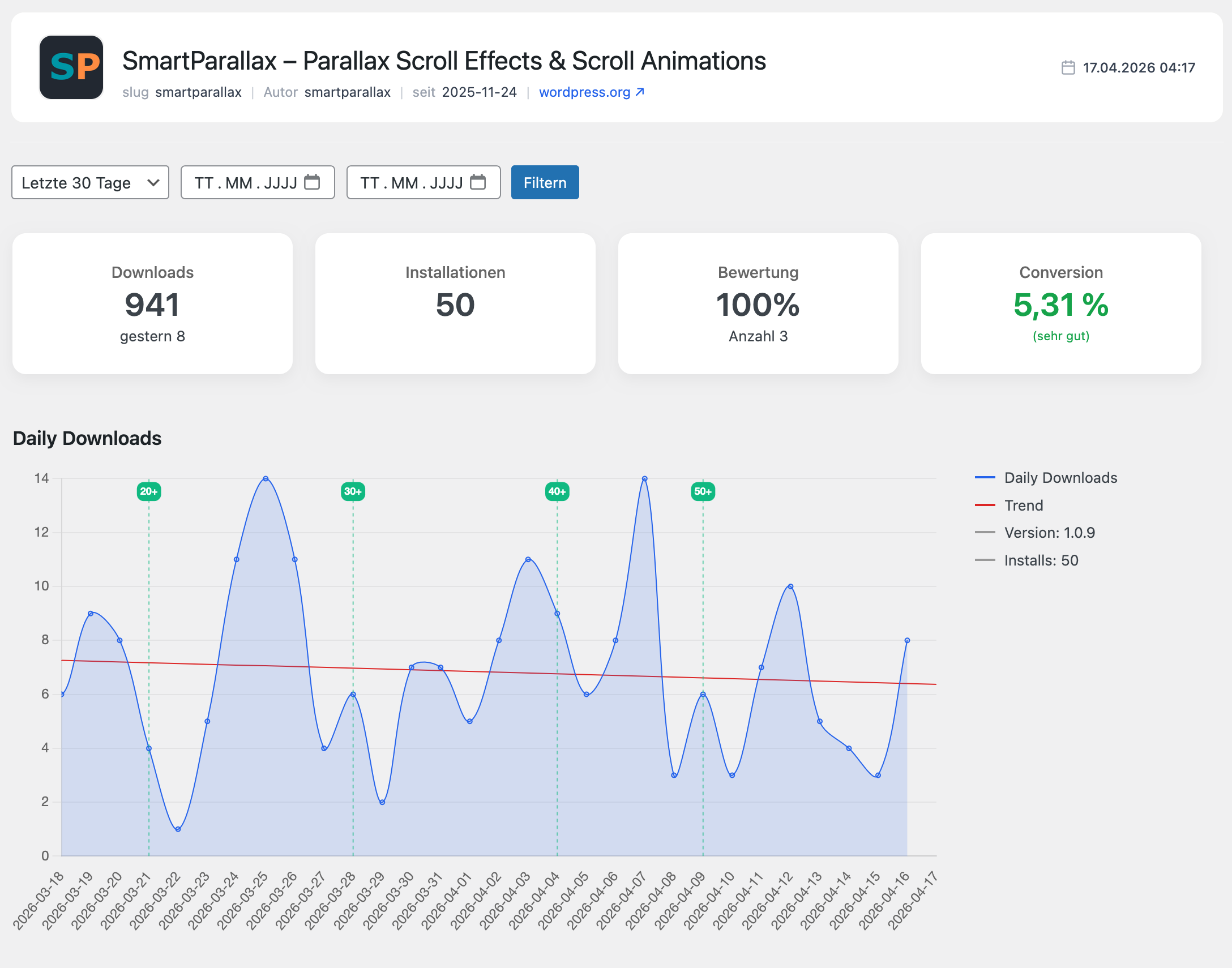
Finally understand your plugin’s real performance. As a download-tracking and data-visualization WordPress plugin, Repoevo turns raw numbers into charts you can actually read at a glance:
- Total downloads and daily download trends — visualized with beautiful charts
- Active installs tracking — see your real install base grow over time
- Conversion rate — how many people download your plugin actually install it?
- Version-based performance analysis — did your last update help or hurt?
- Baseline trend line — see your real download baseline, smoothed out from spikes and events
- Rating and review tracking — monitor your plugin’s reputation over time
This is the WordPress plugin analytics dashboard you always needed — and never had.
🏆 Keyword Ranking & WordPress.org SEO
Most plugin developers have no idea how WordPress.org search works. Repoevo changes that.
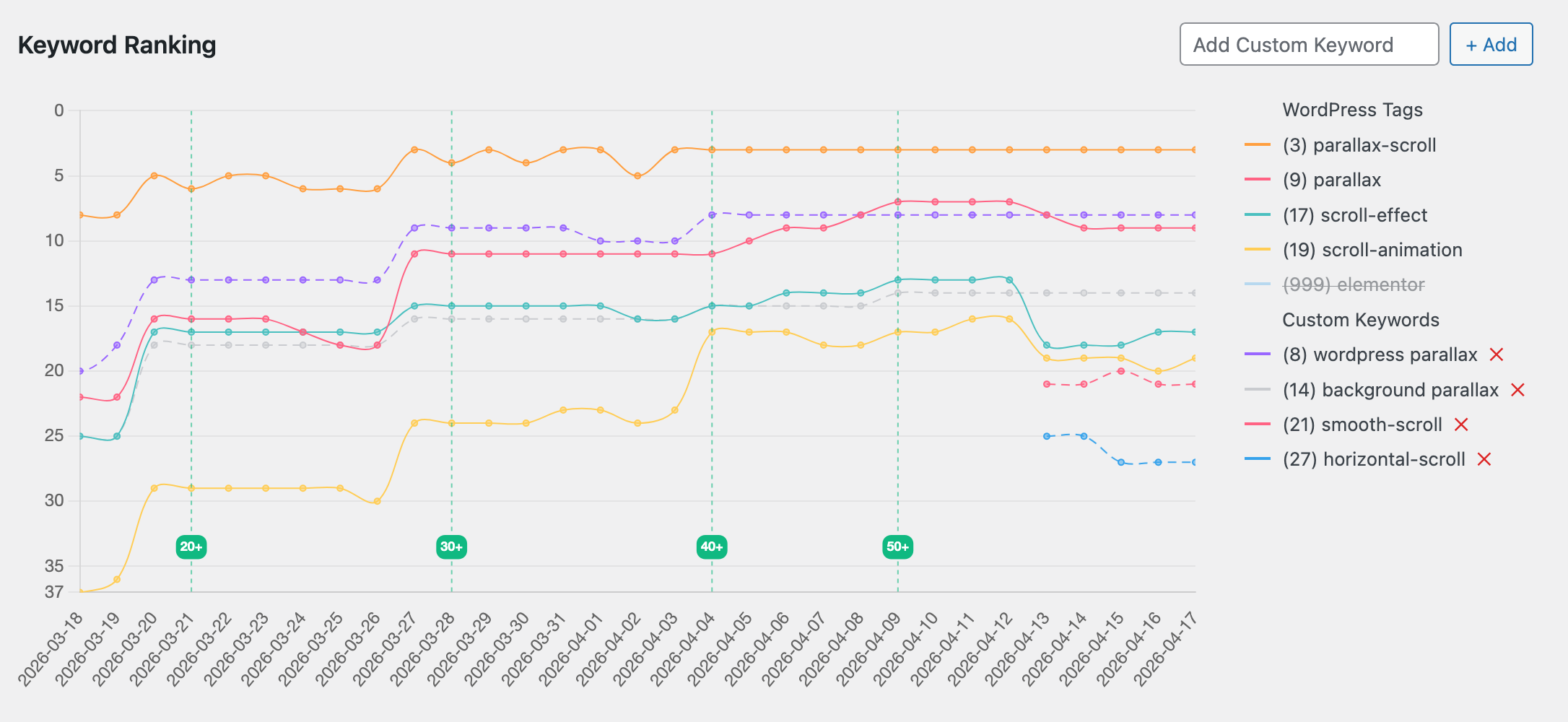
- Track your WordPress.org tag rankings over time — see exactly where you rank for every keyword
- Full ranking history — watch your positions rise and fall across weeks and months
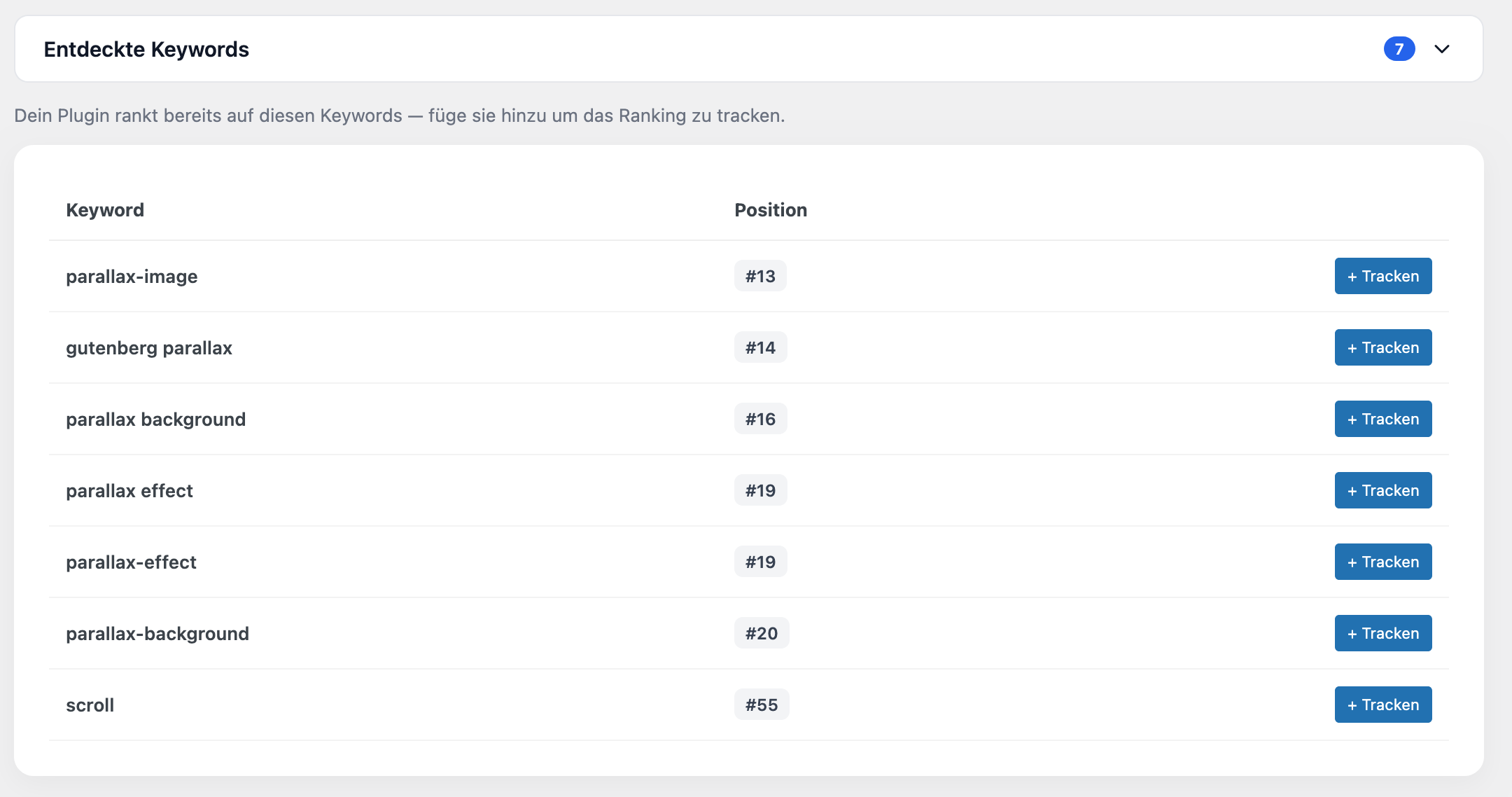
- Automatic keyword discovery — Repoevo finds keywords your plugin already ranks for, even if you never tracked them
- Custom keyword monitoring — add any keyword and track your ranking position daily
- Identify untapped ranking opportunities — find keywords you’re close to ranking for
- Trend visualization — see which keywords are moving up and which are fading
Combined with ongoing keyword-analysis, this gives you a clear picture of how WordPress.org search really ranks your plugin. If you want more downloads, you need better keyword rankings on WordPress.org. Repoevo’s position tracking gives you full rank tracking and shows you exactly where you stand.
🚀 Momentum & Momentum Actions — See What’s Coming, Not Just What Happened
Most analytics tools show you the past. Momentum shows you the future.
- Momentum score — a leading indicator that reveals whether your keyword rankings are improving or declining, often days before it shows up in your download numbers
- Spot problems early — catch a ranking slide in time to fix it, instead of finding out weeks later when downloads have already dropped
- Momentum Actions — concrete, ready-to-use recommendations: which WordPress.org tag to swap, which keyword to add to your description — based on your real ranking data, not guesswork
- No more wondering what to change — Momentum Actions tells you exactly what and why, every time (Pro)
This is the difference between watching your rankings and actually improving them.
🤝 Competitor Analysis & Benchmarking
Your competitors are growing. Do you know how?
- See which plugins compete for your keywords — know your real competition
- Compare rankings, downloads and installs side by side — benchmark yourself against any plugin
- Monitor competitor growth over time — spot trends before they become threats
- Ongoing competitor tracking — keep an eye on any plugin’s downloads, installs and rankings over time, not just a single snapshot
- Add any WordPress.org plugin to your dashboard with one click — not just your own
- Conversion rate comparison — find out if competitors convert better than you — and why
- Direct chart overlay — compare download trends and keyword rankings visually with any monitored plugin
Stop ignoring your competition. Start learning from them.
📈 Version & Growth Tracking
Every update you ship changes your download trend. Most developers never know if it helped or hurt.
With Repoevo you can:
- Compare plugin performance across versions — see exactly what each update did to your numbers
- Detect the exact impact of changelogs on download and install trends
- Measure growth week by week and month by month
- Spot the moment things went wrong — and fix it fast
📄 PDF Export — Built for Agencies
Running WordPress plugins for clients? Repoevo’s PDF export turns your analytics into a professional client report in one click.
- Clean, branded PDF analytics report — ready to send to clients
- Includes download chart, keyword ranking chart and key stats
- Available on the Pro plan
No more copying numbers into spreadsheets. Just export and send.
⚡ Smart, Lightweight & Automatic
Repoevo works silently in the background — no setup, no manual data entry.
- Fully automatic data collection — Repoevo fetches fresh data daily, you do nothing
- Intelligent cache system — instant load times even with large datasets
- Plugin icons cached locally — no repeated external requests to WordPress.org
- Lightweight and performance-optimized — zero impact on your site’s front end
- Clean, modern WordPress admin interface — feels like it belongs in WordPress
Who is Repoevo for?
Plugin developers who want to grow their WordPress.org presence, understand their keyword rankings and finally know why their download numbers go up — or down.
WordPress agencies who manage plugins for clients and need a professional way to report download trends, keyword rankings and growth metrics — without manual work.
Indie makers who publish plugins on WordPress.org and want to discover untapped keyword opportunities, track competitor performance and grow faster.
Competitor researchers who want to benchmark any plugin on WordPress.org — rankings, installs, conversion rates and growth trends.
What makes Repoevo different?
Repoevo combines WordPress.org plugin analytics, keyword ranking tracking, competitor monitoring and PDF export in a single WordPress plugin — installed directly in your admin dashboard, with automatic daily data collection and zero manual work.
Repoevo is built by a WordPress developer, for WordPress developers.
Features
- Monitor any WordPress.org plugin — your own or any competitor
- Daily download tracking with trend charts
- Baseline trend line — smoothed download curve to reveal your real performance level
- Active installs tracking over time
- Conversion rate monitoring (downloads vs. installs)
- Version-based performance analysis
- WordPress.org keyword and tag ranking tracking
- Full keyword ranking history and trend visualization
- Rich chart visualizations for downloads, installs and keyword rankings
- Automatic keyword discovery — find rankings you didn’t know about
- Custom keyword monitoring with daily position updates
- WordPress.org search visibility tracking across all your keywords
- Momentum score — leading indicator showing the direction of your keyword rankings, days before it shows up in downloads (Pro)
- Momentum Actions — concrete WordPress.org tag and description recommendations based on your real ranking data (Pro)
- Competitor plugin comparison and benchmarking
- Side-by-side chart overlay — compare downloads and keyword rankings directly
- Rating and review tracking
- PDF export for analytics and client reports (Pro)
- Intelligent cache system for fast load times
- Local icon caching — plugin icons stored locally, no repeated external requests
- Chart visibility settings saved per user — remembered across devices and sessions
- Support tab — contact support directly from the plugin
- Redesigned settings page with onboarding flow and connection status
- Automatic redirect to settings after plugin activation
- Clean, modern and lightweight WordPress admin interface
- Available in English and German
External Services
This plugin connects to an external API to retrieve monitoring and analytics data.
Service provider: Webagentur BGL
Service URL: https://api.webagentur-bgl.com
Privacy Policy: https://repoevo.com/datenschutzerklaerung/
Terms of Service: https://repoevo.com/agb/
Data sent:
* Plugin slugs of monitored plugins
* Analysis timestamps (last known analysis time per plugin)
* Site URL (only when connecting an API key)
Data usage:
The transmitted data is used exclusively to provide analytics, monitoring and update detection features. No personal user data is collected or transmitted. The external API is required for the core functionality of this plugin.
Chart.js is loaded locally and used to render analytics charts within the plugin dashboard. No data is sent to Chart.js or any CDN.
Source Code
This plugin includes minified JavaScript files compiled from source files located in assets/js/admin/ within the plugin directory. The unminified source files are included in the plugin package.
Third-party libraries included locally:
* Chart.js (https://www.chartjs.org/) — MIT License
* chartjs-plugin-annotation (https://www.chartjs.org/chartjs-plugin-annotation/) — MIT License
* html2canvas (https://html2canvas.hertzen.com/) — MIT License
* jsPDF (https://github.com/parallax/jsPDF) — MIT License
License
This plugin is licensed under the GPLv2 or later.
https://www.gnu.org/licenses/gpl-2.0.html
Installation
- Upload the plugin to
/wp-content/plugins/ - Activate the plugin through the WordPress plugin manager
- You will be redirected automatically to the settings page
- Click Connect for free — your license will be linked to your site URL
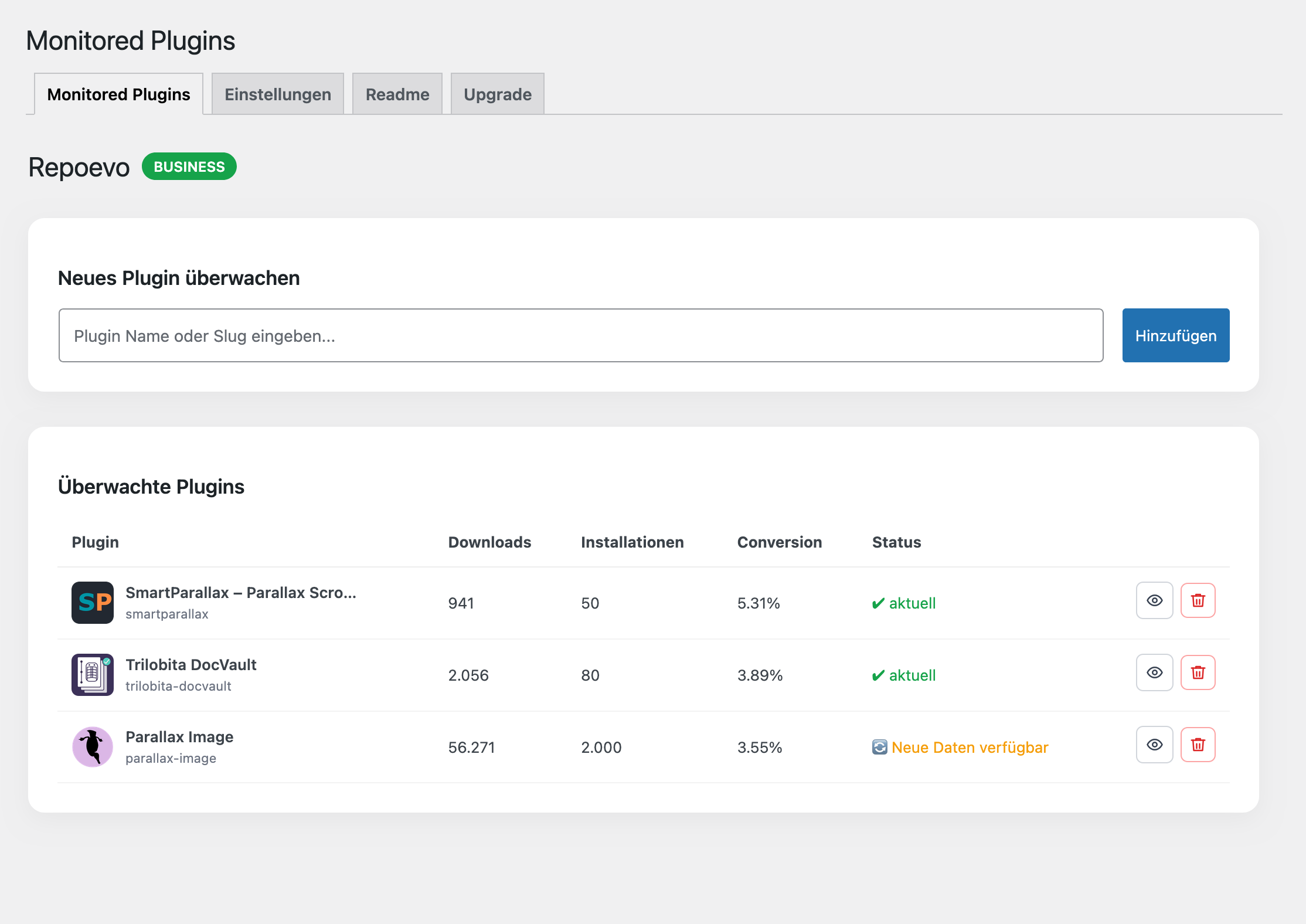
- Add any WordPress.org plugin slug and start monitoring immediately
No configuration needed. Data collection starts automatically.
Frequently asked questions
Is Repoevo free?
Yes. Core features including download tracking, install tracking, conversion rate and keyword ranking are completely free. The Pro plan unlocks custom keyword tracking, PDF export and monitoring for more plugins.
What can I monitor with Repoevo?
Any plugin from the official WordPress.org repository — your own plugins or any competitor’s plugin. Just enter the plugin slug and Repoevo starts collecting data automatically.
How does keyword ranking tracking work?
Repoevo tracks your plugin’s position in WordPress.org search results for your tags and custom keywords — daily. You can see your full ranking history, spot trends and discover keywords you didn’t even know you ranked for.
Does Repoevo show keywords I am not tracking yet?
Yes. Repoevo automatically discovers keywords your plugin already ranks for in the WordPress.org search results — even if you never added them manually. Pro users see the exact ranking positions for all discovered keywords.
Can I track competitor plugins?
Yes. You can add any public WordPress.org plugin to your Repoevo dashboard and monitor its downloads, installs, keyword rankings and conversion rate — side by side with your own plugins.
Can I compare two plugins directly in the charts?
Yes. In the detail view you can select any other monitored plugin as a comparison. Download trends and keyword rankings are overlaid directly in the same chart — your plugin as a solid line, the comparison as a dashed line in the same color.
Can I export my analytics as a PDF?
Yes. Pro users can export a complete analytics report as a clean PDF directly from the dashboard — including the download chart, keyword ranking chart and key statistics. Perfect for client reporting.
How often is data updated?
Repoevo collects fresh data daily. The intelligent cache system ensures instant load times while keeping your data up to date.
My license is not working on another site. Why?
Each Repoevo license is linked to the site URL entered when you first connected. You can see exactly which URL your license is linked to on the Settings page. If you need to use Repoevo on a different site, disconnect and reconnect on that site.
Does this affect my site’s performance?
No. All data processing happens in the background. The plugin has zero impact on your site’s front-end performance.
Where can I find the documentation?
Full documentation is available at https://repoevo.com/docs/
Changelog
1.10.1
- New: Momentum Actions now shows a Score for each recommended tag/keyword — position alone can be misleading (e.g. rank #3 in a field of 34 says less than rank #7 in a field of 180); the Score accounts for field size so recommendations are easier to judge at a glance
- Fix: “Copy AI prompt” button in Momentum Actions could silently fail in some environments (local HTTP setups, or when the browser denies clipboard permission) — now falls back reliably
1.10.0
- New: Category Competition — replaces the old “Plugin comparison” (keyword-overlap) logic entirely with a statistically weighted ranking across every plugin in your category, based on real WordPress.org search performance instead of superficial tag matches. See exactly where you rank, how many keywords you cover, and browse the full category list on Repoevo.com (Pro)
- New: Momentum Actions now includes “Category trends” — trending keywords from your main category that you aren’t tracking yet, with a one-click “not relevant” dismiss and automatic inclusion in the AI prompt; shows a clear message instead of nothing when no trending keywords are currently available (Pro)
- Improvement: Detail view and Momentum Actions now use a space-aware sticky navigation bar — jump links collapse into a dropdown only when there’s genuinely no room left, instead of a fixed screen-width breakpoint
- Improvement: Momentum’s “Avg. position improvement” tile now shows a clear up/down arrow matching the trend direction
- Fix: Momentum chart no longer shows a misleading empty gap followed by an abrupt jump when a plugin temporarily drops out of the WordPress.org Top 100 for all tracked keywords — the line now bridges smoothly to the last known value
- Fix: Content below the sticky action bar on the detail view could render narrower than the header above it due to a redundant nested container
1.9.1
- Fix: Manual support credits added to your balance were mislabeled as “Usage” in the balance history instead of “Credit”
1.9.0
- New: Pricing switched from a fixed monthly subscription to pay-as-you-go credit — €0.39 per day you actually use the plugin detail view, no cap, billed only for real usage
- New: Free trial now gives you real starting credit (about 10 usage days) instead of a fixed countdown — try the full Pro experience from day one, no credit card required
- New: “Plan & Billing” tab (replaces “Upgrade”) shows your current balance, a full top-up/usage history, and a one-click top-up button
- Improvement: The Business plan tier has been removed — Pro now covers unlimited plugins for all paying users
- Improvement: Plan and balance status in the admin menu badge now always reflect your live account state, instead of occasionally lagging behind after a plan or balance change
1.8.0
- New: Momentum Actions — concrete WordPress.org tag and description recommendations based on your real ranking data (Pro)
- New: Free plan now shows a real Momentum headline preview and a concrete Momentum Actions opportunity count once enough ranking history is available, instead of a generic placeholder
- Improvement: Upgrade page now lists Momentum and Momentum Actions as plan features
1.7.1
- Fix: Momentum box could show contradicting labels at the same time (e.g. “recovering” headline next to “speeding up” in the Acceleration tile) — the Acceleration tile now always states clearly whether the improvement or the decline is easing or speeding up.
Screenshots


For developers
Is this your plugin? Show off the numbers.
Add a live badge to your site, docs or GitHub README. It updates on its own — no account needed.
Best Repoevo alternatives
All Competitor Analysis plugins →| Rank | Plugin | Active installs |
|---|---|---|
| 2 |
 Data Insights
Analytics SDK for WordPress plugin developers. Track user behavior, analyze competitors…
Data Insights
Analytics SDK for WordPress plugin developers. Track user behavior, analyze competitors…
|
<10 |
FAQ
Repoevo: quick answers
Straight answers, pulled from live WordPress.org data.
Live data from WordPress.org · checked Oct 17, 2026
Is Repoevo free?
Yes. Repoevo is free to download and use from the official WordPress.org plugin directory.
Is Repoevo safe to use in 2026?
Repoevo is a solid plugin choice in 2026, with a few things worth checking first. It runs on 10+ sites, is rated 5/5 and was last updated 7 days ago, and scores 68/100 on our health check.
How many websites use Repoevo?
Repoevo is active on 10+ WordPress websites and has been downloaded 1,507 times since it launched in April 2026. It was downloaded 179 times in the last 30 days.
Does Repoevo work with WordPress 7.1?
Repoevo is officially tested up to WordPress 7.0.7, while the latest release is 7.1.3. It may still work, but try it on a staging site first.
What PHP version does Repoevo need?
Repoevo requires PHP 7.4 or higher. Most hosts run PHP 8.x today, so it works on any modern WordPress hosting.
When was Repoevo last updated?
The latest version, 1.10.1, was released on October 11, 2026 (7 days ago).
Who makes Repoevo?
Repoevo is developed and maintained by achimschmid.
What are the best alternatives to Repoevo?
The most popular alternatives to Repoevo are Data Insights (<10 installs).
Powered by PageForge
Want thousands of pages that rank like these? Build them in an afternoon.
This directory runs on the same engine as PageForge. Turn any spreadsheet, CSV or API into thousands of fast, SEO-ready WordPress pages — with schema, internal links and AI-written copy baked in.
- CSV, Google Sheets & API data sources
- AI content, schema & internal links per page
- Works with Elementor, Gutenberg, Yoast & Rank Math
- Free on WordPress.org — no credit card


