



Replai Mega Menu – Multi-column dropdown menus
Turn your WordPress menus into responsive mega menus: multi-column dropdowns with headings, icons, badges, featured cards and a mobile drawer.

Use with caution
Replai Mega Menu works, but test it on a staging site before relying on it in 2026. Was last updated 1 month ago, and scores 60/100 on our health check.
- Tested with the latest WordPress (7.1)
- Small user base (<10 active installs)
- Very few reviews so far
How does it stack up?
Side-by-side on installs, updates, ratings & support



Daily downloads
Download spikes usually follow a new release — each site that auto-updates counts as a download.
Rankings
Where Replai Mega Menu stands todayWordPress.org search rankings
Live position in the plugin search, top 100| Keyword | Position |
|---|---|
| elementor | >100 |
| mega menu | >100 |
| menu | >100 |
| navigation | >100 |
| responsive menu | >100 |
About Replai Mega Menu
From the official readme · v1.0.44Description
Replai Mega Menu upgrades the menus you already build in Appearance → Menus into modern, responsive mega menus — no page builder required. Enable a mega panel on any top-level item and design its dropdown with columns, section headings, per-item icons and badges, a featured card and CTA buttons. On phones everything turns into a clean off-canvas drawer.
Because it is built on the native WordPress menu system, it stays compatible with your theme and multilingual plugins, and if you deactivate it your menus keep working as plain menus.
What you can build
- Multi-column panels — organize a dropdown into columns with uppercase section headings, just like the big SaaS sites. Split into real columns automatically or add your own column breaks.
- A real icon library — pick a per-item icon from a searchable library: Font Awesome (Solid & Brands, bundled locally), Dashicons and emoji. Set each icon’s color, and its size on an XS–XL scale.
- Badges — add a small label such as “NEW” to any item, with a custom color.
- Featured cards — a highlighted block with image, title, description and link inside the panel.
- CTA buttons — turn a top-level item or a sub-item into a call-to-action button.
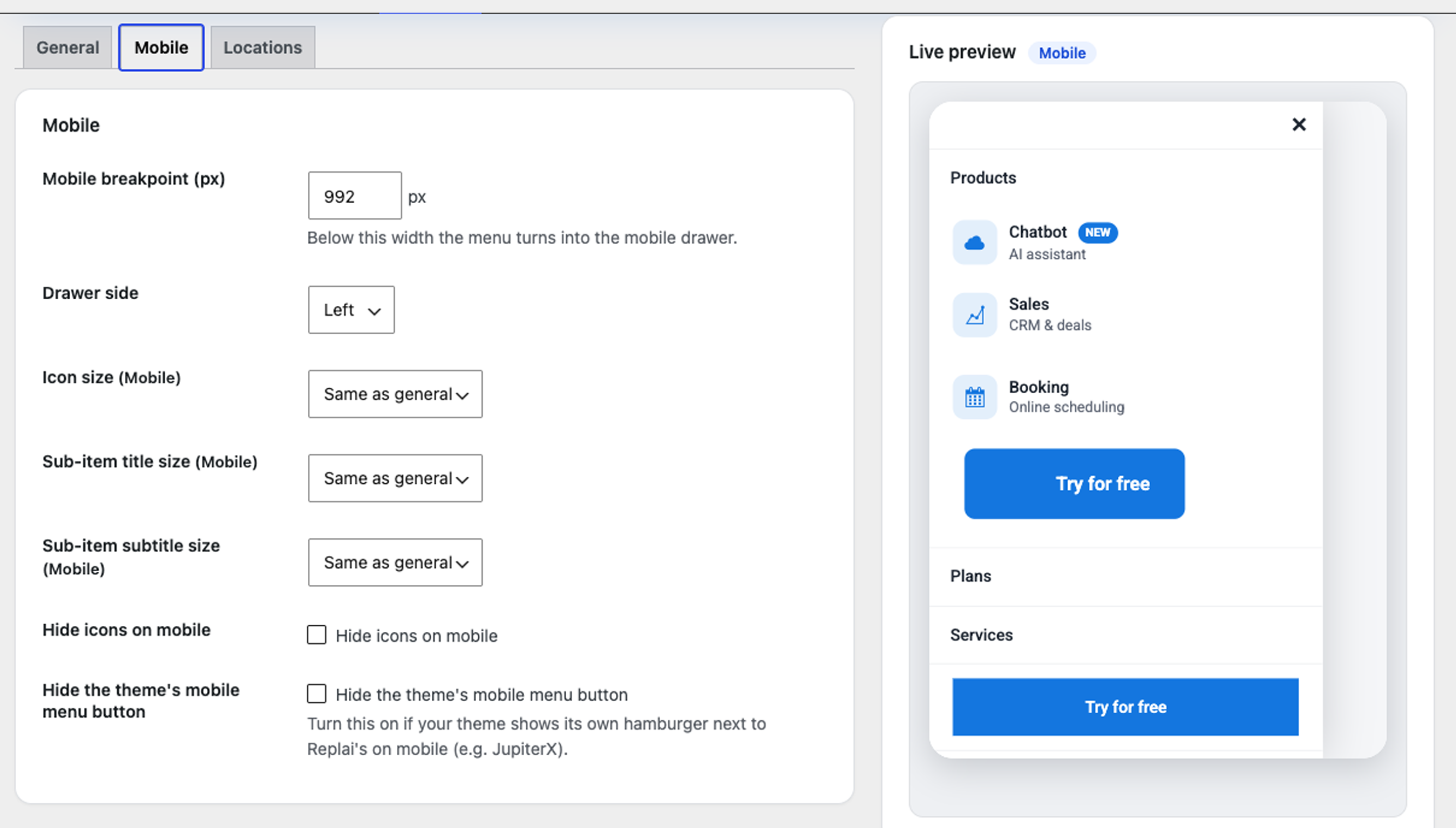
- Responsive off-canvas drawer — below your chosen breakpoint the menu becomes a full-height mobile drawer with smooth accordions, a header with your logo, a sticky CTA area and a close button. Choose which side it opens from and hide your theme’s own toggler so there’s only one hamburger.
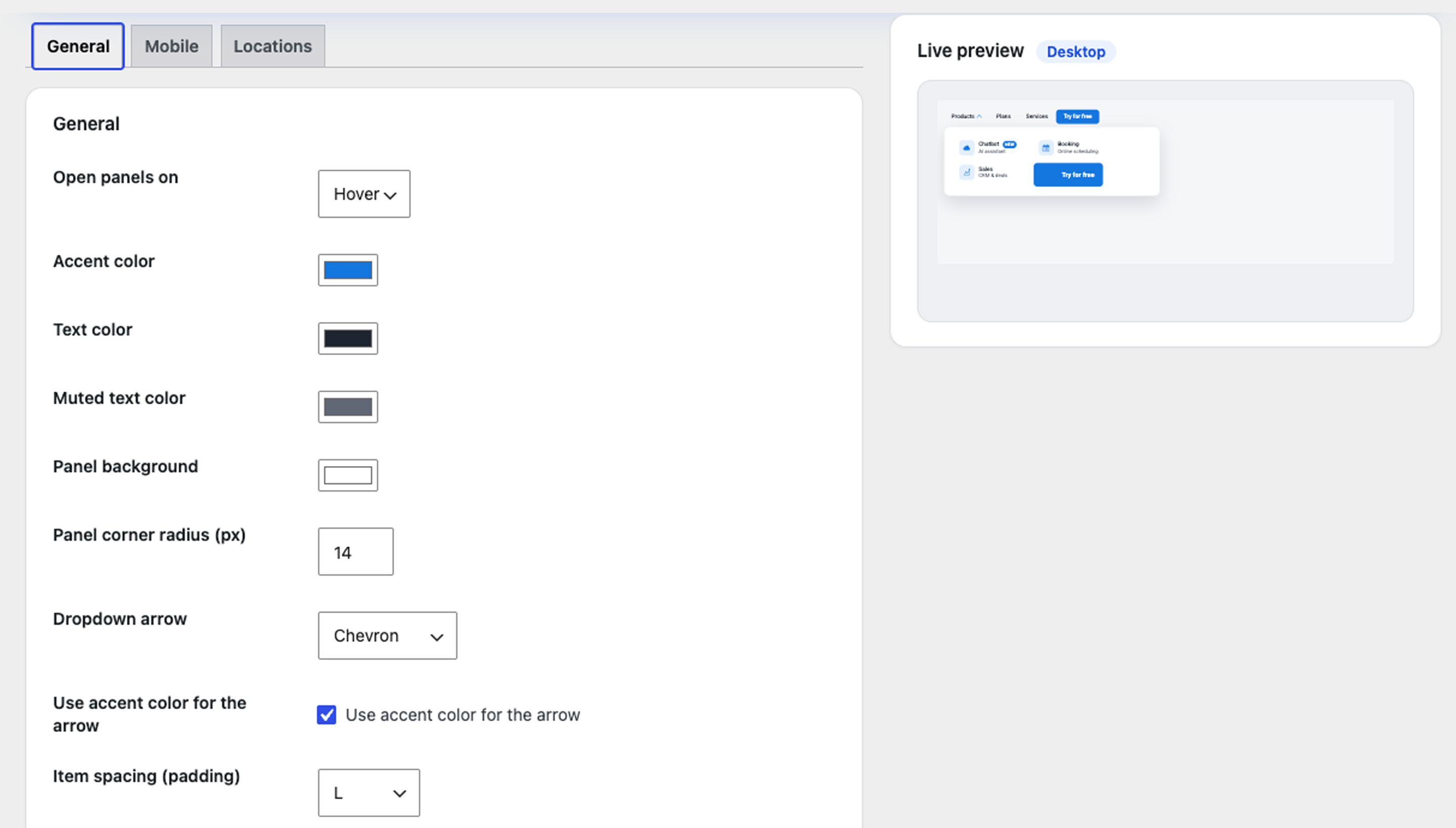
- Fine-tuned styling with a live preview — accent, text and background colors, panel corner radius, dropdown arrow style (chevron / triangle / plus-minus / none), open-on-hover or open-on-click, and XS–XL scales for item spacing, font size and weight, icon size and sub-item title/subtitle — each with a separate mobile value. A live Desktop/Mobile preview reflects your changes as you type.
- Works with your stack — built on native Appearance → Menus, placeable with a shortcode, and available as an Elementor widget. No theme lock-in.
How to use it
- Go to Appearance → Menus and edit any item. You will see a new “Mega menu (Replai)” section with the options above.
- Go to Appearance → Replai Mega Menu to set colors, the mobile breakpoint and which theme menu locations the plugin should render as mega menus.
- Or drop it anywhere with the shortcode
[replai_menu location="primary"](or[replai_menu menu="Main Menu"]). - Building your header with Elementor? Look for the Replai Mega Menu widget and pick a menu or theme location right in the editor.
Installation
- Upload the replai-mega-menu folder to
/wp-content/plugins/, or install it from the WordPress plugin directory. - Activate the plugin.
- Configure your items in Appearance → Menus and the global styles in Appearance → Replai Mega Menu.
Frequently asked questions
Does it work with my theme?
Yes. It renders the menus registered by your theme (theme locations) and can also be placed with a shortcode. It uses the native menu system, so no theme lock-in.
Is it responsive?
Yes. Below the breakpoint you set, the menu becomes an off-canvas drawer with expandable sections, a sticky area for CTA buttons and a close button. It is keyboard accessible and closes with Escape.
What happens if I deactivate it?
Your menus keep working as standard WordPress menus. The mega settings are stored as menu-item metadata and are simply ignored while the plugin is off.
Which icons can I use?
Each sub-item can use an icon from a searchable library: Font Awesome (Solid & Brands, bundled locally so nothing is loaded from a CDN), Dashicons, or an emoji. You can also set the icon color and its size on an XS–XL scale, with a separate value for mobile.
Does it work with Elementor?
Yes. Besides the native Appearance → Menus integration and the shortcode, there is a “Replai Mega Menu” Elementor widget: drop it into any header or template and pick a menu or theme location right in the editor.
Does it call any external service?
No. The plugin runs entirely on your site and makes no external requests.
Changelog
Fix: in click mode, clicking an open item again now closes its panel.
1.0.44
- Fix: in “open on click” mode, clicking an open top-level item again now closes its panel (a lingering focus state was keeping it open).
1.0.43
- New: optional close delay for the desktop hover menu — keep the panel open for 0.1 s up to 1 s after the pointer leaves (default: immediate). Set it in Settings → General.
- Hover UX: the panel no longer closes when moving from the top item down into the panel (invisible bridge over the gap), and switching to another top item closes the previous panel immediately.
- Branding: the plugin directory icon now uses the official REPLAI logo, consistent with the other REPLAI plugins.
- Admin is now fully multilingual out of the box (English, Spanish, Catalan, French, Italian, Portuguese and German), following your site language — including the description shown in the Plugins list.
- Bigger live preview on desktop, and the settings and preview cards now align to the same top edge under the tabs.
1.0.42
- Security/hardening: the per-item badge color is now validated as a hex color both when saved and when printed, instead of being stored as free text (plugin review feedback). The menu-item icon color already used the same validation.
1.0.41
- Tested and compatible with WordPress 7.1.
1.0.40
- Resubmission for review: confirmed no inline
<script>/<style>anywhere (the settings tab script is enqueued from assets/js/admin-settings.js) and no bundled .po/.mo files (only the .pot template; translations via translate.wordpress.org).
1.0.39
- Settings: the tab-switching script now loads from an enqueued file (assets/js/admin-settings.js) instead of an inline block.
- Removed bundled .po/.mo translation files; translations are served from translate.wordpress.org.
Screenshots

For developers
Is this your plugin? Show off the numbers.
Add a live badge to your site, docs or GitHub README. It updates on its own — no account needed.
Best Replai Mega Menu alternatives
All elementor plugins →





FAQ
Replai Mega Menu: quick answers
Straight answers, pulled from live WordPress.org data.
Live data from WordPress.org · checked Sep 29, 2026
Is Replai Mega Menu free?
Yes. Replai Mega Menu is free to download and use from the official WordPress.org plugin directory.
Is Replai Mega Menu safe to use in 2026?
Replai Mega Menu works, but test it on a staging site before relying on it in 2026. Was last updated 1 month ago, and scores 60/100 on our health check.
How many websites use Replai Mega Menu?
Replai Mega Menu is active on <10 WordPress websites and has been downloaded 192 times since it launched in August 2026. It was downloaded 67 times in the last 30 days.
Does Replai Mega Menu work with WordPress 7.1?
Yes. The developer has tested Replai Mega Menu up to WordPress 7.1.2, the latest release. It requires WordPress 6.2 or newer.
What PHP version does Replai Mega Menu need?
Replai Mega Menu requires PHP 7.2 or higher. Most hosts run PHP 8.x today, so it works on any modern WordPress hosting.
When was Replai Mega Menu last updated?
The latest version, 1.0.44, was released on August 26, 2026 (1 month ago).
Who makes Replai Mega Menu?
Replai Mega Menu is developed and maintained by REPLAI.
What are the best alternatives to Replai Mega Menu?
The most popular alternatives to Replai Mega Menu are Ultimate Addons for Element… (2M+ installs), Essential Addons for Elemen… (1M+ installs) and Royal Addons for Elementor (600K+ installs).
Powered by PageForge
Want thousands of pages that rank like these? Build them in an afternoon.
This directory runs on the same engine as PageForge. Turn any spreadsheet, CSV or API into thousands of fast, SEO-ready WordPress pages — with schema, internal links and AI-written copy baked in.
- CSV, Google Sheets & API data sources
- AI content, schema & internal links per page
- Works with Elementor, Gutenberg, Yoast & Rank Math
- Free on WordPress.org — no credit card


